

Build a Salon Landing Page That Fills the Chair
Build a salon landing page with your service prices, a short request form, and every booking saved to a database you own.
Build a salon landing page that saves every signup to a database I own.
Trusted by Builders Worldwide
Active Builders Worldwide
Apps Successfully Created
Countries Globally Reached



What a Salon Page Needs Before Booking
A salon landing page sells one visit and turns a visitor into a booking request. Six parts do that work, and each changes by prompt.
A service menu with a price on each line
List each service with its time and price, such as a gloss for $65 in 45 minutes. Emergent builds the menu from your prompt, and a new price is one more message to the page.
A request form that asks for a time window
Ask for a name, a phone number, the service, and whether a weekend or weekday suits the visitor. The front desk then calls each visitor back to confirm the exact time and stylist.
Booking rules written in plain words
Describe a rule the way you would tell a new hire: a lash fill past 4 weeks books as a full set. Emergent writes the rule into the page, and you change it later by prompting again.
Every request saved as a row you own
Each request lands as a row in a database you own, with the service, the window, and the stylist the visitor picked. Sort the rows by week or by stylist, and call back from the list.
An alert the moment a request comes in
Send each new request to the front desk by email, in Slack, or as an in-app alert. Pick who gets which service, so a color request reaches the colorist and a barber gets the cuts.
Your page on your domain, or as code
Host the page on Emergent under your own domain (custom domains use credits). Or export the page and its request table to your GitHub repository on paid plans and own the code.
Salon Landing Page Examples by Studio Type
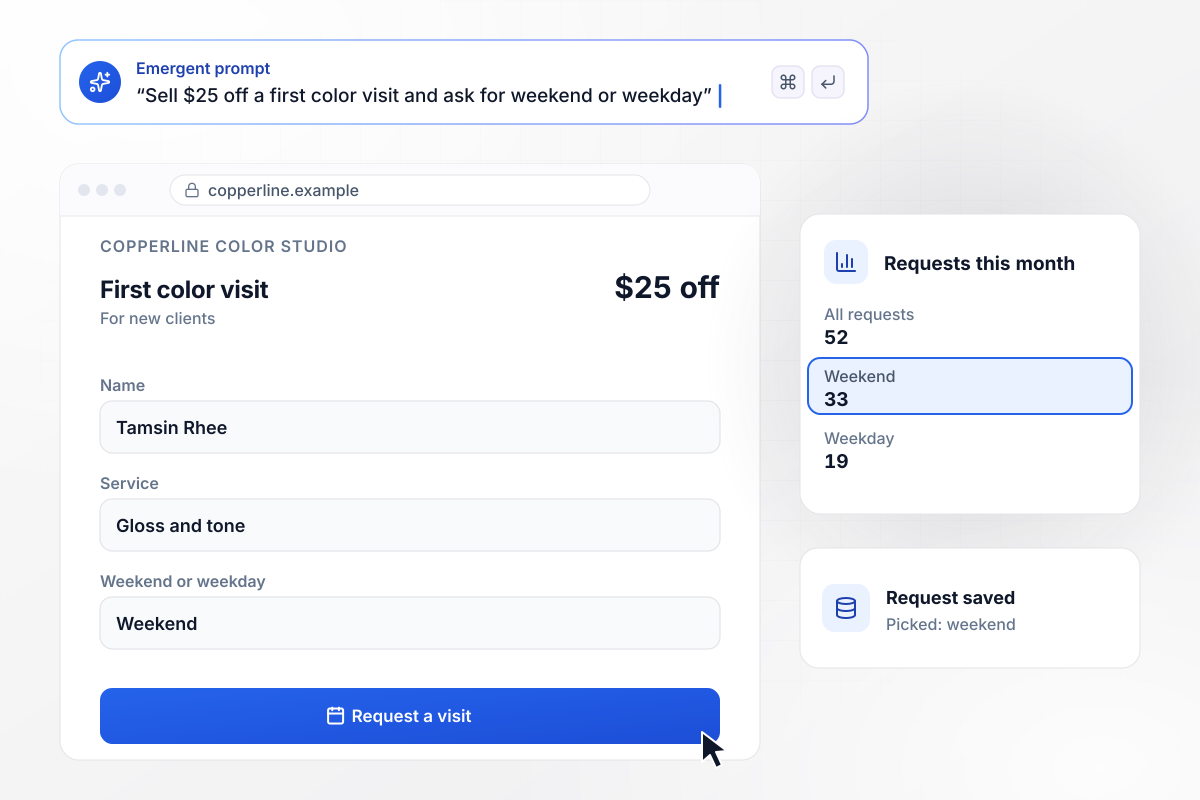
The $25 first-visit offer asks for a window, not a slot
Copperline Color Studio sells one visit on this page: $25 off a first color appointment. The request form ends on a single question, weekend or weekday. This month 52 requests came in. 33 picked a weekend and 19 picked a weekday, and each one is a row the front desk books from.
window.awbMockup = { hairColorStudio: "Build a landing page for Copperline Color Studio, my salon, that sells one visit: $25 off a first color appointment. Keep the request form short: name, phone number and service, then a last question that asks for a weekend or a weekday. Save every request as a row my front desk books from, and count the weekend and weekday picks each month.", nailStudio: "Make a page for Juniper Nail Studio where one person can hold up to 4 seats at the same start time from their phone. Ask for the day, the time, and the number of seats. Save each seat as its own row under the person who booked it, with a blank for each guest's name.", lashStudio: "Build a page for Alder Lash Co. that asks each client for the date of her last visit. If a fill is requested more than 4 weeks after the last visit, offer the $120 full set instead of the $45 fill. Save every request with both dates so my lash artists can check it.", barbershopWalkIns: "Make a walk-in page for Fadewell Barbershop. A visitor joins the list from the sidewalk with a name and an email and sees the wait my front desk quotes. When a barber marks a chair open, email the next name on the list that the chair is ready. Keep the whole list in a table I own." };
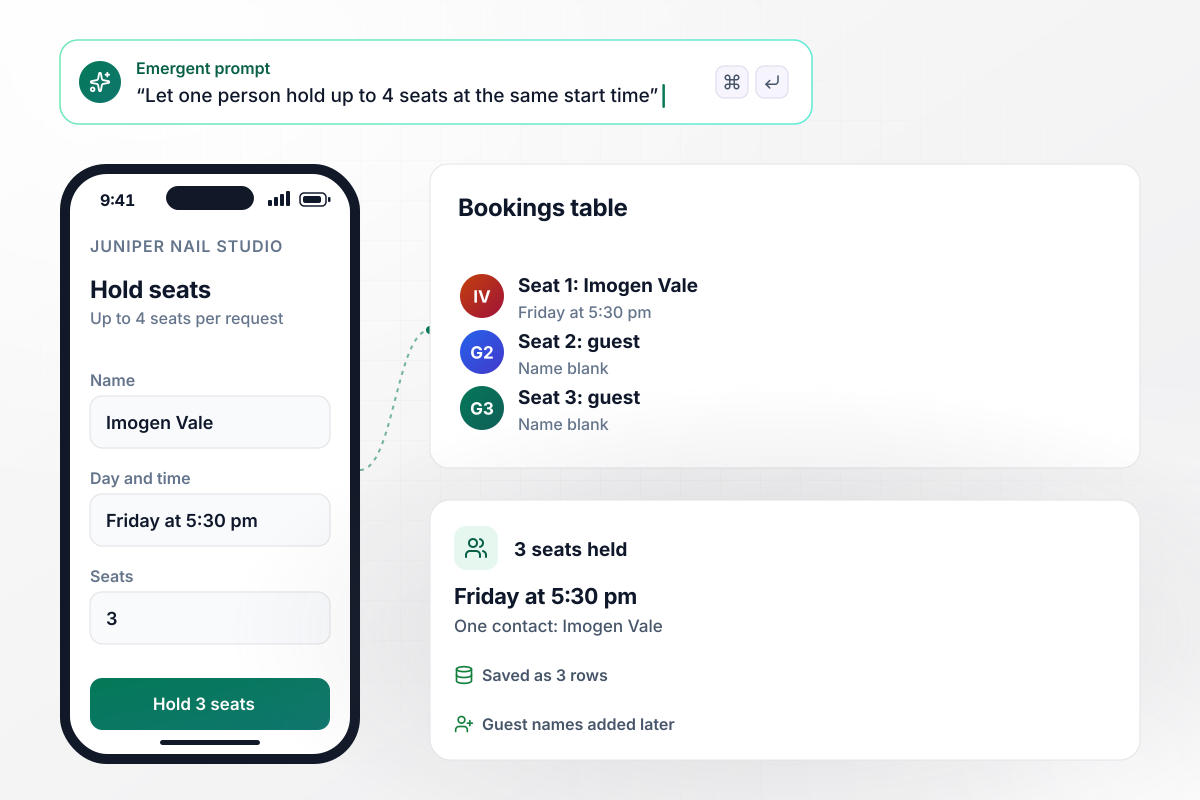
Three seats held from one phone
Juniper Nail Studio takes groups in one request. Its page lets one person hold up to 4 seats at the same start time. Imogen Vale held 3 seats for Friday at 5:30 pm from her phone. Each seat landed as its own row under her contact, with a blank for the guest's name.
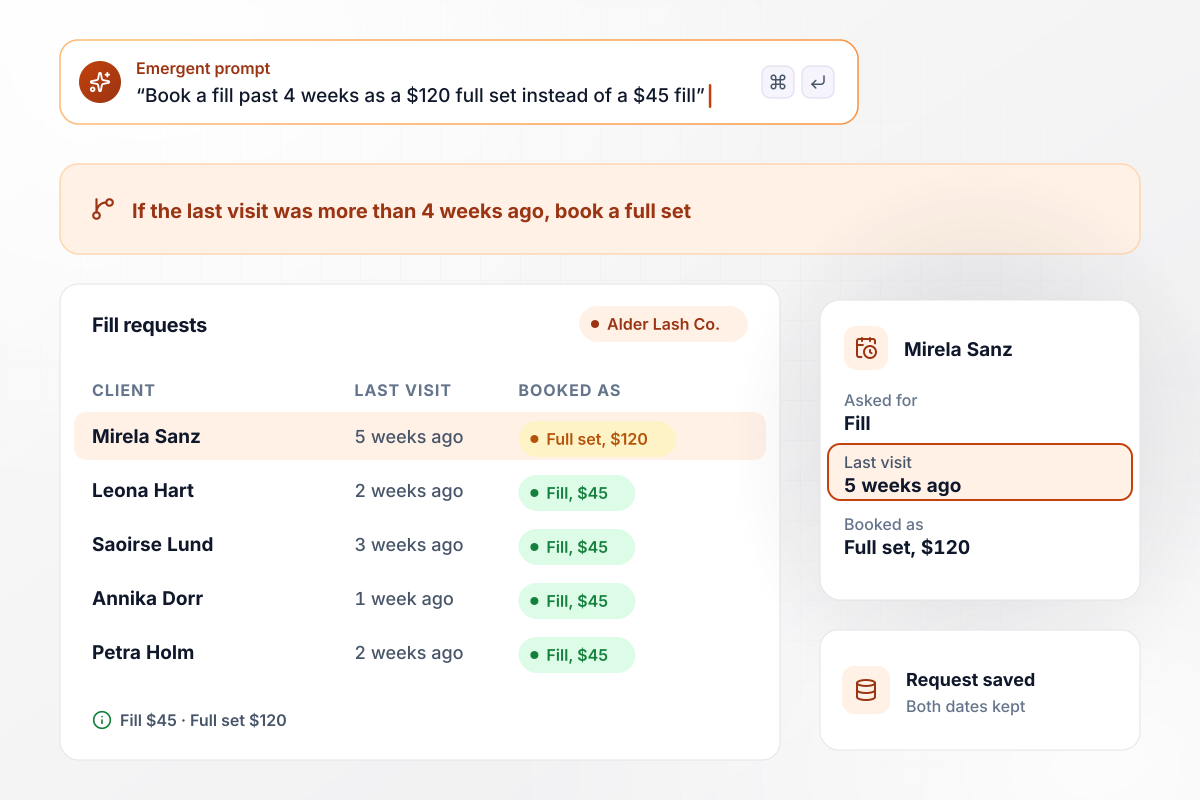
The calendar decides fill or full set
Alder Lash Co. prices by the calendar. A fill requested more than 4 weeks after the last visit books as a $120 full set instead of a $45 fill. Mirela Sanz asked for a fill 5 weeks after her last visit. The page offered her the full set and saved her request with both dates.
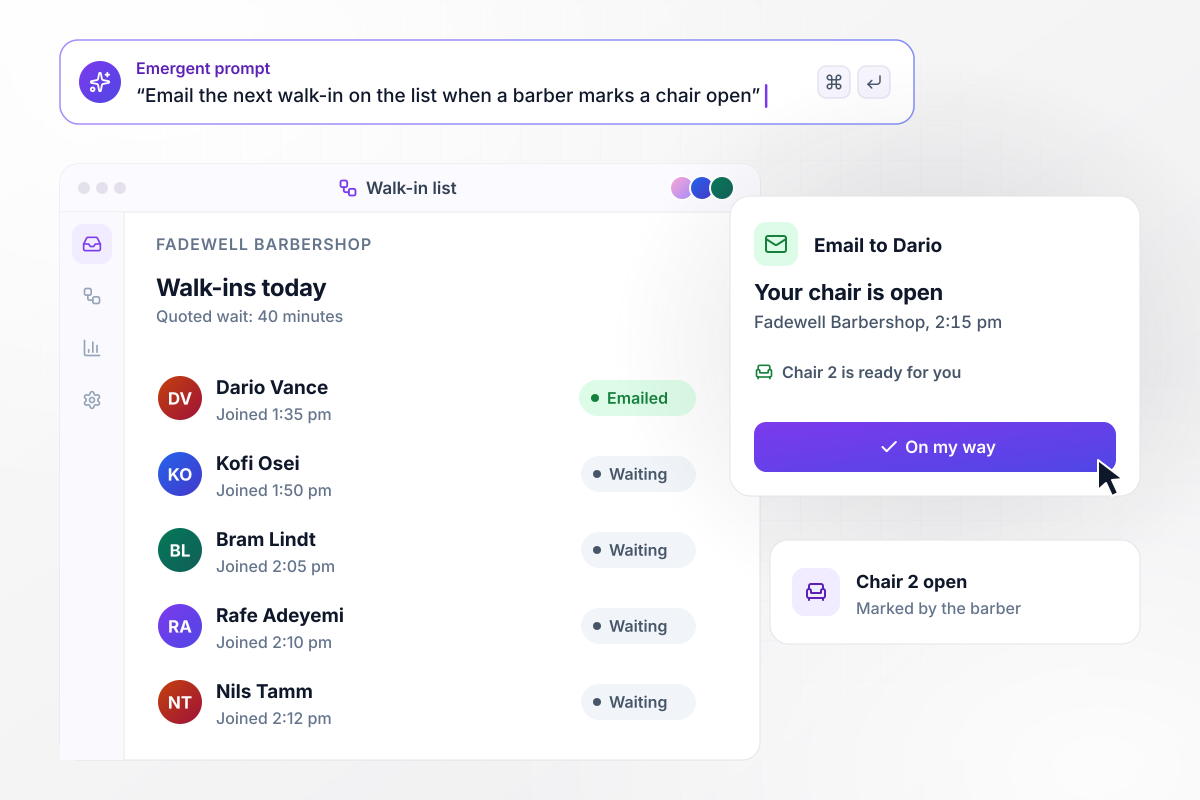
Every open chair goes to the next name
Fadewell Barbershop's page lets a visitor join the walk-in list from the sidewalk and shows the wait the front desk quotes, 40 minutes on this Saturday. When a barber marks a chair open, the next name on the list gets an email. Dario Vance was next at 2:15 pm.






How to Create a Salon Landing Page
Seven steps to a salon landing page that sells one visit, prices it plainly, and routes every request to a named person.
Choose a single visit, such as a first color appointment or a lash fill, and build the page around it. A visitor who tapped an ad for balayage should land on balayage, not on the full menu of every service the salon offers.
Put the price and the time next to each service, in the same line. A visitor choosing between a gloss and a full color should see both numbers before asking for a visit. Leave out "prices vary" unless the page says what they vary by.
Unless the page reads the salon's real calendar, ask for a weekend or a weekday, morning or evening, and let the front desk confirm the time. Keep the form to four fields so it fits on one phone screen.
Show each stylist's name, photo and specialty, and let the visitor pick one or choose the first available. Keep the pick in the request row: it tells the front desk whose book to fill first.
Decide what the page does with the edge cases before it goes live: a fill past 4 weeks, a group bigger than the seats you hold, a request for a service on a day it is not offered. Describe each rule in one sentence.
Route color requests to the colorist, lash requests to the lash artist, and walk-ins to the front desk. Send one test request for each service and check who got it, before any ad points traffic at the page.
Add LocalBusiness structured data with the salon's name, address and phone number. Google's guidance says to use the most specific LocalBusiness sub-type possible, and schema.org lists HairSalon and NailSalon under HealthAndBeautyBusiness. Add the opening hours in the same markup.
Why Build a Salon Landing Page With Emergent?
Tell Emergent which visit the page sells and who answers each request, and it builds the page. Requests become rows in a table you own.

|
Unbounce | Landingi | Wix | |
|---|---|---|---|---|
| How you build | Prompt for a campaign page | Templates and drag-and-drop, AI copy assist | Templates and drag-and-drop, AI assist | Prompt for a full site |
| Where submissions go | A database table you own, plus integrations | Unbounce lead storage and integrations | Vendor lead storage and integrations | Wix dashboard submissions and Contacts |
| Visitor limits | No per-visitor pricing | Monthly visitor caps by plan | Tiered by traffic on most plans | Site plan bandwidth |
| A/B testing | Generate variants by prompt | A/B testing on higher-tier plans only | Higher plans | Limited or add-on |
| Code ownership | Full code export to GitHub on paid plans | Hosted only | Hosted only | Hosted only |


Pick the Pricing Plan That Works for You
Choose the plan that fits your building ambitions. From weekend projects to enterprise applications, we've got you covered.




Find the right landing page for you
Frequently Asked Questions
Your Questions, Answered
Don't change this element unless you know what you are doing
More things you can build
with Emergent









on Emergent today


