

Build a Fintech Landing Page That Captures More Than an Email
Build a fintech landing page that saves each signup with the detail behind it, in a database you own.
Build a fintech landing page that saves every signup to a database I own.
Trusted by Builders Worldwide
Active Builders Worldwide
Apps Successfully Created
Countries Globally Reached



What a Fintech Page Needs Before the Signup
A fintech landing page asks a visitor for one action, such as opening an account or booking a demo. Emergent builds each part below.
A headline about the account
Lead with what the visitor gets, such as a business debit card or a lower processing fee. Save the company story for further down, after the offer and the button that claims it.
Cost and contact beside the button
Put the monthly cost and a way to reach a person right beside the signup button, not three screens below it. Show both before you ask a visitor to trust the page with money.
A form sized to the next step
A waitlist needs an email and nothing else. A demo request needs a work email and one sizing question. Ask for the rest once the account is open, when people have a reason to answer.
Signups saved to a database you own
Every signup lands as a row in a database you own, with each field the form asked for. Connect the CRM your sales team works in, and the same row appears in that CRM as well.
An alert when a large account applies
Send a Slack message or an email to the person who should call back when a request crosses the volume line you set. The message carries the company name and its monthly volume.
Code that goes through review
Export the full code to your GitHub repository on paid plans. The page can then go through the same pull request review as the product it sells, before anything is published.
Fintech Landing Page Examples
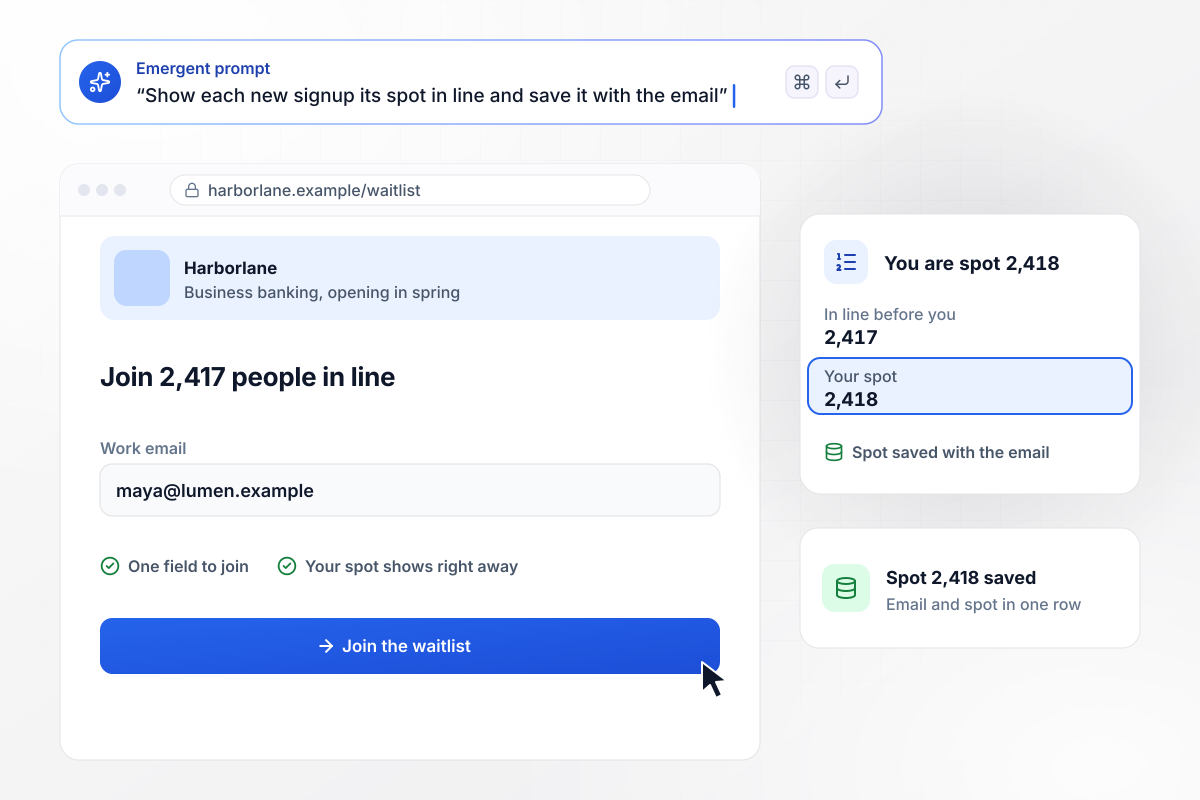
Signups see their spot when they join
Harborlane sells nothing yet: its business account opens in the spring. The page asks for one work email and shows how many people are already in line, 2,417 this morning. The next visitor to sign up sees spot 2,418 on the confirmation screen, and that spot saves with the email in the database.
window.awbMockup = { waitlistSpot: "Build a waitlist page for Harborlane, a business account that opens in the spring. Ask for a work email only and show how many people are already in line. After someone signs up, show their spot on the confirmation screen and save the spot with their email.", demoRouting: "Make a demo request page for Brackenpay. Ask for a work email and monthly card volume. Email every request of $50,000 or more a month to Dana Merced, who handles our larger merchants, and send everyone else our onboarding email.", feeEstimate: "Create a pricing page for Crestfield, which charges shops 2.9% per card sale. Ask for monthly card sales first and show the monthly fee right away. Put the email field under the estimate and save the estimate with the email.", linkTracking: "Build an early-access page for Ashwell with two tagged links, one for our podcast sponsorship, and one for our newsletter. Ask for an email, save the tag of the link that sent each signup, and show me a count of signups for each link." };
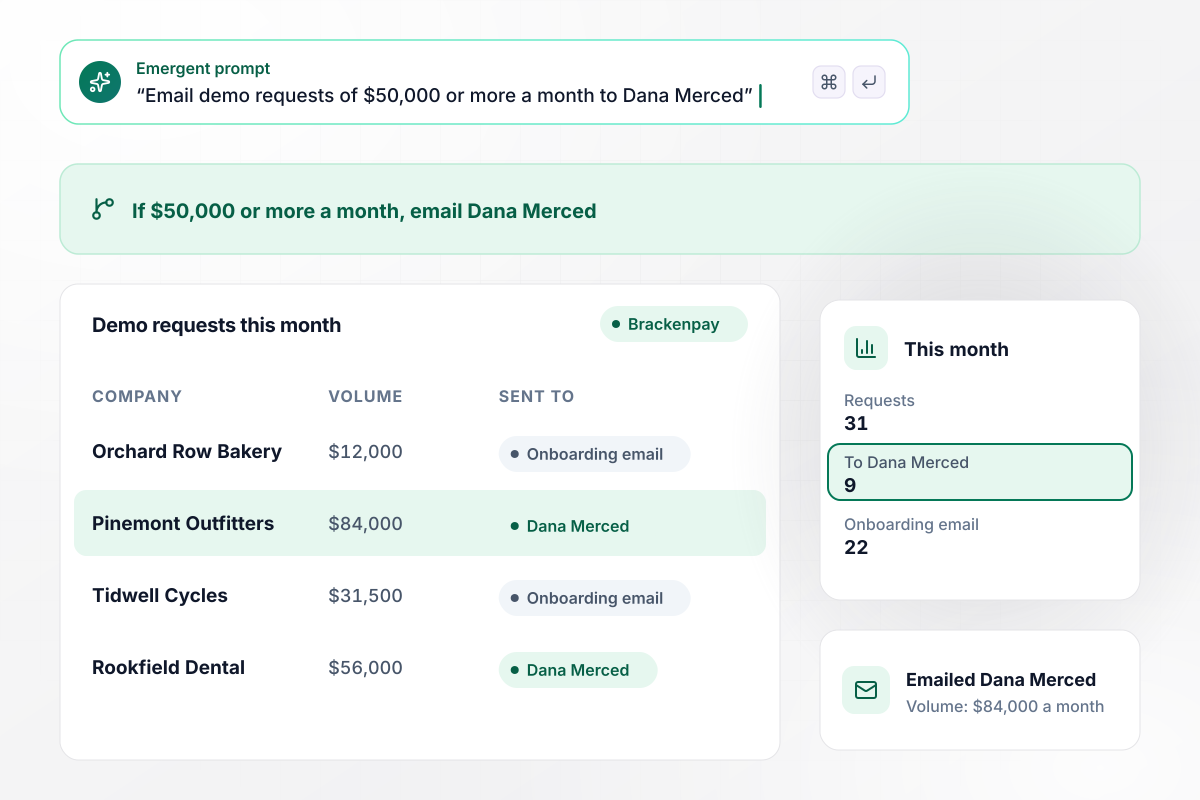
$50,000 or more and Dana calls back
Brackenpay asks one sizing question on its demo form: monthly card volume. A request for $50,000 or more a month is emailed to Dana Merced, who handles larger merchants, and every other request gets the onboarding email. This month 9 of 31 requests went to Dana, and 22 got the onboarding email.
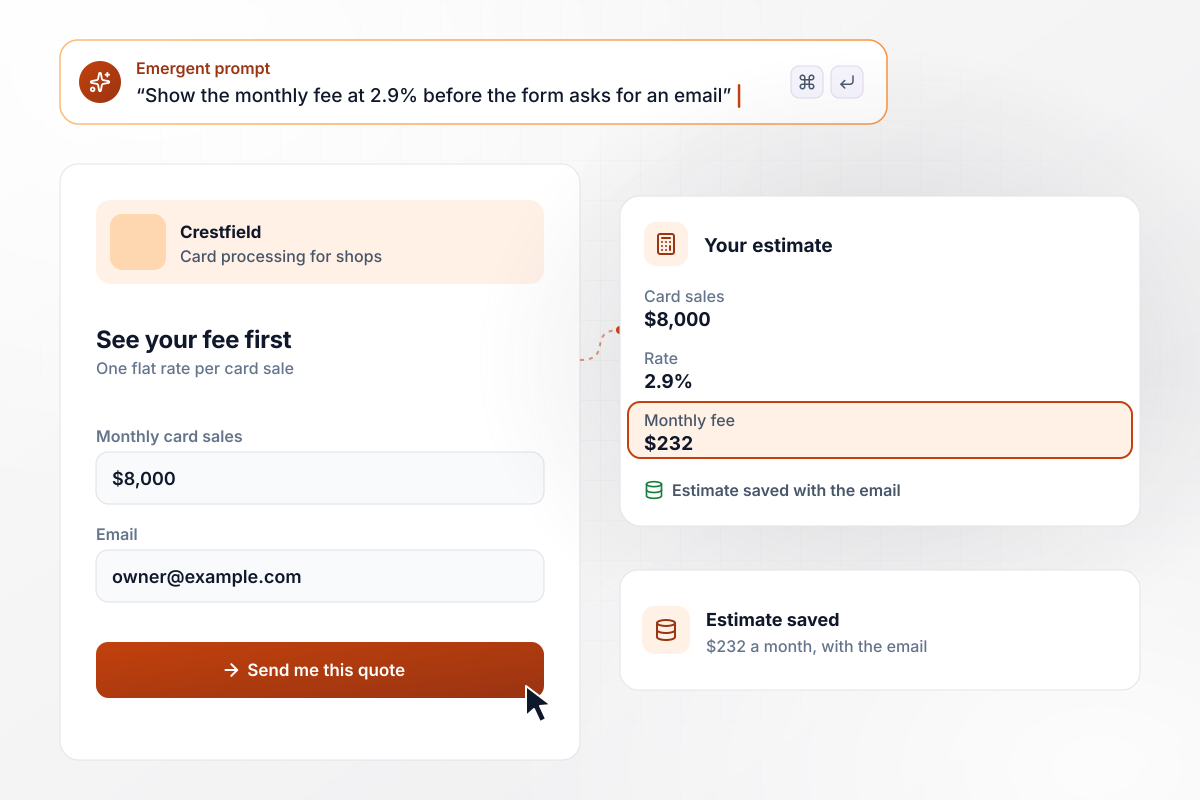
A fee quote comes before the email ask
Crestfield charges shops one flat rate per card sale, and its page does the math before the form asks for anything. A visitor who enters $8,000 in monthly card sales sees $232 a month at once. The email field sits under the estimate, which saves with the email for the rep who follows up.
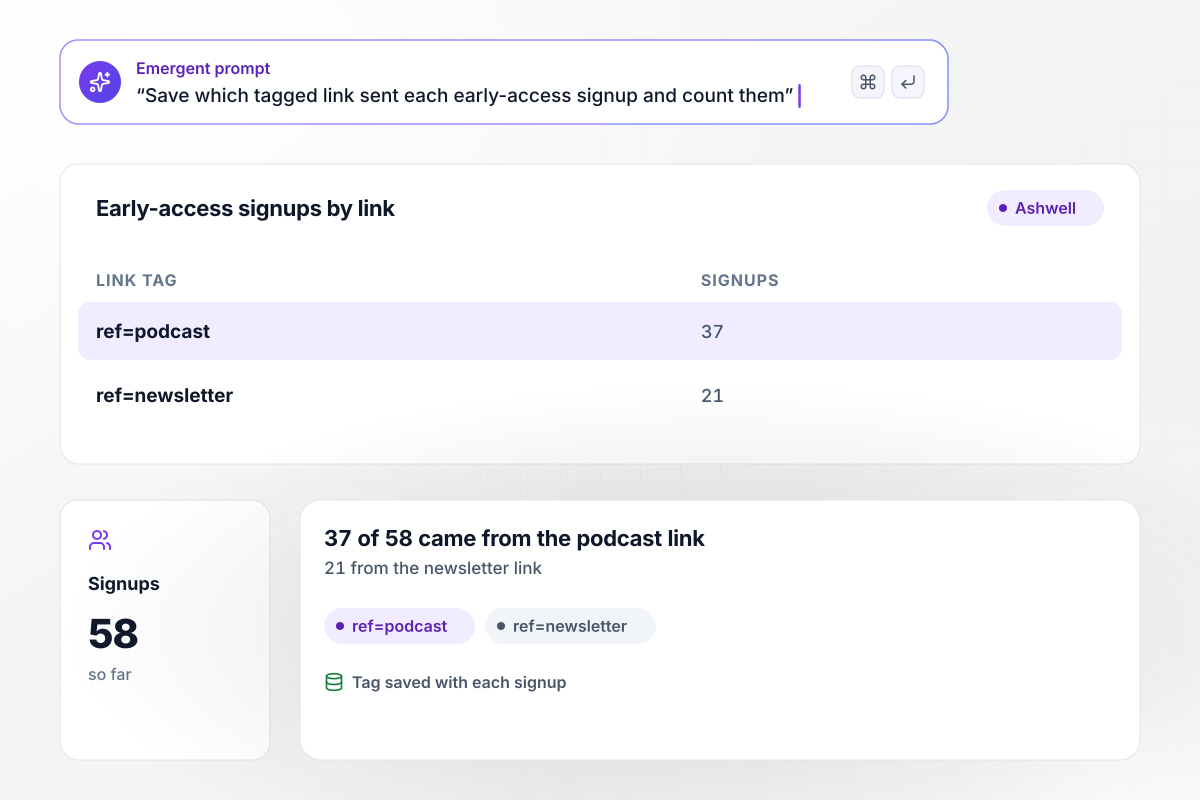
Every row knows which link sent it
Ashwell promoted its early-access page in two places, a podcast sponsorship and its own newsletter, each with its own tagged link. Every signup saves the tag of the link that sent it. Of 58 requests so far, 37 came from the podcast link and 21 from the newsletter link.






How to Create a Fintech Landing Page
Seven steps to a fintech landing page that shows the cost up front and sends each signup to the right person.
Decide what the page asks for before writing a word of it: a spot in line, a sales call, or a new account. Each action needs its own form and its own follow-up. Give each one a page of its own, and point every ad at the page for its job.
Say what the visitor gets on the first screen, such as a business account or a lower fee per sale. Keep the founding story and the investor logos lower on the page, below the button that starts the signup.
Show the cost in dollars a month beside the signup button, with a short line on how to reach a person. When the price depends on volume, let the visitor type a number and see the monthly figure before the form.
A waitlist needs one email field. A demo request can add a single sizing question, such as monthly card volume, because that answer decides who calls back. Leave everything else for after the account is open.
Set the volume line that sends a request to a sales rep, and choose who gets the Slack message or email when a request crosses it. Requests under the line can get an onboarding email the moment they arrive.
Give each ad and each partner its own tagged link before the page goes live. The tag saves with the signup. A placement whose tag never shows up in your database is one you can stop paying for.
Describe the page and who hears about each signup, and Emergent builds it from that prompt. Send a test signup from a phone, then check the row in your database and the message the rep received.
Why Build Your Fintech Page With Emergent?
Say what each signup should trigger, and Emergent builds the page from that prompt. Signups stay in a database you own.

|
Unbounce | Landingi | Wix | |
|---|---|---|---|---|
| How you build | Prompt for a campaign page | Templates and drag-and-drop, AI copy assist | Templates and drag-and-drop, AI assist | Prompt for a full site |
| Where submissions go | A database table you own, plus integrations | Unbounce lead storage and integrations | Vendor lead storage and integrations | Wix dashboard submissions and Contacts |
| Visitor limits | No per-visitor pricing | Monthly visitor caps by plan | Tiered by traffic on most plans | Site plan bandwidth |
| A/B testing | Generate variants by prompt | A/B testing on higher-tier plans only | Higher plans | Limited or add-on |
| Code ownership | Full code export to GitHub on paid plans | Hosted only | Hosted only | Hosted only |


Pick the Pricing Plan That Works for You
Choose the plan that fits your building ambitions. From weekend projects to enterprise applications, we've got you covered.




Find the right landing page for you
Frequently Asked Questions
Your Questions, Answered
Don't change this element unless you know what you are doing
More things you can build
with Emergent









on Emergent today


