

Build a Developer Landing Page That Shows the Code First
Get a developer landing page that shows your install command up top and keeps each signup in a database of your own.
Build a developer landing page for my open-source queue with the install command and a GitHub link up top.
Trusted by Builders Worldwide
Active Builders Worldwide
Apps Successfully Created
Countries Globally Reached



What Emergent Builds for a Developer Product
Emergent builds the page an engineer reads, the form they fill in, and the table where every signup waits for a reply.
Your tool, explained the way engineers read
Describe what the product does and the first command a user types. Emergent builds the page around it: a short pitch, the install line, a code sample, and a docs link.
Signup questions that sort by stack
Ask which language and database each visitor uses. The app reads the answers and decides what that person sees next: a Go signup and a Python one get different follow-ups.
Every signup in a database you own
Each waitlist entry, vote, and access request is saved with its answers beside it. Filter by stack or team size to pick who gets invited first, with nothing to export.
Word when a large team asks for access
Pick the requests that matter, such as a team above a size you set, and the app sends a Slack message, email, or in-app alert. A reminder follows if nobody replies to it.
Requests that reach your CRM and tools
The app connects to any tool with an API, HubSpot and Slack among them. An access request arrives in the CRM with its answers attached, and nobody copies rows by hand.
Your domain and the code behind it
Publish on a domain such as get.yourtool.dev; custom domains are included in Emergent and use credits. Paid plans add full code export to your own GitHub repository.
Developer Landing Page Examples
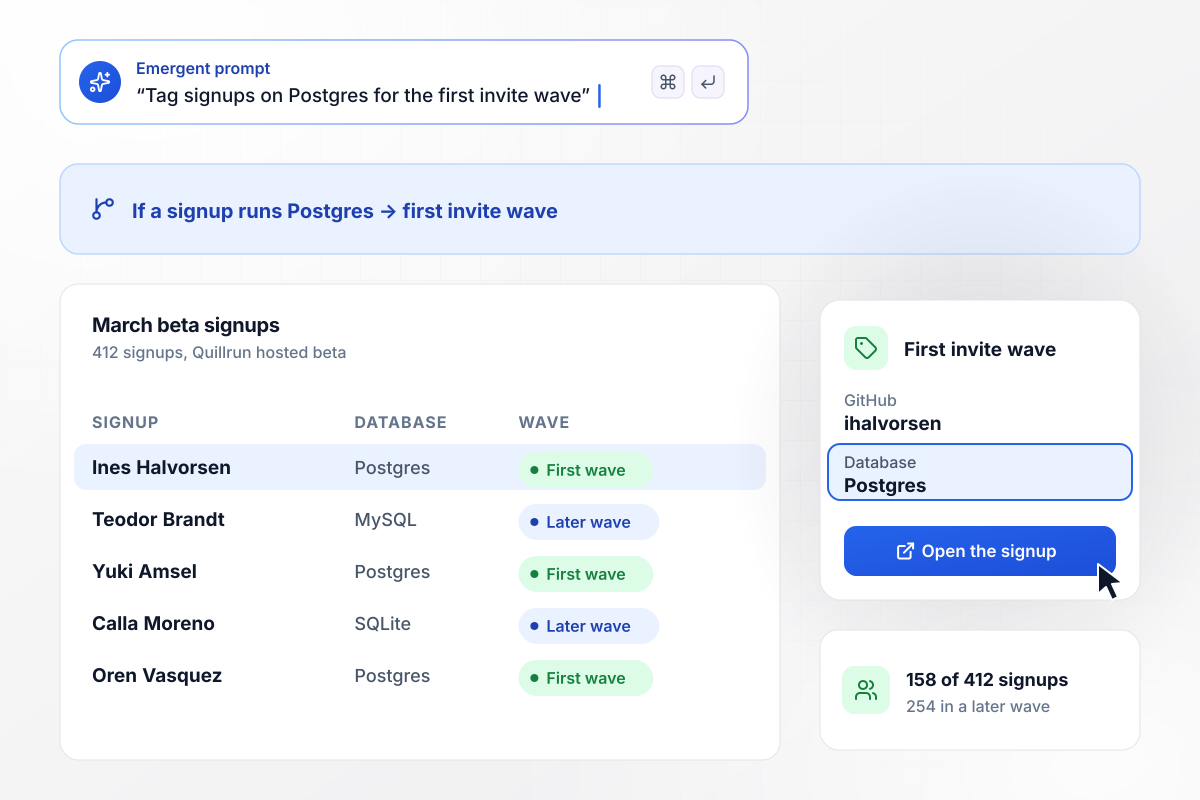
On Postgres? 158 of 412 signups get the first invites
Quillrun asks every signup for its hosted beta for a GitHub username and the database they run. Signups on Postgres are tagged for the first invite wave, and everyone else waits for a later one. Of 412 signups in March, 158 run Postgres, Ines Halvorsen among them, and 254 wait for a later wave.
window.awbMockup = { cliTools: "Build a beta waitlist landing page for Quillrun, an open-source CLI. Ask each signup for their GitHub username and the database they run. Tag signups on Postgres for the first invite wave and put everyone else in a later wave.", sdks: "Build a landing page for the Tessel SDK with a calculator that prices usage. Ask for monthly API calls, show the price at $0.40 per 1,000 calls before signup, and save each estimate with the visitor's email.", developerPlatforms: "Build an access request landing page for Corvane, a developer platform. Ask how many engineers will use it. Add requests from teams of 50 or more engineers to HubSpot as deals and send smaller teams to self-serve signup.", openSource: "Build a roadmap landing page for Pell Queue, an open-source message queue. Let visitors vote for the next connector, one vote per GitHub username, and show the tally as votes arrive." };
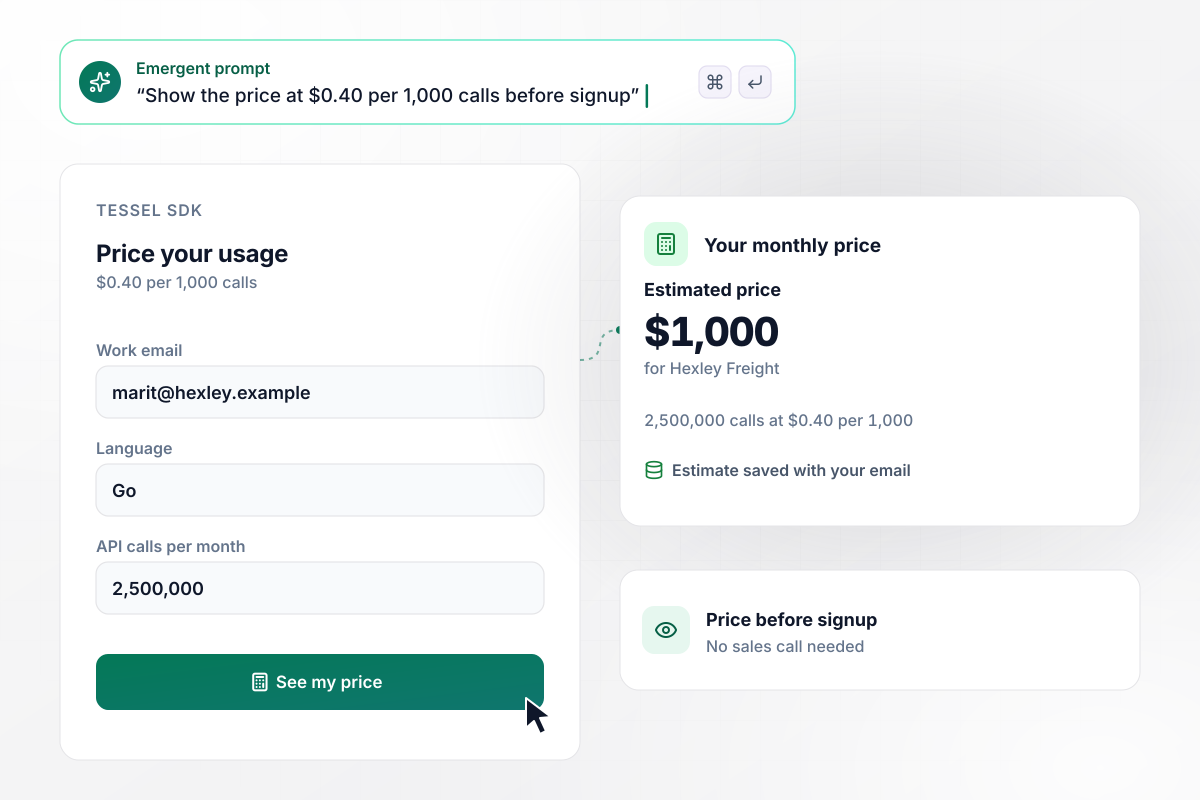
Hexley Freight sees its $1,000 monthly price first
A visitor types a monthly call volume into Tessel's SDK page and sees the price at $0.40 per 1,000 calls before signing up. The app saves each estimate with the visitor's email. Marit Solberg at Hexley Freight entered 2,500,000 calls a month and saw a price of $1,000.
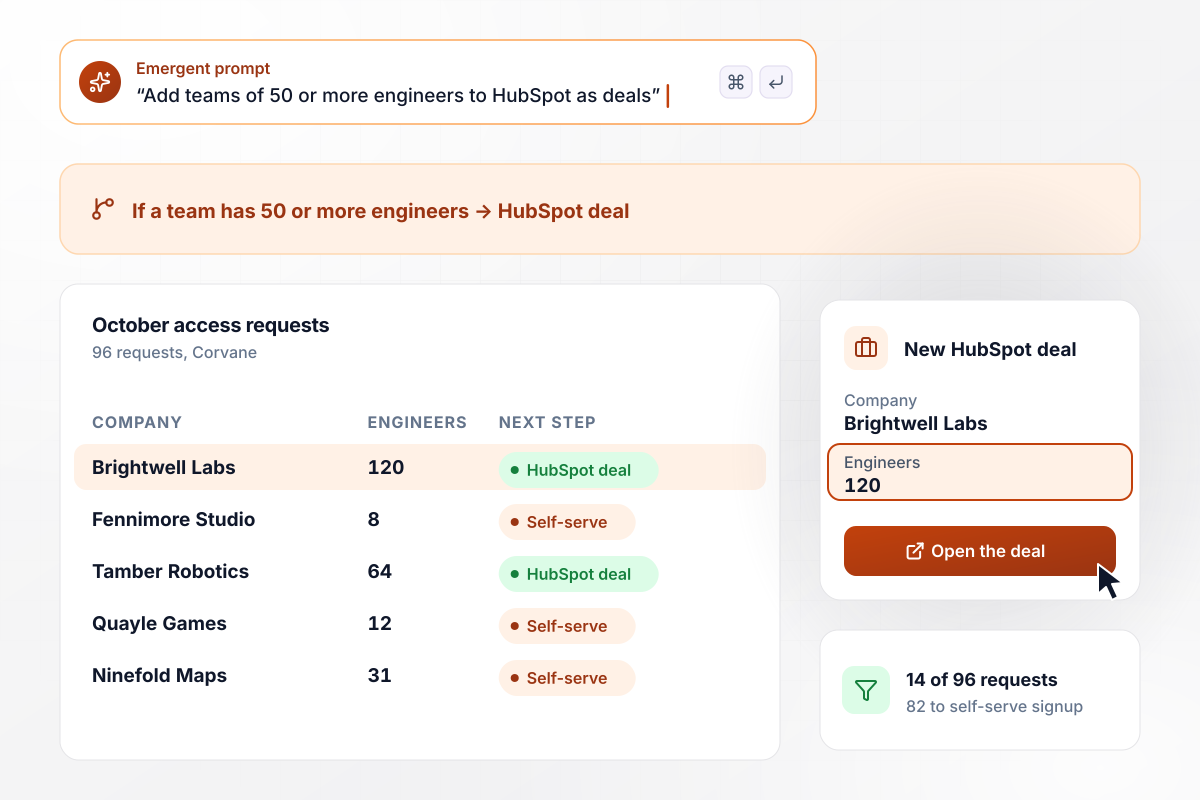
HubSpot gets every team of 50 or more engineers
Each access request on Corvane's page asks how many engineers will use the platform. Requests from teams of 50 or more engineers are added to HubSpot as deals. In October 14 of 96 requests came from teams that size, Brightwell Labs with 120 engineers among them; the other 82 went to self-serve signup.
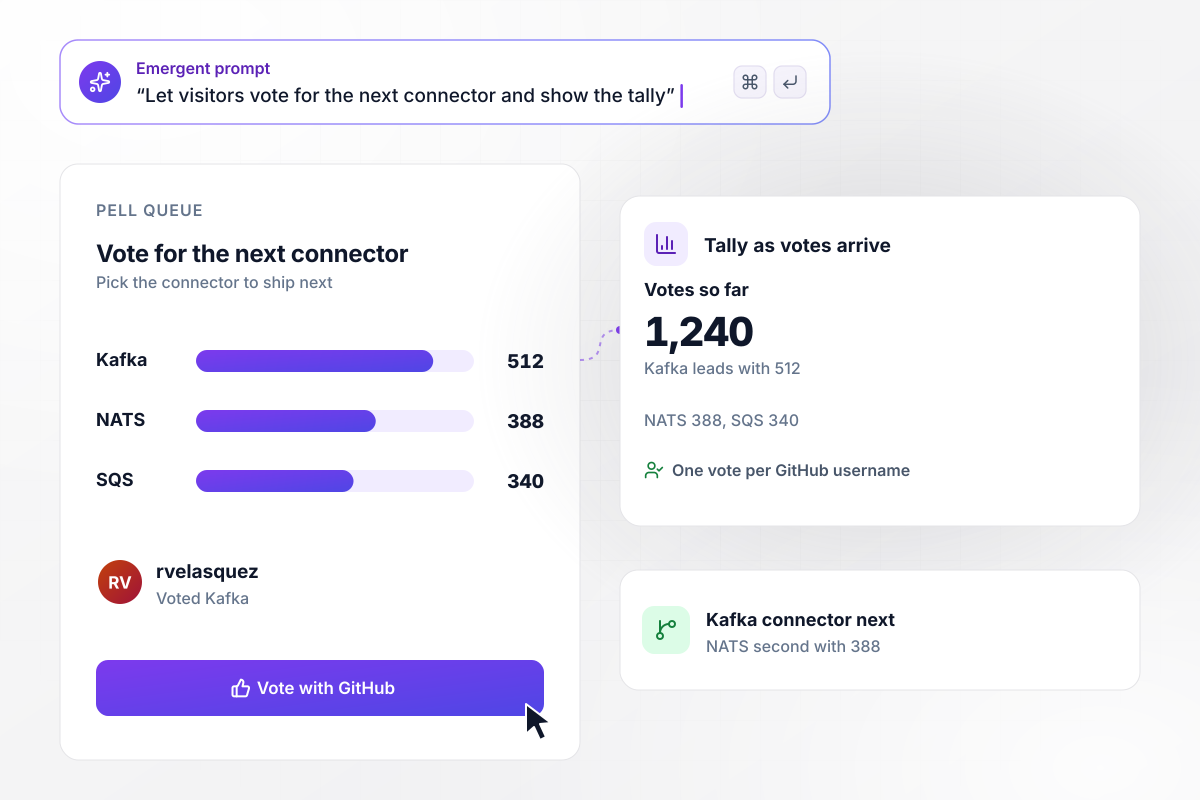
Which connector is next? Kafka leads with 512 votes
Pell Queue lets visitors vote for the next connector its open-source queue should ship, one vote per GitHub username. The page shows the tally as votes arrive, and contributors can see which connector to pick up. With 1,240 votes in, Kafka has 512, NATS 388, and SQS 340.






How to Create a Developer Landing Page
Seven steps take a developer landing page from its first command to a live page that keeps every signup.
Write the one command a developer runs first, such as the install line, and put it near the top in a block they can copy. Keep it above any feature list.
Put a short code sample under the pitch, 10 lines or fewer, showing the call people make most. Run it against the current release before every publish, and update it when the API changes.
Link the docs and the source repository from the first screen. A developer who wants to read before signing up should never have to hunt for either one.
Choose the single step the page asks for, such as joining a beta or requesting access, and give it one button. Repeat that button lower down instead of adding a second action.
Paste your product description into Emergent with the signup questions you want answered. Emergent builds the page and a table that keeps every answer, ready for a first test.
Decide who answers access requests and how fast. A team that asked for access in the morning should hear from a person the same working day.
Run a test signup yourself and check that the row lands in your table and the alert arrives. Then publish on your own domain (included in Emergent, uses credits) and link it from your README.
Why Build a Developer Landing Page on Emergent?
One prompt builds the page and its signup logic, and another prompt changes either one. The free tier covers building and publishing.

|
Unbounce | Landingi | Wix | |
|---|---|---|---|---|
| How you build | Prompt for a campaign page | Templates and drag-and-drop, AI copy assist | Templates and drag-and-drop, AI assist | Prompt for a full site |
| Where submissions go | A database table you own, plus integrations | Unbounce lead storage and integrations | Vendor lead storage and integrations | Wix dashboard submissions and Contacts |
| Visitor limits | No per-visitor pricing | Monthly visitor caps by plan | Tiered by traffic on most plans | Site plan bandwidth |
| A/B testing | Generate variants by prompt | A/B testing on higher-tier plans only | Higher plans | Limited or add-on |
| Code ownership | Full code export to GitHub on paid plans | Hosted only | Hosted only | Hosted only |




Pick the Pricing Plan That Works for You
Choose the plan that fits your building ambitions. From weekend projects to enterprise applications, we've got you covered.




Find the right landing page for you















Frequently Asked Questions
Your Questions, Answered
Don't change this element unless you know what you are doing
More things you can build
with Emergent









on Emergent today


