

Build a Landscaping Landing Page That Sorts Estimate Requests
Get a landscaping landing page that sends each estimate request to the right person and keeps it in a database you own.
Build a landscaping landing page that saves every estimate request to a database I own.
Trusted by Builders Worldwide
Active Builders Worldwide
Apps Successfully Created
Countries Globally Reached



Six Parts That Turn a Visit Into an Estimate
Each part below moves a landscaping landing page closer to a request someone can price. Emergent builds all six from a prompt.
The service, picked before anything else
Open the form on the work wanted: a design project, weekly mowing, a cleanup, or grounds care. That one tap decides which questions come next and who gets the request.
Budget ranges as buttons, not a blank box
Offer a few ranges to tap instead of a box for a number. A visitor with no figure in mind can still pick a range, and the range tells the office whether to call or to visit.
The towns your crews reach
Name the towns or ZIP codes your crews cover, right above the form. A visitor outside them sees that before typing an address, and nobody at the office calls back to say no.
Photos of yards you finished
Show one before-and-after pair for each service, shot on your own jobs. Put the new lawn beside the bare patch it replaced, and keep stock photos of tulips off the page.
An alert to whoever prices the job
Write down who hears about each kind of request you take. The app Emergent builds sends that person a Slack or email alert with the visitor's address and phone number on it.
Every request saved as a row you own
Each request is saved with its service and town in a database you own, so nothing lives only in an inbox. On paid plans Emergent exports the full code to your GitHub.
Landscaping Landing Page Examples
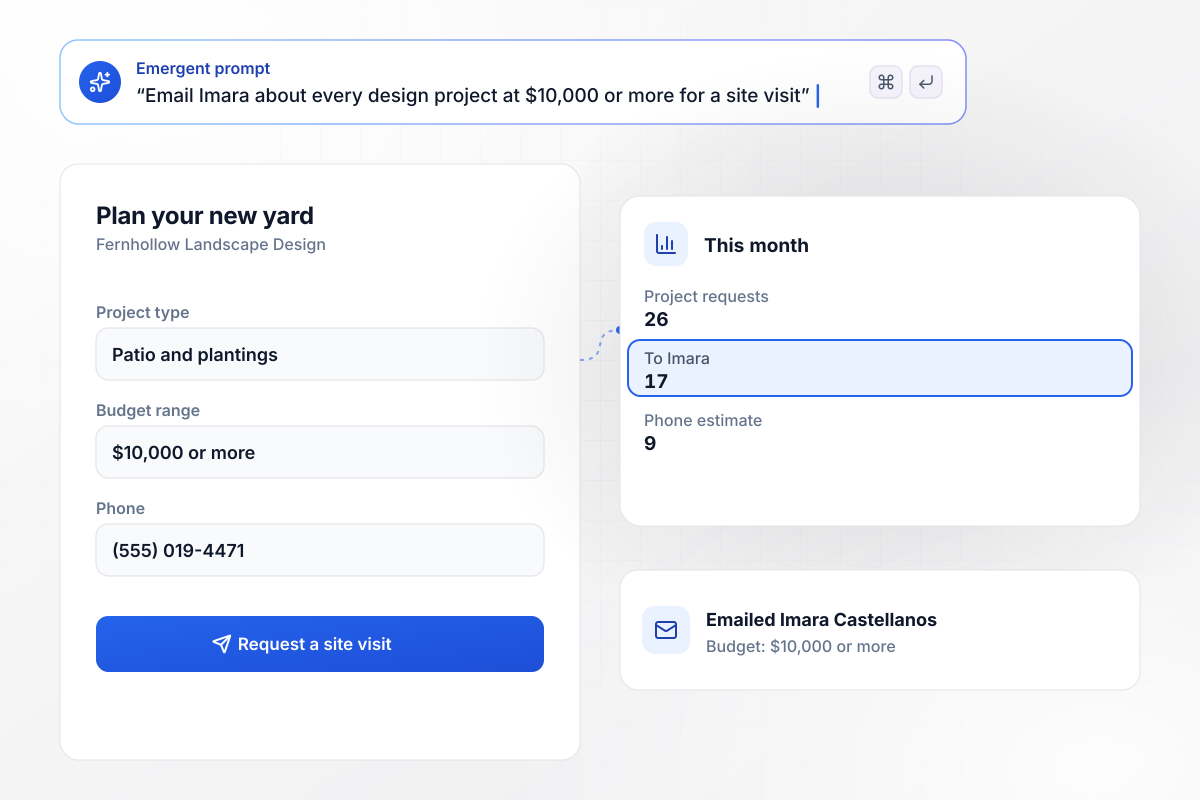
Imara visits any yard with $10,000 or more to spend
Fernhollow Landscape Design opens its project form on two picks: the project type and a budget range. A request at $10,000 or more emails Imara Castellanos, the designer, to set a site visit. Smaller jobs get a phone estimate. This month 26 project requests came in: 17 reached Imara and 9 took the phone estimate.
window.awbMockup = { designProjects: "Build a design project page for Fernhollow Landscape Design. Ask the project type first, then a budget range as buttons. Email Imara Castellanos, our designer, about every request at $10,000 or more so she can set up a site visit, and put smaller jobs on the office list for a phone estimate.", mowingRoutes: "Make a mowing page for Mossbank Lawn Care. Ask which side of town the yard is on and show the mowing day right away: Tuesday for the north side and Friday for the south side. Save the side and the day on each request row.", springCleanups: "Create a spring cleanup page for Birchlaw Yard Services. Ask when the yard was last cleaned up. Show the standard price for Last fall, and when the visitor picks Over a year ago, email Soren Abellard, our crew lead, to book a walkthrough.", groundsContracts: "Build a commercial grounds page for Stonewick Property Grounds. Ask whether the property needs year-round care or a one-time job. Send every year-round request to Halina Grosz, our contracts estimator, and send one-time jobs to the office queue." };
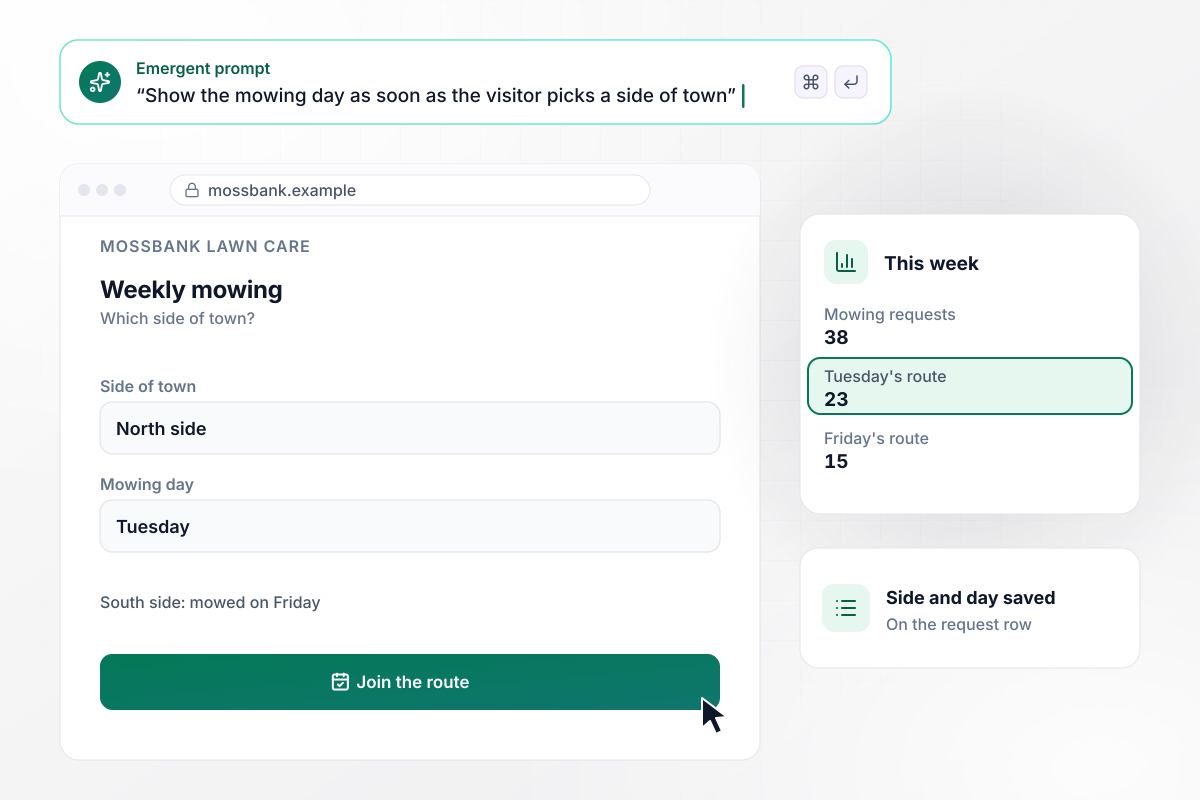
Tuesday for the north side, Friday for the south
Mossbank Lawn Care mows on fixed routes, so its page asks which side of town the yard is on and shows the mowing day right away. North side means Tuesday and South side means Friday, before anyone calls. This week 38 mowing requests came in: 23 joined Tuesday's route and 15 joined Friday's.
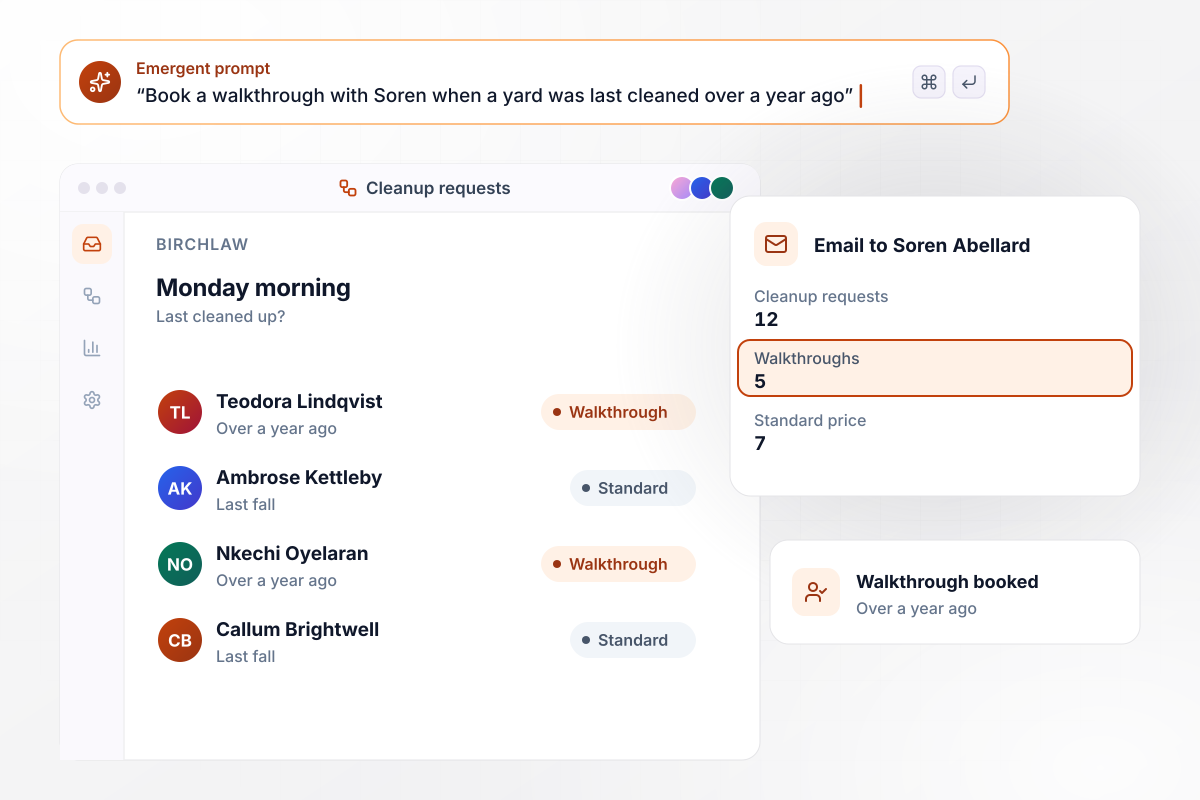
A yard left for a year starts with a walkthrough
Birchlaw Yard Services books spring cleanups from one question: when was the yard last cleaned up? Last fall gets the standard cleanup price on the spot. Over a year ago sends Soren Abellard, the crew lead, to walk the yard first. Monday morning brought 12 cleanup requests: 7 standard and 5 walkthroughs.
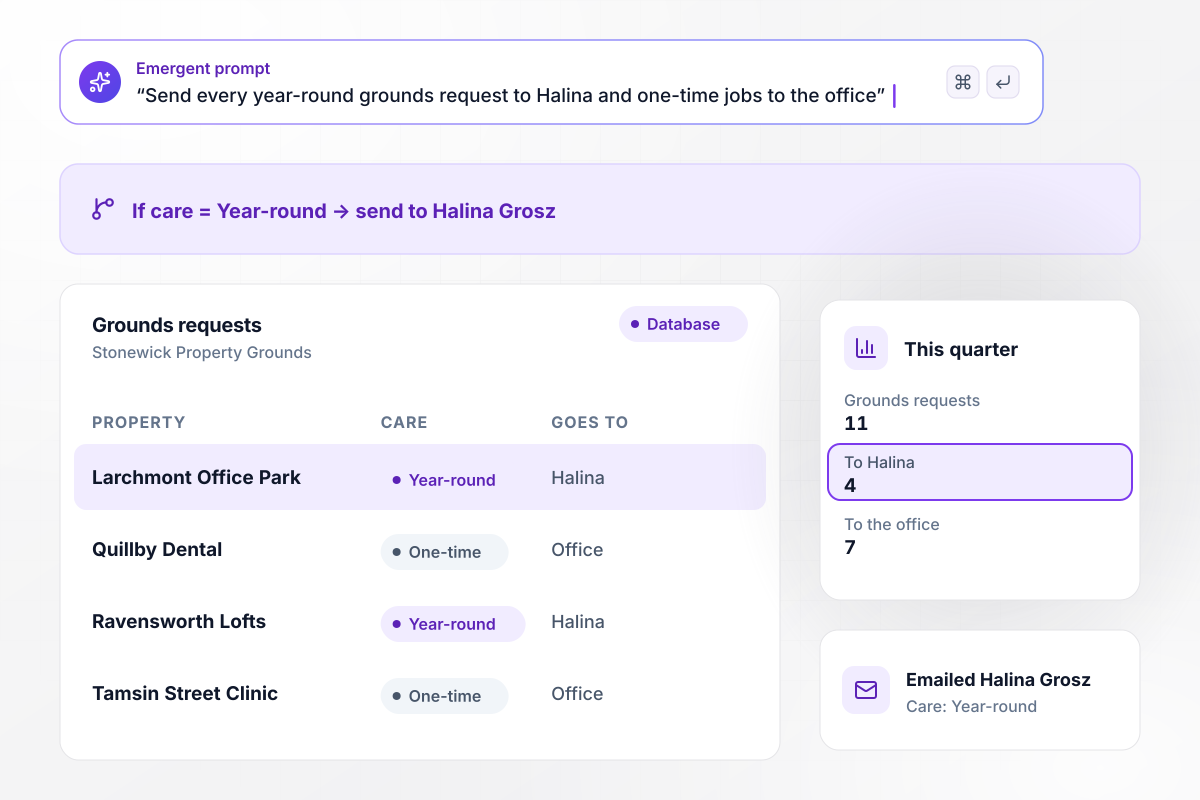
With year-round care, Halina writes the estimate
Stonewick Property Grounds asks commercial visitors one question: year-round care or a one-time job? Year-round requests go to Halina Grosz, the contracts estimator, and one-time jobs go to the office queue. This quarter brought 11 grounds requests: 4 to Halina and 7 to the office.






How to Create a Landscaping Landing Page
Use these 7 steps to build a landscaping landing page that asks the right questions and routes each estimate request.
Point a mowing ad at a mowing page and a patio ad at a design page. A visitor who clicked for weekly mowing should not have to scroll past a design gallery to find the form.
List what you need to price each service before you write a single field. Mowing needs the side of town and the lot size, while a patio needs its rough size and what the owner plans to spend.
Put the question that decides where the request goes at the top of the form. Contact details come last, after the visitor has already told you what the job is.
Assign each kind of request to someone, such as the designer for large projects and the office for small ones. Keep one person as the fallback for anything that matches no rule.
Choose a before-and-after pair for each service from your own job folders. Shoot both from the same corner of the yard and at the same time of day.
Put the services, the questions, and the routing into one prompt. Emergent builds the page and its database from that prompt, and you change any part by prompting again.
Send one test request for each service and check that it reaches the right person. Then publish the page and move your ads over to it.
Why Landscapers Build Their Pages With Emergent
Tell Emergent which services you sell and who prices each, and it builds the page. Every request sits in a database you own.

|
Unbounce | Landingi | Wix | |
|---|---|---|---|---|
| How you build | Prompt for a campaign page | Templates and drag-and-drop, AI copy assist | Templates and drag-and-drop, AI assist | Prompt for a full site |
| Where submissions go | A database table you own, plus integrations | Unbounce lead storage and integrations | Vendor lead storage and integrations | Wix dashboard submissions and Contacts |
| Visitor limits | No per-visitor pricing | Monthly visitor caps by plan | Tiered by traffic on most plans | Site plan bandwidth |
| A/B testing | Generate variants by prompt | A/B testing on higher-tier plans only | Higher plans | Limited or add-on |
| Code ownership | Full code export to GitHub on paid plans | Hosted only | Hosted only | Hosted only |

Pick the Pricing Plan That Works for You
Choose the plan that fits your building ambitions. From weekend projects to enterprise applications, we've got you covered.




Find the right landing page for you




Frequently Asked Questions
Your Questions, Answered
Don't change this element unless you know what you are doing
More things you can build
with Emergent









on Emergent today


