

Build an API Landing Page Developers Can Test Before Signing Up
Build an API landing page with a request demo, sandbox keys at signup and every signup saved to a database you own.
Build an API landing page that saves every signup to a database I own.
Trusted by Builders Worldwide
Active Builders Worldwide
Apps Successfully Created
Countries Globally Reached



What Your API Landing Page Runs On
An API landing page sells an API to developers: it lets them run a real request and leave with a key in one visit.
A page written from one description
Describe the API, who calls it, and the one action you want from a visitor. Emergent writes the page around that action, and you change any section by sending another message.
A request box that calls your API
Visitors paste their own input and see the response your API sends back, right on the page. The app can cap free requests per visitor and ask for an email once that cap is reached.
Signups saved in a database you own
Every signup lands as a row with the email and the page the visitor came from. The table sits in a database you own, and the app can pass each new row to your CRM through its API.
Sandbox keys handed out at signup
The app asks your API for a sandbox key when a signup lands and shows it on the confirmation screen. Each key is stored next to its owner, along with the time of its first request.
A nudge when a key sits idle
When a key makes no request within the days you set, the app emails its owner a request to copy and paste, and a Slack alert naming the account goes to the channel you pick.
Code that can sit next to your docs
The page and the tables behind its request demo are code you can export to your GitHub repository on paid plans. Keep the page in the same repository as your API reference docs.
Four API Landing Pages With Their Logic
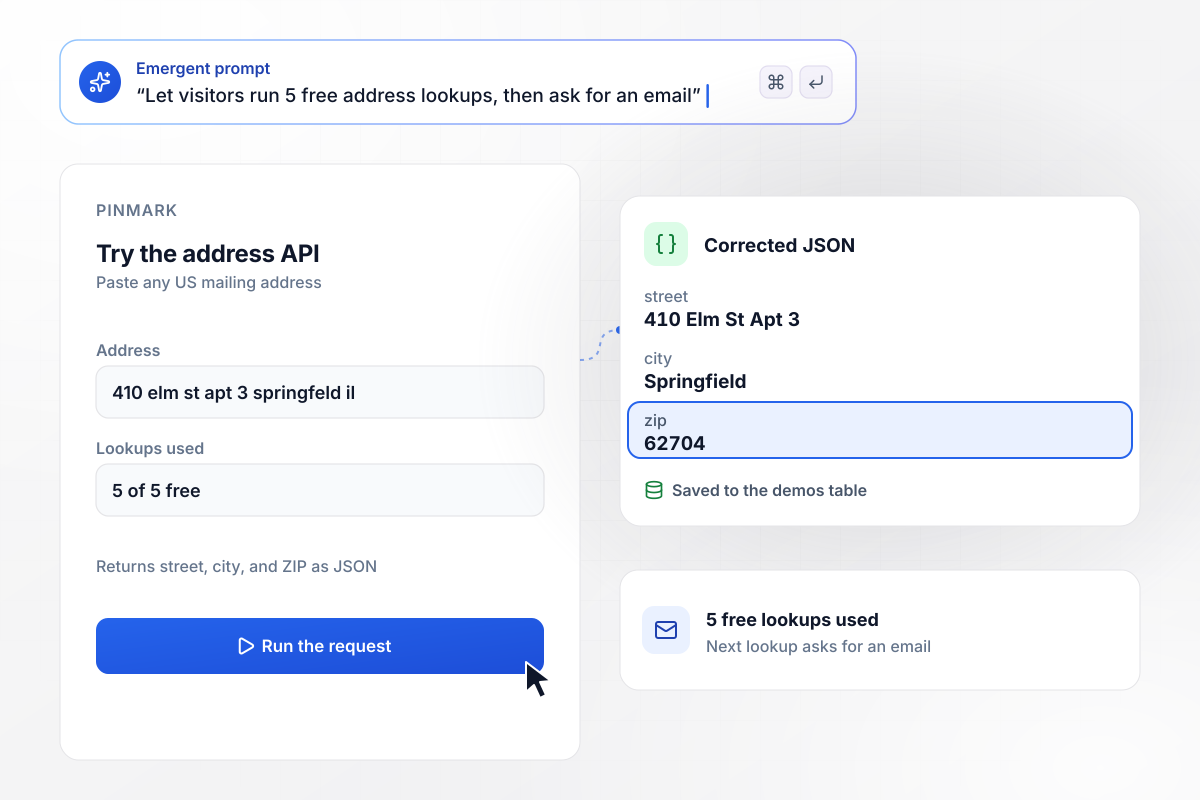
Corrected JSON before anyone asks for an email
Pinmark verifies mailing addresses through its API. On its landing page, a visitor pastes an address and sees the corrected JSON the API returns, ZIP code included. After 5 free lookups the page asks for an email, and every lookup is saved to the demos table with its input and result.
window.awbMockup = { requestDemos: "Build a landing page for Pinmark, my address verification API. Add a demo box where a visitor pastes an address and sees the corrected JSON my API returns. Allow 5 free lookups, then ask for an email, and save every lookup with its input and result in a demos table.", sandboxKeys: "Build a signup page for Striate, my currency rates API. Request a sandbox key from my API when someone signs up and show it on the confirmation screen. Record each key's first request, and email a request example to any key owner with no request after 3 days.", versionSunsets: "Build a v1 sunset page for Parcelio, my shipping rates API. Let an account owner enter the account email and see every v1 endpoint the account called in the last 30 days, read from my API, with the v2 replacement listed next to each one.", audiencePages: "Build two landing pages for Fieldlens, my weather API: one for growers about soil moisture and frost alerts, one for dispatchers about road weather. Save each signup with the page it came from and send a welcome email that opens with that audience's quickstart." };
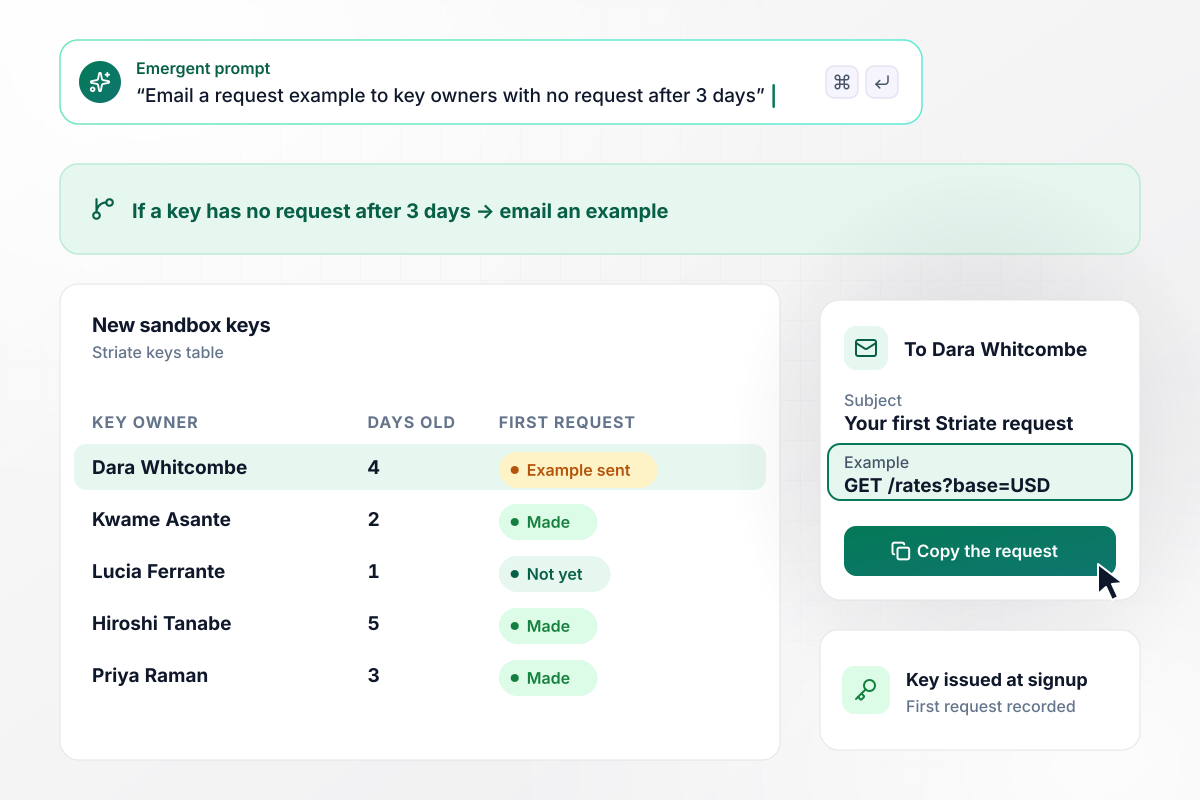
Keys idle for 3 days get a request example
A new Striate key starts a clock. Striate sells currency rates by API, and its page issues a sandbox key the moment a signup lands, with each key's first request recorded in the keys table. When a key has no request after 3 days, its owner gets an email with a request example to copy and paste.
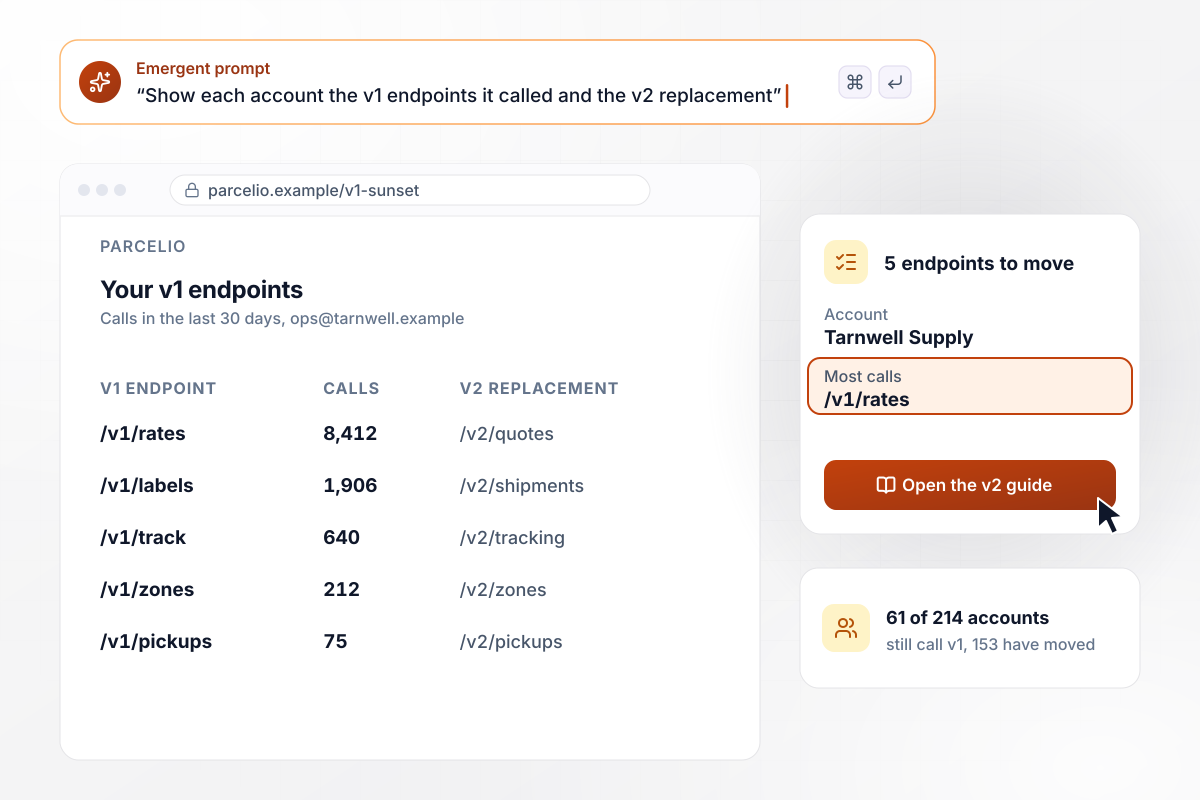
214 accounts, 61 still on v1, each with its exit list
Parcelio is retiring v1 of its shipping rates API. On the sunset page, an account owner enters the account email and sees each v1 endpoint the account called in the last 30 days, next to its v2 replacement. The call counts come from Parcelio's own API. Of 214 accounts, 61 still call v1 and 153 have moved.
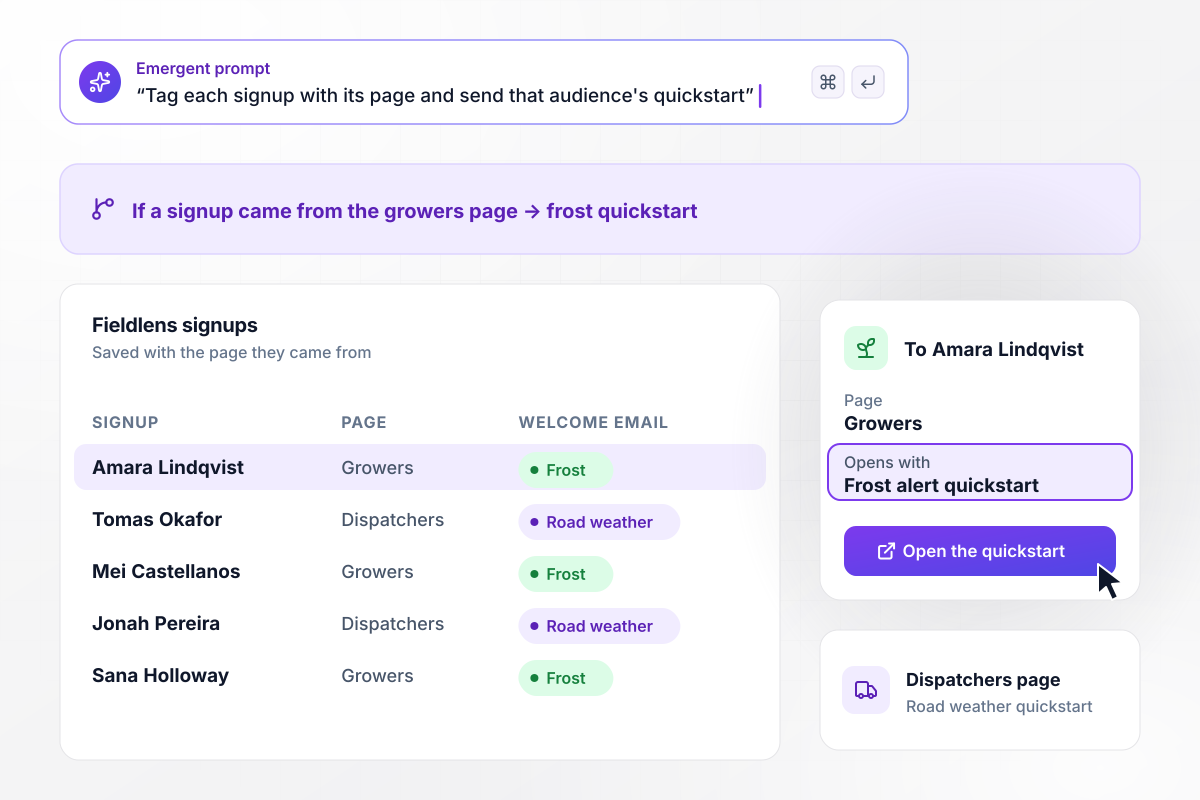
One API, separate pages for growers and dispatchers
Growers and dispatchers need different endpoints from Fieldlens, a weather API. Growers land on a page about soil moisture and frost alerts, dispatchers on one about road weather. Each signup is saved with the page it came from, and the welcome email opens with that audience's quickstart.






How to Build an API Landing Page
Seven steps to an API landing page that puts a working request first and hands each signup a sandbox key.
Decide what a visitor should do before leaving: run a request, take a sandbox key, or book a call about volume. Write that action down first, because the headline, the demo, and the signup form are all built around it.
Tell Emergent what the API does and the problem it solves for the developers who call it. Name a real endpoint and a typical input. The page can then show a request a developer recognizes from their own work.
Ask for a demo box that sends the visitor's input to your API and prints the response. Let the first screen show that output before the page asks the visitor for anything, including an email.
Set how many free requests a visitor gets before the email field appears. Pick a number high enough to show the API working on real input and low enough that serious testers still sign up.
Have the page request a sandbox key from your API when a signup lands and show it on the confirmation screen. Keep each key next to its owner in the keys table, and the idle ones are easy to find later.
Add links to the quickstart, the API reference, and the pricing page in the header and next to the signup form. A developer who wants to check rate limits or auth should reach them in one click.
Publish the page and link it from your docs header and your README. Check the signup table each week: which page each signup came from, how many keys made a first request, and which never did.
Why Build Your API Landing Page With Emergent?
Emergent builds the request demo, the key handoff, and the signup table as one app, with every row in a database you own.

|
Unbounce | Landingi | Wix | |
|---|---|---|---|---|
| How you build | Prompt for a campaign page | Templates and drag-and-drop, AI copy assist | Templates and drag-and-drop, AI assist | Prompt for a full site |
| Where submissions go | A database table you own, plus integrations | Unbounce lead storage and integrations | Vendor lead storage and integrations | Wix dashboard submissions and Contacts |
| Visitor limits | No per-visitor pricing | Monthly visitor caps by plan | Tiered by traffic on most plans | Site plan bandwidth |
| A/B testing | Generate variants by prompt | A/B testing on higher-tier plans only | Higher plans | Limited or add-on |
| Code ownership | Full code export to GitHub on paid plans | Hosted only | Hosted only | Hosted only |



Pick the Pricing Plan That Works for You
Choose the plan that fits your building ambitions. From weekend projects to enterprise applications, we've got you covered.




Find the right landing page for you
Frequently Asked Questions
Your Questions, Answered
Don't change this element unless you know what you are doing
More things you can build
with Emergent









on Emergent today


