

Build a Resume Landing Page That Gets Recruiters to Write Back
Build a resume landing page from one prompt, with your best result up top and every recruiter message in a database you own.
Build a resume landing page that saves every signup to a database I own.
Trusted by Builders Worldwide
Active Builders Worldwide
Apps Successfully Created
Countries Globally Reached



What Emergent Builds Behind Your Resume
A resume landing page is a one-page site that gets your resume read and makes it easy for a recruiter to contact you.
Built from the job you want
Tell Emergent the role you want, your strongest results, and how a recruiter should reach you. It sets up the page in one pass, along with the contact form and a table for messages.
Recruiter messages in a database you own
The app saves each message with the sender's name, company, role, and the link they used. That list stays yours to keep after the search ends, whichever offer you accept.
A form that asks the right questions
Recruiters fill in the company, the role, the pay range, and a start date before they hit send. You read a complete inquiry instead of trading three emails for the basics.
Alerts when an inquiry cannot wait
Set the rule that matters to you, such as a close start date or a named company, and the app sends you an email or in-app alert at once. The rest can wait for a weekly digest.
Your name as the web address
Emergent includes custom domains, and they use credits. Publish the page on one made from your own name, and the link printed on your resume reads cleanly and is easy to type.
Code you can take to GitHub
Export the full code to your GitHub repository on paid plans, and keep the page running wherever you host it next. Start on the free tier, which covers building and publishing.
Resume Landing Page Examples
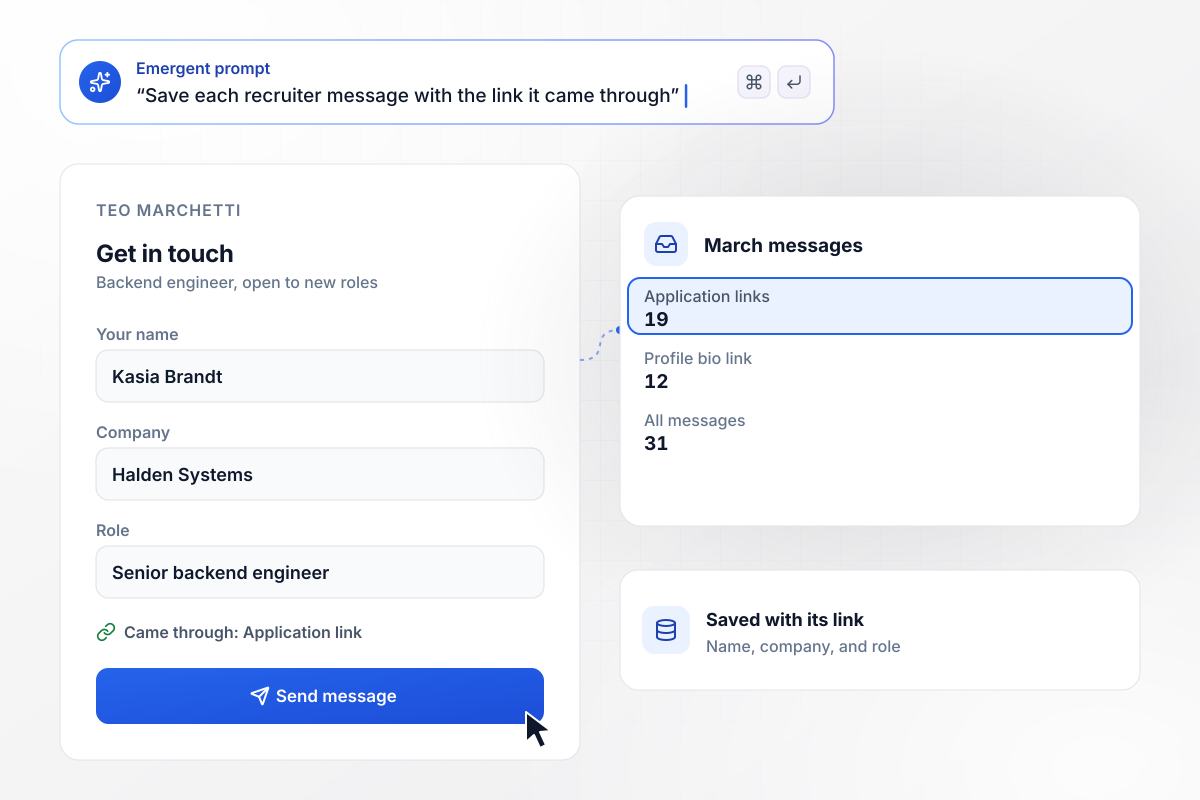
Teo sees which link each recruiter used
Teo Marchetti puts his page link on every application he sends and in his profile bio. The app saves each recruiter message with the link it came through. Of his 31 messages in March, 19 came through his application links and 12 through his profile bio link.
window.awbMockup = { softwareEngineer: "Build a resume landing page for me, Teo Marchetti, a backend engineer open to new roles. Put my top three results first and a contact form for recruiters under them. Save each message with the sender's name, company, role, and the link it came through, such as my application links or my profile bio link, and show me a count by link each month.", travelNurse: "Build a resume landing page for my travel nursing work, Marisol Vega, ICU. Add an inquiry form for staffing agencies that asks for the agency, the unit, the city, and the start date. Email me at once when the start date is within 3 weeks, and put every other inquiry in a digest I get on Fridays.", recentGraduate: "Build a resume landing page for me, Owen Fitch, a new graduate looking for a first data role. Add a contact form for recruiters and send every inquiry into a tracker with a status I can change: New, Replied, or Interview. Show me how many inquiries sit at each status this month.", careerChanger: "Build a resume landing page for me, Ingrid Halvorsen, moving from content marketing into analytics. Let me publish two tailored versions, one that leads with analytics work and one that leads with content work, each with its own link. Count the replies that come in through each version and show me the totals side by side." };
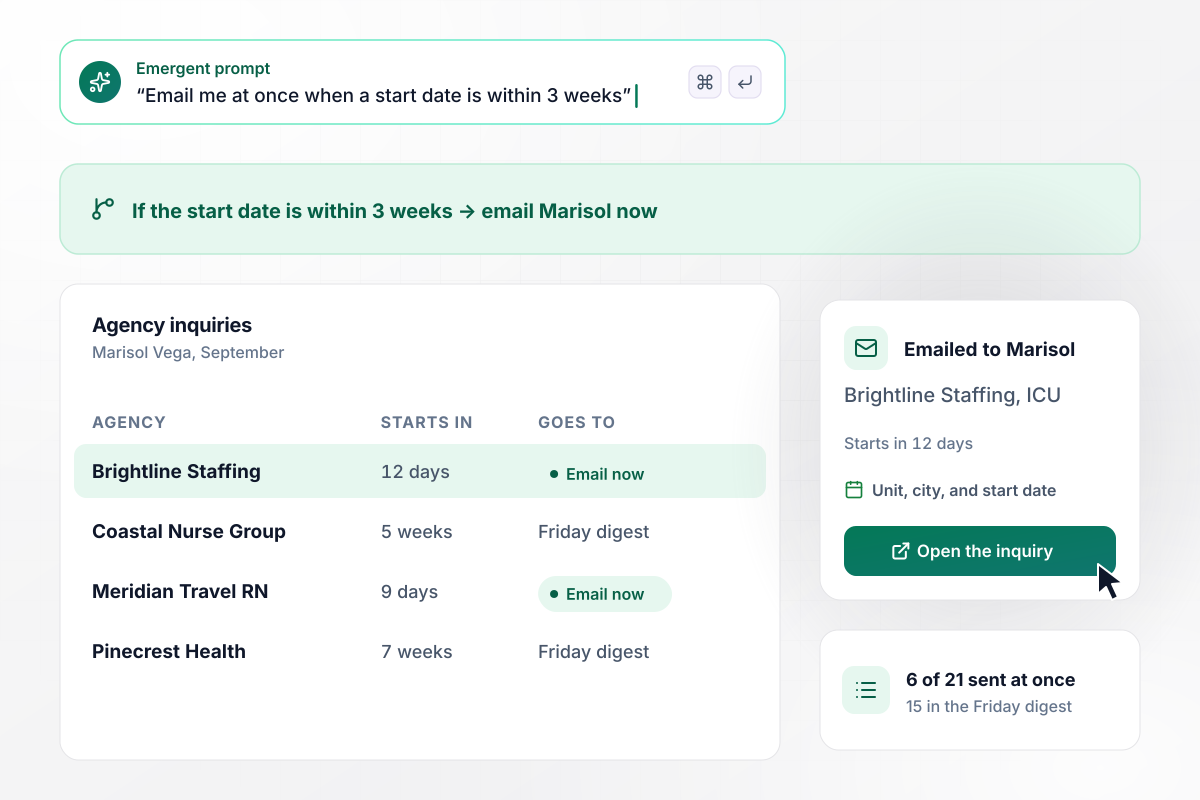
Within 3 weeks of a start date, she gets an email
Marisol Vega lines up her next nursing contract while finishing the current one. Her inquiry form asks each staffing agency for a start date, and the app emails her at once when that date is within 3 weeks. In September, 6 of 21 inquiries reached her that way, and the other 15 waited for the Friday digest.
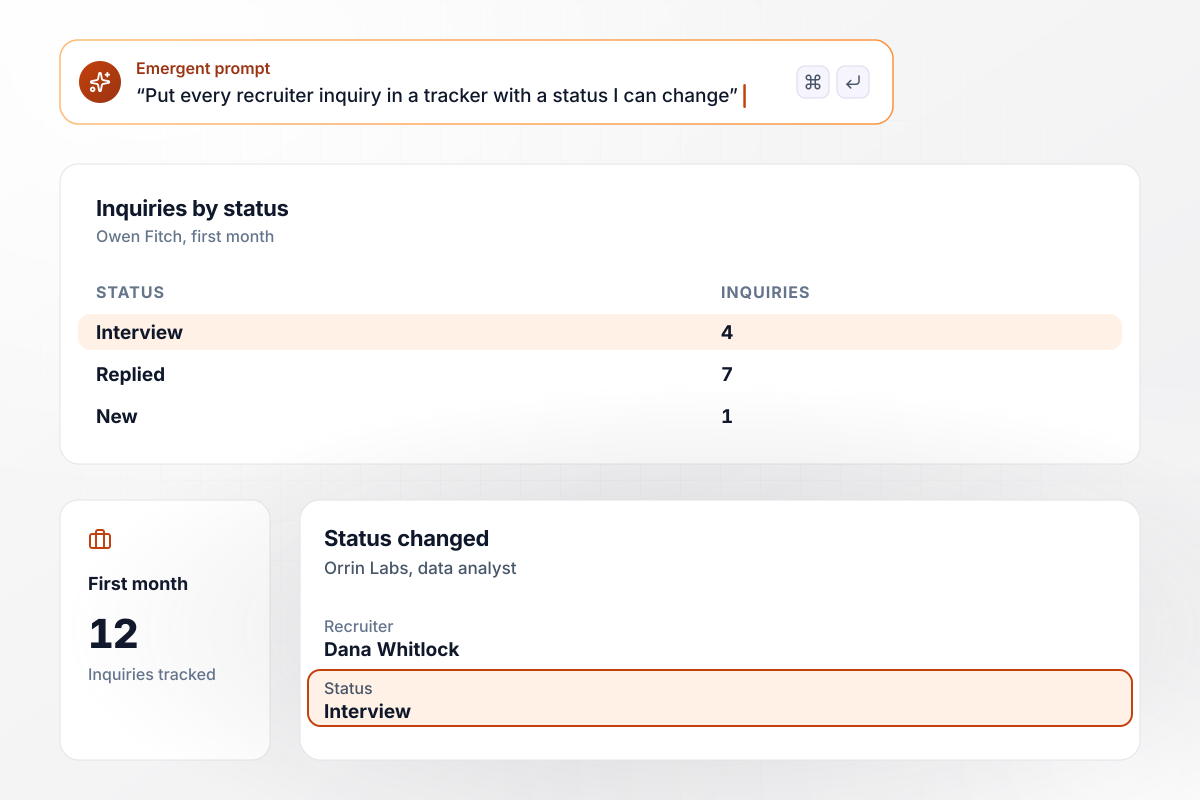
His tracker holds all 12 inquiries by status
Recruiters who write to Owen Fitch land in more than an inbox. Each inquiry from his page goes into a tracker with a status he moves as the conversation goes on. Of the 12 inquiries in his first month, 4 reached Interview, 7 sat at Replied, and 1 was still New.
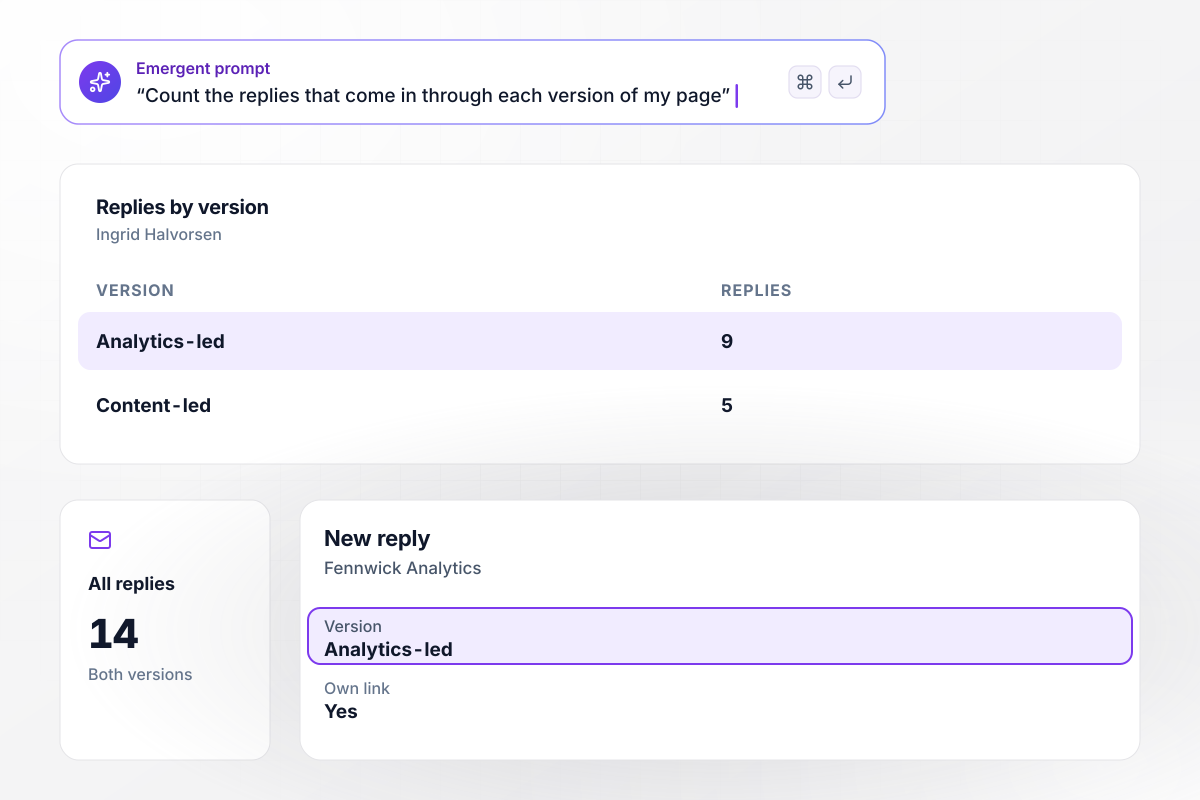
Of her 14 replies, 9 came to the analytics version
Ingrid Halvorsen is moving from content marketing into analytics. She publishes a tailored version of her page for each kind of role she applies to, each with its own link, and the app counts the replies to each one. Of her 14 replies, 9 came to the Analytics-led version and 5 to the Content-led one.






How to Create a Resume Landing Page
Seven steps take a resume landing page from a target role to a live page that sends each recruiter message where you will see it.
Name the role and the kind of company you want before you write a word. Aim the page at that one target rather than every opening, and publish a second version later if your search widens.
Put your name, the role you want, and your strongest result on the first screen, with a number in it if you have one. Test it on a phone: if the reason to reply is not clear within five seconds, cut until it is.
Write a short prompt that covers the sections, the tone, and what a recruiter should do next. Emergent builds the page and its contact form from it, and any change after that is one more prompt.
Ask only what you would want to know before a first call, and make two or three fields required at most. Keep everything else for the call itself, and aim for a form that takes about a minute to fill in.
Write down the one or two signs that an inquiry cannot wait, then turn each into a rule in your prompt. Pick the day your digest arrives as well, and no other message sits unread for more than a week.
Give the link on your applications, your profile bio, and your email signature its own tag. After a month, the counts show which channel brings recruiters to you, and where to spend your next hour.
Change the emphasis, not the facts: reorder projects, swap the headline result, and keep each version on its own link. Compare replies by version after two weeks, and send the stronger one out more often from then on.
Why Build Your Resume Page on Emergent?
One prompt gives you a live page and a recruiter list in a database you own, and another reworks the page for the next role.

|
Unbounce | Landingi | Wix | |
|---|---|---|---|---|
| How you build | Prompt for a campaign page | Templates and drag-and-drop, AI copy assist | Templates and drag-and-drop, AI assist | Prompt for a full site |
| Where submissions go | A database table you own, plus integrations | Unbounce lead storage and integrations | Vendor lead storage and integrations | Wix dashboard submissions and Contacts |
| Visitor limits | No per-visitor pricing | Monthly visitor caps by plan | Tiered by traffic on most plans | Site plan bandwidth |
| A/B testing | Generate variants by prompt | A/B testing on higher-tier plans only | Higher plans | Limited or add-on |
| Code ownership | Full code export to GitHub on paid plans | Hosted only | Hosted only | Hosted only |


Pick the Pricing Plan That Works for You
Choose the plan that fits your building ambitions. From weekend projects to enterprise applications, we've got you covered.




Find the right landing page for you
Frequently Asked Questions
Your Questions, Answered
Don't change this element unless you know what you are doing
More things you can build
with Emergent









on Emergent today


