

Build a Portfolio Landing Page That Puts Your Best Work First
Get a portfolio landing page built from one prompt, with your work up front and every inquiry saved to a database you own.
Build a portfolio landing page that saves every signup to a database I own.
Trusted by Builders Worldwide
Active Builders Worldwide
Apps Successfully Created
Countries Globally Reached



What Emergent Builds Around Your Work
Emergent builds the page, the contact form under it, and the table that keeps every person who writes to you.
Sections written from one sentence
Describe your work and who should see it, and Emergent builds the page: the intro, the project sections, and the contact form. Swap a project later with another prompt.
Every inquiry kept in your own table
The app saves each message from the contact form to a database you own, with the name, the email, and the project asked about. Sort the rows to see which project gets asked about.
An alert when someone wants to hire you
Name the requests that matter in your prompt, such as a booking date or a licensing question, and the app sends an email, Slack, or in-app alert with the answers in it.
Projects synced from the tools you use
The app connects to any tool with an API. Project lists can sync in from where the work lives, and new inquiries can sync out to your CRM without anyone copying them by hand.
Your name as the address
Publish the page on a custom domain such as yourname.com; custom domains are included in Emergent and use credits. A short address fits on a resume or a business card.
Free to start, yours to keep
The free tier covers building and publishing the page. On paid plans, Emergent exports the full code to your GitHub repository, so a developer can keep editing it there.
Portfolio Landing Page Examples
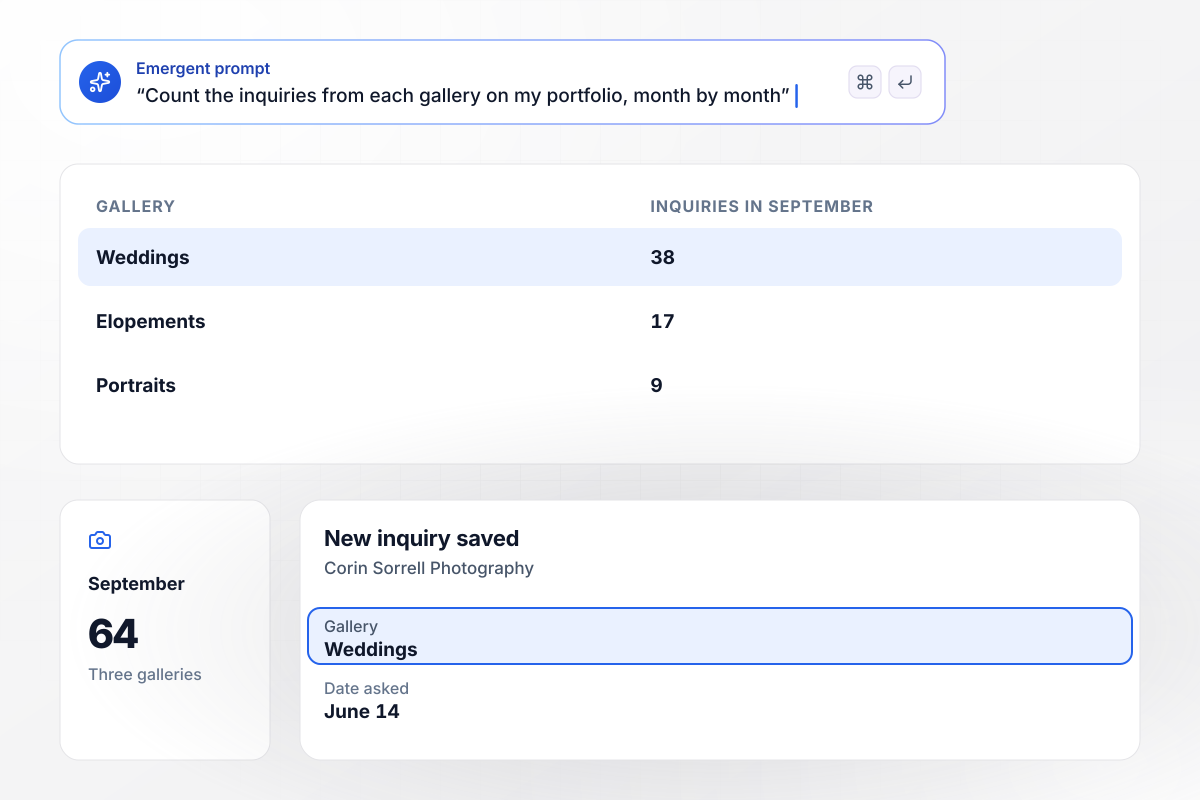
38 of September's 64 inquiries came from weddings
Corin Sorrell shoots weddings, elopements, and portraits, and her page has three galleries, each with an inquiry form under it. Every inquiry is saved with the gallery the visitor was viewing. Of September's 64 inquiries, 38 came from the wedding gallery, 17 from elopements, and 9 from portraits.
window.awbMockup = { photographer: "Build a portfolio landing page for my photography, Corin Sorrell Photography. Give weddings, elopements, and portraits their own gallery, each with an inquiry form under it that asks for the date and the location. Save every inquiry with the gallery the visitor was viewing, and show me a monthly count by gallery.", uxDesigner: "Build my UX design portfolio. My checkout redesign case study is under NDA, so show only the project title and my role, and open the full case study after a visitor enters a work email. Save each unlock with the email and the company, and email me every time someone opens it.", illustrator: "Build a portfolio page for my illustration with a commission request form. Ask first how the art will be used: personal, editorial, or commercial. Send every commercial request to my agent, Arlo Delvaux, as a Slack message with the brief and the budget, and keep the rest in my own queue.", developer: "Build my developer portfolio. Every night, read my public projects through GitHub's API and make a card for each one with the language, a one-line description, and a link to the live demo. When I make a new project public, add its card the next morning without me editing the page." };
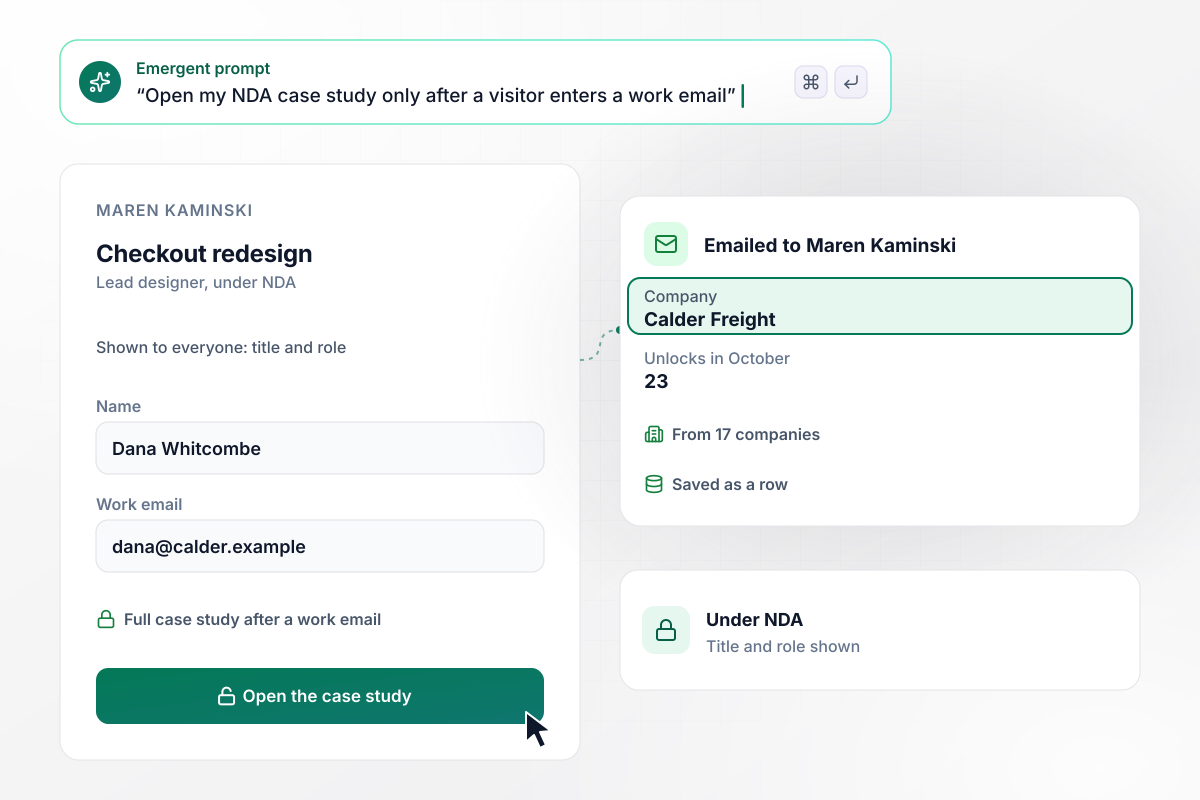
The NDA case study opens for any work email
The checkout redesign Maren Kaminski led is under NDA. Her page shows the project title and her role, and the full case study opens after a visitor enters a work email. Each visit is saved as a row with the email and the company, and Maren gets an email alert. In October, 23 visitors from 17 companies opened it.
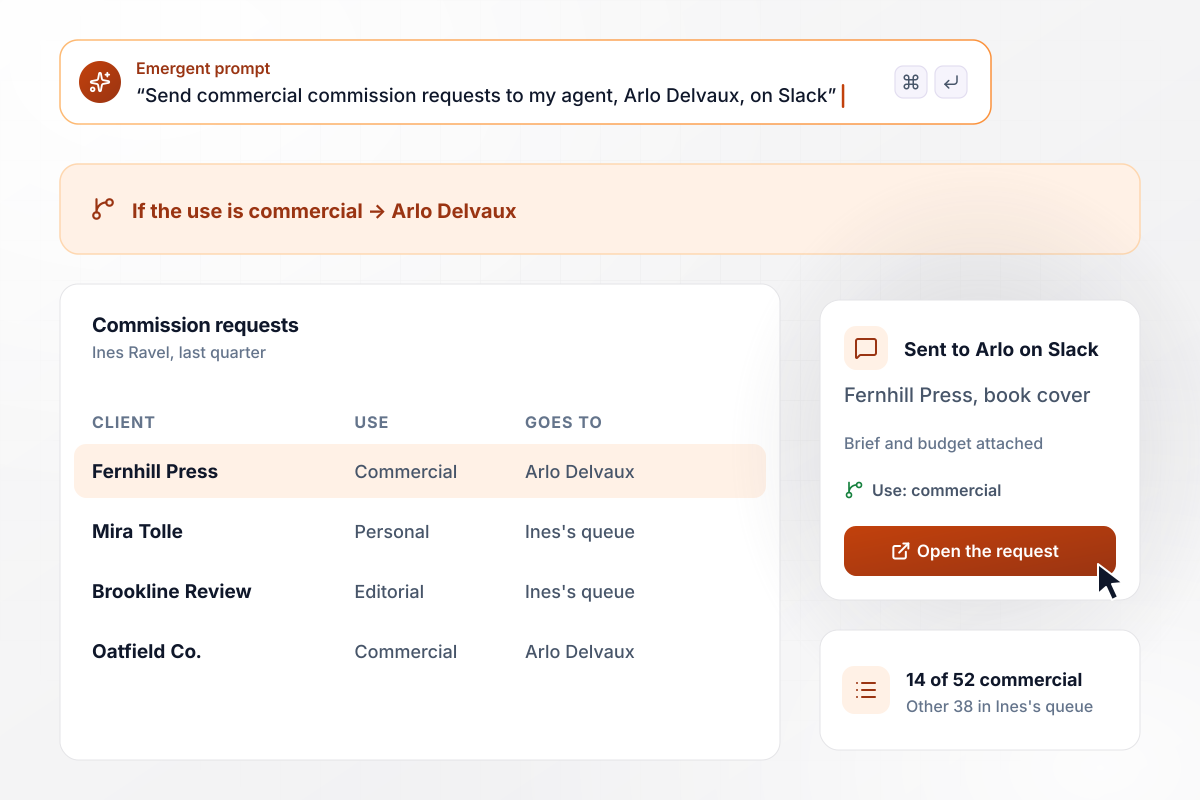
Commercial licensing requests reach her agent on Slack
Ines Ravel's commission form asks first how the art will be used: personal, editorial, or commercial. A commercial licensing request goes to her agent, Arlo Delvaux, as a Slack message with the brief and the budget. Last quarter, 14 of 52 requests were commercial; the other 38 stayed in her own queue.
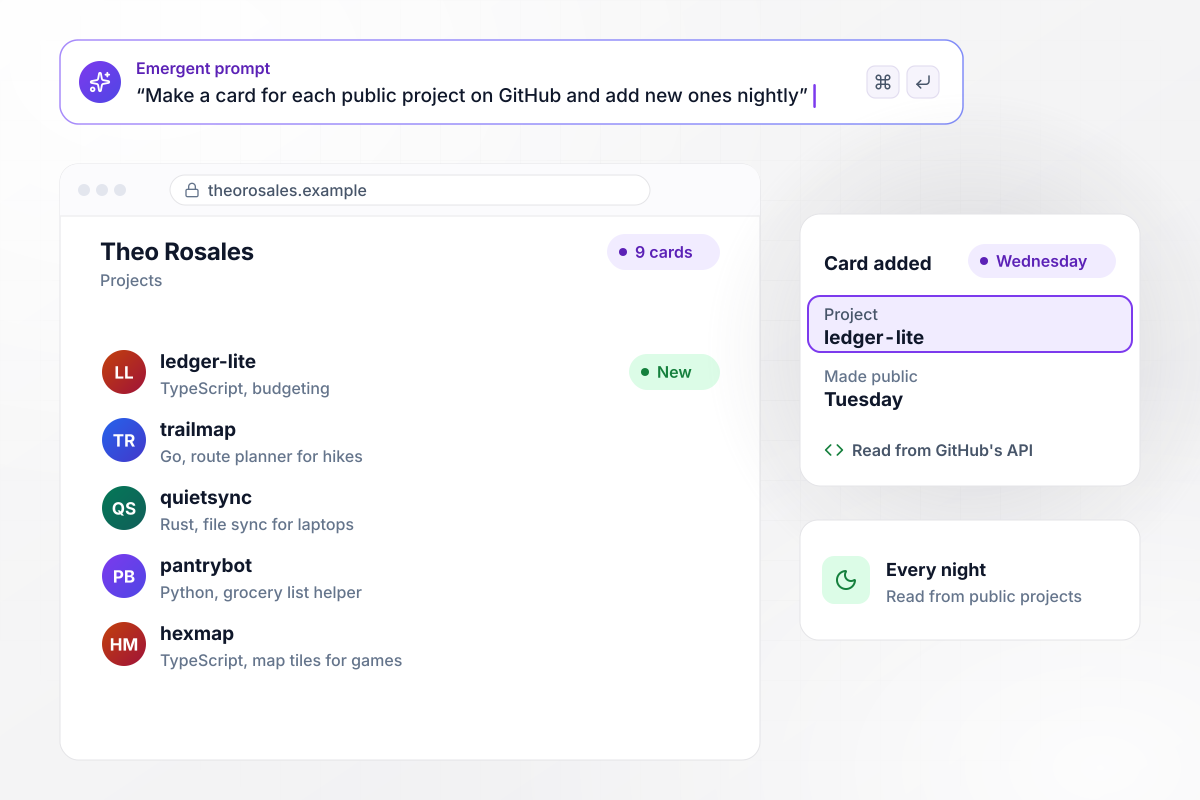
A project made public Tuesday has its card by Wednesday
Every night the app reads Theo Rosales's public projects through GitHub's API and builds a card for each with its language and a demo link. The page shows 9 cards. The newest is ledger-lite: Theo made it public on Tuesday, and its card was up by Wednesday morning.






How to Create a Portfolio Landing Page
Seven steps take a portfolio landing page from one chosen action to a tested page with fast images and inquiries that reach you.
Decide what a visitor should do after looking at the work: ask about a date or request a license. Put that action under the work it belongs to, and leave everything else off the page.
Show four to six projects, and lead with the one closest to the work you want next. Give each a title and your role, plus one result in plain numbers. Cut anything you would not take on again.
Name the sections, the fields on the form, and what should happen to each message: who hears about it and which table keeps it. Emergent builds the page and its database from that prompt, and another prompt changes either one.
Under WCAG 2.2, all non-text content that is presented to the user has a text alternative that serves the equivalent purpose. Describe what each image shows, such as a checkout screen on a phone, never the file name.
The web.dev guide to LCP says sites should strive to have Largest Contentful Paint of 2.5 seconds or less. Resize each photo to the width it is shown at before you upload it, then load the page on a phone over cellular data.
Submit the form from your own phone once for each gallery or project. Check that every row lands in the table with the right project name, and that the alert reaches you before the address goes anywhere public.
Add the page's address to your resume and your email signature. Once a month, read which project the inquiries named, and move that project to the top of the page.
Why Put Your Portfolio on Emergent?
One prompt builds the project pages, the inquiry form, and the table its messages land in, and paid plans export the full code to GitHub.

|
Unbounce | Landingi | Wix | |
|---|---|---|---|---|
| How you build | Prompt for a campaign page | Templates and drag-and-drop, AI copy assist | Templates and drag-and-drop, AI assist | Prompt for a full site |
| Where submissions go | A database table you own, plus integrations | Unbounce lead storage and integrations | Vendor lead storage and integrations | Wix dashboard submissions and Contacts |
| Visitor limits | No per-visitor pricing | Monthly visitor caps by plan | Tiered by traffic on most plans | Site plan bandwidth |
| A/B testing | Generate variants by prompt | A/B testing on higher-tier plans only | Higher plans | Limited or add-on |
| Code ownership | Full code export to GitHub on paid plans | Hosted only | Hosted only | Hosted only |



Pick the Pricing Plan That Works for You
Choose the plan that fits your building ambitions. From weekend projects to enterprise applications, we've got you covered.




Find the right landing page for you






Frequently Asked Questions
Your Questions, Answered
Don't change this element unless you know what you are doing
More things you can build
with Emergent









on Emergent today


