

Build a Plumber Landing Page That Books Calls by Arrival Window
Build a plumber landing page where customers book an arrival window, and every service call lands in a database you own.
Build a plumber landing page that saves every service call to a database I own.
Trusted by Builders Worldwide
Active Builders Worldwide
Apps Successfully Created
Countries Globally Reached



What Gets a Plumber Booked From the Page
Customers book when they can see when the van will arrive. Emergent builds these six parts of the page from one prompt.
Arrival windows the customer picks
Show the day's 2-hour windows as buttons, such as 8-10 or 1-3, and hide any window the schedule has filled. The customer leaves the page with a time, not a wait for a callback.
A separate path for a leak in progress
Ask whether water is leaking right now, before any calendar. A yes puts the dispatch number on screen as a button, because that caller needs a person today, not a slot tomorrow.
Access notes next to the address
Ask for the gate code and where the water shutoff sits in the same step as the street address. The technician reads both on the drive over and starts work instead of calling ahead.
A booking email to the dispatcher
Email each new booking to the person who runs the board, with the window and the address in the subject line. The office inbox gets a copy for days the dispatcher is out.
Reviews that name the repair
Quote customers in their own words about the job you did, such as a toilet reset before guests arrived. A line about one real repair reads as true in a way a row of stars does not.
The code, exported to your GitHub
Paid plans export the full code of the page to your GitHub repository. A developer you hire later starts from the working page, and every booking stays in a database you own.
Plumber Landing Page Examples
Three calls per window, and then it closes
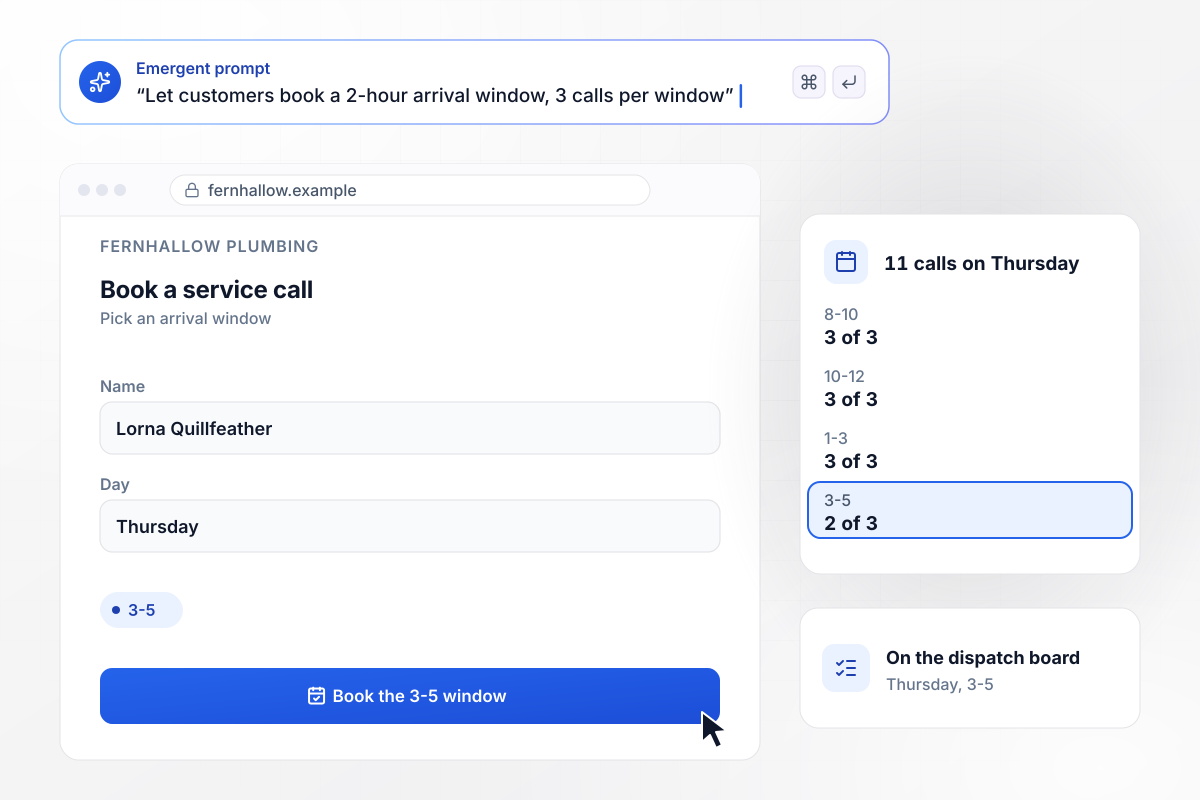
Fernhallow Plumbing sells time on its page, not a callback. The customer picks one of four 2-hour arrival windows: 8-10, 10-12, 1-3, or 3-5. Each window holds 3 calls, and a full one drops off the page, leaving only times the crew can keep. Thursday has 11 calls booked: 8-10, 10-12, and 1-3 are full, and 3-5 has 2.
window.awbMockup = { arrivalWindows: "Build a service call page for Fernhallow Plumbing, my company. Let the customer pick a day and one of four 2-hour arrival windows: 8-10, 10-12, 1-3, and 3-5. Each window holds 3 calls. When a window is full, take it off the page, and put every booking on my dispatch board.", drainClogs: "Make a drain call page for Mossgate Plumbing. Before the name, ask which drain is backed up, with the choices Kitchen sink, Shower, Toilet, and Main line. Send every Main line call to Tobin Ashgrove, who runs my jetter truck, and send the other calls to my service techs. Count this week's calls by who got them.", activeLeaks: "Create a page for Quarry Lane Plumbing that first asks whether water is leaking right now. If the answer is Yes, show my dispatch number as a button to tap and email Selma Brightwater, my on-call plumber, with the address. If the answer is No, open the booking calendar. Count the Yes and No answers each month.", sewerScopes: "Build a sewer scope booking page for Harrow Creek Plumbing, for home buyers. Ask for the address and the closing date. When the closing is inside 7 days, email Odile Fenwright, my office manager, before the booking goes on the schedule. Show me how many scopes were booked this month and how many closed inside 7 days." };
Main line clogs go to Tobin and the jetter: 8 of 34
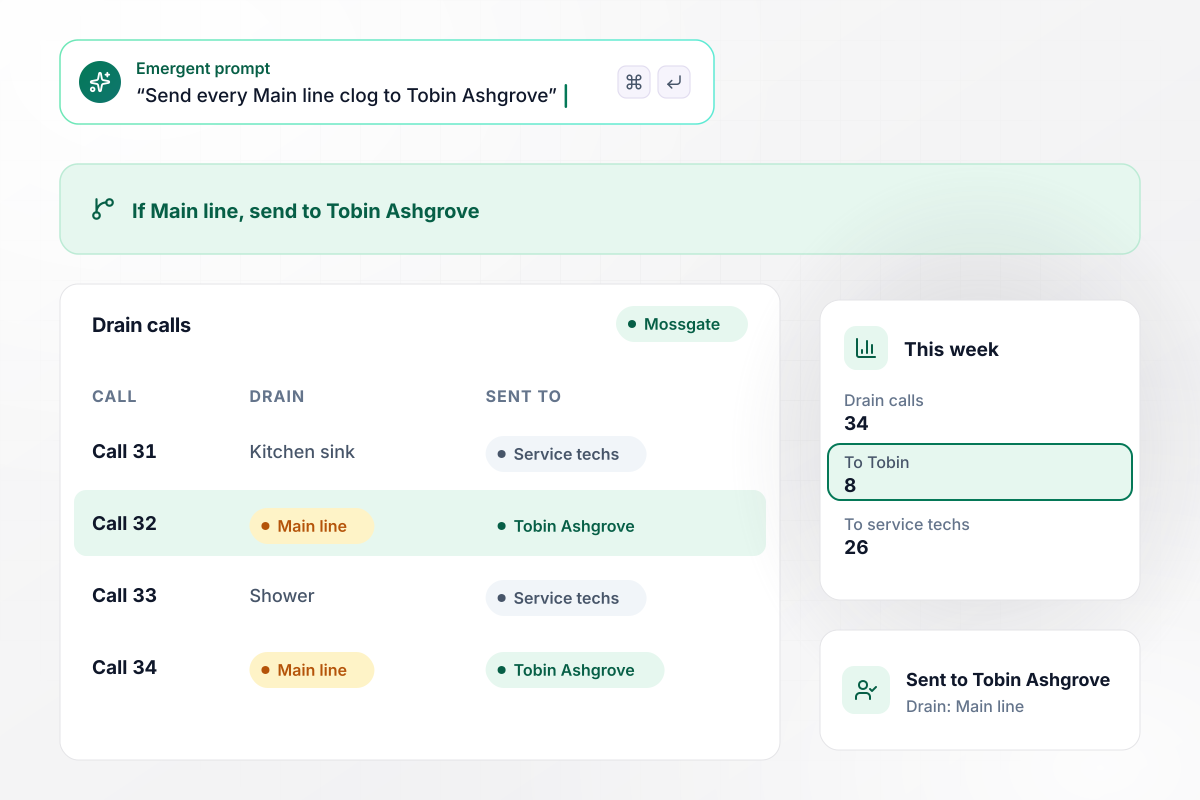
The first thing Mossgate Plumbing's drain page asks is which drain is backed up, with four choices: Kitchen sink, Shower, Toilet, and Main line. A Main line call goes to Tobin Ashgrove, who runs the jetter truck, and the other three go to the service techs. This week 34 drain calls came in: 8 for Tobin and 26 for the techs.
No calendar for a leak in progress, just the phone
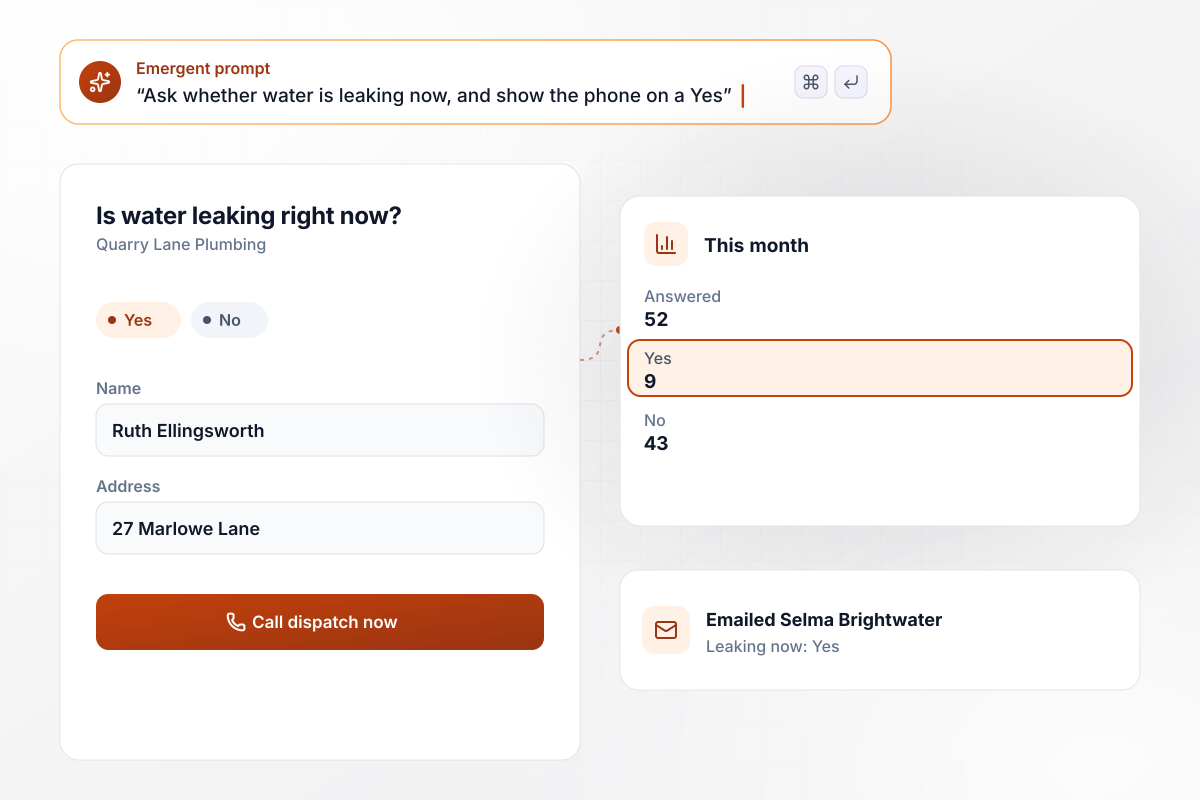
Quarry Lane Plumbing's page opens with one Yes or No question about a leak in progress. A Yes shows the dispatch number as a button and emails Selma Brightwater, the on-call plumber, with the address. A No opens the booking calendar. This month 52 visitors answered: 9 picked Yes and 43 picked No.
Tight closings, 5 of 18, go to Odile ahead of the schedule
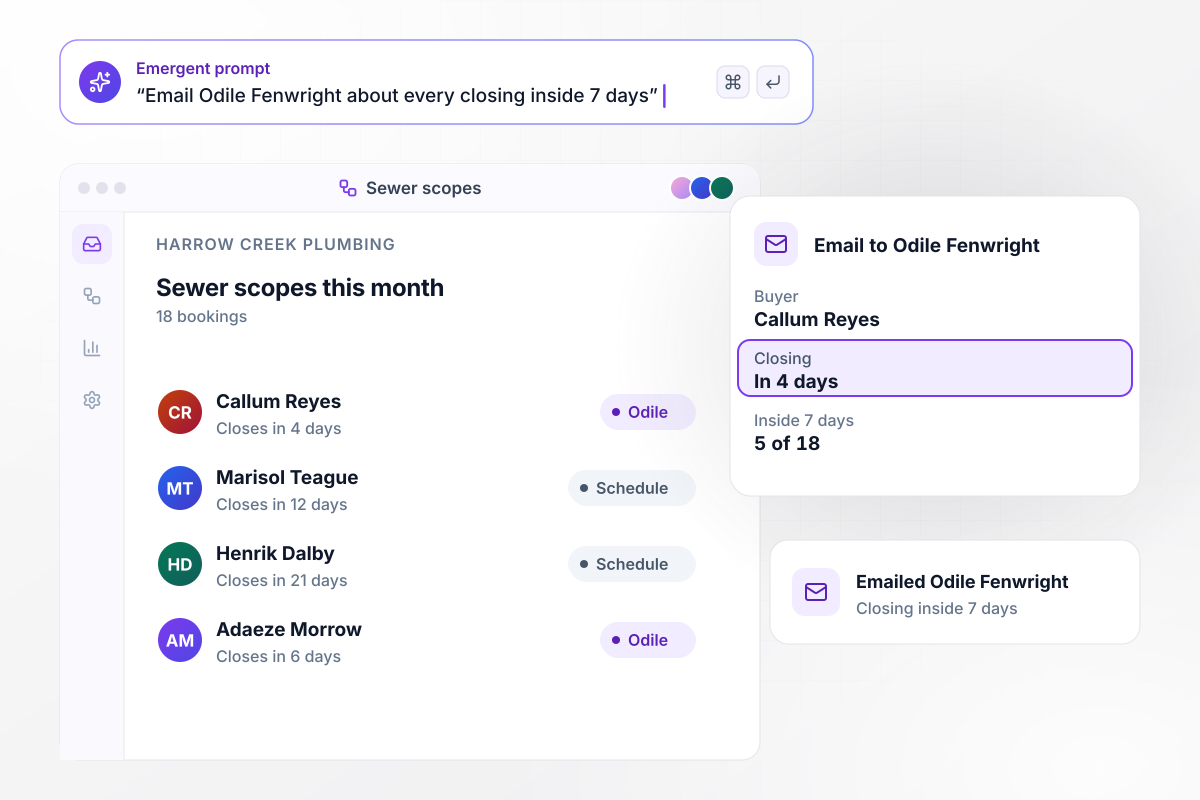
Harrow Creek Plumbing books sewer scopes for home buyers and asks for the closing date along with the address. A booking with a closing inside 7 days emails Odile Fenwright, the office manager, before it reaches the schedule. This month 18 scopes were booked, and 5 had a closing inside 7 days.






How to Create a Plumber Landing Page
Seven steps to a plumber landing page that fills arrival windows and sends each call to the plumber who takes it.
Decide how many calls a 2-hour window can hold before you write any copy. A fixed cap gives the customer a time the crew can keep, and it gives dispatch a day that fits the vans on the road.
Put the leak question above everything else on the page. A Yes needs the phone number on screen right away, and a No can go on to the calendar. That one question keeps a flooded basement out of next week's 1-3 window.
Point the drain ad at the drain page and the sewer scope ad at the scope page. A buyer who searched for a sewer scope before closing sees those words in the headline, along with a field for the closing date.
Add a field for the gate code and one for where the water shutoff is, next to the address. Leave out anything the tech will learn in the first minute on site, because every extra field is one more reason to stop typing.
List every job in your prompt next to the person who handles it. Main lines go to the jetter truck, closings inside 7 days to the office manager, and leaks in progress to the on-call plumber. Emergent builds the routing from that list.
After the booking, the page should repeat the window and the address back to the customer. Add one line on who calls if the tech is running late, written in words the office will keep to.
Book the windows yourself until one fills, and check that it drops off the page. Send one call of each type and confirm each email reaches the right person and each booking shows up as a row before the first ad runs.
Why Build Your Plumber Page With Emergent?
Emergent builds the booking page and its dispatch emails from one prompt, and the app saves every call to a database you own.

|
Unbounce | Landingi | Wix | |
|---|---|---|---|---|
| How you build | Prompt for a campaign page | Templates and drag-and-drop, AI copy assist | Templates and drag-and-drop, AI assist | Prompt for a full site |
| Where submissions go | A database table you own, plus integrations | Unbounce lead storage and integrations | Vendor lead storage and integrations | Wix dashboard submissions and Contacts |
| Visitor limits | No per-visitor pricing | Monthly visitor caps by plan | Tiered by traffic on most plans | Site plan bandwidth |
| A/B testing | Generate variants by prompt | A/B testing on higher-tier plans only | Higher plans | Limited or add-on |
| Code ownership | Full code export to GitHub on paid plans | Hosted only | Hosted only | Hosted only |




Pick the Pricing Plan That Works for You
Choose the plan that fits your building ambitions. From weekend projects to enterprise applications, we've got you covered.




Find the right landing page for you









Frequently Asked Questions
Your Questions, Answered
Don't change this element unless you know what you are doing
More things you can build
with Emergent









on Emergent today


