

Build a Yoga Landing Page That Books Classes by the Mat
Build a yoga landing page that books each class up to its mat count and saves every student to a database you own.
Build a yoga landing page for my studio's weekly class schedule, with an 18-mat cap on every class.
Trusted by Builders Worldwide
Active Builders Worldwide
Apps Successfully Created
Countries Globally Reached



What Sits Behind a Yoga Studio's Page
A student sees a schedule and a Book button. Behind them, six parts track which classes have room and who hears of a change.
One prompt for the page and its bookings
Describe your classes and what a student should do next. Emergent builds the page and the table its bookings land in, then changes either one each time you prompt again.
A mat count on every class
Set how many mats each room holds, such as 18 for the main room. Each class on the page shows the mats left as students book, and a class that fills stops taking bookings.
Emails when a class changes
Students get an email when a class they booked moves or is canceled. You change the class once by prompt, and the app writes to everyone booked into it with the new details.
Bookings in a database you own
Every booking lands as a row in a database you own, with the class and the student who booked it. Send the rows to your email tool or CRM over its API so both lists match.
Schedule changes by message
Tell Emergent that Sunday's restorative class now starts at 5:30 PM, or that a new teacher covers Fridays. The page changes at the same address, and past bookings stay in the table.
Your studio's domain, your code
Put the page on your studio's custom domain, which is included and uses credits. On paid plans, export the page and its booking database to your GitHub repository and keep the code.
Yoga Landing Page Examples by Offer
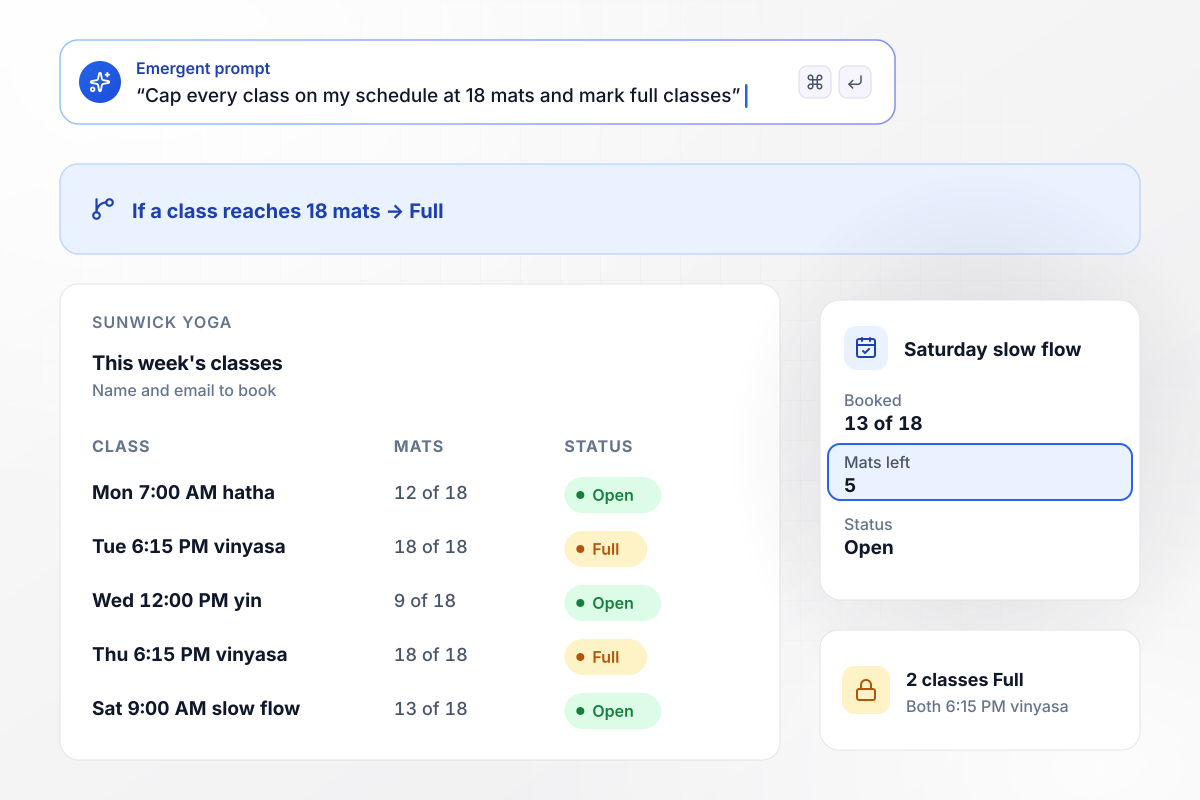
Bookings close on any class at 18 mats
Sunwick Yoga's schedule page caps every class at 18 mats, the number its main room holds. Students book with a name and an email, and the count on each class moves with every booking. Both 6:15 PM vinyasa classes this week reached 18 and show Full. Saturday's 9:00 AM slow flow has 5 mats left.
window.awbMockup = { classBooking: "Build a class schedule page for my studio, Sunwick Yoga. Cap every class at 18 mats, the size of my main room. Students book a class with a name and an email. Show the count on each class as bookings come in, and mark a class Full and stop taking bookings once it reaches 18.", teacherTraining: "Build an application page for my school's 24-seat teacher training at Ravelle Yoga School. Ask for a name, an email, and years of practice, plus why they want to teach. Put anyone with 2 or more years on my interview list. Email anyone with less about my foundations series instead.", retreatRooms: "Build a request page for my 4-day lake retreat at Juniper Bend Yoga. Offer 20 spots: 12 in shared rooms and 8 in private rooms. A guest picks a room type and leaves a name and an email. Count each room type down on its own and show the spots left for both.", parkClassRsvp: "Build an RSVP page for my free Sunday park class at Oakmere Yoga Collective, starting at 9:30 AM. Students RSVP with a name and an email. When I change the location by prompt, such as moving the class into my studio because of rain, email everyone who RSVPed with the new address and the start time." };
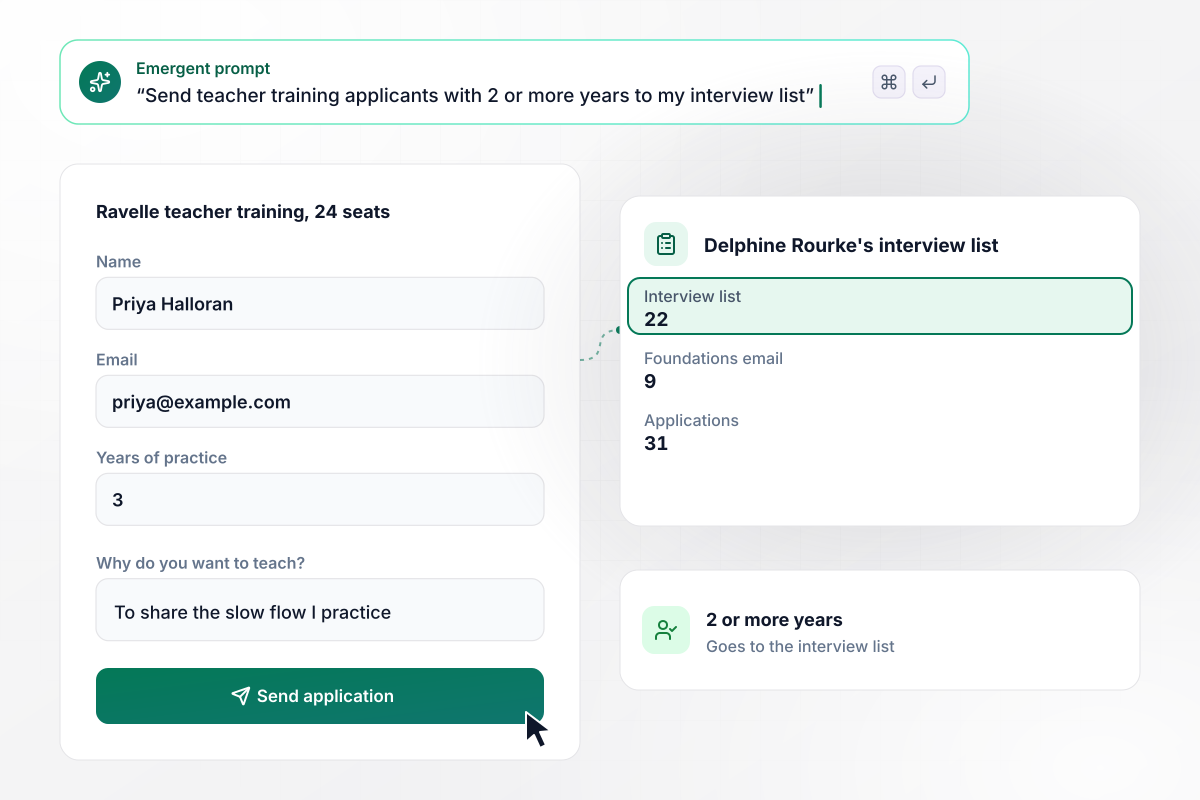
Interviews go to applicants with 2 years or more
Ravelle Yoga School's 24-seat teacher training asks applicants for a name, an email, and years of practice, plus why they want to teach. Those with 2 or more years go on director Delphine Rourke's interview list. The rest get an email about the foundations series. Of 31 applications, 22 went to the list and 9 got the email.
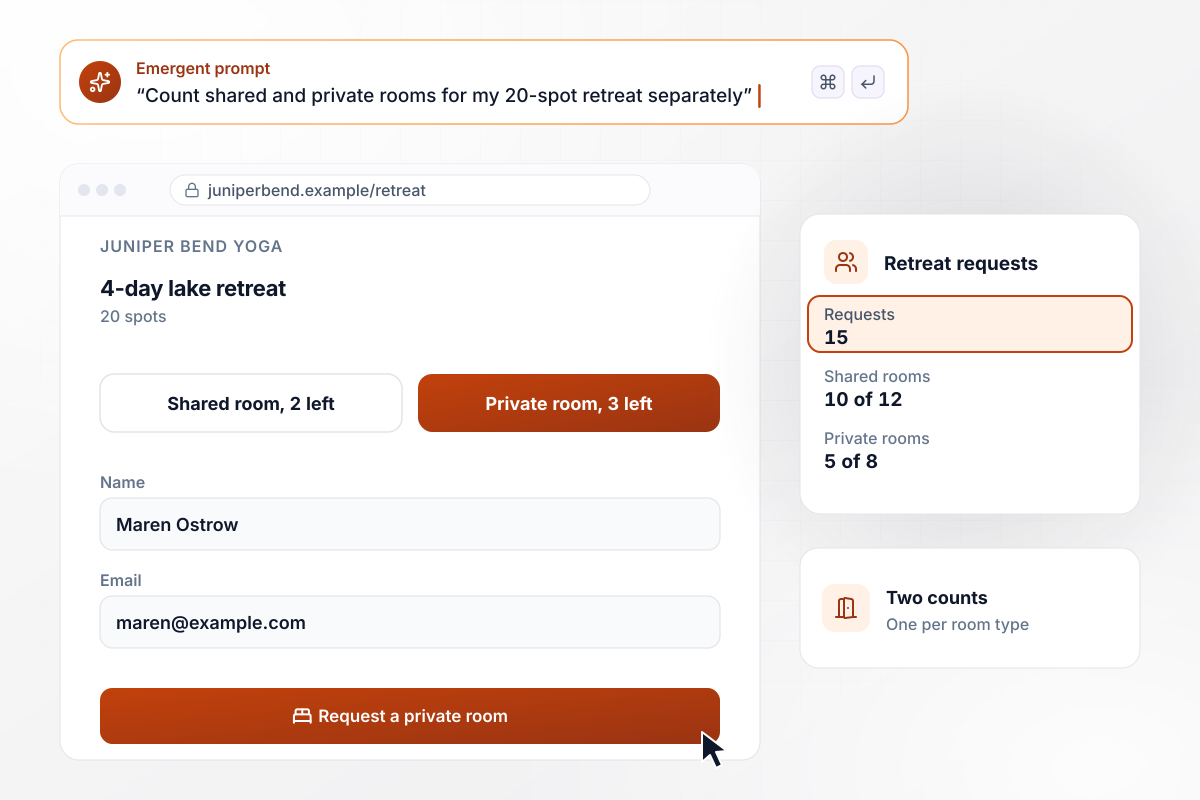
Private rooms and shared rooms each keep a count
For its 4-day lake retreat, Juniper Bend Yoga holds 20 spots: 12 in shared rooms and 8 in private rooms. A guest picks a room type and leaves a name and an email to request a spot. Each room type counts down on its own. With 15 requests in, 10 shared and 5 private, the page shows 2 shared and 3 private spots left.
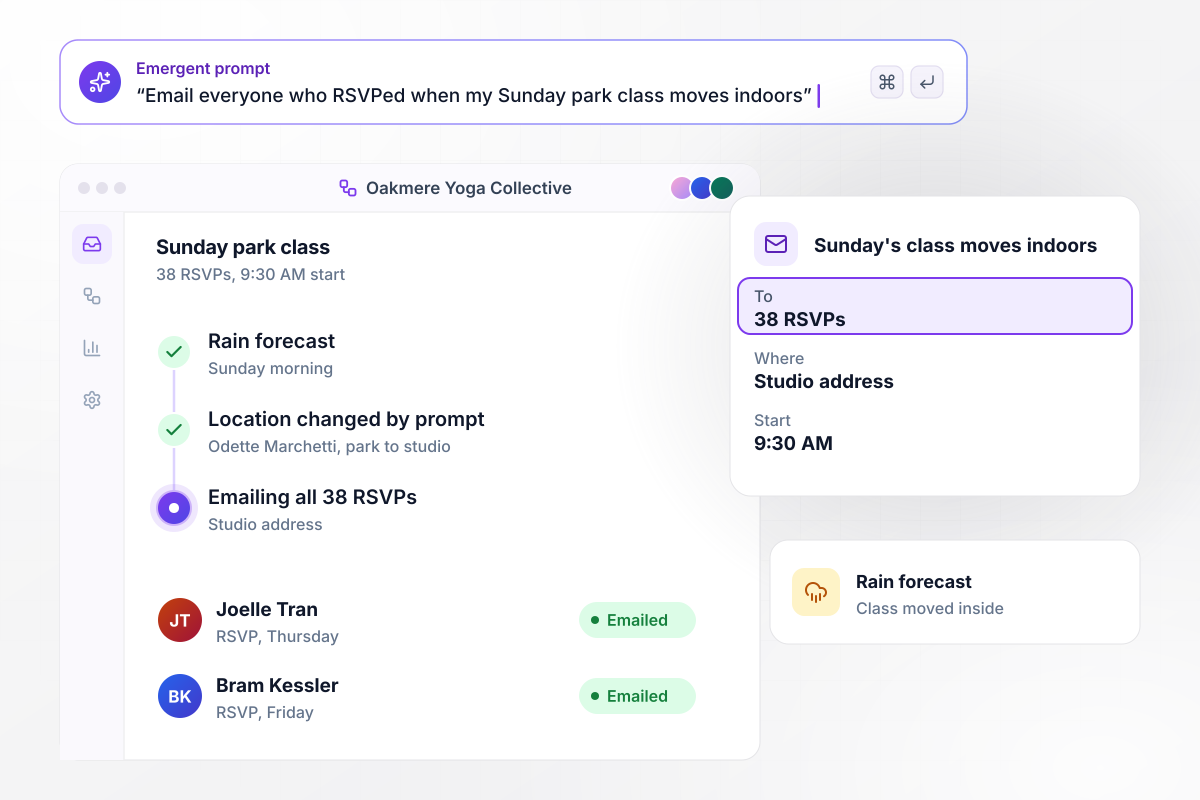
38 RSVPs heard by email when rain moved class indoors
Oakmere Yoga Collective teaches a free Sunday class in the park, and students RSVP with their name and email. Last Sunday, rain was forecast with 38 RSVPs in. Teacher Odette Marchetti changed the location by prompt, and the app emailed all 38 with the studio address and the same 9:30 AM start.






How to Build a Yoga Landing Page
Seven steps to plan a yoga landing page around one offer and a real mat count, then build it with Emergent.
A drop-in schedule and a weekend retreat ask different things of a visitor. Give each its own page, and decide the one action it asks for, such as booking a mat on Tuesday night or requesting a private room.
Lay out mats in each room at the spacing you teach with, then count them. Use that number as the class cap. Set a lower cap for classes that need more floor per student, such as restorative classes with bolsters and blankets.
List each class with its time and teacher, plus the mats left. A student who opens the page on a phone should see the next class to book without scrolling past a long welcome.
A drop-in class needs a name and an email. A teacher training also needs years of practice and a short answer on why the applicant wants to teach. A retreat adds a room type. Save longer questions for the first class or the interview.
Write how late a student can cancel and what happens to the booking, in one sentence under the Book button. Put it where a student reads it before booking, not only in the confirmation email that arrives afterward.
Name who reviews training applications, who replies to retreat questions, and who covers the Sunday class when its teacher is away. Agree on how soon a request gets a reply, and write down the backup's name before the page goes live.
Each Monday, put last week's bookings next to the students who came in. A class that books out but has empty mats on the day may need a reminder email the evening before, or an earlier cancel deadline.
Why Build Your Yoga Page With Emergent?
Emergent builds the class caps and the student emails with the page itself, and you change the schedule by prompting again.

|
Unbounce | Landingi | Wix | |
|---|---|---|---|---|
| How you build | Prompt for a campaign page | Templates and drag-and-drop, AI copy assist | Templates and drag-and-drop, AI assist | Prompt for a full site |
| Where submissions go | A database table you own, plus integrations | Unbounce lead storage and integrations | Vendor lead storage and integrations | Wix dashboard submissions and Contacts |
| Visitor limits | No per-visitor pricing | Monthly visitor caps by plan | Tiered by traffic on most plans | Site plan bandwidth |
| A/B testing | Generate variants by prompt | A/B testing on higher-tier plans only | Higher plans | Limited or add-on |
| Code ownership | Full code export to GitHub on paid plans | Hosted only | Hosted only | Hosted only |


Pick the Pricing Plan That Works for You
Choose the plan that fits your building ambitions. From weekend projects to enterprise applications, we've got you covered.




Find the right landing page for you



Frequently Asked Questions
Your Questions, Answered
Don't change this element unless you know what you are doing
More things you can build
with Emergent









on Emergent today


