

Build a Video Landing Page That Turns Viewers Into Leads
Build a video landing page that plays muted with captions and saves how much of the video each lead watched.
I want a video landing page with a short video above a sign-up form that saves every lead.
Trusted by Builders Worldwide
Active Builders Worldwide
Apps Successfully Created
Countries Globally Reached



What Sits Around the Video Player
The video makes the pitch. The page around it decides whether a viewer becomes a lead, and keeps a record of what each one saw.
A poster frame that loads before the video
Until the video starts, the player shows a still you pick, such as the speaker mid-sentence. The headline loads first, and the video file waits until the player nears the screen.
A muted start with captions on
Captions run from a WebVTT file attached to the video. The video starts muted when it scrolls into view, and a single tap on the sound icon brings the speaker's voice in.
A button timed to a second of the video
Set the timestamp where the order button appears. Before that second, the page shows only the video and headline. Afterward it stays on screen, even if the visitor pauses.
Watch time saved with every lead
Emergent writes each lead to a database you own, along with the seconds watched and the furthest point reached. Sort by watch time, or sync new rows to any CRM with an API.
Your own file or a YouTube link
Upload the video file, or paste a YouTube link and keep its player. Both report each play and pause to the page, which saves them against the visit that produced them.
Code you can take elsewhere
The page and its lead table export to your GitHub repository on paid plans. Run the code on your own servers, or publish on Emergent at a custom domain, which uses credits.
Video Landing Page Examples by Format
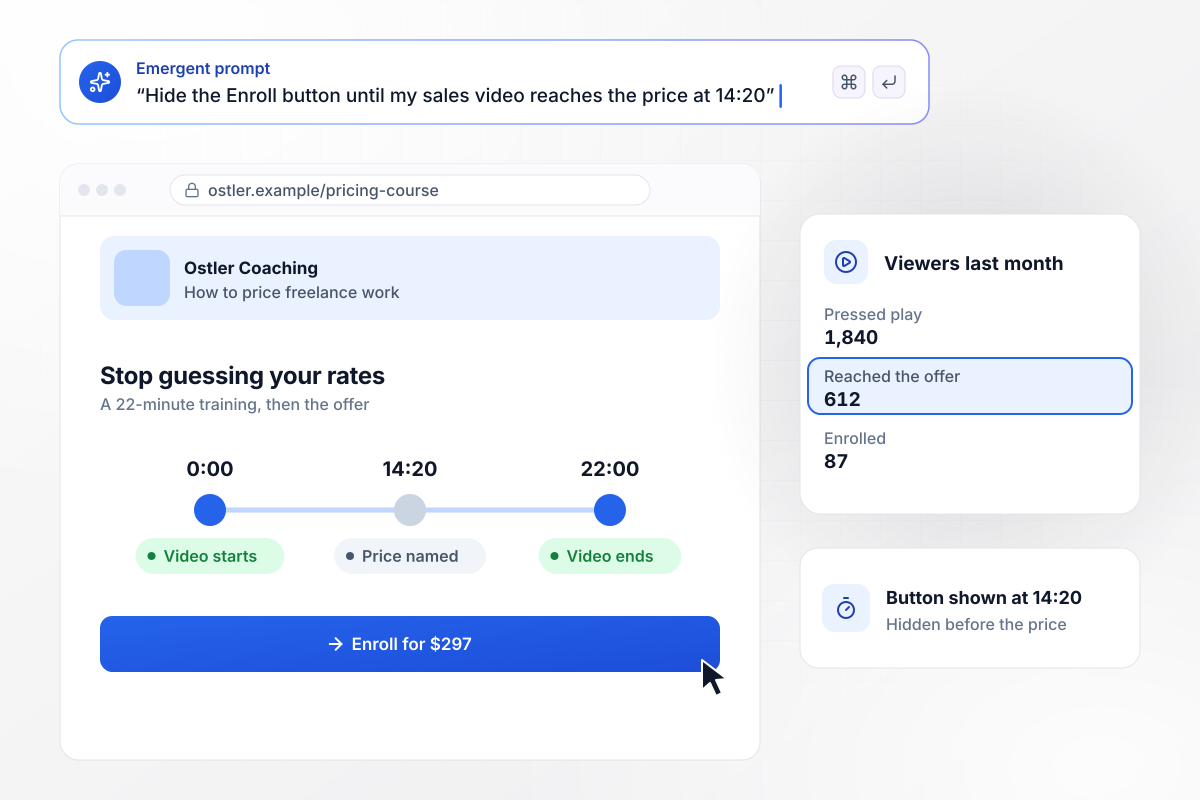
The Enroll button stays hidden until the price is named
Ostler Coaching sells a $297 course on pricing freelance work through a 22-minute video sales letter. The Enroll button stays off the page until 14:20, the moment the price comes up. Last month 1,840 visitors pressed play. Of those, 612 reached the offer and 87 enrolled.
window.awbMockup = { videoSalesLetter: "I sell a $297 course on pricing freelance work through a 22-minute sales video. Build the landing page around it. Keep the Enroll button hidden until 14:20, when I name the price, and show it at once to anyone who skips ahead. Track how far each viewer gets, and give me monthly counts of plays, viewers who reached 14:20, and enrollments.", productDemo: "My company, Tallyhand, makes invoicing software. Put our 90-second demo above the free trial form on the home page, starting silent with captions and a poster frame. Save every trial sign-up with the number of seconds of the demo that person watched, and show me last month's trials grouped by watch time: under 30 seconds, 30 to 60, and past 60.", customerStories: "I run Harbor Roofing. Build a quote request page with three short customer videos: a hail damage repair, a full roof replacement, and new gutter guards. Count plays for each video. When a homeowner asks for a quote, save which video they played first, and show me quote requests per video for the month.", personalVideo:"I sell for Quillfield Analytics. Build a page for one prospect, Edda Vashti at Maplestone Freight, that greets her by name above a two-minute video I recorded for her. When she passes the one-minute mark, send me a direct message in Slack with how far she watched and a button to book a call with her." };
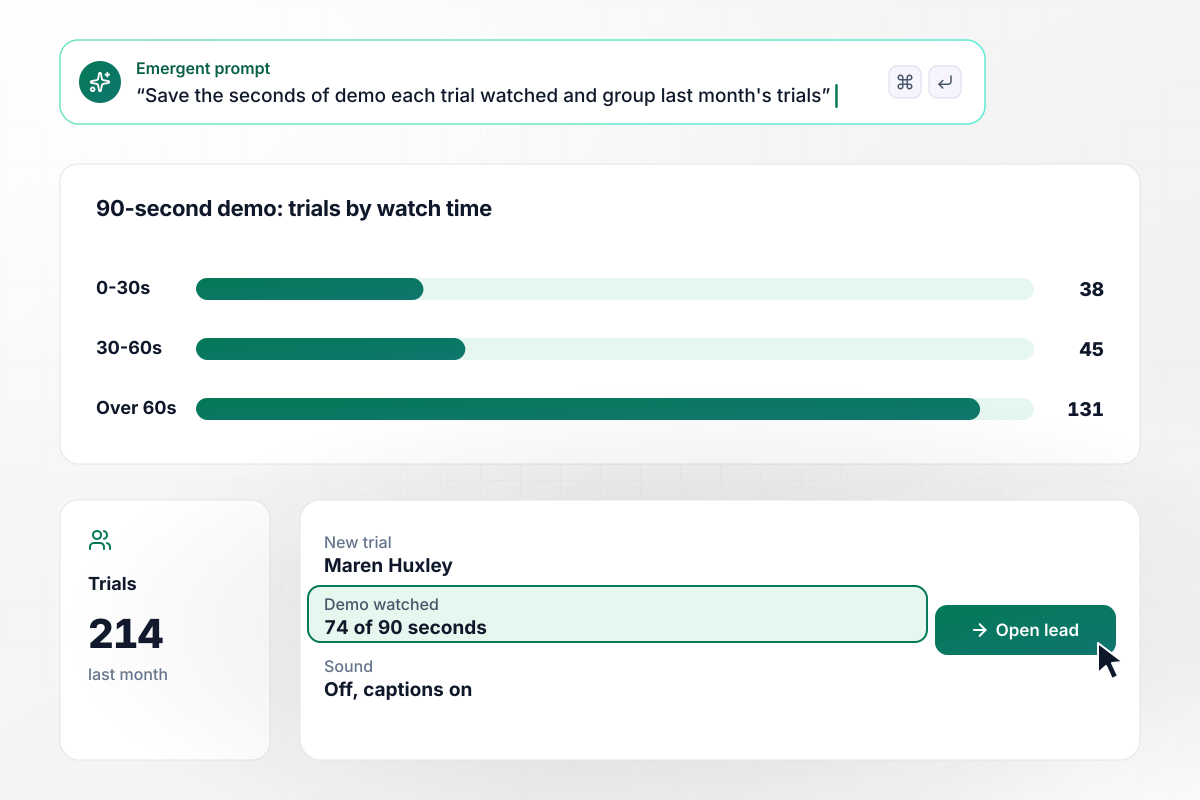
Every trial tagged with the seconds of demo watched
Above the trial form on Tallyhand's home page, a 90-second demo of its invoicing app plays muted, with captions on. Each trial sign-up is saved with how many seconds of the demo that visitor watched. Of last month's 214 trials, 131 came from people who got past 60 seconds.
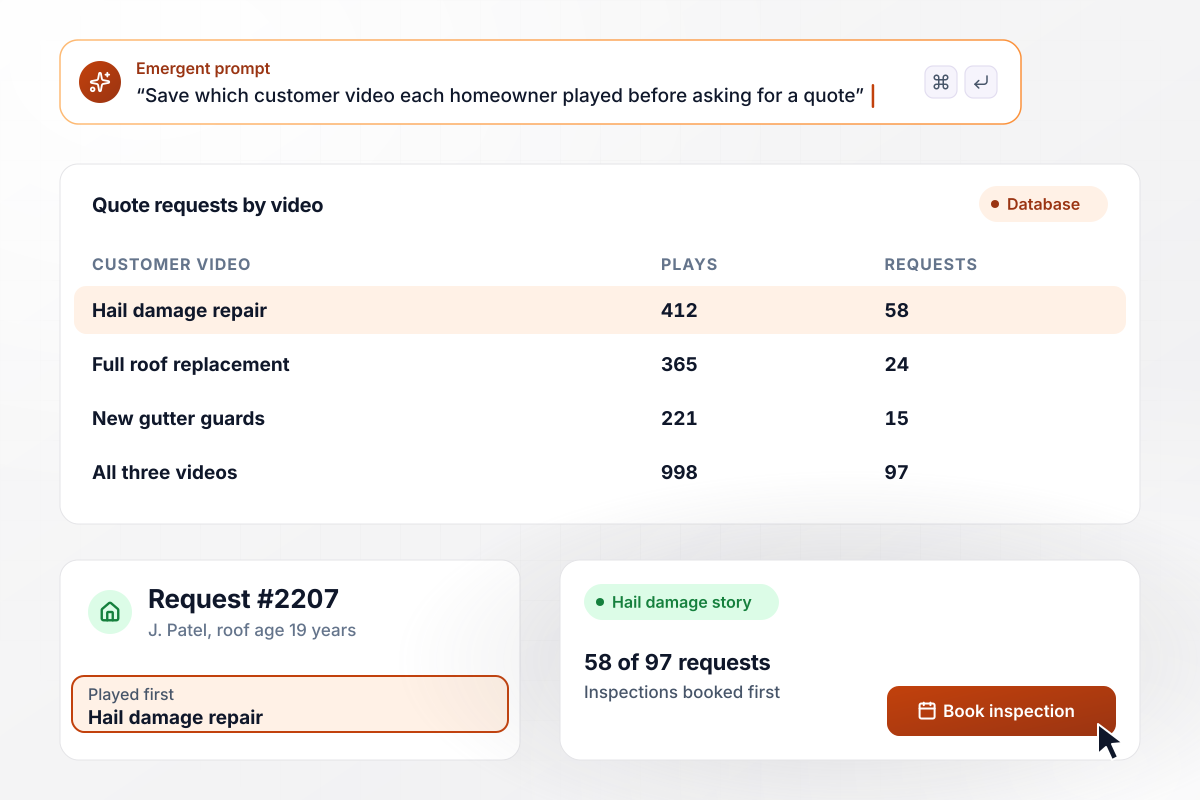
One customer story behind 58 of 97 quote requests
Homeowners pick from three customer videos on Harbor Roofing's quote page. The request form saves which video each homeowner played first. Last month the hail damage repair story sat behind 58 of the 97 requests, and the crew now books those inspections before anything else.
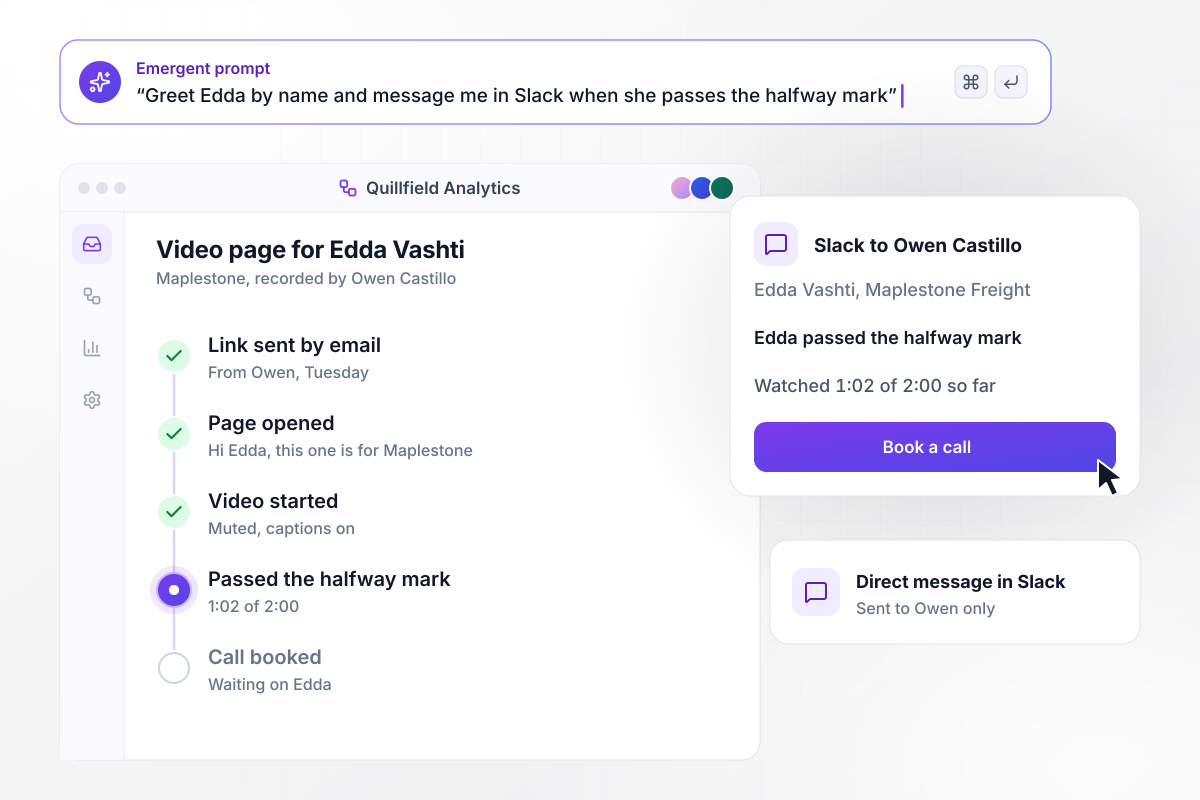
Halfway in, Edda's rep gets a direct message
Two minutes of video sit at the top of a page that Quillfield Analytics rep Owen Castillo made for one prospect, Edda Vashti at Maplestone Freight. The page greets her by name. Once she passes the one-minute mark, Owen gets a direct message in Slack showing how far she watched.






How to Build a Video Landing Page
Seven steps to a video landing page that loads fast on any screen and shows which viewers went on to sign up.
Decide what the video is for before you script a line. A sales letter carries the whole pitch and runs as long as the pitch needs. A product demo shows one task being done, and a customer story makes one claim believable.
A visitor who never presses play still needs the offer. Put the headline and main call to action beside or under the video, and make the headline stand on its own. The video adds proof; the page carries the ask, unless a timed button is the point.
Without a poster attribute, the player stays blank until the first frame arrives. Pick a still with a face or the product on screen. When the video sits at the top, its poster can be the page's Largest Contentful Paint element. Compress it like any hero image.
Chrome lets a video start on its own when it is muted, and usually holds back sound until the visitor interacts with the site. Pair autoplay with muted and playsinline, which keeps the video in place on an iPhone. Put a clear sound control on the video itself.
Captions carry the pitch for everyone watching with the sound off. Attach a WebVTT file through the track element, then check it against the audio. WCAG lists captions for prerecorded video as a Level A criterion, its most basic level of conformance.
An embedded player is heavy, and a page with three of them loads all three on arrival. Add loading="lazy" to iframes below the first screen, which defers each one until the visitor scrolls near it. For a file you host, preload="none" holds the download until play.
Save play, pause, and end events with each lead: the YouTube player API reports state changes, and an HTML video fires its own events. Then run the page with and without the video for the same traffic, and keep the version that brings in more sign-ups.
Why Build a Video Landing Page With Emergent?
Example roundups show where the video goes. Emergent builds the whole page from a prompt and changes it when you ask.

|
ConvertFlow | Unbounce | Landingi | |
|---|---|---|---|---|
| How you build | Prompt for a campaign page | Templates and drag-and-drop, AI remix | Templates and drag-and-drop, AI copy assist | Templates and drag-and-drop, AI assist |
| Where submissions go | A database table you own, plus integrations | ConvertFlow contact profiles, synced to your CRM | Unbounce lead storage and integrations | Vendor lead storage and integrations |
| Visitor limits | No per-visitor pricing | Monthly view caps by plan | Monthly visitor caps by plan | Tiered by traffic on most plans |
| A/B testing | Generate variants by prompt | A/B testing on paid plans only | A/B testing on higher-tier plans only | Higher plans |
| Code ownership | Full code export to GitHub on paid plans | Hosted by ConvertFlow or embedded on your site | Hosted only | Hosted only |




Pick the Pricing Plan That Works for You
Choose the plan that fits your building ambitions. From weekend projects to enterprise applications, we've got you covered.




Find the right landing page for you















Frequently Asked Questions
Your Questions, Answered
Don't change this element unless you know what you are doing
More things you can build
with Emergent









on Emergent today


