

Build a Mobile Landing Page That Works Under a Thumb
Build a mobile landing page with buttons in thumb reach, short forms, and every tap saved to a database you own.
Build a mobile landing page with a call button in thumb reach and a short form that saves every lead to a table.
Trusted by Builders Worldwide
Active Builders Worldwide
Apps Successfully Created
Countries Globally Reached



Mobile Landing Page Design, Part by Part
The parts that decide whether a phone visitor acts or leaves, and the record each one keeps.
Main buttons pinned within thumb reach
Emergent pins the main action to a bar at the foot of the screen, sized for a thumb. A Call button dials through a tel: link, and a text button opens a message already begun.
Fields that open the right keyboard
Phone number and ZIP code fields bring up the number pad, and email fields show the @ key. Each label sits above its field and stays in view while the visitor is typing an answer.
A question per screen for longer forms
Long forms become a run of single questions with large answer buttons. A progress bar counts what remains. Answers save as they are tapped, and a visitor who quits early is a lead.
One address that restacks by width
Below the width you set, side-by-side columns collapse into one and wide tables become cards. Laptops and handsets load the same URL with the same content, and ads point at one link.
Every visit logged with its device
Each visit and tap is saved with the device type and the campaign named in its link, in a database you own. Compare phone and laptop results in one table, with no exports to merge.
Code that leaves with you
Export the page and its database to your GitHub repository on paid plans. Host the code on your own servers, or publish on Emergent with a custom domain, which uses credits.
Mobile Landing Page Examples by Action
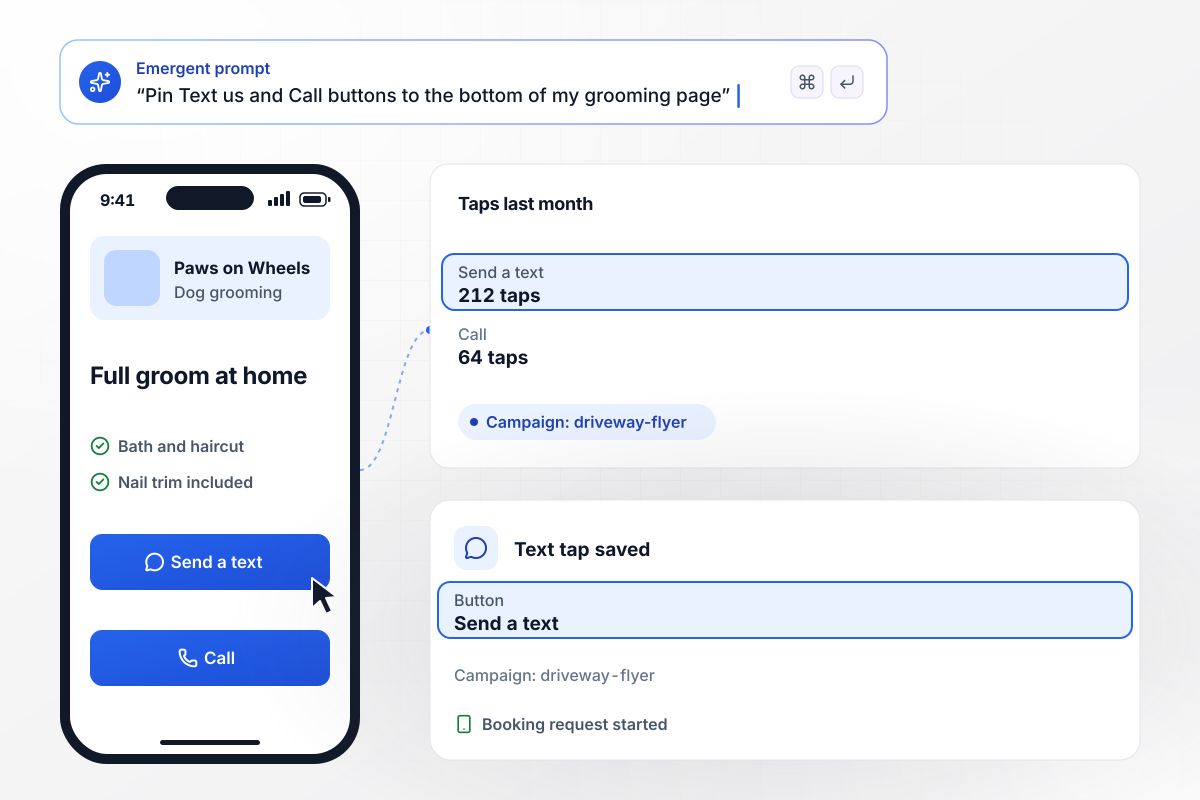
Most taps go to Text, not Call
Paws on Wheels grooms dogs in a van parked in the customer's driveway, and its visitors arrive on phones. A bar along the bottom of the screen holds two buttons, Send a text and Call. The first opens the messaging app with a booking request already started. Last month 212 visitors chose the text and 64 tapped Call.
window.awbMockup = { callAndText: "Build a landing page for my mobile dog grooming business, Paws on Wheels. Most people find us on their phones, so put two large buttons in a sticky footer: one starts a text to our booking number with a request half written, the other rings the van. Log each tap with the button pressed and the utm_campaign value, and give me monthly totals per button.", socialAdQualifiers: "My solar company, Pellmore Solar, runs Facebook ads to a quote page. Ask four questions, one per screen, with big answer buttons: which way the roof faces, whether they own or rent, the monthly power bill, and the ZIP code with a numeric keypad. Save owners as leads and book a sales call for the next morning. Send renters to a page about community solar.", smsOfferPages: "I run a flower shop called Rosehill Florist and text subscribers our weekend bouquet every Thursday. Build the page that link opens: Saturday pickup times as big buttons, 25 orders per time, pay in store. When a time is full, hide it. Keep a prep list that totals bouquets for each pickup time so we know how many to make.", responsivePages: "My inspection software company, Pinlog, needs a demo request page. On desktop, show our plans side by side in a pricing table. On phones, turn the plans into cards stacked vertically, with the demo form right below the headline. Store the device type with each request, and give me a monthly count of requests per device type." };
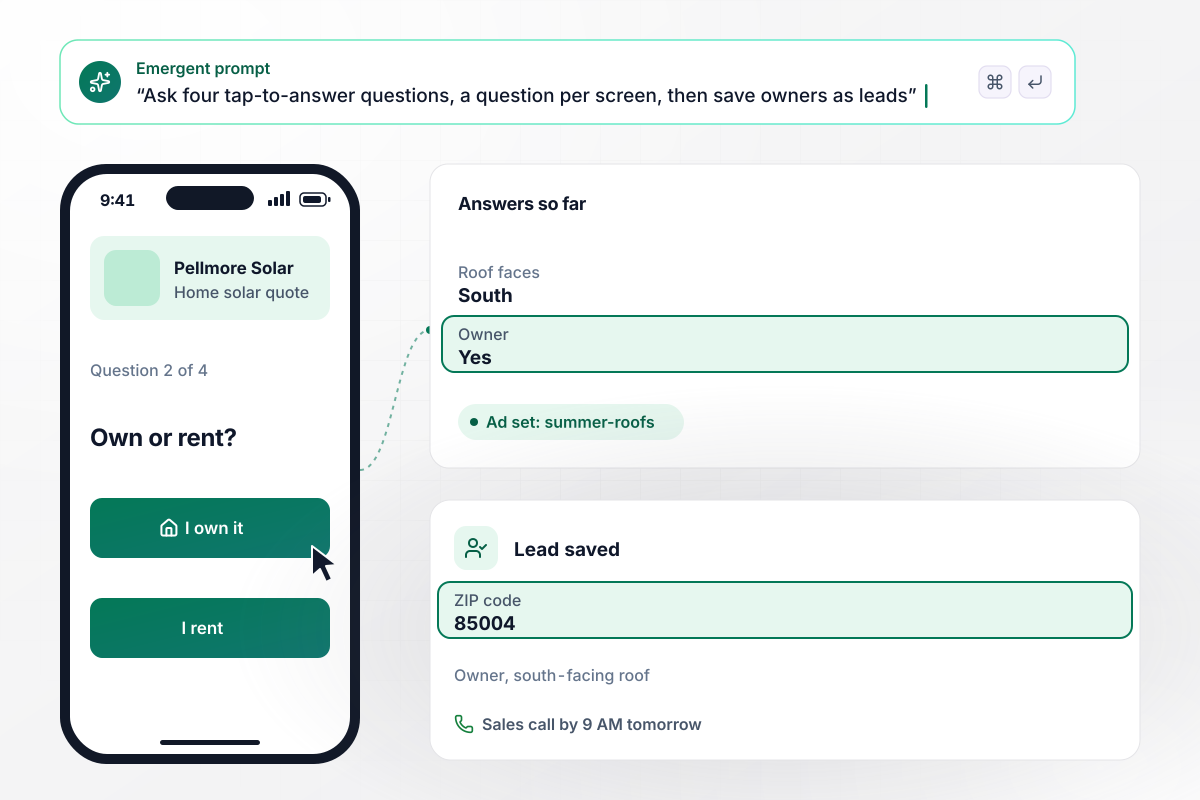
Solar leads, qualified one tap at a time
Pellmore Solar's Facebook ad opens a qualifier with four questions, a question per screen, each answered by tapping a large button. Only the ZIP code step opens the number pad. Homeowners are saved as leads, and a sales rep calls each one by 9 AM the next day. Renters see a page about community solar.
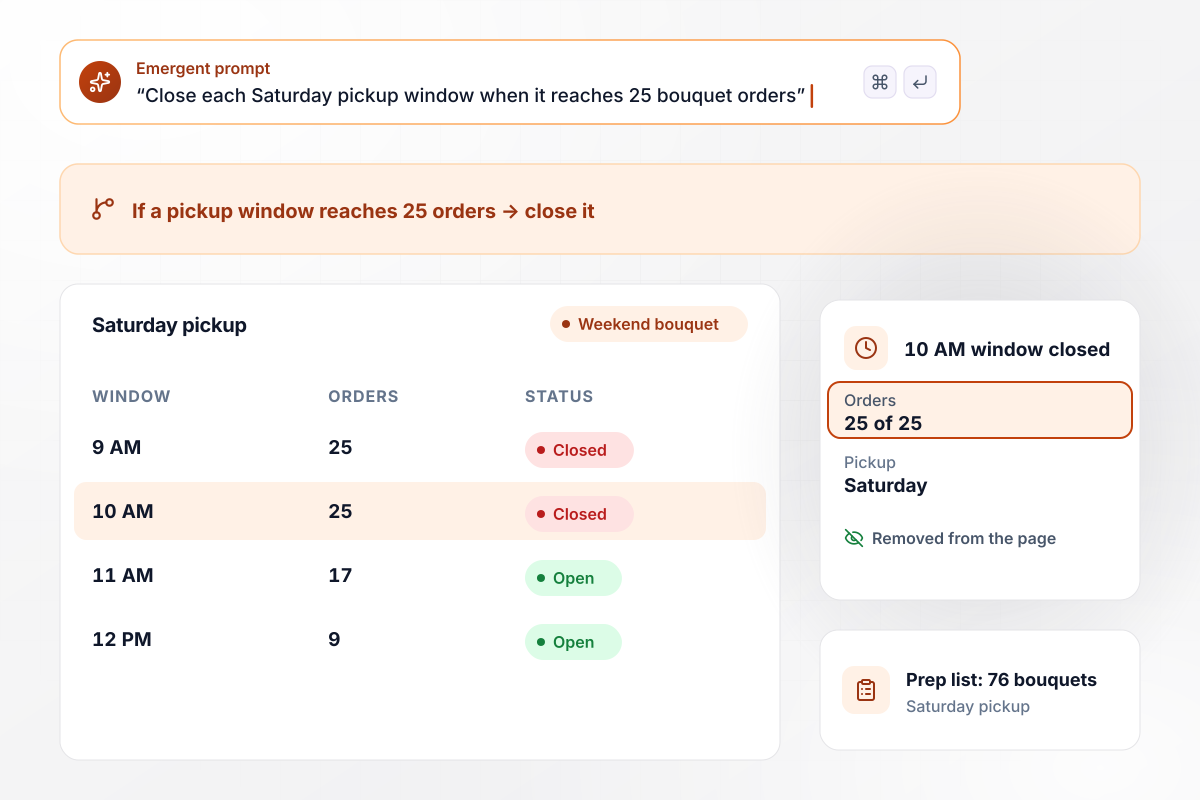
Pickup windows that close at 25 orders
Every Thursday at noon, Rosehill Florist texts subscribers a link to its weekend bouquet. Saturday pickup windows show as large buttons, with payment at the counter. Each window holds 25 orders and drops off the page once full. This week the 10 AM window closed first, and the prep list shows 76 bouquets.
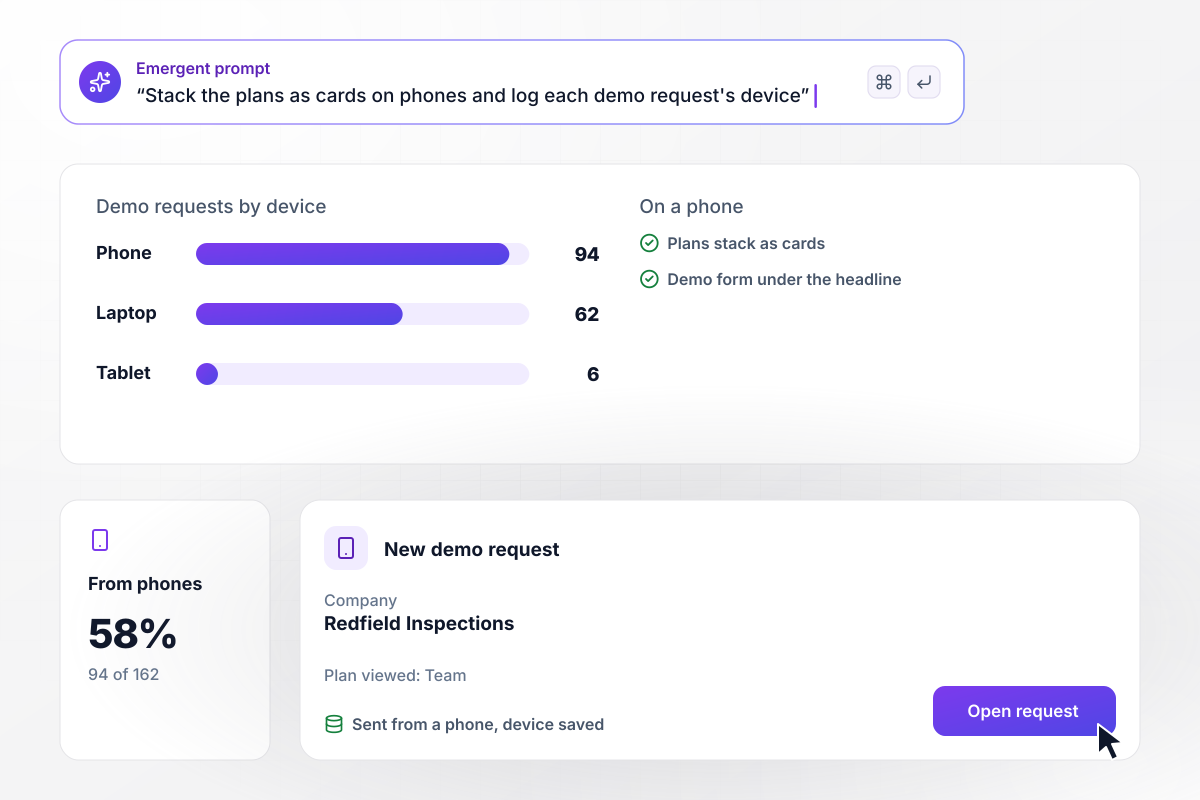
How the demo page restacks on a phone
On a laptop, Pinlog's demo page shows its plans for inspection teams side by side in a pricing table. On a handset the plans stack as cards, and the demo form moves up under the headline. Each request is saved with the device it came from. Phones sent 94 of last month's 162 demo requests.






How to Build a Mobile Landing Page
Seven steps to build a mobile landing page that loads fast on a phone and turns each visit into a call or a sign-up.
Decide what a phone visitor should do: call, book a slot, or leave a number. Write the headline around that action and keep it short enough to sit above the button on the first screen. Every other section on the page supports that single tap.
Without a viewport meta tag set to width=device-width, phones render the page at a desktop width and shrink it to fit. Add the tag, then design a single column first. Wider screens get their extra columns later, through media queries.
Pin the main button to the bottom of the screen, where a thumb reaches it without a second hand. Lighthouse treats tap targets of 48 by 48 pixels as large enough, with space between neighbors. Link call buttons with tel: and text buttons with sms:.
Ask only for what the first reply needs, often a name and a phone number. Set the phone field to type=tel, which tells mobile browsers to show a number keypad, and the email field to type=email. Put each label above its field.
The largest image or text block on the first screen decides how fast the page feels. Compress the hero image and size it for a phone, not a desktop monitor. Images further down can wait to load until the visitor scrolls toward them.
Google's guidance on interstitials and dialogs says overlays that hide the content on arrival make it harder to reach, and it suggests banners instead. On a phone, a pop-up fills the whole screen. Put the offer in the page, or use a slim banner.
Chrome's device mode approximates phone sizes, and its own docs still point to a real device for the final check. Load the landing page on an iPhone and an Android handset over mobile data. After launch, compare conversion by device every week.
Why Build a Mobile Landing Page With Emergent?
Galleries show what a good mobile page looks like. Emergent builds yours from a prompt, with a database behind every form.

|
Unbounce | Wix | Landingi | |
|---|---|---|---|---|
| How you build | Prompt for a campaign page | Templates and drag-and-drop, AI copy assist | Prompt for a full site | Templates and drag-and-drop, AI assist |
| Where submissions go | A database table you own, plus integrations | Unbounce lead storage and integrations | Wix dashboard submissions and Contacts | Vendor lead storage and integrations |
| A/B testing | Generate variants by prompt | A/B testing on higher-tier plans only | Limited or add-on | Higher plans |
| Code ownership | Full code export to GitHub on paid plans | Hosted only | Hosted only | Hosted only |
| SEO settings | Full control of the code: meta tags, schema, and sitemap | SEO title and meta description per page | Meta title and description per page (SEO Basics) | Title, description, and meta tags per page; indexable by default |




Pick the Pricing Plan That Works for You
Choose the plan that fits your building ambitions. From weekend projects to enterprise applications, we've got you covered.




Find the right landing page for you















Frequently Asked Questions
Your Questions, Answered
Don't change this element unless you know what you are doing
More things you can build
with Emergent









on Emergent today


