

Build a Nonprofit Landing Page for Every Gift and Signup
Build a nonprofit landing page from a prompt that takes gifts, fills volunteer shifts, and saves each one to a database you own.
Build a nonprofit landing page for my animal rescue with a year-end goal, a donation form, and volunteer shifts.
Trusted by Builders Worldwide
Active Builders Worldwide
Apps Successfully Created
Countries Globally Reached



What Emergent Builds Behind the Donate Button
Each nonprofit landing page Emergent builds has these six parts, covering the gift itself and what happens after it.
A page written from your campaign brief
Describe the cause and the ask in plain English. Emergent builds the page with its gift form and the database table behind it, and rewrites any section when you prompt again.
A goal bar that moves with each gift
The goal bar and the running gift count update live as gifts arrive. A Giving Tuesday push or a year-end appeal gets one number that supporters and staff can both watch.
Gifts through the Stripe account you have
Connect the Stripe account the nonprofit already takes donations with. Each completed gift comes back to the page's database with the amount and the campaign it belongs to.
Supporter records in a database you own
Every donor and volunteer becomes a row in a database you own, tagged with the page they came from. Sync those rows to HubSpot or any CRM with an API instead of retyping them.
Alerts for the moments that need a person
Choose the moments that deserve a human follow-up, such as a large gift or a shift that has filled. The page posts each one to Slack or emails the one person who handles it.
Your own domain, and the code to keep
Publish under the nonprofit's own domain, which is included and runs on credits. On paid plans, the full code exports to your GitHub repository for a developer to extend.
Four Nonprofit Pages, Each With One Ask
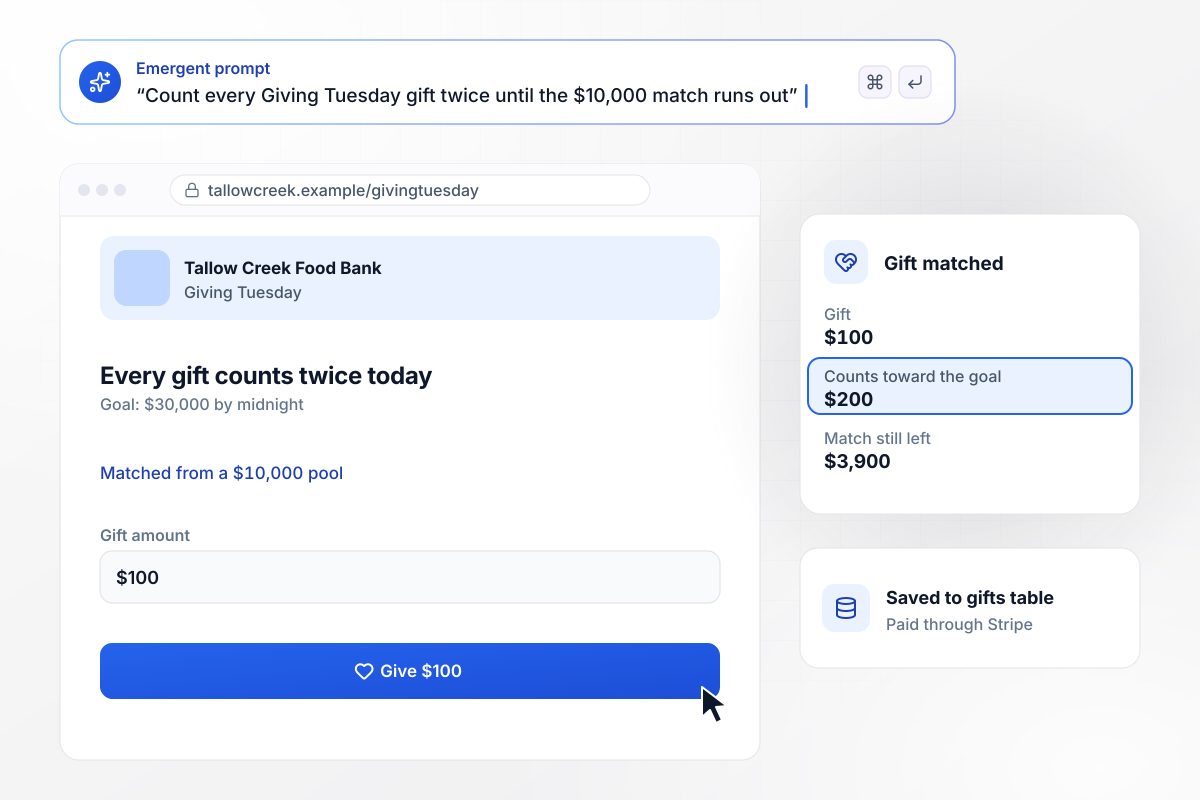
Each gift counts twice until $10,000 of match is gone
Tallow Creek Food Bank set one Giving Tuesday goal: $30,000 by midnight. A board member matches every gift from a $10,000 pool. A $100 gift counts as $200, and the page shows $3,900 of the match still left. Gifts go through the Stripe account the food bank connects and save to its gifts table.
window.awbMockup = { givingTuesday: "Build a Giving Tuesday page for my food bank, Tallow Creek. The goal is $30,000 by midnight. A board member matches every gift from a $10,000 pool, so show each gift counting twice and show how much match is left. Take gifts through my Stripe account and save each one to a gifts table with the matched amount beside it.", volunteerShifts: "Make a signup page for my river cleanup this Saturday. I need two shifts of 20 volunteers, at 9 AM and 1 PM. Each volunteer picks a shift and accepts the waiver. When a shift reaches 20, mark it full so no one can pick it and show the spots left on the other one. Email both rosters to Teodora Ibarra, my coordinator, on Friday at 5 PM.", charity5k: "I need fundraising pages for our Quarry Street 5K. Every runner who registers gets a personal page with a $300 goal and a link to share. Gifts on a runner's page count toward that runner and the team. When a runner reaches the goal, mark it met on the page and email the runner a thank-you note.", yearEndAppeal: "Set up the gift page for my animal rescue's year-end letter. Each letter has a QR code for one donor that opens the page with their last gift already filled in. Save every gift with the appeal code MAIL-DEC. When a gift is $500 or more, send Ondine Bancroft, my director, a Slack message so she can plan a thank-you call." };
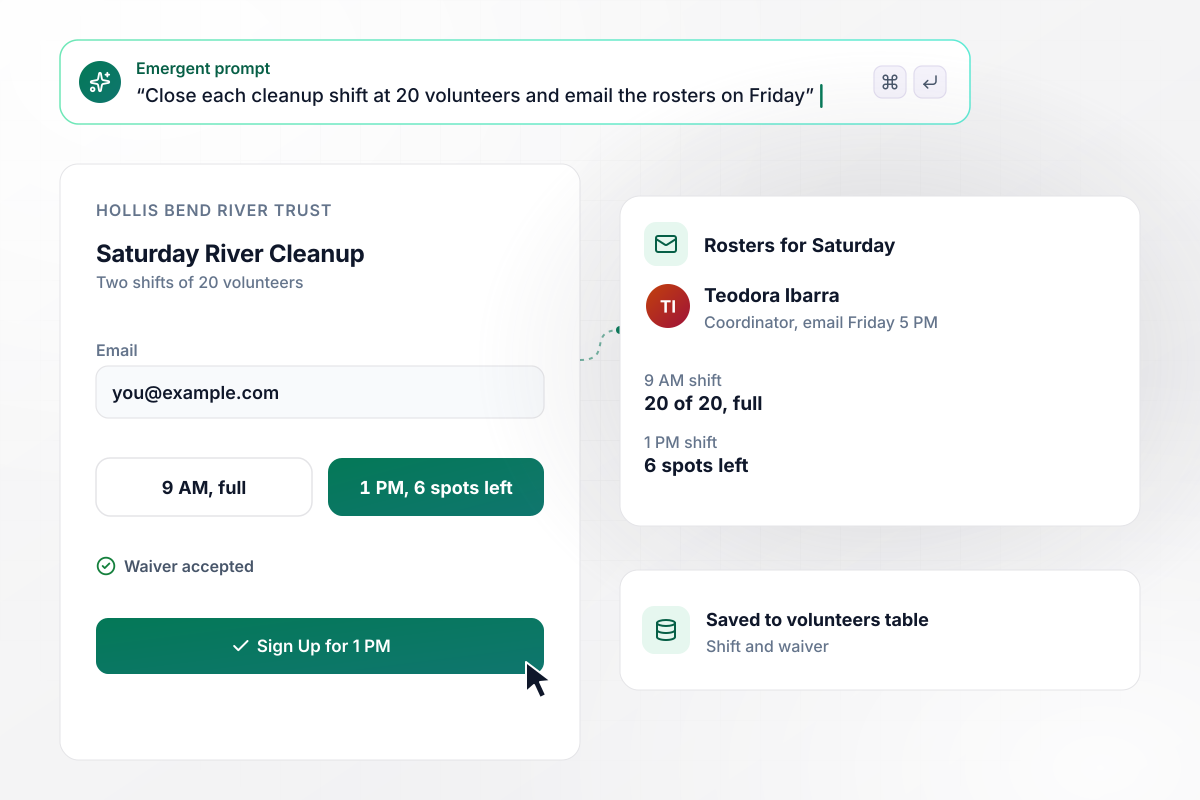
When a shift hits 20 volunteers, it closes
Hollis Bend River Trust needs two shifts of 20 volunteers for a Saturday cleanup. Each volunteer picks a shift, accepts the waiver, and lands in the volunteers table. Once the 9 AM shift is full, the page offers only 1 PM, which has 6 spots left. On Friday at 5 PM, coordinator Teodora Ibarra gets both rosters by email.
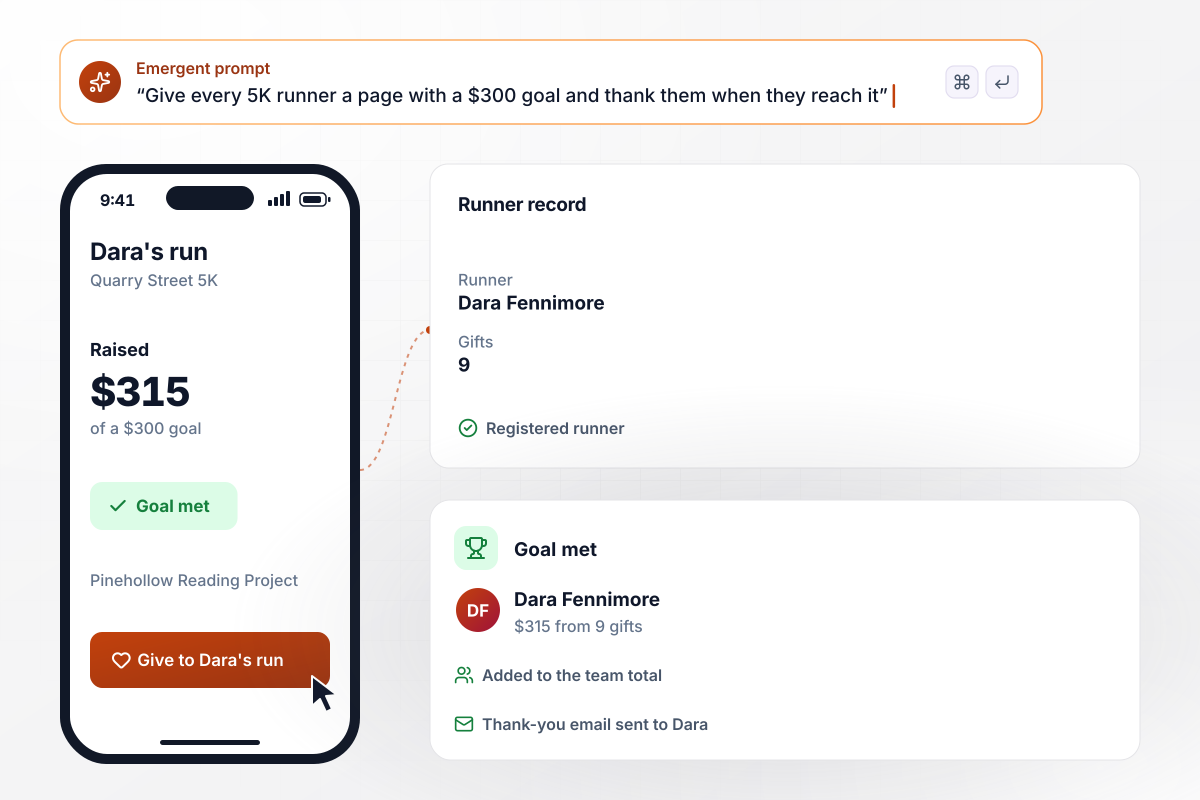
Every runner gets a page and a $300 goal
For the Quarry Street 5K, Pinehollow Reading Project gives each registered runner a personal page with a $300 goal. Gifts made there count toward the runner and the team. When Dara Fennimore reached $315 from 9 gifts, her page marked the goal met and emailed her a thank-you.
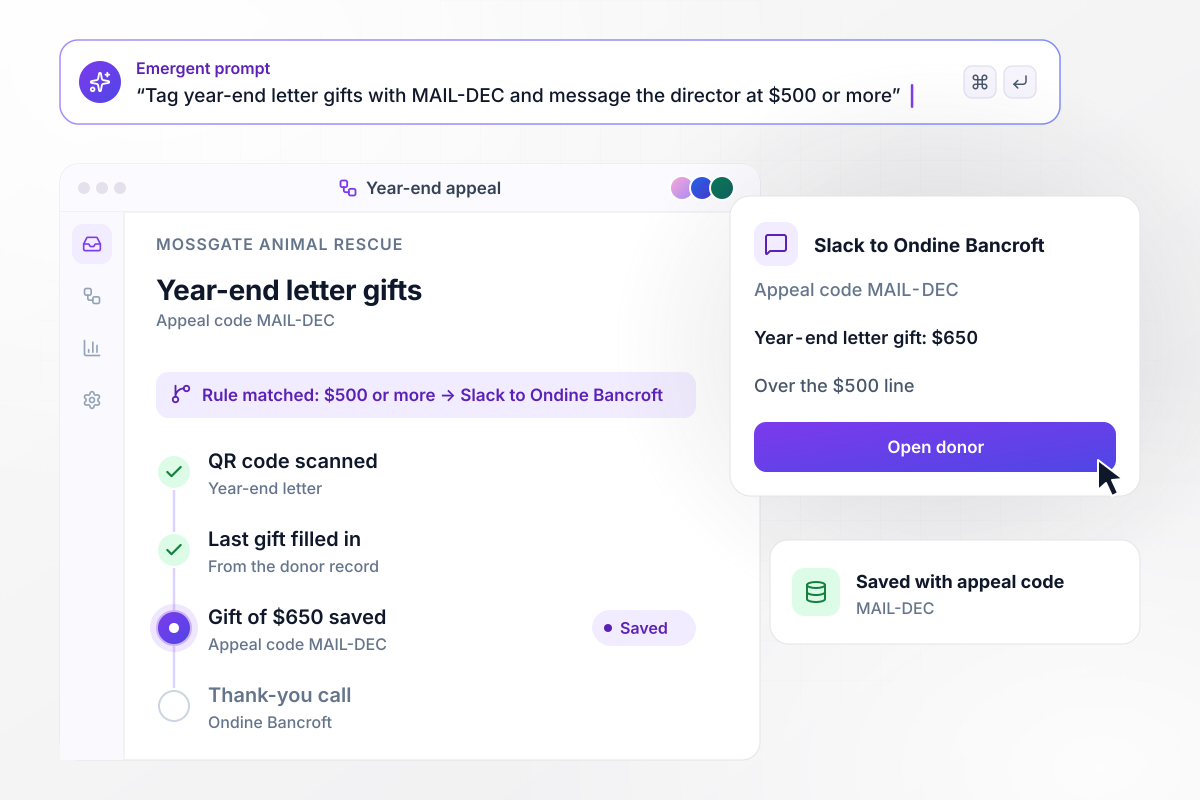
Letter gifts of $500 or more reach the director
Mossgate Animal Rescue mails its year-end letter with a QR code for each donor. The code opens the gift page with that donor's last gift filled in, and each gift saves with the appeal code MAIL-DEC. Any gift of $500 or more sends director Ondine Bancroft a Slack message for a thank-you call. The latest was $650.






How to Create a Nonprofit Landing Page
These seven steps take a nonprofit landing page from a single ask to a published page that saves each gift and signup.
Pick one action: a gift, a volunteer shift, or a race registration. Give it a deadline, even a soft one. Write the ask as one sentence a supporter could repeat, because it becomes the headline and the opening line of your prompt.
State the need and what one gift does about it, then the date it matters by. Use a figure from your own program records, such as families served last winter, instead of a national statistic you cannot trace.
Choose three or four gift amounts from what donors gave in your last campaign, and preselect the middle one. Set a goal you can reach by the deadline, and decide whether a matched gift counts once or twice toward it.
Paste the ask and the case into one prompt, and say where gifts should go. Emergent returns a working page with its form and gifts table. Ask for the thank-you screen in the same prompt: what the donor sees right after giving.
Connect the Stripe account that receives donations, then HubSpot or another CRM with an API. Decide which fields each tool should receive, starting with the donor email and the gift amount. Map them once here instead of fixing records by hand after the campaign.
Give $5 on your own phone and follow it all the way through: the row in the gifts table, the receipt email, the Slack alert, and the CRM record. Fix anything missing before a single supporter sees the page.
Publish the page, then give the email link and the social link their own appeal codes. After the first week, compare gifts by code in the gifts table and put more effort where the money came from.
Why Build Your Nonprofit Page With Emergent?
Gifts and volunteer signups land in a database you own, and changing the page next week takes another prompt, not a developer.

|
Unbounce | Landingi | Wix | |
|---|---|---|---|---|
| How you build | Prompt for a campaign page | Templates and drag-and-drop, AI copy assist | Templates and drag-and-drop, AI assist | Prompt for a full site |
| Where submissions go | A database table you own, plus integrations | Unbounce lead storage and integrations | Vendor lead storage and integrations | Wix dashboard submissions and Contacts |
| Visitor limits | No per-visitor pricing | Monthly visitor caps by plan | Tiered by traffic on most plans | Site plan bandwidth |
| A/B testing | Generate variants by prompt | A/B testing on higher-tier plans only | Higher plans | Limited or add-on |
| Code ownership | Full code export to GitHub on paid plans | Hosted only | Hosted only | Hosted only |




Pick the Pricing Plan That Works for You
Choose the plan that fits your building ambitions. From weekend projects to enterprise applications, we've got you covered.




Find the right landing page for you















Frequently Asked Questions
Your Questions, Answered
Don't change this element unless you know what you are doing
More things you can build
with Emergent









on Emergent today


