

Build a Church Landing Page That Welcomes First-Time Visitors
Build a church landing page from one prompt, with every visit plan and signup saved to a database you own.
Build a church landing page that saves every signup to a database I own.
Trusted by Builders Worldwide
Active Builders Worldwide
Apps Successfully Created
Countries Globally Reached



What Emergent Builds for Your Church
A church landing page is one page that leads a visitor to one next step. Emergent builds the page and the table behind its forms.
Service times a visitor can act on
Describe your services and what a first Sunday looks like, down to where to park. Emergent builds the page around them, with a visit form under the times. Prompt to change any of it.
Forms that ask what greeters need
List what greeters should know before someone arrives, such as kids' ages or a first service. The app asks only those questions and shows the next one based on each answer.
Every reply kept in one table
The app saves every reply, from visit plans to serve signups, to a database you own. Sort by service or date to see which newcomers still need a call from someone at the church.
The right person hears about it
Name who should hear about each kind of reply: the welcome lead, a group leader, the pastor. The app sends that person an email, Slack message, or in-app alert, then a reminder.
Connected to the tools you already run
The app connects to any tool with an API. A new visitor's answers can go straight into your church management system or email list, with nothing copied over by hand from email.
Your church's domain, your code
Publish on your church's own domain; custom domains are included in Emergent and use credits. On paid plans, export the full code to your GitHub repository and keep a copy.
Church Landing Page Examples
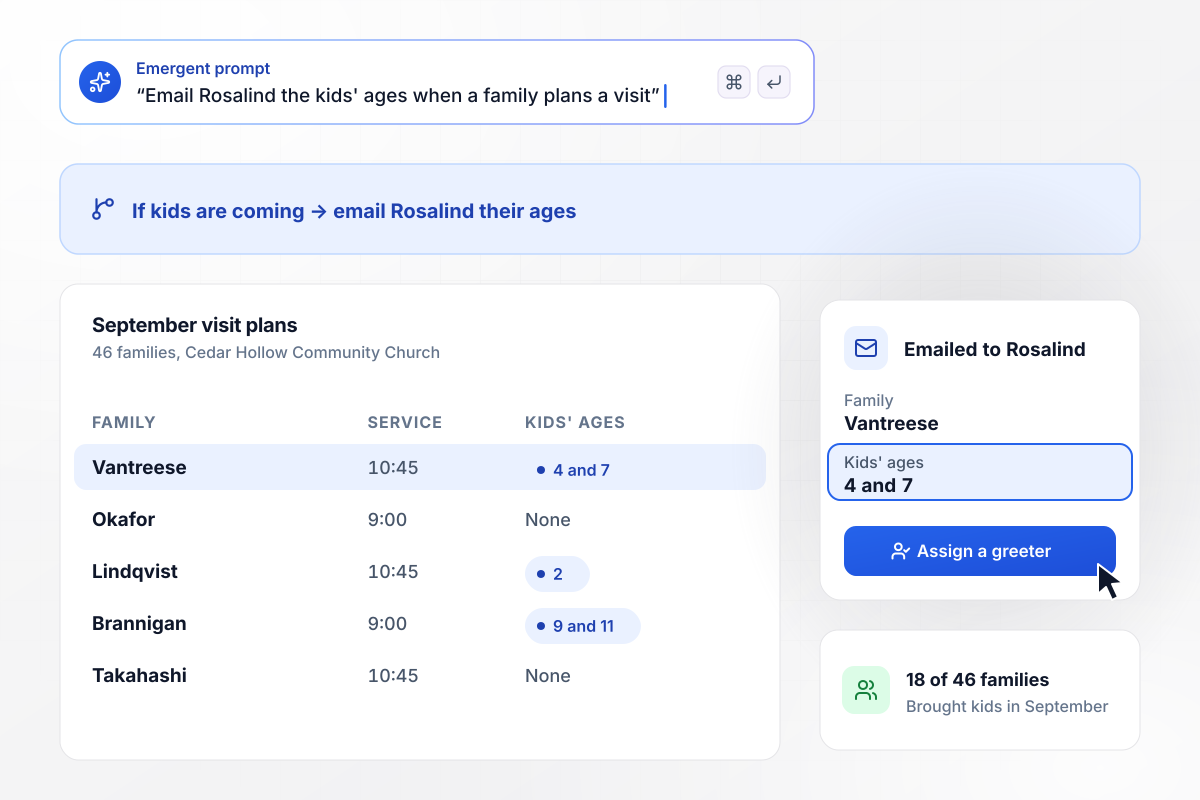
Kids' ages go to Rosalind before Sunday
A visitor tells Cedar Hollow Community Church which service they will attend, 9:00 or 10:45, and if kids are coming. If so, the app asks their ages and emails welcome lead Rosalind Achebe-Marsh, so a greeter meets them at check-in. In September 18 of 46 families brought kids, the Vantreese family among them.
window.awbMockup = { planAVisit: "Build a plan-a-visit landing page for Cedar Hollow Community Church. Ask which Sunday service a visitor will attend, 9:00 or 10:45, and how many adults and kids are coming. When kids are coming, ask their ages and email our welcome lead Rosalind Achebe-Marsh so a greeter meets the family at kids' check-in.", smallGroups: "Build a small group finder for Harrow Lane Church. List our 14 small groups, ask a visitor for a night and a part of town, and show only the matching groups that still have open spots. Email each request to join to that group's leader, with the visitor's name and the open spots left.", serveTeams: "Build a serve team signup page for Northgate Chapel with four teams: parking, greeting, worship tech, and nursery. Ask nursery signups whether they have finished our child safety training, and send anyone who has not to our children's director Mareike Osterhaus before a Sunday is scheduled.", prayerRequests: "Build a prayer request page for Stonebridge Fellowship. Let each person write a request and mark it Pastor only or Prayer team. Send Pastor only requests to Pastor Ifeoma Adeyemi and no one else, and add the rest to the prayer team's list with the date it came in." };
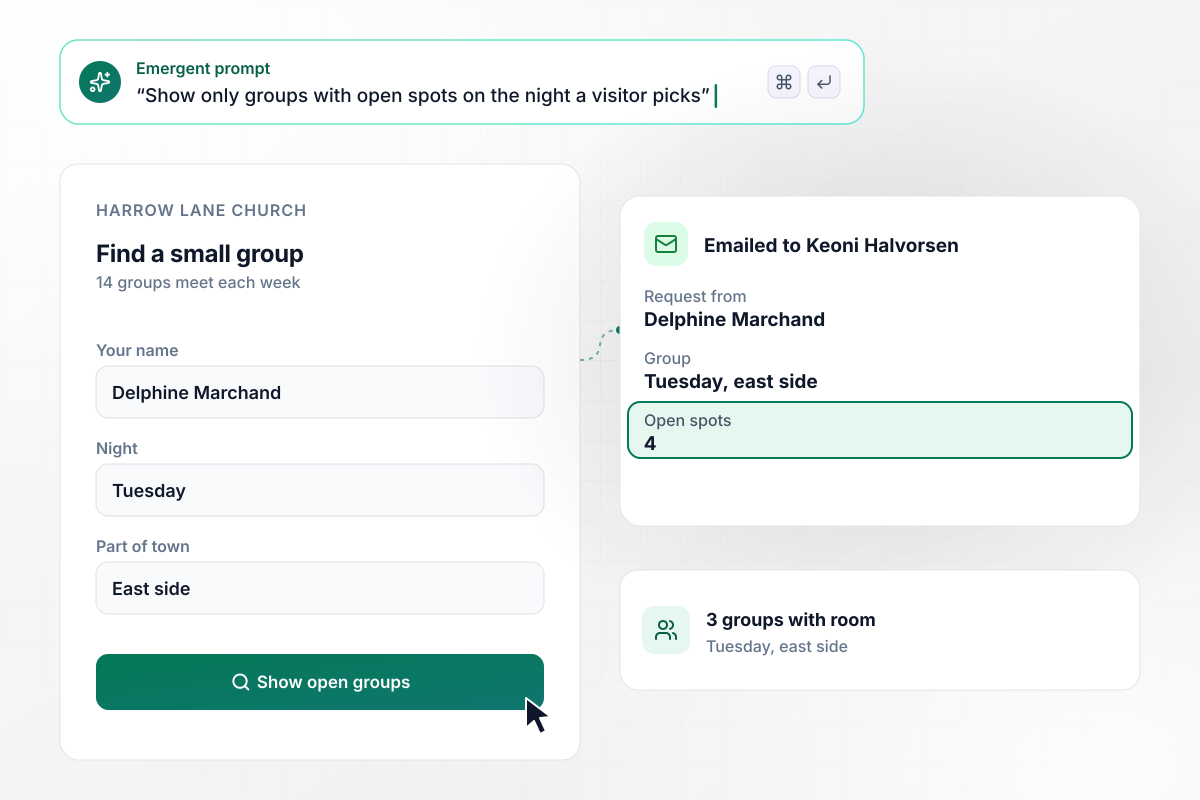
Of 14 groups, Delphine sees the 3 with room
Harrow Lane Church runs 14 small groups, and its finder asks a visitor for a night and a part of town, then shows only matching groups with open spots. Delphine Marchand picked Tuesday on the east side and saw 3 groups. Her request went by email to Keoni Halvorsen, whose group has 4 open spots.
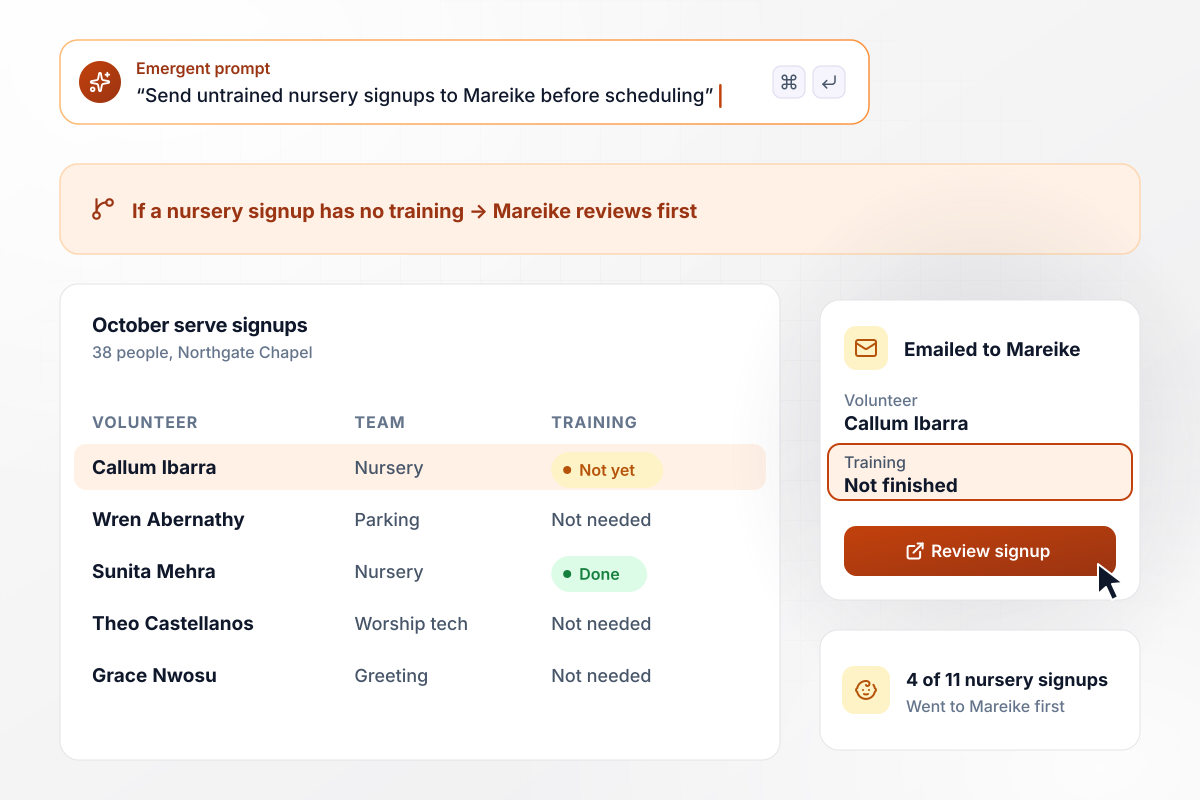
Untrained nursery signups reach Mareike before a Sunday
One signup page fills Northgate Chapel's parking, greeting, worship tech, and nursery teams. A nursery signup without the child safety training goes to children's director Mareike Osterhaus before any Sunday is scheduled. Of 38 signups in October, 11 chose nursery and 4 went to Mareike, Callum Ibarra among them.
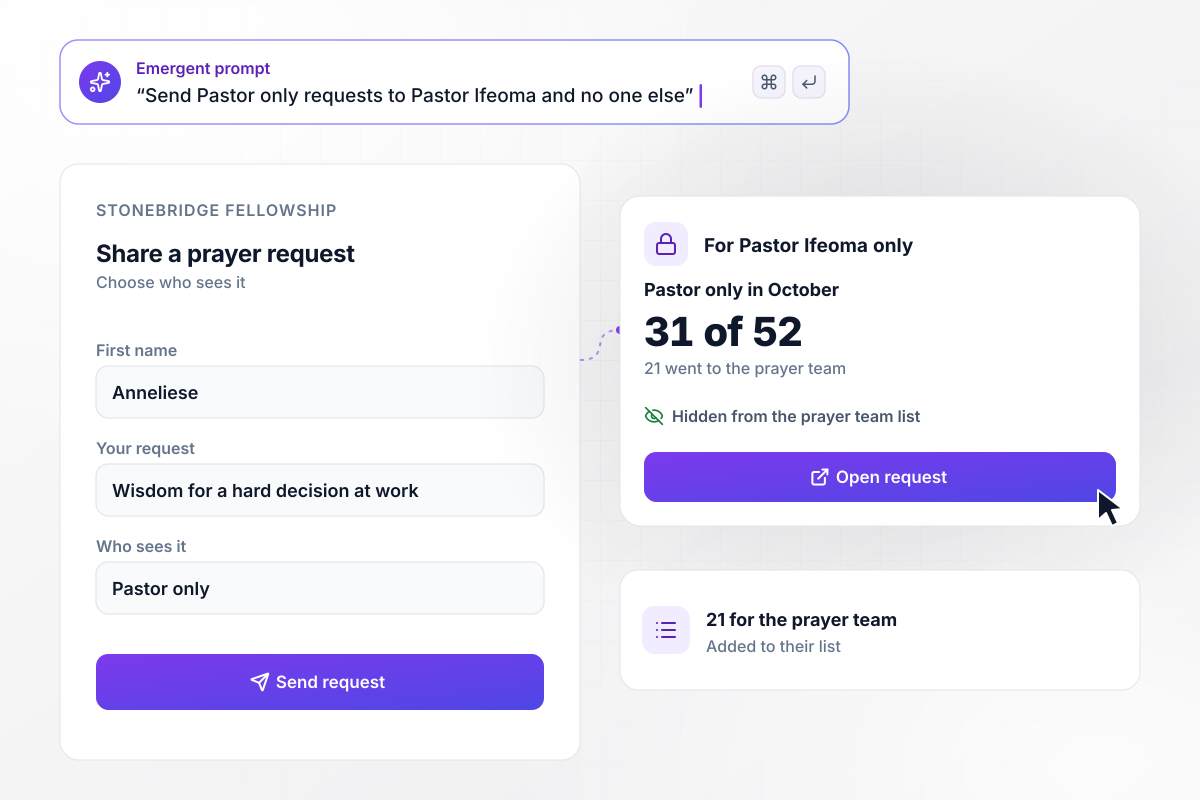
31 of 52 requests stayed with the pastor
Each request on Stonebridge Fellowship's page is marked Pastor only or Prayer team by the person who sends it. A Pastor only request reaches Pastor Ifeoma Adeyemi and no one else; the rest go on the prayer team's list. In October 52 requests came in: 31 stayed with the pastor and 21 went to the prayer team.






How to Create a Church Landing Page
Seven steps take a church landing page from one first-time visitor to a live page that tells your welcome team who is coming.
Write down the one visitor you want this page to reach, such as a family new to town or a neighbor who has never been to a service. Every line on the page should answer what that person would ask before coming.
Put the service times above the fold, with the address and where to park. Nobody planning a first visit should have to scroll to find out when to arrive or which door to use.
Describe a Sunday in plain words: how long the service runs, what people wear, where kids go, and who will say hello at the door. Use two or three photos of your own people instead of stock images.
Choose the one thing a reader should do on this page: plan a visit, join a small group, sign up to serve, or send a prayer request. Give each of the others its own page and link.
Paste your service times into Emergent with the questions you want answered and who should hear about each reply. Emergent builds the page with a row for every answer, and you prompt again to change any of it.
Decide who replies to each new visitor and how soon, even if that is one volunteer. A family that planned a visit should hear from a real person before Sunday, by name, with the time to arrive.
Plan your own visit as a test. Check that the row lands in your table and the email reaches the right person, then publish on your church's domain and share the link in your bulletin and social posts.
Why Build Your Church Page on Emergent?
One prompt builds the page and the database each visit plan lands in. The free tier covers building and publishing it.

|
Unbounce | Landingi | Wix | |
|---|---|---|---|---|
| How you build | Prompt for a campaign page | Templates and drag-and-drop, AI copy assist | Templates and drag-and-drop, AI assist | Prompt for a full site |
| Where submissions go | A database table you own, plus integrations | Unbounce lead storage and integrations | Vendor lead storage and integrations | Wix dashboard submissions and Contacts |
| Visitor limits | No per-visitor pricing | Monthly visitor caps by plan | Tiered by traffic on most plans | Site plan bandwidth |
| A/B testing | Generate variants by prompt | A/B testing on higher-tier plans only | Higher plans | Limited or add-on |
| Code ownership | Full code export to GitHub on paid plans | Hosted only | Hosted only | Hosted only |




Pick the Pricing Plan That Works for You
Choose the plan that fits your building ambitions. From weekend projects to enterprise applications, we've got you covered.




Find the right landing page for you















Frequently Asked Questions
Your Questions, Answered
Don't change this element unless you know what you are doing
More things you can build
with Emergent









on Emergent today


