

Build a Free Trial Landing Page That Spells Out the Offer
Build a free trial landing page with a two-field signup, the price after the trial, and trials saved to a database you own.
Build a free trial landing page for my tutoring scheduler with a 14-day trial and no card required.
Trusted by Builders Worldwide
Active Builders Worldwide
Apps Successfully Created
Countries Globally Reached



The Parts That Turn a Visit Into a Trial
A free trial landing page turns a visitor into a trial user. These six parts make the offer plain and every start countable.
One prompt for the offer and the form
Tell Emergent the trial length, whether it takes a card, and the price after. It builds the page and its signup form, with a table behind them, and you change it by prompting again.
A signup form cut to what day one needs
Ask for the fields the first session uses, such as email and company, and nothing else. Each extra field is one more question a visitor answers before the product ever loads.
Every trial saved with where it started
Each signup lands as a row in a database you own, with the time, the button the visitor pressed, and the page it sat on. Read the rows by week to see which button earns its spot.
A reminder before each trial ends
Ask for an email that goes out a few days before a trial ends, with the trial's end date and the price that follows. The app sends it from the same table that saved the signup.
Billing and CRM tools, connected
Connect the signup table to Stripe, HubSpot, or any tool with an API. A new trial can open a customer record in the billing tool and add a contact to the CRM as the row is saved.
Code that leaves with you
Paid plans export the code for the page and its trial table to your GitHub repository. Or keep it hosted on Emergent on a custom domain, which uses credits, and edit by prompt.
Free Trial Landing Page Examples
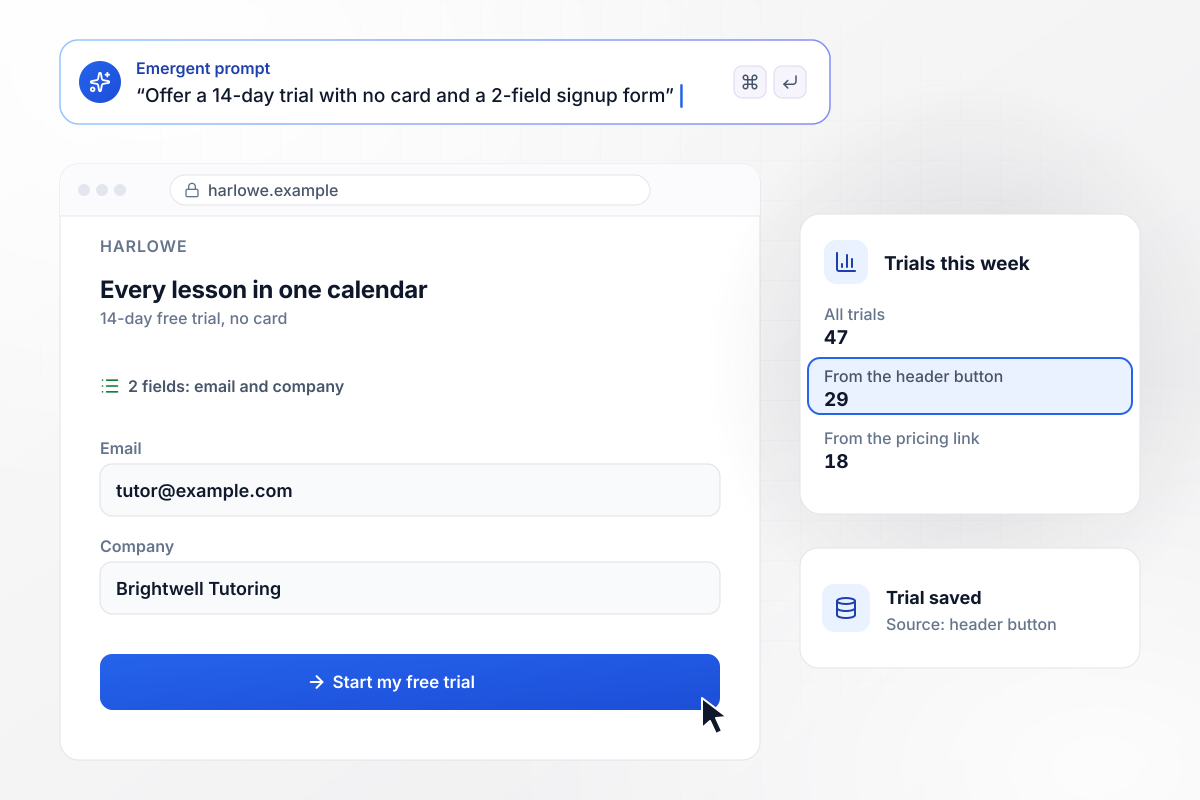
Two fields, then straight into the product
Harlowe sells scheduling software to tutors and runs a 14-day trial with no card. Its signup form has 2 fields, email and company, and the lesson calendar opens as soon as the form is sent. Of the 47 trials started this week, 29 came from the header button and 18 from the pricing link.
window.awbMockup = { noCardTrial: "Build a landing page for Harlowe, my scheduling software for tutors. Offer a 14-day free trial with no card, and keep the signup form to 2 fields: email and company. Open the lesson calendar as soon as the form is sent. Save every trial with its source: the header button or the pricing link.", cardUpFrontTrial: "Make a trial page for Quillbrook, my photo proofing tool for wedding photographers. The 7-day trial takes a card, so say that above the form. Put the $29 a month price beside the button, and under it write that the card is charged on day 8 unless the trial is canceled. Send the button to my billing tool's checkout and save each trial's start date.", gymTrialPass: "Create a first-visit page for Kelswick Climbing, my climbing gym. Offer a free pass good for 3 visits in 7 days. Ask for a name and an email, then email the pass with its own code. Give the front desk a screen that lists every pass claimed this week and marks the ones already used for a first visit.", headlineTest: "Build a trial page for Saltmere, my newsletter tool for food bloggers, and test two headlines on it for 2 weeks: the current one and a new headline B. Split visitors evenly between them and count trial starts per headline. When the 2 weeks are up, show me both counts so I can keep the winner." };
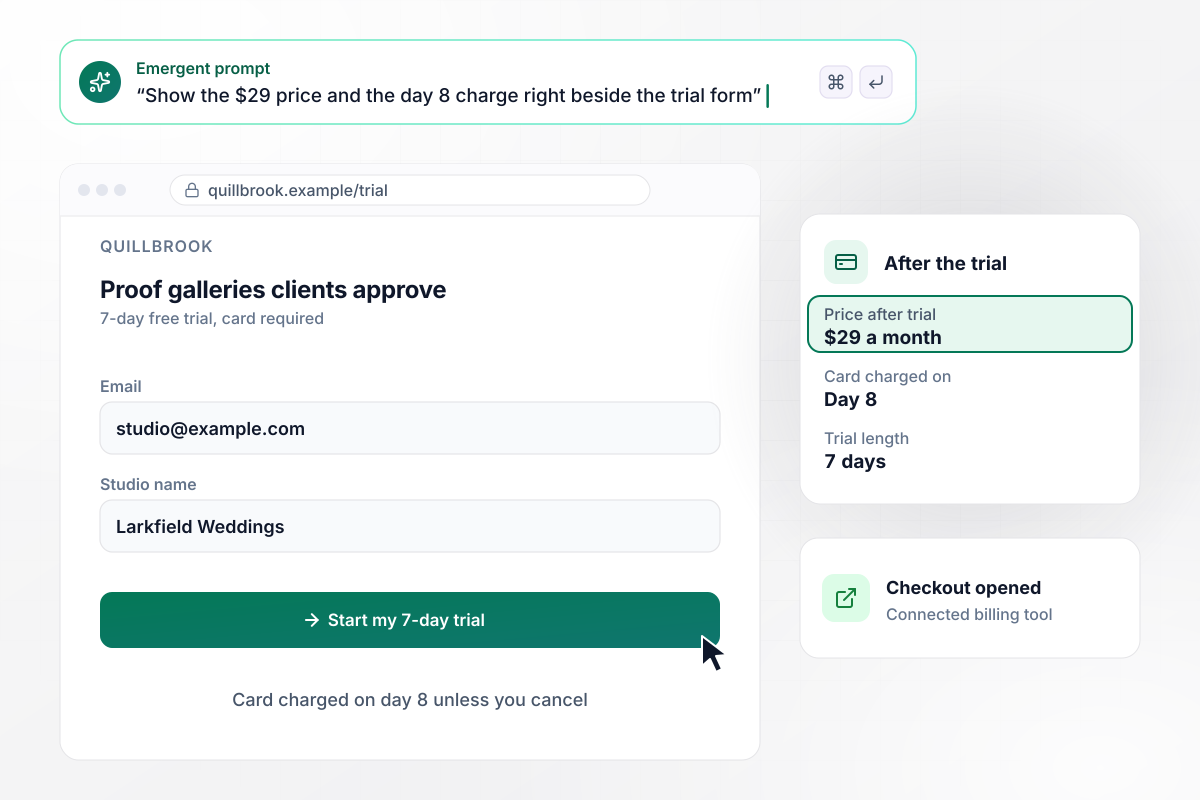
On card trials, $29 and day 8 sit by the form
Quillbrook sells photo proofing to wedding photographers, and its 7-day trial takes a card. The $29 a month price sits beside the button, with one line under it: "Card charged on day 8 unless you cancel." The button opens the checkout of the billing tool Quillbrook connects.
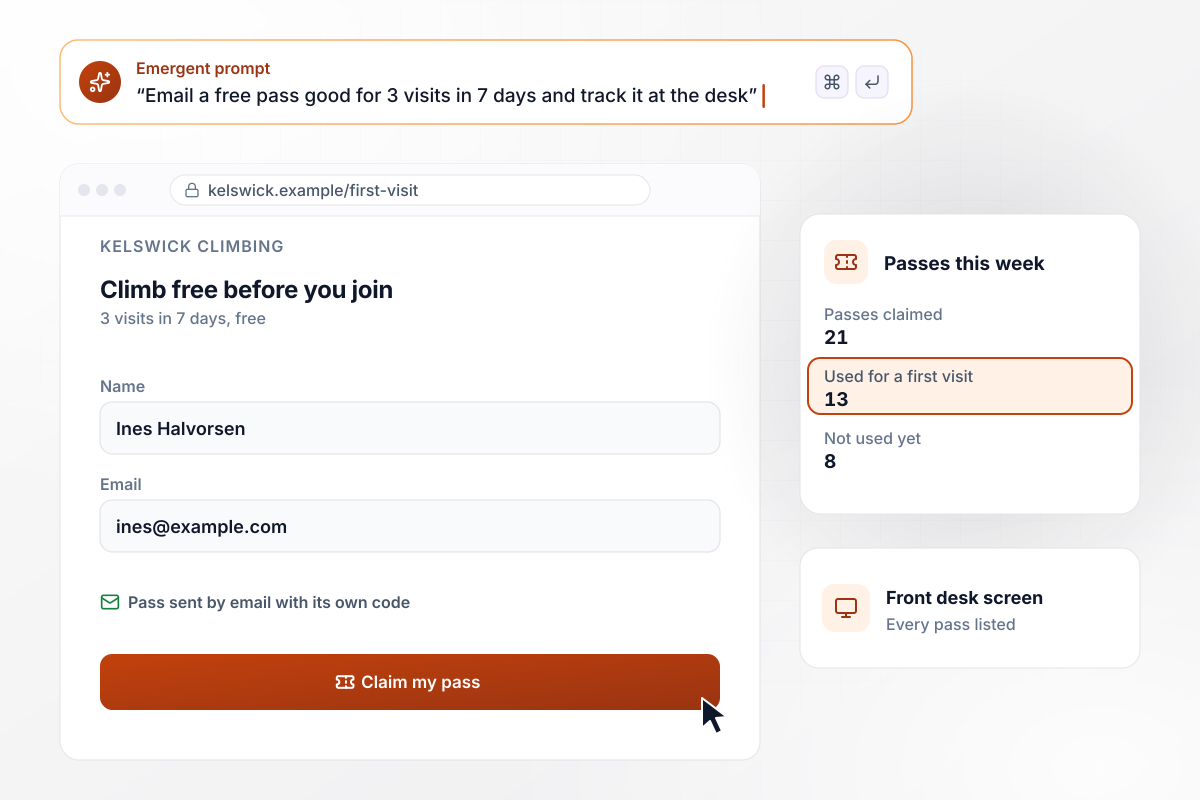
One pass, 3 visits, 7 days to use them
Kelswick Climbing gives first-timers a pass good for 3 visits in 7 days. The form asks for a name and an email, and the pass arrives by email with its own code. A screen at the front desk lists every pass: 21 claimed this week, 13 of them already used for a first visit.
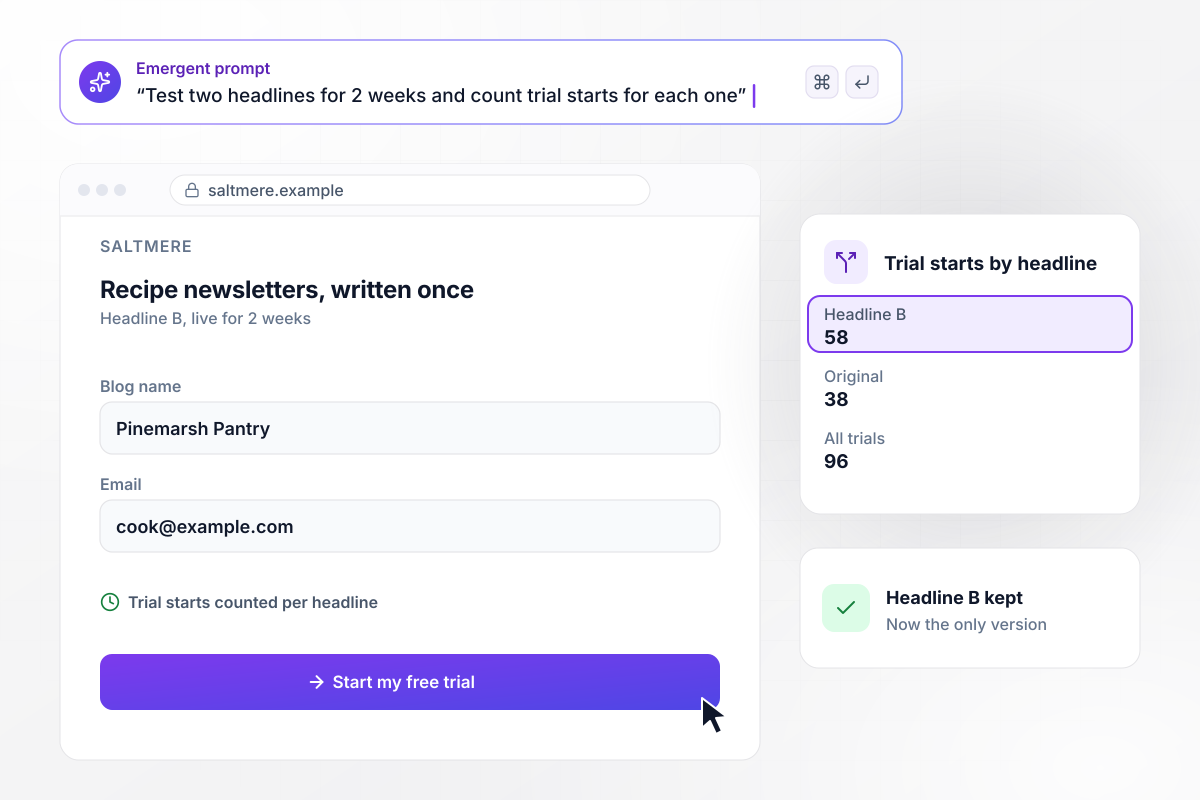
58 trials for headline B, 38 for the original
Saltmere, a newsletter tool for food bloggers, served two headlines on the same page for 2 weeks and counted trial starts for each. Headline B started 58 of the 96 trials, and the original started 38. Saltmere made headline B the only version and moved the next test to the button label.






How to Create a Free Trial Landing Page
These 7 steps take a free trial landing page from one offer sentence to a published page that counts every trial start.
Put the trial length, the card rule, and the price after it into one line. For example: "14 days free, no card, then $19 a month." If a colleague has to read that line twice, rewrite it before you build anything around it.
A no-card trial asks only for the signup fields. With a card trial, the visitor adds payment details first, and you set in the billing tool what happens when the trial ends. Pick one model per offer and name it beside the button.
List what the product needs to open its first screen, which may be nothing more than an email. Ask for that alone. Phone numbers and team size can wait until the visitor is inside the product and has a reason to answer.
Place the plan's monthly cost after the trial where the visitor can see it while filling in the form, not on a separate pricing page. On a card trial, add the charge day under the button in plain words.
Use a screenshot or a short loop of the screen a new user lands on right after signing up. A visitor who can see that screen knows what the trial gives them before they type an email address.
Write the welcome email and the one sent before the trial ends, naming the date and the amount. If Stripe bills your trials, its hosted reminder emails are sent 7 days before the trial ends: time yours so the two do not arrive together.
Put the page on a custom domain, which is included in Emergent and uses credits, and save each trial with the button or link it came from. Change one thing at a time, such as the headline, and give each version 2 full weeks.
Why Build Your Free Trial Page With Emergent?
Describe the trial terms in one sentence, and Emergent builds the page with the signup table and follow-up emails behind it.

|
Unbounce | Landingi | Wix | |
|---|---|---|---|---|
| How you build | Prompt for a campaign page | Templates and drag-and-drop, AI copy assist | Templates and drag-and-drop, AI assist | Prompt for a full site |
| Where submissions go | A database table you own, plus integrations | Unbounce lead storage and integrations | Vendor lead storage and integrations | Wix dashboard submissions and Contacts |
| Visitor limits | No per-visitor pricing | Monthly visitor caps by plan | Tiered by traffic on most plans | Site plan bandwidth |
| A/B testing | Generate variants by prompt | A/B testing on higher-tier plans only | Higher plans | Limited or add-on |
| Code ownership | Full code export to GitHub on paid plans | Hosted only | Hosted only | Hosted only |




Pick the Pricing Plan That Works for You
Choose the plan that fits your building ambitions. From weekend projects to enterprise applications, we've got you covered.




Find the right landing page for you















Frequently Asked Questions
Your Questions, Answered
Don't change this element unless you know what you are doing
More things you can build
with Emergent









on Emergent today


