

Build a Career Quiz That Matches Interests to Fields of Work
Build a career quiz that sorts interests into fields of work and keeps every result in a database you own. Try the sample below.
Build a career quiz for my high school's juniors that sorts their answers into six fields of work and saves each result to a database I own.
Trusted by Builders Worldwide
Active Builders Worldwide
Apps Successfully Created
Countries Globally Reached



What Emergent Builds Behind a Career Quiz
A career quiz is a short set of questions whose answers point to a field of work. Emergent builds the quiz and what happens after it.
Questions mapped to the results you name
Name the fields of work, programs, or jobs you want as results. Emergent builds the questions with each option pointing at one result, and changes any of them by prompt.
Every finished quiz kept as a row
Each finished quiz becomes a row in a database you own, with the result, every option chosen, and a name or email if you ask for one. Filter by result before a class visit.
Result screens tied to your catalog
Connect a course catalog or job board through its API and tag each program by field of work. The result screen then lists the programs or openings that carry the matching tag.
A heads-up for whoever follows up
Pick who hears about each result: a counselor, an admissions advisor, or a coach. They get an email or a Slack message with the answers before they sit down with the quiz taker.
One question per screen, no cap on takers
Takers answer one question per screen, on a phone in a hallway or a tablet at a job fair. Emergent puts no cap on responses, and a quiz sent to a whole district keeps every result.
Your domain, and code you can keep
Publish the quiz on your school's or practice's own domain, included in Emergent and paid in credits. On paid plans, export the full code to your GitHub repository and keep a copy.
Four Teams, Four Career Quizzes
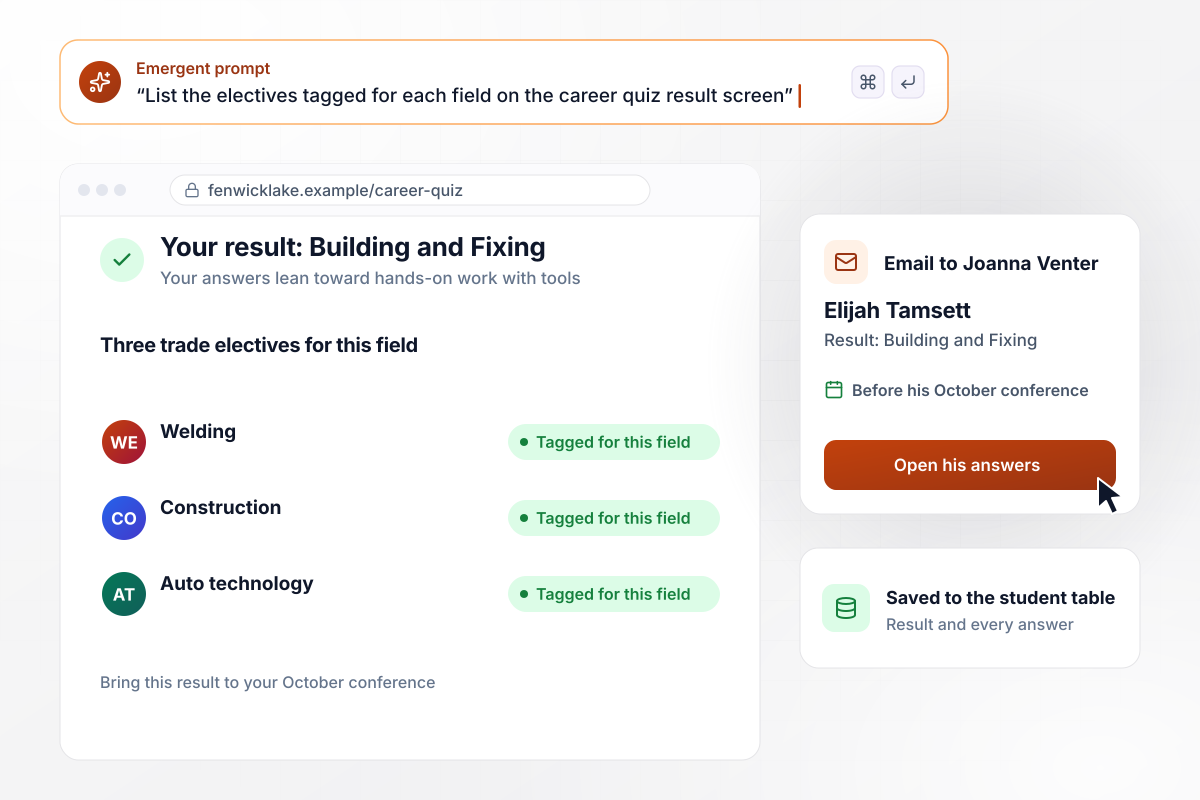
When Elijah finishes, three trade electives appear
Fenwick Lake High School sends the career quiz to every junior in September. Elijah Tamsett lands on Building and Fixing, and his result screen lists the three trade electives tagged for that field: welding, construction, and auto technology. Counselor Joanna Venter has his answers by email before his October conference.
window.awbMockup = { highSchoolCounseling: "Build a career quiz for my high school's juniors with six results, one per field of work. On each result screen, list the electives my school tagged for that field. Save every result with the student's name to my database, and email the student's counselor every answer as soon as they finish.", communityCollege: "Build a career quiz for my community college's admissions site, with results named after the college's program divisions: Health Sciences, Skilled Trades, Business, and Information Technology. Show the certificate programs from my course catalog that match each result. Ask for a name and email at the end, and email each lead to the advisor who covers that division.", careerCoaching: "Build a career quiz for my coaching practice and send it with every first-session booking confirmation. Sort answers into six fields of work, then ask for the client's current role and the lowest salary they would accept. Save the answers to each client's record and email me the result and every answer as soon as a client finishes.", workforceJobFair: "Build a career quiz for my workforce board to run on tablets at job fairs. Sort answers into six fields of work and save every finished quiz to my database. Show me a dashboard with the count of results per field of work and the total number finished, so I can decide which employers to invite to the next fair." };
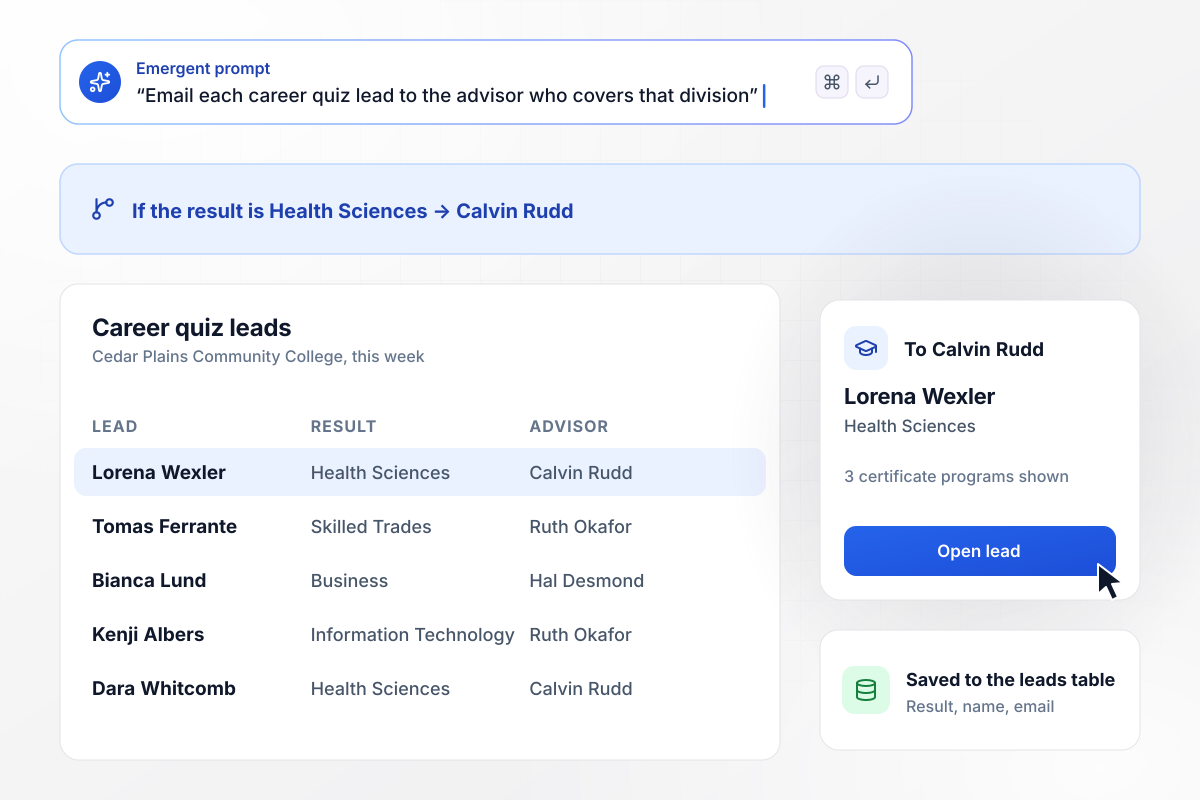
A Health Sciences lead lands with its advisor
Cedar Plains Community College runs the career quiz on its admissions site, with a result for each program division. Lorena Wexler lands on Health Sciences and sees 3 certificate programs pulled from the catalog. Her lead goes by email to Calvin Rudd, the advisor for Health Sciences.
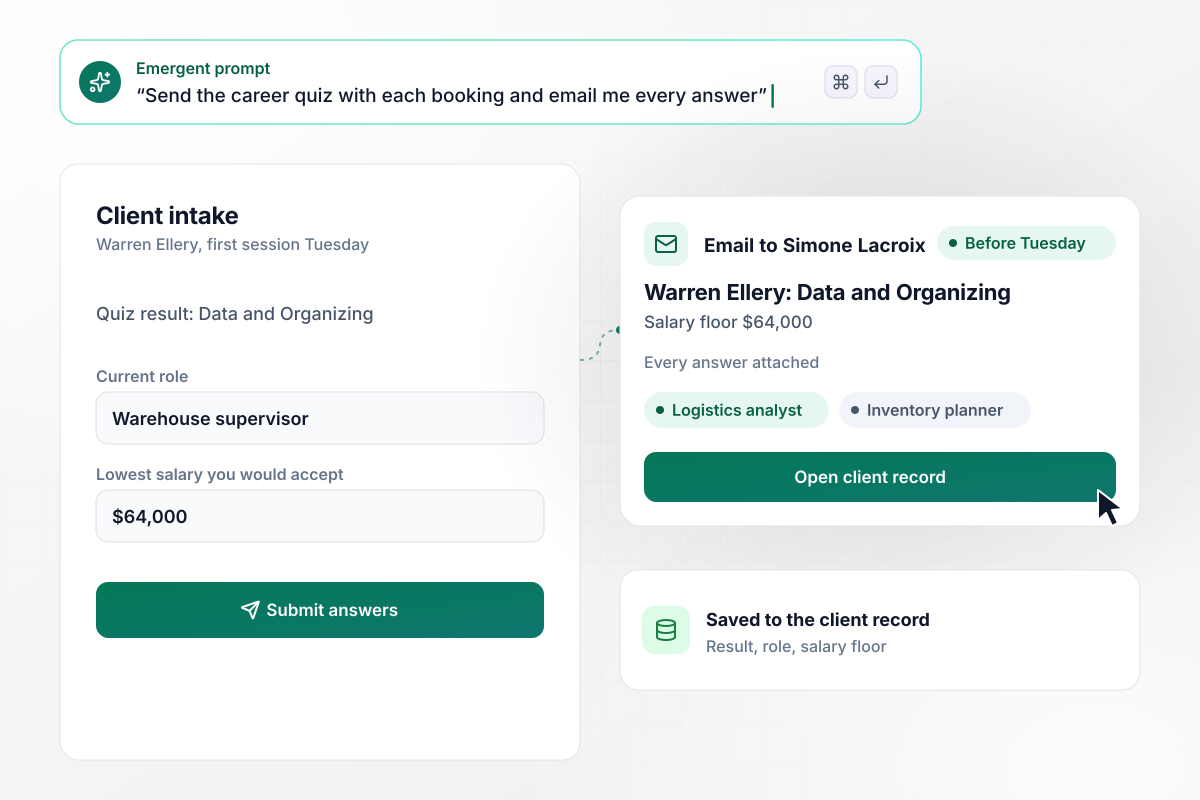
Warren's answers are in before his Tuesday session
Every first booking with coach Simone Lacroix comes with the career quiz. Warren Ellery, a warehouse supervisor, finishes on Sunday with Data and Organizing and a salary floor of $64,000. Simone reads every answer in her inbox and opens Tuesday's session on two roles that fit: logistics analyst and inventory planner.
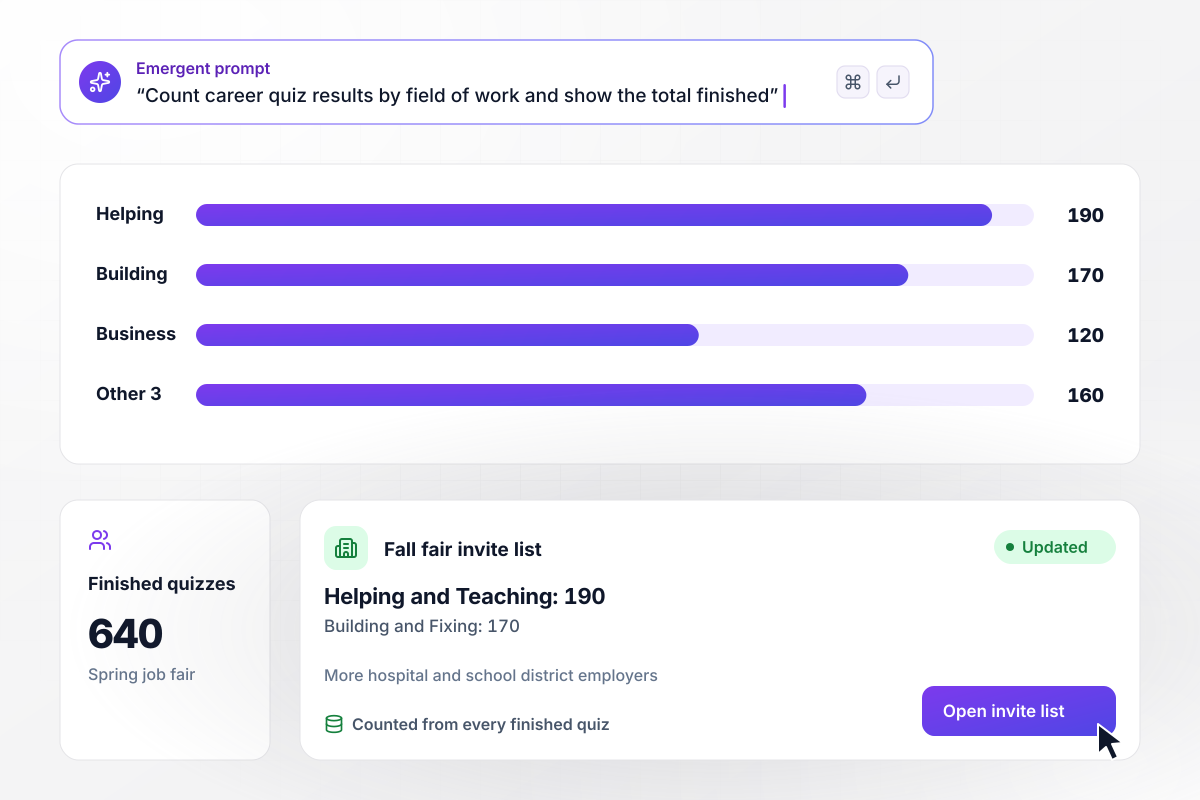
Which employers to invite, counted from 640 results
At its spring job fair, Tallowford County Workforce Board runs the career quiz on tablets by the entrance. Of the 640 visitors who finished, 190 landed on Helping and Teaching and 170 on Building and Fixing. The board read the dashboard that week and invited more hospital and school district employers to the fall fair.






How to Make a Career Quiz
Seven steps to make a career quiz whose results name a field of work and a next step for the person taking it.
Decide what a taker should do after the result: pick an elective, apply to a program, or book a coaching session. That choice decides the results and who hears about each finished quiz. Write it down before the first question.
Choose four to six results named in plain words, like Building and Fixing or Helping and Teaching. Under each one, list three jobs or programs to look into. A result screen with nowhere to go next leaves the taker holding a label.
Ask which task sounds better, such as rebuilding a bike or planning a club budget, rather than which job title appeals. Write one option per result in every question, and keep each option the same length and tone as the others.
Eight to ten questions, one per screen, give every result room to win. That length still fits on a phone during a class period. Put profile questions, such as grade or current role, after the last scored question instead of at the start.
Open each result with what the answers lean toward, such as hands-on work with tools. Then name three jobs and one next step, like a program to apply to or a person to talk with. Never tell a taker what they are or what they cannot do.
Decide who reads the answers: a counselor before a conference, an advisor for each program division, or a coach before a first session. Put that routing in your prompt, and Emergent builds the email alert along with the quiz and its database.
Run through the quiz once per result, aiming at a different one each time, and check that each can win. Open the saved row and the email for every run. Send it to one homeroom or one cohort before the whole school sees it.
Why Build Your Career Quiz With Emergent?
A career quiz steers real choices, like the next elective or program. The answers behind each choice stay in a database you own.

|
ProProfs | Interact (quiz specialist) | Typeform | |
|---|---|---|---|---|
| How you build | Prompt for the survey, quiz, or poll and the app around it | Templates, question library, and AI quiz builder | Templates and AI quiz maker | Templates and editor, AI assist |
| Pricing model | Credits, no response caps or per-response fees | Free plan, then billed per active quiz taker | Free plan capped by monthly responses, then paid plans | Plans by monthly response limit; discount for annual billing |
| Where responses live | A database table you own, plus any integration | ProProfs account; reports export to Excel, CSV, or PDF | Interact account | Typeform account |
| Code ownership | Full code export to GitHub on paid plans | None | None | None |




Pick the Pricing Plan That Works for You
Choose the plan that fits your building ambitions. From weekend projects to enterprise applications, we've got you covered.




Find the right survey, quiz, or poll
for your team















Frequently Asked Questions
Your Questions, Answered
Don't change this element unless you know what you are doing
More things you can build
with Emergent









on Emergent today


