

Build a Color Personality Quiz That Names Your Color
Build a color personality quiz that names a color and saves every answer, or take the eight-question quiz below.
Build a color personality quiz for my candle shop that matches each shopper to one of four colors and recommends three candles for that color.
Trusted by Builders Worldwide
Active Builders Worldwide
Apps Successfully Created
Countries Globally Reached



Inside a Color Personality Quiz From Emergent
Name your four colors and what each result shows. Emergent builds the quiz and the table behind it, and changes either when you ask.
Every option points to a color
Name four colors in your prompt, such as Orange, Blue, Green, and Purple, and each answer option maps to one. The color picked most often wins; a tie goes to the first listed.
A result page with a next step
The result screen names the color and what the answers lean toward, then shows the next step you chose for it: three candles from your shop or a four-swatch paint palette.
Each finished quiz saved as a row
Every play lands in a database you own, with each pick, the color it scored, and the finish time. Filter the table by color before a sale and see exactly who landed where.
A live count of colors in the room
Put a live chart on a second screen and watch it count each color as people finish. A facilitator projects it while the group answers on phones and opens with the real split.
One question per phone screen
Players tap through one question per screen with a progress bar, so a link in a text or a QR code on a counter works fine. Emergent puts no cap on how many responses come in.
Results sent where you already work
The app can post each finished result to Slack or email you the color. It can also pass a player's email through your email tool's API, onto a mailing list for that color.
Four Places a Color Personality Quiz Runs
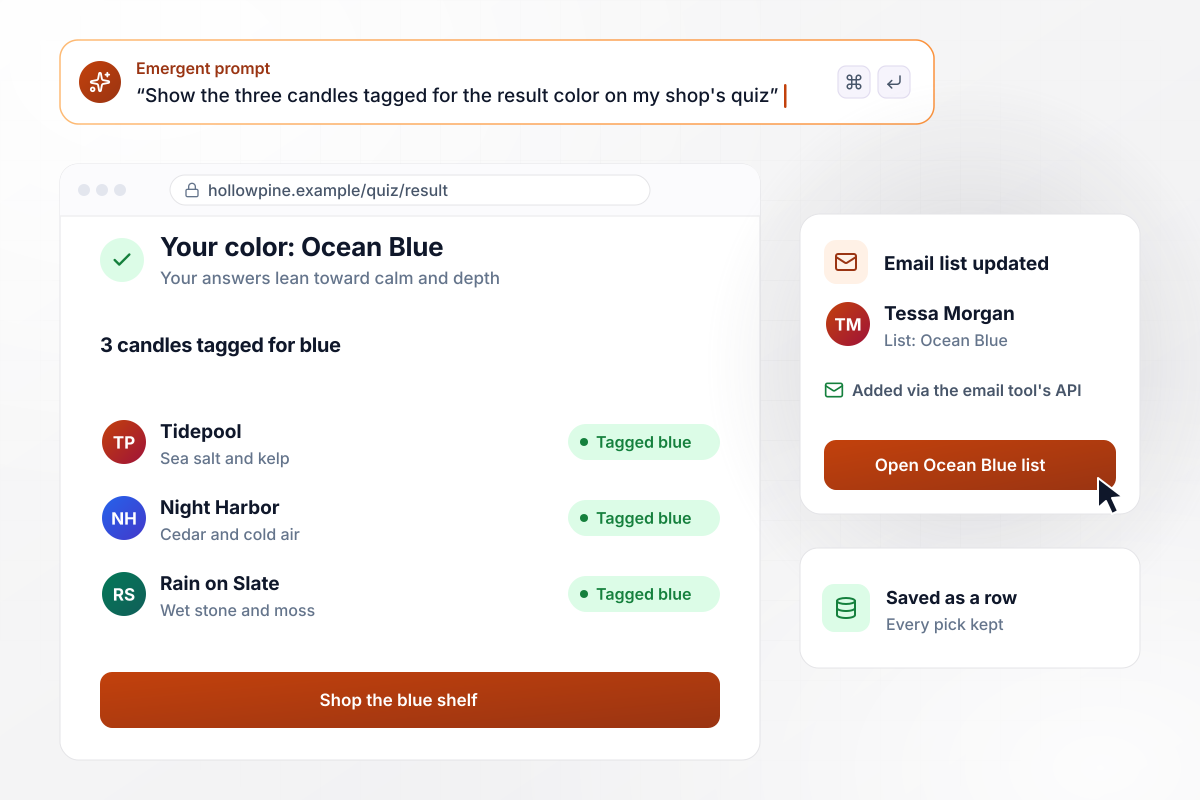
After Ocean Blue, three candles to try
Hollow Pine Candle Co. runs the quiz on its online shop. Tessa Morgan lands on Ocean Blue, and her result page shows the three candles the owner tagged for blue. Her email joins the Ocean Blue list in the shop's email tool, and the play sits as a row in the shop's table.
window.awbMockup = { candleShop: "Build a color personality quiz for my candle shop's online store with 8 questions and four color results, including Ocean Blue. On the result page, show the three candles I tagged for that color. Pass each shopper's email to my email tool through its API, onto a list for their color, and save every play as a row in a table I own.", designStudio: "Build a color personality quiz for my interior design studio's homepage. Match each visitor to one of four colors, such as Forest Green, and show a four-swatch paint palette for that color with a button to request a consult. When a visitor requests one, send my lead designer a Slack message with the color and palette, and save the request beside their answers.", teamOffsite: "Build a color personality quiz for a two-day team offsite. Everyone takes it on their phones from a QR code, and a second screen shows a live count of each color as answers land. Keep every pick in a table I can open after the session, and let me clear the counts before the next group.", artClass: "Build a color personality quiz for my seventh-grade art class that saves no student names. Give it four color family results, and have each result open a painting project in that family, like a landscape in greens. Show me only how many students landed on each color, with nothing tied to one student." };
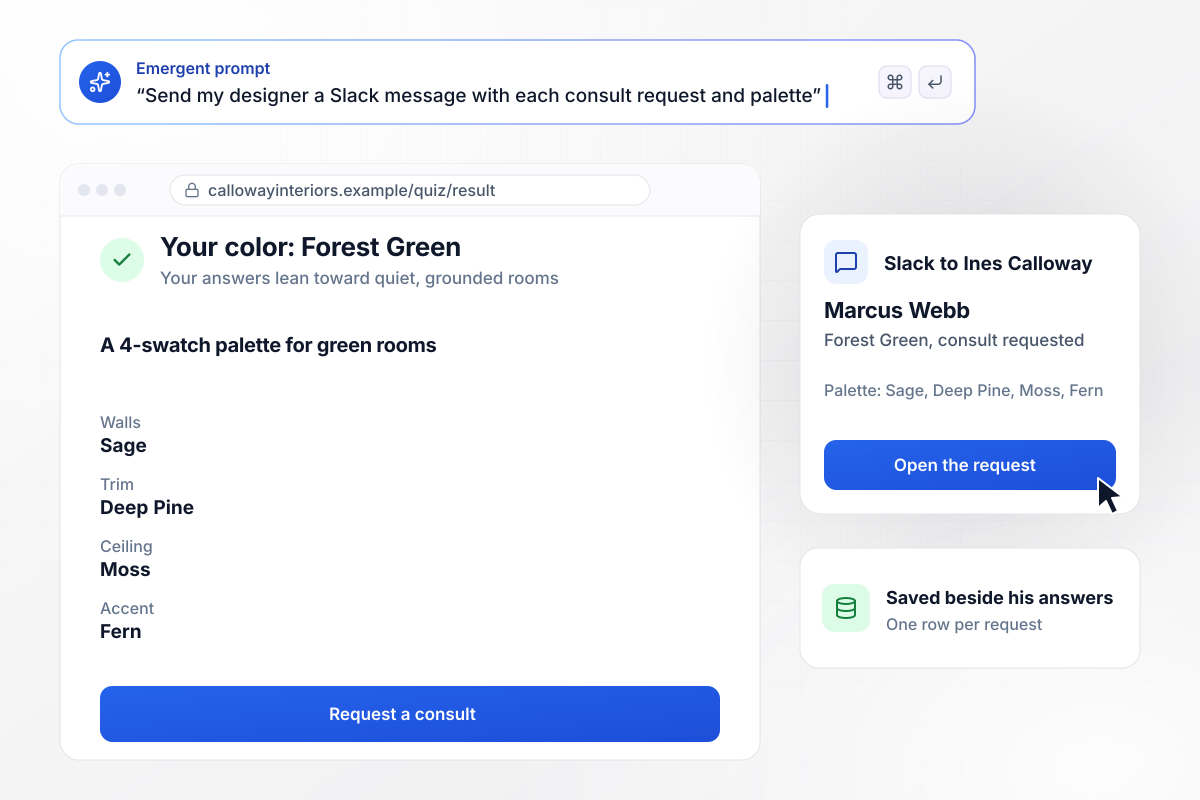
Forest Green and four swatches, sent to Ines
Calloway Interiors puts the quiz on its homepage. Marcus Webb finishes on Forest Green, and his result shows a four-swatch palette for green rooms. He requests a consult, and designer Ines Calloway gets a Slack message with his color and the palette he saw. The request lands beside his answers in the studio's table.
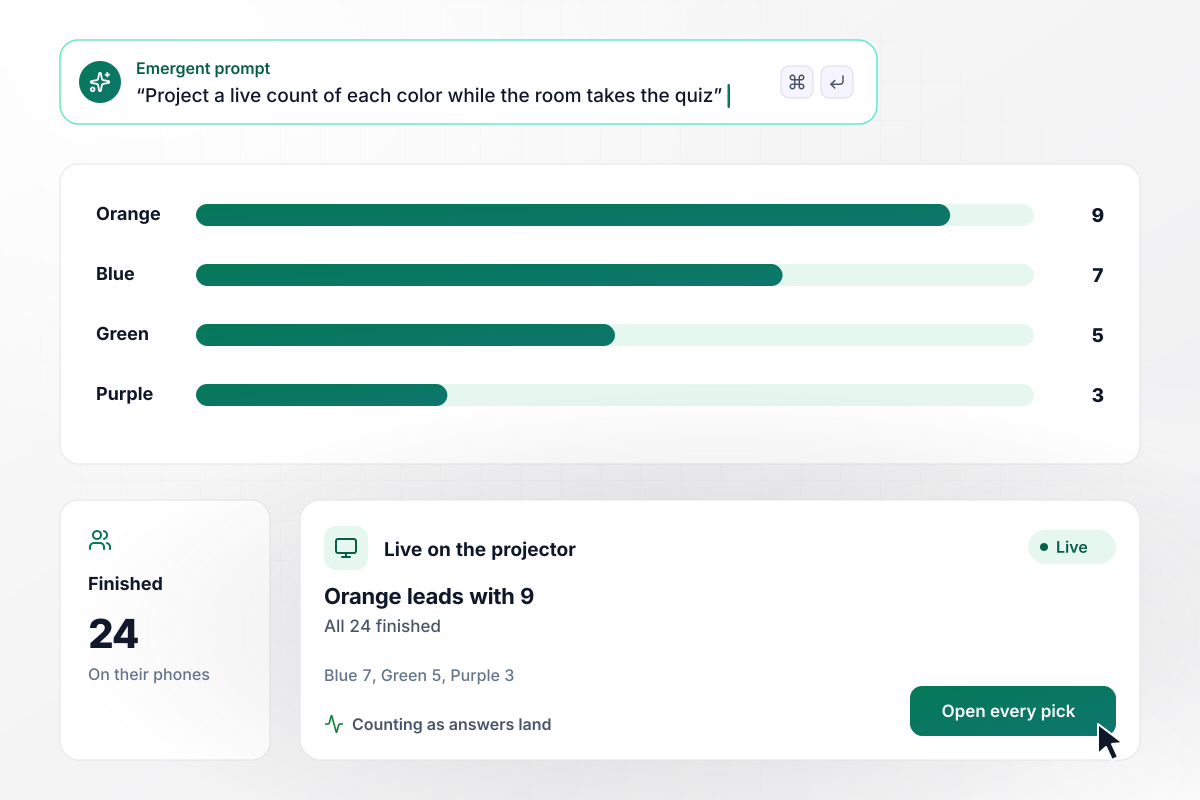
Who is in the room: nine Oranges, three Purples
Dana Kowalski starts every two-day offsite with the quiz. The 24 people in the room take it on their phones, and the projector counts each color as answers land: Orange 9, Blue 7, Green 5, Purple 3. She opens the first session from that split, and every pick stays in her table for the debrief.
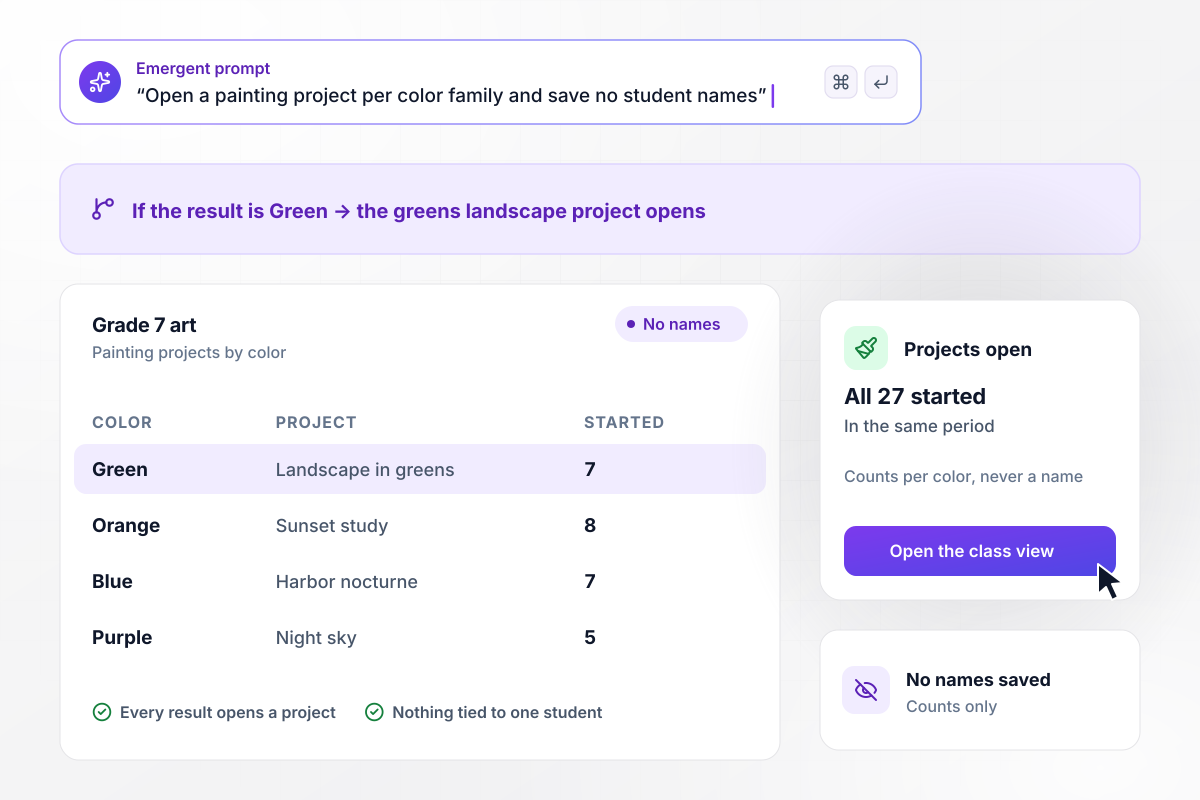
No names, just a project per color
Mr. Okafor gives the quiz to his Grade 7 art class with no names saved. Each result opens a painting project in that color family, so a student whose color is Green starts a landscape in greens. All 27 students begin in the same period, and he sees the count per color, never who picked what.






How to Make a Color Personality Quiz
Seven steps to plan a color personality quiz where every color can win, then have Emergent build it from one prompt.
Choose colors that read as different moods, not four shades of one family. Write a one-line meaning for each, such as Orange for bold starts or Blue for calm focus. Those lines become the first sentence of each result page.
Ask about choices people make without thinking: the seat they take in a new room, or the first thing they unpack after a trip. Questions about habits beat asking which color someone likes. Keep it to eight so a player finishes in one sitting.
Give each question four options, one pointing to each color, and every color stays in play on every question. Skip options that point nowhere; they make results drift toward whichever color has the most mappings. Write the mapping down before you prompt, color by color.
Write the four options at matching length, each one somebody would be glad to pick. If one option reads as the cool answer, picks pile up there and the other three colors starve. Read each set aloud and fix the option you would never choose.
Open each page with what the answers lean toward, reusing the one-line meaning from step 1, and phrase it as a preference rather than a fixed trait. End with one next step a player can take while the result still feels true.
Paste the questions and the mapping into one prompt, with a line on what each result page shows, and Emergent builds the whole thing from that description. Ask for changes in plain words, such as swapping one question's options or renaming a color.
Before sharing, play four rounds, each time answering as someone who should land on one color. If a color never wins, loosen an option that points elsewhere. Check what a tie shows, and reorder the colors if the wrong one takes it.
Why Build Your Color Quiz With Emergent?
Share the link as wide as you like, with no cap on plays. Each result stays in a table you own, beside its picks.

|
ProProfs | Interact (quiz specialist) | Typeform | |
|---|---|---|---|---|
| How you build | Prompt for the survey, quiz, or poll and the app around it | Templates, question library, and AI quiz builder | Templates and AI quiz maker | Templates and editor, AI assist |
| Pricing model | Credits, no response caps or per-response fees | Free plan, then billed per active quiz taker | Free plan capped by monthly responses, then paid plans | Plans by monthly response limit; discount for annual billing |
| Where responses live | A database table you own, plus any integration | ProProfs account; reports export to Excel, CSV, or PDF | Interact account | Typeform account |
| Code ownership | Full code export to GitHub on paid plans | None | None | None |


Pick the Pricing Plan That Works for You
Choose the plan that fits your building ambitions. From weekend projects to enterprise applications, we've got you covered.




Find the right survey, quiz, or poll
for your team















Frequently Asked Questions
Your Questions, Answered
Don't change this element unless you know what you are doing
More things you can build
with Emergent









on Emergent today


