

Build an Interior Design Style Quiz That Saves Every Result
Take the eight-question interior design style quiz below, or build your own and keep each result in your own database.
Build an interior design style quiz for my design studio that tags each consult request with the result.
Trusted by Builders Worldwide
Active Builders Worldwide
Apps Successfully Created
Countries Globally Reached



What Makes an Interior Design Style Quiz Work
Describe the quiz in one prompt. Emergent builds it, then changes whatever you describe next.
Options mapped to styles, scored by count
Name the styles you want as results and Emergent drafts questions whose options each point to one style. The style picked most often wins, and you reword any question by prompt.
A result screen that leads somewhere
Each style ends on its own screen: the name, a short read on the preference, and the next step you choose, such as a gallery, a booking link, or a product list from your catalog.
Every finished quiz lands in your table
Answers, the result, and the finish time are saved as one row in a database you own. Filter rows by style before a season starts, or export the whole table whenever you need it.
An email step you can turn off
Ask for an email before the result screen, or skip the gate entirely. When a finished quiz names a budget over a line you set, the app sends a Slack or email alert the same hour.
Built for a phone, with no response caps
Visitors answer one screen at a time with a progress bar, and the quiz keeps accepting entries past any count, because Emergent puts no response caps on surveys or quizzes.
Your domain now, your code later
Host the quiz on your own domain, included in Emergent and billed in credits. On paid plans, export the full code to your GitHub repository and change anything in it directly.
What Four Teams Do With Quiz Results
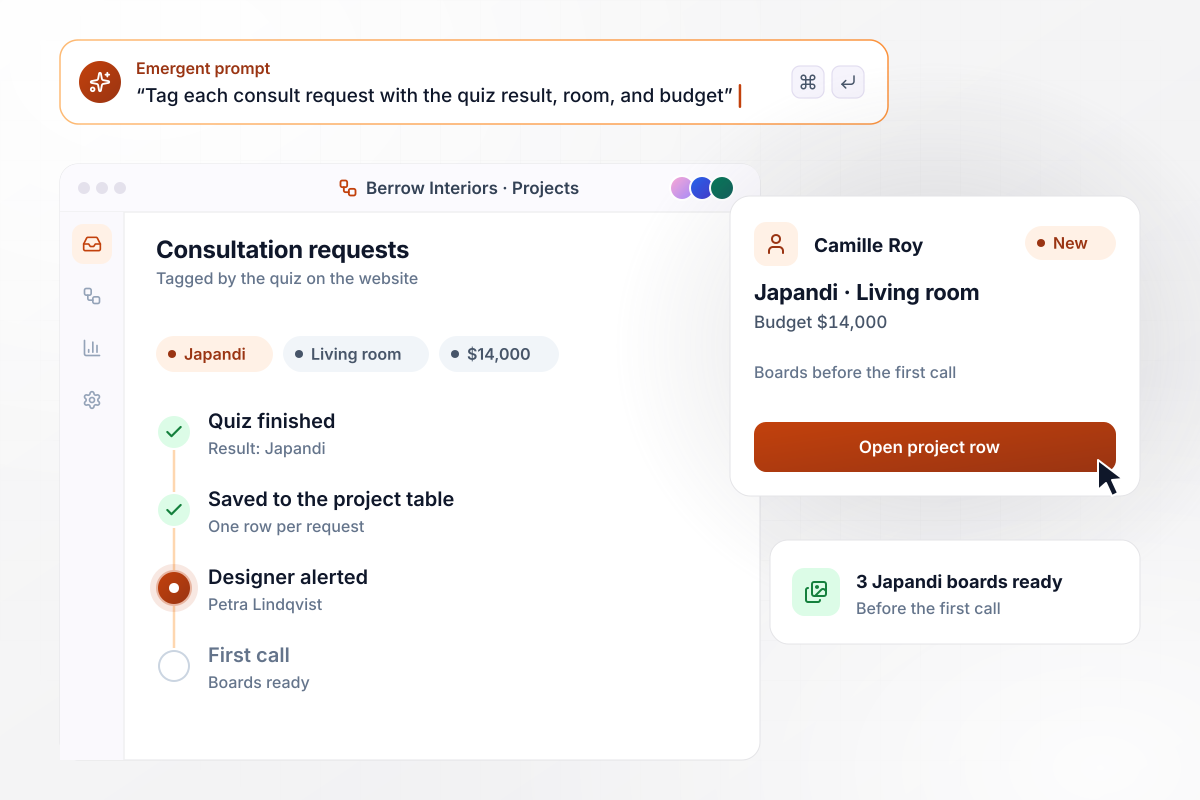
The first call opens on 3 Japandi boards
Berrow Interiors attaches the quiz to its consultation form. Camille Roy's request lands tagged Japandi, with a living room and a $14,000 budget, as one row on the project table. Designer Petra Lindqvist reads the row before the call and walks in carrying 3 Japandi boards instead of a blank questionnaire.
window.awbMockup = { designStudio: "Build an interior design style quiz for my studio's consultation form. Sort answers into Japandi, Coastal, Mid-Century, Traditional, and Bohemian. Ask for the room and the budget before the result screen, save each request as a row on my project table, and alert the assigned designer so boards are ready before the first call.", homeBuilder: "Build a quiz that maps each homebuyer's answers to one of my 3 finish packages: Warm Modern, Coastal, or Heritage. Buyers take it before their design center appointment, and the result shows on the appointment card next to the lot number. Give me a dashboard counting results per package each quarter.", subscriptionBox: "Build an interior design style quiz as the signup for my decor subscription box. Give every subscriber a style profile, save it on their row, and show the packing team each month's list with the profile beside the name. Log any swap we make against the profile so I can compare return counts.", decorNewsletter: "Build a quiz that tags each of my newsletter subscribers with an interior design style. Keep the tag on the subscriber table, let me write one gift guide per style, and send each subscriber the version matching their tag. Show me counts per style so I know which guides matter most." };
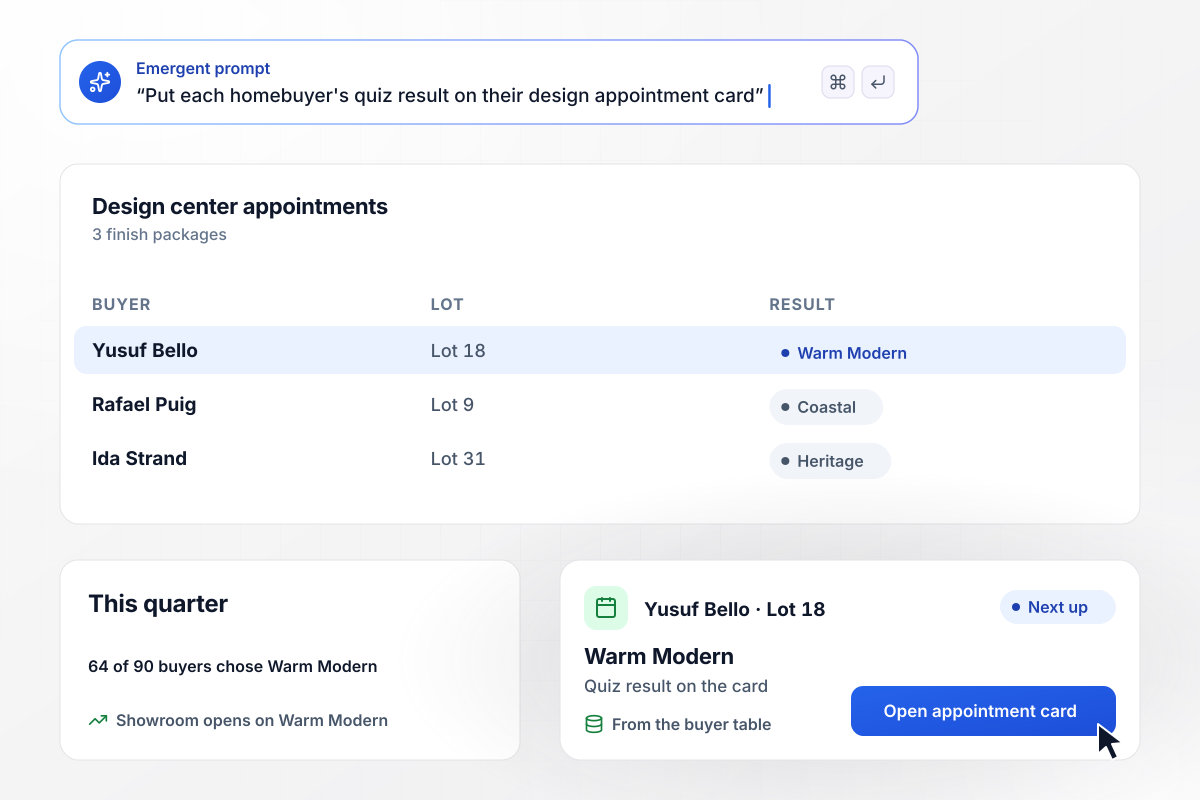
The quiz sorts 90 buyers into 3 packages
Saddlewick Homes finishes every home in one of 3 packages. Each buyer takes the quiz before their design center appointment, and the result rides on the appointment card next to the lot number. This quarter, 64 of 90 buyers landed on Warm Modern, and the showroom now opens on that package.
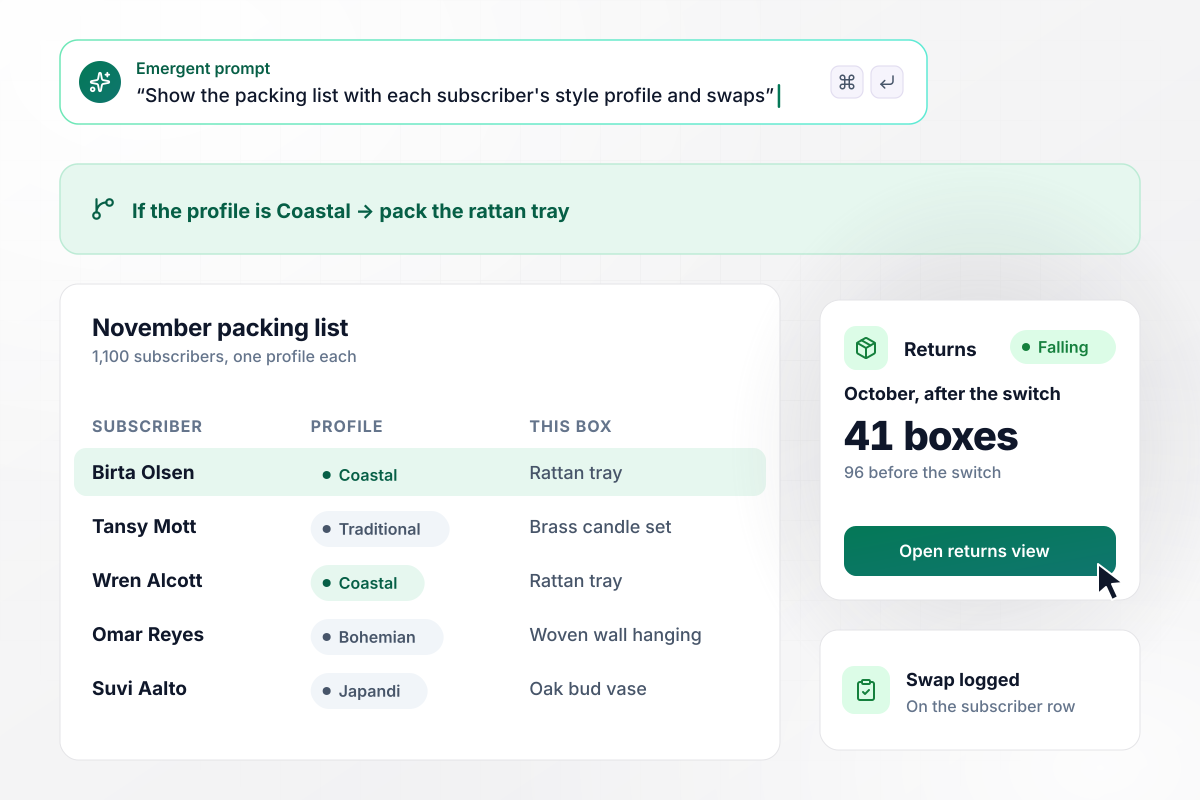
Boxes packed to match each style profile
Juniper Post packs a decor box for 1,100 subscribers, and the signup quiz gives each one a style profile. A Coastal profile gets the rattan tray; the brass candle set goes to Traditional boxes. Monthly returns dropped from 96 boxes to 41 after the switch, and each swap is logged on the subscriber's row.
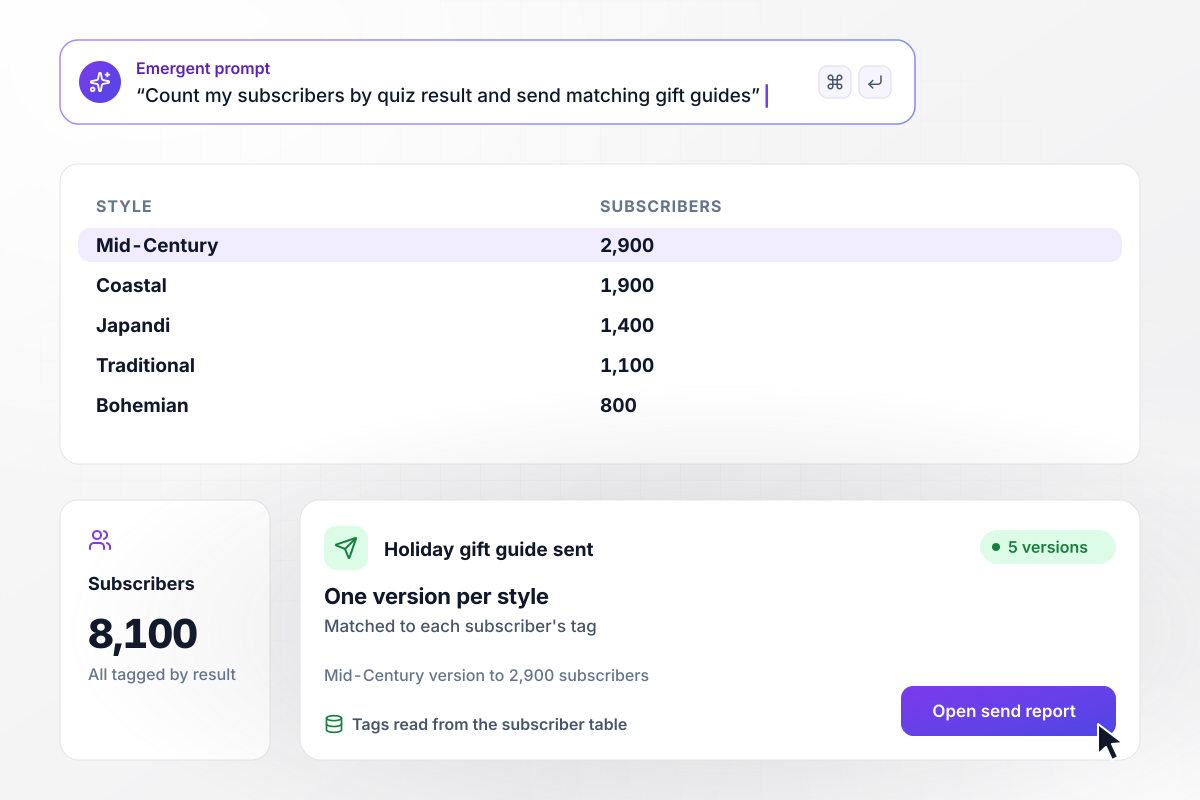
Every result picks its own gift guide
The Setwell List grew on one promise: take the quiz, get decor picks that match. The quiz tags each subscriber by result, 2,900 of 8,100 sit in Mid-Century, and the holiday gift guide goes out in 5 versions, one per style. The app reads the tag from the subscriber table and sends each person the right version.






How to Make an Interior Design Style Quiz
Seven steps to plan an interior design style quiz, map every answer to a style, and build it with Emergent.
Name the result styles first and keep to 4 to 6, because every question needs one option per style. Pick styles you can serve afterward: a gallery you can fill, products you can tag, or a finish package you sell.
A result screen that only names a style wastes the visit. Give each style a next step before you write questions: a consultation form, tagged products, or a guide signup. The destination decides which intake fields the quiz should collect.
Ask what someone keeps, not what they admire in photos. A question about the sofa they bought, the shelf they cleared, or the finish they chose reads taste better than one about dream homes, and it keeps every option concrete.
Tie each option to one style and word it as a real object, so a visitor picks between things instead of adjectives. If a test run never lands on one style, its options read as the safe middle choice; rewrite them.
Put one or two intake questions after the style questions, where finishing is close. A designer needs the room and a budget line; a store needs an email at most. Cut any field you will not read this month.
Take the quiz once per style, answering for that style on purpose, and check each result screen, the saved row, and any alert you set up. Fix the wording wherever you hesitated: the place you paused is where a visitor quits.
Link it from the consultation page, the signup form, or the booking confirmation rather than a blog footer. Watch the results table for 2 weeks and compare styles: if one result never appears, revisit its options before you change the page.
Why Build Your Quiz With Emergent?
Results are worth keeping. Each finished quiz sits in a table you own, ready to filter by style, date, or budget.

|
ProProfs | Interact (quiz specialist) | Typeform | |
|---|---|---|---|---|
| How you build | Prompt for the survey, quiz, or poll and the app around it | Templates, question library, and AI quiz builder | Templates and AI quiz maker | Templates and editor, AI assist |
| Pricing model | Credits, no response caps or per-response fees | Free plan, then billed per active quiz taker | Free plan capped by monthly responses, then paid plans | Plans by monthly response limit; discount for annual billing |
| Where responses live | A database table you own, plus any integration | ProProfs account; reports export to Excel, CSV, or PDF | Interact account | Typeform account |
| Code ownership | Full code export to GitHub on paid plans | None | None | None |




Pick the Pricing Plan That Works for You
Choose the plan that fits your building ambitions. From weekend projects to enterprise applications, we've got you covered.




Find the right survey, quiz, or poll
for your team















Frequently Asked Questions
Your Questions, Answered
Don't change this element unless you know what you are doing
More things you can build
with Emergent









on Emergent today


