

Build a Love Language Quiz That Turns Each Result Into a Next Step
Build a love language quiz that names each taker's leading language. Try the 8-question version below first.
Build a love language quiz for my couples coaching practice that asks both partners 8 questions and emails me both results before session one.
Trusted by Builders Worldwide
Active Builders Worldwide
Apps Successfully Created
Countries Globally Reached



What Emergent Builds Into a Love Language Quiz
The quiz matches answers to the five ways partners express love in Gary Chapman's book. Emergent builds it and what follows.
Five results, every option tied to one
Name Words of Affirmation, Quality Time, Gifts, Acts of Service, and Physical Touch as the results. Emergent writes questions with each option tied to one, and rewords any by prompt.
A row for every finished quiz
Each finished quiz is saved as a row in a database you own, with the result, the option picked on every question, and the date. Sort the rows to see which language leads.
Two partners on one shared record
Give each couple a code at booking. Both partners answer on their own phones, and the app saves the two results to one record, so neither person sees the other's picks first.
An email to the coach when both finish
The app sends the coach an email or Slack alert once both partners finish, with each result and every answer. A partner still missing after 3 days gets a reminder instead.
No cap on how many people take it
Emergent puts no cap on responses. Link the quiz from a podcast's show notes or a retreat's sign-up page, and every result is recorded, with no answer charged one by one.
Your domain, and code you can take
Run the quiz on your own domain, included with Emergent and paid in credits. On paid plans, export the full code to your GitHub repository and keep the quiz wherever you like.
Four Love Language Quizzes in Use
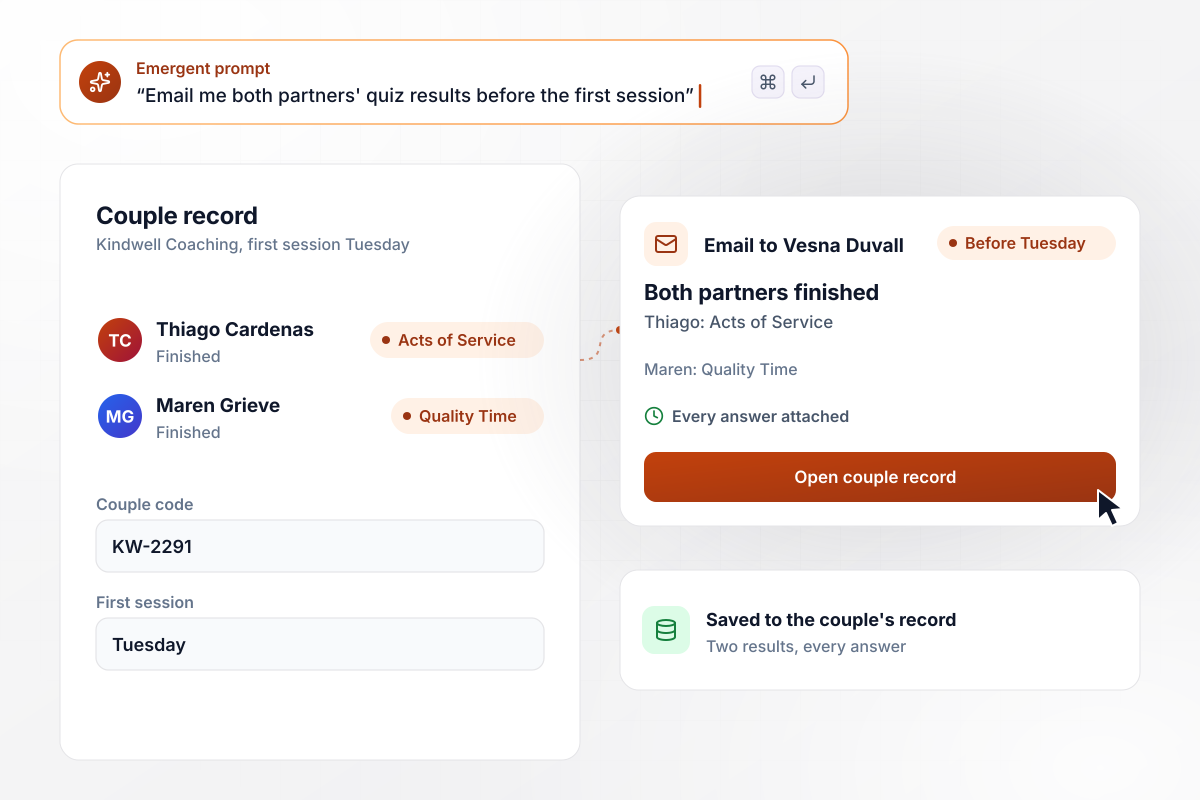
Before Tuesday, both partners' results reach the coach
When a couple books with Kindwell Coaching, both partners get the love language quiz. Thiago Cardenas finishes with Acts of Service, and Maren Grieve lands on Quality Time. The app saves both results to the couple's record, and coach Vesna Duvall gets one email with the pair before Tuesday's first session.
window.awbMockup = { couplesCoaching: "Build a love language quiz for my couples coaching practice. Send it to both partners when a couple books, and save both results to the couple's record. When both partners finish, email me the pair of results with every answer before the first session, so I know where each partner lands before we meet.", marriageRetreat: "Build a love language quiz into my church's marriage retreat registration page. Every attendee answers it when they register. Show me a dashboard that counts how many attendees land on each of the five love languages and the total who answered, so I can plan the Saturday breakout sessions around the top two results.", giftShop: "Build a gift finder for my gift shop's website that works like a love language quiz about the person you are shopping for. Connect it to my product catalog through its API, and on the result screen show the 3 products I tagged with that love language, with an add to cart button and the price of the class at the top.", relationshipNewsletter: "Build a love language quiz for my relationship newsletter and link it in the welcome email. When a subscriber finishes, add a tag for their result to that subscriber in my email tool through its API. Save every result in my database and show me how many new subscribers took the quiz each month." };
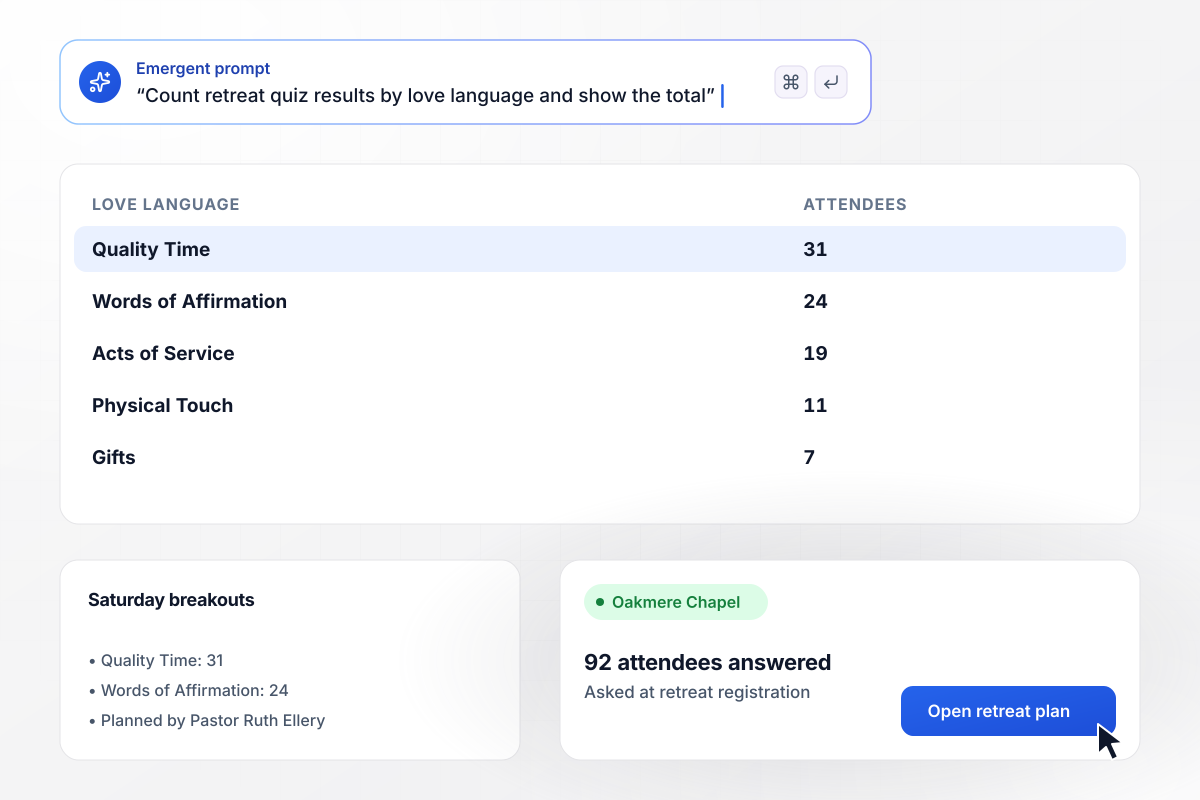
Quality Time led 92 retreat answers with 31
Oakmere Chapel puts the quiz on its marriage retreat registration page, and all 92 attendees answer it before the weekend. A dashboard counts the results: Quality Time 31, Words of Affirmation 24, Acts of Service 19, Physical Touch 11, and Gifts 7. Pastor Ruth Ellery plans the two Saturday breakouts around the top two.
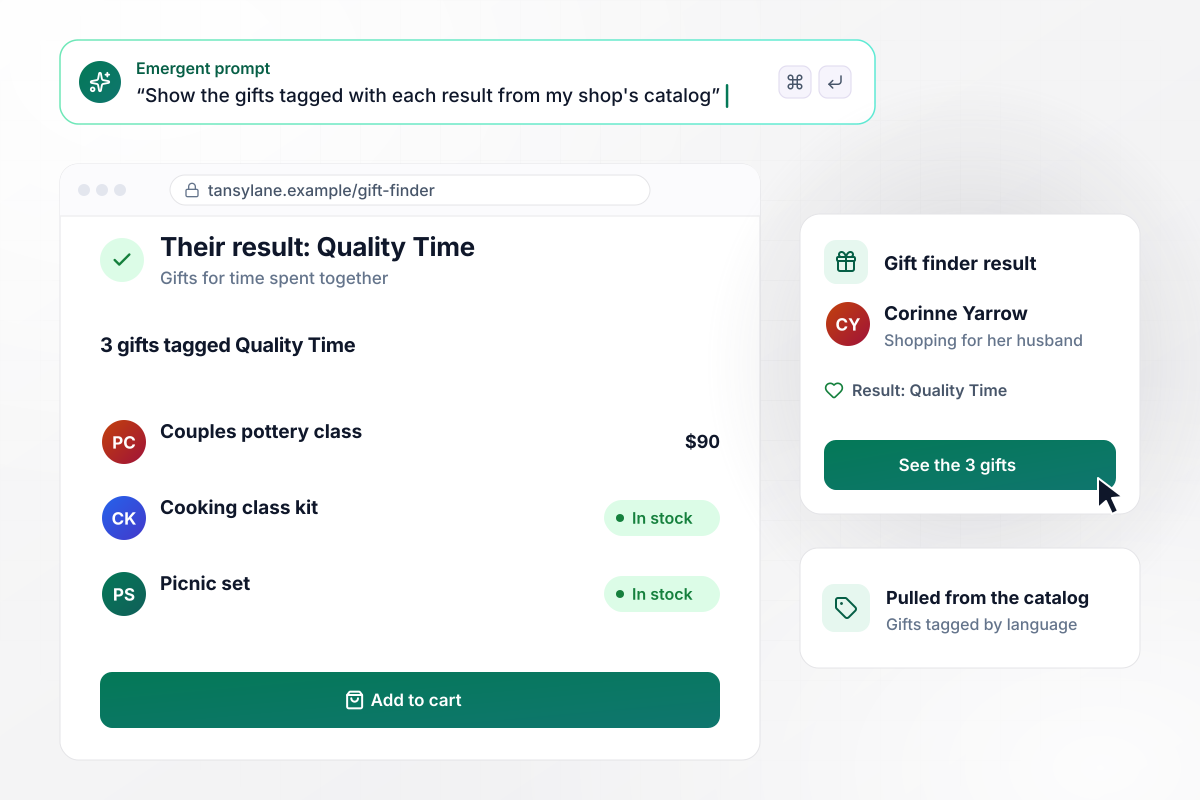
Quality Time brings up 3 gifts from the shop's shelves
Tansy Lane Gifts turned the quiz around: its gift finder asks about the person being shopped for. Corinne Yarrow answers for her husband and lands on Quality Time. The result screen shows the 3 gifts the shop tagged Quality Time, pulled from its catalog, led by a pottery class at $90.

Every result becomes a tag in the email tool
Esme Thackeray links the quiz in the welcome email for Second Coffee, her relationship newsletter. Each result adds a matching tag to the subscriber in her email tool through its API. In March, 1,180 new subscribers took the quiz and got a tag, and her April issue goes out in 5 versions, one per tag.






How to Make a Love Language Quiz
Seven steps to make a love language quiz with fair options and results worth acting on, then build it with Emergent.
Use the five languages from Gary Chapman's book as your results, and write a short description of each before drafting a single question. Once every result has its own paragraph, each option you write has a clear place to point, and gaps show up early.
Ask about real moments, like a birthday or a hard day at work. A question asking someone to rate how much they value praise invites the answer that sounds best, while a concrete scene draws out the choice they would make.
Put one option for each language in every question, five in all, and keep them close in length. If Gifts shows up in only half the questions, it wins less often for reasons that have nothing to do with the person taking it.
Chapman suggests looking at what a person complains about most often. Build one question that way: which complaint sounds most like you? It picks up a preference people rarely name when every option on the screen is a pleasant one.
Open each result with "Your answers lean toward," then give two ideas to try this week. Keep the claim modest. Present the quiz as a way for two people to start a conversation about what they each notice and need, not as a verdict on anyone.
Decide where a finished quiz goes next: an email to a coach, a tag in your email tool, or gifts from your catalog on the result screen. Describe that in your prompt, and Emergent builds the follow-up together with the quiz.
Take the quiz five times, choosing the options for a different language each round, and confirm that language wins. Then open the saved rows and any email the app sent before the link goes on a registration page or into a newsletter.
Why Build a Love Language Quiz With Emergent?
Your results stay in a table you own, next to every answer behind them. Prompt a change, and the next taker sees the new question.

|
ProProfs | Interact (quiz specialist) | Typeform | |
|---|---|---|---|---|
| How you build | Prompt for the survey, quiz, or poll and the app around it | Templates, question library, and AI quiz builder | Templates and AI quiz maker | Templates and editor, AI assist |
| Pricing model | Credits, no response caps or per-response fees | Free plan, then billed per active quiz taker | Free plan capped by monthly responses, then paid plans | Plans by monthly response limit; discount for annual billing |
| Where responses live | A database table you own, plus any integration | ProProfs account; reports export to Excel, CSV, or PDF | Interact account | Typeform account |
| Code ownership | Full code export to GitHub on paid plans | None | None | None |




Pick the Pricing Plan That Works for You
Choose the plan that fits your building ambitions. From weekend projects to enterprise applications, we've got you covered.




Find the right survey, quiz, or poll
for your team















Frequently Asked Questions
Your Questions, Answered
Don't change this element unless you know what you are doing
More things you can build
with Emergent









on Emergent today


