

Build an IT Request Form That Routes Every Request
Build an IT request form that asks the right questions for each request type and sends it to the person who handles it.
Build an IT request form that saves every response to a database I own.
Trusted by Builders Worldwide
Active Builders Worldwide
Apps Successfully Created
Countries Globally Reached



What the Request Has to Tell IT
Emergent builds the IT request form, the routing behind it, and the queue your team works through, from a plain-English description.
Questions that follow the request type
Pick hardware and the form asks for the asset tag and where the device sits. Pick software and it asks for the product and its yearly cost, then how many people need a seat.
Priority set by who is stuck
The form asks whether the requester can keep working and how many others are affected. A problem that stops a whole team is marked High and lands at the front of the queue.
Purchases wait for the budget owner
A request that costs money goes by email to its budget owner along with the quoted price and the requester's reason. IT starts the work only after that person approves.
Requesters see where things stand
The app emails the requester when the request is assigned, when IT needs more detail, and when it closes. Nobody has to reply to an old thread to ask whether anyone saw it.
A queue kept in a database you own
Every request is a row in a database you own, stamped with its priority and the day it came in. Sort it by age or filter it by department, with no cap on how many it holds.
Your code, in your GitHub repository
On paid plans, export the full codebase to your GitHub repository and host it next to your other internal tools. Keep building on it in your own editor after the export.
How Four IT Teams Handle Their Requests
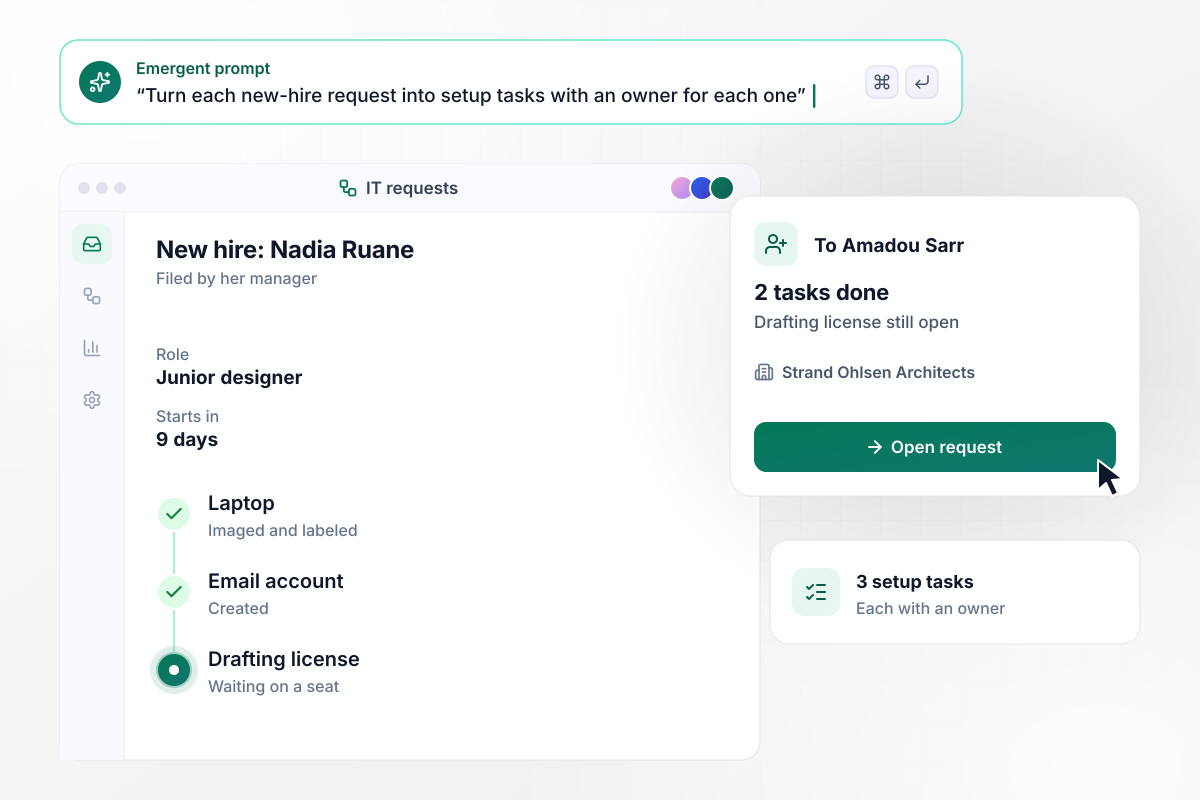
From a new-hire request, three setup tasks with owners
Strand Ohlsen Architects hires Nadia Ruane as a junior designer. Nine days before she starts, her manager files a new-hire request with her role and software. The form opens a task with an owner for the laptop, the email account, and the drafting license. IT lead Amadou Sarr sees 2 done and the license still open.
window.awbMockup = { newHireSetup: "I run IT at an architecture firm. When a manager hires someone, I want one request with the new hire's name, role, start date, and the software they need. Turn it into separate tasks for the laptop, the email account, and each license, give each task an owner, and show me which ones are still open as the start date gets close.", softwarePurchases: "Build an IT request form for software. Ask for the product, the yearly cost, how many people need it, and why. If it costs more than $1,000 a year, email the budget owner with the quote and the reason and wait for approval before my IT team reviews it. Show the requester where the request stands.", classroomSupport: "Teachers at my school need to report broken classroom tech from their phones. Ask for the room, the device, and the problem, plus whether the class can keep going. If the teacher says the class stopped, mark it High and alert the campus tech right away with the room and the problem. Keep everything else in the normal queue.", queueReview: "My college IT team reviews open requests every Monday. Show me how many are open by type: software, hardware, access, and other. Put anything open longer than 5 business days at the top, oldest first, with the name of the person who owns it. We start the meeting there." };
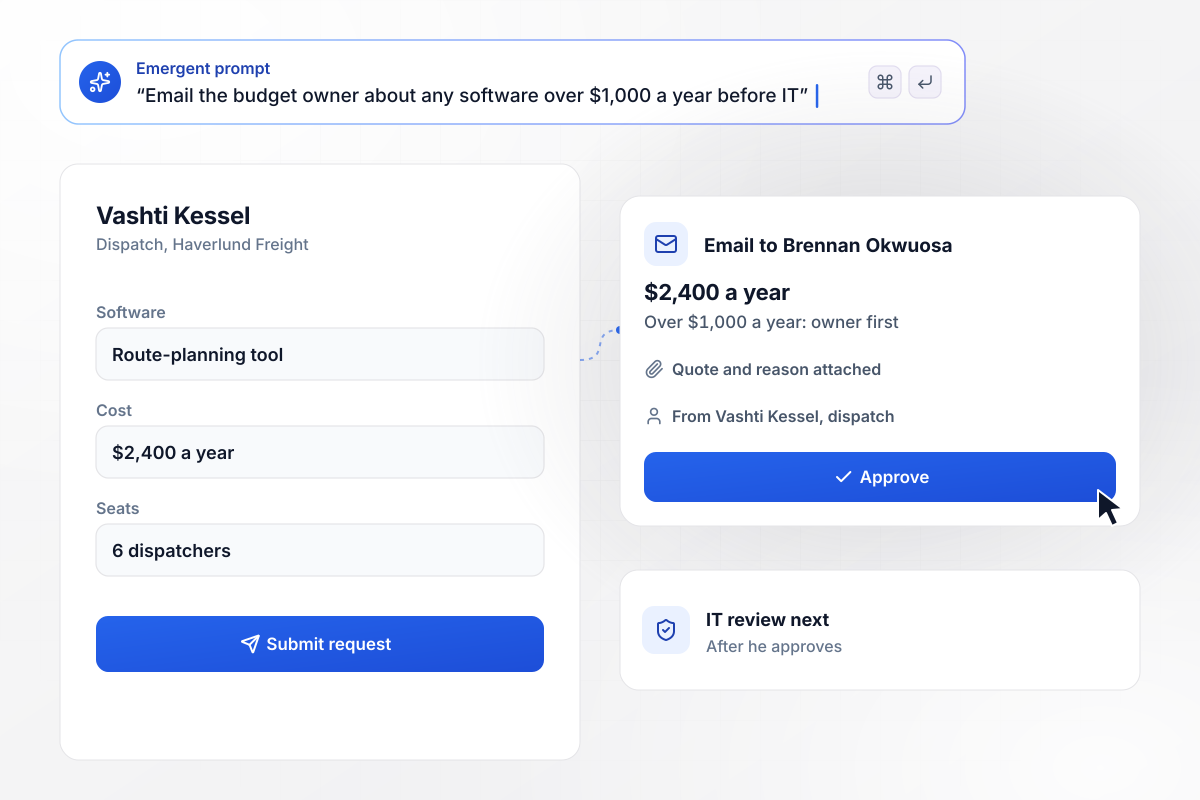
On a $2,400 tool, the budget owner decides before IT
Vashti Kessel runs dispatch at Haverlund Freight and asks for a route-planning tool at $2,400 a year for 6 dispatchers. Any software over $1,000 a year goes by email to the budget owner first. Here that is Brennan Okwuosa, who gets the quote and her reason. IT reviews how the tool signs people in after he approves.
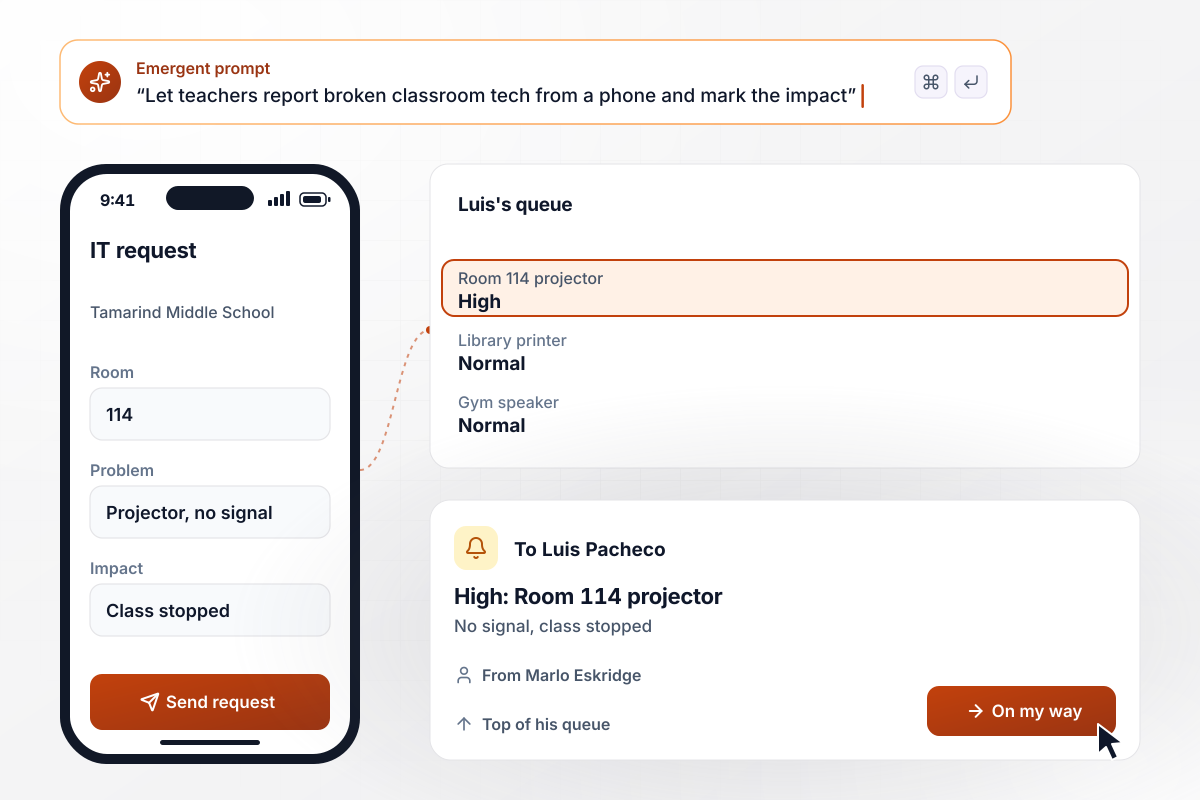
In Room 114, a blank screen goes to the campus tech first
The projector in Room 114 at Tamarind Middle School shows no signal mid-lesson. Marlo Eskridge reports it from her phone and sets the impact to "Class stopped," which makes the request High. Campus tech Luis Pacheco gets an alert, and the request sits above every Normal one in his queue.
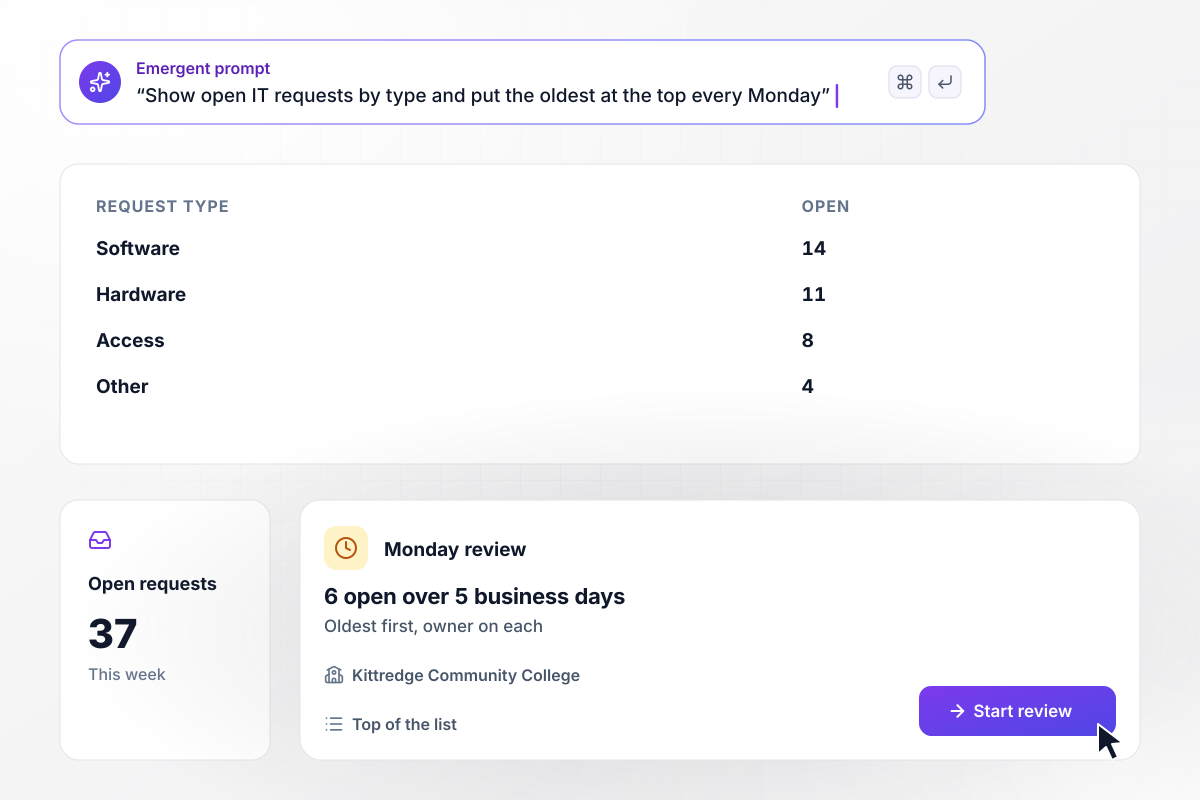
For the Monday review, the 6 oldest requests come first
Kittredge Community College's IT team has 37 open requests this week: 14 software, 11 hardware, 8 access, and 4 other. The 6 open longer than 5 business days sit at the top of the list, oldest first, each with its owner's name. The team's Monday review starts there and works down.






How to Create an IT Request Form
Seven steps to plan an IT request form around the requests your team gets, then build it with Emergent.
Read through a month of IT emails and chat messages before you add a field. Group them into the four or five types you see most, such as hardware, software, access, and help. Each type becomes a choice at the top of the form.
Ask only what IT needs to act on each type. A broken device needs the exact error message and when it started. A software request needs the business reason. Access to a system needs the system name and who signs off on it. Leave out anything IT can look up.
Skip the priority dropdown that everyone sets to Urgent. Ask whether the problem stops one person or a whole team, and let that answer set the priority. A whole office offline then outranks one slow laptop.
Decide who picks up each type and who has to say yes before any money is spent. Write the spending threshold down as a dollar amount. A request type with no named owner is the one that sits unassigned for a week.
Show a request number on the confirmation screen, along with the response time your team aims for on that type, such as same day for High. Put the same number in every email about the request.
Paste your request types and their owners into one prompt, and Emergent builds the whole app from it. Then submit five real requests from last month and check that each lands with the right person at the right priority.
Once a month, look at the requests filed as Other and the ones that stayed open longest. A cluster in Other is a request type waiting to be added. Describe the change to Emergent and it updates the form.
Why Build IT Request Forms With Emergent?
A template collects the request and leaves the sorting to whoever reads the inbox. Emergent builds the approvals and queue too.

|
Jotform | Google Forms | Typeform | |
|---|---|---|---|---|
| How you build | Describe it in plain English | Templates, editor, AI generator | Editor, with Gemini drafting on some Workspace plans | Templates, editor, AI assist |
| Where responses live | A database table you own, plus any integration | Jotform account | Google Sheets | Typeform account |
| Response limits | No response caps | Monthly submission caps by plan; the form stops at the cap | No limit | Monthly response caps by plan; the form closes at the cap |
| Code ownership | Full code export to GitHub on paid plans | None | None | None |



Pick the Pricing Plan That Works for You
Choose the plan that fits your building ambitions. From weekend projects to enterprise applications, we've got you covered.




Find the right form
for whatever you're collecting















Frequently Asked Questions
Your Questions, Answered
Don't change this element unless you know what you are doing
More things you can build
with Emergent









on Emergent today


