

Build a Coming Soon Page That Fills Your Launch List
Create a coming soon page that counts down to launch and keeps every email signup in a database you own.
Build a coming soon page that tells visitors what is on the way.
Trusted by Builders Worldwide
Active Builders Worldwide
Apps Successfully Created
Countries Globally Reached



What a Coming Soon Page Needs Behind It
Visitors see one small screen. The list behind it and the switch on launch day decide whether the page pays off.
A countdown tied to your launch date
Pick the launch date and time zone once, and the countdown runs to that minute. At zero the page switches to the live site, or shows a short Now open message you wrote.
Signups in a database you own
Every email typed into the page becomes a row in a database table you own, stamped with the time it arrived. Export the list as a CSV, or sync it to your email tool over its API.
A page search engines can index
Serve the page with a 200 status and a real title. Google considers pages that return that status for indexing, and your brand name can appear in results before launch.
One launch email, sent on the day itself
Email the whole list once on launch morning, or hand the list to the email tool you connect. Each message carries a postal address and an unsubscribe link, as CAN-SPAM requires.
Copy and dates changed by message
Ask Emergent to push the date back a week or rewrite the headline, and the page updates at the same address. Signups already in the table stay put through every edit.
Code you keep after launch
Export the full code for the page and its signup table to your GitHub on paid plans. Run it on Emergent at a custom domain, which uses credits, or deploy it anywhere.
Four Coming Soon Page Examples
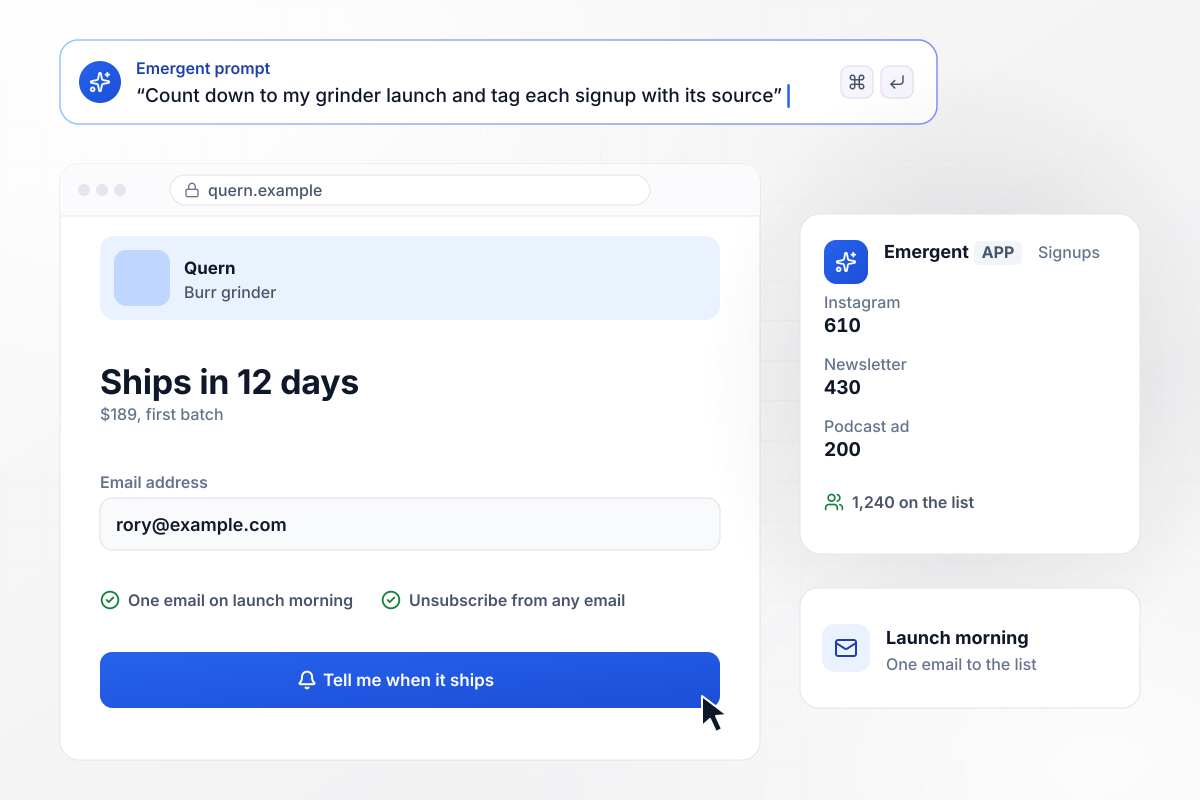
Twelve days out and 1,240 emails on the list
With its grinder 12 days from shipping, Quern's domain shows a countdown, the $189 price, and one email field. Each signup is saved with the link it came from: 610 from Instagram, 430 from the newsletter and 200 from a podcast ad. On launch morning the whole list gets one email.
window.awbMockup = { productLaunch: "My coffee grinder ships in 12 days. Build a coming soon page for my domain with a countdown to launch, the $189 price, and one email field. Save each signup with the utm_source from the link so I can see how many came from Instagram, the newsletter and the podcast ad, and email the whole list once on launch morning.", newShopOpening: "My bakery is opening a second shop on Rothsay Street. Build a coming soon page with the address and the opening week, and offer a free loaf on opening day to the first 50 people who sign up. After 50, tell new visitors the loaves are claimed and let them sign up for opening-day news instead.", siteRebuild: "My physiotherapy clinic is rebuilding its website for the next six weeks. Build a coming soon page that keeps our phone number and hours visible and has a booking request form with name and preferred day. Email each request to the front desk so patients can still book while the new site is built.", bookRelease: "I'm releasing my second novel. Build a coming soon page where readers sign up with their email and pick the format they plan to buy: hardcover, ebook, or audiobook. Email chapter one to everyone who confirms, and show me a running count of signups by format to share with my publisher." };
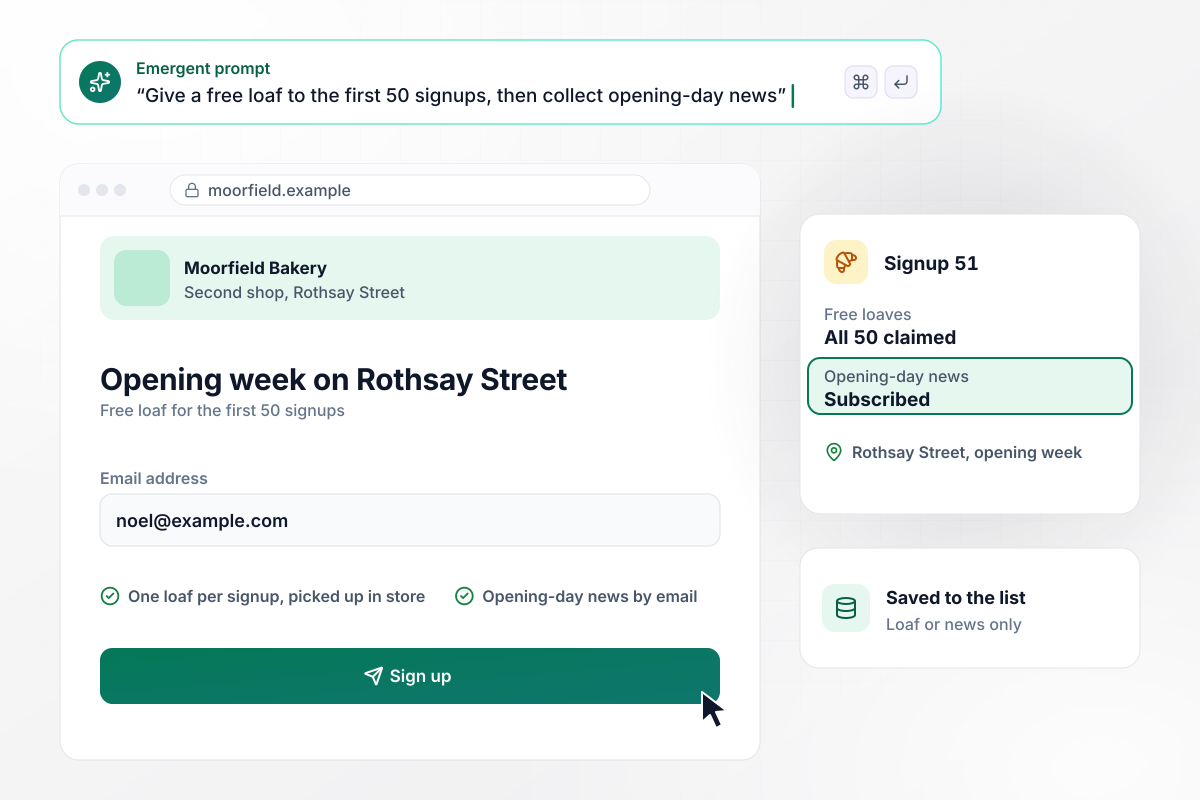
Who gets a free loaf on opening day?
Moorfield Bakery's second shop opens on Rothsay Street, and its coming soon page shows the address and the opening week. The first 50 people to sign up get a free loaf on opening day. Signup 51 learns the loaves are claimed and can still leave an email for opening-day news.
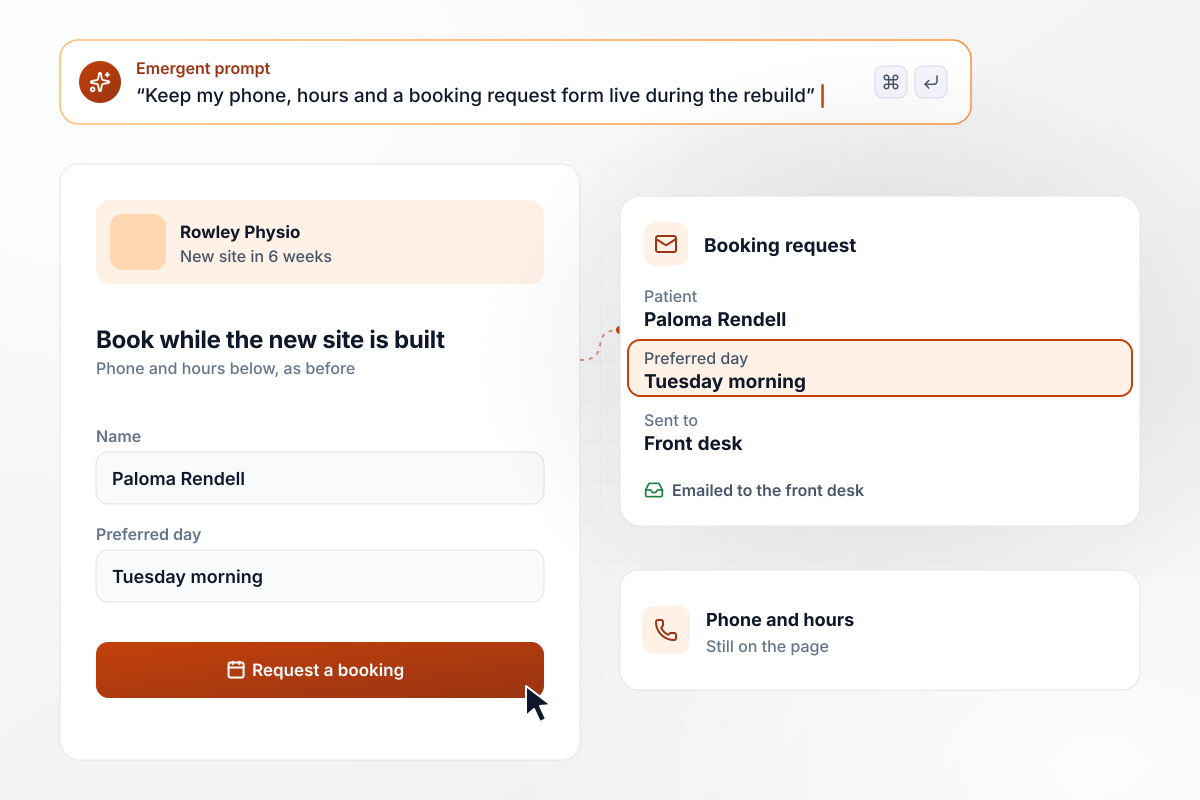
Keep bookings coming in while the new site is built
Patients still need appointments while Rowley Physio rebuilds its site over six weeks. The coming soon page in its place keeps the clinic's phone number, its hours, and a booking request form working. Each request reaches the front desk by email with the patient's name and a preferred day.
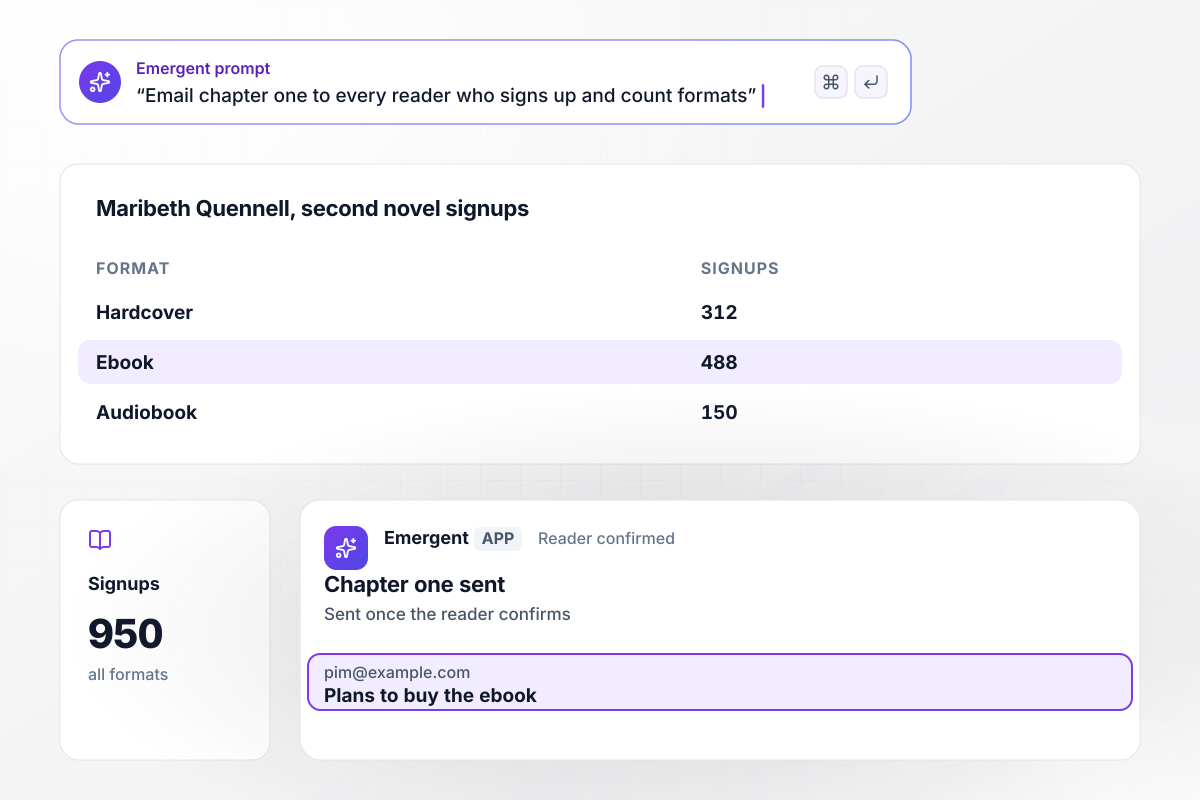
Chapter one lands in every new reader's inbox
Readers who sign up on Maribeth Quennell's coming soon page for her second novel get chapter one by email once they confirm. The form also asks which format they plan to buy. So far 312 picked the hardcover, 488 the ebook and 150 the audiobook, and her publisher reads that count before setting the print run.






How to Build a Coming Soon Page
Seven steps to plan a coming soon page, grow a launch list, and hand the address to the live site on launch day.
Pick the one thing the page should gather before launch: emails for a product, booking requests for a clinic, a format choice for a book. That choice sets the form, and the form sets the columns of the table that stores each signup.
Say what is coming and when in the first line people read. A real date or a countdown gives visitors a reason to sign up today. A vague promise of soon gives them a reason to close the tab and forget the name.
Ask for an email address and nothing more unless the launch needs it. A bakery giving away loaves may want a name for the pickup list; a product drop does not. Each extra field costs signups you never get to see.
Google slows its crawling when a site answers with 5xx errors, and URLs that keep returning them are eventually dropped from the index. A 503 suits a short outage. A page that waits months for launch should answer with 200 and carry real text.
Store each email next to the utm_source tag from the link that brought the visitor. By launch day you know which post or newsletter filled the list, and where the next round of promotion should go.
Draft the email the list will receive on launch day while the page is still collecting. Under CAN-SPAM it needs a valid postal address and a clear way to opt out. Send it once, on the day itself, and skip the weekly reminders.
When the product goes live, put the real site at the same address, or send the old URL on with a 301 redirect. Keep the signup table: it becomes your first customer list, with the source of every name on it.
Why Build a Coming Soon Page With Emergent?
Template stores sell a website coming soon page template to arrange by hand. Emergent builds the page from a prompt, signup list and all.

|
Wix | Unbounce | Landingi | |
|---|---|---|---|---|
| How you build | Prompt for a campaign page | Prompt for a full site | Templates and drag-and-drop, AI copy assist | Templates and drag-and-drop, AI assist |
| Where submissions go | A database table you own, plus integrations | Wix dashboard submissions and Contacts | Unbounce lead storage and integrations | Vendor lead storage and integrations |
| SEO settings | Full control of the code: meta tags, schema, and sitemap | Meta title and description per page (SEO Basics) | SEO title and meta description per page | Title, description, and meta tags per page; indexable by default |
| Code ownership | Full code export to GitHub on paid plans | Hosted only | Hosted only | Hosted only |
| Visitor limits | No per-visitor pricing | Site plan bandwidth | Monthly visitor caps by plan | Tiered by traffic on most plans |




Pick the Pricing Plan That Works for You
Choose the plan that fits your building ambitions. From weekend projects to enterprise applications, we've got you covered.




Find the right landing page for you















Frequently Asked Questions
Your Questions, Answered
Don't change this element unless you know what you are doing
More things you can build
with Emergent









on Emergent today


