

Build a Holiday Landing Page That Works the Whole Season
Build a holiday landing page from one prompt, with each gift request and RSVP saved to a database you own.
Build a holiday landing page for my gift shop with December gift boxes, prices, and in-store holiday events.
Trusted by Builders Worldwide
Active Builders Worldwide
Apps Successfully Created
Countries Globally Reached



What Emergent Builds for a Holiday Campaign
Emergent builds the holiday landing page from your prompt, plus the table that keeps each gift request and RSVP.
Your seasonal offer, written into a page
Describe the holiday, the offer, and the last day it runs. Emergent builds the page around that one offer, with a section for gifts and one for dates. Prompt again to change it.
A gift finder shoppers can narrow
Ask for the recipient and a price range. The app shows only the items that match both answers, and a shopper can save the picks to a list along with an email address for later.
Dates that change what the page shows
Set the last day for each shipping option or signup. When that date passes, the app closes the option and moves the next open one to the top, with its order-by date beside it.
Every request in a database you own
The app saves each gift list, order request, and RSVP to a database you own. Each row keeps the answers and the date it came in, and the table sorts by any column next year.
An alert when an order request arrives
Pick email, Slack, or an in-app alert for new requests. The app sends one with the details as each request comes in, and a reminder follows if nobody replies by the next morning.
Publish on your domain, keep the code
Put the page on your own domain, such as shop.yourstore.com; custom domains are included in Emergent and use credits. Paid plans add full code export to your GitHub repository.
Holiday Landing Page Examples
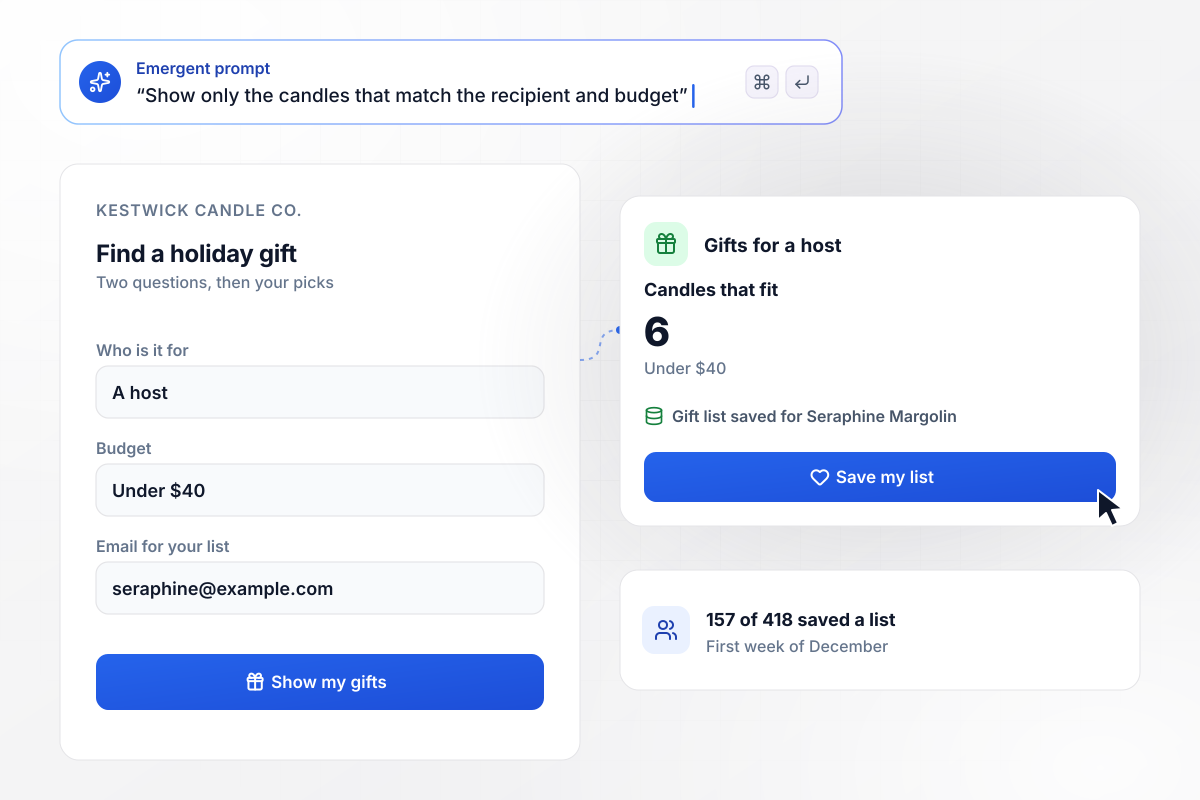
Six candles for a host, under $40
Shoppers at Kestwick Candle Co. pick who the gift is for and a budget, and the page shows only the candles that fit. A host under $40 brings up 6 candles. In the first week of December 418 shoppers used the finder and 157 saved a gift list with their email, Seraphine Margolin among them.
window.awbMockup = { candleGifts: "Build a holiday landing page for my candle shop, Kestwick Candle Co. Ask shoppers who the gift is for and their budget, then show only the candles that match both answers. Let a shopper save the picks to a gift list with their email, and save every list to my database.", shippingCutoffs: "Build a holiday landing page for my pottery studio, Harbrook Pottery. Show an order-by date beside each shipping option: standard by Dec 16 and express by Dec 20. Close each option on its date and move the next open one to the top. After Dec 20, offer studio pickup through Dec 23.", christmasEve: "Build a Christmas landing page for my church, Larkspur Hill Chapel. List our 3 Christmas Eve services with 220 seats each and let families RSVP with their party size. Count down the seats left at each service, and when one is full, point families to the next service that still has room.", officeGifts: "Build a holiday landing page for office gift orders at my bakery, Ovenbird Bakery. Ask how many people are on the gift list, the box size, and the delivery date. Multiply people by the box price, show the total, and email each request to the bakery with the delivery date saved." };
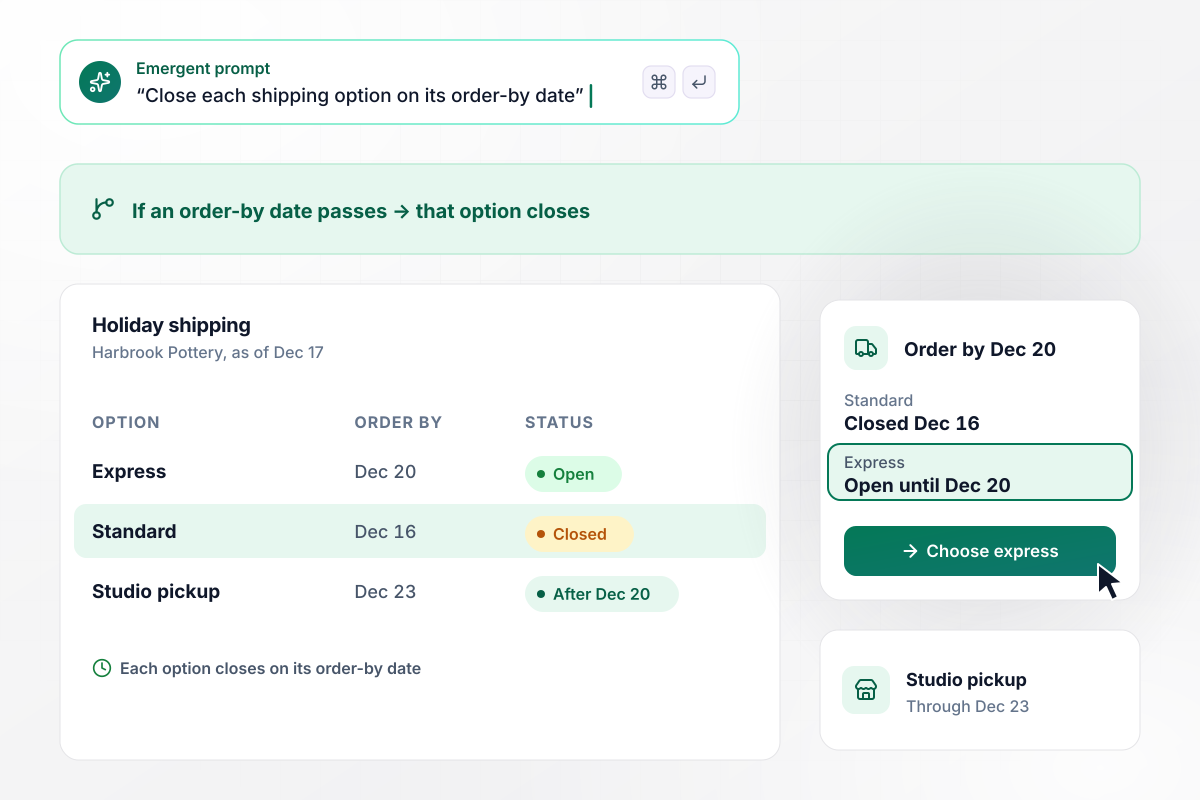
Each shipping option closes by its own date
Harbrook Pottery posts a date beside every shipping option: standard orders by Dec 16, express by Dec 20. On each date the page closes that option and moves the next one to the top. On Dec 17 shoppers see standard marked closed and express first. After Dec 20 the page offers studio pickup through Dec 23.
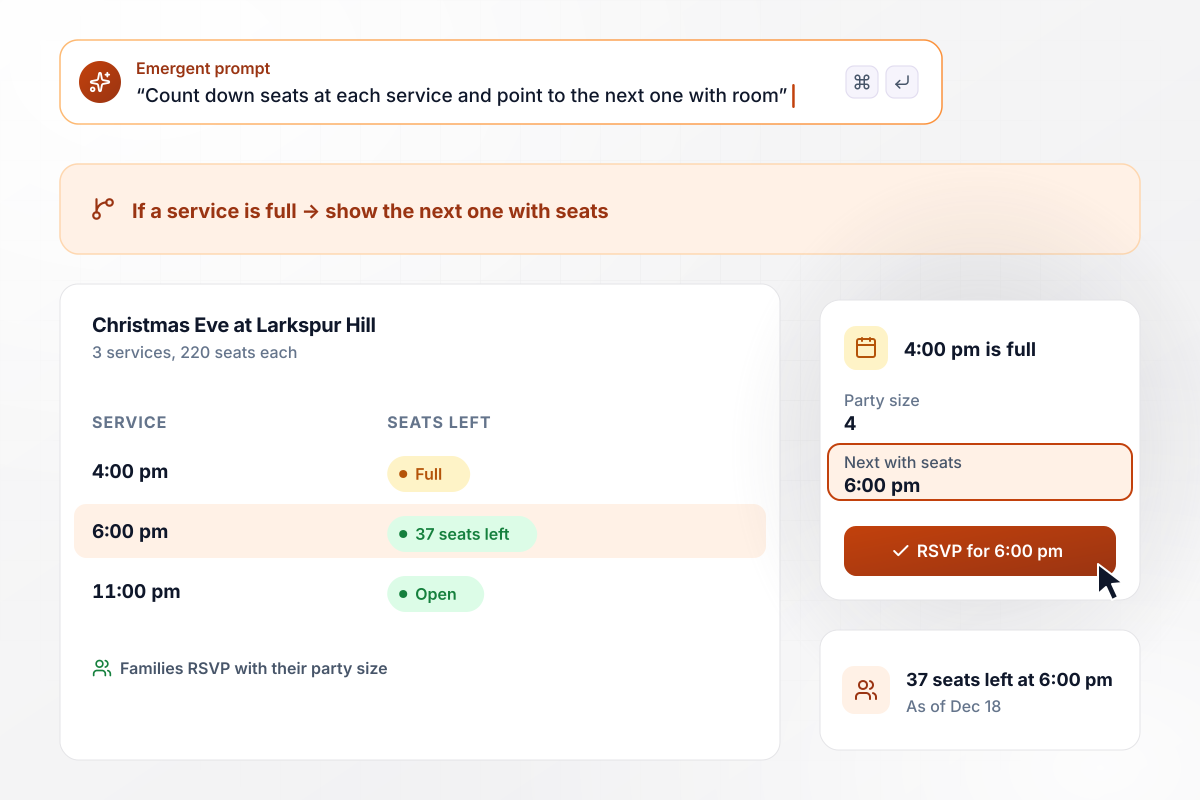
When 4:00 pm fills, families see 6:00 pm
Larkspur Hill Chapel lists 3 Christmas Eve services with 220 seats each, the last at 11:00 pm. Families RSVP with their party size, and the page counts down the seats left. A full service points to the next time with room. By Dec 18 the 4:00 pm service was full and the 6:00 pm had 37 seats left.
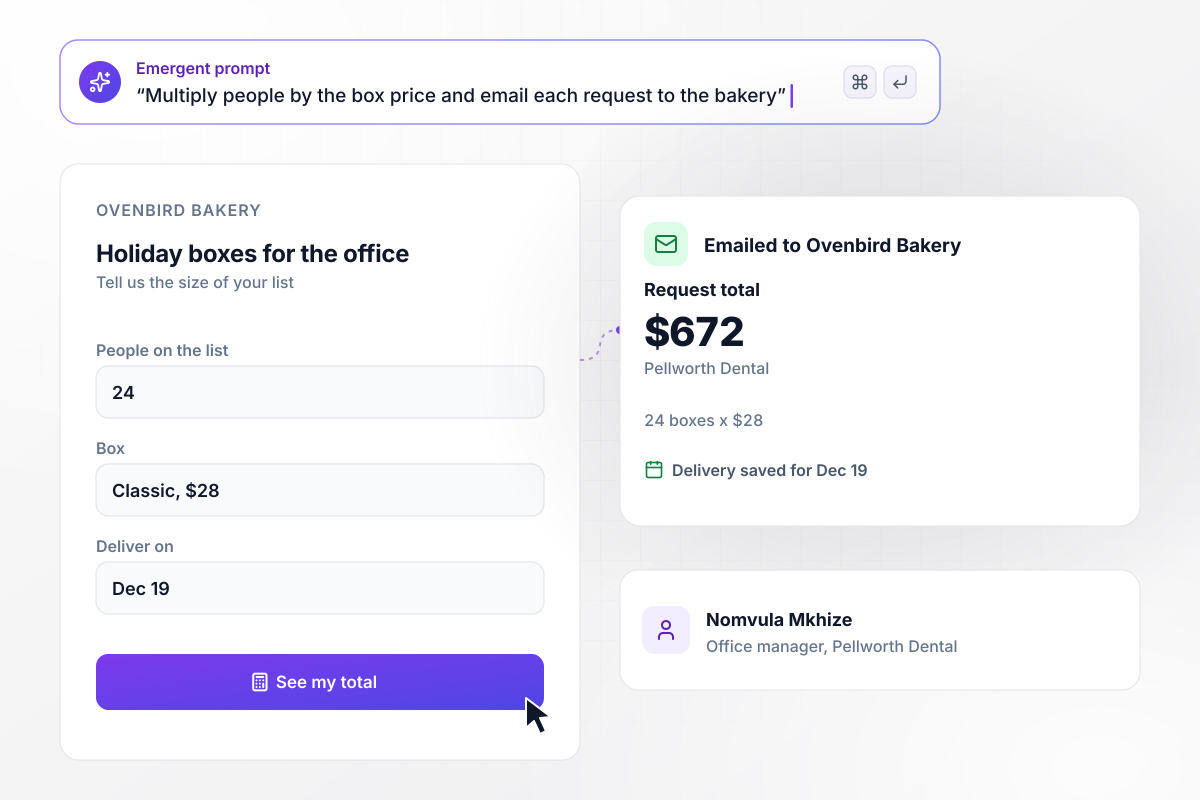
A $672 request from 24 Classic boxes
An office manager tells Ovenbird Bakery's page how many people are on the gift list and picks a box size. The page multiplies the two and emails the request to the bakery. Nomvula Mkhize at Pellworth Dental asked for 24 Classic boxes at $28 each: a $672 request, saved with her Dec 19 delivery date.






How to Create a Holiday Landing Page
Follow these seven steps to plan a holiday landing page around one offer and its dates, then build and publish it with Emergent.
Pick the holiday the page is for and the single offer it carries, such as office gift boxes for Christmas or a pie order for Thanksgiving. A page that tries to sell everything in the store at once leaves shoppers choosing instead of buying.
List the dates that change the page: the day the offer opens, each order-by date, and the final day of the offer. Check your carrier's published holiday schedule before you promise a shipping date, and leave a day of margin.
Write the offer as one line a shopper could repeat to a friend, like free gift wrap on every order through Dec 22. Put it at the top of the page with its end date right under it, where nobody has to scroll.
Decide what the page asks each visitor. A gift finder needs a recipient and a budget; an RSVP needs a party size; an office order needs a headcount. Every extra field is one more reason to leave before the form is sent.
Paste the plan into Emergent with the offer, the dates, and the questions in plain words. Emergent builds a page with its own table, and you prompt again to move a date or rewrite any section before launch.
Decide now what the page shows once the last date passes: a thank-you note, a signup for next year's list, or a link back to the store. A holiday page left as it was in January points people at an offer that has ended.
Place a test order or RSVP and check that the row lands in your table and the email alert arrives. Then publish on your own domain, which is included in Emergent and uses credits, and share the link.
Why Build Your Holiday Page With Emergent?
One prompt gives you the page and the logic that changes it as holiday dates pass. It is free to start.

|
Unbounce | ConvertFlow | Wix | |
|---|---|---|---|---|
| How you build | Prompt for a campaign page | Templates and drag-and-drop, AI copy assist | Templates and drag-and-drop, AI remix | Prompt for a full site |
| Where submissions go | A database table you own, plus integrations | Unbounce lead storage and integrations | ConvertFlow contact profiles, synced to your CRM | Wix dashboard submissions and Contacts |
| Visitor limits | No per-visitor pricing | Monthly visitor caps by plan | Monthly view caps by plan | Site plan bandwidth |
| A/B testing | Generate variants by prompt | A/B testing on higher-tier plans only | A/B testing on paid plans only | Limited or add-on |
| Code ownership | Full code export to GitHub on paid plans | Hosted only | Hosted by ConvertFlow or embedded on your site | Hosted only |


Pick the Pricing Plan That Works for You
Choose the plan that fits your building ambitions. From weekend projects to enterprise applications, we've got you covered.




Find the right landing page for you















Frequently Asked Questions
Your Questions, Answered
Don't change this element unless you know what you are doing
More things you can build
with Emergent









on Emergent today


