

Build a Subscription Landing Page That Sells Recurring Plans
Build a subscription landing page where visitors pick a plan and how often it arrives, with each plan saved to a database you own.
Build a subscription landing page for my home cleaning service with plans for one, two, or four visits a month.
Trusted by Builders Worldwide
Active Builders Worldwide
Apps Successfully Created
Countries Globally Reached



What Emergent Builds Into a Subscription Page
Emergent builds the plan picker a visitor uses, the form that takes their details, and the table where every new plan waits.
Offers and schedules from one prompt
Describe what you sell and how often it ships. Emergent builds the page around it: the offer, the options a visitor picks from, and a signup form. Prompt again to change it.
The plan price beside the one-time price
Give the app both prices and it shows them side by side for every option, with the saving worked out. Visitors see what a plan costs per delivery before they type an address.
Every subscriber saved as a row you own
The app saves each signup to a database you own, with the product and schedule beside the subscriber's address. Sort the rows by start date to see whose order ships next week.
An alert for each new subscriber
Choose how you hear about new plans, and the app sends an email, Slack message, or in-app alert with the plan attached. A reminder goes out on the day a gift plan starts.
Signups synced to Stripe and HubSpot
The app connects to any tool with an API, such as Stripe or HubSpot, and syncs each new signup in and out. Shipping and email tools get the details the page took, with no retyping.
A page on your domain, code in your repo
Publish on your own domain, such as yourbrand.com; custom domains are included in Emergent and use credits. On paid plans, export the full code of the page to your GitHub repository.
Subscription Landing Page Examples
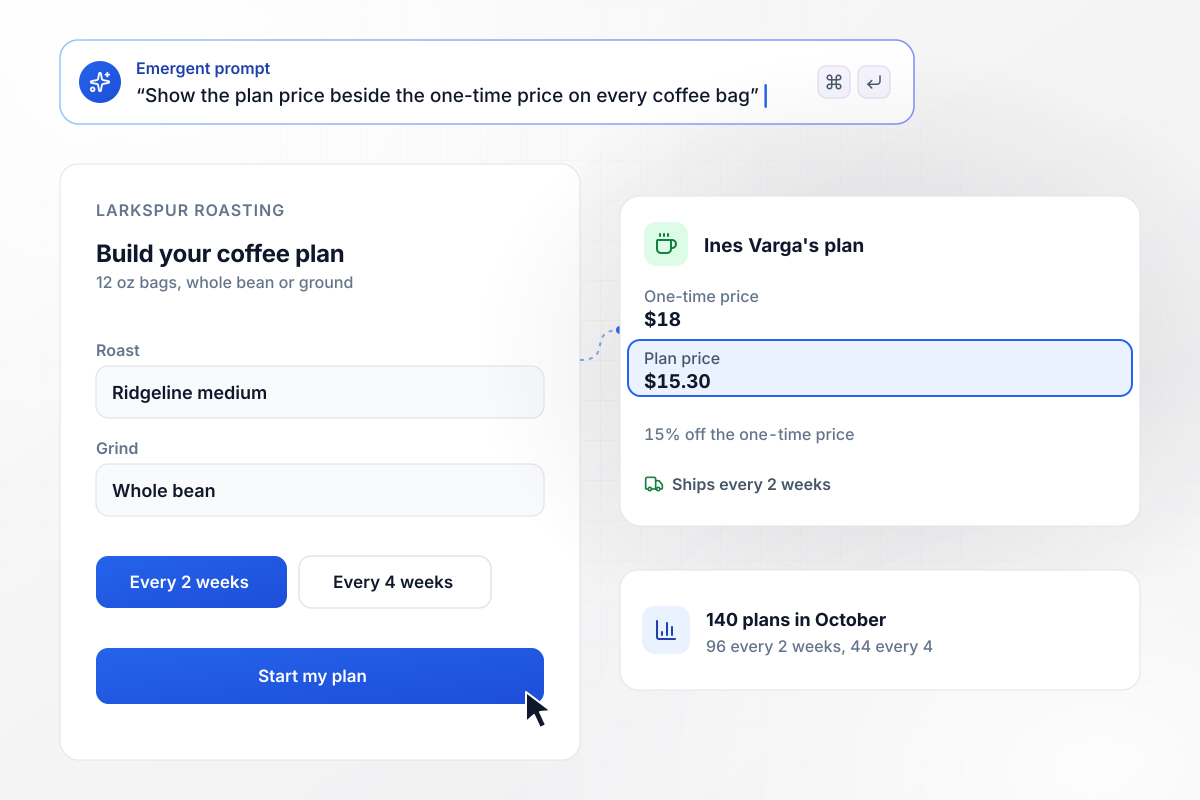
Every bag shows its $15.30 plan price beside $18
Larkspur Roasting sells its coffee in 12 oz bags, and its page lets a visitor pick a roast, a grind, and a delivery every 2 or 4 weeks. Each bag shows the $15.30 plan price beside the $18 one-time price, 15% off. In October visitors saved 140 plans, 96 every 2 weeks and 44 every 4 weeks. Ines Varga's plan was one of them.
window.awbMockup = { coffeeSubscriptions: "Build a subscription landing page for my coffee roastery, Larkspur Roasting. We sell 12 oz bags. Let visitors pick a roast, a grind, and a delivery every 2 or 4 weeks, show the $15.30 plan price beside the $18 one-time price, and save every plan with the subscriber's name and address.", mealKits: "Build a meal kit subscription page for my company, Copperpot Kitchen. Ask for a zip code first. If it is one of my 38 delivery zip codes, show the plan picker; if not, add the visitor to a waitlist for that zip. Email me when any zip passes 40 names on the waitlist.", giftSubscriptions: "Build a gift subscription page for my monthly tea box, Fernmoor Tea Club. Offer 3 months for $66, 6 months for $126, or 12 months for $240. Ask for the recipient's name and address, the start month, and a gift note, then email the recipient a card when the plan starts.", cleaningPlans: "Build a service plan page for my house cleaning company, Tidewell Home Cleaning. Ask for the number of bedrooms and let visitors pick 1, 2, or 4 visits a month. Show the price per visit and per month, save each request, and email me with the details so I can book the first visit." };
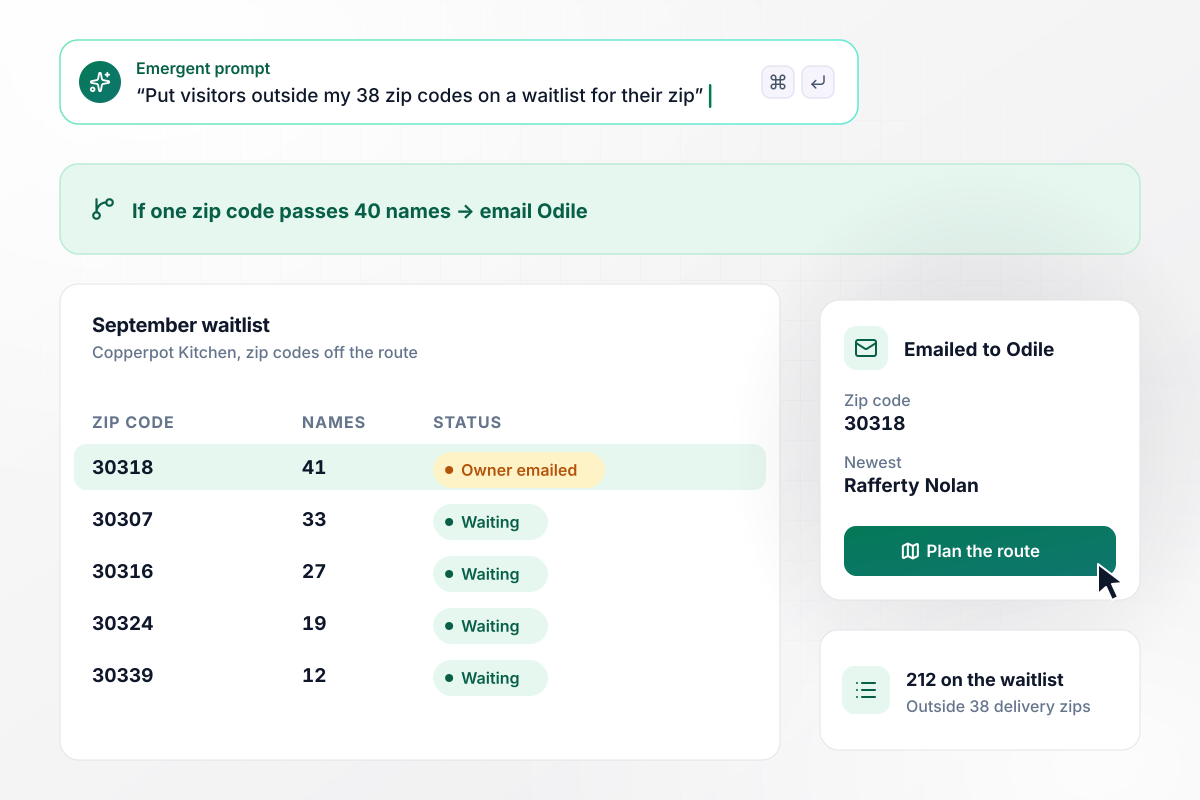
When a zip code is off the route, a waitlist opens
Copperpot Kitchen delivers meal kits to 38 zip codes, and its page asks for a zip code first. Visitors outside them join a waitlist for their zip, and when one zip passes 40 names the app emails the owner, Odile Brandt. In September 212 people joined the waitlist, and one zip reached 41 names with Rafferty Nolan.
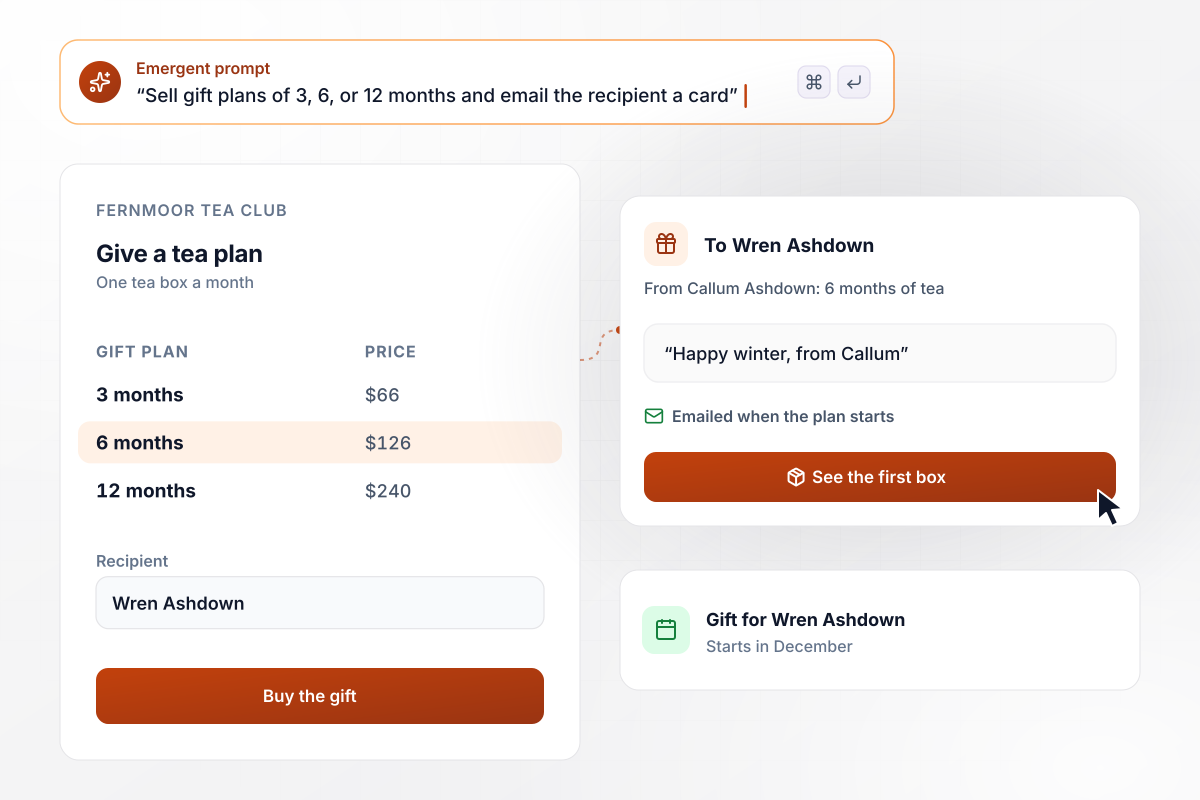
A $126 gift covers 6 months of tea for Wren
Fernmoor Tea Club's gift page sells 3, 6, or 12 months of its monthly tea box for $66, $126, or $240. The buyer adds the recipient and a start month, and the app emails the recipient a card when the plan starts. Callum Ashdown bought 6 months for Wren Ashdown, starting in December.
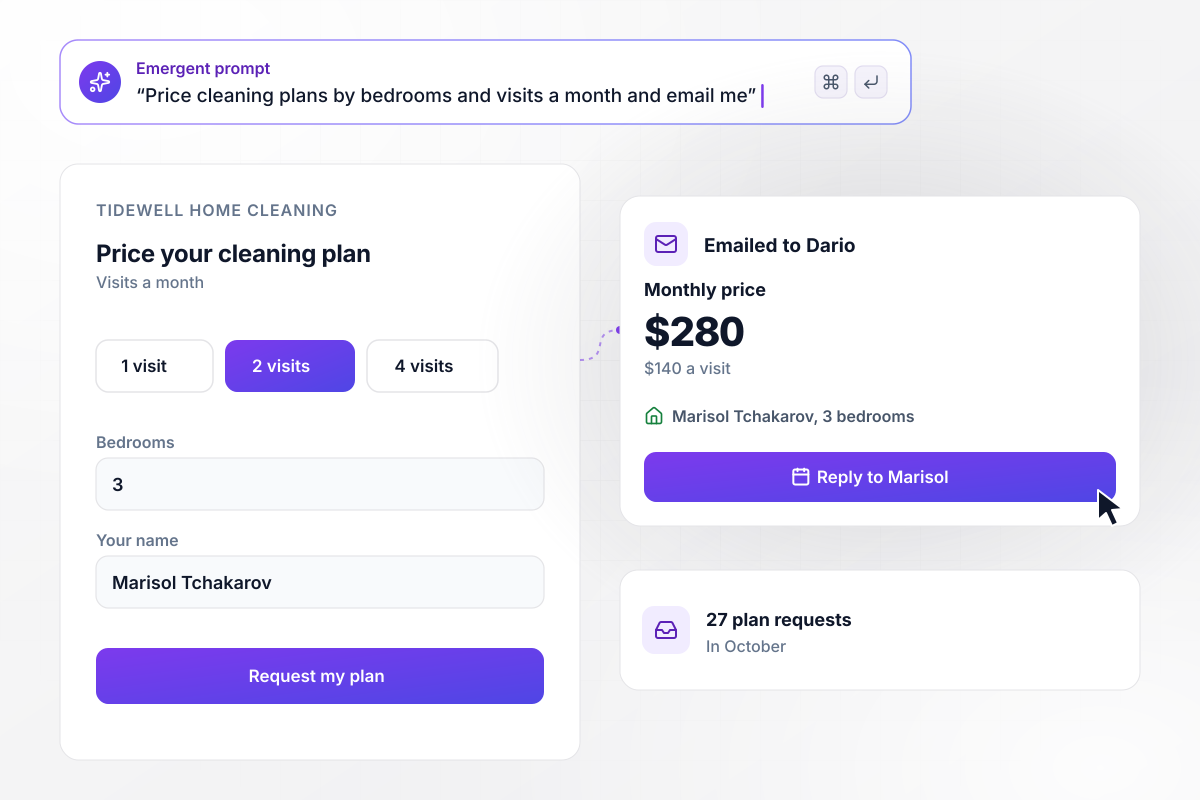
Bedrooms and visits a month set a $280 plan
Tidewell Home Cleaning prices its plans on the page: a visitor enters bedrooms, picks 1, 2, or 4 visits a month, and sees the price. The app emails each request to the owner, Dario Lindqvist. Marisol Tchakarov chose 2 visits a month for 3 bedrooms, $140 a visit and $280 a month, one of 27 plan requests in October.






How to Create a Subscription Landing Page
Follow these seven steps to price and publish a subscription landing page that saves every new subscriber you sign up.
Write down what a subscriber gets in each delivery, the sizes you offer, and the schedules you can keep, such as every 2 or 4 weeks. Offer only the schedules your packing and shipping can hold for a full year.
Show both prices on every option, with the saving in dollars or as a percentage. A visitor choosing between one bag and a plan should see the difference at a glance, without doing the math before they decide.
Say in plain words how a subscriber skips a delivery or stops for good, and where they do it. Put that line near the signup button, where a buyer who is weighing a recurring order looks before choosing.
Keep the signup form to what you need to ship or book the first order: name, email, address, and the option chosen. Ask about preferences, such as a favorite roast, once they have subscribed.
Paste your offer and your prices into Emergent with any rules you want, such as a zip code check. You get the page and the table that saves every signup, ready for a first test order.
Connect the payment and shipping tools you already use, such as Stripe, and each new signup reaches them without retyping. Choose one tool to hold the subscriber record, where a change of address is made once.
Subscribe to each schedule once with a test order, and check the price and start date in the saved row. When every row is right, publish the page and send the link to your current customers first.
Why Build Your Subscription Page With Emergent?
One prompt gives you the page and the database behind it, and the next prompt changes either one.

|
Unbounce | Landingi | Wix | |
|---|---|---|---|---|
| How you build | Prompt for a campaign page | Templates and drag-and-drop, AI copy assist | Templates and drag-and-drop, AI assist | Prompt for a full site |
| Where submissions go | A database table you own, plus integrations | Unbounce lead storage and integrations | Vendor lead storage and integrations | Wix dashboard submissions and Contacts |
| Visitor limits | No per-visitor pricing | Monthly visitor caps by plan | Tiered by traffic on most plans | Site plan bandwidth |
| A/B testing | Generate variants by prompt | A/B testing on higher-tier plans only | Higher plans | Limited or add-on |
| Code ownership | Full code export to GitHub on paid plans | Hosted only | Hosted only | Hosted only |


Pick the Pricing Plan That Works for You
Choose the plan that fits your building ambitions. From weekend projects to enterprise applications, we've got you covered.




Find the right landing page for you
Frequently Asked Questions
Your Questions, Answered
Don't change this element unless you know what you are doing
More things you can build
with Emergent









on Emergent today


