

Build a Coffee Quiz That Matches Every Drinker to a Roast
Build a coffee quiz that matches each drinker to a roast, or take the eight-question one below to find yours.
Build a coffee quiz for my roastery's online shop that matches shoppers to one of four roasts and shows the bags to buy for each.
Trusted by Builders Worldwide
Active Builders Worldwide
Apps Successfully Created
Countries Globally Reached



What Emergent Builds Into a Coffee Quiz
One prompt builds the questions, the result screens, and the table every finish lands in. A second prompt changes any of them.
Every option mapped to one roast
Name the roasts you sell as results. Emergent writes taste and habit questions, each option pointing at one of them, and a follow-up prompt rewords any question you dislike.
Product picks on the result screen
Tag each bag you sell with one roast. The result screen lists the bags carrying that tag, with names and prices read from your store through its API, and a retag updates the quiz.
A scored mode for barista training
Switch the quiz to scored for staff training: one option per question is marked correct, the app totals each score against your pass mark, and a miss shows the question it came from.
Alerts the moment a quiz is finished
Send a Slack message or an email on every finish: the packer learns which roast to bag, the trainer reads the score the next morning. You choose who hears about which result.
Results counted by month
A dashboard counts finished quizzes by result and by month, and a cold brew October becomes a stocking call. There is no response cap, however busy the holiday season gets.
Runs on your domain, exports as code
Host the quiz on a custom domain, included in Emergent and billed in credits. On paid plans, export the full code to your GitHub repository and keep the questions in version control.
A Roaster, a Cafe, a Club, and a Training Bar
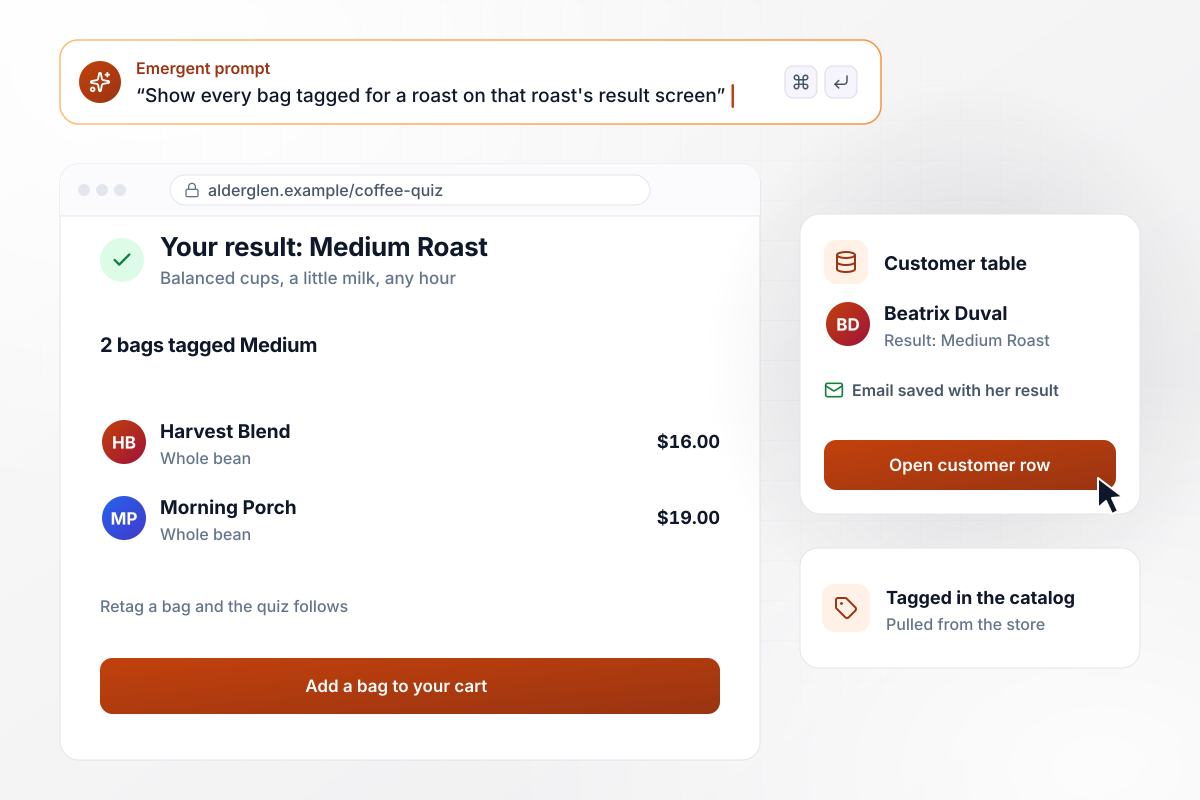
Two bags wait on every Medium Roast result
Alderglen Roasters runs the coffee quiz on its online shop. Beatrix Duval finishes on Medium Roast, and her result screen shows the two bags tagged Medium, pulled from the store catalog. Her result and email land in the customer table.
window.awbMockup = { roasteryShop: "Build a coffee quiz for my roastery's online shop with four results: light, medium, dark, and cold brew. Let me tag each bag in the catalog with one roast, and show the tagged bags with prices on the result screen. Save each result with the shopper's email to my customer table.", cafeMenu: "Build a coffee quiz my cafe can put behind a QR code on every table. Map each result to one drink on my menu, and give me a dashboard that counts finished quizzes by result and by month, so I can see which drink wins October before I change the taps.", subscriptionBox: "Build a coffee quiz for my subscription club that runs before checkout. Write the result into the subscriber's first box order, send a Slack message to the packer with the roast to bag, and keep every result next to the subscriber's email in my database.", baristaTraining: "Build a scored coffee quiz for training new baristas: 10 brewing questions, one correct answer each, and a pass mark of 8. Show each trainee which questions they missed, mark their row cleared or retake, and let the trainer read every score the next morning." };
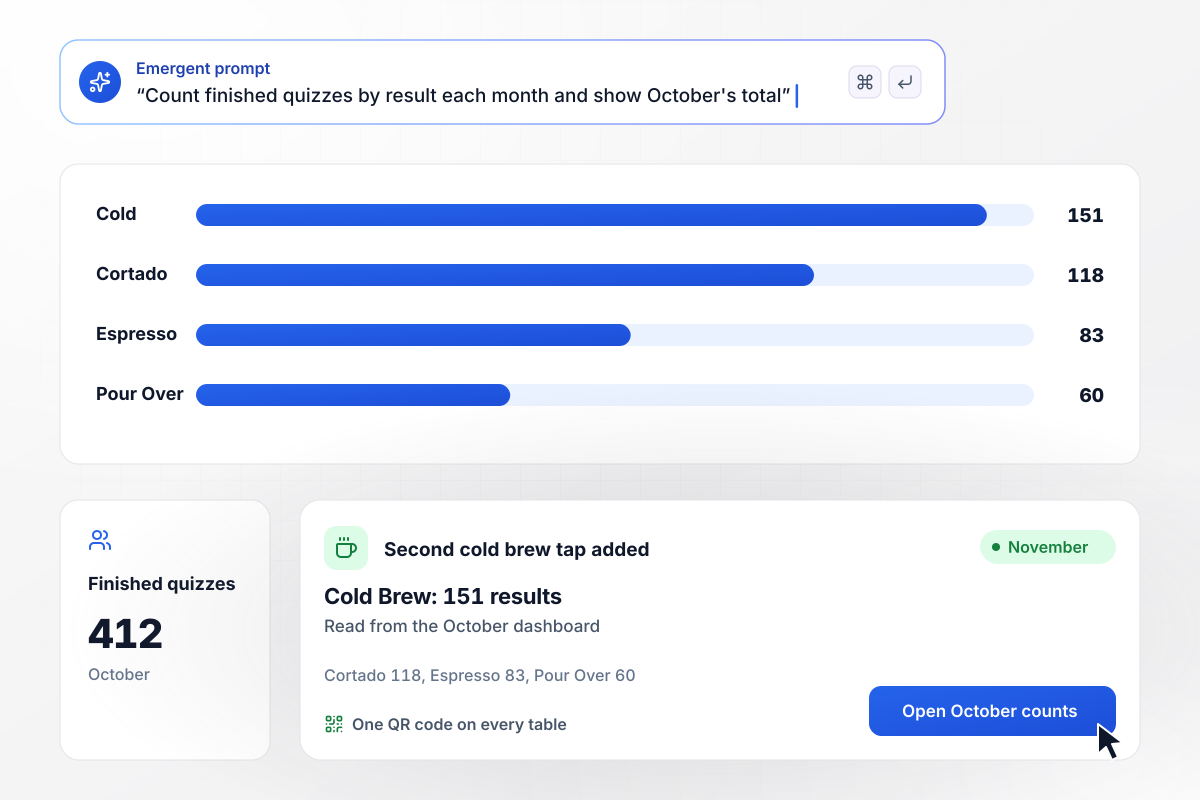
Cold brew won October and earned a second tap
Tin Whistle Cafe prints a QR code on every table, and each result names one drink from the menu. Owner Emeric Crespo opens the October dashboard: 412 finished quizzes, Cold Brew leading at 151. A second cold brew tap went on the bar before November.
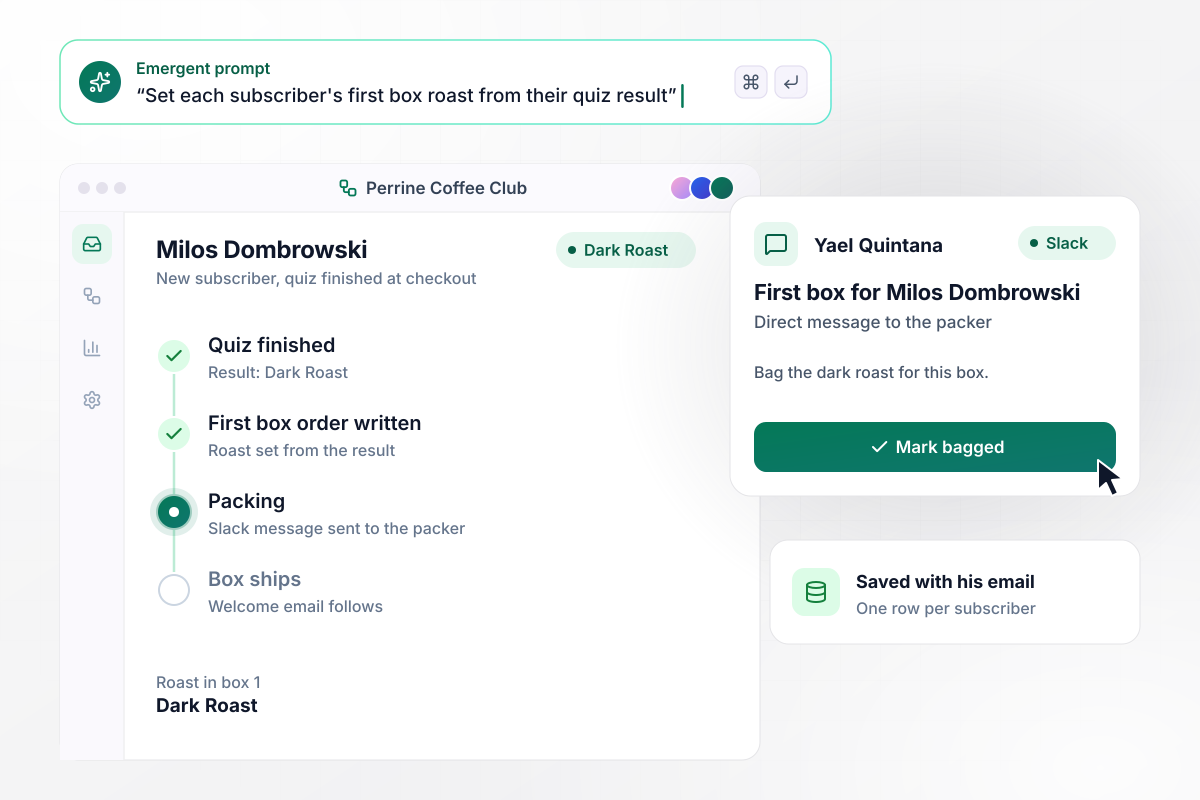
Milos's result goes into the first box
Perrine Coffee Club asks every new subscriber the quiz before checkout. Milos Dombrowski finishes on Dark Roast, the order for his first box is written with that roast, and packer Yael Quintana gets a Slack message naming the box and the roast to bag.
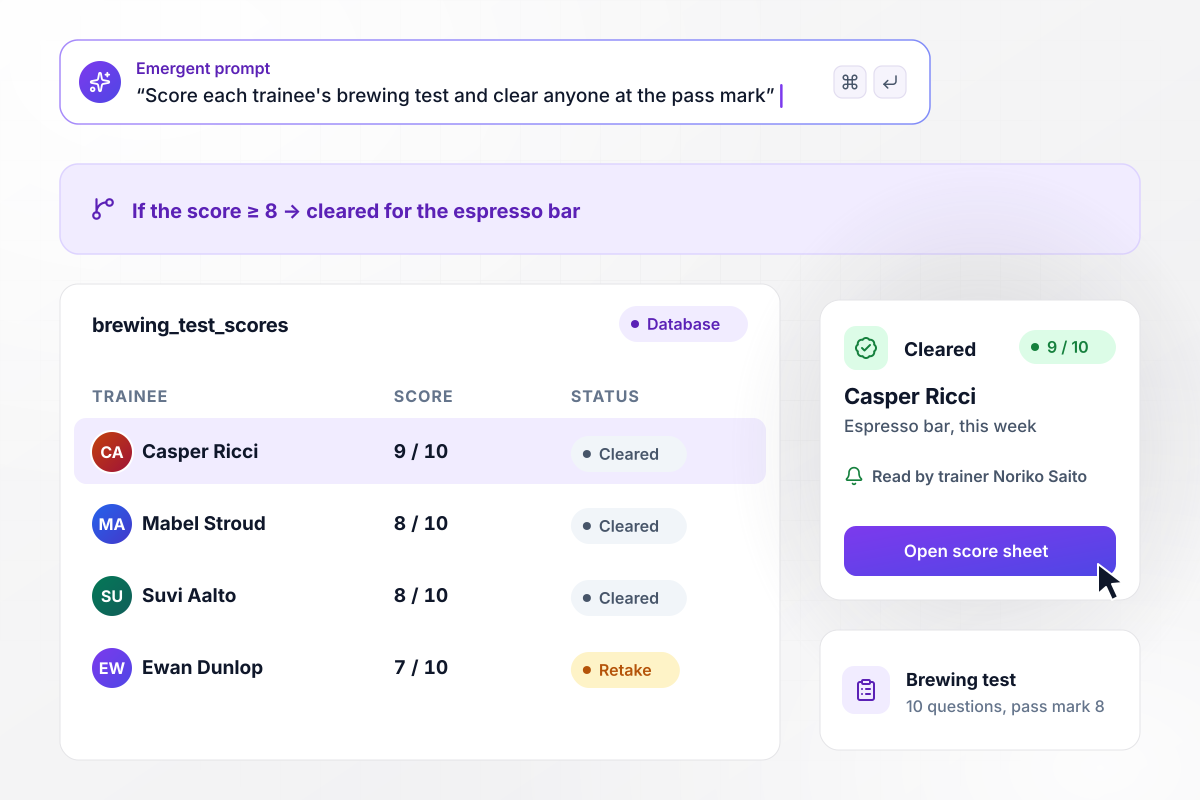
Casper gets the espresso bar when he scores 9
Wrenhouse Coffee trains new baristas on a scored version: 10 brewing questions, pass mark of 8. Trainer Noriko Saito reads the scores the morning after each test. Casper Ricci scores 9 of 10, his row flips to cleared, and he takes the espresso bar that week.






How to Create a Coffee Quiz
Seven steps to create a coffee quiz that matches drinkers to a roast and saves every result, from picking results to testing each path.
Start from what you sell or serve. A shop matches drinkers to roasts it stocks, a cafe to drinks on its menu, a trainer to a pass mark. This page's quiz uses four results: light, medium, dark, and cold brew. Every question has to sort takers among them.
Shoppers know how they drink, not how beans are processed. Ask about milk and sugar, the brew method at home, bitterness, and the time of their last cup. Skip anything a taker cannot answer from memory, such as origin or altitude.
Write each answer choice so it clearly belongs to one roast, and keep the options in a set the same kind and length. An option that could mean two results muddies the match. Read every set aloud and check a stranger could guess which roast each option serves.
For a shop, tag every product with the roast it belongs to, and let the result screen list whatever carries the tag. Prices and names come from the store through its API, so a new bag joins its result the day you add it.
Send every finish to one table that keeps the answers and any email the taker leaves. Then route alerts from it, a Slack message to the packer or a morning score for the trainer, so nobody has to watch the table all day.
A product finder has no wrong answers; a training quiz does. Mark one correct option per brewing question, set the pass mark, and show what a miss should have been. Keep each trainee's history so a retake is compared against the first run.
Answer it once per result, aiming each run at one roast, and confirm the match lands where you expect. Then check the row it wrote, the alert it sent, and the products it listed. Fix the quiz by prompt and run the loop again.
Why Build Your Coffee Quiz With Emergent?
Every finish is a row in a database you own: the result, the answers, and the email. Stocking questions become queries, not exports.

|
ProProfs | Interact (quiz specialist) | Typeform | |
|---|---|---|---|---|
| How you build | Prompt for the survey, quiz, or poll and the app around it | Templates, question library, and AI quiz builder | Templates and AI quiz maker | Templates and editor, AI assist |
| Pricing model | Credits, no response caps or per-response fees | Free plan, then billed per active quiz taker | Free plan capped by monthly responses, then paid plans | Plans by monthly response limit; discount for annual billing |
| Where responses live | A database table you own, plus any integration | ProProfs account; reports export to Excel, CSV, or PDF | Interact account | Typeform account |
| Code ownership | Full code export to GitHub on paid plans | None | None | None |


Pick the Pricing Plan That Works for You
Choose the plan that fits your building ambitions. From weekend projects to enterprise applications, we've got you covered.




Find the right survey, quiz, or poll
for your team















Frequently Asked Questions
Your Questions, Answered
Don't change this element unless you know what you are doing
More things you can build
with Emergent









on Emergent today


