

Build a Dating Quiz That Names How You Date
Build a dating quiz that names a style, tags each email by result, and saves every play, or take the eight-question quiz below.
Build a dating quiz for my coaching site that names each taker's dating style and saves every answer.
Trusted by Builders Worldwide
Active Builders Worldwide
Apps Successfully Created
Countries Globally Reached



What Emergent Puts Into a Dating Quiz
The quiz, its result screens, and the table every play lands in come from one prompt, with email tagging wired in where you ask for it.
Each answer mapped to a dating style
Name the styles you want the quiz to sort into, such as Spark Chaser or Slow Burn. Emergent writes the questions and result screens, and a prompt remaps any option's style.
Emails tagged by result
The result screen can ask for an email, and the app tags each address with the style it came with. Connected through its API, your newsletter tool files that tag as a segment.
Every play saved as a row
Each finished quiz lands as a row in a database you own: the picks, the style, the email if one was left, and the time. Filter a month by style before you write the next issue.
One question per screen on a phone
Takers tap through one question at a time with a progress bar, a flow that suits a link in a bio or a group chat. Emergent puts no cap on how many people can take the quiz.
Tallies and reminders on a schedule
Ask for a Monday email with the week's results by style, or a Slack alert when a taker leaves an address. Before an event, a reminder can chase every RSVP that has no result.
Your domain and code you can keep
Publish the quiz on a custom domain, included in Emergent and billed in credits. On paid plans, export the full code to your GitHub repository and reuse it for the next season.
Four Dating Quizzes With Four Different Jobs
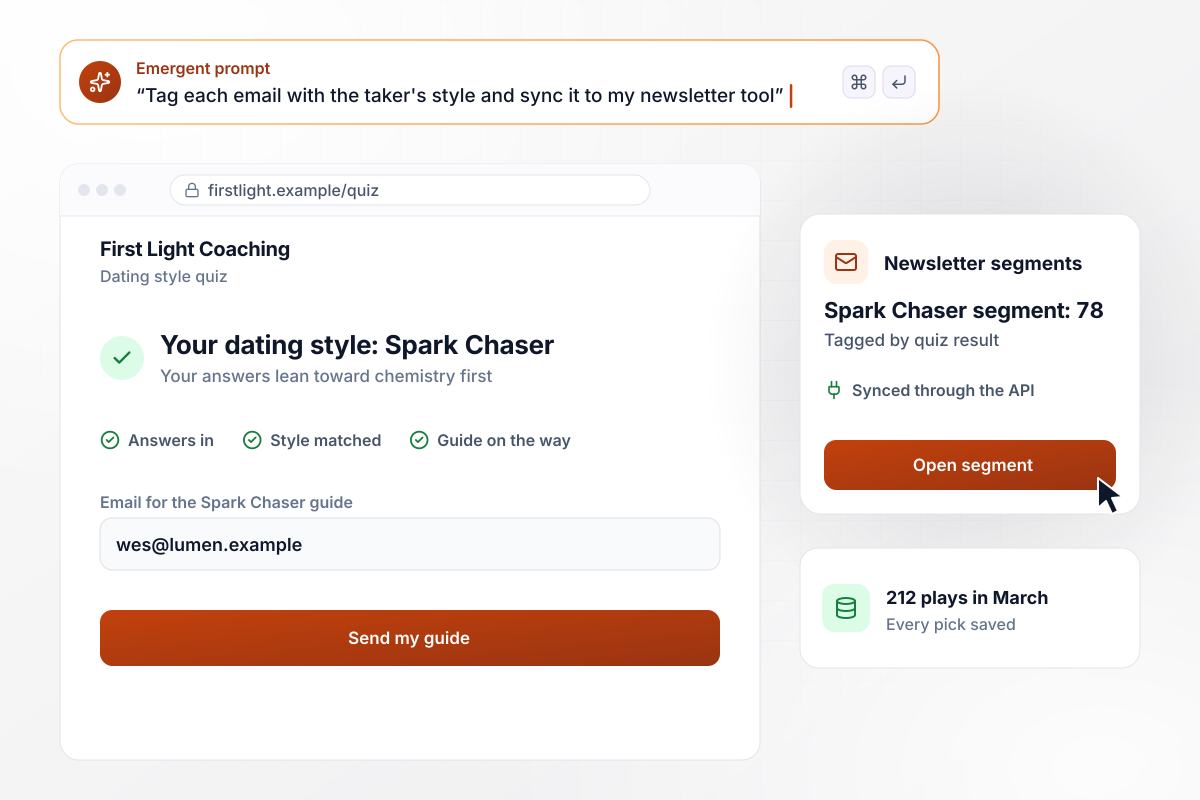
212 plays feed a list that sorts itself
Anjali Rhee put a dating quiz on First Light Coaching's site in March, and 212 people finished it. The result screen names the taker's style, asks for an email, and tags it with the result. 78 landed on Spark Chaser, so that segment's welcome sequence opens with pacing advice instead of generic tips.
window.awbMockup = { coachLeadMagnet: "Build a dating quiz for my coaching site with four styles: Spark Chaser, Slow Burn, Intentional Dater, and Social Dater. Map every option to one style, name the style on the result screen, and ask for an email. Tag each address with its result, sync the tags to my newsletter tool through its API, and save every play to my database.", singlesNight: "Add a six-question dating quiz to the end of my event RSVP form. Save each guest's style with their RSVP, give me a check-in list that prints the style on a name tag, and email anyone whose RSVP has no quiz result at 9:00 on the morning of the event. Keep a tally of styles so I can plan icebreakers.", matchmakerIntake: "Build a client intake for my matchmaking service: a dating quiz that names a style, plus fields for what each client is looking for and their dealbreakers. Save every client as a row I can filter by style, and show me a shortlist view I can open on a new client's first call.", datingAgain: "Build a short dating quiz for my newsletter about dating again after a divorce. Save answers with no names attached, show me a tally of results each month, and let me compare this October to last. Readers should answer one question per screen on their phones." };
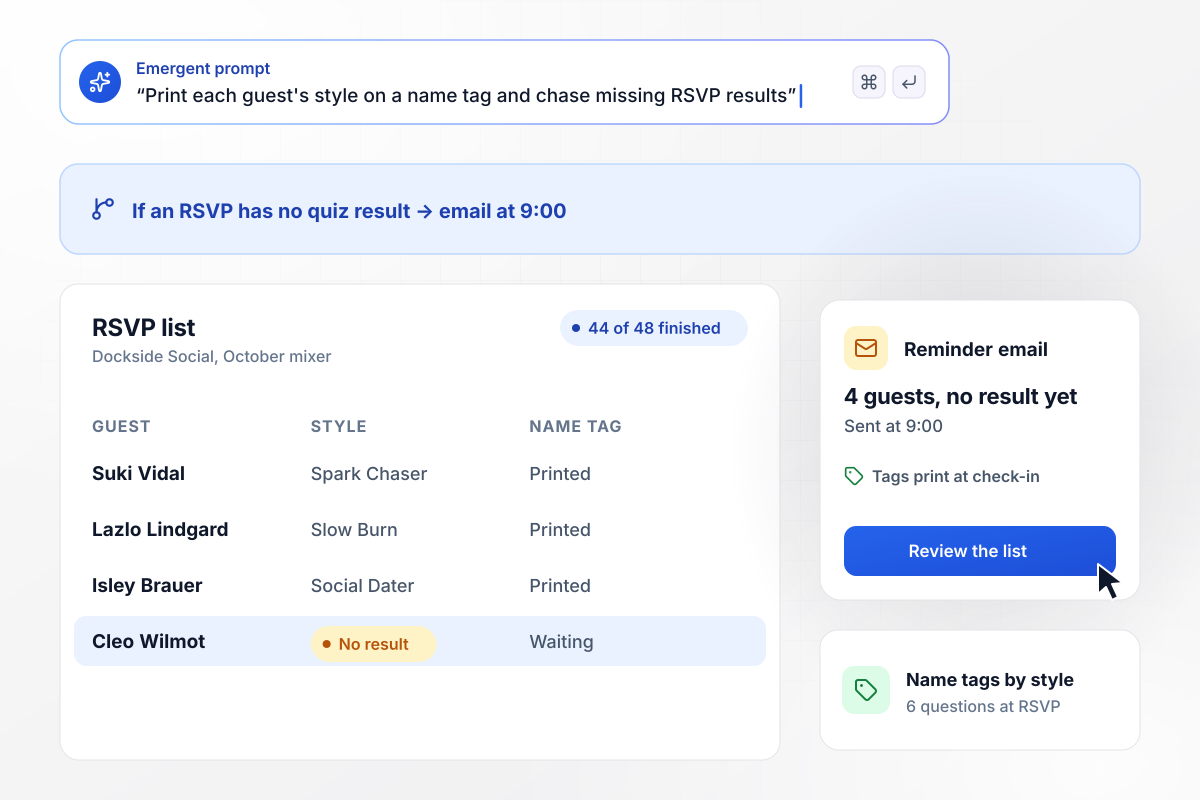
After four reminders, the name tags print
Dockside Social ends its RSVP form with a six-question dating quiz, and each guest's style goes on their name tag as an icebreaker. Before October's mixer, 44 of 48 RSVPs had a result. Any RSVP with no quiz result gets an email at 9:00 the morning of, and the last 4 answered before Farrah Keane printed the tags.
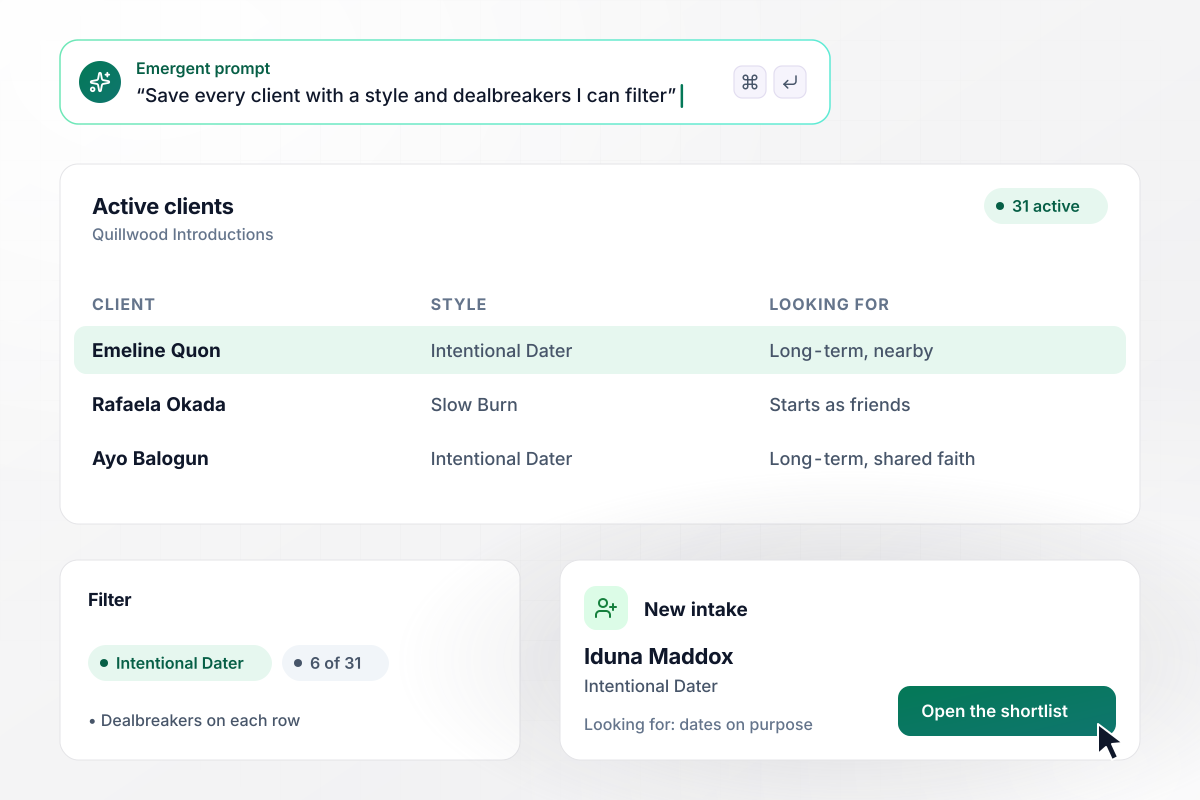
One filter turns a 31-client book into 6
Quillwood Introductions runs its intake as a dating quiz plus a short form, so every client sits in one table with a style, what they are looking for, and dealbreakers. When Iduna Maddox asks for someone who dates on purpose, Zora Demir filters 31 active clients down to 6 Intentional Daters before their first call.
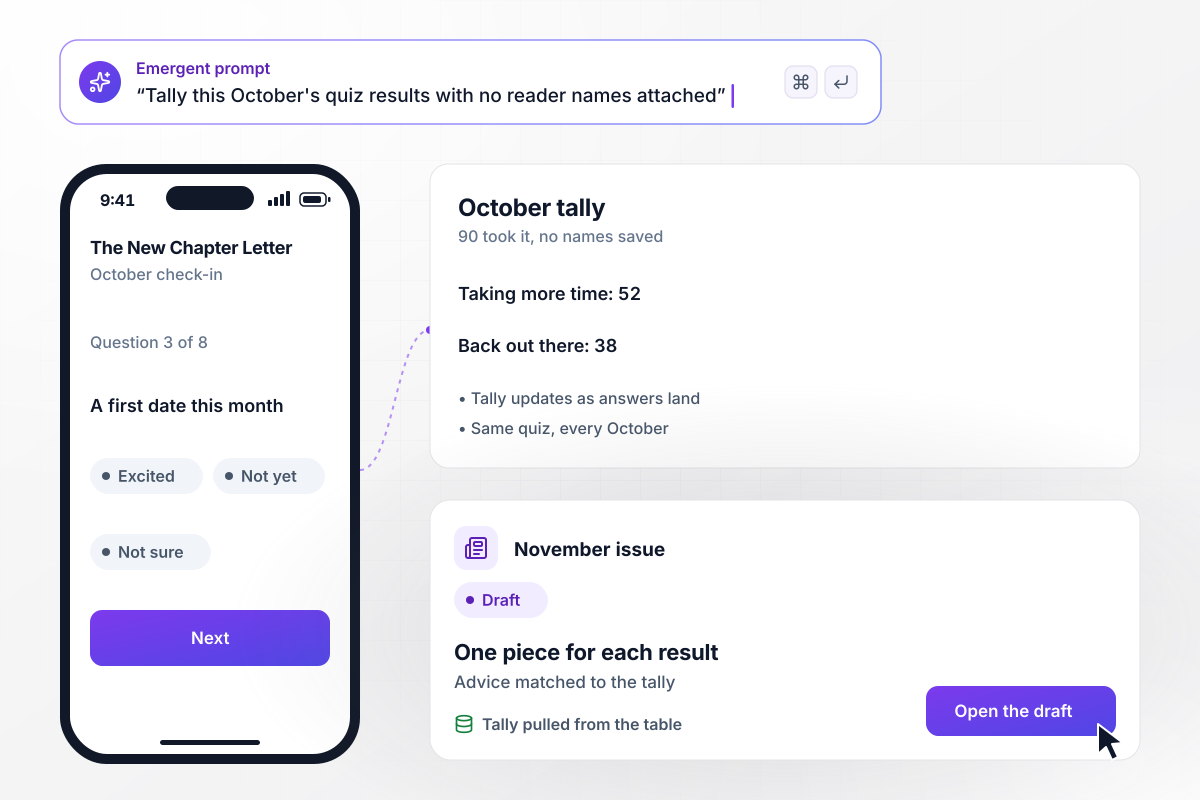
90 answers come in without any names
The New Chapter Letter, a newsletter for readers dating again after a divorce, runs the quiz every October, and the app saves each answer with no names attached. 90 readers took it this year: 52 leaned toward taking more time, 38 toward getting back out there. The November issue led with one piece for each result.






How to Make a Dating Quiz
Seven steps to plan, write, and test a dating quiz whose results people trust, then build it with Emergent.
Decide what the quiz is for before writing a question: capturing emails for a coaching list, breaking the ice at an event, opening a matchmaking intake, or giving readers a result worth forwarding. The job decides the questions, the results, and what each play saves.
Write 3 to 5 dating styles first and give each one a short, kind description. Every question you write later has to sort people between them. Merge or cut any style you cannot tell apart from its neighbor at this stage.
Build each question around something a person does: the first date they would pick, the text they send after a good one, what their profile leads with. People answer scenarios more honestly than questions that ask which style they think they are.
Give every question one option per style, written at the same length and in the same tone. When one option is longer or more flattering than the rest, takers pick it for the wording, and the result stops meaning anything.
Open each result with what the answers lean toward, add two or three lines that feel specific to that style, and close with one thing to try on the next date. A result that reads like a compliment with homework gets shared; a verdict gets closed.
List the fields before you build: the picks, the style, the time, and an email only when something follows it, such as a guide for that style. Put the list in your prompt, and the table under the quiz matches it from the first play.
Run through it four times, aiming for a different style each run, and check each one comes out on top when it should. Then read every result page aloud. A line you would not say to a friend's face comes out before launch.
Why Build a Dating Quiz With Emergent?
One prompt builds the quiz, the segments, and the table behind it, and any later tweak to a question or style ships the same way.

|
ProProfs | Interact (quiz specialist) | Typeform | |
|---|---|---|---|---|
| How you build | Prompt for the survey, quiz, or poll and the app around it | Templates, question library, and AI quiz builder | Templates and AI quiz maker | Templates and editor, AI assist |
| Pricing model | Credits, no response caps or per-response fees | Free plan, then billed per active quiz taker | Free plan capped by monthly responses, then paid plans | Plans by monthly response limit; discount for annual billing |
| Where responses live | A database table you own, plus any integration | ProProfs account; reports export to Excel, CSV, or PDF | Interact account | Typeform account |
| Code ownership | Full code export to GitHub on paid plans | None | None | None |


Pick the Pricing Plan That Works for You
Choose the plan that fits your building ambitions. From weekend projects to enterprise applications, we've got you covered.




Find the right survey, quiz, or poll
for your team















Frequently Asked Questions
Your Questions, Answered
Don't change this element unless you know what you are doing
More things you can build
with Emergent









on Emergent today


