

Build a Diet Quiz That Matches People to an Eating Pattern
Build a diet quiz that matches each taker to an eating pattern, saved to a database you own, or play the 8-question quiz below.
Build a diet quiz for my nutrition coaching studio that matches every taker to 1 of 4 eating patterns.
Trusted by Builders Worldwide
Active Builders Worldwide
Apps Successfully Created
Countries Globally Reached



What Emergent Puts Into a Diet Quiz
Emergent builds the quiz, the matching logic, and the table behind it from one prompt, and a follow-up prompt changes any of them.
Matching questions from one prompt
Describe the patterns you want to match, such as a planner or a grazer. Emergent drafts the questions, maps each option to a pattern, and rewords any of them by prompt.
A result screen for every pattern
Each result gets a title and a short description that reads as a preference, not a verdict. Takers see their match, what it means, and what the next step with you is.
Email capture before the result
Ask for an email on the last screen and the app holds the result until it is entered. Every address lands beside that taker's answers, ready for your follow-up list.
Every answer in a database you own
Each finished quiz is a row: the answers, the matched pattern, the email, and a timestamp. Filter the rows by pattern before a launch, or export them whenever you need to.
One question per screen on a phone
Takers answer one question at a time with a progress bar, built for thumbs on a phone and easy to finish between meetings. Emergent puts no cap on how many people respond.
Code and a domain that stay yours
The quiz runs on your own domain, which Emergent includes and bills in credits. Paid plans export the full code to your GitHub repository, and the next campaign starts from it.
How Four Teams Put a Diet Quiz to Work
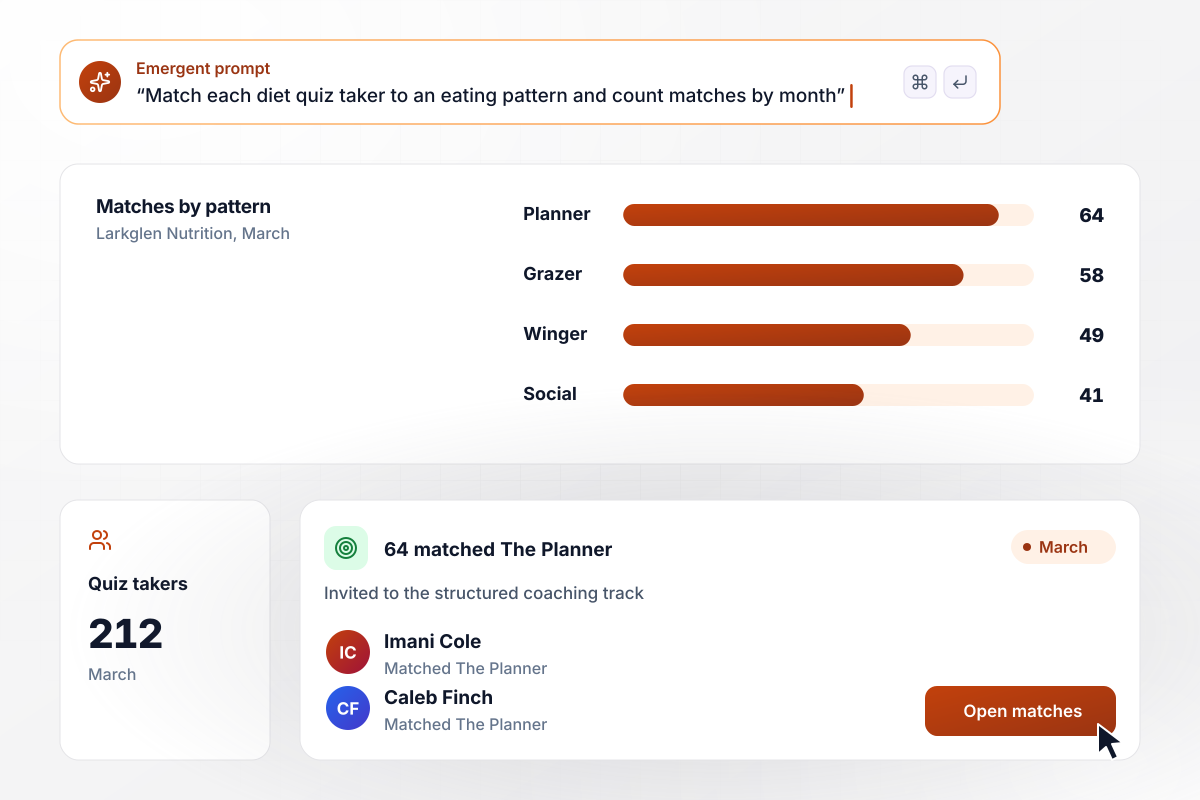
64 matched The Planner in March
Larkglen Nutrition matches every quiz taker to an eating pattern. In March, 212 people finished the quiz: 64 matched The Planner, 58 The Grazer, 49 The Winger, and 41 The Social Eater. Each Planner match got an invite to the structured coaching track, and every answer sits in the studio's own database.
window.awbMockup = { coachingMatch: "Build a diet quiz for my coaching studio that matches each taker to one of four eating patterns: the Planner, the Grazer, the Winger, and the Social Eater. Save every finished quiz to my database with the matched pattern and the date, and show me a monthly count of matches per pattern so I know which track to invite each person to.", boxFinder: "Build a box finder quiz for my meal kit site. Ask seven questions about cooking time, portions, and how a normal week of eating goes, then ask for an email before the result shows. Save each address beside the matched box in my leads table, and show me the opt-in rate for the month.", memberIntake: "Build a short eating habits quiz for my gym's new member signup. Turn the answers into a habit score, and when someone scores under 6, book a call with one of my trainers, and put that member's answers on the trainer's screen. Keep every intake in a table I can filter by score.", newsletterQuiz: "Build a seven-question scored quiz I can link from my food newsletter every Friday. Run it one question per screen so it works on a phone, give each reader a score band at the end, and show me a live dashboard of opens, finishes, and the count in each band." };
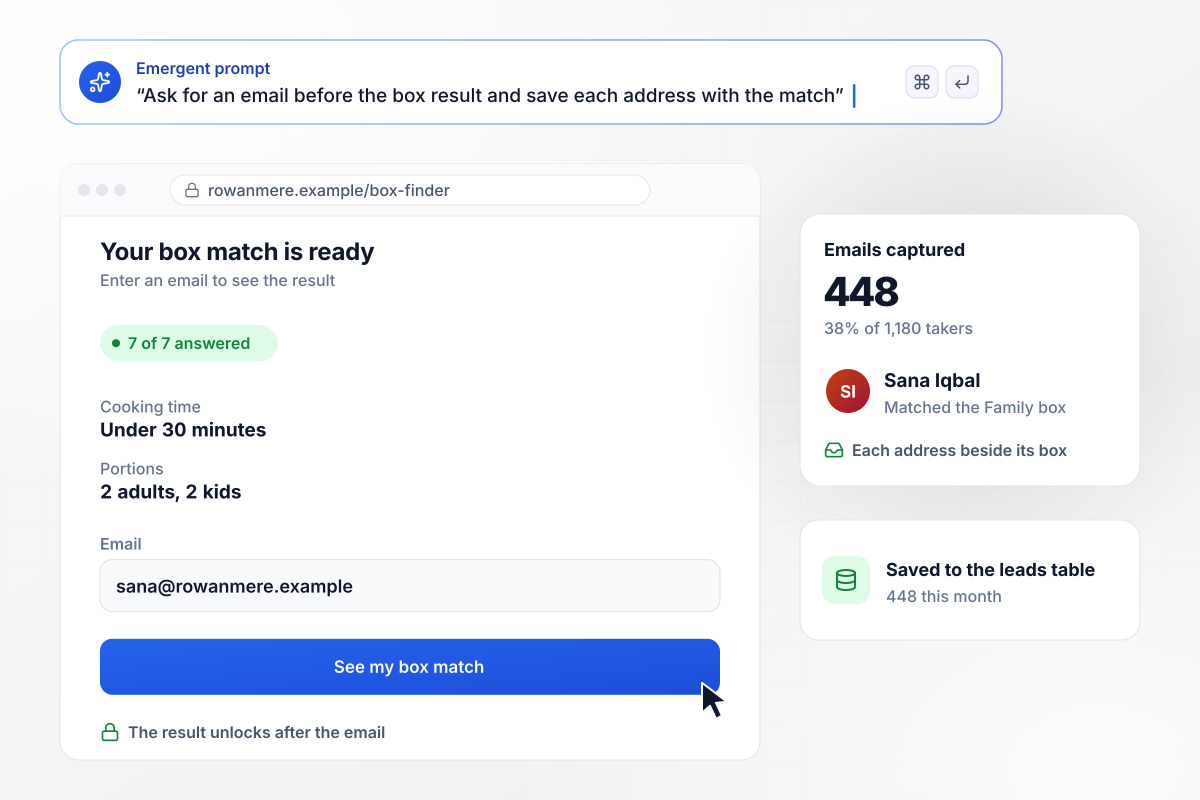
448 takers typed an email to see a result
Rowanmere Kitchen sells weekly meal boxes and runs a box finder quiz on its site. The last screen asks for an email, and the result stays locked until an address goes in. 1,180 people finished the quiz and 448 left an address, each one saved beside the box they matched.
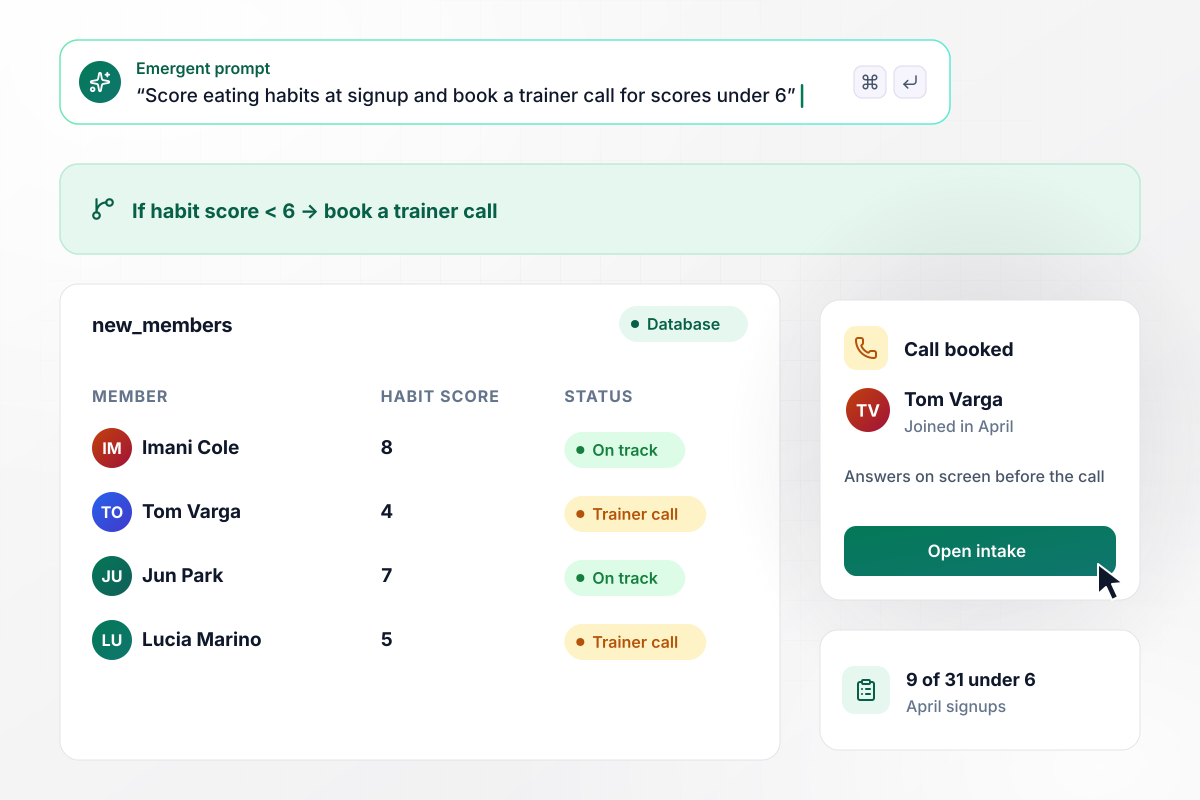
Every score under 6 ends in a call
Granite Row Fitness gives every new member a short habit quiz at signup, and the app turns the answers into a habit score. A score under 6 books a trainer call, with the member's answers on the trainer's screen before it starts. Of the 31 who joined in April, 9 scored under 6.
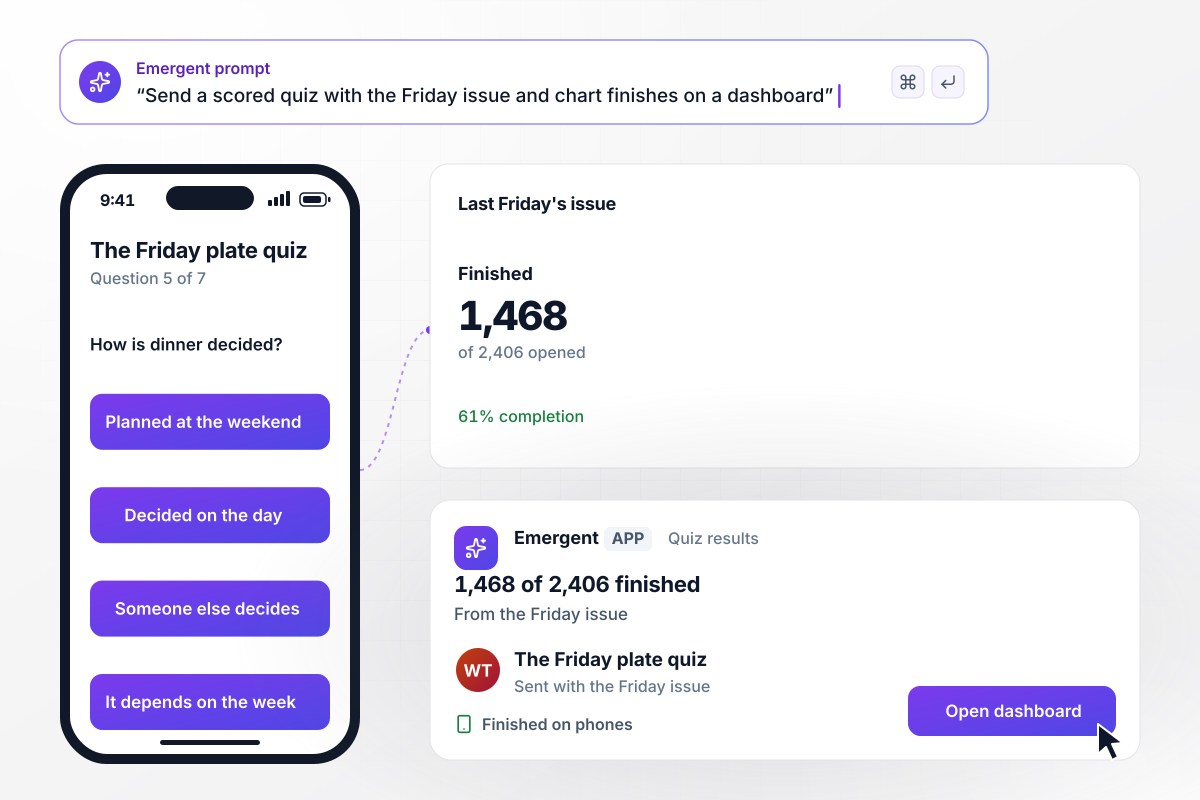
1,468 readers finished it on their phones
The Weekly Table sends a scored quiz to its readers with the Friday issue, 7 questions and a result band at the end. Last Friday, 2,406 readers opened it and 1,468 finished on their phones. The editor watches finishes land on a live dashboard.






How to Make a Diet Quiz
Seven steps to make a diet quiz that matches takers to an eating pattern, then build it with Emergent.
Decide what a finished quiz earns you before you write anything, such as coaching leads or intake scores. One quiz does one job well. Put that job in your prompt, and Emergent builds the quiz and the table behind it around that goal.
A matching quiz maps every option to a result, which suits eating patterns and product picks. A scored quiz counts points and fits habit checks with bands at the end. Name the type in the prompt before any questions exist.
Draft each result as a short preference, such as a planner who shops once and cooks from a list. When the results are clear, every question has a target, and takers get a result that reads like them rather than a grade.
Ask about behavior, not goals: who cooks, when, and what a usual week holds. A good question sends different takers to different options. If every taker picks the same answer, the question splits nothing, so cut it or sharpen the options.
Add an email field on the last screen and say what the address gets: a link back to the result plus one follow-up, nothing more. The result itself stays in the app, which writes each address into the same row as its answers.
Send the draft to 5 people who match your audience and watch where they stall. A question read two ways, an option nobody picks, a result that feels wrong: each shows up in minutes. Fix the wording by prompt and send it again.
Check the table after the first 100 takers. A pattern almost nobody matches needs sharper questions, or should fold into a neighbor. Retire options that never get picked, and keep the quiz short enough to finish in one sitting.
Why Build a Diet Quiz on Emergent
A diet quiz collects leads, so the answers should stay yours: a database you own, with no response caps.

|
ProProfs | Interact (quiz specialist) | Typeform | |
|---|---|---|---|---|
| How you build | Prompt for the survey, quiz, or poll and the app around it | Templates, question library, and AI quiz builder | Templates and AI quiz maker | Templates and editor, AI assist |
| Pricing model | Credits, no response caps or per-response fees | Free plan, then billed per active quiz taker | Free plan capped by monthly responses, then paid plans | Plans by monthly response limit; discount for annual billing |
| Where responses live | A database table you own, plus any integration | ProProfs account; reports export to Excel, CSV, or PDF | Interact account | Typeform account |
| Code ownership | Full code export to GitHub on paid plans | None | None | None |


Pick the Pricing Plan That Works for You
Choose the plan that fits your building ambitions. From weekend projects to enterprise applications, we've got you covered.




Find the right survey, quiz, or poll
for your team















Frequently Asked Questions
Your Questions, Answered
Don't change this element unless you know what you are doing
More things you can build
with Emergent









on Emergent today


