

Build an Enneagram Quiz That Finds a Center, Then a Type
Build an enneagram quiz that sorts answers by center and type, and saves every result to a table you own.
Build an enneagram quiz for my coaching intake that names each client's likely type and saves their answers to my client table.
Trusted by Builders Worldwide
Active Builders Worldwide
Apps Successfully Created
Countries Globally Reached



The Working Parts of an Enneagram Quiz
One prompt builds the quiz, the nine result pages, and the table behind them. Ask for a change in plain words, and the build updates.
Every option mapped to one type
Name the result set in your prompt: all nine types, or the three centers. Emergent writes scenario questions, maps each option to one result, and rewords any question you ask it to.
A result page for each type
Each type gets its own result screen: a short description, what the lean means, and which wing to read next. Edit the wording by prompt until it sounds like you wrote it yourself.
Answers saved to a table you own
Each finished quiz lands as a row in a database you own, with the type, the center, and every answer behind it. Filter rows by type before a session, or export the whole table.
Email capture before the result
Ask for an email on the last screen, so the result is the reward. The address saves with the type it landed on, and the app can sync both to any mailing tool that has an API.
Alerts the moment someone finishes
Get a Slack or email alert when a client or teammate finishes, with the type lean in the message. Reminders go to the people who started the quiz and stopped partway through it.
Your quiz, your code
Run the quiz on your own site with no cap on how many people answer it. On paid plans, export the full code to your GitHub repository and change any screen of it directly.
Four Enneagram Quizzes, Four Different Jobs
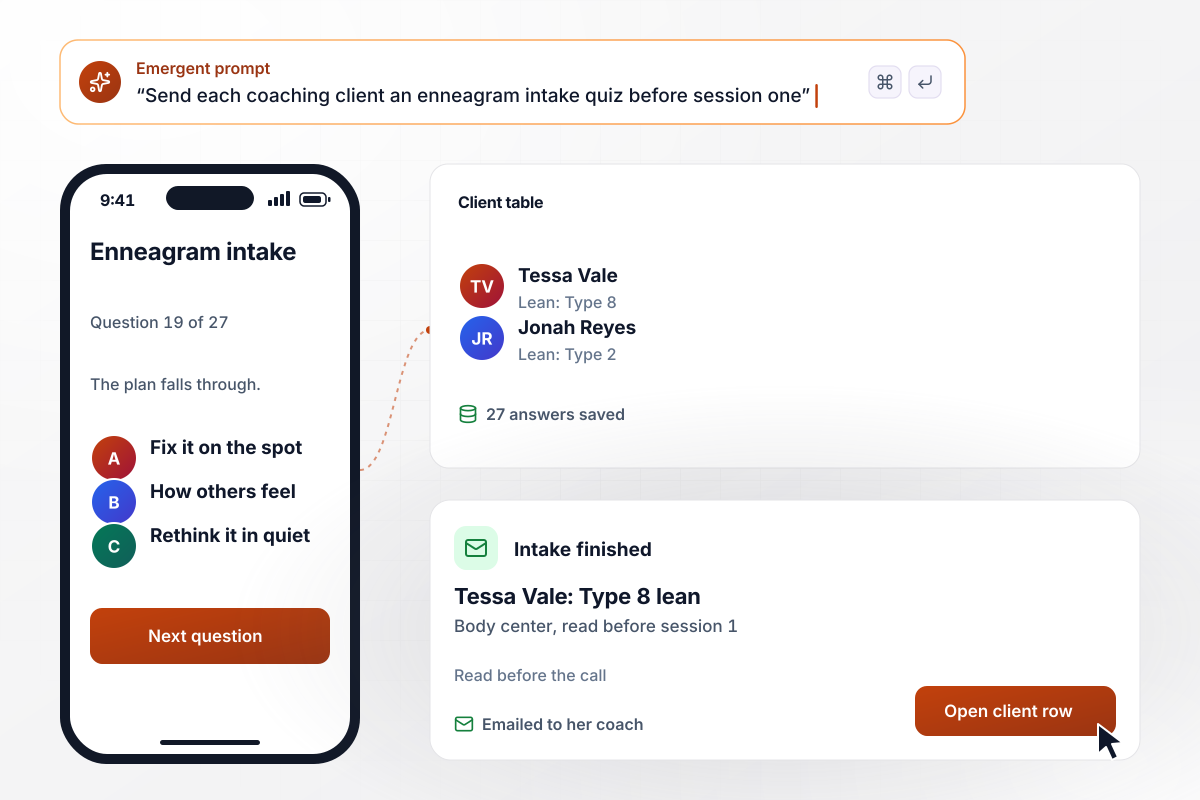
A type lean lands before session 1
Larkwood Coaching sends every new client a 27-question intake quiz with the first session invite. Tessa Vale finishes on her phone, her answers lean Type 8 in the Body center, and her coach gets an email the moment she submits. Every answer sits in the client table, read before the call.
window.awbMockup = { coachingIntake: "Build an enneagram intake quiz for my coaching practice. I want 27 scenario questions, each option mapped to one of the nine types, and a short result page per type. When a client finishes, email me the type lean and save every answer to my client table so I can read it before our first session.", teamOffsite: "Build an enneagram quiz for the 21 consultants at my firm before our June offsite. Give me a dashboard that shows how many answers are in, the split by center, and who has not finished, and schedule reminder emails for the last week before the date.", leadMagnet: "Build a 25-question enneagram quiz I can link from my Tuesday newsletter. Show a short result to everyone, and offer the full write-up in exchange for an email address. Tag each address with the type it landed on, and sync the tagged list to my mailing tool.", smallGroupNight: "Build an enneagram quiz for my church's small group night. Everyone answers the same questions on their phones, and a rule assigns each finished quiz to a room by center: Body to Room 1, Heart to Room 2, Head to Room 3. Print a room list when the sorting is done." };
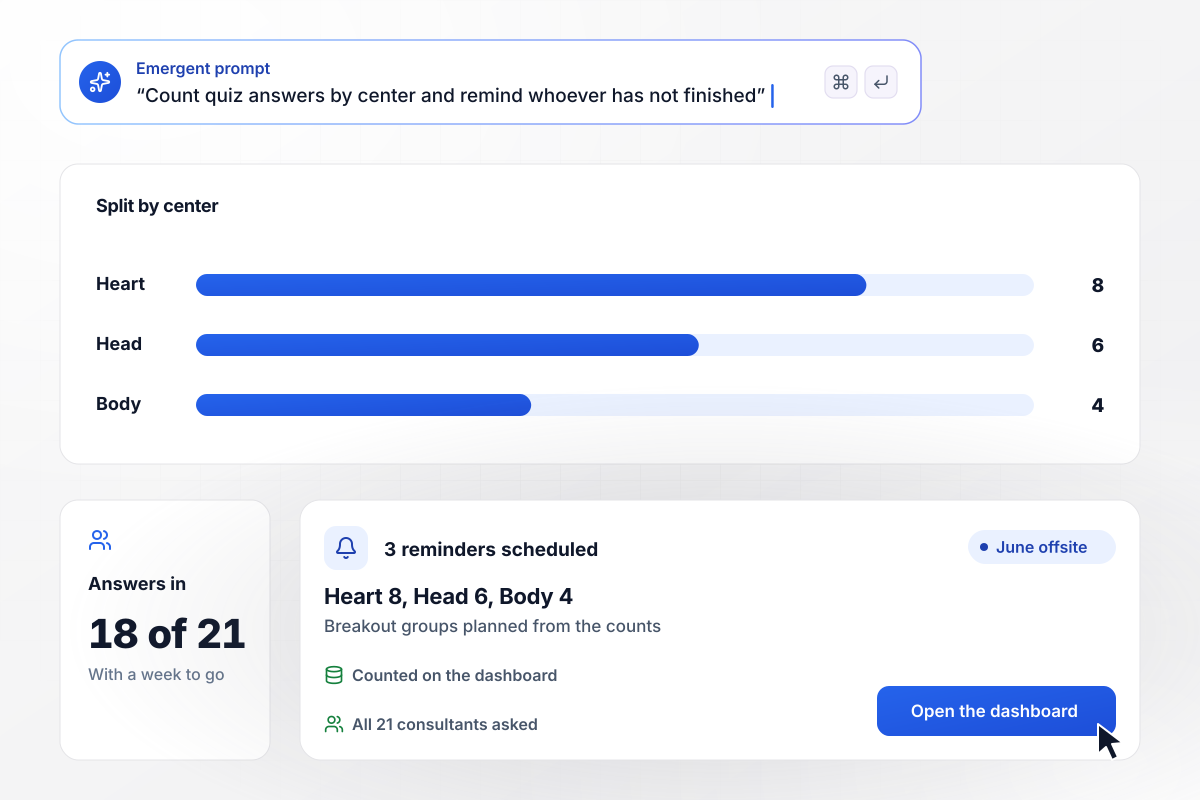
18 answers in with a week to go
Calder Point Advisory booked a June offsite and asked all 21 consultants to take the quiz first. With a week to go, the count stands at 18 of 21: 8 lean Heart, 6 Head, and 4 Body. The facilitator reads the split on the dashboard, sends 3 reminders, and plans the breakout groups from the counts.
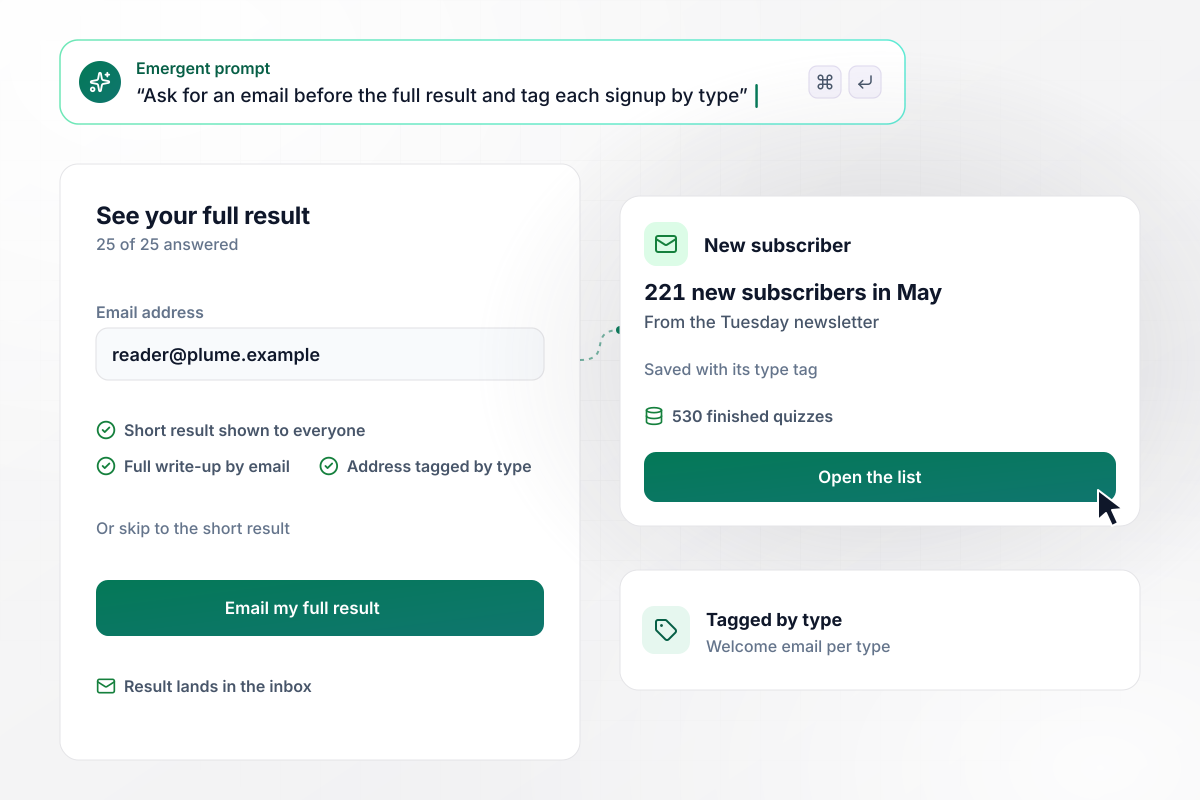
Signups that arrive already tagged by type
Renata Voss gives readers a reason to subscribe: a 25-question enneagram quiz linked from her Tuesday newsletter. In May, 530 people finish it and 221 leave an email for the full result. Each address lands in her list tagged with its type, so the welcome email can speak to it.
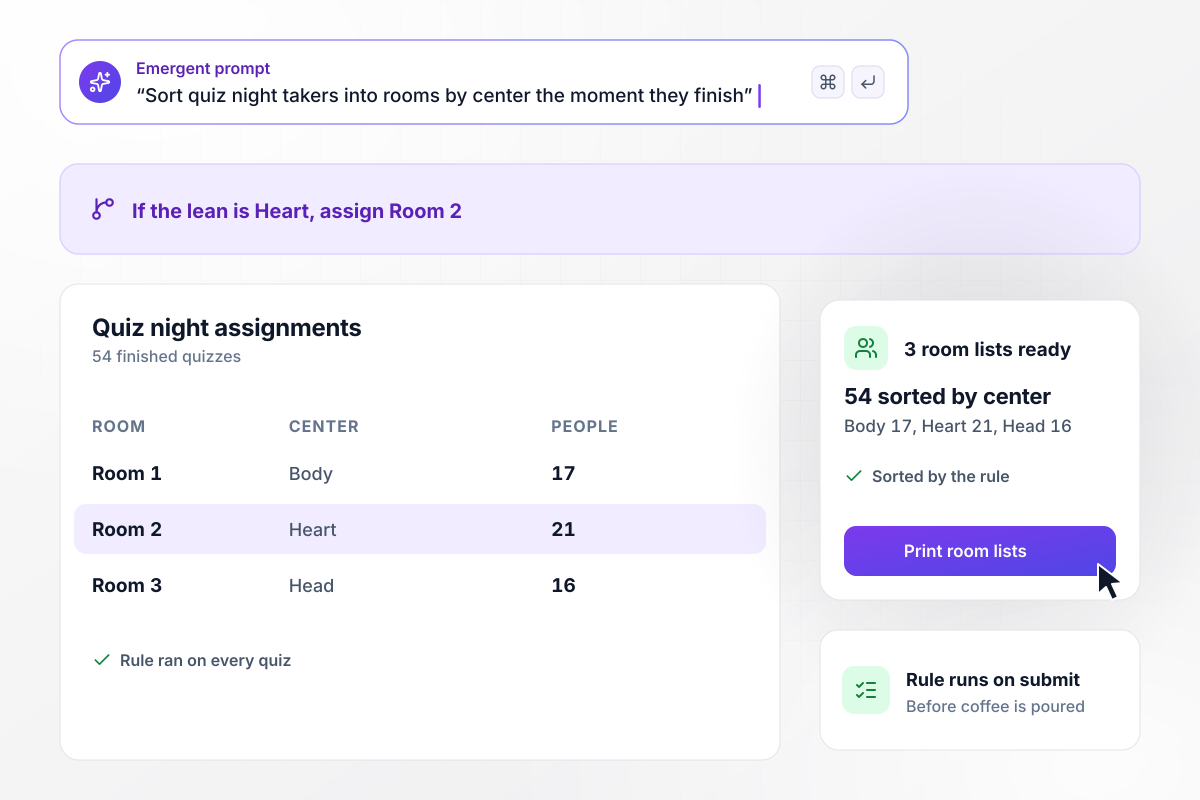
One rule sorts 54 people into 3 rooms
Stonebridge Church runs a quiz night to seed its new small groups. All 54 signups take the same short quiz, and a sorting rule does the rest: Body leans to Room 1, Heart to Room 2, Head to Room 3. The split lands at 17, 21, and 16, and every name is on a room list before coffee is poured.






How to Create an Enneagram Quiz
Seven steps to create an enneagram quiz that maps answers to the types you choose and tests the path to every result.
Decide what a finished quiz names: one type of nine, or a center for a shorter sort. Nine results need a longer question list and richer result pages; three centers keep a lunch-hour team session moving. Write the choice into your first prompt.
Paired statements and scenario options both work. The Enneagram Institute's RHETI runs 144 paired statements; keep a self-serve web quiz near 25. Pick one format and hold it: takers settle into a rhythm instead of relearning every screen.
Ask what someone does when a plan collapses, not whether they are a perfectionist. Write 3 options per question with one option for each center, matched in length and tone. An option that sounds flattering skews the whole map; Emergent rewords any that feel stiff.
Map each option to exactly one type or center, then decide what a tie does before anyone plays. A simple rule lets the first-listed result win. Put the mapping in your prompt, and the quiz scores itself the same way every time.
Open each result with how that lean shows up on a good week and on a bad one, then point to a next read. Frame every line as a lean, not a verdict: the result is where answers point today, not a fixed trait.
Answer the quiz once per result, straight through, and confirm each one can come up. Check the tie rule with a split answer set, and read the table row each run writes. A result no path reaches is a question map error.
Share one link in the session invite, the newsletter, or the group chat, and watch the table fill. Counts by type tell you if one option set skews the sort; reword it by prompt and the next taker gets the fix.
Why Build Your Enneagram Quiz on Emergent?
The table compares build, pricing, data, and code ownership across four tools. One prompt builds the quiz, and every answer is yours.

|
ProProfs | Interact (quiz specialist) | Typeform | |
|---|---|---|---|---|
| How you build | Prompt for the survey, quiz, or poll and the app around it | Templates, question library, and AI quiz builder | Templates and AI quiz maker | Templates and editor, AI assist |
| Pricing model | Credits, no response caps or per-response fees | Free plan, then billed per active quiz taker | Free plan capped by monthly responses, then paid plans | Plans by monthly response limit; discount for annual billing |
| Where responses live | A database table you own, plus any integration | ProProfs account; reports export to Excel, CSV, or PDF | Interact account | Typeform account |
| Code ownership | Full code export to GitHub on paid plans | None | None | None |


Pick the Pricing Plan That Works for You
Choose the plan that fits your building ambitions. From weekend projects to enterprise applications, we've got you covered.




Find the right survey, quiz, or poll
for your team















Frequently Asked Questions
Your Questions, Answered
Don't change this element unless you know what you are doing
More things you can build
with Emergent









on Emergent today


