

Build a Learning Style Quiz That Turns Answers Into Study Tips
Take the learning style quiz below for study tips that fit your answers, then see how tutors and schools put one to work.
Build a learning style quiz for my tutoring center that emails each student's answers and result to their tutor before the first session.
Trusted by Builders Worldwide
Active Builders Worldwide
Apps Successfully Created
Countries Globally Reached



What Emergent Builds Into a Learning Style Quiz
Describe the quiz once. Emergent builds the result screens and the table behind them, and changes any piece by prompt.
Result screens that coach study habits
Name the results, such as Seeing or Doing, and Emergent writes a screen for each with study habits to try. A follow-up prompt swaps one tip or rewords a whole result screen.
Finished quizzes land in the right inbox
Pick who hears about each finished quiz, and the app emails that person the result with every answer attached. A tutor reads them the same day instead of asking for an export.
Every response in a database you own
Each finished quiz is saved as a row holding the taker, the result, and every answer. Filter the rows by class or cohort, or connect the table to any tool with an API.
One question per screen, no response cap
Takers answer one question per screen with a progress bar; an eighth grader finishes the quiz between classes on a phone. Emergent puts no cap on how many people respond.
Live counts of results by group
A dashboard tallies results as they arrive, split by any field you collect, such as orientation group or hire date. Whoever plans the next workshop starts from real counts.
Your domain now, your code later
Host the quiz on your own domain, included with Emergent and billed in credits. On paid plans, export the full code to your GitHub repository and start next term from it.
How Four Teams Use One Learning Style Quiz
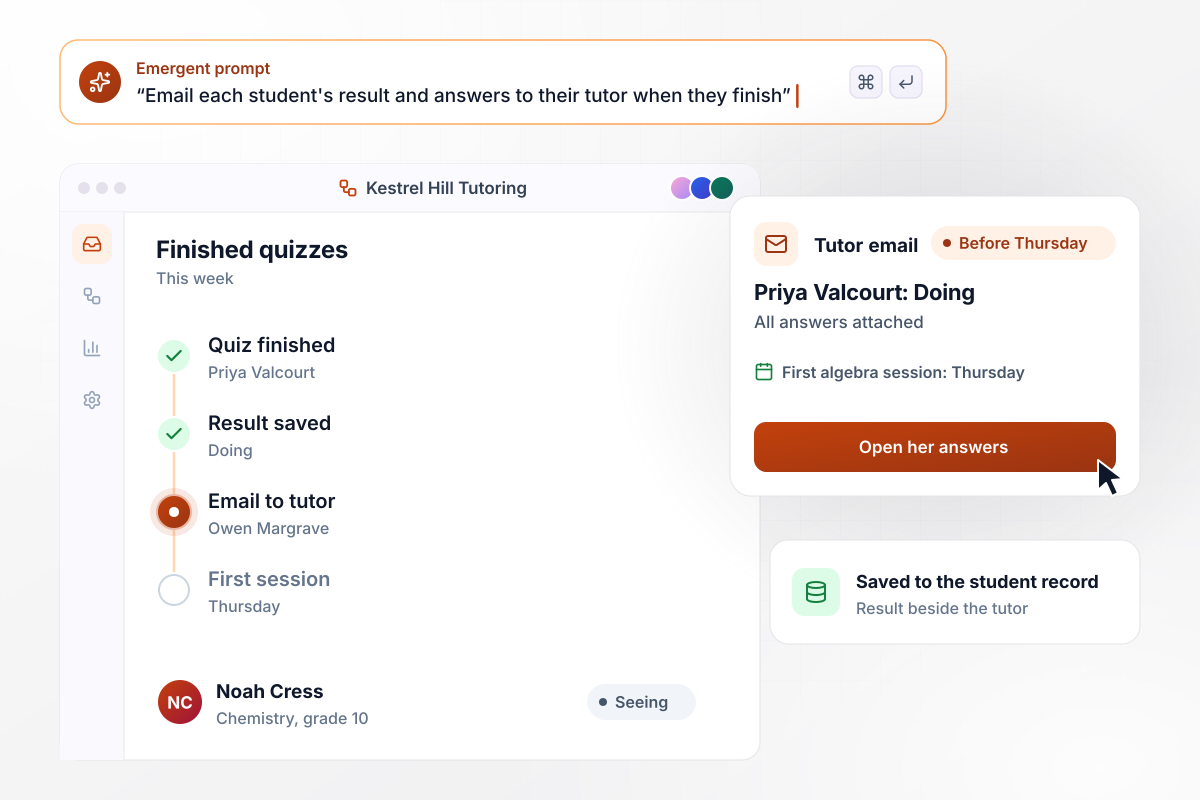
Priya's tutor reads every answer before Thursday
Priya Valcourt finishes the quiz on her phone with Doing. Kestrel Hill Tutoring routes each student's result to the assigned tutor by email with the answers attached. Owen Margrave reads hers before Thursday's first algebra session and opens with worked problems instead of a lecture.
window.awbMockup = { tutoringCenter: "Build a learning style quiz for my tutoring center with four results: Seeing, Hearing, Reading and Writing, and Doing. When a student finishes, email their assigned tutor the result and all answers, and save the result to the student's record so the tutor can read it before the first session.", curriculumShop: "Build a learning style quiz for my homeschool curriculum shop. Let a parent answer for their child, and on each result screen show the products in my catalog tagged with that result, linked to their product pages. Save the result and the parent's email to my customer table.", collegeOrientation: "Build a learning style quiz for college orientation week. Ask each first-year student for their orientation group, save every finished quiz to a database, and show a dashboard that counts results by group and in total, so the student success center can plan fall workshops from the counts.", warehouseOnboarding: "Build a learning style quiz for new warehouse hires. When someone gets Hearing, email them the recorded walkthrough of the safety guide first; otherwise send the written version. Save each result in the same row as the hire's start date so trainers see both at a glance." };
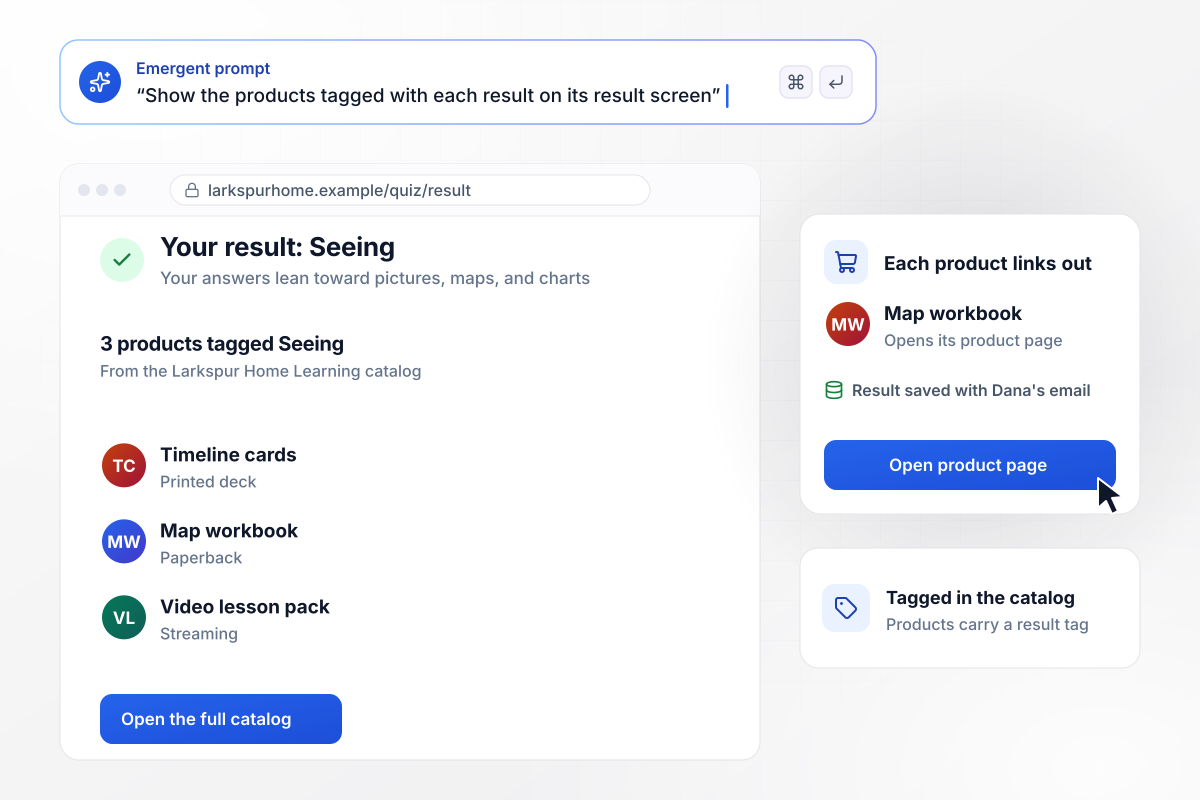
When a parent lands on Seeing, three products appear
Larkspur Home Learning sells curriculum kits and put the quiz on its shop. Dana Whitcombe answers for her son and lands on Seeing, and the result screen lists the three products the shop tagged Seeing, each linked to its product page. Her email and result are saved to the shop's customer table.
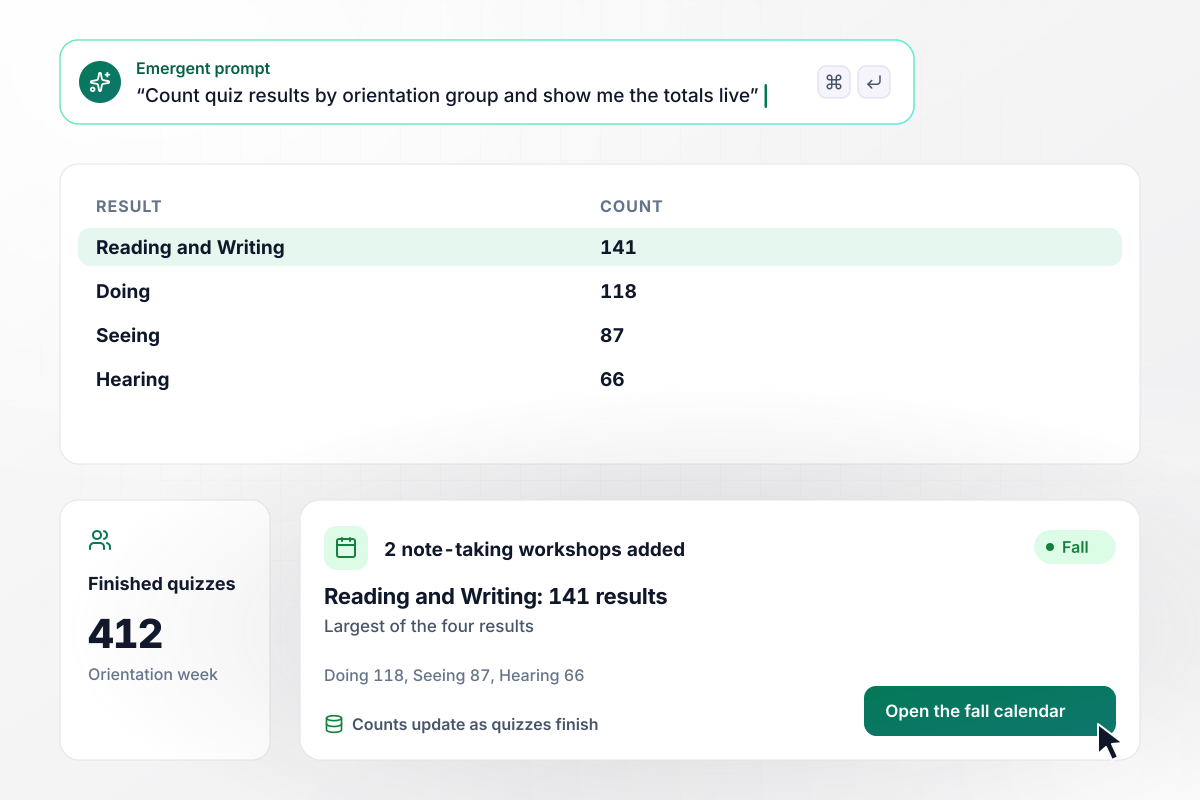
From 412 results, two new note-taking workshops
Orientation week at Harlow Valley College puts the quiz in front of every first-year student, and 412 finish it. The dashboard shows Reading and Writing ahead with 141 results, so the student success center adds two note-taking workshops to the fall calendar before classes begin.
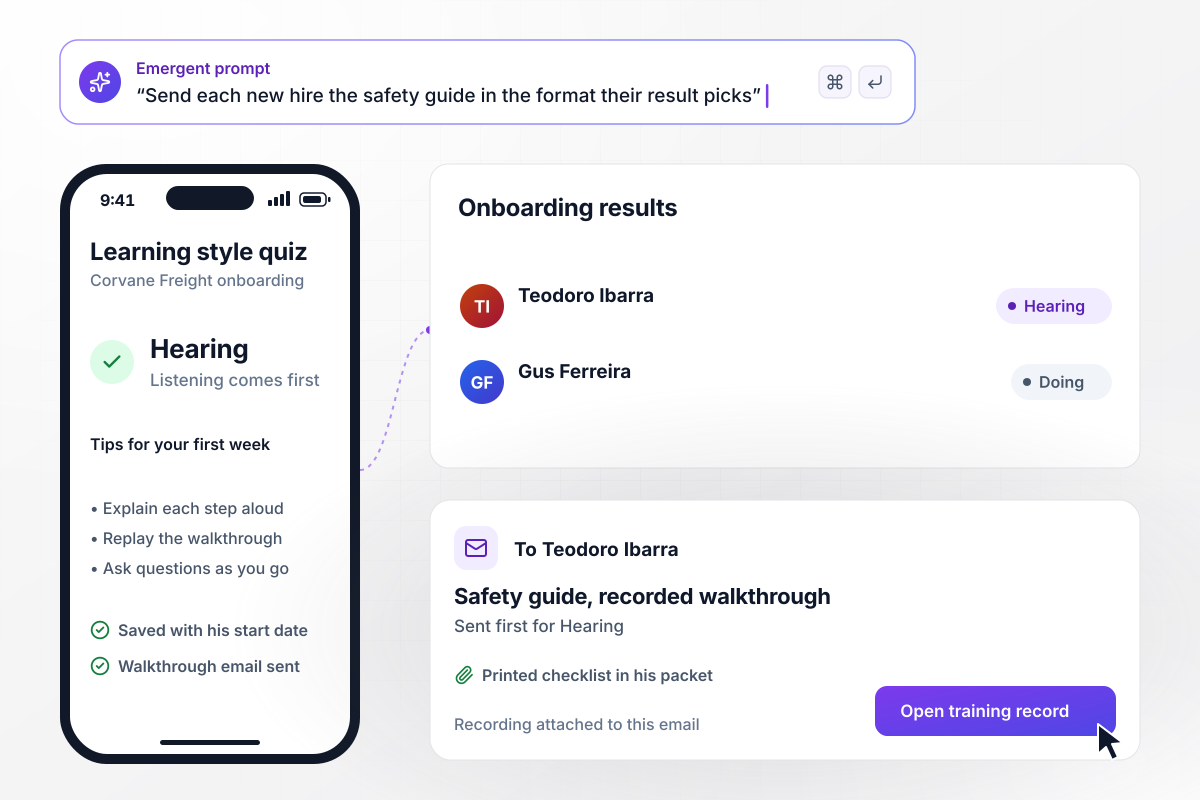
For Teodoro, the walkthrough comes before the checklist
Every new hire at Corvane Freight takes the quiz during onboarding. Teodoro Ibarra's result comes back Hearing, so the app emails him the recorded walkthrough of the safety guide first, with the printed checklist still in his packet. His trainer sees the result in the same row as his start date.






How to Create a Learning Style Quiz
Seven steps to create a learning style quiz that sorts answers into habits worth trying, then build it with Emergent.
Pick 3 to 5 results and write what each one recommends, such as Seeing pointing to diagrams and maps. Keep the names plain words rather than labels from a branded test; an eighth grader and a new hire should both read them without a glossary.
Base every question on a concrete situation: a new phone out of the box, directions to an unfamiliar place, notes after a class. Give each one 4 options, one per result, all the same length and kind, and no option that reads as the obvious pick.
Write each result as what the taker's answers lean toward, never as a fixed trait or a diagnosis. A result that reads like a verdict invites arguments; one that reads like a preference invites trying the study habits listed under it.
End every result screen with 2 or 3 study habits someone can try the same week, such as rewriting notes as an outline. A result with nothing to do next is a dead end; the tips are the reason the taker came.
Decide who should hear about each finished quiz: a tutor before the first session, or nobody but the taker. Set the email rule at build time, and the first real response already lands where it helps someone prepare.
Run the quiz with 5 people from the group it is meant for and watch where they hesitate. A question everyone answers the same way sorts nobody and can go; an option nobody picks needs a rewrite before the quiz launches.
After launch, check the count of results by group each term. When one result dominates, read the answers behind it before trusting it, and reword the options that pull everything one way. A quiz gets better only when someone edits it.
Why Emergent for Your Learning Style Quiz?
The result screen is the start, not the end. Emergent also builds the tutor email, the live counts, and the table every answer lands in.

|
ProProfs | Interact (quiz specialist) | Typeform | |
|---|---|---|---|---|
| How you build | Prompt for the survey, quiz, or poll and the app around it | Templates, question library, and AI quiz builder | Templates and AI quiz maker | Templates and editor, AI assist |
| Pricing model | Credits, no response caps or per-response fees | Free plan, then billed per active quiz taker | Free plan capped by monthly responses, then paid plans | Plans by monthly response limit; discount for annual billing |
| Where responses live | A database table you own, plus any integration | ProProfs account; reports export to Excel, CSV, or PDF | Interact account | Typeform account |
| Code ownership | Full code export to GitHub on paid plans | None | None | None |



Pick the Pricing Plan That Works for You
Choose the plan that fits your building ambitions. From weekend projects to enterprise applications, we've got you covered.




Find the right survey, quiz, or poll
for your team















Frequently Asked Questions
Your Questions, Answered
Don't change this element unless you know what you are doing
More things you can build
with Emergent









on Emergent today


