

Build an Affidavit Form Signers Fill Before the Notary
Build an affidavit form that turns each answer into a numbered paragraph and fills a PDF the affiant signs before a notary.
Build an affidavit form that turns my client's answers into a sworn statement.
Trusted by Builders Worldwide
Active Builders Worldwide
Apps Successfully Created
Countries Globally Reached



What an Affidavit Form Needs
A sworn statement holds up when each part is where a court or notary expects it. These six features put every part in place.
Each fact in its own paragraph
Emergent asks one question per fact and writes every answer as a numbered paragraph in the first person. The affiant reads the whole statement back before they submit it.
Venue and affiant at the top
State and county lines head the document, then the affiant's full name and home address. Collect them once and they also fill the closing signature block and the notary's lines.
A filled PDF for the notary
Submitting the form fills the affidavit and renders it as a PDF with an empty signature line and a notary block. The affiant prints it and signs only with the notary watching.
Exhibits attached and lettered
Receipts and photos upload with the answers. Each file gets a letter in the order the statement mentions it, and the files are attached behind the last page of the PDF.
Every affidavit in one table
Each submission becomes a row with the affiant, the matter, the date drafted, and whether it has been notarized. Filter by matter, or open any row to download its PDF again.
Your domain and your source code
Publish it on your own domain, which is included and uses credits, or share a private link. Export the full source to GitHub on paid plans when a developer adds case numbers.
Affidavit Forms for Every Sworn Statement
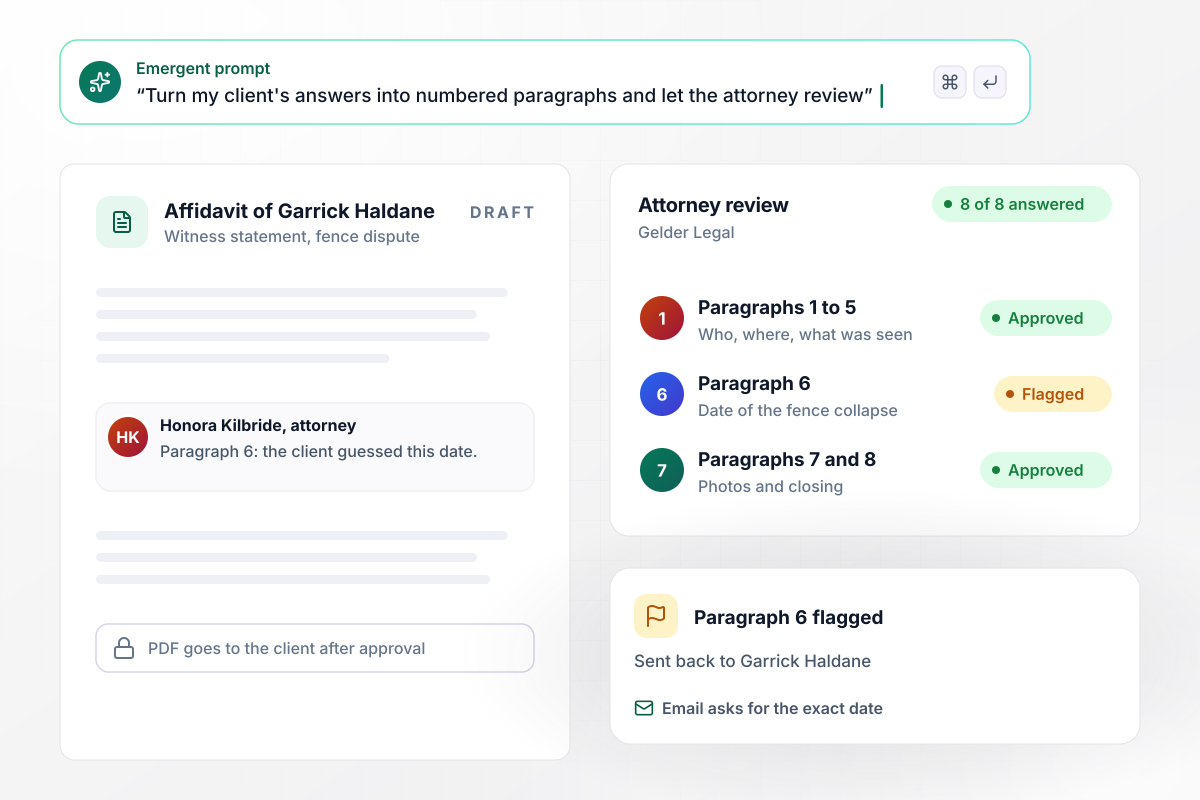
Client answers turn into numbered paragraphs
A paralegal at Gelder Legal sends a client one link for a witness affidavit in a fence dispute. The client answers eight questions about what they saw, and each answer becomes a numbered paragraph. The attorney flags paragraph 6 for a date the client guessed at. The PDF reaches the client for signing only after that fix.
window.awbMockup = { lawFirmClients: "My law firm needs an affidavit form for witness statements in a fence dispute. Send the client one link with eight questions about what they saw, and turn each answer into a numbered paragraph. Let the supervising attorney review the draft and flag any paragraph. Only send the PDF to the client for signing after the attorney approves it.", mobileNotaries: "I run a mobile notary service. Build a booking form where signers also complete their general affidavit: venue, full name and address, then their statement. Send me each filled PDF the evening before the appointment, and remind the signer to bring photo ID. Leave the signature line blank so they sign in front of me.", schoolResidency: "Our school district needs an affidavit of residency for families living with relatives. The parent fills the affidavit, and the homeowner adds a statement through a second link. Show the registrar a table of every file with its address and documents. Hold any file missing the host's statement or a utility bill and email the parent.", conflictOfInterest: "I am the city secretary. Build a conflict of interest affidavit form for council members with a substantial interest in a business on the agenda. Ask for the business, the nature and extent of the interest, and the agenda item. Send me the signed PDF before the vote and mark the member as abstaining on that item." };
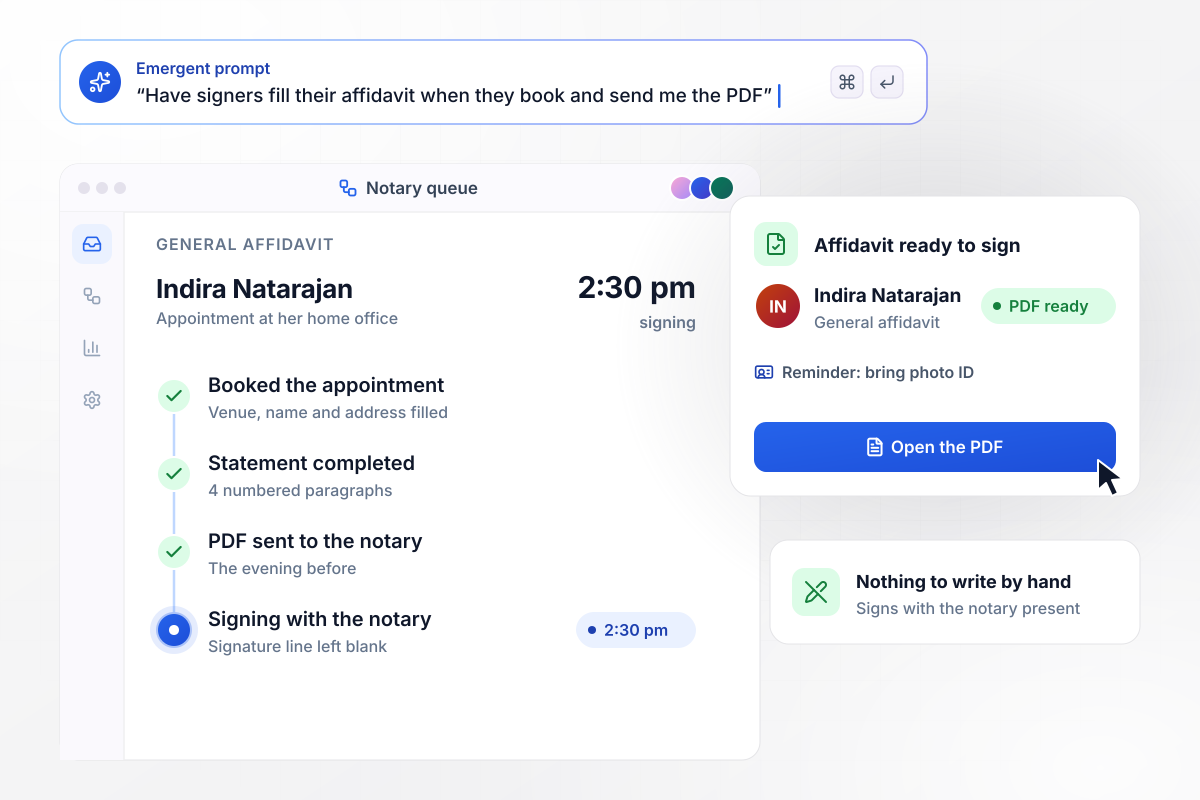
Notary appointments start from a filled PDF
Signers book a mobile notary and complete their general affidavit on the same form, typing the statement under their name and address. The notary gets each filled PDF the evening before. The 2:30 pm signer brings photo ID and signs with the notary present, with nothing left to write by hand.
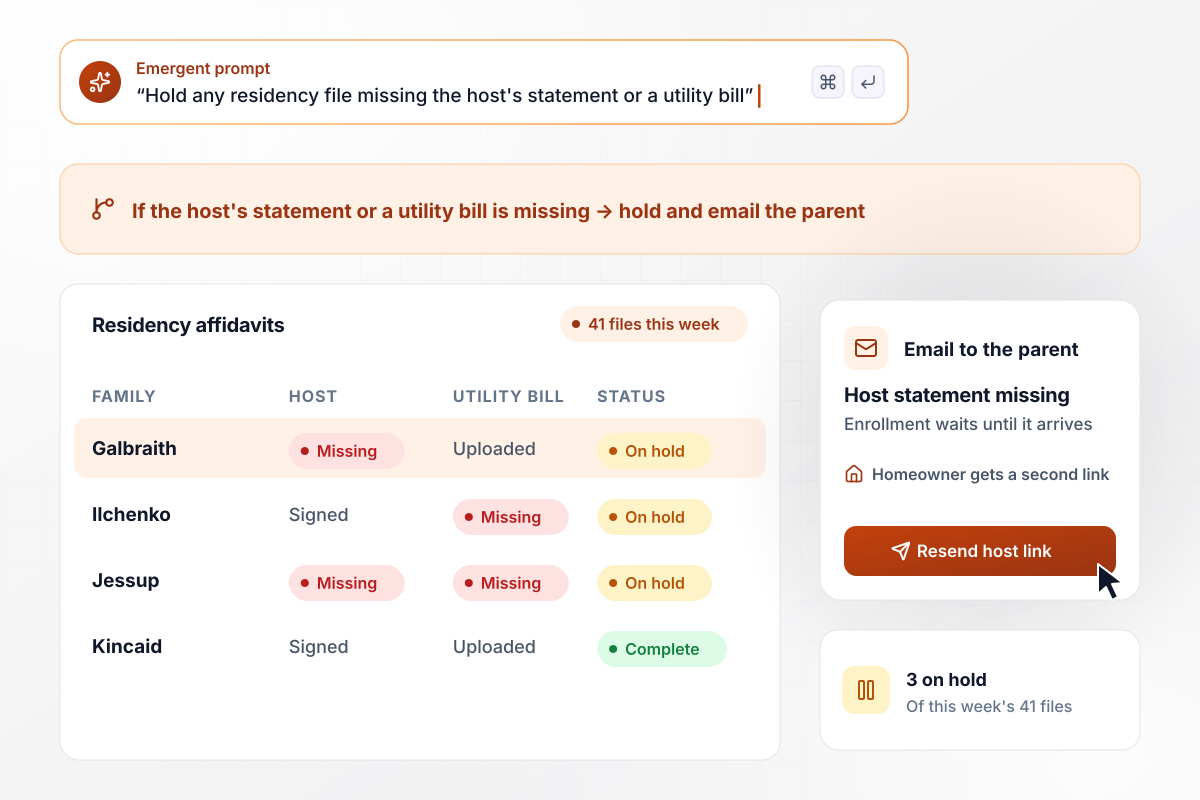
Enrollment waits for the host family's statement
Parents moving in with relatives fill an affidavit of residency, and the homeowner adds a statement through a second link. The registrar sees every file in one table. Any file missing the host's statement or a utility bill is held, and the parent gets an email. Three of this week's 41 files are on hold.
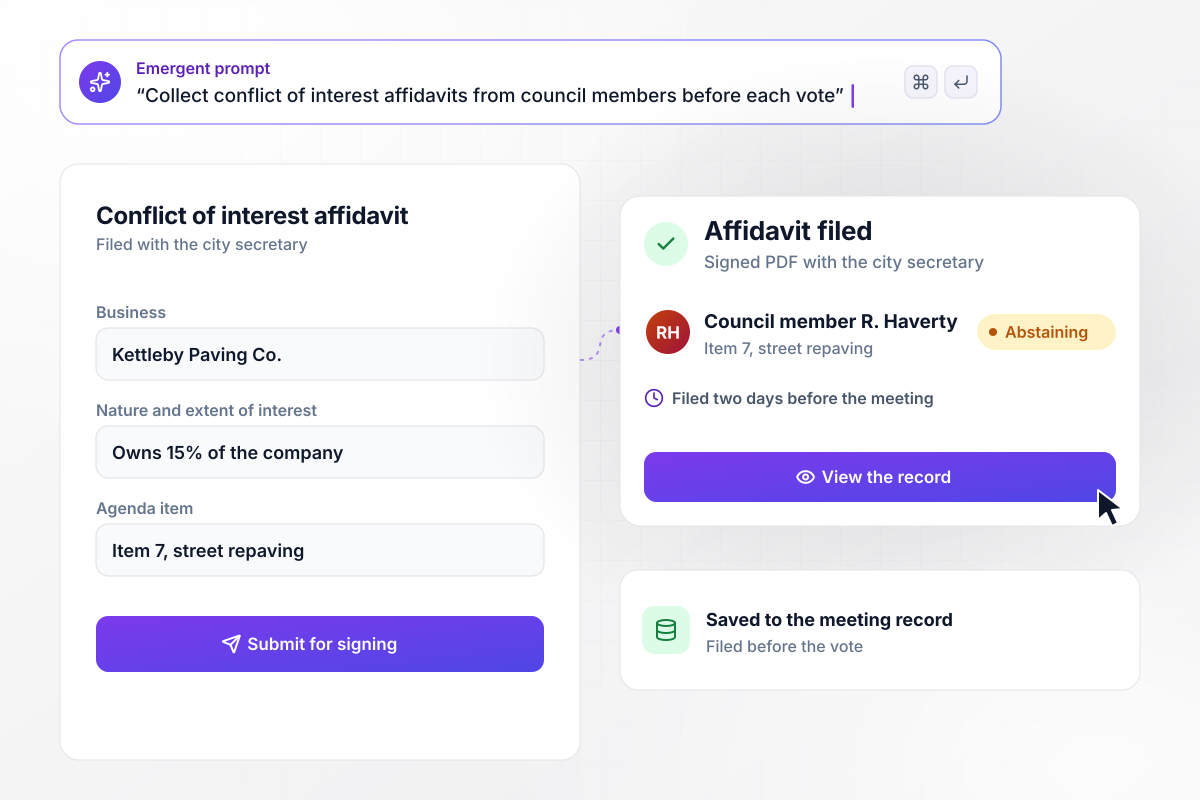
Council members file before any vote
In Texas, a council member with a substantial interest in a business on the agenda files an affidavit stating the nature and extent of that interest before the vote. The form asks for the business, the interest, and the agenda item. The city secretary gets the signed PDF, and item 7 shows the member as abstaining.






How to Create an Affidavit Form
Seven steps to plan an affidavit form around the facts and the oath, then build it with Emergent and test it before anyone signs.
Write each fact on its own line, with the date and the place it happened. Every line becomes a question on the form and a numbered paragraph in the finished affidavit. Ten short facts read better than three long ones.
Name the state and county where the affiant will swear to the statement. If the affidavit supports a court case, add the court name and case number exactly as they appear on the earlier filings.
Phrase each question so the answer is a plain statement: what happened, when, and where. Ask how the affiant knows it, too. A neighbor who watched the fence fall writes a stronger paragraph than one who heard about it later.
Describe the affidavit in a sentence or two and paste in the oath wording your court or notary uses. Emergent builds the questions and the PDF, and stores each submission in a table. Change any of it later by asking in plain English.
Decide how the statement gets sworn. Most affidavits are signed before a notary, who completes the jurat at the bottom. If your filing accepts a declaration under penalty of perjury instead, build a second version of the PDF without the notary block.
Choose who reads every statement before the PDF goes out. A law firm might send each draft to the supervising attorney, while a notary office might only confirm the venue and name fields. Reviewers get an email with a link to the draft.
Fill the form as a fictional affiant, attach a test exhibit and read the PDF line by line. Check that paragraph numbers run in order and each exhibit letter matches the text. Have an attorney read the template wording before anyone signs a real one.
Why Build Affidavits With Emergent?
A blank court PDF leaves the affiant to work out the wording alone, and each finished copy ends up in a folder nobody searches.

|
Jotform | Google Forms | Typeform | |
|---|---|---|---|---|
| How you build | Describe it in plain English | Templates, editor, AI generator | Editor, with Gemini drafting on some Workspace plans | Templates, editor, AI assist |
| File uploads | Files saved to storage you own, no sign-in | Included; files count toward plan storage | Respondents must sign in to Google; files fill your Drive | Paid plans only |
| Where responses live | A database table you own, plus any integration | Jotform account | Google Sheets | Typeform account |
| Response limits | No response caps | Monthly submission caps by plan; the form stops at the cap | No limit | Monthly response caps by plan; the form closes at the cap |
| Code ownership | Full code export to GitHub on paid plans | None | None | None |




Pick the Pricing Plan That Works for You
Choose the plan that fits your building ambitions. From weekend projects to enterprise applications, we've got you covered.




Find the right form
for whatever you're collecting














Frequently Asked Questions
Your Questions, Answered
Don't change this element unless you know what you are doing
More things you can build
with Emergent









on Emergent today


