

Build a Multi Step Form That People Finish
Build a multi step form that saves each step as it is filled in and keeps every answer in a database you own.
Build a multi step form that saves each step and shows a progress bar.
Trusted by Builders Worldwide
Active Builders Worldwide
Apps Successfully Created
Countries Globally Reached



What Has to Happen Between Steps
Splitting a long form into screens is the easy part. These six pieces decide whether the answers survive the trip to the last one.
A progress bar that counts real steps
Show Step 2 of 5 with a bar that fills as each screen is done. When an answer removes a step from the path, the count changes with it, and the bar never jumps backward on anyone.
Progress saved on every Next
Each click on Next writes that screen's answers to the database. Someone who closes the tab gets an email link that reopens the form where they stopped, on a phone or a laptop.
Steps that show up only when needed
An answer on one screen decides which screen comes next. Drivers see a license step while everyone else goes past it, and each path keeps its own count in the progress bar.
Errors caught before the next screen
Required fields, phone numbers, and dates are checked when someone clicks Next. The error message sits beside the field to fix, not on a summary page several screens later.
Drop-off counted step by step
Partial entries are stored with the last step each person reached. A dashboard shows how many people start and where they quit, down to the question they were on when they left.
The code is yours to keep
On a paid plan, export the form with its steps and validation to your GitHub repository. A developer can restyle the bar or add a screen later without rebuilding the form.
Where Splitting a Form Into Steps Pays Off
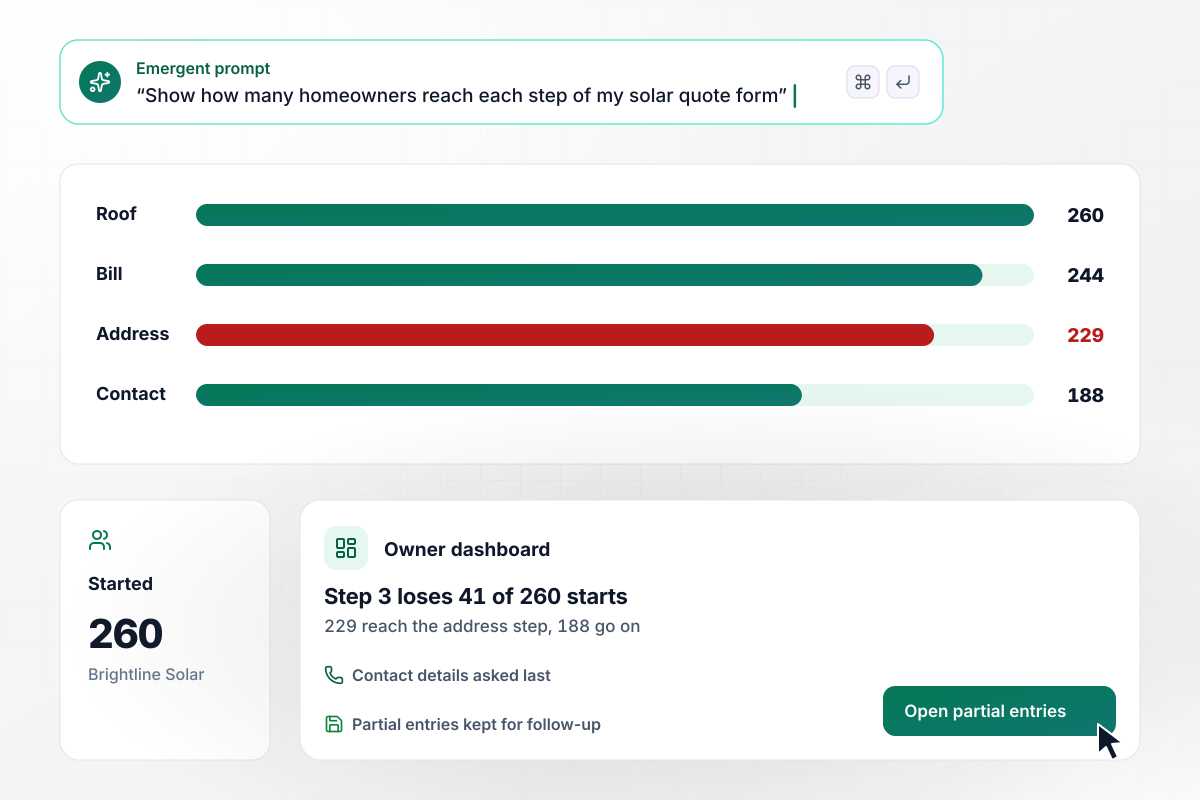
The phone number comes after the roof and the bill
Homeowners pick a roof type and slide to their average monthly electric bill before Brightline Solar asks for an address. Contact details come last, once the estimate is on screen. Every step saves when it is done, and the owner can see that step 3 loses 41 of the 260 people who start.
window.awbMockup = { solarQuotes: "I run a residential solar installer. Build a quote form in four steps: roof type as picture choices, then a slider for the average monthly electric bill, then the home address, then name, email and phone. Save each step as it is finished. Give me a dashboard showing how many people reach each step, and list the partial entries so my team can follow up.", clinicIntake: "Our physical therapy clinic needs new-patient paperwork as five steps: contact details, injury history, insurance, current medications, and a signed consent. Save each step when the patient clicks Next. If someone leaves partway, email them a link that reopens the form at the step they stopped on. It has to work well on a phone.", warehouseHiring: "We hire pickers, packers and forklift operators for our distribution center. Build an application where step 2 asks for the role. Forklift applicants get an extra step for the employer that certified them and a photo of their card. Everyone then picks shift preferences. The progress bar should count the right number of steps for each path.", cafeWholesale: "We roast coffee and sell wholesale to cafes. Build an account application with business details, delivery address, grind, and expected pounds per month. The last step should show every answer with an edit link next to it. When a cafe submits, post the cafe name and monthly volume to our wholesale channel in Slack." };
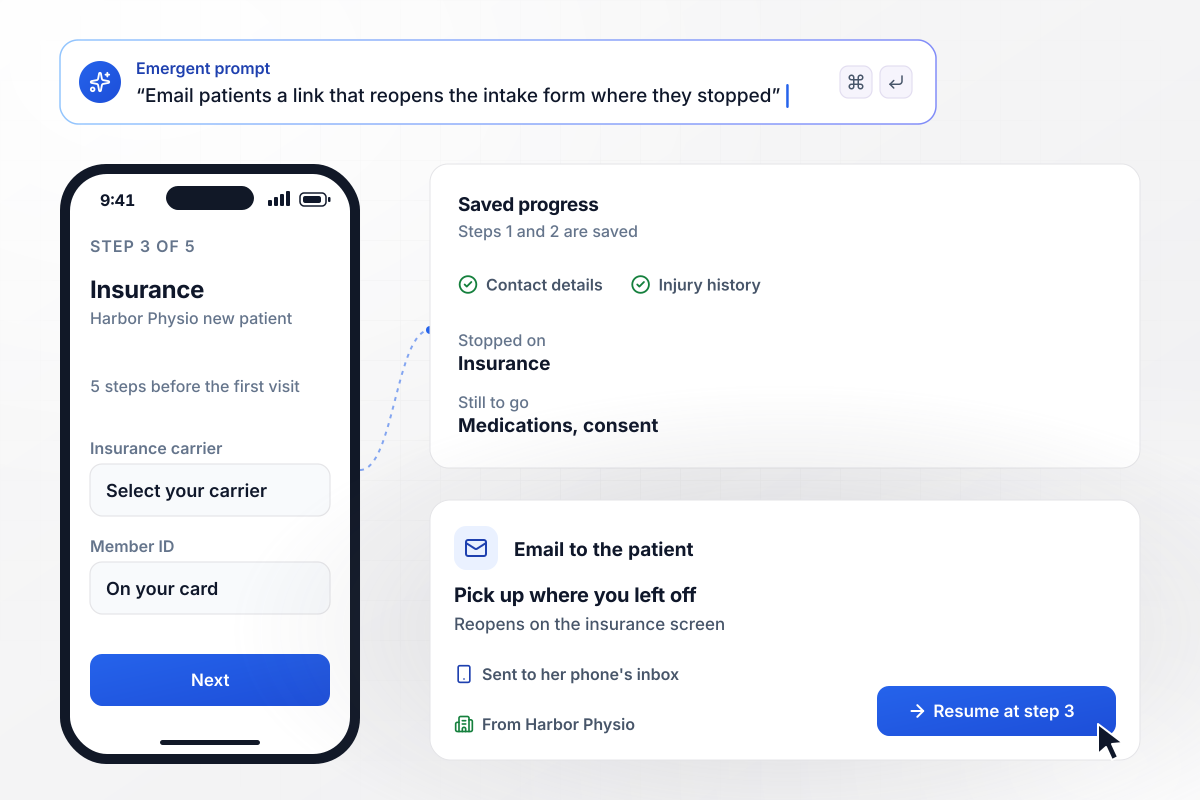
A patient who stops at insurance picks up at step 3
New patients at Harbor Physio fill in five steps before a first visit: contact details, injury history, insurance, medications, and consent. One patient stops on the insurance step to find her card. The form keeps steps 1 and 2 and emails her a link that reopens it at the insurance screen on her phone.
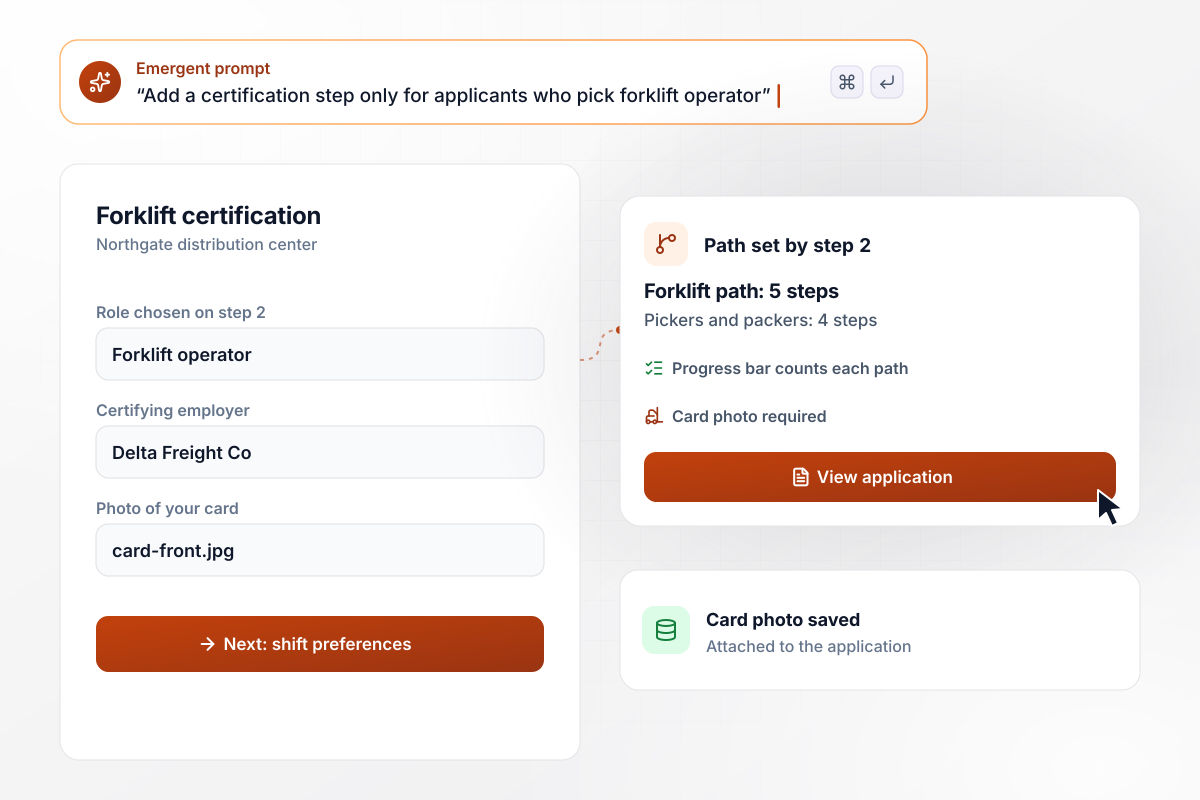
Forklift applicants and no one else get an extra step
Step 2 asks which role a candidate wants at the Northgate distribution center. Picking forklift operator adds a screen for the certifying employer and a photo of the card before shift preferences. Pickers and packers go straight to shifts, and their progress bar reads 4 steps where the forklift path reads 5.
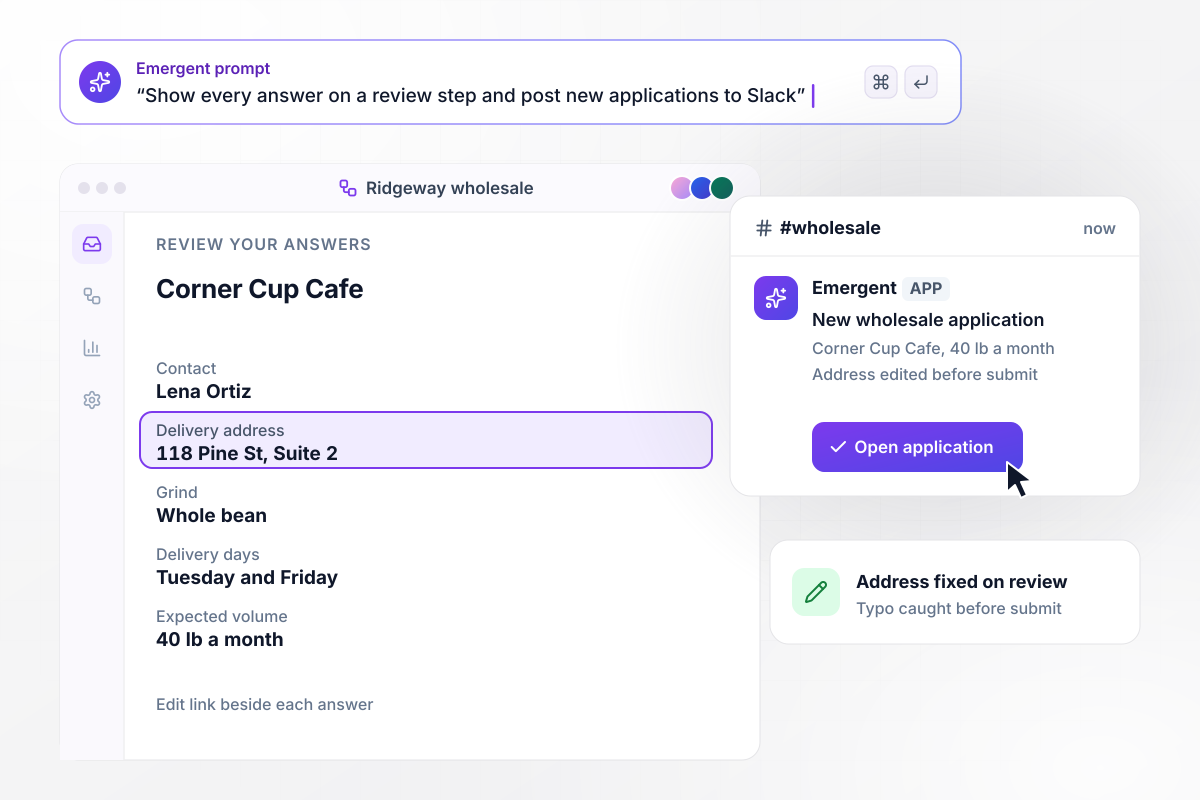
Cafes check every answer before the rep sees it
Before a cafe sends its wholesale application to Ridgeway Roasters, the final screen lists each answer with an edit link beside it. A typo in the delivery address gets fixed there. On submit, the application posts to the wholesale team's Slack channel with the cafe's expected volume of 40 pounds a month.






How to Create a Multi Step Form
Use these seven steps to sort your questions into a multi step form that people finish, then build it in Emergent.
Write down every field, then cut the ones nobody will ever read. If what is left fits on one screen without scrolling, keep a single page. Split it when the list runs long or when different people need different questions.
Put related fields together and give each group a short title, such as Your business or Delivery. The W3C's accessibility tutorial recommends splitting a form by its logical groups and repeating the overall instructions on every page.
Open with questions answered in a tap, such as a choice between pictures or a yes or no. Hold the phone number and email for the last step, after the person has seen why you need them.
Note any answer that adds or removes a step, like a role that needs a certification. Each branch should keep its own step count. The progress bar then tells every person the truth about how much is left.
Write a prompt that lists the steps in order, the fields on each, and any rule that skips a step. Emergent builds the form with its progress bar and the table that stores each answer. Change any of it later by asking.
Decide how long to wait before emailing a resume link, and who gets to see partial entries. A quote request might get a call within the hour, while a patient intake only needs a reminder the next morning.
Go through every path on a phone, including one where you quit halfway and come back through the email link. Check that earlier answers are still there, that errors appear beside the right field, and that the step count matches each path.
Why Build Multi Step Forms With Emergent?
Page breaks turn one form into screens. What happens to the answers between them decides whether you hear back.

|
Jotform | Typeform | Google Forms | |
|---|---|---|---|---|
| How you build | Describe it in plain English | Templates, editor, AI generator | Templates, editor, AI assist | Editor, with Gemini drafting on some Workspace plans |
| Response limits | No response caps | Monthly submission caps by plan; the form stops at the cap | Monthly response caps by plan; the form closes at the cap | No limit |
| Where responses live | A database table you own, plus any integration | Jotform account | Typeform account | Google Sheets |
| Code ownership | Full code export to GitHub on paid plans | None | None | None |




Pick the Pricing Plan That Works for You
Choose the plan that fits your building ambitions. From weekend projects to enterprise applications, we've got you covered.




Find the right form
for whatever you're collecting















Frequently Asked Questions
Your Questions, Answered
Don't change this element unless you know what you are doing
More things you can build
with Emergent









on Emergent today


