

Build an NDA Form Generator and Signing App
Build an NDA form that matches the version to who is sharing and files every signed copy with its end date.
Build an NDA form for my business.
Trusted by Builders Worldwide
Active Builders Worldwide
Apps Successfully Created
Countries Globally Reached



The Work Around the Document
A template gives you clauses. The app below decides which version goes out and keeps a record of every copy once it is signed.
Mutual or one-way, picked at intake
Asks who is sharing before anything is drafted. When the other side shares back, it sends the mutual version; otherwise the one-way form goes out naming you as the discloser.
Parties named as registered
Pulls each party's legal name and state of formation from the intake. The company that owns the information is the named party, not the employee who asked for the NDA.
Signatures captured on screen
Collects the recipient's signature on a phone or tablet, then your countersignature, and saves the signed PDF beside the intake. An unsigned copy gets a reminder in two days.
The four exclusions in every draft
Writes the four standard carve-outs into each version, such as information already public or material a third party passed on freely. Legal approves that wording once.
One table of every signed NDA
Logs each signed agreement as a row with its counterparty and end date, in a database you own. Search a company name and the signed copy opens next to the intake answers.
Code you can take with you
Exports the whole app to your GitHub on paid plans whenever you want it. A developer can connect it to your CRM there, or you can keep prompting Emergent for each change you need.
NDAs by Who Is Signing
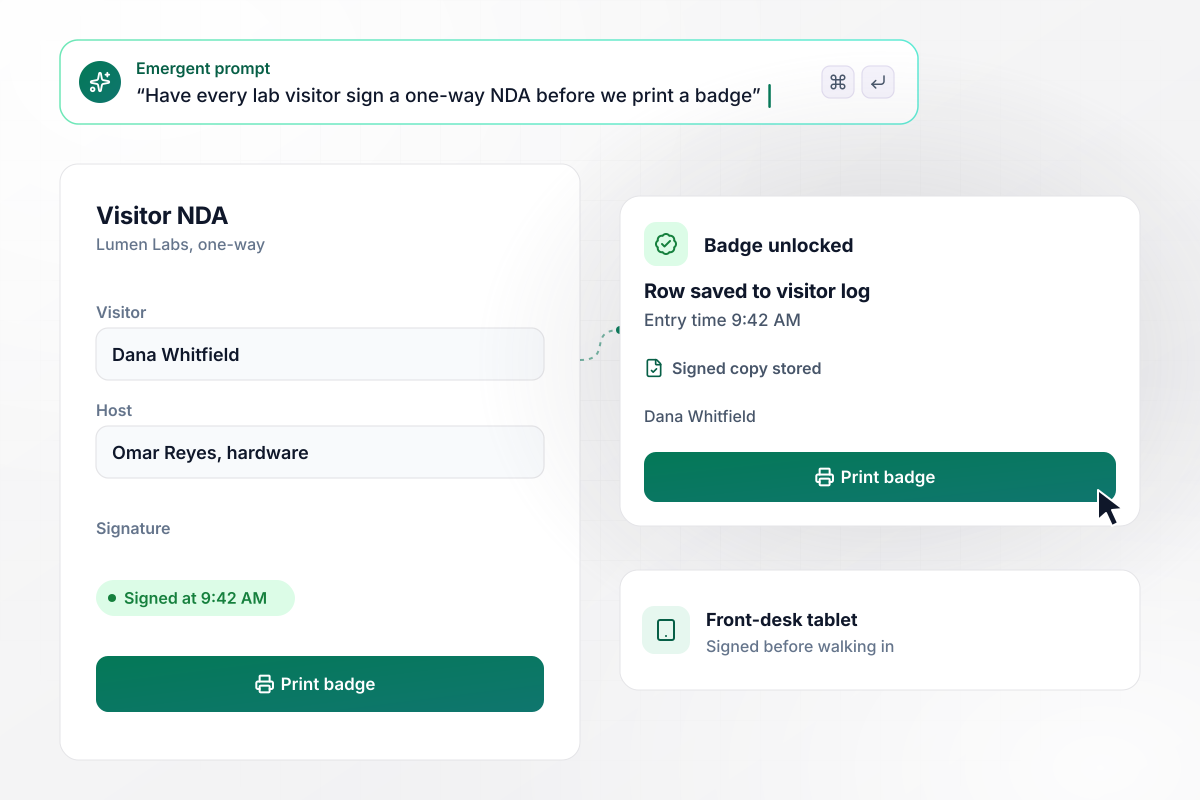
A badge only after the visitor signs
Lumen Labs keeps prototypes on open benches, and every visitor signs a one-way NDA on the front-desk tablet before walking in. The signed copy saves to the visitor log with the time of entry. Reception can print a badge only once that row exists.
window.awbMockup = { labVisitors: "Build a visitor NDA for my hardware lab's front desk. Every visitor signs a one-way NDA on the tablet before walking in, with their name, company, and host. Save each signed copy to a visitor log with the time of entry, and only let reception print a badge once that log row exists.", supplierTalks: "We are about to share our packaging costs with a supplier, and they will share theirs. Make a mutual NDA that both companies sign online. When the second signature comes in, email the supplier the link to our pricing folder. Until then, show the deal owner that the request is waiting on the supplier.", newHires: "Add a confidentiality agreement to my company's offer packet for new hires. Include the whistleblower immunity notice from the Defend Trade Secrets Act in every copy. Keep the start-date checklist open until the new hire signs, and send them a reminder if it is still unsigned two days later.", termTracking: "My legal team has about 120 signed NDAs spread across inboxes. Put them in one table with the counterparty, mutual or one-way, the term, and the days left. When an NDA has 60 days or less remaining, email the deal owner with the counterparty's name so they can renew it or let it lapse." };
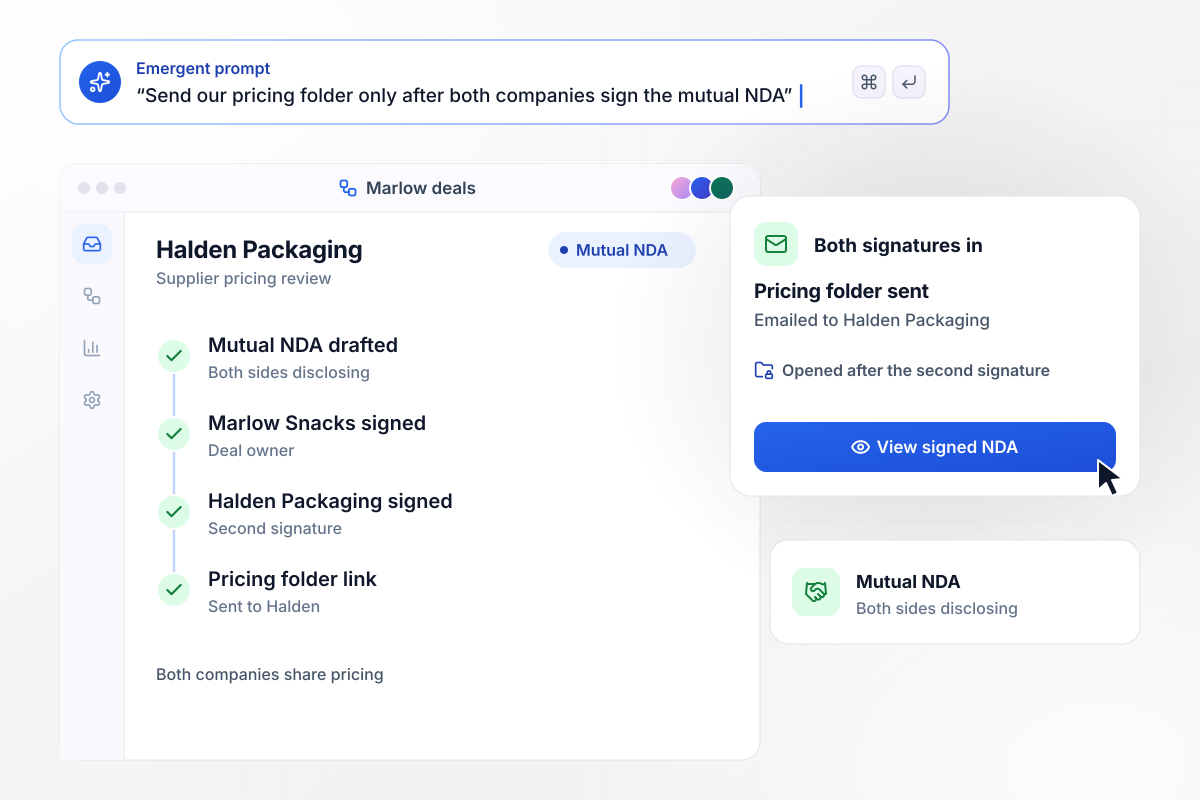
Pricing that waits for both signatures
Marlow Snacks is about to show Halden Packaging what it pays for boxes, and Halden will share its costs back. Both sign a mutual NDA first. The pricing folder link goes out by email after the second signature lands. Until then the deal owner sees the request waiting on Halden.
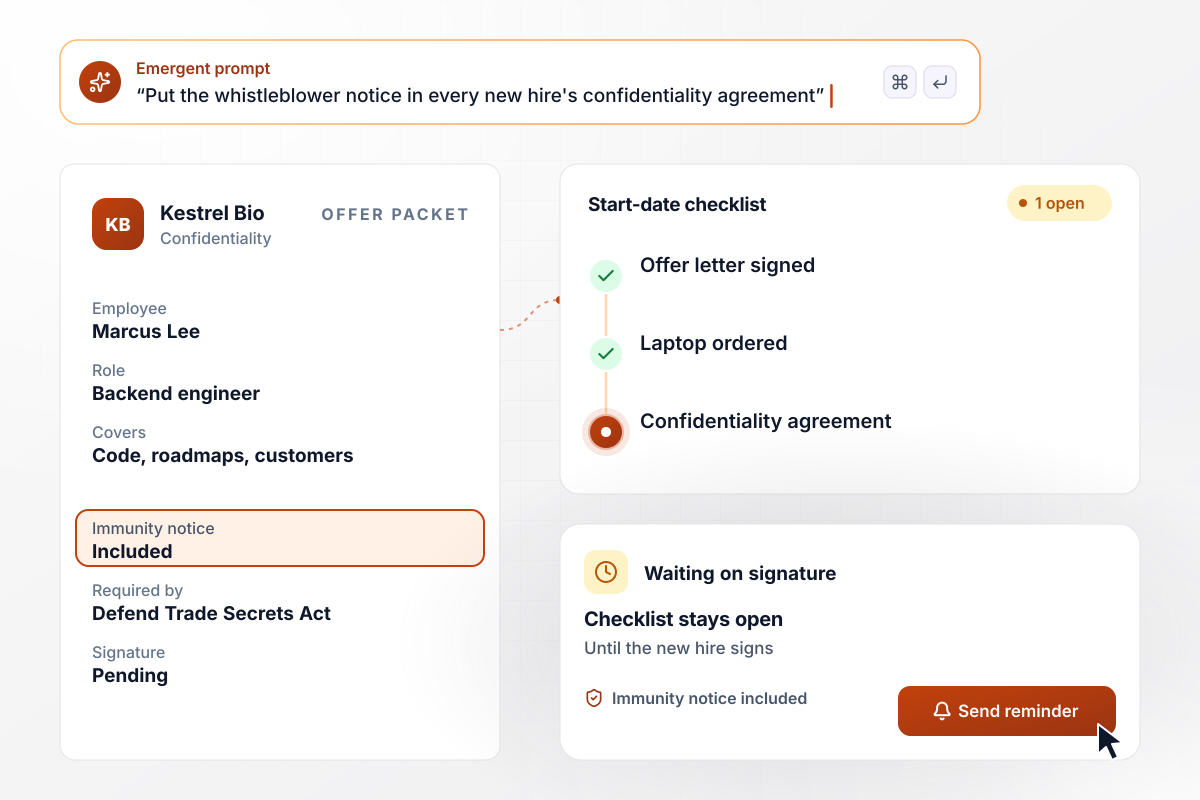
Whistleblower notice included in every hire's copy
The Defend Trade Secrets Act requires a whistleblower immunity notice in any employee contract about confidential information. Without it, an employer suing that employee can't win exemplary damages or attorney fees. Kestrel Bio's offer packet includes it, and the start-date checklist stays open until the new hire signs.
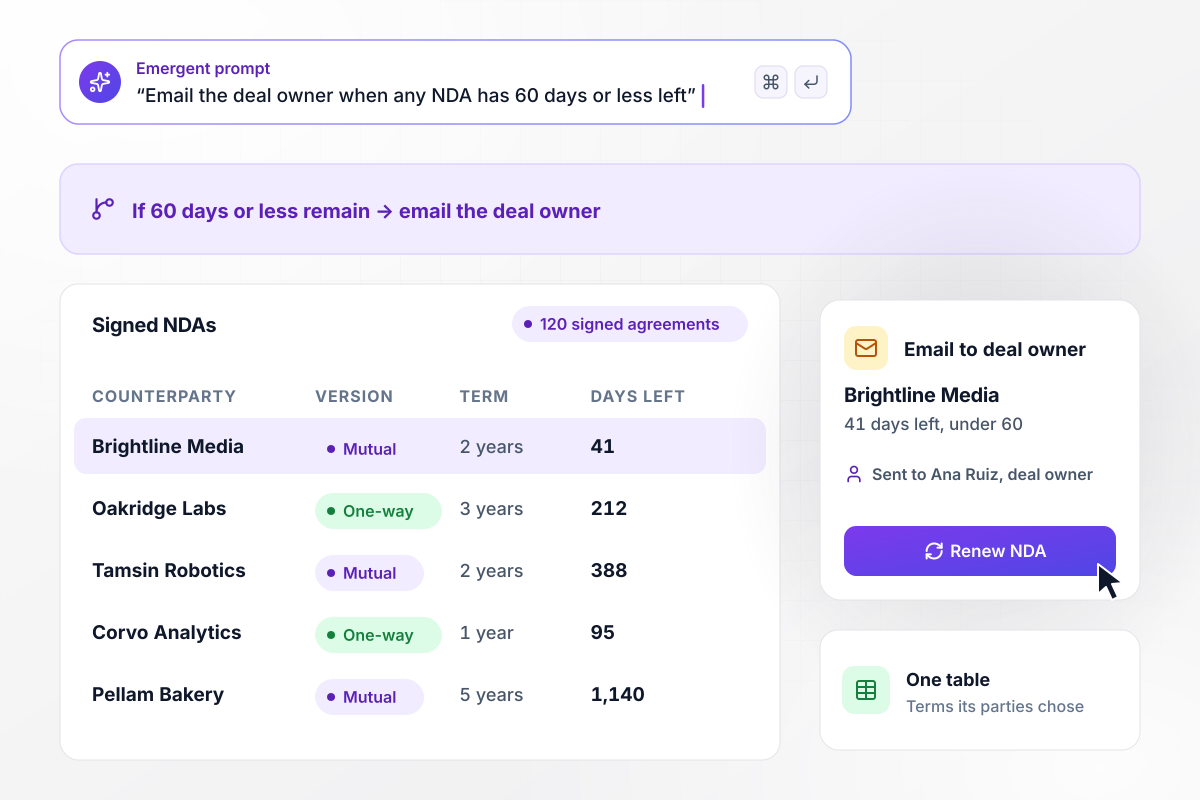
Each agreement's end date, flagged 60 days out
Sundial Ventures keeps 120 signed agreements in one table, each with the term its parties chose. When an NDA has 60 days or less left, the deal owner gets an email naming the counterparty. They renew it, or let it lapse and ask the other side to return or destroy what was shared.






How to Write an NDA Form
Seven steps to write an NDA form that covers what you will share and ends on a date both parties agree.
Ask who is sharing. When only your side discloses, a one-way NDA binds the recipient alone. When both companies will share, as in a joint product or acquisition talks, use the mutual version so each side's information gets the same protection.
Use the full registered name with its entity type, such as Marlow Snacks LLC, a Delaware company. Name the business that owns the information instead of the person who asked for the NDA, and have someone with signing authority sign for it.
Describe the categories you will share: pricing, source code, customer lists, product roadmaps. Say whether material has to be marked confidential, and whether things said aloud in a meeting count once they are confirmed in writing.
Exclude information that is already public, that the recipient held beforehand, that it develops independently, or that a third party passes on without any duty of secrecy. Put these in the first draft instead of waiting for the other side's lawyer to ask.
Decide how long the duty lasts and whether the clock starts at signing or at each disclosure. Georgia Tech's legal office uses five years from receipt as its standard period. Whatever you choose, write the number of years into the agreement itself.
Tie use to a named purpose, such as evaluating a supply contract, and list who inside the recipient may see the material. At the end, require the recipient to return or destroy copies within a set number of days and confirm it in writing.
Collect both signatures before any material changes hands. Store the signed copy where the deal team can find it by company name, and record the end date beside it with a reminder set two months ahead.
Why Build NDA Forms With Emergent?
Each signed agreement lands in a database you own, and there is no cap on how many go out in a month.

|
Jotform | Typeform | Google Forms | |
|---|---|---|---|---|
| How you build | Describe it in plain English | Templates, editor, AI generator | Templates, editor, AI assist | Editor, with Gemini drafting on some Workspace plans |
| Where responses live | A database table you own, plus any integration | Jotform account | Typeform account | Google Sheets |
| Response limits | No response caps | Monthly submission caps by plan; the form stops at the cap | Monthly response caps by plan; the form closes at the cap | No limit |
| Code ownership | Full code export to GitHub on paid plans | None | None | None |




Pick the Pricing Plan That Works for You
Choose the plan that fits your building ambitions. From weekend projects to enterprise applications, we've got you covered.




Find the right form
for whatever you're collecting















Frequently Asked Questions
Your Questions, Answered
Don't change this element unless you know what you are doing
More things you can build
with Emergent









on Emergent today


