

Build a Category Landing Page Shoppers Can Filter
Get a category landing page with product filters and a catalog table you own, built from a single prompt.
Build a category landing page for my trail running shoes that shows each style with its price.
Trusted by Builders Worldwide
Active Builders Worldwide
Apps Successfully Created
Countries Globally Reached



Everything Before the Product Page
A category page answers one question for a shopper: which of these is mine? Emergent builds the parts that help them decide.
A grid read from your product table
Emergent builds the grid from a product table in a database you own. Add a shoe to the table, and it shows up on the page with its price, its photo and a link to its page.
Filters drawn from product attributes
Shoppers narrow the grid by the attributes stored in each row, such as width or cushion. Name the filters you want in the prompt, and the app shows how many products match each.
Subcategory tiles with click counts
Each subcategory tile links to its own page, and the app records every click on it. The counts land in a table you can sort, so you can see which tile has earned its place.
Prices and stock from your store
Connect your store platform through its API, and each product card shows the price and stock it reports. Slack or HubSpot connect the same way for an alert or a CRM record.
New subcategories added by prompt
Ask for a change in plain English, such as "Add a Rain Shells tile after Jackets." Emergent updates the page, and the intro copy and the filters change the same way when you ask.
Your code on your domain
Export the page to your GitHub repository on paid plans, or keep it hosted on Emergent under a custom domain, which uses credits. Either way, the products stay in a database you own.
Category Landing Page Examples by Goal
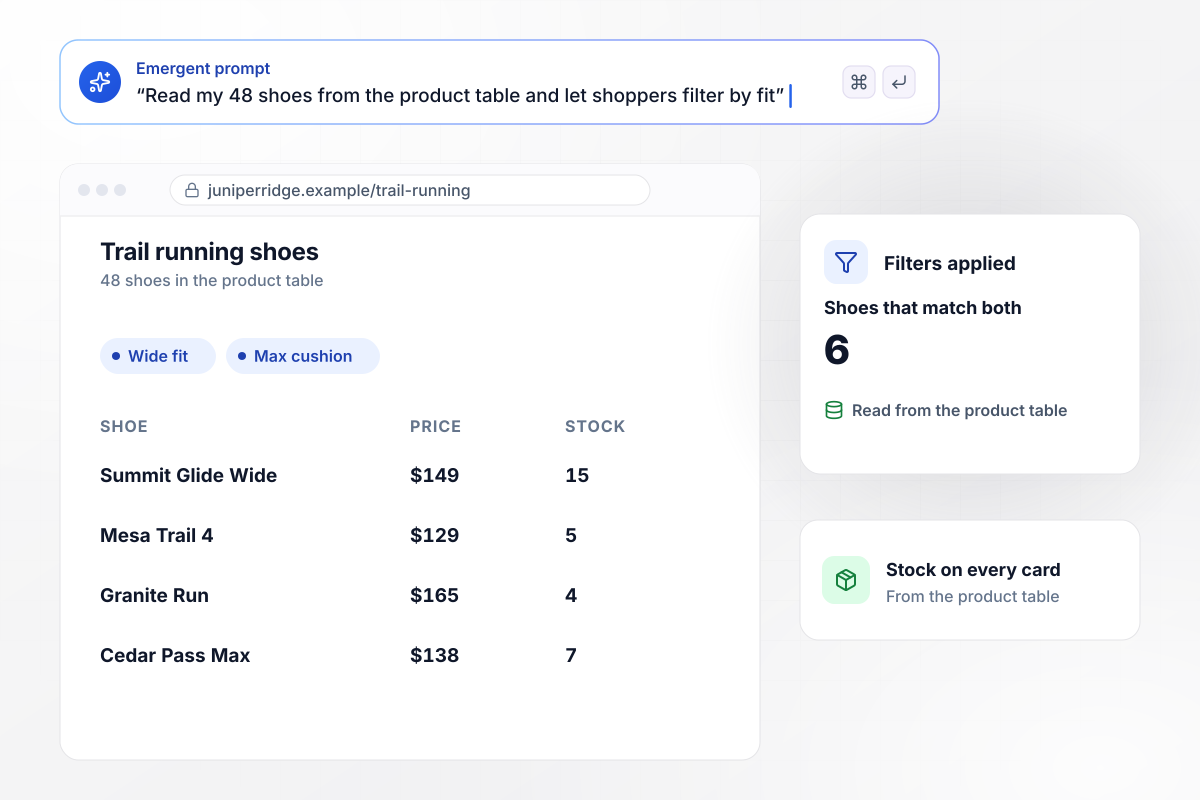
Of 48 trail shoes, 6 pass both filters
Juniper Ridge Outfitters sells 48 trail running shoes, and its category page reads every one from the product table. A shopper picks Wide fit, then Max cushion, and the grid drops to the 6 shoes that match both filters. Each card still shows its price and the stock count from the table.
window.awbMockup = { filteredGrid: "I sell 48 trail running shoes. Build a category page that reads every shoe from my product table, with filters for fit and cushion. Show the price and stock count on each card, and show how many shoes match the filters a shopper picks.", subcategoryTiles: "Build a lighting category page with 4 subcategory tiles: floor lamps, pendants, table lamps, and sconces. Count the clicks on each tile, and give me a dashboard with the clicks per tile for the last 30 days.", serviceCategory: "Build a commercial roofing category page that lists our 3 services above a quote form. Ask for the roof size. Send requests for roofs over 20,000 square feet to our estimator, and email the standard price sheet to everyone else.", restockAlerts: "Build a backpacks category page that keeps sold-out products on the grid with a Notify me form. Save each email to a table. When my store's API reports new stock, email everyone who signed up and switch the card back to Add to cart." };
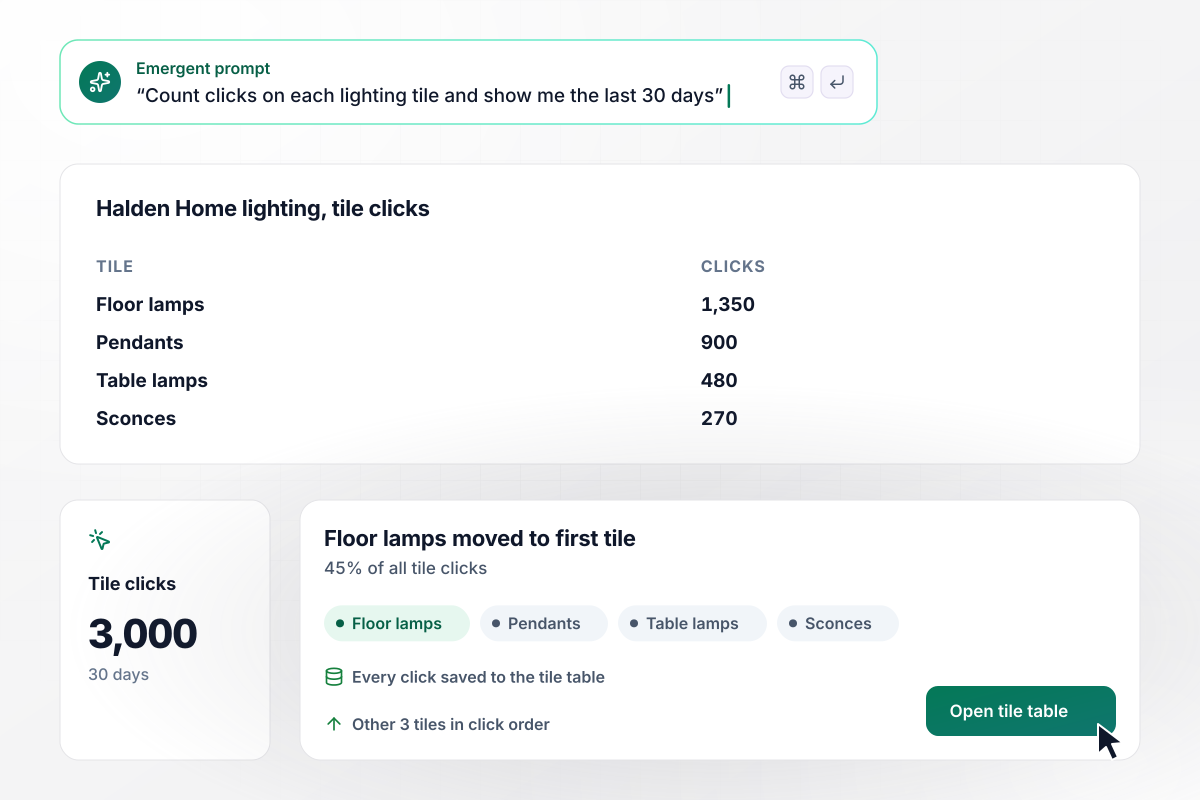
Floor lamps took first place after 30 days
Over 30 days, 3,000 visitors clicked a subcategory tile on Halden Home's lighting page. Floor lamps drew 1,350 clicks, pendants 900, table lamps 480, and sconces 270. The team asked Emergent to move floor lamps into the first tile and put the other 3 tiles in click order.
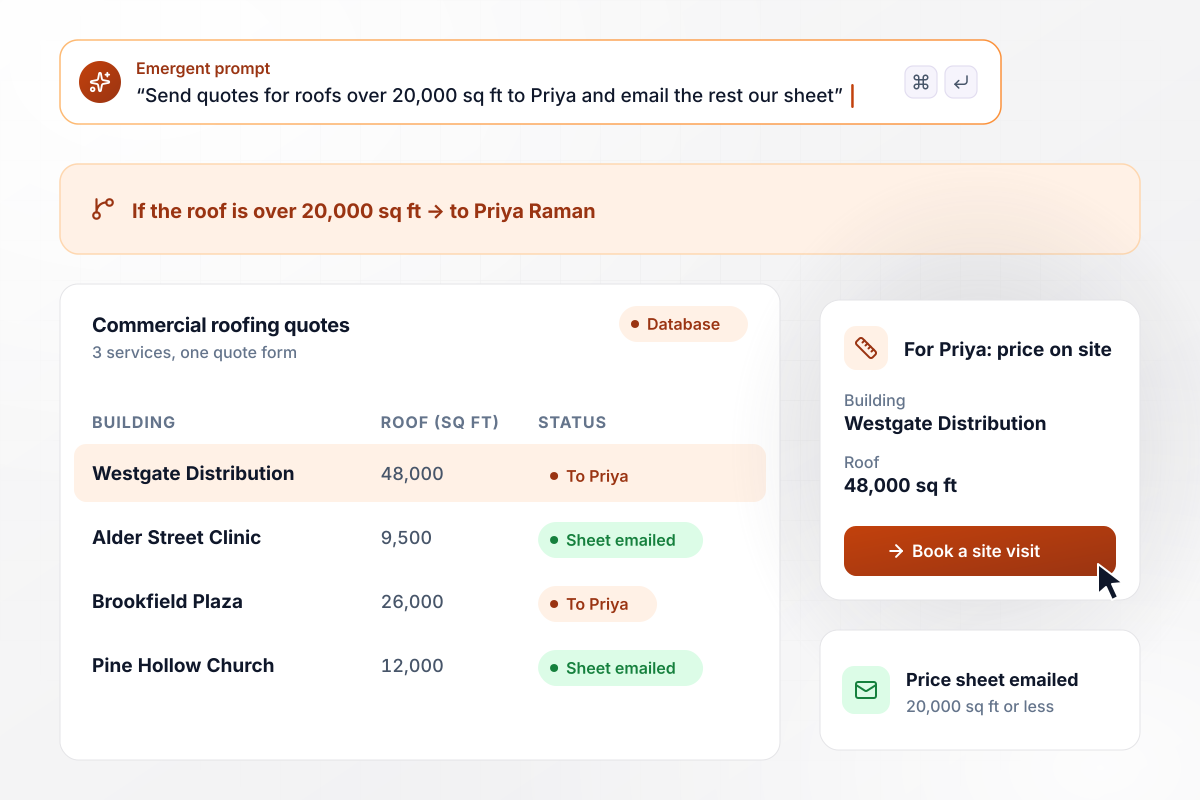
Who quotes the job depends on roof size
Commercial roofing jobs at Corbel Roofing start on a category page that lists its 3 services above a quote form. A request for a roof over 20,000 square feet goes to Priya Raman, the estimator, to price on site. A smaller roof gets the standard price sheet by email.
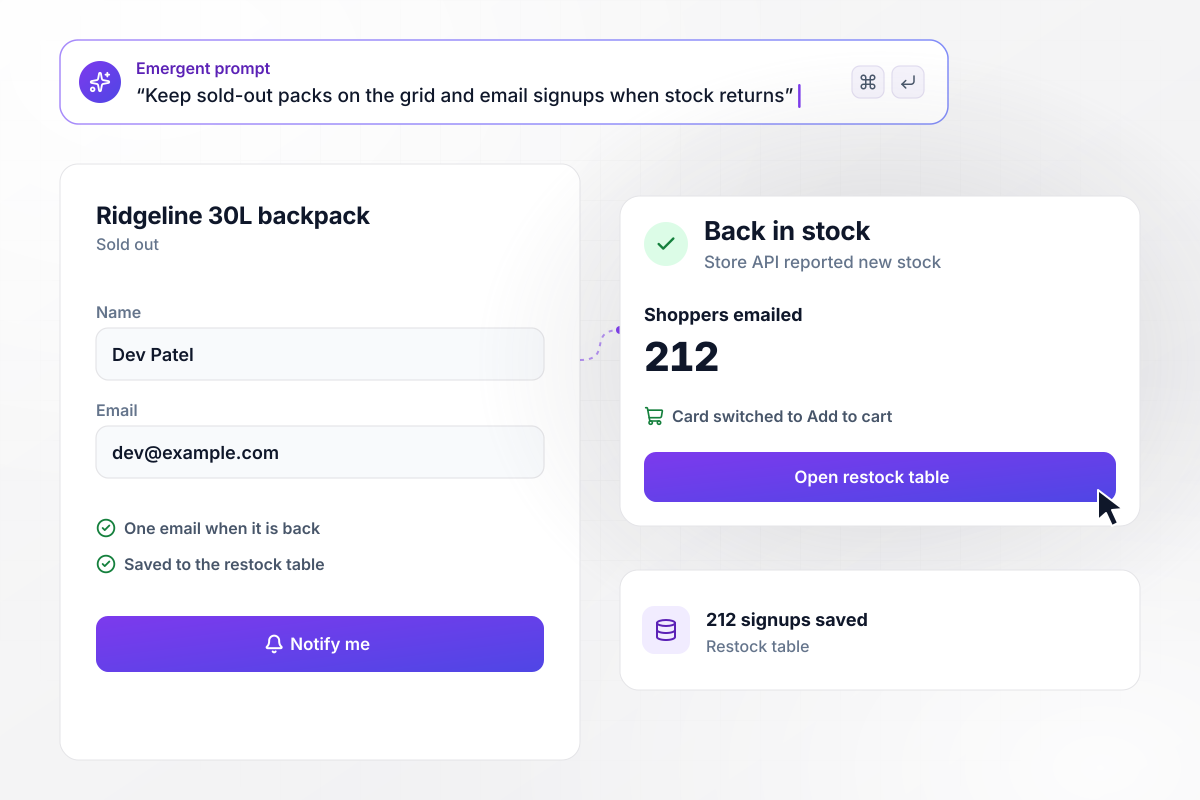
212 shoppers asked when the backpack returns
When the Ridgeline 30L backpack sold out, Marlow Supply kept it on its backpacks page with a Notify me form. By restock day, 212 shoppers had left an email. When the store's API reported new stock, the app emailed all 212 and switched the card back to Add to cart.






How to Create a Category Landing Page
Follow these 7 steps to plan a category landing page that leads each shopper to the right product.
Write down the question a shopper brings to the category, such as "Which trail shoe fits a wide foot?" Every section of the page should help answer it. Move products that answer a different question to their own category.
Put 2 or 3 sentences above the grid that say what the category holds and who it suits. Name the attributes that set the products apart, such as cushion or drop. On a phone, the first row of products should show without a long scroll.
Label each subcategory tile with its name, such as "Pendant lights." A label like "Shop now" does not say where the link goes. Google calls good anchor text descriptive, reasonably concise, and relevant to the page it sits on and the page it links to.
Build filters from the attributes shoppers weigh, such as width or price, and keep each one as a column in the product table. Show how many products match each option. Drop a filter that leaves a shopper with fewer than 2 products.
Put the price and the stock status on every product card, next to one clear photo. Mark sold-out items plainly instead of hiding them. A shopper should be able to compare 2 products without opening either page.
Each filter combination can create its own URL. Google's crawling guide says to use robots.txt to disallow crawling of faceted navigation URLs. Leave the main category URL and every subcategory page open to crawlers.
Once a month, sort the subcategory tiles by their click counts and move the busiest tile to the front. If a tile gets few clicks, try a clearer label first. Move one tile per month, so you can tell which change shifted the clicks.
Why Use Emergent for Category Landing Pages?
Design galleries show what a category page looks like. Emergent builds a working one from a prompt, with the catalog in a table you own.

|
Unbounce | Leadpages | Instapage | |
|---|---|---|---|---|
| How you build | Prompt for a campaign page | Templates and drag-and-drop, AI copy assist | AI page creation, templates, and drag-and-drop | Templates and drag-and-drop, AI copy assist |
| Where submissions go | A database table you own, plus integrations | Unbounce lead storage and integrations | Leadpages lead storage and integrations | Instapage contacts and integrations |
| Visitor limits | No per-visitor pricing | Monthly visitor caps by plan | No traffic caps | Monthly visitor caps by plan |
| A/B testing | Generate variants by prompt | A/B testing on higher-tier plans only | A/B testing on higher-tier plans only | A/B testing on higher-tier plans only |
| Code ownership | Full code export to GitHub on paid plans | Hosted only | Hosted by Leadpages | Hosted only, no HTML export |




Pick the Pricing Plan That Works for You
Choose the plan that fits your building ambitions. From weekend projects to enterprise applications, we've got you covered.




Find the right landing page for you















Frequently Asked Questions
Your Questions, Answered
Don't change this element unless you know what you are doing
More things you can build
with Emergent









on Emergent today


