

Build a Community Landing Page That Routes Every New Joiner
Build a community landing page that asks one join question and sends each new member the next step that fits.
Build a community landing page that saves every signup to a database I own.
Trusted by Builders Worldwide
Active Builders Worldwide
Apps Successfully Created
Countries Globally Reached



What Emergent Builds Behind the Join Button
Emergent builds the community landing page and its join form; the app files each new name with the answer that sends them on.
A page that says who the group is for
Describe the people you gather and what a normal week looks like. Emergent builds a community landing page from that prompt, and you change any section by prompting again.
One join question that sorts people
Ask the question that decides where a newcomer goes, such as a running pace or a home city. The app saves the answer with the signup and uses it to pick the next step.
Every joiner in a database you own
Each signup lands in a database you own, with the join answer and the date they joined. Sort it by group, or hand the whole list to the next organizer when the role changes.
An alert to the organizer on duty
Name who welcomes each kind of joiner, such as a chapter lead or a ride captain. The app sends that person a Slack message or an email with the new name and the answer they gave.
Linked to the tools you already use
The app connects to any tool with an API, such as Slack or HubSpot. New joiners can flow straight into the email list you already send from, with nobody retyping a single name.
On your domain, code yours to keep
Publish the page on the group's own domain; custom domains are included in Emergent and use credits. On paid plans, export the full code to your own GitHub repository.
Community Landing Page Examples
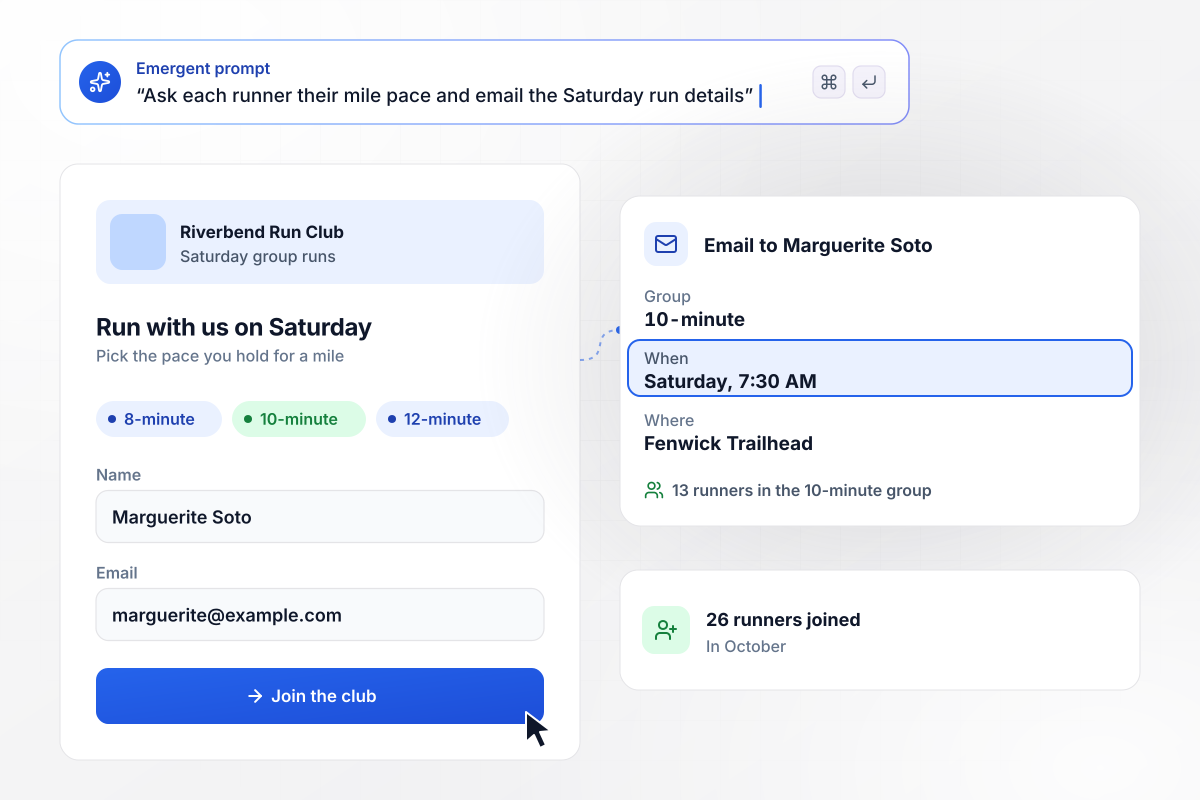
Runners pick their pace once, on the join form
Riverbend Run Club's join form asks one question: the pace a runner holds for a mile. The app puts each runner in the 8-minute, 10-minute, or 12-minute group and emails Saturday's details: 7:30 AM at Fenwick Trailhead. Of 26 runners who joined in October, 13 run with the 10-minute group, Marguerite Soto among them.
window.awbMockup = { runClubs: "Build a community landing page for Riverbend Run Club. Ask one question on the join form: the pace a runner holds for a mile. Put each runner in the 8-minute, 10-minute, or 12-minute group, and email them the details for Saturday's run at Fenwick Trailhead, 7:30 AM.", onlineGroups: "Build a landing page for The Query Loft, an online community for data analysts. Ask each new member to pick one focus: SQL, dashboards, or careers. Send each member the weekly digest for their focus, and save every signup with the focus they picked.", alumniNetworks: "Create a join page for the Brightvale College alumni network. Let alumni pick their chapter: Austin, Chicago, or Seattle. Email the new name to that chapter's lead, and keep a count of joins for each chapter.", gameNights: "Make an RSVP page for the Long Table Board Game Club's game night at Harbor Hall on Saturday, November 14 at 6:30 PM. There are 40 seats. Show how many are left, take an RSVP for each seat, and email every guest a confirmation with the time and place." };
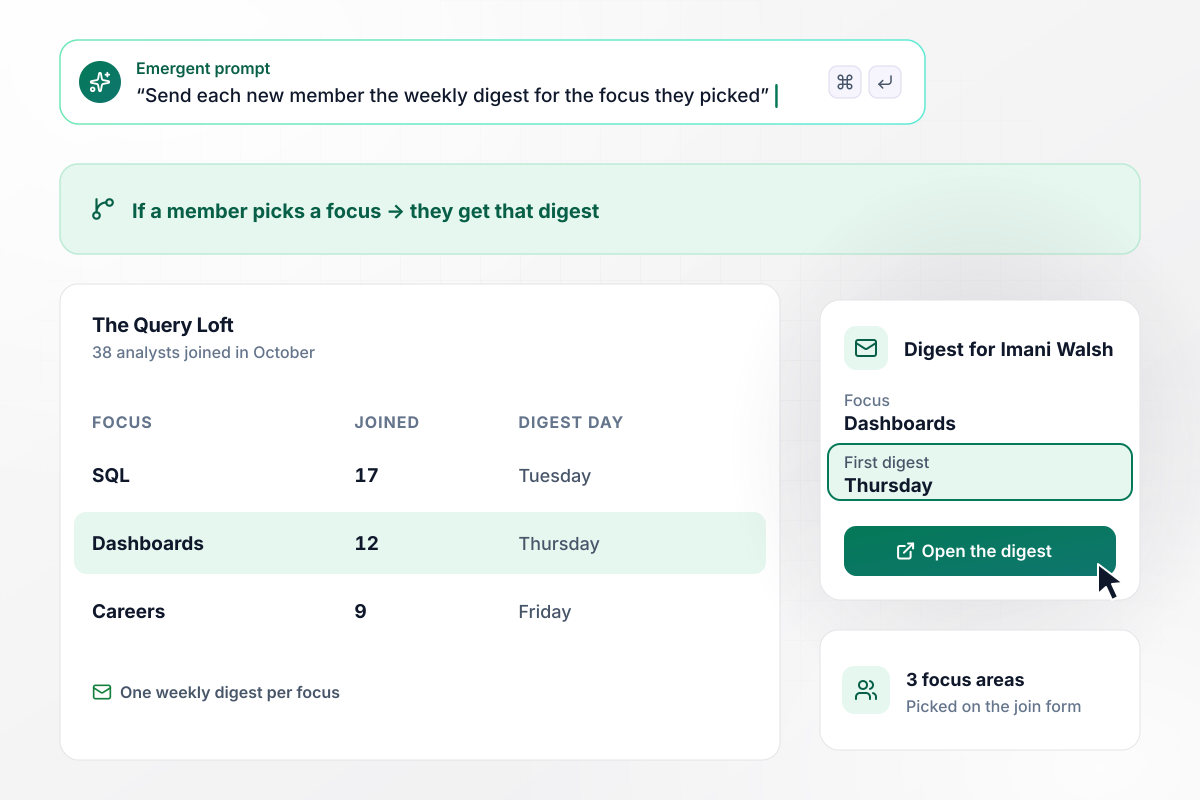
A member's focus decides which digest arrives
Every analyst who joins The Query Loft picks one focus: SQL, dashboards, or careers. Each focus has its own weekly digest and its own day. Of 38 analysts who joined in October, 17 picked SQL, 12 picked dashboards, and 9 picked careers. Imani Walsh chose dashboards, and her first digest comes on Thursday.
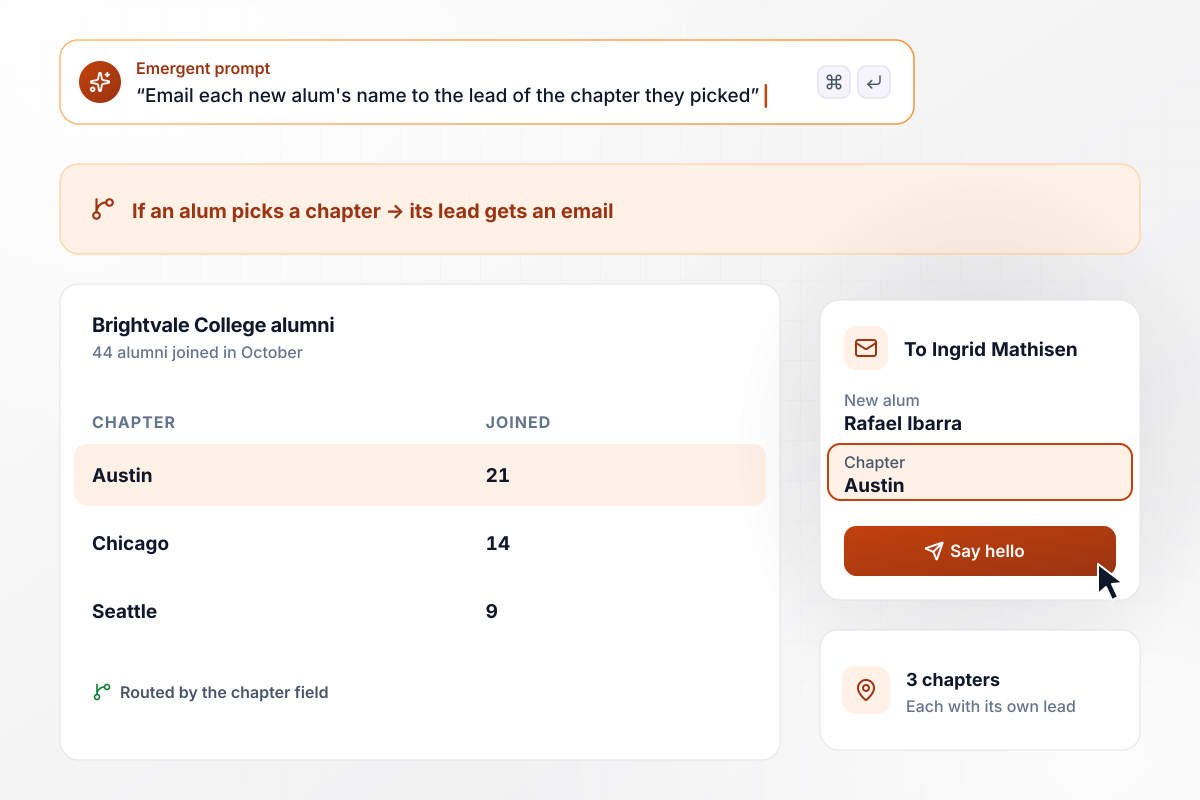
Every new Austin name lands with Ingrid Mathisen
Brightvale College alumni pick the chapter nearest them: Austin, Chicago, or Seattle. The app emails the new name to that chapter's lead, who sends the first hello. Of 44 alumni who joined in October, 21 picked Austin, 14 Chicago, and 9 Seattle. When Rafael Ibarra picked Austin, chapter lead Ingrid Mathisen got the email.
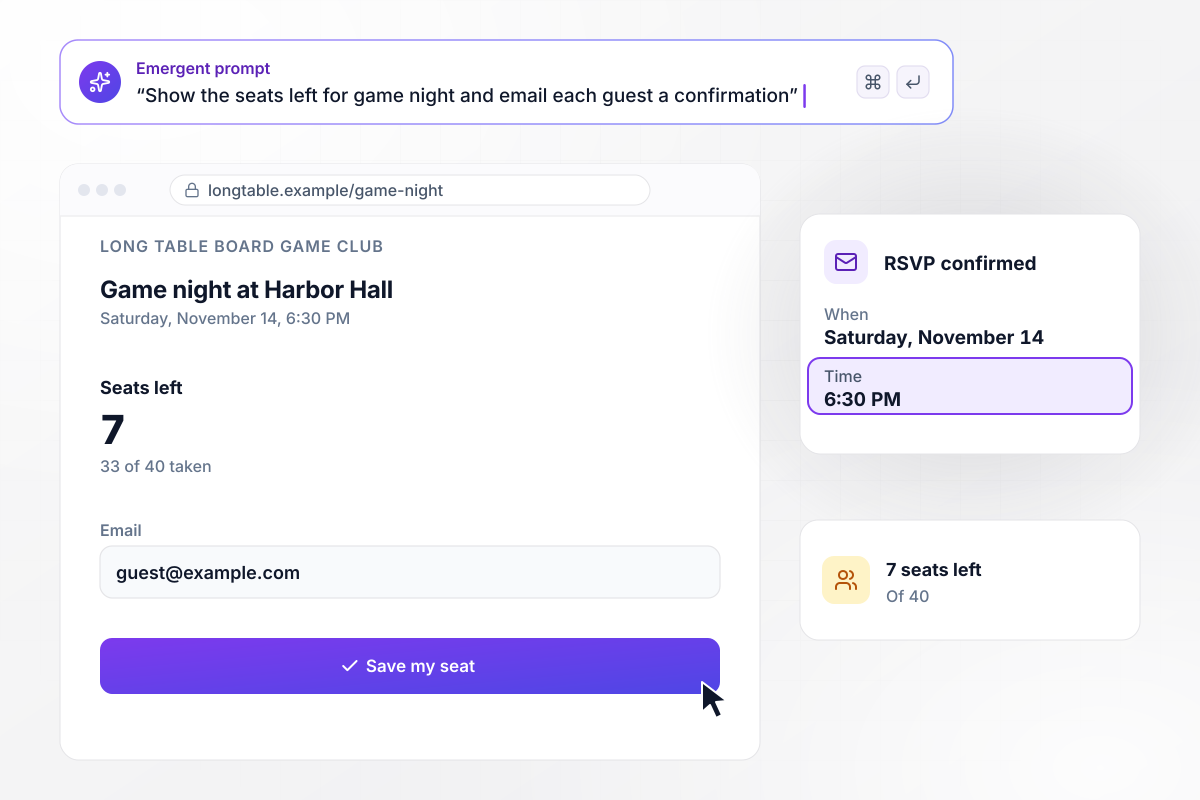
RSVPs shrink a seat count every visitor can see
Game night at the Long Table Board Game Club seats 40, and the page shows how many seats are left. Each RSVP takes one, and the app emails the guest a confirmation with the time and place: Saturday, November 14, 6:30 PM at Harbor Hall. With 33 of 40 seats taken, the page tells the next visitor that 7 are left.






How to Create a Community Landing Page
Follow seven steps to plan a community landing page around one join question, then publish it with a welcome that reaches each new member.
Write one line a stranger could repeat: who gathers, where, and how often, such as new runners who meet on Saturday mornings. Every section of the page speaks to that person.
Describe what a member does in a usual week: the run, the thread, the meetup. Add two or three photos or quotes from current members, with their permission. A visitor should be able to picture showing up.
Choose the question whose answer decides where a newcomer goes next, such as their pace or their city. Ask for a name and an email besides that, and nothing more on the first visit to the page.
For each answer, write down what the new member should get and who sends it, such as the meeting details or a note from a chapter lead. That list becomes the routing in your prompt.
Describe the page to Emergent in one prompt: who the group is for and what each answer to the join question sends. Emergent builds the page and the table of joiners, and you adjust either by prompting.
If the group already runs on a chat app or an email list, name it in your prompt. The finished app syncs each new joiner into that tool through its API, alongside the copy in your own table.
Join from a phone with a test email and check that the row lands in your table and the welcome arrives. Then publish on the group's domain and put the link where people already find you.
Why Build Your Community Page With Emergent?
One prompt builds the page and its join form, and the group can take its first signup today. The free tier covers building and publishing.

|
Unbounce | Landingi | Wix | |
|---|---|---|---|---|
| How you build | Prompt for a campaign page | Templates and drag-and-drop, AI copy assist | Templates and drag-and-drop, AI assist | Prompt for a full site |
| Where submissions go | A database table you own, plus integrations | Unbounce lead storage and integrations | Vendor lead storage and integrations | Wix dashboard submissions and Contacts |
| Visitor limits | No per-visitor pricing | Monthly visitor caps by plan | Tiered by traffic on most plans | Site plan bandwidth |
| A/B testing | Generate variants by prompt | A/B testing on higher-tier plans only | Higher plans | Limited or add-on |
| Code ownership | Full code export to GitHub on paid plans | Hosted only | Hosted only | Hosted only |




Pick the Pricing Plan That Works for You
Choose the plan that fits your building ambitions. From weekend projects to enterprise applications, we've got you covered.




Find the right landing page for you

Frequently Asked Questions
Your Questions, Answered
Don't change this element unless you know what you are doing
More things you can build
with Emergent









on Emergent today


