

Build a Crypto Landing Page for Your Wallet or Protocol
Build a crypto landing page for a wallet or a protocol, with forms that save each signup to a database you own.
Build a crypto landing page for my wallet and checkout plugin with setup steps and the supported networks.
Trusted by Builders Worldwide
Active Builders Worldwide
Apps Successfully Created
Countries Globally Reached



The Forms and Alerts Behind a Crypto Page
A crypto landing page explains one product and asks for one action. Emergent builds the page with its form and the table behind it.
A page written from your description
Describe the product, who it is for, and the one thing a visitor should do. Emergent builds the page and the form under it from that prompt, and a second prompt changes either one.
Signups in a database you own
Each form entry is saved as a row in a database you own, and every answer, such as a phone type or a wallet address, gets its own column. Filter it to see who joined after a post.
Alerts for the entries that need a person
Name in the prompt which entries need a human, such as a large store or a Critical bug. The app sends that person an email, Slack, or in-app alert carrying the details of the entry.
Connected to the tools you already run
The app connects to any tool with an API. Signups can flow to the CRM or email tool the team uses, and bug reports reach the support desk without anyone copying them by hand.
The project's own name in the address bar
Put the page on a custom domain such as brisawallet.com; custom domains are included in Emergent and use credits. A visitor checking the address before signing up sees the real name.
The full code, ready for review
The free tier covers building and publishing the page. On paid plans, Emergent exports the full code to your GitHub repository, where any developer can review and extend it.
Crypto Landing Page Examples
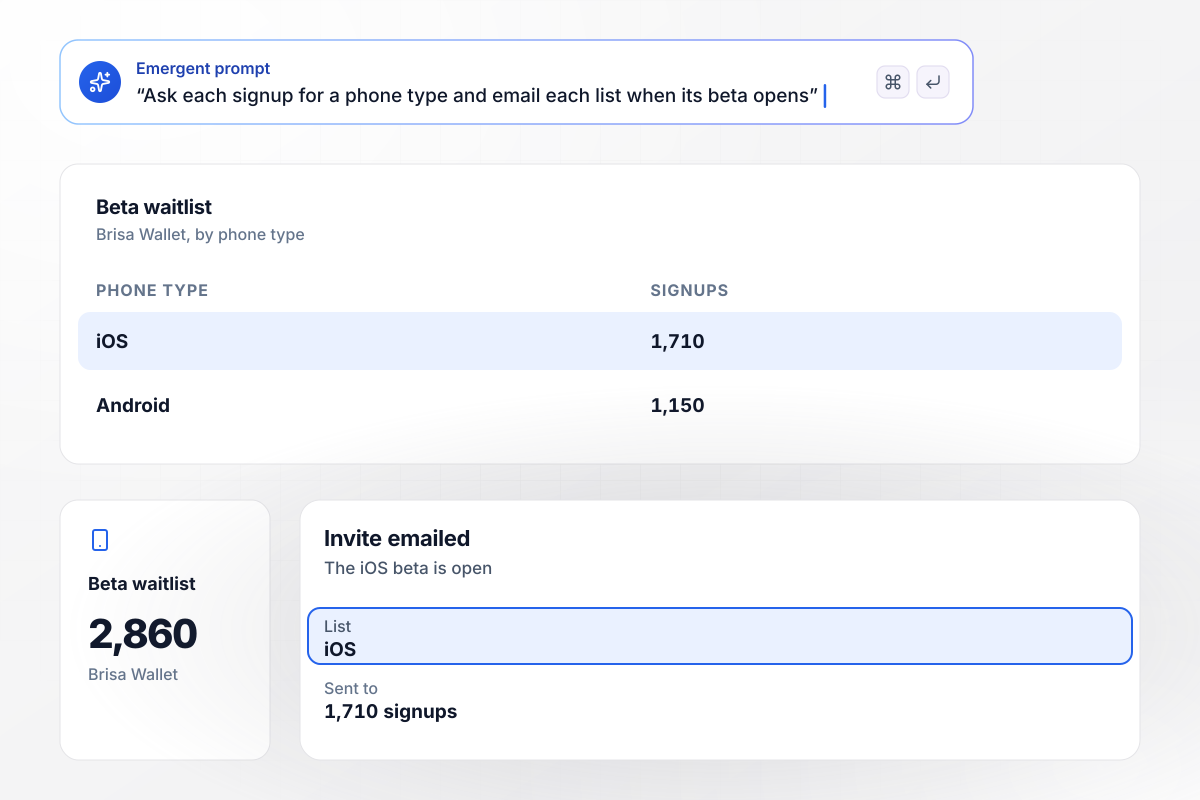
One beta waitlist, sorted by phone into two invite lists
Brisa Wallet opened its beta with a waitlist that asks for an email and a phone type. The app saves that choice on each row, then emails the iOS list when the iOS beta opens and the Android list when that build is ready. Of 2,860 signups, 1,710 chose iOS and 1,150 chose Android.
window.awbMockup = { walletBeta: "Build a beta waitlist page for my wallet app, Brisa Wallet. Ask each visitor for an email and a phone type, iOS or Android, and save every signup to a table. When a beta opens, email only the people on that phone's list, and show me a count of signups by phone type.", hackathon: "Build a registration page for the Quarry Labs hackathon. Ask each team for a team name, a public repo link, and a track: Tooling, Gaming, or Payments. Ask again if the link is not a full https:// address, save each team to a table, and email every team a confirmation with the kickoff time.", checkoutPlugin: "Build a demo request page for Saffron Rail, a checkout plugin that lets online stores accept crypto. Ask for the store name, the store platform, and the orders a month. Email any store over 500 orders a month to our sales lead, Dalia Restrepo, and put the rest in a demo queue table.", bugReports: "Build a bug report page for Basalt Protocol. Ask for the affected contract, a severity of Critical, High, Medium, or Low, and the steps to reproduce. Save every report to a table, email each Critical report to our security lead, Joon-ho Baek, and show me a count of reports by severity." };
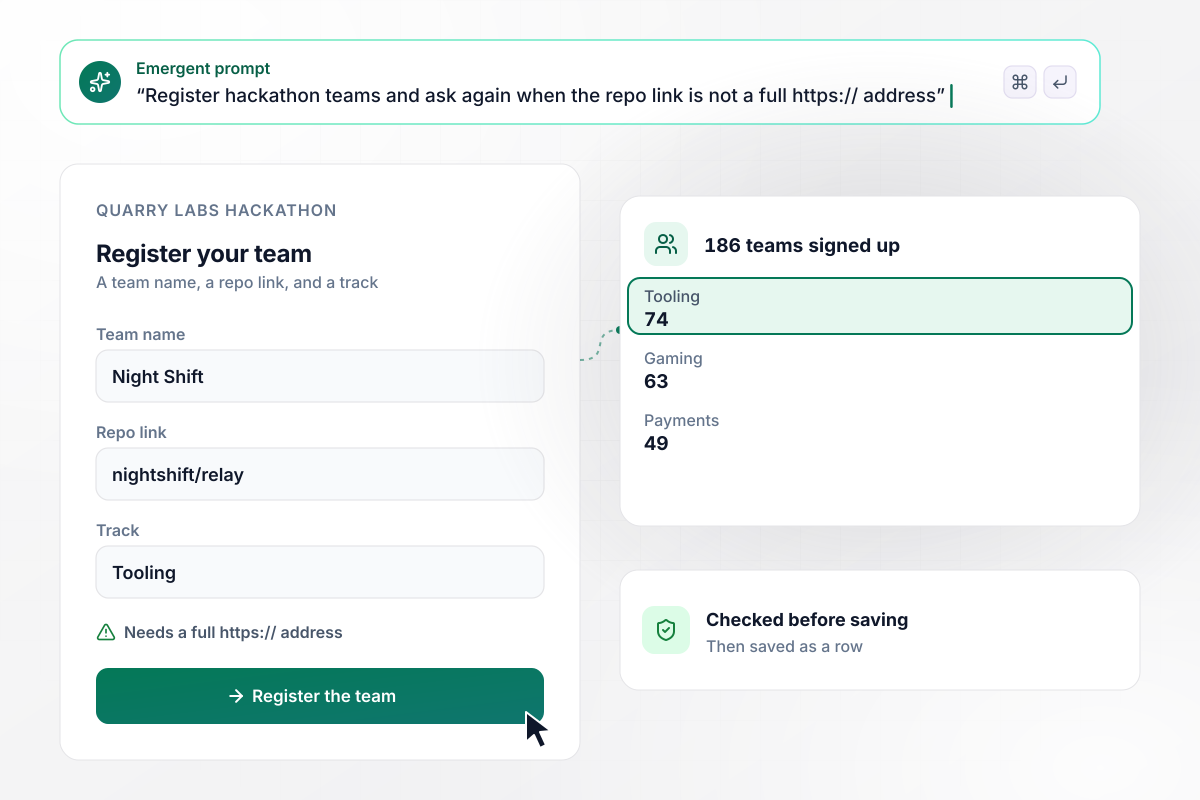
Every hackathon team registers with a public repo link
Teams register for the Quarry Labs hackathon with a team name, a public repo link, and a track. The form asks again when the link is not a full https:// address, before the team is saved. Of the 186 teams that signed up, 74 picked Tooling, 63 Gaming, and 49 Payments.
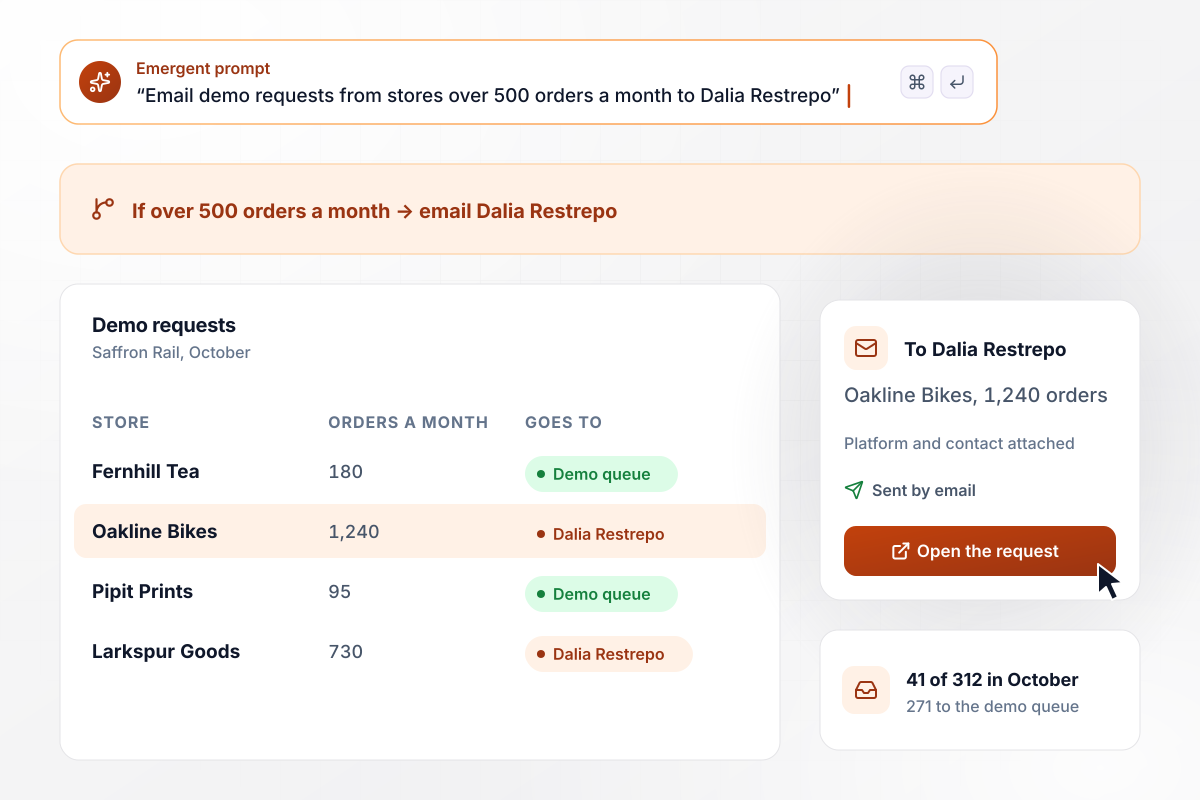
Dalia Restrepo gets every store over 500 orders a month
The demo form for Saffron Rail, a checkout plugin that lets online stores accept crypto, asks for the store platform and the orders a month. A store over 500 orders a month emails sales lead Dalia Restrepo with its details, and the rest join the demo queue. In October, 41 of 312 requests went to Dalia and 271 to the queue.
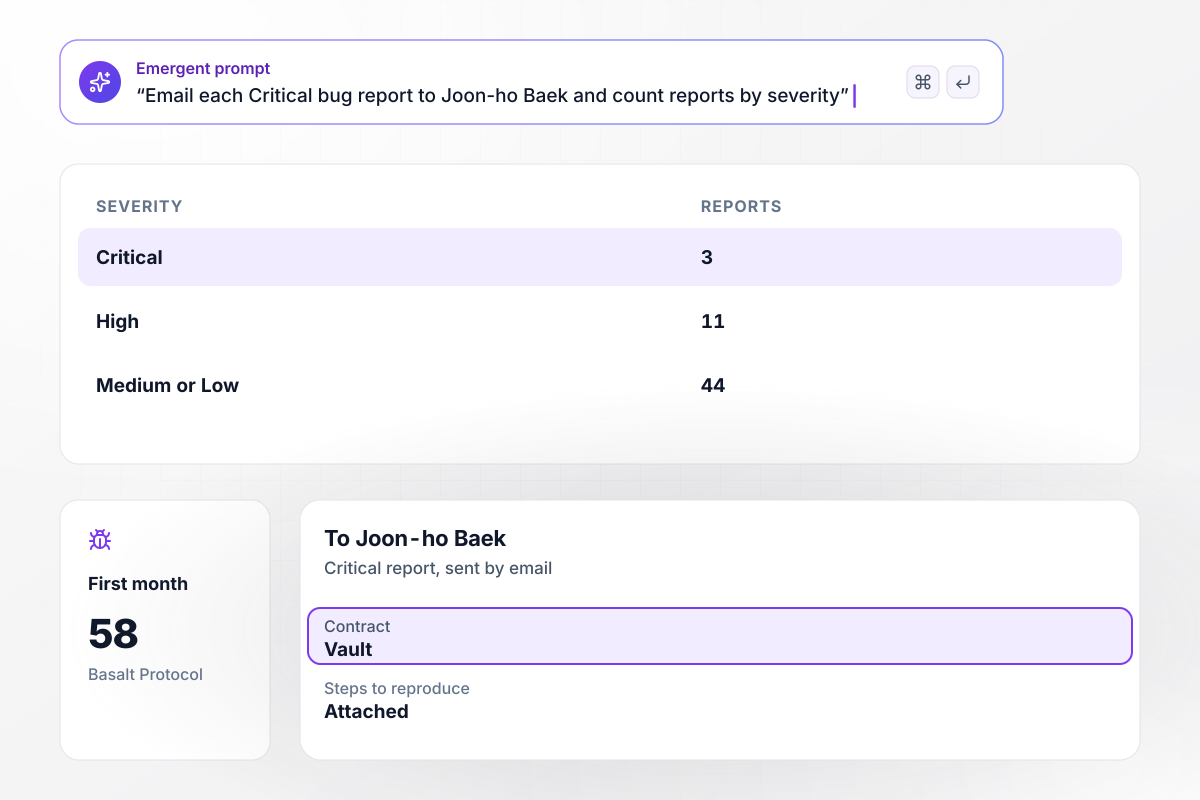
When a report is Critical, Joon-ho Baek gets the email
Security reports for Basalt Protocol arrive through a form that asks for the affected contract, a severity, and the steps to reproduce. Each Critical report emails security lead Joon-ho Baek with the contract name and the steps. The first month brought 58 reports: 3 Critical, 11 High, and 44 Medium or Low.






How to Build a Crypto Landing Page
Seven steps to plan and test a crypto landing page with one clear action and a form that saves every entry.
Decide the one step a visitor takes, such as joining the beta or requesting a demo. Put that form near the top of the page, where it shows without scrolling, and move the roadmap and team bios below it.
Write the headline as a plain statement of what the product does and who it is for, such as a self-custody wallet that keeps the keys on the phone. Save the protocol detail and the jargon for the docs.
List the sections and form fields, then the rule for each entry: who gets an alert, and which entries wait in a queue. Emergent builds the page with a database behind it, and you change either one by prompting again.
Have the form check each field's format before it saves anything. A repo link should be a full https:// address, and a wallet address should be the right length for the chain the product runs on. A typo then gets fixed by the visitor, not by you.
Write each label the way a visitor would say it, such as Wallet address or Phone type, and add one line under any field that needs a reason. Mark which fields are optional, and keep the required ones to what the next step needs.
Name the team or the company, link the public code, and say where security reports go. If an outside firm reviewed the contracts, link its full report from the page instead of quoting a summary of it.
Fill in the form on your own phone twice, once with clean entries and once with a broken link, then check the table and the alerts. After that, give each channel where you announce the page its own link.
Why Build Your Crypto Page With Emergent?
Emergent builds the whole crypto page and its alerts from one prompt. Every signup stays in a database you own.

|
Unbounce | Landingi | Wix | |
|---|---|---|---|---|
| How you build | Prompt for a campaign page | Templates and drag-and-drop, AI copy assist | Templates and drag-and-drop, AI assist | Prompt for a full site |
| Where submissions go | A database table you own, plus integrations | Unbounce lead storage and integrations | Vendor lead storage and integrations | Wix dashboard submissions and Contacts |
| Visitor limits | No per-visitor pricing | Monthly visitor caps by plan | Tiered by traffic on most plans | Site plan bandwidth |
| A/B testing | Generate variants by prompt | A/B testing on higher-tier plans only | Higher plans | Limited or add-on |
| Code ownership | Full code export to GitHub on paid plans | Hosted only | Hosted only | Hosted only |




Pick the Pricing Plan That Works for You
Choose the plan that fits your building ambitions. From weekend projects to enterprise applications, we've got you covered.




Find the right landing page for you















Frequently Asked Questions
Your Questions, Answered
Don't change this element unless you know what you are doing
More things you can build
with Emergent









on Emergent today


