

Build an Interactive Landing Page That Answers Each Visitor
Get an interactive landing page with a calculator or quiz that shows results on the spot and saves each answer with the lead.
Build an interactive landing page that saves every signup to a database I own.
Trusted by Builders Worldwide
Active Builders Worldwide
Apps Successfully Created
Countries Globally Reached



Controls That Hand the Visitor an Answer
An interactive landing page asks for an input and shows a result on the same screen. Six parts turn that into a lead.
Describe the control, get the page
Tell Emergent what the visitor enters and what the page shows back. It builds the page with that calculator or quiz working, and you change a formula later by prompting.
The result appears beside the inputs
Ask for the answer to update next to the fields as the visitor types. A visitor who has seen their price has a reason to leave an email, which is why the form goes after it.
Each answer stays with its lead
Every input is saved in the same row as the email it came with, in a database you own. Sales opens a lead and sees the square footage or quiz answers before the first call.
Rates live in a table, not in the code
Keep prices and quiz outcomes in a table the page reads on each load. When the per-visit rate goes up, you edit one row in that table instead of hunting through a formula.
Answers arrive in your CRM
Connect the page to HubSpot or another tool with an API, and each lead syncs there with its answers. A quiz result becomes a field on the contact, not a note typed in later.
Every control works without a mouse
Ask for a visible label on each input and a number keypad on numeric fields. Before launch, tab through the page and move every slider and option with the keyboard alone.
Interactive Landing Page Examples
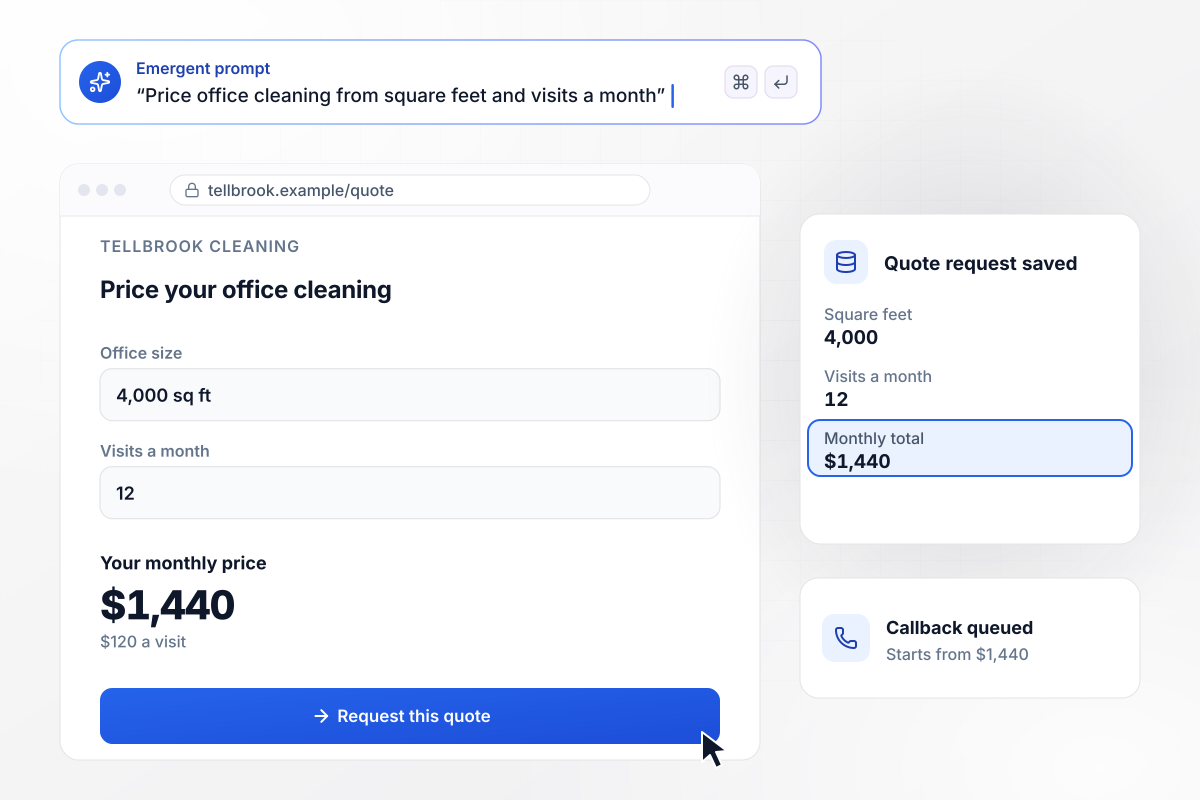
A $1,440 monthly quote with no sales call
Tellbrook Cleaning quotes offices by size and visit count. An office manager enters 4,000 square feet and 12 visits a month, and the calculator prices the space at $120 a visit and shows $1,440 a month. When the manager requests the quote, it is saved with both inputs, and Tellbrook's callback starts from that number.
window.awbMockup = { priceCalculator: "Build a landing page for Tellbrook Cleaning, my office cleaning company. Add a calculator where a visitor enters square feet and visits a month, price each visit at $0.03 a square foot, and show the monthly total as they type. Save each quote request with both inputs.", productQuiz: "Make a landing page for Kettlebay Roasters with a 4-question quiz about how people brew and what they like in a cup. Recommend one of our 3 roasts on the result screen, then ask for an email, and save all 4 answers with the signup.", configurator: "Create a desk configurator page for Ormsby Desk Co. Let buyers pick a top size and a frame color, redraw the preview after each pick, and keep a running total: the 60-inch top is $640 and the black frame adds $90. Save the finished build with the order.", productTour: "Build a landing page for Quillstack, my expense software for agencies, with a tour of 4 clickable hotspots on a dashboard screenshot. Have each hotspot open a short note, count which ones visitors open, and put a demo booking form after the last one." };
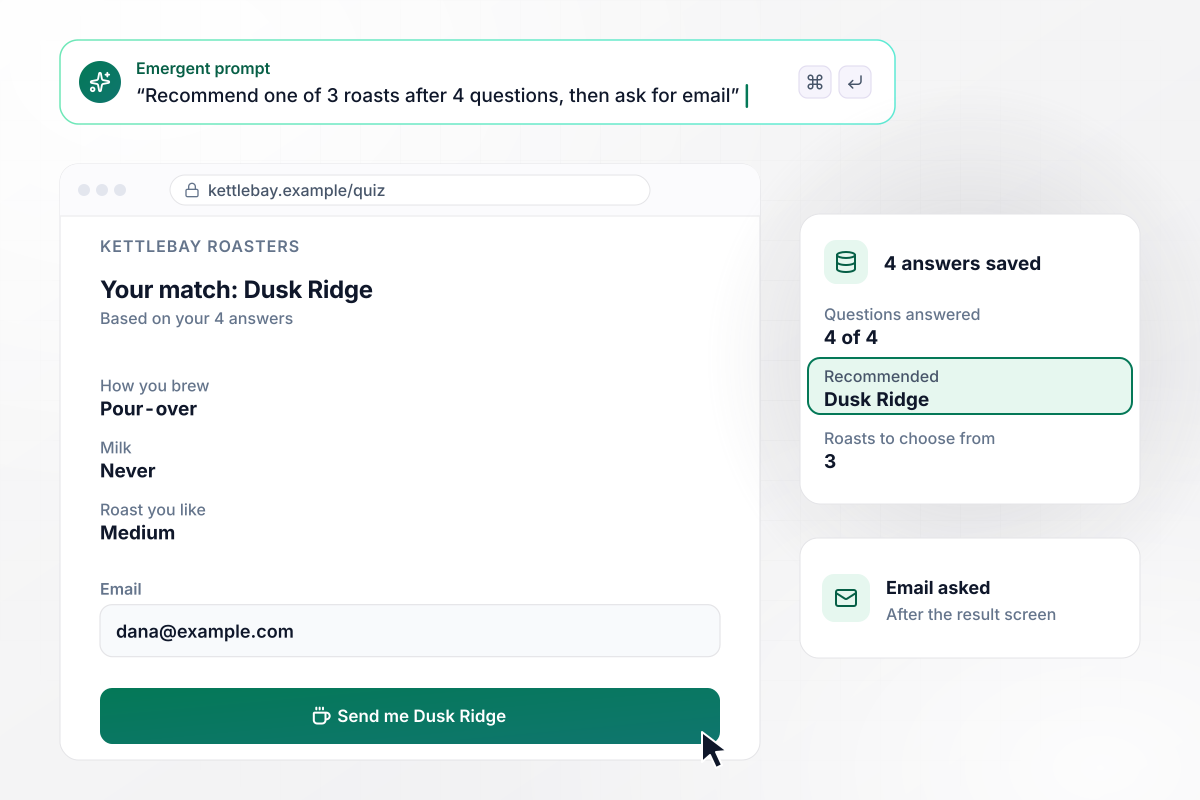
Four questions, then a roast to try
Kettlebay Roasters sells 3 roasts and uses 4 questions about brewing and taste to choose between them. The result screen recommends Dusk Ridge and says which answers led there. Only then does the email field appear, and the 4 answers are saved with the signup.
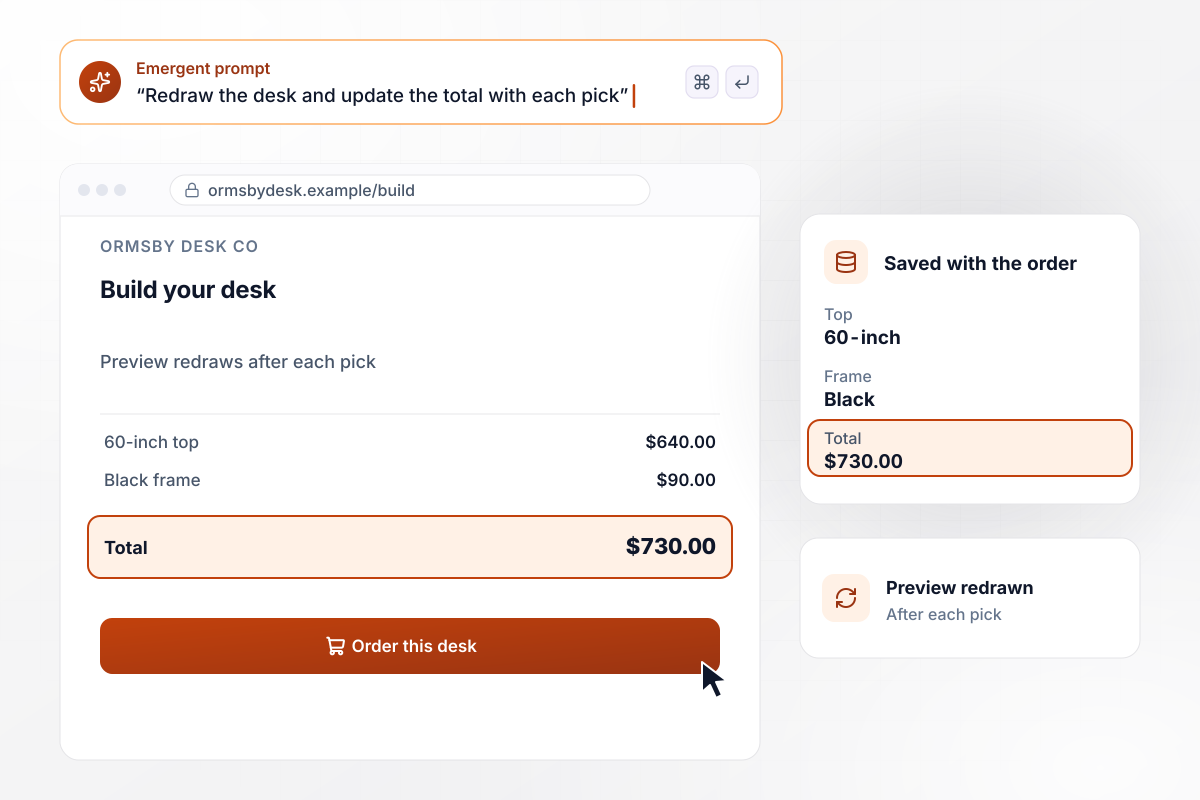
Every pick lands in a $730 total
A buyer on Ormsby Desk Co's page picks a 60-inch top for $640 and a black frame for $90. The preview redraws after each pick, and the total reads $730 before the order form. The finished build is saved with the order, top and frame included.
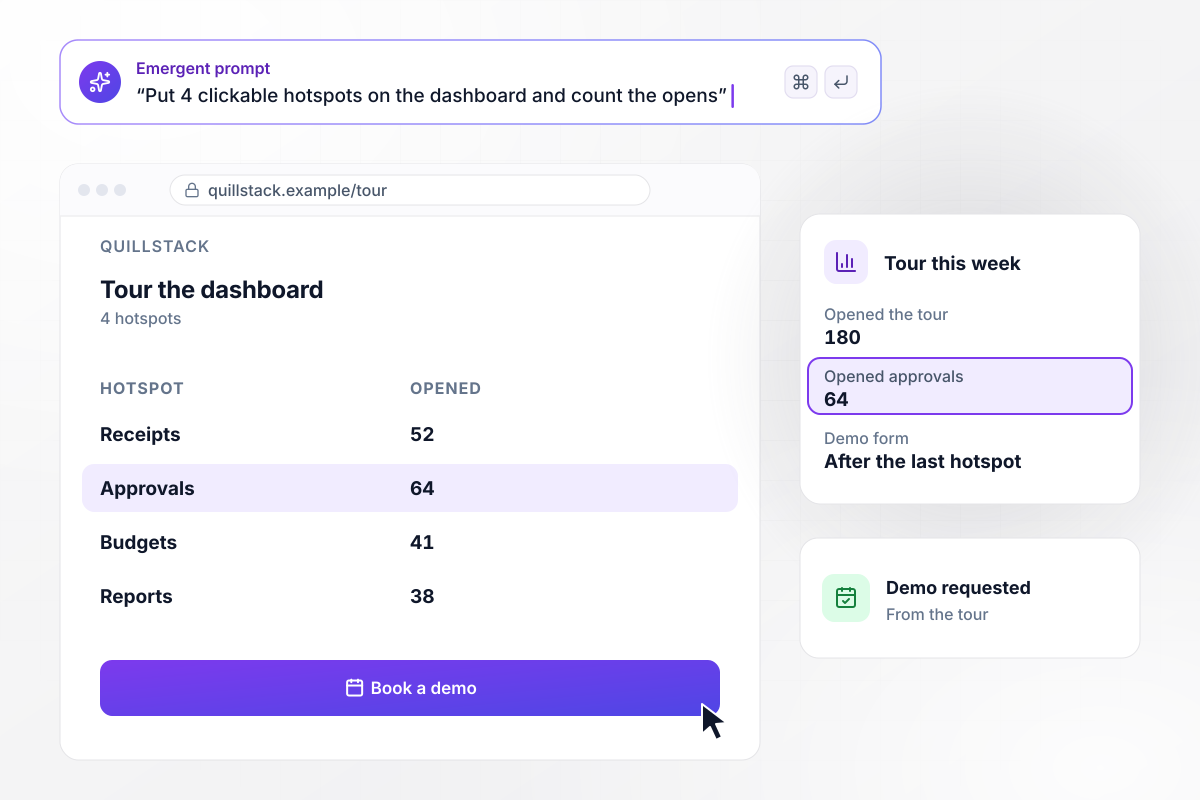
Which hotspot drew 64 of 180 visitors? Approvals
Quillstack sells expense software to agencies. Its page puts 4 clickable hotspots on a screenshot of the dashboard, and each one opens a short note on that feature. Of the 180 visitors who opened the tour this week, 64 clicked the approvals hotspot. The demo form sits after the last hotspot.






How to Create an Interactive Landing Page
Seven steps to an interactive landing page that shows each visitor a correct result first and saves what they entered.
Name what a visitor comes to the page to find out: a monthly price, or which product fits. Build one control around that answer. A page with a calculator and a quiz side by side splits attention between the two.
Put the inputs, the rates and the math on one line, such as square feet times $0.03 times visits a month. For a quiz, write which answers lead to which result. Anything you leave out, the build has to guess.
Paste that line into your prompt along with the fields you need and where the result should appear. Emergent builds the page with the control working, and you ask for changes in plain words until it matches your math.
Let the visitor see the price or the match before you ask for anything. Then offer the next step in that same view, with a button that names it, such as Request this quote.
Enter 5 sets of inputs you have already worked out by hand, including the smallest and largest you expect. Every result on the page should match yours to the cent before a visitor sees it.
Reach every field, slider, and button with the Tab key and operate each one without a mouse. Then open the page on a phone and check that number fields bring up the number keypad.
After launch, sort the saved leads by what they entered. The office sizes people price and the quiz answers they give tell you which offer to put first on the next version of the page.
Why Build Calculators and Quizzes With Emergent?
Describe the calculator once and Emergent builds it. Answers sit in a database you own, and paid plans export the code to GitHub.

|
Unbounce | Leadpages | ConvertFlow | |
|---|---|---|---|---|
| How you build | Prompt for a campaign page | Templates and drag-and-drop, AI copy assist | AI page creation, templates, and drag-and-drop | Templates and drag-and-drop, AI remix |
| Where submissions go | A database table you own, plus integrations | Unbounce lead storage and integrations | Leadpages lead storage and integrations | ConvertFlow contact profiles, synced to your CRM |
| Visitor limits | No per-visitor pricing | Monthly visitor caps by plan | No traffic caps | Monthly view caps by plan |
| A/B testing | Generate variants by prompt | A/B testing on higher-tier plans only | A/B testing on higher-tier plans only | A/B testing on paid plans only |
| Code ownership | Full code export to GitHub on paid plans | Hosted only | Hosted by Leadpages | Hosted by ConvertFlow or embedded on your site |



Pick the Pricing Plan That Works for You
Choose the plan that fits your building ambitions. From weekend projects to enterprise applications, we've got you covered.




Find the right landing page for you


Frequently Asked Questions
Your Questions, Answered
Don't change this element unless you know what you are doing
More things you can build
with Emergent









on Emergent today


