

Build a One Page Website With a Form That Works
Create a one page website with links that jump to each section and a contact form that stores every inquiry in your database.
Build a one page website for my business that says what I offer and how to reach me.
Trusted by Builders Worldwide
Active Builders Worldwide
Apps Successfully Created
Countries Globally Reached



The Parts of a One Page Website Emergent Builds
What a visitor scrolls through, and what happens to the inquiry they leave at the end.
Sections in the order visitors scroll
Emergent lays out the intro, services, reviews, and contact sections in the order your prompt lists them. Each one opens on its own heading, for visitors who skim on a phone.
Menu links that jump down the page
Every section gets an anchor, and each header link scrolls to its section. Ask for a pinned header and it stays in view on a phone, with the menu folded into one button.
Every inquiry saved as a row
Inquiries are saved to a database you own, one row per submission. The columns match the fields your prompt names: ask the form for a budget and every row arrives with one.
Edits made by message, not by dragging
Send a message such as "move reviews above pricing" or "add a second phone number to the footer," and Emergent rewrites that part of the code. Nothing is dragged into place.
Live on a domain with your name on it
Connecting a custom domain is included and uses credits. It puts your business name in the address bar instead of a builder's subdomain, the address you print on cards and invoices.
Code you can take anywhere
Nothing stays locked in Emergent. Export the full code, contact form included, to your GitHub on paid plans, where a developer can host it on their own server or extend it.
One Page Websites for Four Trades
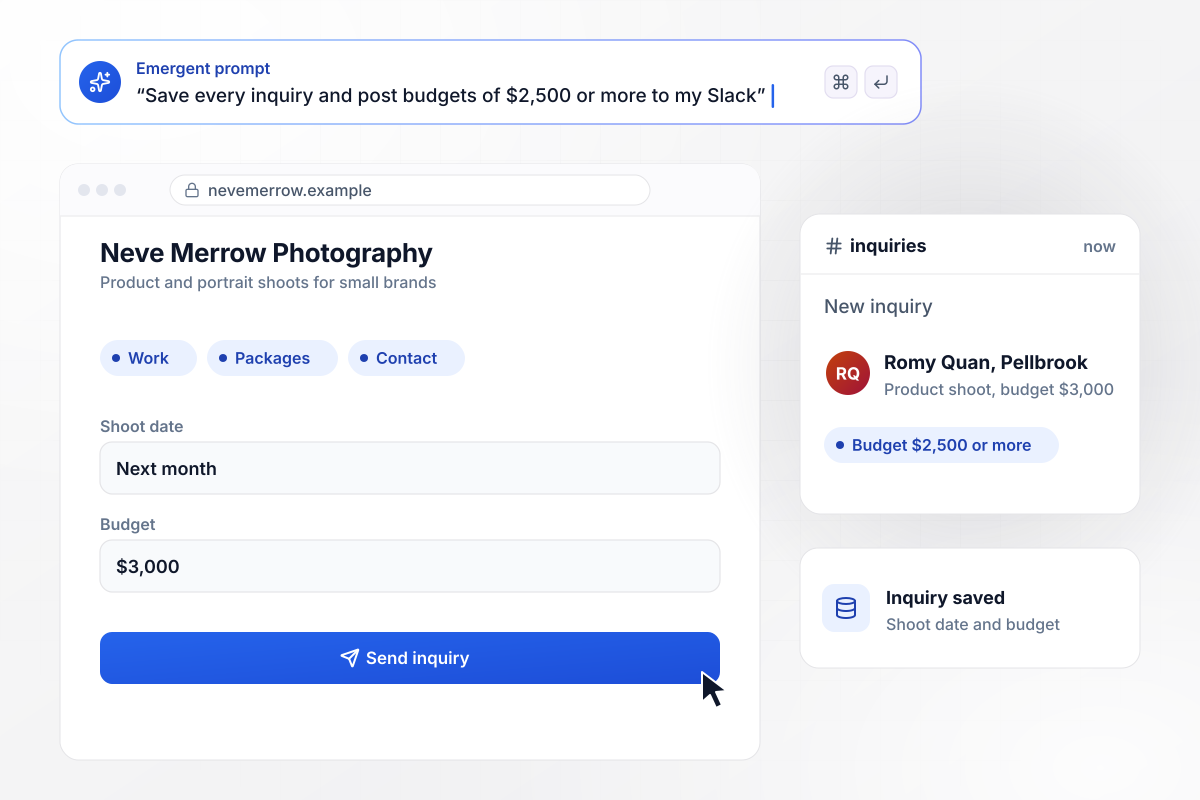
Portfolio first, inquiry form last, one scroll
Neve Merrow shoots products and portraits for small brands. Her page opens on a grid of recent shoots and ends with an inquiry form asking for the shoot date and budget, with her packages in between. Each inquiry is saved to a table, and any budget of $2,500 or more posts to her Slack.
window.awbMockup = { freelancePortfolios: "Build a one page website for my photography business. Open with a grid of my recent product and portrait shoots, then my packages, then an inquiry form asking for name, email, shoot date, and budget. Save every inquiry to a table, and post any inquiry with a budget of $2,500 or more to my Slack.", localServiceBusinesses: "Build a one page site for my plumbing company, Rasmund Plumbing. Put our phone number in the header, list our services and the towns we cover, and end with a quote request form that asks for the town and the job. Tag any request from a town outside our service area as Out of area.", restaurants: "Build a one page website for my restaurant, Mesquite Table, with the menu, opening hours, and a reservation form. Book parties of 8 or fewer straight into a bookings table. Send larger parties to Nola, our events manager, by email with the day, time, and party size instead of booking them.", communityEvents: "Build a one page site for our Rushwater 5K with the course map, the race-morning schedule, and a registration form. Stop registrations at 400 runners and turn the signup button into a waitlist form. Give each waitlist entry a numbered spot and send a confirmation email with that number." };
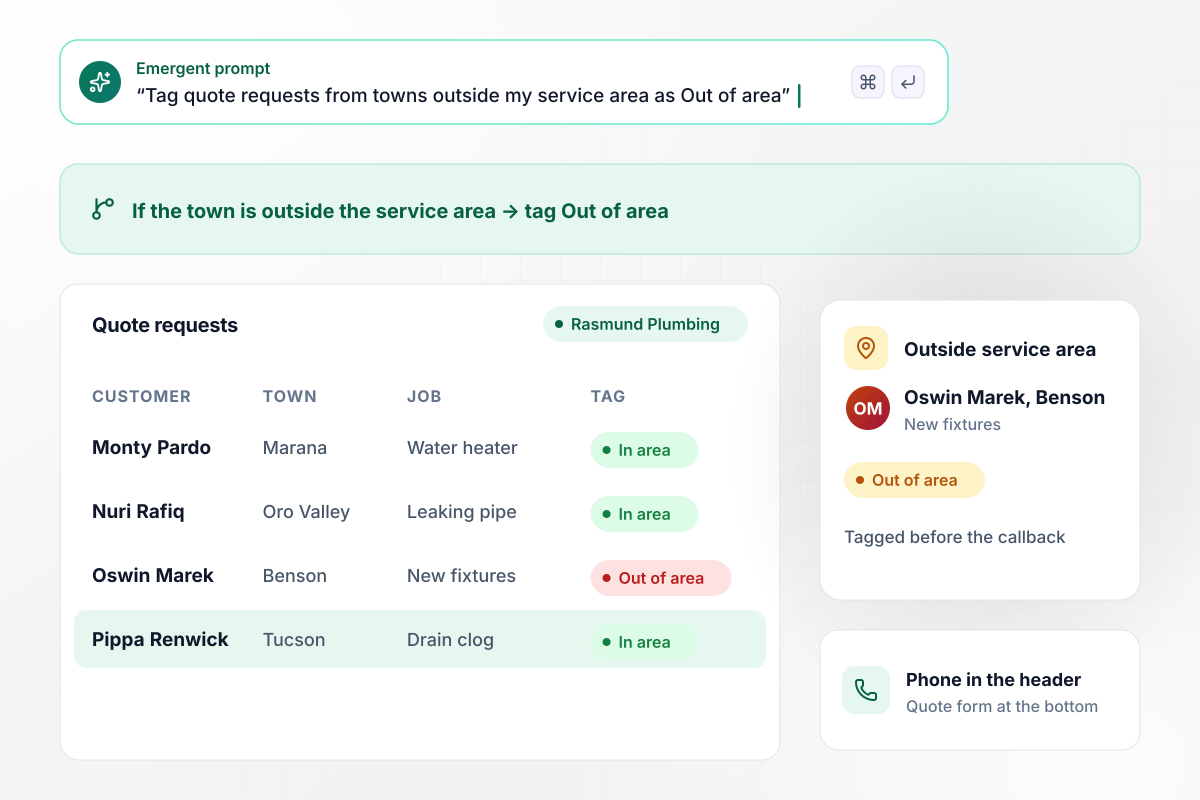
Every quote request checked against the service area
Plumbing calls come from the towns Rasmund Plumbing covers, and a few from places it does not. The page puts the phone number in the header and a quote form at the bottom. Requests from a town outside the service area are tagged Out of area before anyone calls back.
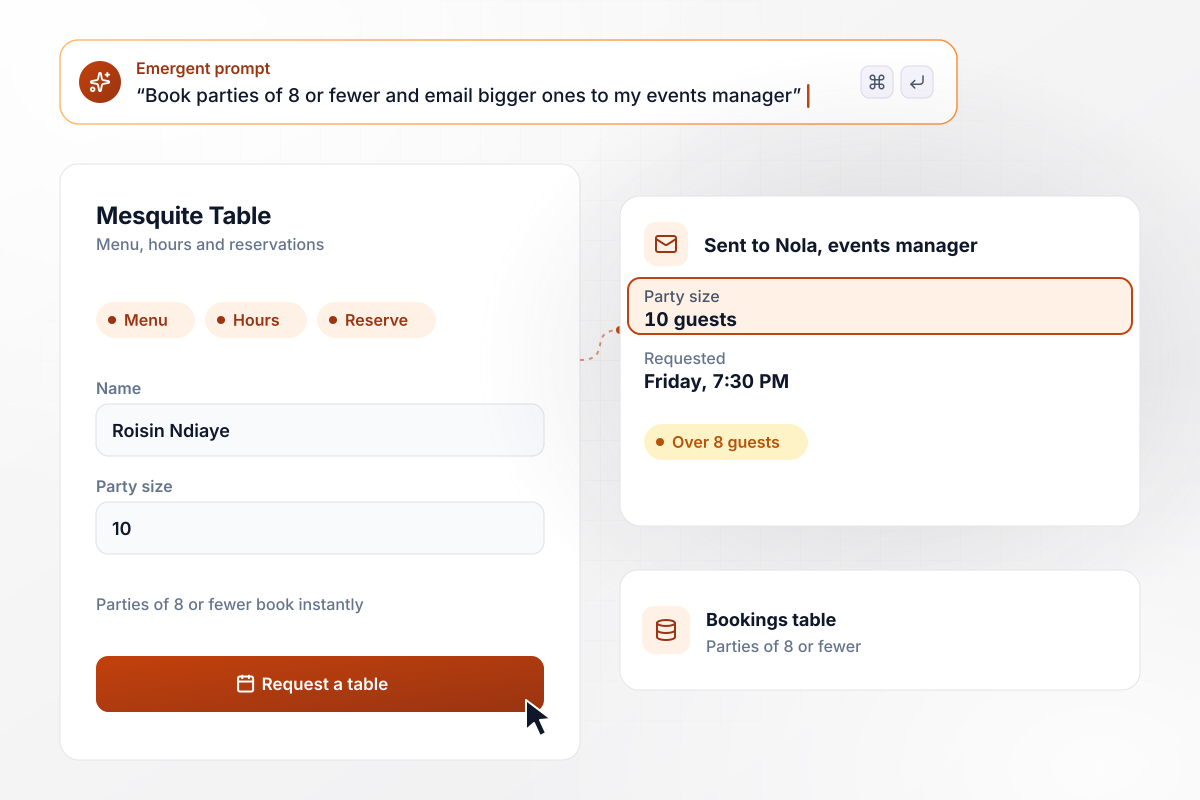
Large parties go to the events manager
The reservation form sits under Mesquite Table's menu. Parties of 8 or fewer go straight into the bookings table. A request for 10 guests skips the table: Nola, the events manager, gets it by email with the party size and the requested time.
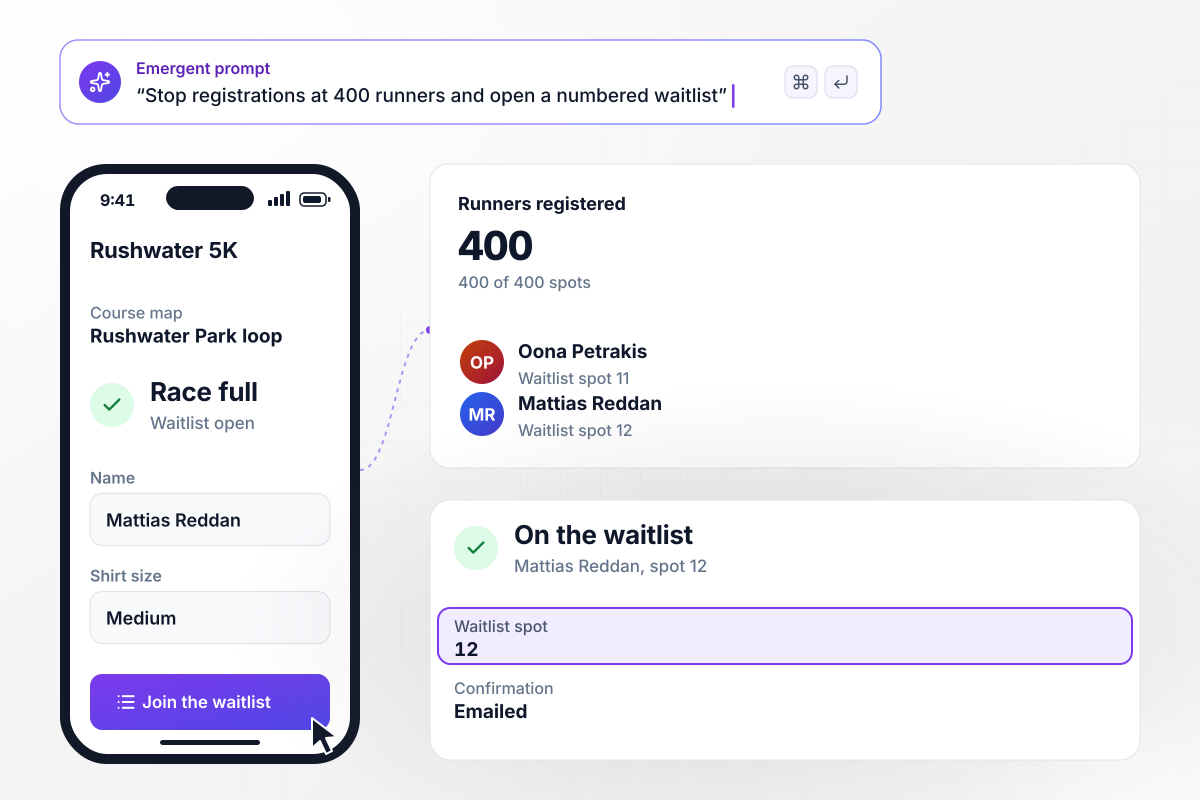
When the race fills, signups become a waitlist
At 400 runners, the Rushwater 5K page stops taking registrations. The course map and race-morning schedule stay up, and the signup button opens a waitlist form instead. Each entry gets a numbered spot and a confirmation email with that number.






How to Build a One Page Website
Follow these seven steps to build a one page website and publish it once its form has been tested on a phone.
A one-page site fits a business with one offer and one action a visitor should take, such as booking a table or asking for a quote. If you sell unrelated services to different buyers, give each of them a page of its own.
Write the sections down in the order a visitor needs them: what you do, proof that you do it well, what it costs, how to reach you. Cut any section that repeats another, and keep the contact form as the last stop.
Name the business, the sections, and the details only you know: phone number, service towns, package prices, opening hours. Emergent builds the first version from that prompt. The more specific the details, the less copy you rewrite afterward.
Give each section a short name a visitor would look for, such as Services or Book, and use the same word in the menu. Four or five links fit on a phone screen; leave the rest out of the menu.
Pick the fields the form asks for and what happens to each entry: a row in your database, an email to you, a Slack post for the large jobs. Ask only for fields you will use when you reply to someone.
Open the page on your own phone and scroll it end to end. Tap every menu link, submit the form once and confirm the entry landed where you asked. Then read it again with your phone's text size turned up.
Publish the page and connect the domain you bought. Then put the link wherever customers already look for you: your Google Business Profile and Instagram bio first, then the email signature on every reply you send.
Why Build Your One Page Website With Emergent?
Wix, Unbounce, and Landingi host the page for you. Emergent hands you its code, and form entries go to a database you own.

|
Wix | Unbounce | Landingi | |
|---|---|---|---|---|
| How you build | Prompt for a campaign page | Prompt for a full site | Templates and drag-and-drop, AI copy assist | Templates and drag-and-drop, AI assist |
| Where submissions go | A database table you own, plus integrations | Wix dashboard submissions and Contacts | Unbounce lead storage and integrations | Vendor lead storage and integrations |
| Visitor limits | No per-visitor pricing | Site plan bandwidth | Monthly visitor caps by plan | Tiered by traffic on most plans |
| Code ownership | Full code export to GitHub on paid plans | Hosted only | Hosted only | Hosted only |




Pick the Pricing Plan That Works for You
Choose the plan that fits your building ambitions. From weekend projects to enterprise applications, we've got you covered.




Find the right landing page for you

Frequently Asked Questions
Your Questions, Answered
Don't change this element unless you know what you are doing
More things you can build
with Emergent









on Emergent today


