

Build a Splash Page With a Clear Way In
Build a splash page that asks one question, shows a clear way past it, and saves each answer to a table you own.
Build a splash page that shows one short message before visitors reach my site.
Trusted by Builders Worldwide
Active Builders Worldwide
Apps Successfully Created
Countries Globally Reached



What Goes Into a Splash Page That Works
One screen up front, and the routing and storage behind it that visitors never see.
A skip link placed where people look
Ask for a skip link and Emergent sets it beside the main button, as large as the button label. Visitors headed for the home page reach it in one click, with no close icon to find.
Inner links that bypass the splash
Put the splash page at your root address and move the home page one step behind it, to a path such as /home. Links shared to a product or an article can open that page directly.
Signups saved to a table you own
Emails typed into the splash land in a database table you own, with a timestamp and the campaign in the link. Export the list, or send each new row to your email tool over its API.
Routing rules written in plain words
Answers about age or country send each visitor to a different page: the store for their country, or a short exit page for anyone under the age you set. Rules read as plain sentences.
Promotions changed by message
Change the headline or end a promotion by sending Emergent a message. The new version replaces the old one at the same address, and answers already saved stay as they were.
The page and its data, exported
The splash page and its table export to your GitHub on paid plans. Host both on Emergent under a custom domain, which is included and uses credits, or deploy the code yourself.
Four Jobs a Splash Page Does Well
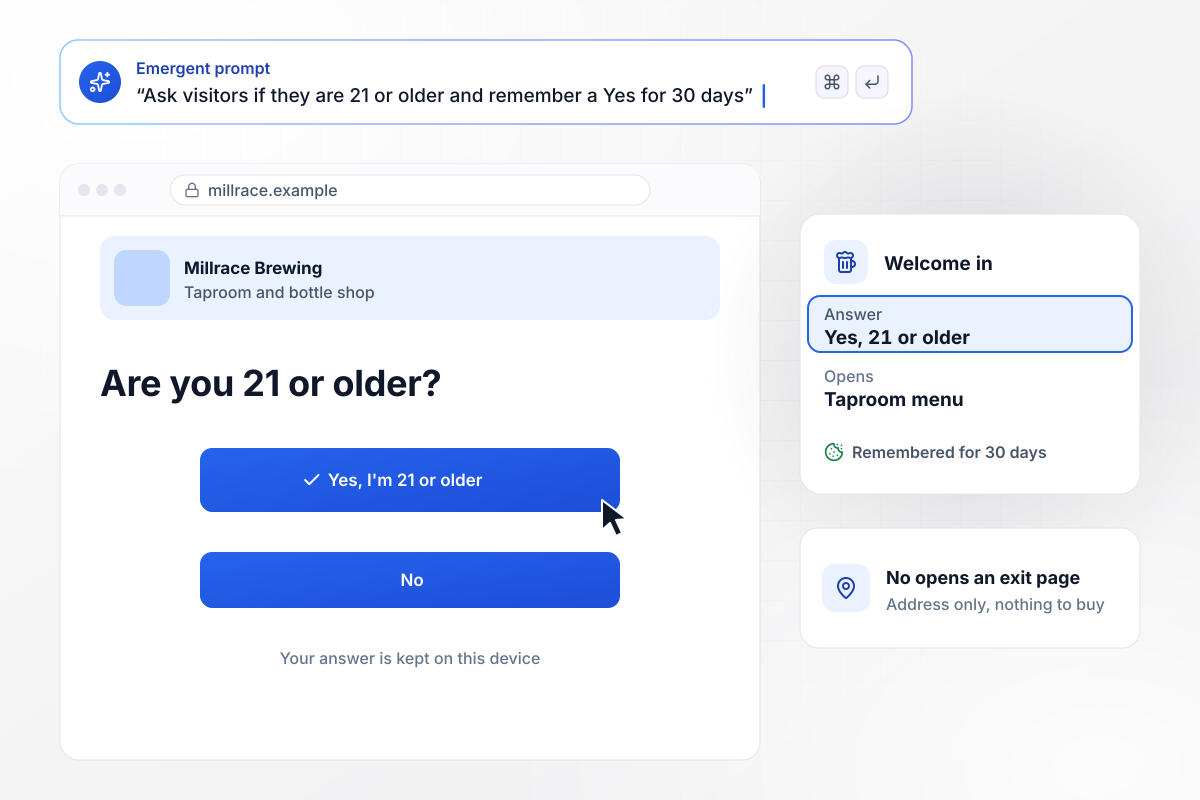
Twenty-one or older, asked at the door
Millrace Brewing's site opens on one question: are you 21 or older? Yes leads to the taproom menu and the bottle shop. No leads to a short page with the brewery's address and nothing to buy. Regulars who answered Yes skip the question for 30 days.
window.awbMockup = { ageCheck: "Build an age check splash page for my brewery's website. Ask one question, are you 21 or older, with Yes and No buttons. Yes opens the taproom menu and the bottle shop. No goes to a short page with our address and nothing for sale. Remember a Yes for 30 days so regulars skip the question.", storefrontPicker: "My store ships to the US, Canada and the UK. Build a splash page that asks for a country and a language, then sends each shopper to the matching storefront, for example the French Canadian store for Canada and French. Remember the choice so returning shoppers go straight to their store.", launchWaitlist: "My app launches soon. Build a waitlist splash page for my domain with the app name, one sentence on what it does, and a single email field. Save each signup as a row with the time and the utm campaign from the link, and show a short confirmation after someone joins.", seasonalSale: "Build a fall sale splash page for my hardware store with Shop the sale and Skip to site buttons. Show it only on a visitor's first visit. Log every view and which button was clicked, and post yesterday's views and sale clicks to my marketing channel in Slack at 8 AM." };
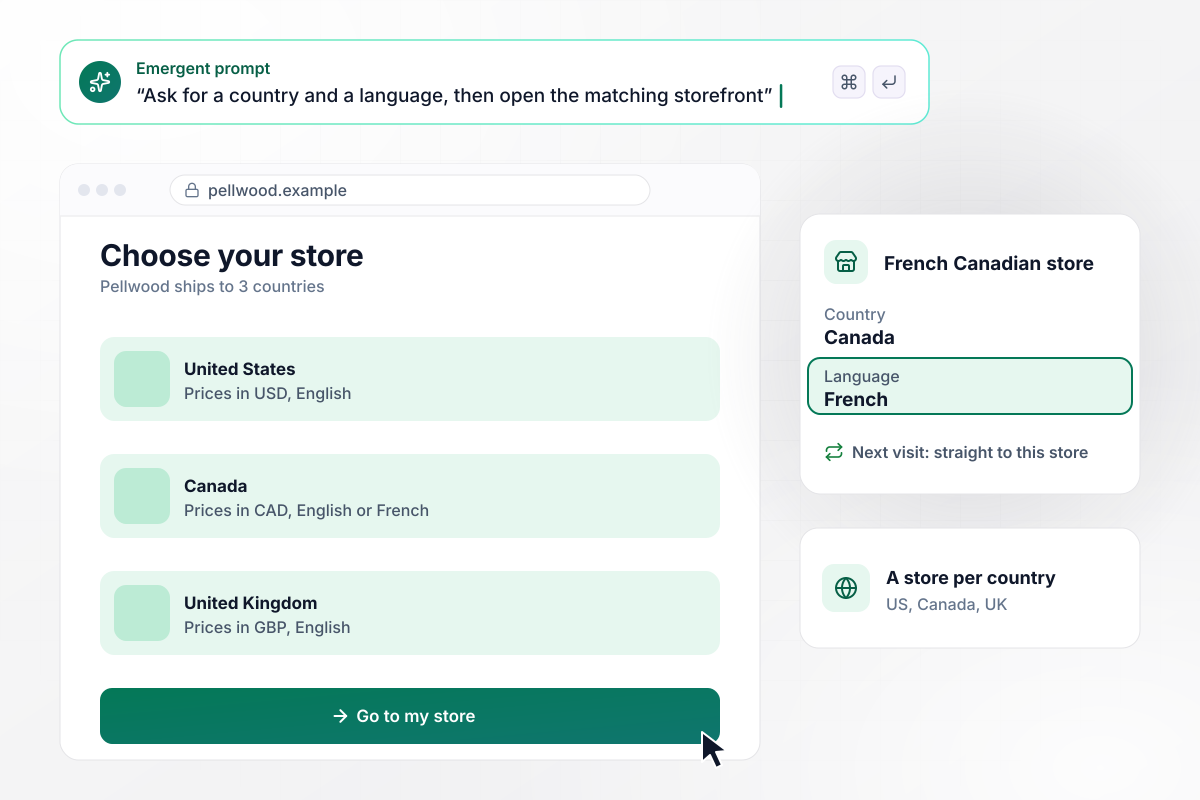
A storefront and a language, picked once
Shoppers from three countries reach Pellwood's store, and prices and shipping differ in each. The splash page asks for a country and a language, then opens the matching store. A shopper in Montreal who picks Canada and French lands on the French Canadian store and goes straight there on every later visit.
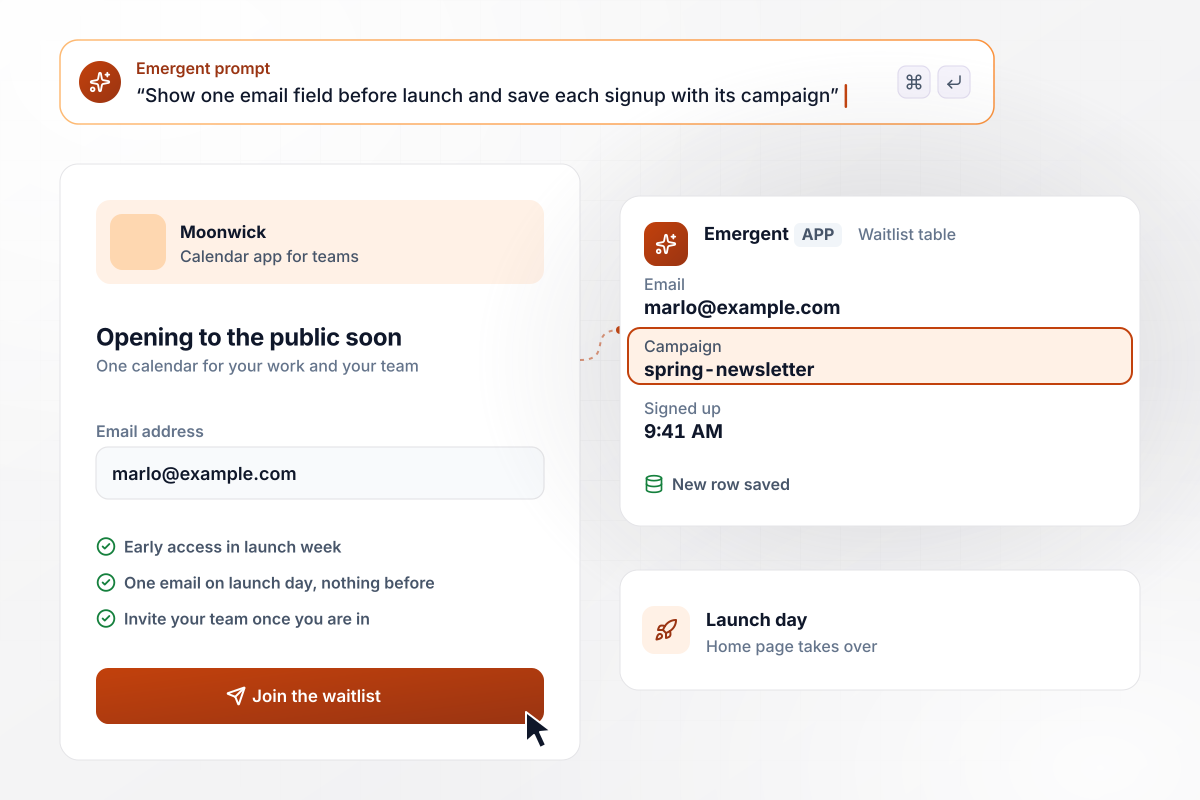
Collect launch emails before the app opens
Until launch day, Moonwick's domain shows one screen with a single field for an email address, under a sentence on what the app does. Each signup lands as a row with its time and the campaign that sent it. On launch day the splash comes down and the home page takes over the address.
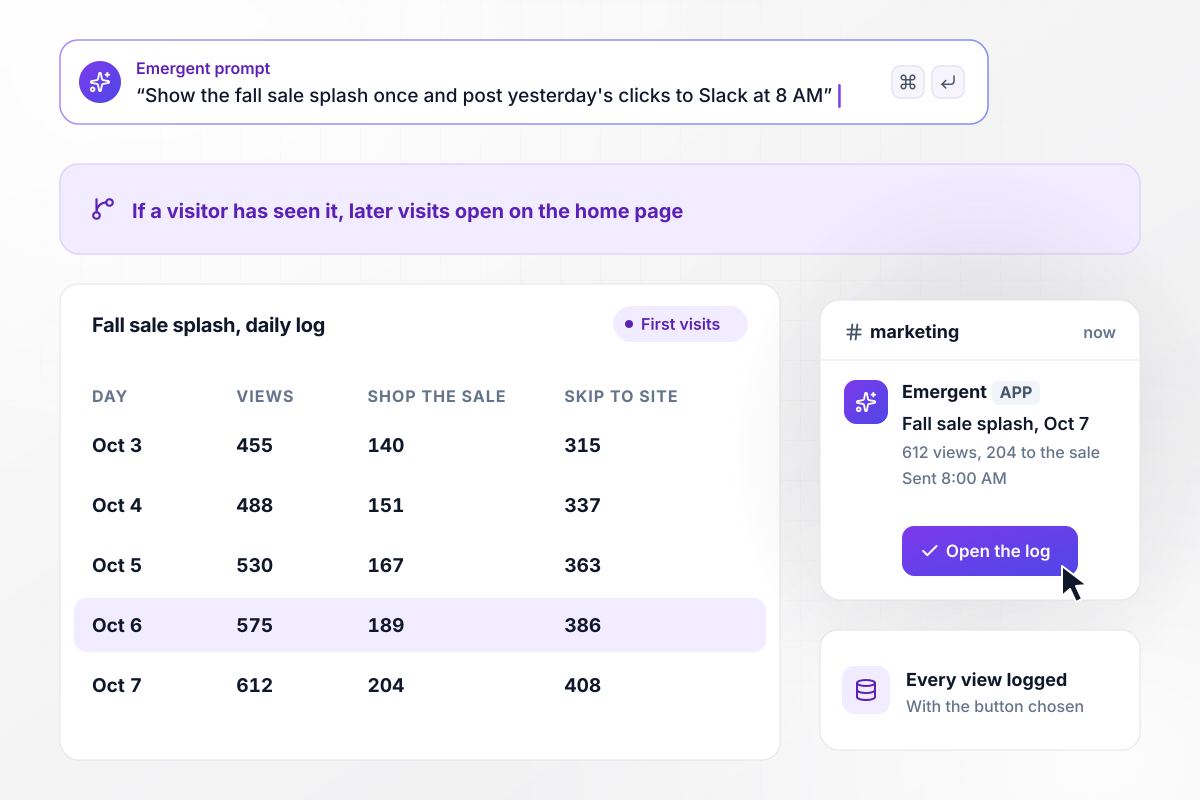
How many shoppers took the sale and how many skipped
For the first two weeks of October, Merriton Supply opens its site on a fall sale splash page. Each visitor sees it on the first visit, and later visits open on the home page. The log records whether each viewer chose Shop the sale or Skip to site, and a Slack post at 8 AM gives the marketing team yesterday's totals.






How to Build a Splash Page
Seven steps to plan a splash page that asks for one decision, remembers it, and lets visitors through to the site.
Write down what the splash page is for before designing it: an age check, a storefront choice, a waitlist, or a short promotion. If you cannot name the job in a sentence, the message belongs in a banner on the home page instead.
Two buttons, or one field and a button, is enough for the screen. Each extra field or link is another reason for a visitor to leave before reaching the site they came for. Cut the navigation menu and the footer too.
Place the skip link near the main button, in readable type and plain words such as Continue to site. Tiny close icons and countdown timers that hold people in place cost you the visitors who came for the home page.
Google may rank a page lower on mobile when an intrusive interstitial hides its content. Age checks and cookie notices that answer a legal obligation are exempt. A promotional splash belongs on its own URL with a clear way through, never layered over the page someone searched for.
Store each answer in a cookie with an expiry that fits the job: weeks for an age check, months for a language. Without it, a returning customer meets the same question on every visit, and the site looks as if it has never seen them.
When the splash asks for an email or a country, write each answer to a table with the time and the link the visitor arrived from. That table becomes your waitlist, and later the record of which campaign filled it.
Compare clicks on the main button with skips and exits. A promotion most people skip is a banner's job. When the splash has done its work, take it down and point its address at the home page with a 301 redirect.
Why Build Your Splash Page With Emergent?
Builders hand you a splash template to arrange. Emergent builds the page from a prompt, with its redirect logic and answer table.

|
Unbounce | Wix | Landingi | |
|---|---|---|---|---|
| How you build | Prompt for a campaign page | Templates and drag-and-drop, AI copy assist | Prompt for a full site | Templates and drag-and-drop, AI assist |
| Where submissions go | A database table you own, plus integrations | Unbounce lead storage and integrations | Wix dashboard submissions and Contacts | Vendor lead storage and integrations |
| Code ownership | Full code export to GitHub on paid plans | Hosted only | Hosted only | Hosted only |
| Visitor limits | No per-visitor pricing | Monthly visitor caps by plan | Site plan bandwidth | Tiered by traffic on most plans |

Pick the Pricing Plan That Works for You
Choose the plan that fits your building ambitions. From weekend projects to enterprise applications, we've got you covered.




Find the right landing page for you
Frequently Asked Questions
Your Questions, Answered
Don't change this element unless you know what you are doing
More things you can build
with Emergent









on Emergent today


