

Build Landing Page SEO Into Code You Own, Tag by Tag
Build the page and its landing page SEO from one prompt: the title tag and schema you specify, in code you can export.
Build a page for my main product keyword with landing page SEO, schema, and a lead form.
Trusted by Builders Worldwide
Active Builders Worldwide
Apps Successfully Created
Countries Globally Reached



What Goes Into an SEO Landing Page
The parts of landing page SEO Emergent writes into the page from your prompt, and where its leads are saved.
Meta tags written around the query
Your prompt names the query, and Emergent writes the page's title and description tags around it. Rewording either one later takes a follow-up message that edits the code.
Sections in the order searchers need them
Emergent lays out the H2s around the questions your buyers ask next, in the order you list them. Ask for a pricing or comparison section in the prompt and it gets its own H2.
Structured data and canonical tags
Structured data goes in as JSON-LD, the format Google recommends, for whichever schema.org type your prompt names. A canonical URL and a sitemap entry go in on request too.
Speed findings you can fix by prompt
PageSpeed Insights reports Core Web Vitals for the published page. Paste a finding, such as an image served larger than it displays, into the chat and Emergent fixes the code.
Leads saved with their landing URL
Leads land in a database you own, with the UTM parameters the form records. Add utm_medium=cpc to your ad links, then filter on utm_medium to separate paid leads from the rest.
Markup you can audit and keep
Export the page, form included, to your GitHub on paid plans as plain code. Your developer can then check every tag, JSON-LD included, with whichever crawler they already use.
SEO Landing Pages for Four Kinds of Query
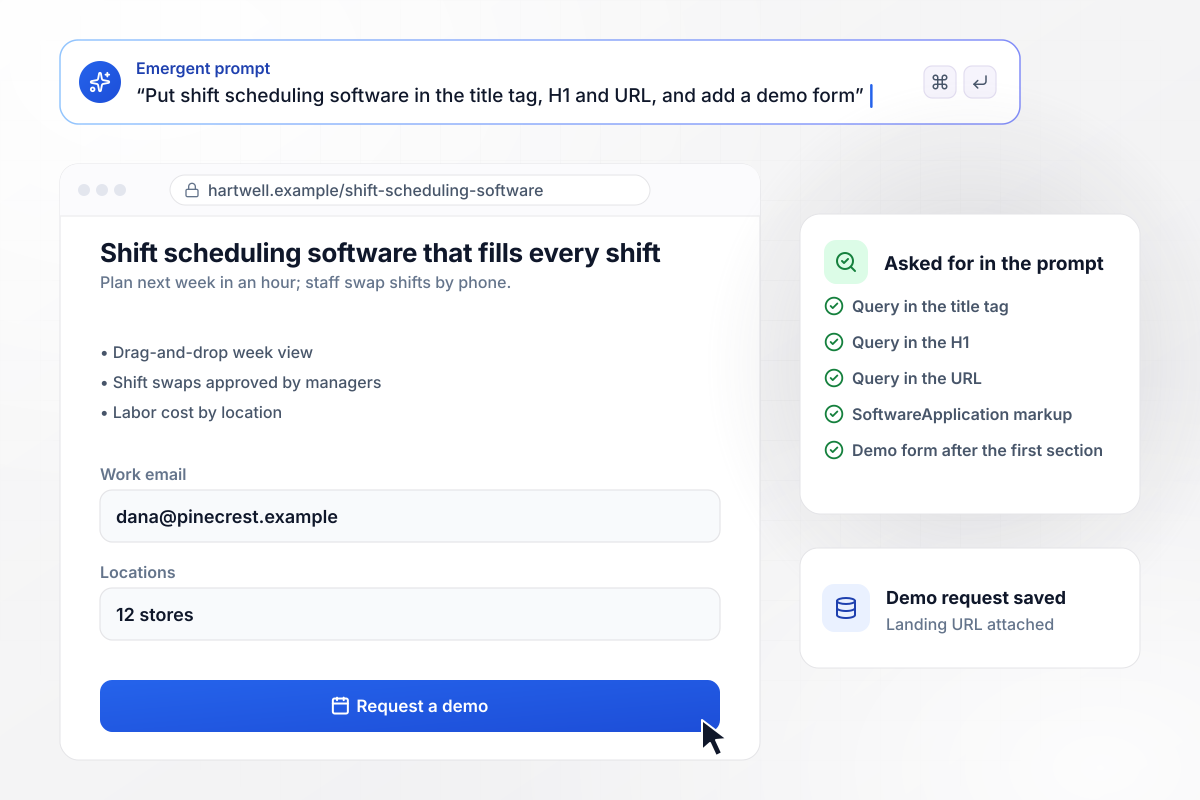
One feature page for one buying query
Hartwell sells shift scheduling software, and that phrase is what its buyers search. The prompt puts it in the title tag, H1 and URL, with SoftwareApplication markup for the product. Demo requests land in a table with the landing URL attached.
window.awbMockup = { featurePages: "Build an SEO landing page for my shift scheduling software. Use the phrase shift scheduling software in the title tag, H1 and URL, and add SoftwareApplication markup with the price and platforms. Put a demo request form after the first section and save every request to a table with its landing URL.", cityPages: "Build pages for my moving company's branches in Denver, Boulder, Aurora, and Fort Collins. Write a different H1 for each from what that crew does most: high-rise moves in Denver, student moves in Boulder, family homes in Aurora, long-distance moves out of Fort Collins. Add LocalBusiness markup with the branch address and send quote requests to that branch's Slack channel.", comparisonPages: "Build a Redfern vs Glenmere comparison page. Compare pricing, setup time and the mobile app in a table, and keep the row where Glenmere is ahead. Add BreadcrumbList markup placing the page under Compare, and link to my scheduling, reporting, and payroll feature pages at the bottom.", templatePages: "Build a landing page for my free content calendar template. Show a preview of the sheet and short notes on filling it in, then ask for a work email before the download. Create a HubSpot contact for every download with this page recorded as the source." };
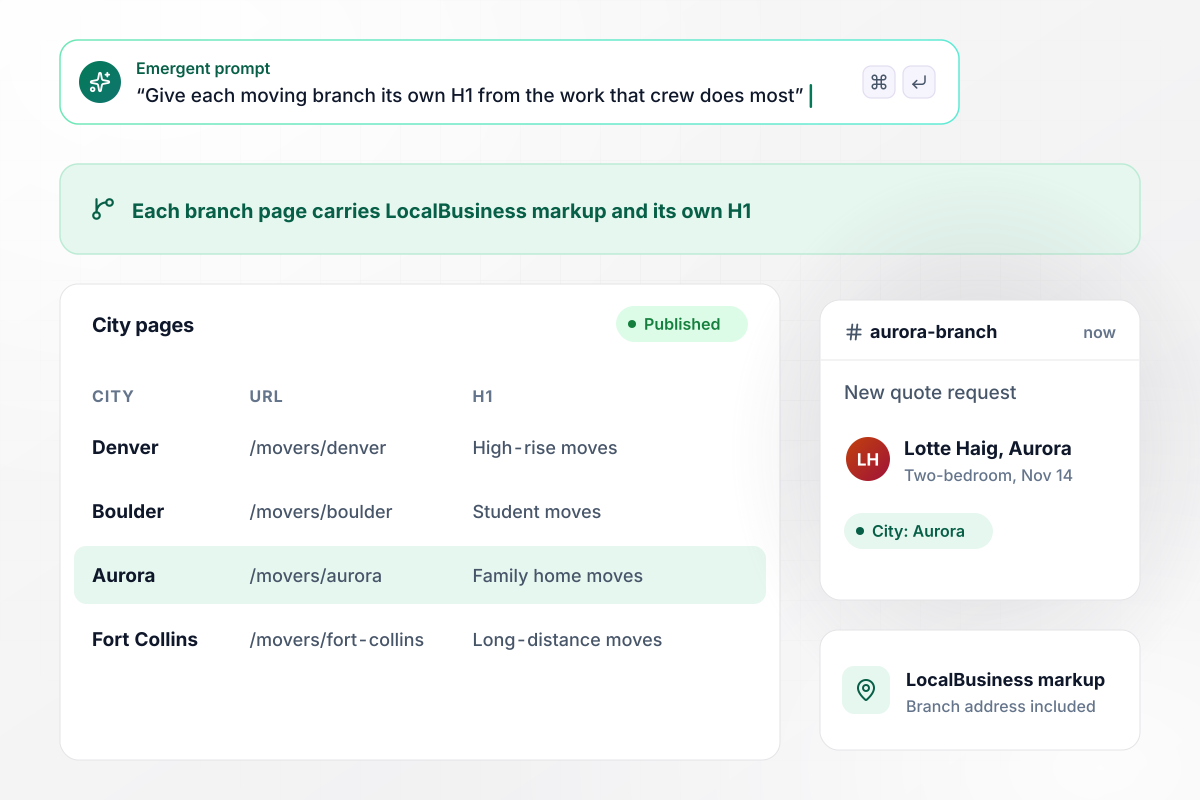
Four branches with copy of their own
A moving company has crews in four Colorado cities, and they do different work. Downtown high-rises lead the Denver page; Boulder's is about student moves. LocalBusiness markup on every page carries the branch address. Quote requests post to the Slack channel of the branch they came from.
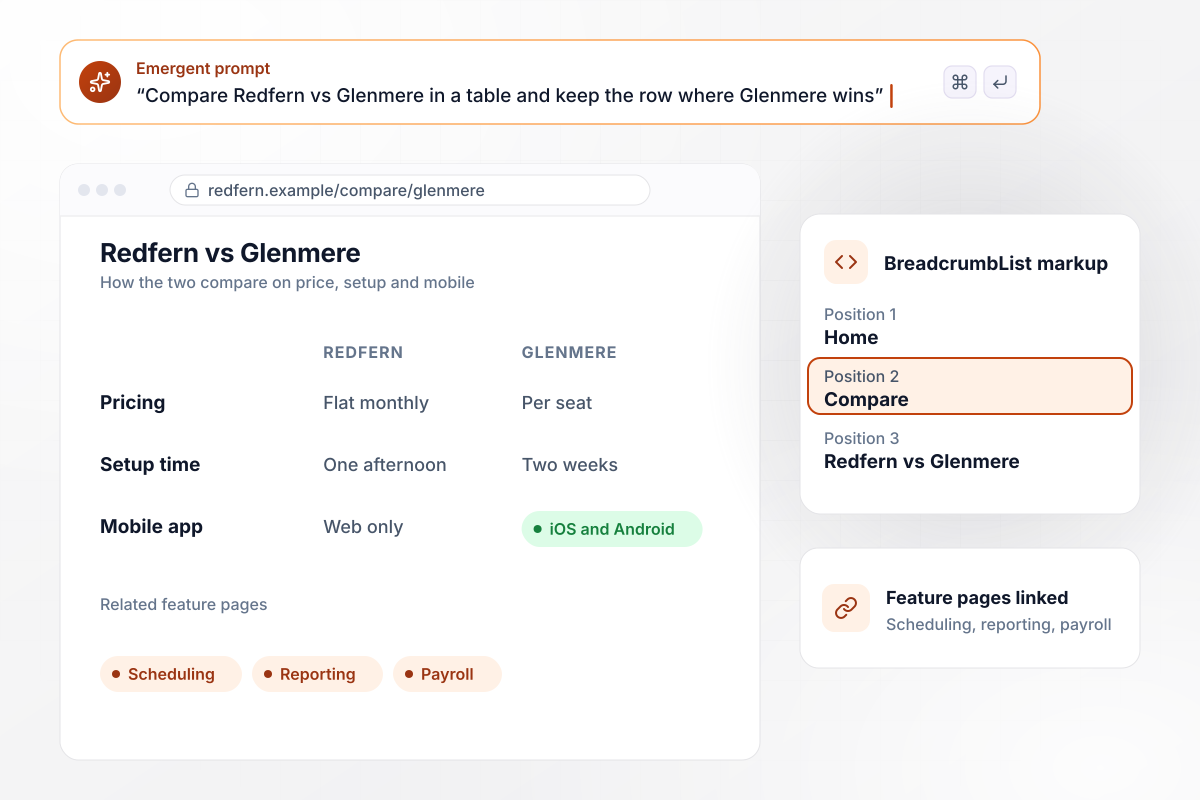
What a fair comparison table shows
A rival's strengths stay in the table. The Redfern vs Glenmere page keeps the mobile app row, where Glenmere is ahead. BreadcrumbList markup places the page under Compare, and the feature pages it mentions are linked from the bottom.
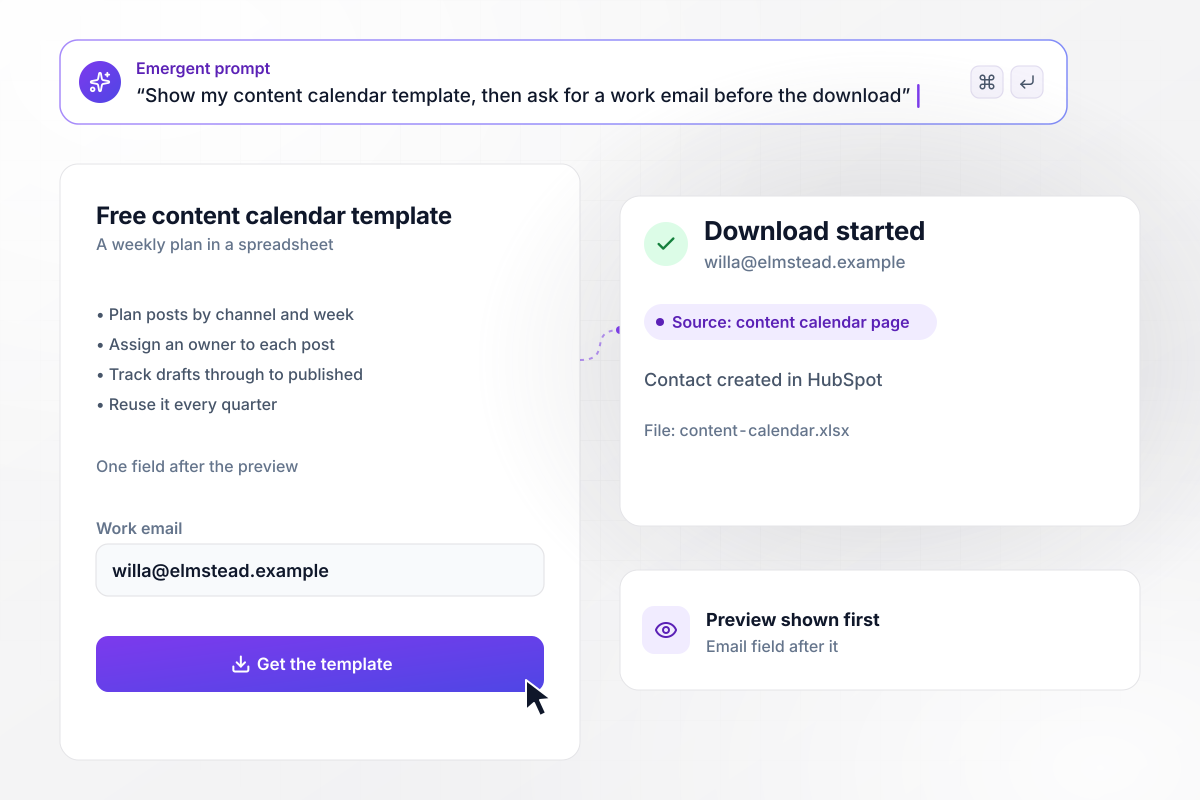
The template preview comes before the email field
Nothing is gated until the visitor has seen the content calendar template: a preview of the sheet and short notes on filling it in. Willa at Elmstead enters her work email and the file downloads. Her new HubSpot contact lists this page as the source.






How to Build an SEO Landing Page
Seven landing page SEO steps that give each page one query, check it before launch, and judge it by leads, not traffic alone.
Choose the single query the page should rank for and check that the top results are pages like yours. If the first page of Google is all guides, write a guide-shaped page or pick another query.
Open the top ten and note what they have in common: format, length, whether they show prices, which questions their H2s cover. Match the format, then answer what they skip, such as setup time when every result stops at features.
Write a concise title tag that names the query and differs from every other title on the site. The meta description should summarize this page alone, though Google may show text from the page instead.
Answer the query in the opening section, in plain words, and place the form after that answer. Ask only for the fields you will use, and say what happens after someone submits.
Mark up the page with the schema.org type that matches it, and include every property Google lists as required for that type. Then link to the new page from related pages, with anchor text that names its topic.
Load the page on a mid-range phone before launch. Give every image a width and height attribute and the layout holds still while it loads. Any script in the head that the first screen does not need should carry async or defer.
Publish the page on your own domain (built into Emergent, uses credits). Once a week, set its clicks from search beside the leads in your database. When clicks rise and leads do not, test the offer and the form before rewriting the copy for search.
Why Build Your SEO Landing Page With Emergent?
Unbounce, Landingi, and Instapage set a title and description per page. Emergent gives you the page as code, editable down to the last tag.

|
Unbounce | Landingi | Instapage | |
|---|---|---|---|---|
| How you build | Prompt for the page and its on-page SEO | Templates and drag-and-drop, AI copy assist | Templates and drag-and-drop, AI assist | Templates and drag-and-drop, AI copy assist |
| SEO settings | Full control of the code: meta tags, schema, and sitemap | SEO title and meta description per page | Title, description, and meta tags per page; indexable by default | Title, description, and schema markup per page |
| Code ownership | Full code export to GitHub on paid plans | Hosted only | Hosted only | Hosted only, no HTML export |
| Where submissions go | A database table you own, plus integrations | Unbounce lead storage and integrations | Vendor lead storage and integrations | Instapage contacts and integrations |
| Visitor limits | No per-visitor pricing | Monthly visitor caps by plan | Tiered by traffic on most plans | Monthly visitor caps by plan |




Pick the Pricing Plan That Works for You
Choose the plan that fits your building ambitions. From weekend projects to enterprise applications, we've got you covered.




Find the right landing page for you















Frequently Asked Questions
Your Questions, Answered
Don't change this element unless you know what you are doing
More things you can build
with Emergent









on Emergent today


