

Build a Whitepaper Landing Page That Opens With the Finding
Build a whitepaper landing page that shows the paper's main finding, asks for 3 fields, and saves signups to a database you own.
Build a whitepaper landing page for my company's cloud cost report that asks for a work email before the paper opens.
Trusted by Builders Worldwide
Active Builders Worldwide
Apps Successfully Created
Countries Globally Reached



What Emergent Builds Around Your Paper
Emergent builds the page and the table behind its signup form from one description of the paper and the readers it is for.
A page drafted from the paper itself
Paste the abstract and the key finding, and Emergent builds the headline and a short summary above the signup form. Ask for a change by prompt, and that section is rewritten.
Signups saved as rows you own
Each signup is saved as a row in a database you own, with every field the form asked and the time it arrived. Filter the rows by role or by company size before each sales call.
Email alerts on the signups you care about
Set a rule on any form field, such as company size or job title, and the app emails the person you name when a signup matches it. Every other signup stays in the table for later.
Each signup sent on to your CRM
The app can send every signup to HubSpot or any tool with an API, mapped field by field. The same row also stays in your own table, next to every signup that came before it.
A tag on every link you share
Give each newsletter or co-publisher its own link to the page. Each signup carries the tag of the link it came through, and the table counts signups by tag for any week you pick.
Your domain, and code on GitHub
Publish the page on a custom domain such as yours.com; custom domains are included in Emergent and use credits. Paid plans add full code export of the page to your GitHub repository.
Whitepaper Landing Page Examples
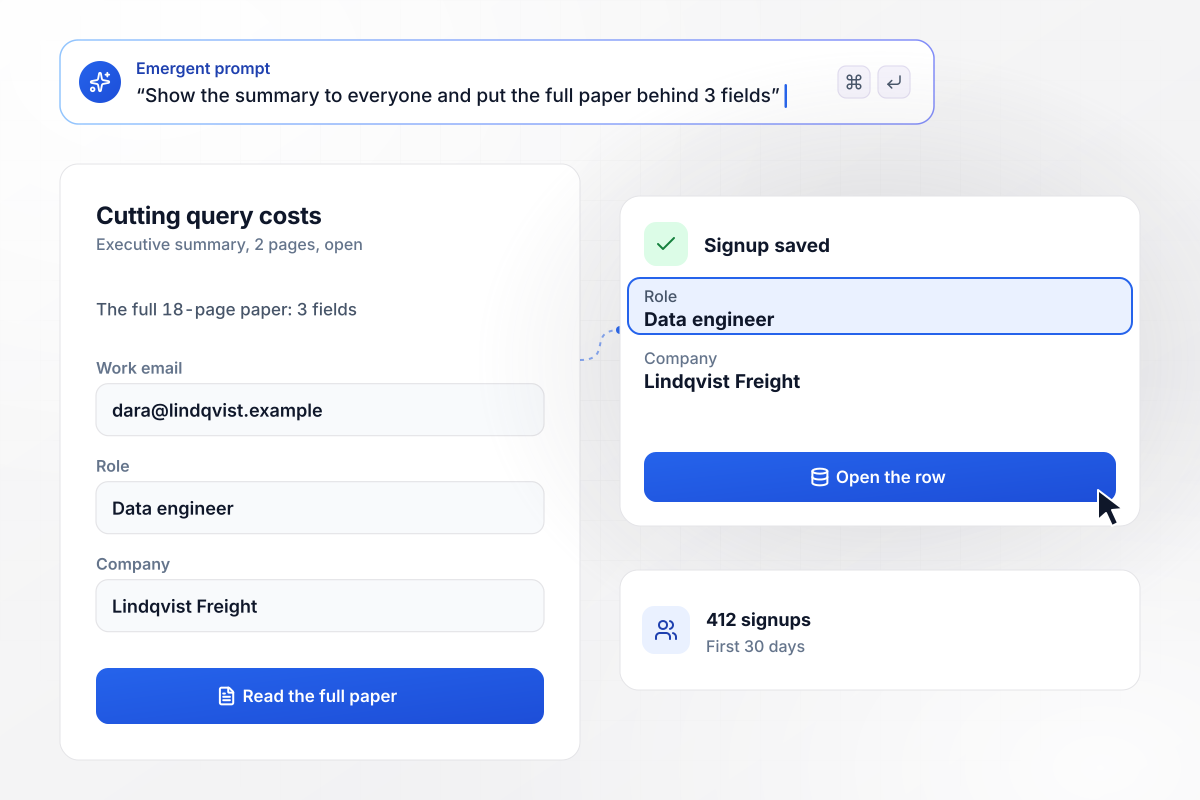
An open summary in front of an 18-page paper
Brackwater Systems leaves the 2-page executive summary of its query cost paper open to every visitor. The full 18-page paper sits behind 3 fields: work email, role, and company. In its first 30 days the page collected 412 signups, each saved with the role the reader gave.
window.awbMockup = { technicalPaper: "Build a whitepaper landing page for Brackwater Systems' paper on cutting query costs. Show the 2-page executive summary to every visitor, and put the full 18-page paper behind a form with 3 fields: work email, role, and company. Save each signup with the role, and show me a count of signups for the first 30 days.", benchmarkReport: "Build a whitepaper landing page for Kelderwick Analytics' warehouse pick rate benchmark. Ask each reader for a company size on the form. When a signup comes from a company of 1,000 or more employees, email Ines Marchetti, our account executive, with the reader's company and its size. Keep every other signup in the table.", coBrandedPaper: "Build a whitepaper landing page for a paper Pellbrook Security and Sorrel Cloud wrote together on access control for small IT teams. Give each company its own link to the page, tag every signup with the link it came through, and show me the count of signups for each partner.", policyPaper: "Build a whitepaper landing page for Fennimore Institute's urban heat paper with no form in front of it, so anyone can read the whole paper. Under the last page, add one optional form that asks which paper the reader wants next, heat or water, and save each choice with the reader's email." };
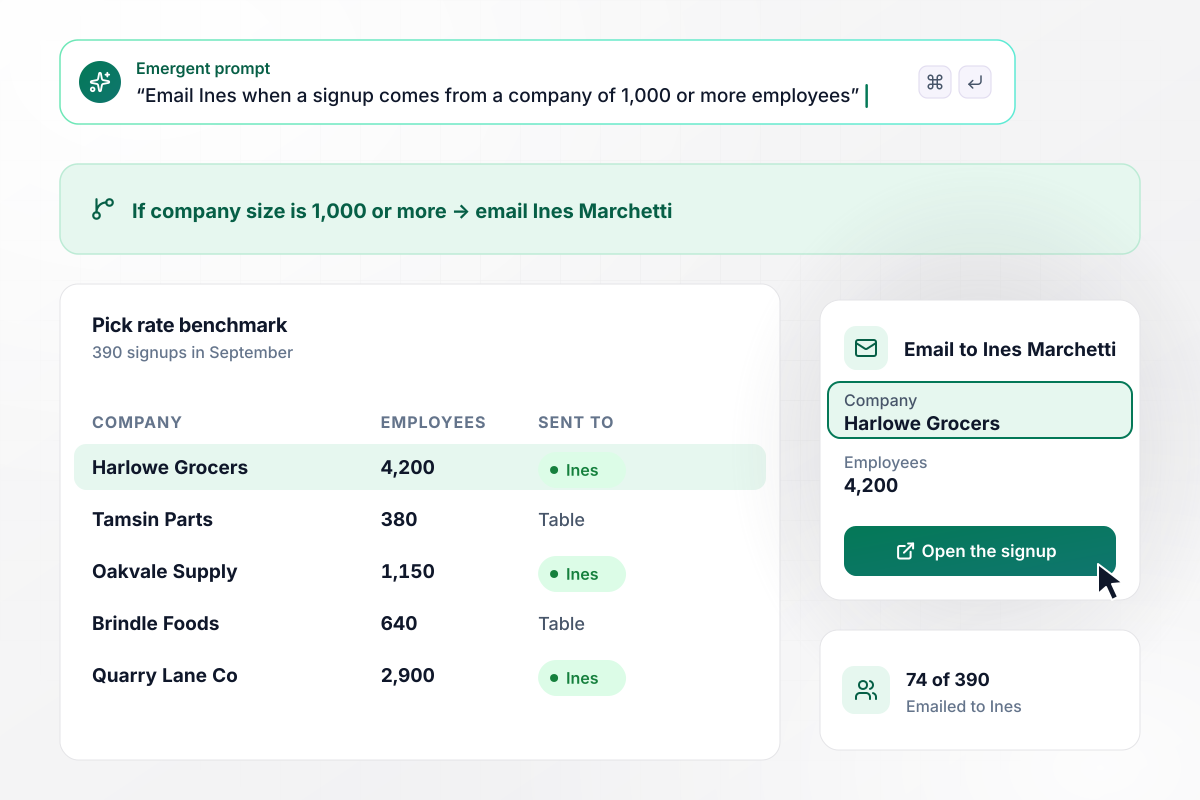
When a company of 1,000+ signs up, Ines Marchetti knows
Every reader of Kelderwick Analytics' warehouse pick rate benchmark gives a company size on the form. When a signup comes from a company of 1,000 or more employees, the app emails Ines Marchetti, the account executive, with the reader's company and its size. In September that was 74 of the report's 390 signups.
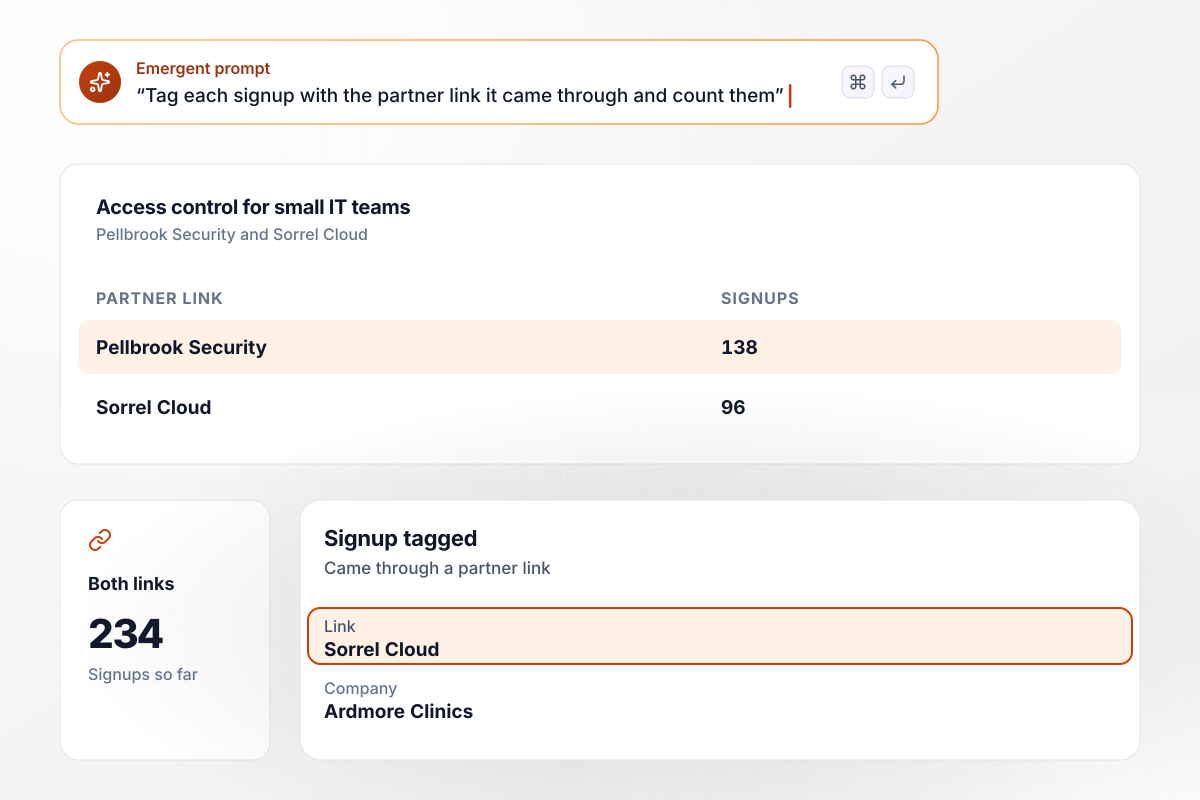
Signups split 138 to 96 by partner link
Two companies wrote this paper together: Pellbrook Security and Sorrel Cloud, on access control for small IT teams. Each shares its own link to the same page, and the app tags every signup with the link it came through. Of 234 signups so far, 138 came through Pellbrook's link and 96 through Sorrel's.
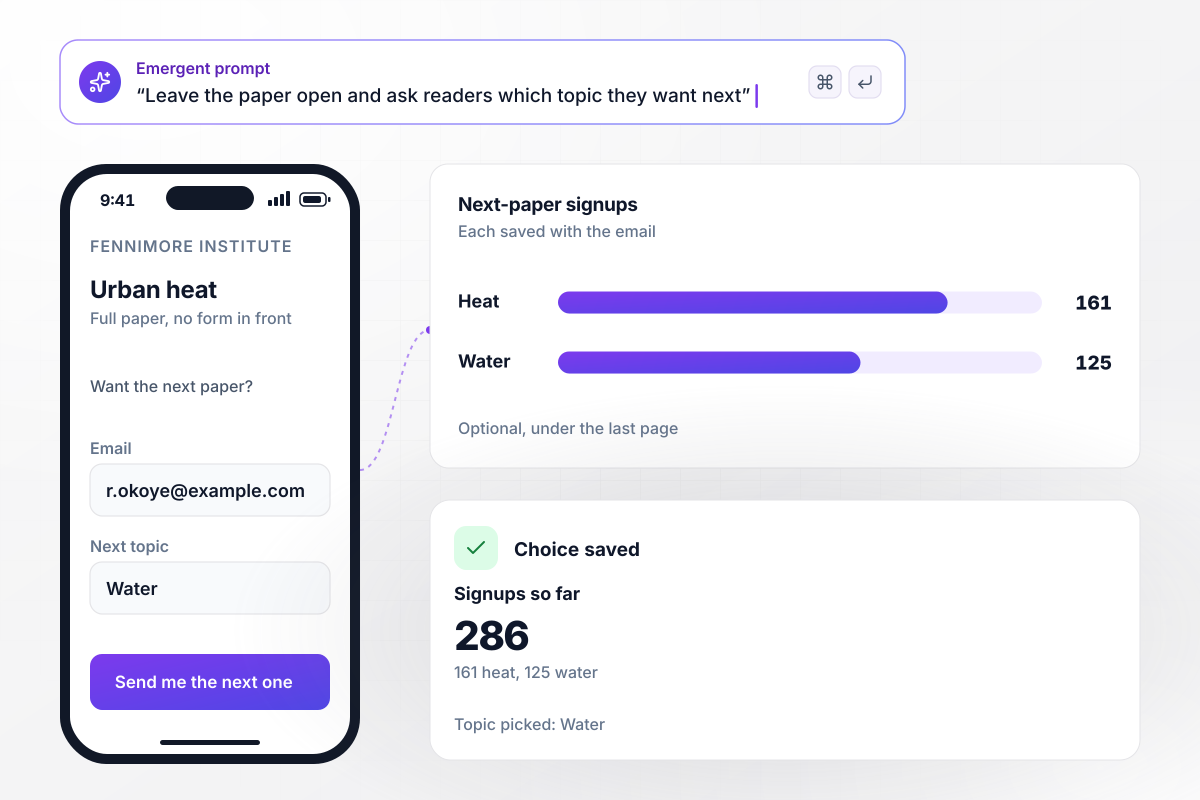
No form on this paper, one form for the next
Fennimore Institute puts no form in front of its urban heat paper: anyone can read it in full. Under the last page, one optional form asks which paper the reader wants next, heat or water. The form has 286 signups, 161 for heat and 125 for water, each saved with the reader's email.






How to Create a Whitepaper Landing Page
Seven steps take a whitepaper landing page from a finished paper to a live page that keeps a row for every reader who signs up.
Decide whether the page should collect leads for sales or put the paper in front of as many readers as possible. A paper written to start sales conversations can ask for a form. A paper meant to shape opinion in your field reads better with nothing in front of it.
Lead with the paper's most useful result, stated as a number or a plain claim, in place of its title. Purdue OWL's advice on white papers is to emphasize your readers' interests rather than your interests, so name the problem the reader came with.
Take the executive summary, or write 4 sentences that state the problem and the finding in plain terms. Put it above the form. A reader can then judge whether the paper is worth an email address before giving one.
List what sales or research needs from each reader, such as role and company size, and cut every field nobody will read. Each field you keep should change a follow-up or an alert.
Tell Emergent the paper's finding and what should happen after each signup. From that one description, Emergent writes the copy and the form, with any alert rules you named. Send another prompt later to change a headline or a rule, and the page updates.
Fill in the form yourself as a large company and as a small one, once through each tagged link. Check that each test lands as a row with the right tags, and that every alert reaches the person it names before real readers arrive.
Look at the roles and company sizes that signed up in the first month. When they are not the readers the paper was written for, rewrite the headline and the summary before you put more money into traffic.
Why Build Your Whitepaper Page on Emergent?
Every signup lands in a database you own, and a prompt updates the page for a new edition. The free tier covers building and publishing.

|
Unbounce | Landingi | Wix | |
|---|---|---|---|---|
| How you build | Prompt for a campaign page | Templates and drag-and-drop, AI copy assist | Templates and drag-and-drop, AI assist | Prompt for a full site |
| Where submissions go | A database table you own, plus integrations | Unbounce lead storage and integrations | Vendor lead storage and integrations | Wix dashboard submissions and Contacts |
| Visitor limits | No per-visitor pricing | Monthly visitor caps by plan | Tiered by traffic on most plans | Site plan bandwidth |
| A/B testing | Generate variants by prompt | A/B testing on higher-tier plans only | Higher plans | Limited or add-on |
| Code ownership | Full code export to GitHub on paid plans | Hosted only | Hosted only | Hosted only |




Pick the Pricing Plan That Works for You
Choose the plan that fits your building ambitions. From weekend projects to enterprise applications, we've got you covered.




Find the right landing page for you















Frequently Asked Questions
Your Questions, Answered
Don't change this element unless you know what you are doing
More things you can build
with Emergent









on Emergent today


