

Build a Brand Quiz for Clients, Customers, and Subscribers
Get your brand's personality from the eight-question brand quiz below, then build one that turns each result into a next step.
Build a brand quiz for my brand studio that matches each taker to one of five brand personalities and emails me every result.
Trusted by Builders Worldwide
Active Builders Worldwide
Apps Successfully Created
Countries Globally Reached



The Working Parts of a Brand Quiz
One prompt builds the questions, the result screens, and the table behind them. A second prompt changes any of it.
Every option points at one result
Tell Emergent the five personalities your quiz sorts into. It writes questions where every option points at one result, and one more prompt rewords any question or swaps a result.
A next step on every result screen
Each result screen ends in a move you pick: a booking link, a short contact form, or a guide matched to that result. Change what any result hands over with a follow-up prompt.
Each finish is a row you keep
Each finish writes one row: the result, every answer, and the date. Filter the rows by result before the next campaign, or hand the table to whoever writes the follow-up emails.
An alert the moment someone finishes
Pick who hears about each finish and where: a Slack message to the strategist, an email to the editor, or an in-app ping. Each alert names the taker and the result they landed on.
One question per screen on a phone
Takers answer one question per screen on a phone, the flow that suits a quiz passed around by link. A booth tablet runs the same build, so one quiz covers both channels.
Your domain and the full code
Point a domain you own at the quiz; custom domains are included in Emergent and use credits. On paid plans, the full code exports to your GitHub repository, yours to keep building.
Four Ways Businesses Run a Brand Quiz
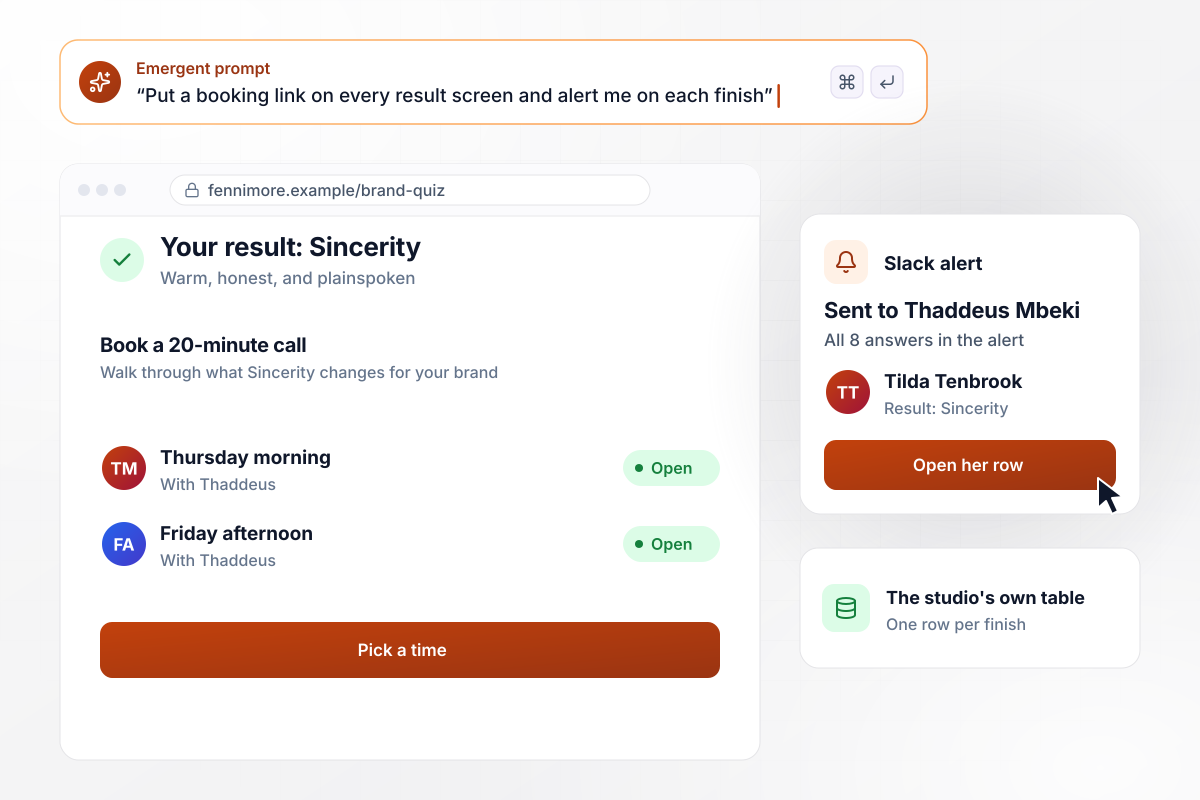
Her Sincerity result books a call with Thaddeus
Tilda Tenbrook runs a candle shop and takes Fennimore Brand Studio's brand quiz. She lands on Sincerity, and the result screen offers a 20-minute call, which she books on the spot. Strategist Thaddeus Mbeki gets a Slack alert with her 8 answers before the call starts, and her row sits in the studio's own table.
window.awbMockup = { brandStrategist: "Build a brand quiz for my brand studio that sorts each taker into one of five brand personalities. Put a booking link for a 20-minute call on every result screen, send me a Slack alert with the answers when someone finishes, and save each result to a table I can filter by personality.", rebrandWorkshop: "Build a brand quiz I can send to the 6 owners of a client's hardware store before a rebrand workshop. Keep it to 8 questions, show every owner's result in one table, and chart how the group splits across the five personalities so I can open Thursday's session with it.", tradeShowTrivia: "Build a 10-question trivia quiz about my coffee roastery for a tablet at my trade show booth. Ask for an email after the last question, score each run on the spot, and put everyone who scores 10 of 10 into a drawing list I can pull up when the show ends.", newsletterIssue: "Build a brand quiz for my newsletter subscribers that matches each one to a brand personality. Save every finish with the subscriber's email, and give me a dashboard that counts results by personality for the quarter, so I can plan the next issue around the largest camp." };
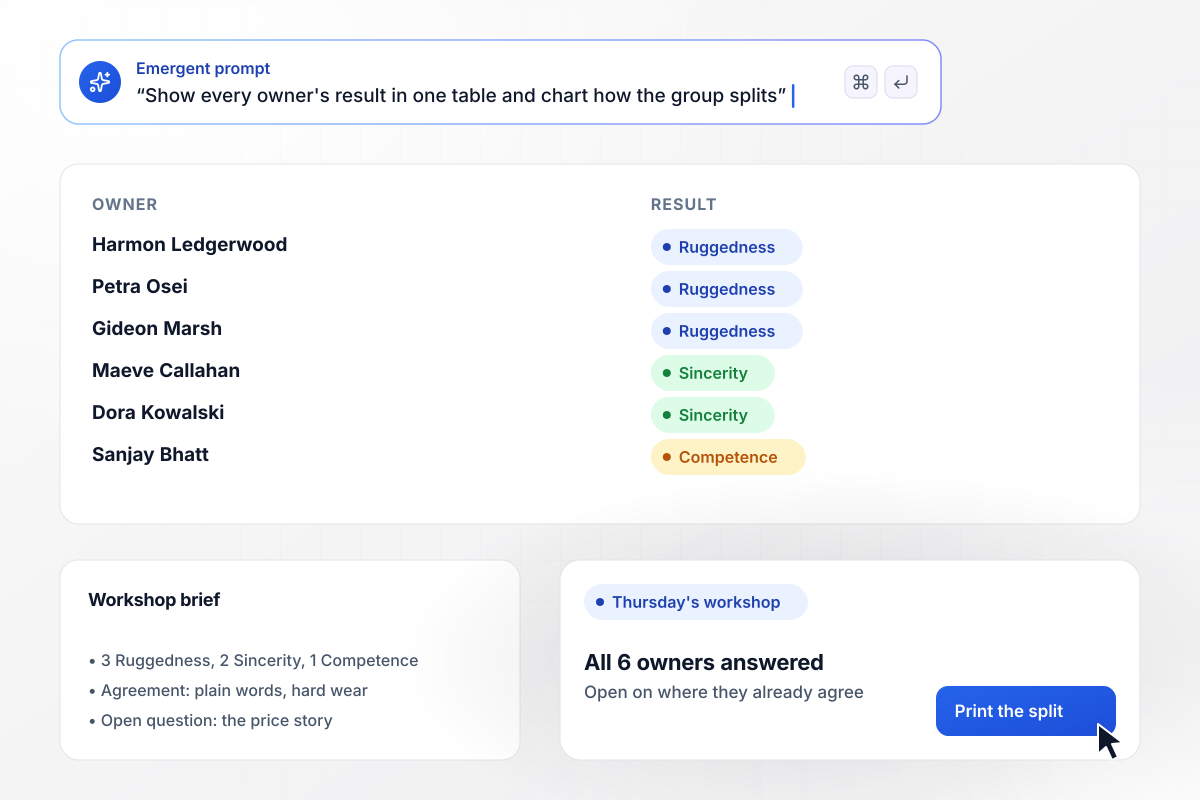
Before Thursday, the owners split 3 ways
Before a rebrand starts, Quillwork Design sends the brand quiz to the 6 owners of Ledgerwood Hardware. Designer Birgit Vasser reads all 6 results in one table: 3 Ruggedness, 2 Sincerity, and 1 Competence. She walks into Thursday's workshop knowing where the owners already agree and where the argument will start.
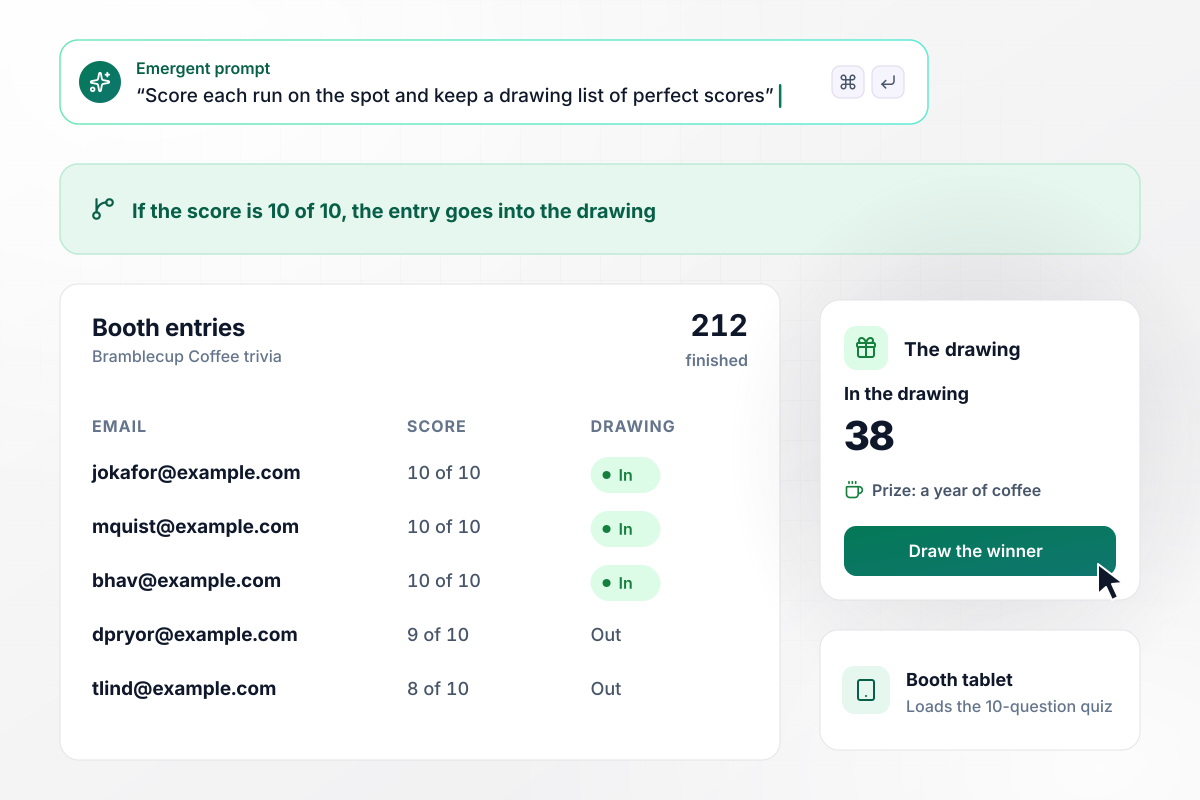
Out of 212 players, 38 go into the drawing
Bramblecup Coffee sets a tablet at its trade show booth and loads a 10-question trivia quiz about its own beans. By teardown, 212 visitors have finished. The 38 who score 10 of 10 go into a drawing for a year of coffee, and every entry lands in a table with the score beside the email typed in at the booth.
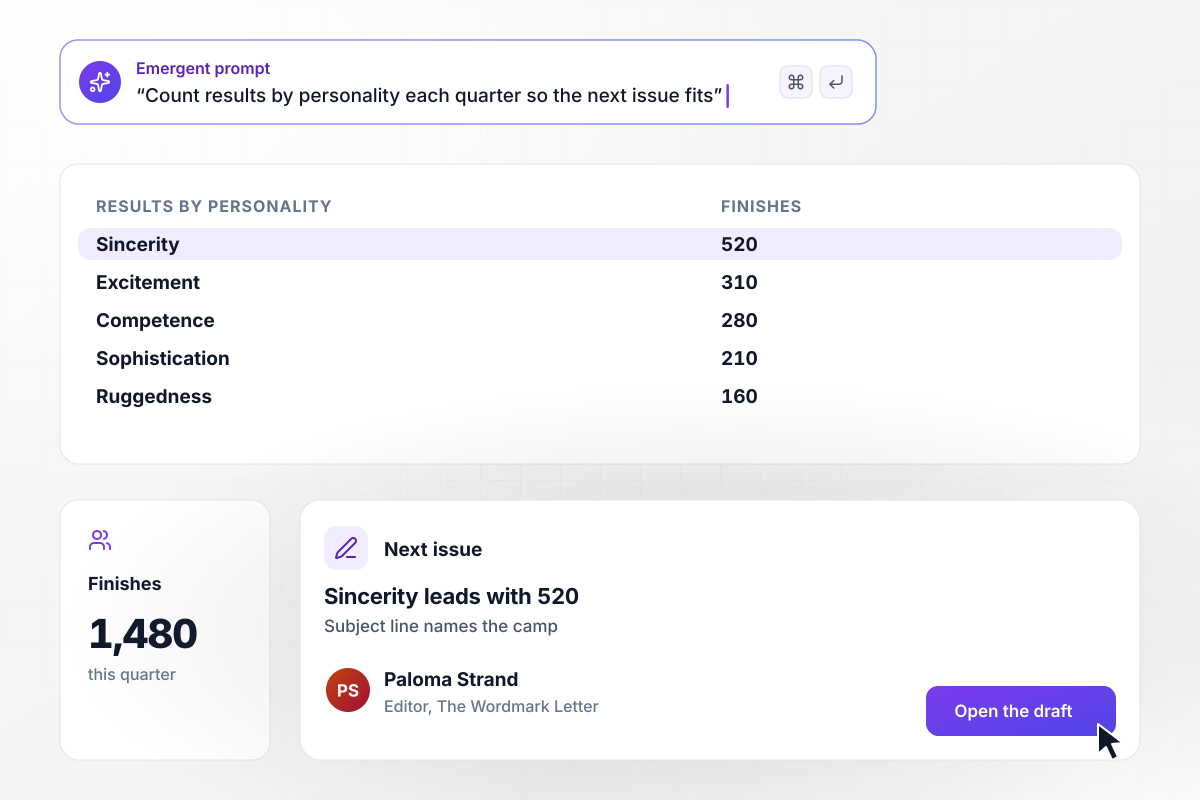
Paloma turns 520 Sincerity results into an issue
Across a quarter, 1,480 subscribers of The Wordmark Letter finish its brand quiz. Editor Paloma Strand reads the counts on a dashboard, where Sincerity leads with 520. The next issue is written for that camp, and the subject line says so.






How to Create a Brand Quiz
Seven steps to create a brand quiz that names a personality, hands each taker a next step, and logs every finish.
Decide whether the quiz sorts takers into brand personalities or scores what they know about one brand. A strategist wants the first kind and a booth usually wants the second, and the choice changes every question you write after it.
Name the five results before any question exists. Aaker's 1997 research named five dimensions of brand personality: Sincerity, Excitement, Competence, Sophistication, and Ruggedness. Start from that set, then rename any dimension your takers would not recognize in plain words.
Write one option per result for every question; each answer then moves exactly one score. Keep the five options the same length and kind; an option that reads as a joke tells the taker which answer you want.
Decide what each result screen hands over, per result rather than per quiz. A strategist might book calls from two personalities and send the other three a guide, and that split is one sentence in the prompt.
Put the result names and their option mapping in one plain-English prompt, along with each handover. Emergent drafts every question and builds each screen, plus the table that catches every finish. Read its draft questions aloud before you share anything.
Take the quiz once per result, answering straight down that personality's options, and confirm each result screen appears with the right handover. A result no path of answers can reach is a bug to find before the first real taker.
Read the rows once finishes arrive: which result leads and which handover gets taken. Prompt one change at a time, such as swapping a weak question, and let the next batch of rows say whether it worked.
Why Build a Brand Quiz With Emergent?
Finishes land in a database you own, and nothing meters how many arrive. A booth's 212 and a list's 1,480 both fit.

|
ProProfs | Interact (quiz specialist) | Typeform | |
|---|---|---|---|---|
| How you build | Prompt for the survey, quiz, or poll and the app around it | Templates, question library, and AI quiz builder | Templates and AI quiz maker | Templates and editor, AI assist |
| Pricing model | Credits, no response caps or per-response fees | Free plan, then billed per active quiz taker | Free plan capped by monthly responses, then paid plans | Plans by monthly response limit; discount for annual billing |
| Where responses live | A database table you own, plus any integration | ProProfs account; reports export to Excel, CSV, or PDF | Interact account | Typeform account |
| Code ownership | Full code export to GitHub on paid plans | None | None | None |


Pick the Pricing Plan That Works for You
Choose the plan that fits your building ambitions. From weekend projects to enterprise applications, we've got you covered.




Find the right survey, quiz, or poll
for your team















Frequently Asked Questions
Your Questions, Answered
Don't change this element unless you know what you are doing
More things you can build
with Emergent









on Emergent today


