

Build Data Entry Automation That Ends the Retyping
Build data entry automation that turns incoming forms and scans into checked records in a database you own.
Build data entry automation for my team so nobody has to retype records by hand.
Trusted by Builders Worldwide
Active Builders Worldwide
Apps Successfully Created
Countries Globally Reached



What the App Does With Every Record
Every value is checked against your rules before it is written, once, to each system that needs it.
Fields pulled from any format
Reads values out of email bodies and PDF attachments, plus phone photos of paper forms. Each one lands in its own column, typed as a date or a number where the field calls for it.
Checks you write in plain English
Tests each entry against rules your team now applies by eye, such as SKUs that must exist in your catalog. An entry that fails waits in a review queue with the reason shown.
Unclear values shown to a person
Sends any value the AI reads with low confidence, such as a smudged digit on a photographed form, to a reviewer with the source image beside it. Clear values save without waiting.
Duplicates caught before they exist
Searches existing contacts by email or account number before writing a new one. A match updates the entry already there, and the earlier values stay in its change history.
One entry written to every system
Pushes each approved entry to your CRM and your accounting software through their APIs. When a system rejects a write, the log shows its error and the entry waits for a retry.
Code your team can take over
Exports the whole app as code to your GitHub repository on paid plans. The intake rules and the review queue come with it, and your data stays in a database your team owns.
Data Entry Jobs Teams Hand Off First
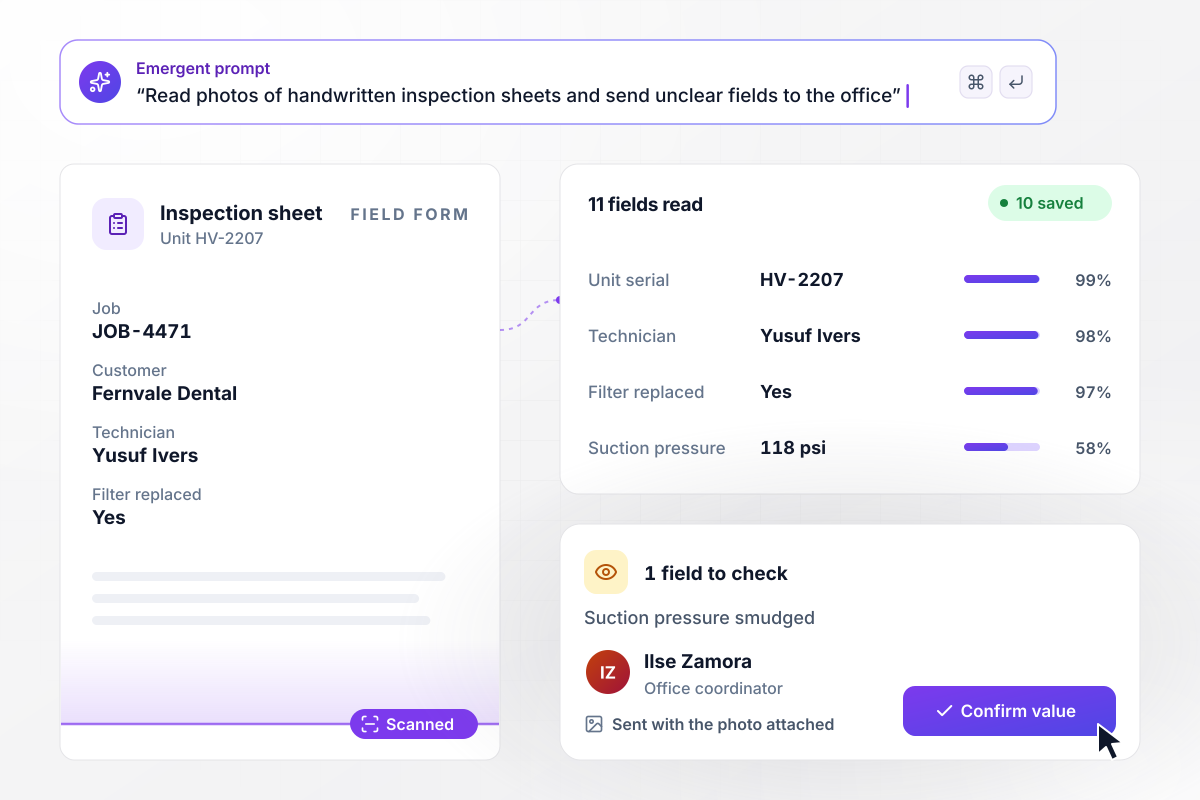
The sheet is filed before the van leaves
Yusuf Ivers photographs his inspection sheet for unit HV-2207 at the end of a service call. The app reads 11 fields into job JOB-4471 and checks the serial against the customer's equipment list. Ten fields save on their own. The suction pressure is smudged, and it goes to Ilse Zamora in the office with the photo attached.
window.awbMockup = { paperFieldForms: "Build an app for my service team that reads photos of our handwritten inspection sheets. Pull each field into the job record, check the unit serial against the customer's equipment list, and send any value read with low confidence to our office coordinator with the photo beside it. Save every confirmed sheet to our database.", supplierPriceLists: "When a supplier emails its monthly price list as a spreadsheet, match every row to my product catalog by SKU and update the cost. Hold any SKU whose cost rose more than 8% at last month's cost and send it to my purchasing lead to approve. Keep a log of every change with the old and new cost.", tradeShowCards: "Build a lead capture app for my sales reps at trade shows. They photograph business cards on their phones. Read the name, title, company, and email, then search our CRM by email before creating anything. If the person already exists, add a booth note to that contact instead of making a duplicate.", newAccountSetup: "When a new customer signs our setup form, write the details once and create the company in HubSpot, the organization in our help desk, and the customer in QuickBooks. Check that the tax ID has 9 digits first. If a check fails, hold that system and send our finance lead a direct message to fix it." };
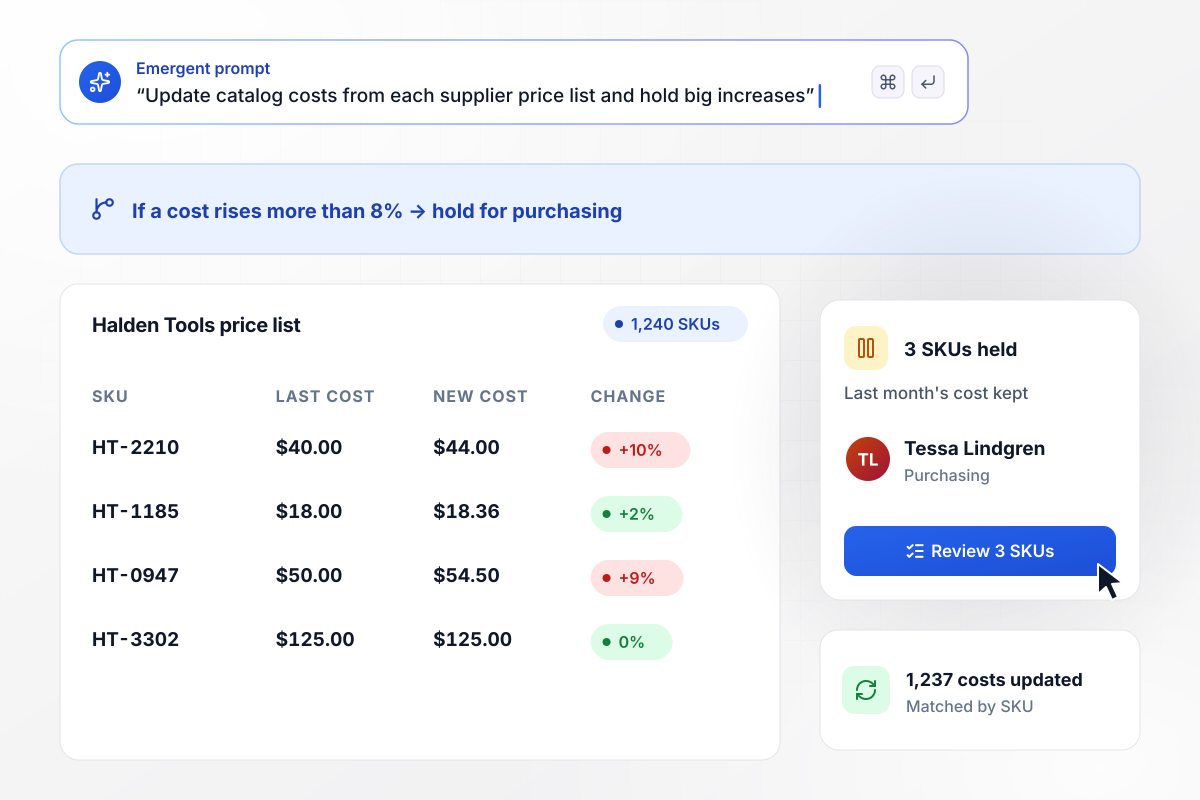
Cost jumps over 8% wait for a buyer
Halden Tools emails a new price list each month, 1,240 SKUs in a spreadsheet attachment. The app matches every row to your product catalog by SKU. Three SKUs rose more than 8%. Those keep last month's cost until Tessa Lindgren in purchasing approves the change, and the other 1,237 update right away.
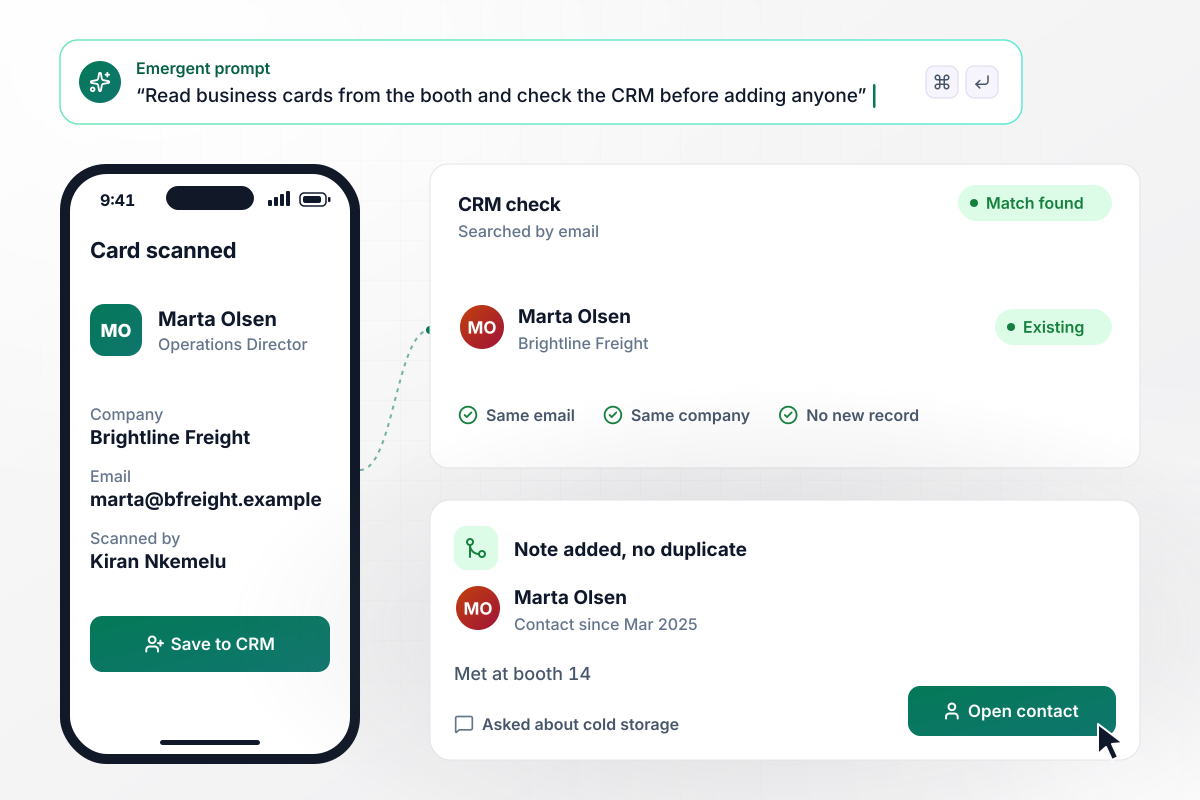
One contact per person, however many cards come back
Reps at the booth photograph each business card on their phones. The app reads the name and email, then searches the CRM by email before creating anything. Marta Olsen of Brightline Freight is already a contact. Her card adds a note to that contact instead of a second one: met at booth 14, asked about cold storage.
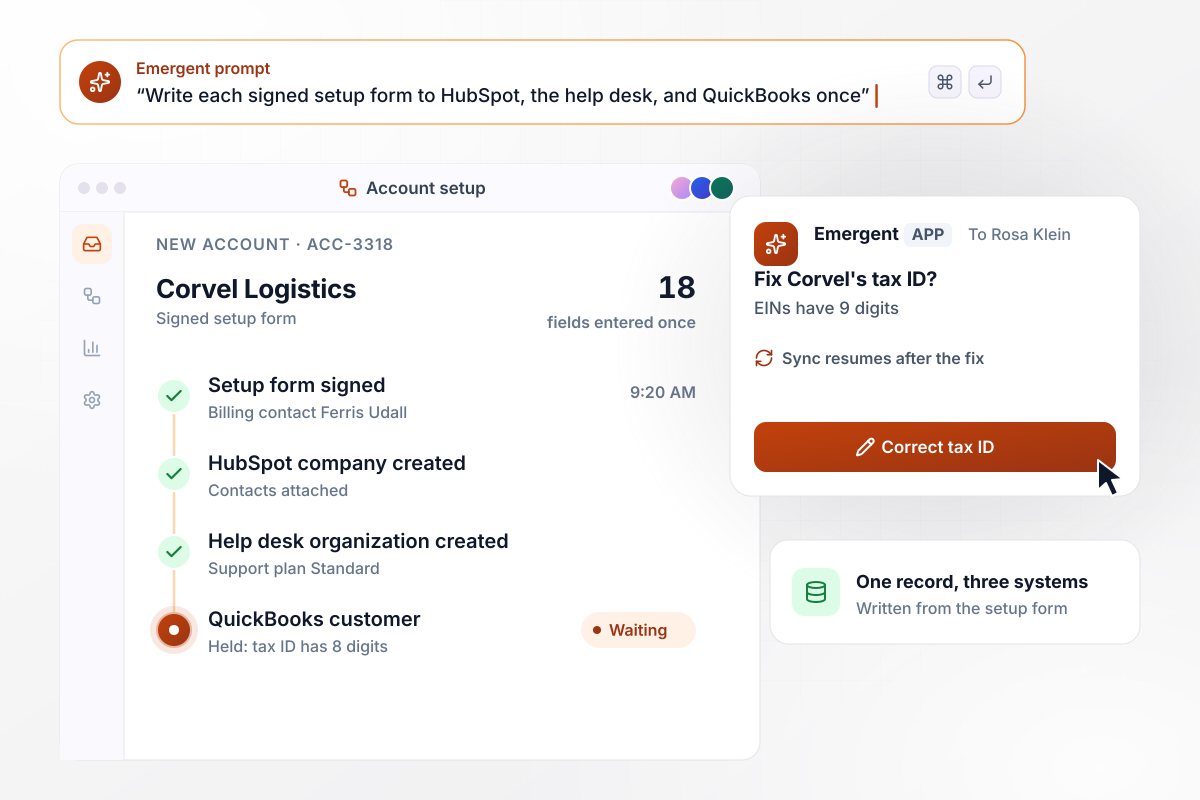
Type the new customer in once
Corvel Logistics signs its setup form, and the app writes all 18 fields once. It creates the company in HubSpot and the organization in your help desk. The QuickBooks customer waits: the tax ID has 8 digits, and an EIN has 9. Rosa Klein in finance gets a direct message to correct it, and the sync finishes when she does.






How to Automate Data Entry
Seven steps to set up data entry automation for one source, with checks on every field before anything is saved.
List every place someone copies data by hand this month, such as order emails or a spreadsheet passed between teams. Note how many entries each source produces a week. Start with the busiest source that keeps the same layout most of the time.
Pull 20 recent examples of that source, and keep the messy ones: a crooked scan, a form with a blank field, an email with the order in an attachment. They become your test set and show Emergent what the app has to handle.
Write down every field you need with its type and the column or system it belongs in. Mark the required ones. Emergent builds the database and the intake screen from that list, which makes it the closest thing your project has to a spec.
Write down the checks your team does without thinking: a total that must match its line items, a customer number that must already exist, a phone number with the right digit count. Decide what happens when one fails and who sees the record.
Connect the systems the data belongs in, such as your CRM or accounting software, through their APIs. Map each field once. Send one sample to each system first and confirm it lands in the right place before you run the full set.
Push all 20 samples through and compare every field with what a person would have typed. Where the app misreads or misfiles something, describe the fix in a prompt and run the set again until it comes back clean.
Switch it on for new records, with low-confidence fields still going to a reviewer. Watch the queue for two weeks. As corrections drop, narrow what needs review, then move to the next source on your list.
Why Build Your Data Entry App With Emergent?
Emergent builds the whole app from one prompt, runs through month-end volume with no task cap, and exports the code.

|
Parseur | DocuWare | Zapier | |
|---|---|---|---|---|
| How you set it up | Prompt for the workflow and the app around it | No-code app; forward emails or upload files | Sales-led setup with a rep or local partner | Templates and editor, AI copilot |
| What you get | Workflow + trigger form + database + dashboard, as code you own | Structured data to spreadsheets, apps, or webhooks | Document archive with indexing, workflows, and forms | Zaps, plus Tables and Interfaces inside Zapier |
| Behavior at cap | Keeps running, no task cap | New documents stop until a top-up, upgrade, or renewal | Add users or storage anytime; no hard cap | Overage billed at up to 1.25× the base rate |
| AI and agent steps | Native, share the same credit pool | AI engine on every plan, drawn from page credits | Intelligent Indexing in Cloud plans; IDP is an add-on | Priced by model tier, drawn from the task pool |
| Code ownership | Full code export to GitHub on paid plans | None | Self-hosted on-premises option, no source code | None |

Pick the Pricing Plan That Works for You
Choose the plan that fits your building ambitions. From weekend projects to enterprise applications, we've got you covered.




Find the right workflow automation
for you and your business





Frequently Asked Questions
Your Questions, Answered
Don't change this element unless you know what you are doing
More things you can build
with Emergent









on Emergent today




