

Build a Consultation Form That Prepares Every First Meeting
Build a consultation form that routes each client by their answers and saves every reply to a database you own.
Build a consultation form for my service business.
Trusted by Builders Worldwide
Active Builders Worldwide
Apps Successfully Created
Countries Globally Reached



What a Consultation Form Should Settle Early
A good first meeting starts with the professional already holding the client's goal and budget.
Questions that follow the service booked
Ask a color client about past dye and a cut client about length, all from one link. Each service shows its own questions, and nobody scrolls past fields that do not apply.
Photos uploaded with the answers
Let clients add a photo of the room or a reference design straight from their phone. Each file is saved with the response, ready to open on the client's record before you meet.
Answers in hand before the meeting
Send the completed answers to whoever takes the meeting, by email or in Slack, ahead of the slot. They walk in knowing the goal and the budget instead of asking for them again.
Routing on the answer that matters
Pick the one answer that changes the meeting, such as budget or project size. The form sends each client to the right person or format and logs the rule that placed them there.
Policies signed on the same form
Add your cancellation and consent policies at the end and capture the client's e-signature under them. The signed copy is stored on the response, dated, beside each answer given.
Source code you can take with you
Publish on your own domain, which is included and uses credits, or embed the form in your site. On paid plans, export the code to GitHub and link it to the booking software you use.
Four Services, Four First Meetings
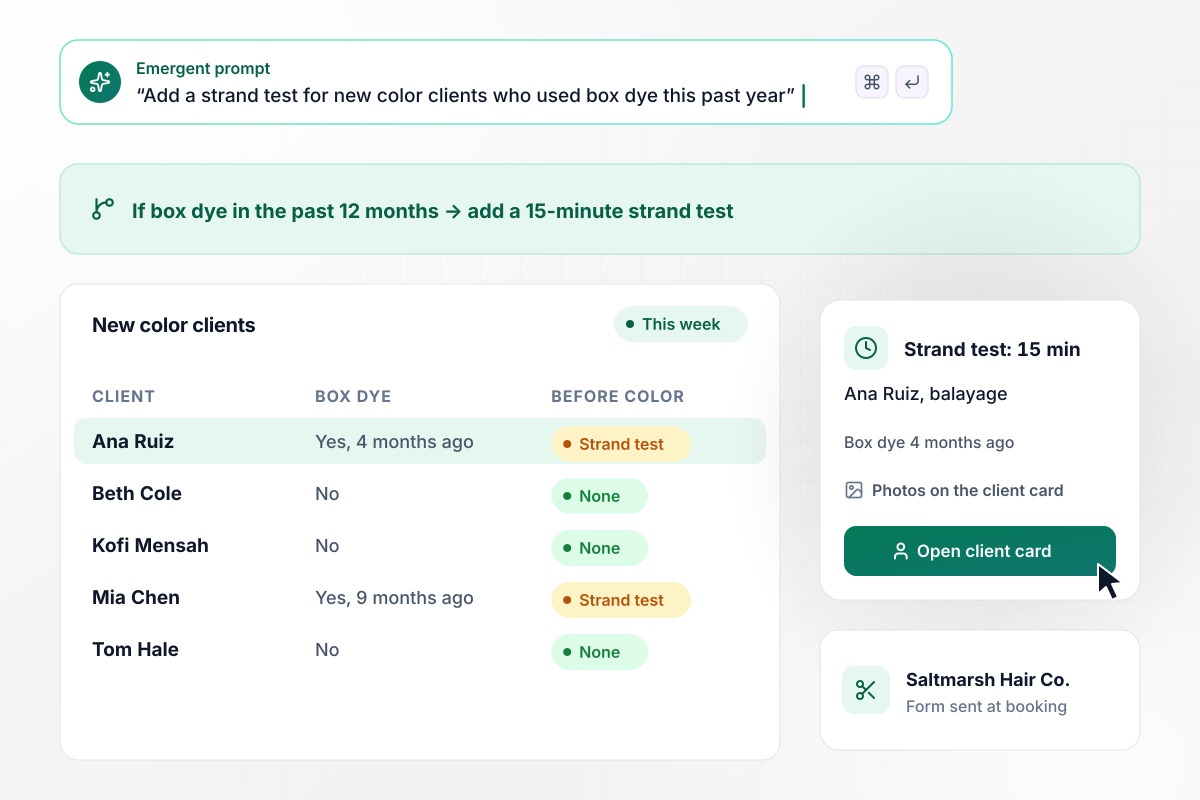
Any box dye adds a strand test before color
New color clients at Saltmarsh Hair Co. fill in the consultation form when they book, with a photo of their hair now and one of the color they want. Anyone who has used box dye in the past 12 months gets a 15-minute strand test before the appointment. The stylist sees the photos on the client card that morning.
window.awbMockup = { hairColorSalons: "My salon books new color clients online. Build a consultation form that asks for a photo of their hair now and a photo of the color they want, plus whether they have used box dye in the past 12 months. If they have, add a 15-minute strand test before the color appointment. Put the photos on the client card for the stylist.", interiorDesigners: "I run a small interior design studio. Build a consultation form for kitchens and living rooms that asks for the room, its rough square footage, a budget, and room photos. Offer a 45-minute video call when the budget is under $20,000, and book a home visit with my lead designer for anything larger. Save every request to a table.", tattooStudios: "My tattoo studio books flash pieces online. Build a consultation form where clients mark the placement and size and upload a reference image. Book anything up to 6 inches wide straight away. Send custom designs wider than 6 inches to the artist's review queue, and email the client when the artist accepts or declines.", consultingFirms: "I run a fractional CFO firm. Build a discovery call form that asks for annual revenue and the decision the owner is stuck on. Send companies under $2 million to my associate's calendar and the rest to a partner. An hour before each call, email whoever is taking it a short brief with the answers." };
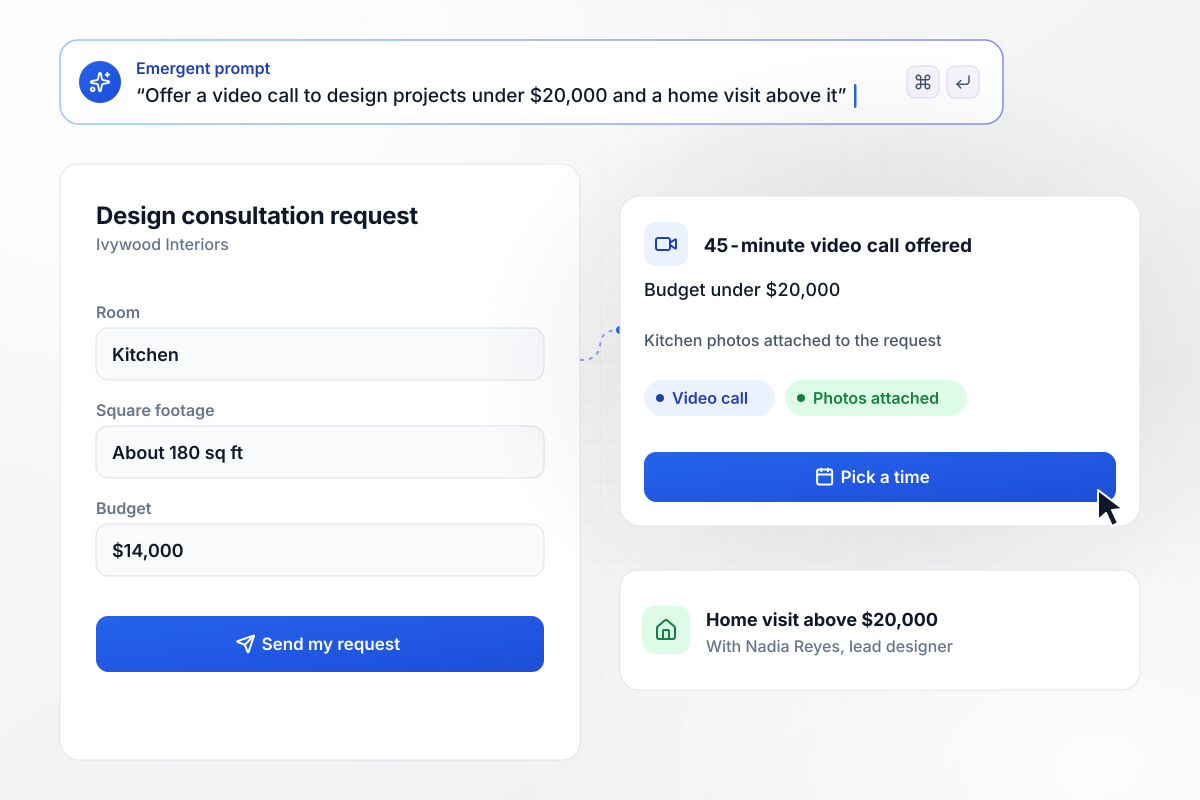
Budgets under $20,000 start with a video call
Ivywood Interiors designs kitchens and living rooms. Its consultation form asks for the room and its rough square footage, then the budget and photos. Projects under $20,000 are offered a 45-minute video call. Anything larger books a home visit with Nadia Reyes, the lead designer, who reads the answers first.
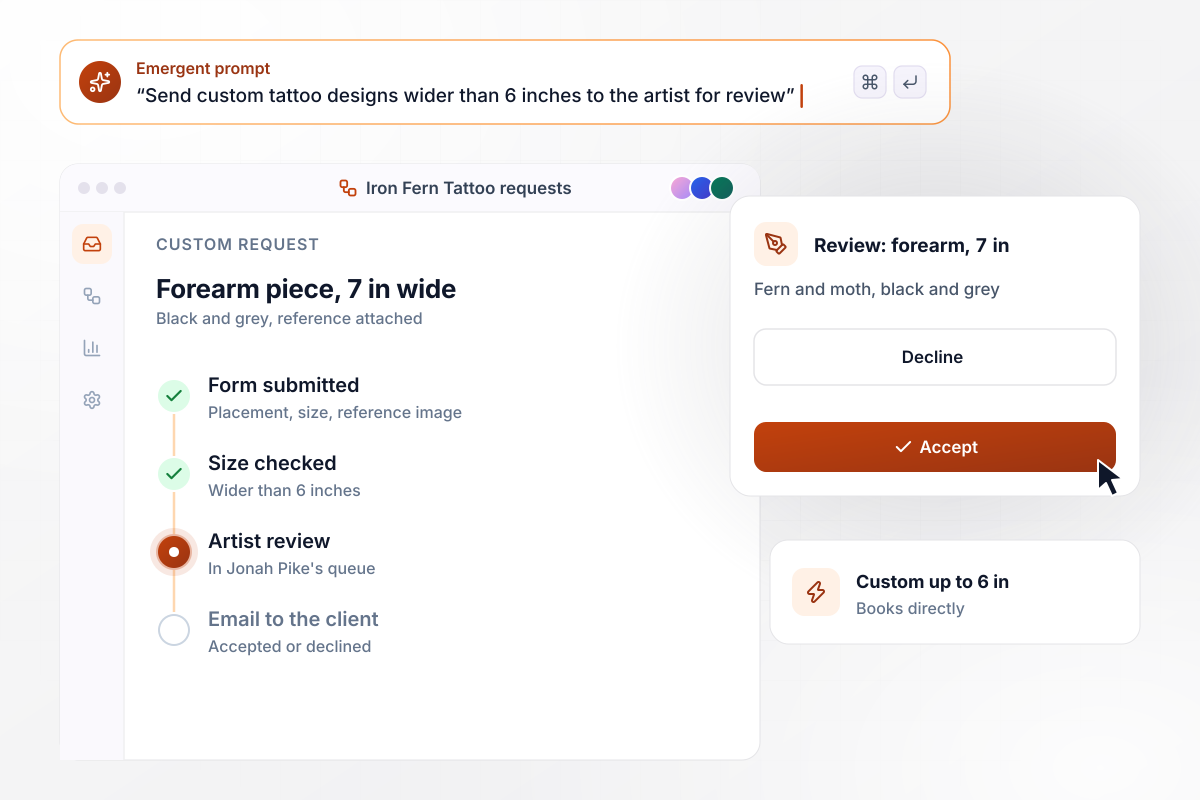
Past 6 inches, it is the artist's call
Iron Fern Tattoo books flash pieces straight from its consultation form. Clients mark the placement and size and upload a reference image. A custom design wider than 6 inches goes into the artist's review queue instead. When Jonah Pike accepts or declines it, the client gets an email with his answer.
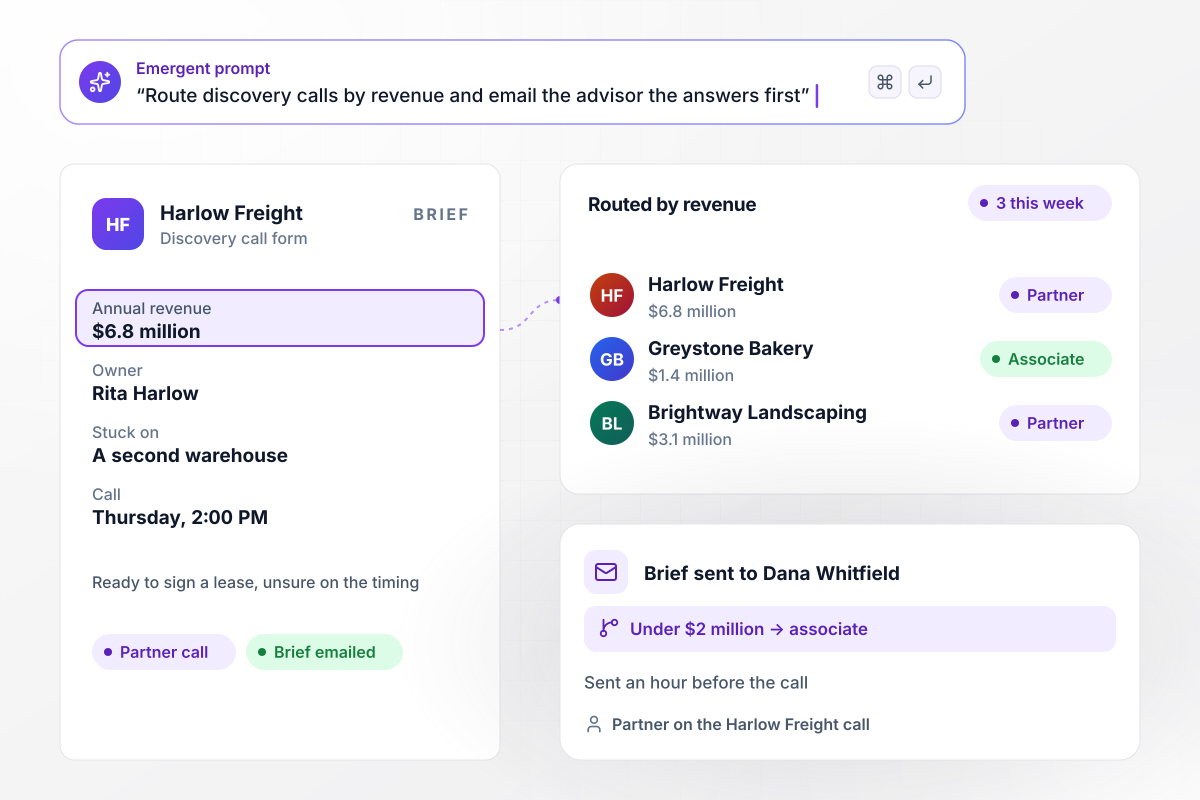
Revenue sets which advisor takes the call
Pellham Advisory works with owner-run companies. Before a discovery call, its form asks for annual revenue and the decision the owner is stuck on. Companies under $2 million go to the associate's calendar, and the rest to a partner. An hour before the call, whoever takes it gets the answers by email.






How to Create a Consultation Form
These steps take a consultation form from the first routing decision to a live link your clients can fill in.
Name the one thing the answers decide. It might be the length of the slot, the meeting format, or the person who takes it. A question that feeds neither that decision nor the meeting itself can come off the form.
Order the questions the way a client thinks about the job: what they want first, the budget last. Plain wording gets honest answers. "What would you like to change?" gets a better reply than a field labeled "Desired outcome".
A photo of the room as it stands says more than a paragraph about it. Ask for uploads only where the job is visual, and say what the photo should show, such as the full wall or the back of the head.
Budgets under a set amount get a video call and the rest a visit. Base each rule on a single answer where you can. If a client asks why they were offered a call, the rule should take one sentence to explain.
Put the service, the questions, and the routing rule into the prompt in plain English. Emergent builds the consultation form, the response table, and the alert to whoever takes the meeting. Change any question later by describing the edit.
Paste the terms clients agree to, such as your cancellation window, and ask for a signature beneath them. Clients read the terms at home before the first meeting, not in the chair, and the signed copy stays on the response.
Fill in the form as a client twice, once on each side of your routing rule. Check that each test reaches the right person and that the email arrives when it should. Delete both test rows before you share the link.
Why Build a Consultation Form With Emergent?
A template hands you the questions. Emergent also builds what the answers do next: who takes the meeting, and what they read first.

|
Typeform | Jotform | Google Forms | |
|---|---|---|---|---|
| How you build | Describe it in plain English | Templates, editor, AI assist | Templates, editor, AI generator | Editor, with Gemini drafting on some Workspace plans |
| File uploads | Files saved to storage you own, no sign-in | Paid plans only | Included; files count toward plan storage | Respondents must sign in to Google; files fill your Drive |
| Where responses live | A database table you own, plus any integration | Typeform account | Jotform account | Google Sheets |
| Response limits | No response caps | Monthly response caps by plan; the form closes at the cap | Monthly submission caps by plan; the form stops at the cap | No limit |
| Code ownership | Full code export to GitHub on paid plans | None | None | None |




Pick the Pricing Plan That Works for You
Choose the plan that fits your building ambitions. From weekend projects to enterprise applications, we've got you covered.




Find the right form
for whatever you're collecting














Frequently Asked Questions
Your Questions, Answered
Don't change this element unless you know what you are doing
More things you can build
with Emergent









on Emergent today


