

Build a Credit Card Authorization Form Customers Sign Online
Create a credit card authorization form that sends card numbers to Stripe and saves each signature to a database you own.
Build a credit card authorization form for my clients.
Trusted by Builders Worldwide
Active Builders Worldwide
Apps Successfully Created
Countries Globally Reached



What a Credit Card Authorization Form Must Say
Every authorization ties one card to a charge the cardholder agreed to. These six features build that record.
The fields every authorization carries
Emergent asks for the cardholder's name and billing address, the card brand and expiration date, what the charge covers and the amount, then a signature, and the signing date.
Card numbers go to Stripe, not your inbox
Customers type the card number into Stripe's payment fields. Your table keeps the card brand, the last four digits and a Stripe customer ID, enough to bill the card again.
One-time, recurring, or card on file
Pick the kind of authorization and the form adapts. A single charge asks for an amount. A recurring one adds a billing day and an end date. A card on file lists its fees.
A signature tied to the exact wording
Customers sign on screen with a finger or a mouse. The record keeps the signature next to the terms exactly as they read then. Editing the terms later leaves old records alone.
Each charge points to its authorization
Every charge made against a saved card is logged under the signed form that allowed it. When a customer disputes one, the signed form and the charge history sit on one record.
Source code you can hand to a developer
On paid plans, export the full codebase to GitHub when someone wants invoicing or a client portal. The form and its Stripe connection go with it, plus every stored authorization.
Card Authorizations for Every Charge
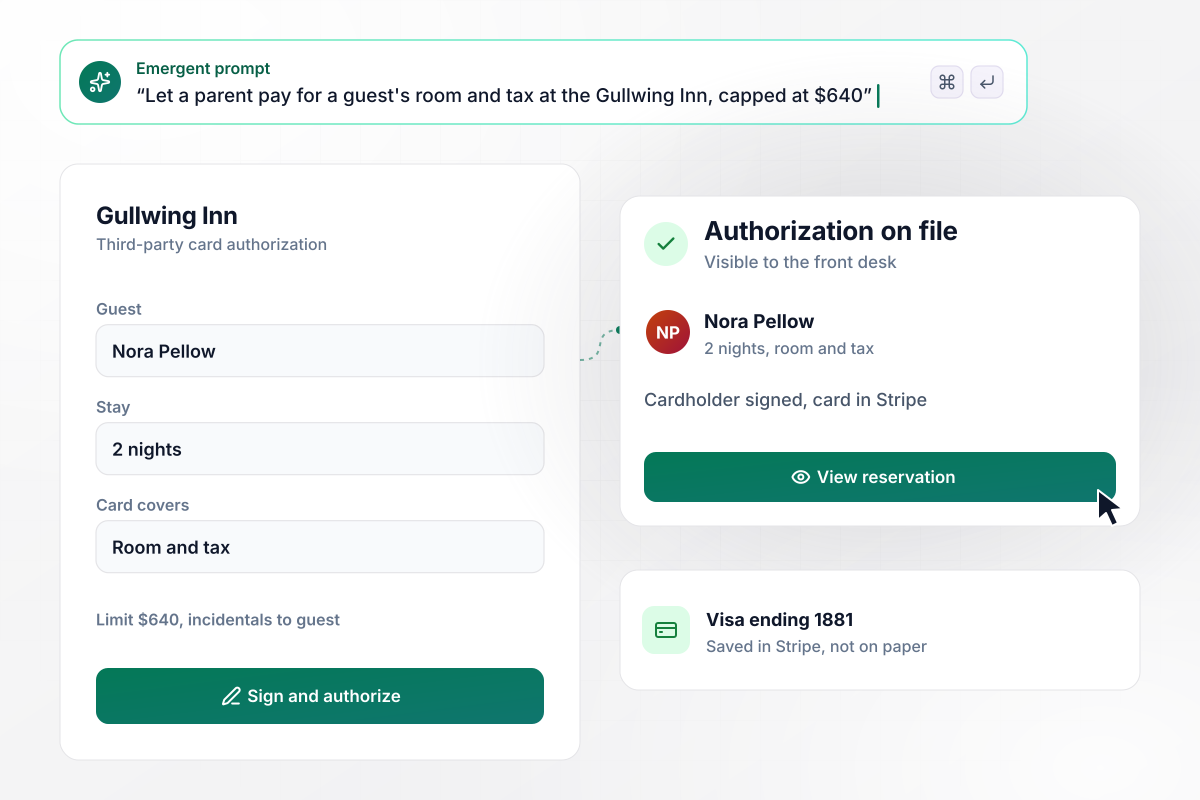
Room and tax only, up to $640
Booking a room for someone else at the Gullwing Inn starts with one link. The cardholder names the guest and chooses what the card covers: room and tax for two nights, capped at $640. Incidentals stay with the guest. The front desk sees the signed authorization on the reservation before check-in.
window.awbMockup = { hotelStays: "I run the Gullwing Inn and need a third-party credit card authorization form for people paying for someone else's room. Ask for the guest's name and the dates. Let the cardholder choose room and tax only, capped at $640 for two nights. Incidentals stay with the guest. Show the signed authorization on the reservation for the front desk.", monthlyRetainers: "My bookkeeping firm bills clients a $1,500 retainer every month. Build an authorization form where each client signs once and saves a card through Stripe. Charge every card on the 1st and log each charge under that client's authorization. If a card declines, send the account manager a Slack message with the client name and amount due.", noShowFees: "My physical therapy clinic needs a card on file at online booking. Patients accept our policy: missing a visit without 24 hours' notice costs $50. When the front desk marks a no-show, let them charge the $50 to the saved card with one click and email the patient a receipt that quotes the policy.", phoneOrders: "My coffee roastery takes large orders by phone. After the rep enters an order, email the buyer a link to authorize a one-time charge, for example $2,340, and enter the card on their phone through Stripe. Show the rep only the card brand and last four digits, and send the order to the warehouse once it is signed." };
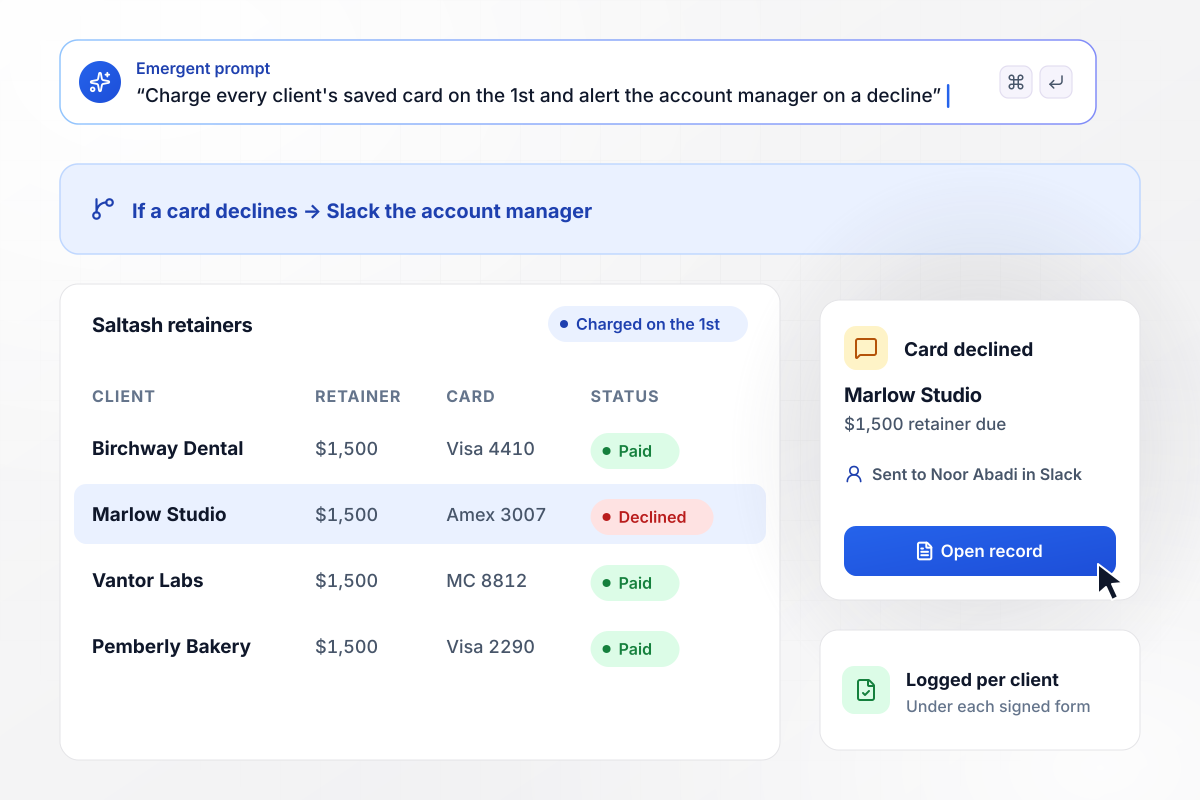
Retainers go through on the 1st without a phone call
Clients of Saltash Bookkeeping sign once for a $1,500 monthly retainer and save a card in Stripe. Each card is charged on the 1st, and the charge is logged under that client's authorization. When a card declines, the account manager gets a Slack message with the client's name and the amount due.
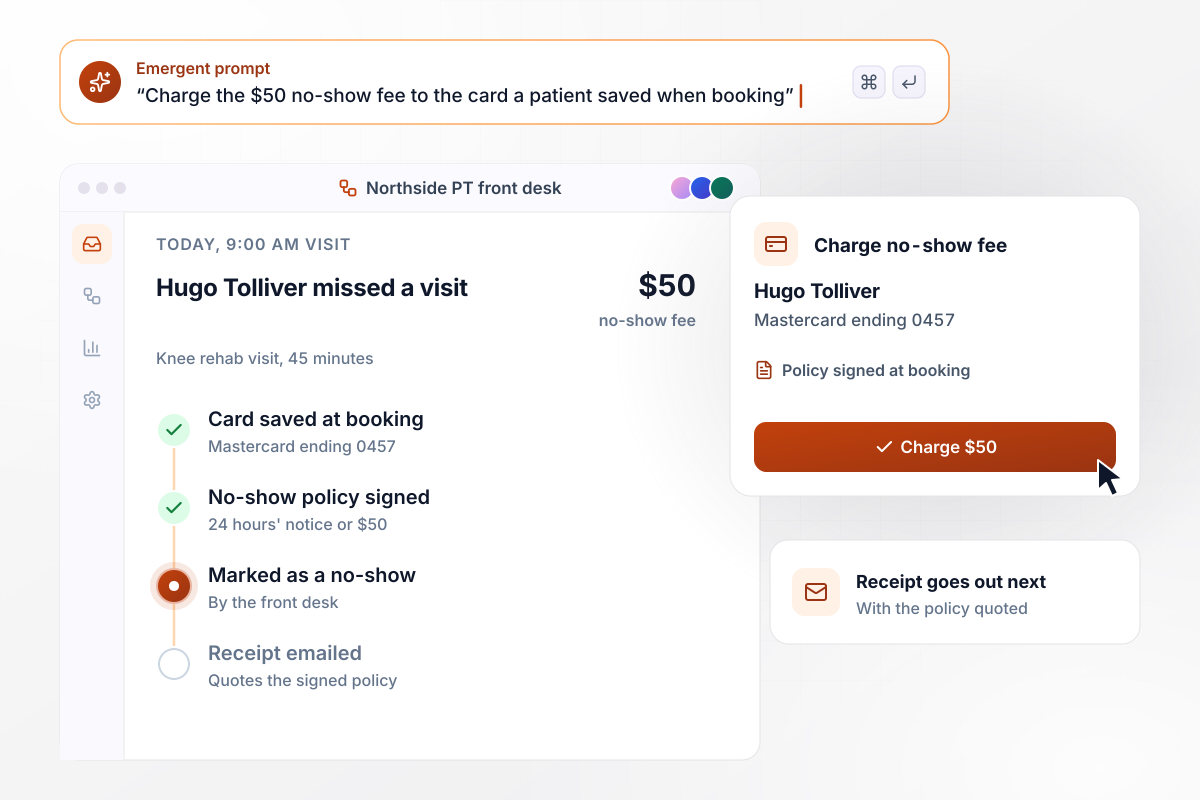
A missed visit triggers the fee they signed for
Patients who book online at Northside Physical Therapy save a card and accept one rule: missing a visit without 24 hours' notice costs $50. When the front desk marks a no-show, one click charges the fee to the saved card. The patient gets an emailed receipt quoting the policy they signed.
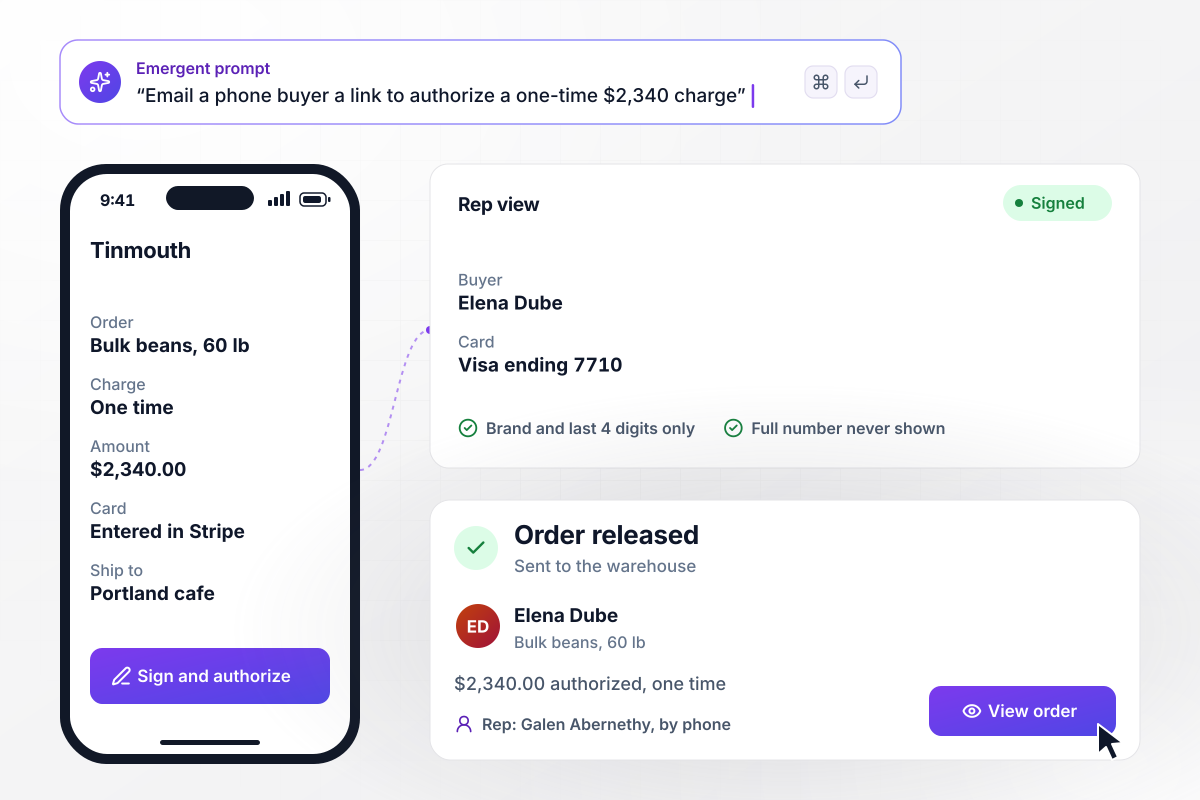
The rep never hears the card number
Phone orders at Tinmouth Roasters end with an email instead of digits read aloud. The rep enters the order, and the buyer authorizes a one-time charge of $2,340 from a link on their phone. The rep sees only the card brand and last four digits. Once it is signed, the order goes to the warehouse.






How to Build a Credit Card Authorization Form
Seven steps to a credit card authorization form that states the exact charge and never asks for the security code.
Decide whether the card pays once, on a schedule or only after something happens, like a missed appointment. That choice sets what the cardholder signs for. Keep one type per form so the customer knows exactly what they agreed to.
Put the amount, how often it is charged and how to cancel in plain sentences above the signature line. Use your business name as it appears on card statements. The cardholder can then match each charge to the form they signed.
Card rules bar a business from keeping the CVV once a charge is authorized. Leave that box off entirely and let Stripe collect the card. The full number then never sits in an inbox or a filing cabinet.
Tell Emergent who signs, what the card covers and which details you need from the customer. Include your authorization wording exactly as your terms state it. Emergent builds the form and the table that stores each signed record.
Connect Stripe so a card can be saved at signing without charging it. Recurring and on-file charges then run against the saved card. Each one is recorded next to the signed terms, which is where you look first when a customer questions a charge.
Decide who acts when a charge fails. Send that person a Slack message or an email with the customer's name, the amount, and a link to the record. The customer can receive a link to update the card at the same moment.
Put Stripe in test mode and sign the form as a made-up customer using one of Stripe's test card numbers. Confirm the record holds the signature and only the last four digits. Then have someone outside the team read the terms before a real customer signs.
Why Build Card Authorizations With Emergent?
A PDF template puts the full card number and security code in an email. Emergent's version stores the signature and the last four digits.

|
Square | Docusign | Jotform | |
|---|---|---|---|---|
| How you build | Describe it in plain English | Printable template, then Card on File in Square | Upload a document, place fields, reuse templates | Templates, editor, AI generator |
| Payments in the form | Through your own Stripe account | Charges the saved card through Square | Higher plans, through a connected payment gateway | Included, metered per plan |
| Where responses live | A database table you own, plus any integration | Square Customer Directory | Docusign account, downloadable as PDF | Jotform account |
| Response limits | No response caps | Paper form, fees charged per payment | Envelope allowance per plan, then pay per envelope or upgrade | Monthly submission caps by plan; the form stops at the cap |
| Code ownership | Full code export to GitHub on paid plans | None | None | None |




Pick the Pricing Plan That Works for You
Choose the plan that fits your building ambitions. From weekend projects to enterprise applications, we've got you covered.




Find the right form
for whatever you're collecting















Frequently Asked Questions
Your Questions, Answered
Don't change this element unless you know what you are doing
More things you can build
with Emergent









on Emergent today


