

Build a Payment Form That Matches Each Payment to Its Bill
Build a payment form from a short description. Cards go to Stripe, and each payment lands next to the bill it settles.
Build a payment form that takes payments online and records each one against the bill it pays.
Trusted by Builders Worldwide
Active Builders Worldwide
Apps Successfully Created
Countries Globally Reached



What Sits Behind the Pay Button
A card field is the easy part. The six pieces below tell you who paid and what happens next.
Card numbers stay with Stripe
Payers type card details into Stripe's own fields, and the number goes from their browser to Stripe. Your table stores the amount and the Stripe payment ID, never the full number.
Every payment points to its bill
Attach a reference to each payment, such as an invoice number or a permit. Open any invoice to see every payment made against it and the day each one landed in your account.
Amounts that arrive with the link
Send a pay link with the invoice number and amount filled in. The payer checks both and adds a card. Nobody types $385 for a $3,850 invoice and leaves you chasing the rest.
Deposits and installments on one record
Ask for part of an estimate up front, or split tuition into dated payments a parent can see. The balance due on the record drops with each payment that succeeds, down to zero.
A receipt for the payer, a ping for you
Each payer gets an email receipt with a receipt number and the bill it covered. You hear about it in Slack or by email, with a link that goes straight to that payment's record.
Your domain, your database, your code
Publish on your own domain, which is included and uses credits. Records sit in a database you own. On paid plans, the full source exports to GitHub for a developer to extend.
Four Kinds of Bills, Paid Online
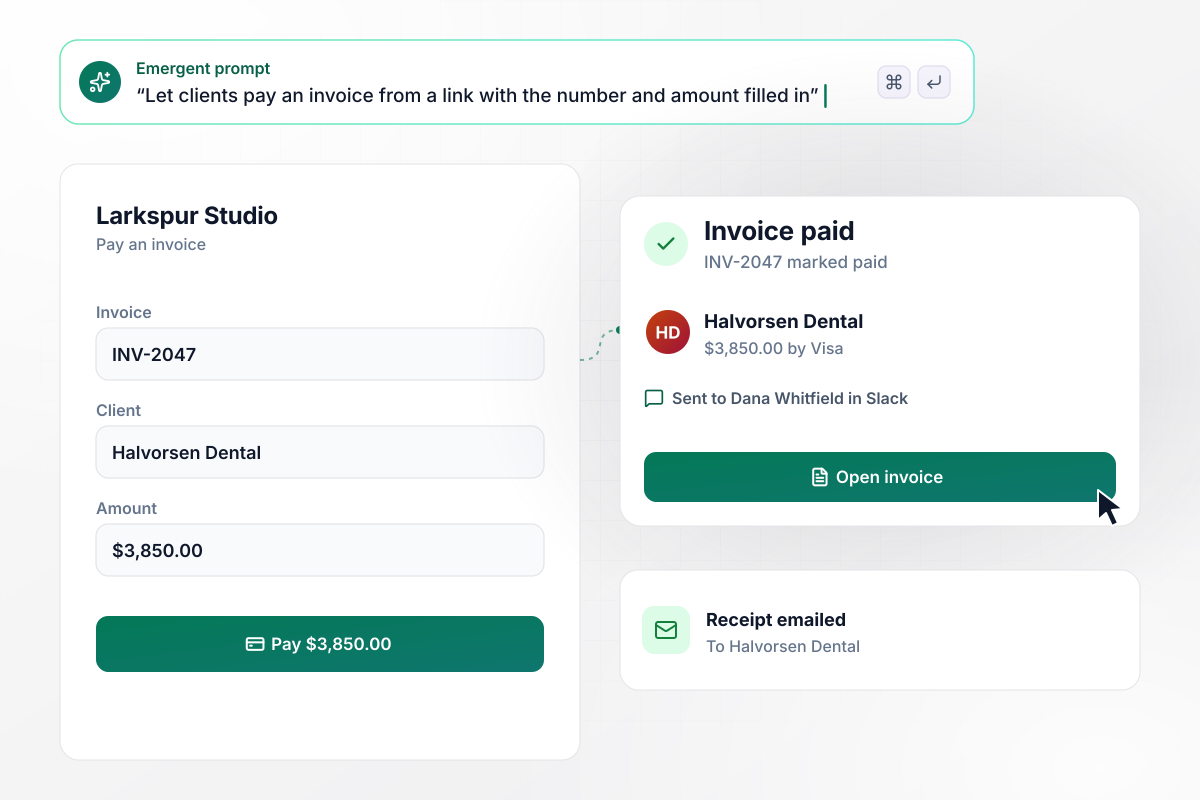
Invoice INV-2047 marked paid by the client's card
Larkspur Studio sends every invoice with a pay link. Halvorsen Dental opens it, finds INV-2047 and $3,850.00 already filled in, and pays by card. The invoice row switches to paid. Dana, the account lead, gets a Slack message naming the client and the amount.
window.awbMockup = { invoicePayments: "I run a design studio and send invoices by email. Build a payment form that opens from a pay link with the invoice number and amount already filled in, like INV-2047 for $3,850.00. Clients add a card and pay through Stripe. Mark the invoice paid in my invoices table and send Dana, our account lead, a Slack message with the client, and the amount.", projectDeposits: "My remodeling company takes a deposit before we book a job. After a homeowner signs an estimate, open a payment form for the deposit, for example $4,200.00 on a $14,000 kitchen. Keep the job off the crew calendar until the deposit is paid, then email our scheduler to book the start date.", tuitionPlans: "Our music school charges $1,200 for the summer intensive. Let parents pay it all at enrollment or in three payments of $400 on June 15, July 15 and August 15. Save the card with Stripe for the later charges. Show each family's payment dates on their record and mark the next charge.", permitFees: "Our town building department takes permit fees. Build a payment form where applicants pick the permit type and the fee comes from our schedule: a deck permit is $180.00 plus $45.00 for plan review. Give each payment a receipt number like MB-0318 and let inspectors look it up on a phone." };
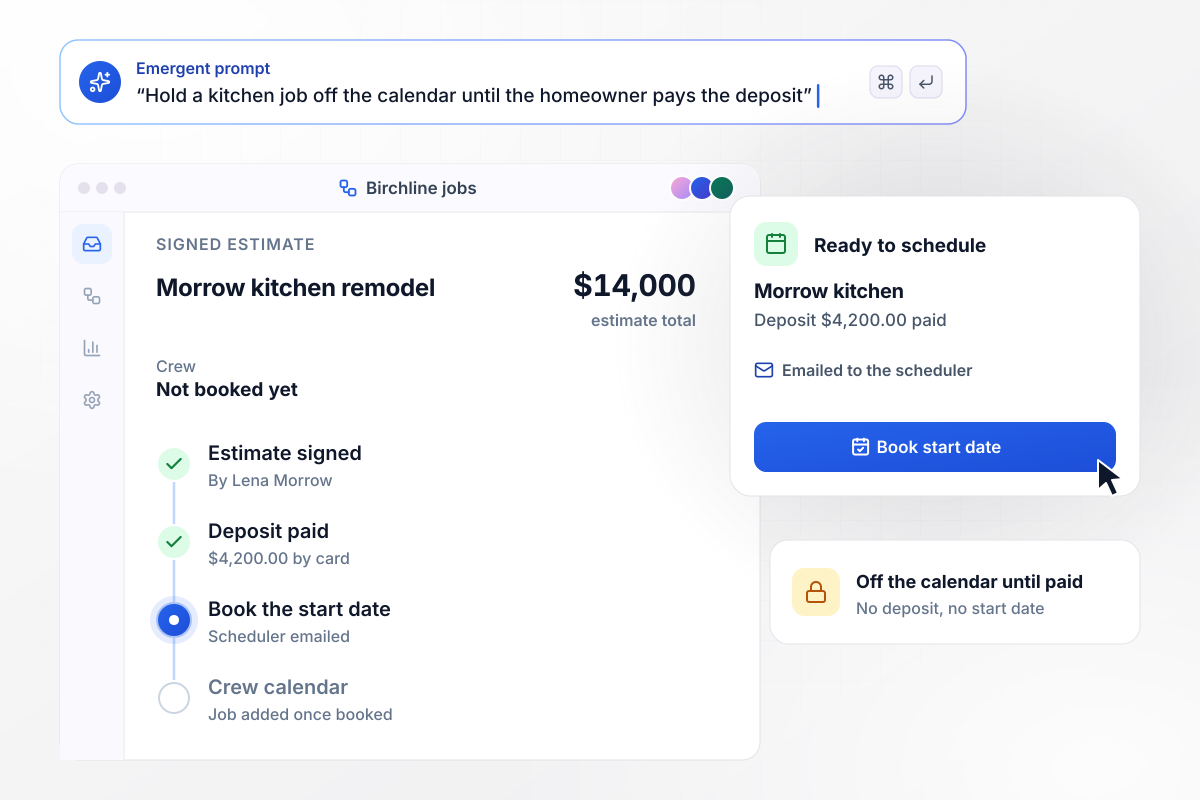
Kitchen jobs get a start date after the deposit is paid
Birchline Remodeling quotes a kitchen at $14,000 and asks for $4,200.00 before work is booked. Once the homeowner signs the estimate, the payment form opens at that amount. The job stays off the crew calendar until that payment succeeds. Then the scheduler gets an email to book the start date.
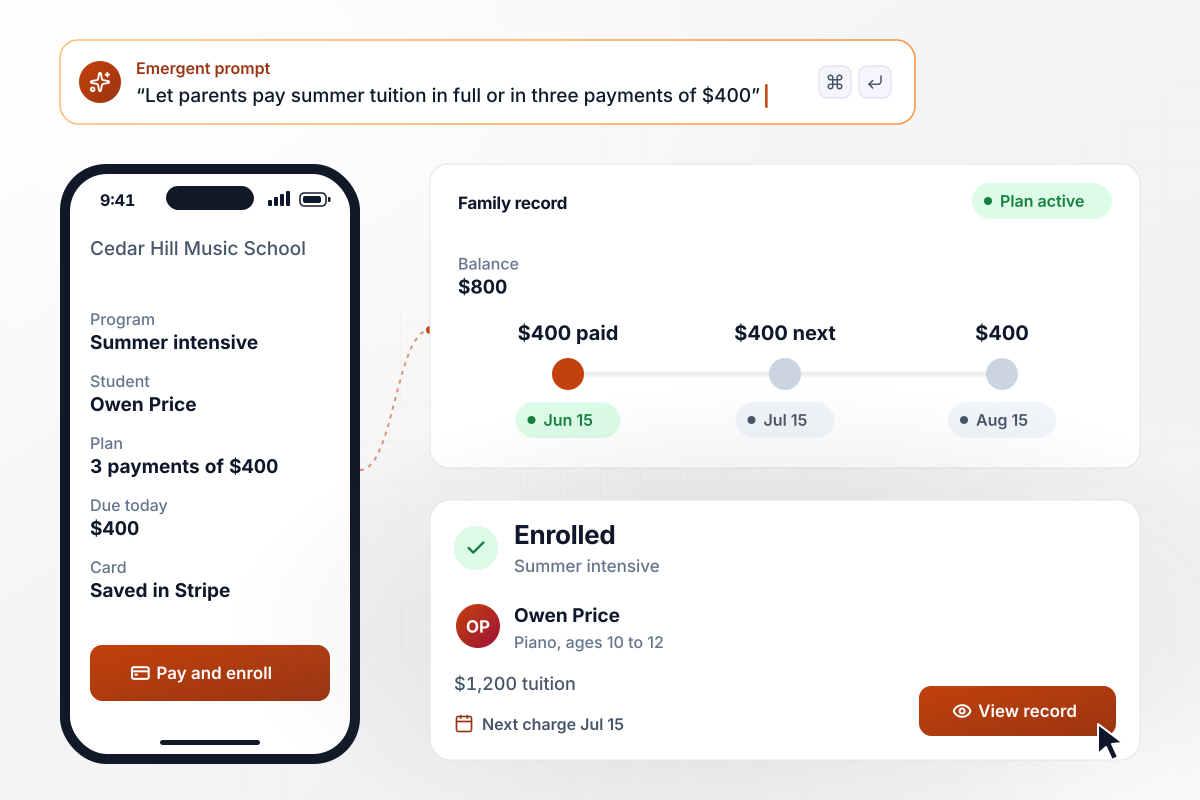
$1,200 tuition in one payment or three
Cedar Hill Music School parents pick a plan when they enroll a child in the summer intensive. They pay $1,200 at once, or make three payments of $400 on June 15, July 15 and August 15. Stripe keeps the card on file for the later two. Each family's record lists the payment dates and marks the next charge.
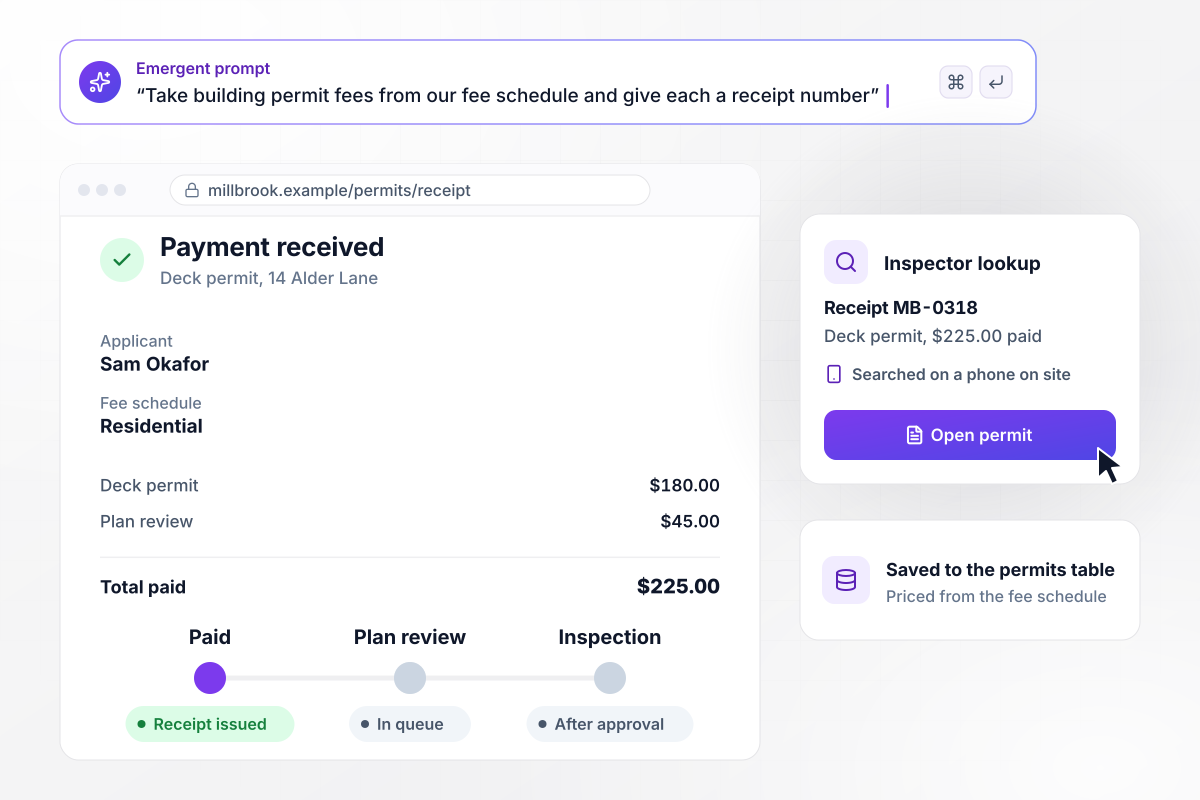
Receipt numbers inspectors look up from the truck
Millbrook permit applicants pick a permit type, and the form prices it from the town's fee schedule. A deck permit costs $225.00: $180.00 for the permit and $45.00 for plan review. Each payment gets a receipt number, here MB-0318. The inspector searches that number on a phone before knocking.






How to Make a Payment Form
These seven steps settle what each payment form charges for and where its record goes before you write the prompt.
Write down every bill a payer settles through the form, such as an invoice or a deposit. Note the amount or how it is worked out, for example a fixed share of an estimate or a price from a fee schedule. Each one becomes a payment type.
Decide which number or name matches a payment to its bill, and put it in the pay link whenever you can. The payer then confirms the reference instead of typing it, and typos stop reaching your books.
Ask for a name, an email for the receipt, and the reference. Leave out a card brand dropdown, because the processor reads the brand from the card number. Each field you add is one more place for a payer to stop before paying.
Connect your Stripe account, then decide which methods to accept. Cards cover most payers. Bank payments suit large invoices, and a saved card suits any plan that charges again later. Write the choice down, since it shapes the prompt.
Put the payment types and the reference into a prompt in plain English. Emergent builds the form and the payments table, then connects Stripe. Ask for changes the same way, like a new fee or a fourth installment.
Route each payment to the person who acts on it: a Slack message to the account lead, an email to the scheduler, or a daily summary for the bookkeeper. Give failed payments their own alert with a link to the record.
Switch Stripe to test mode and pay with a test card number. Read the receipt email, then open the payments table and check the row shows the right reference and amount. Move to live keys before the link goes out.
Why Build Payment Forms With Emergent?
Paper forms ask for a card number in ink. Template builders take the card, then someone matches each payment to its invoice by hand.

|
Jotform | Google Forms | Typeform | |
|---|---|---|---|---|
| Payments in the form | Through your own Stripe account | Included, metered per plan | No | Paid plans |
| How you build | Describe it in plain English | Templates, editor, AI generator | Editor, with Gemini drafting on some Workspace plans | Templates, editor, AI assist |
| Where responses live | A database table you own, plus any integration | Jotform account | Google Sheets | Typeform account |
| Response limits | No response caps | Monthly submission caps by plan; the form stops at the cap | No limit | Monthly response caps by plan; the form closes at the cap |
| Code ownership | Full code export to GitHub on paid plans | None | None | None |




Pick the Pricing Plan That Works for You
Choose the plan that fits your building ambitions. From weekend projects to enterprise applications, we've got you covered.




Find the right form
for whatever you're collecting














Frequently Asked Questions
Your Questions, Answered
Don't change this element unless you know what you are doing
More things you can build
with Emergent









on Emergent today


