

Build an ACH Form That Records Every Authorization
Build an ACH form that puts the debit terms above the signature, sends each payer a copy, and keeps every authorization on file.
Build an ACH form that collects bank details and a signed authorization before any account is debited.
Trusted by Builders Worldwide
Active Builders Worldwide
Apps Successfully Created
Countries Globally Reached



What an ACH Form Has to Say
A blank PDF collects two numbers and a signature. These six features cover the rest of the authorization.
Terms printed above the signature
Places the amount and the debit date right above the signature line, with the way to cancel next to them. Nacha expects a consumer debit authorization to state its terms clearly.
A copy in the payer's inbox
Emails each payer the terms they signed the moment they submit, with a cancel link at the top. Nobody has to dig up the signed record months later and send it over by hand.
Debits run by the processor you connect
Passes each signed authorization to Stripe or any processor with an API, which runs the debits on schedule. Every debit in your table points back to the authorization behind it.
Credit forms for paying vendors
Builds the other direction too: a vendor enrollment form that asks for a taxpayer ID with the bank details. Approved bills then go into a bank file that carries those details.
Two years of records, kept for you
Keeps each signed authorization, plus any later cancellation, together in a database you own. Nacha has originators keep each one for two years after it ends or is revoked.
Code a developer can take over
Exports the full codebase to GitHub on paid plans. An engineer can add NACHA file exports for your bank's portal later, or you can describe that change and let Emergent write it.
ACH Forms for Every Kind of Payer
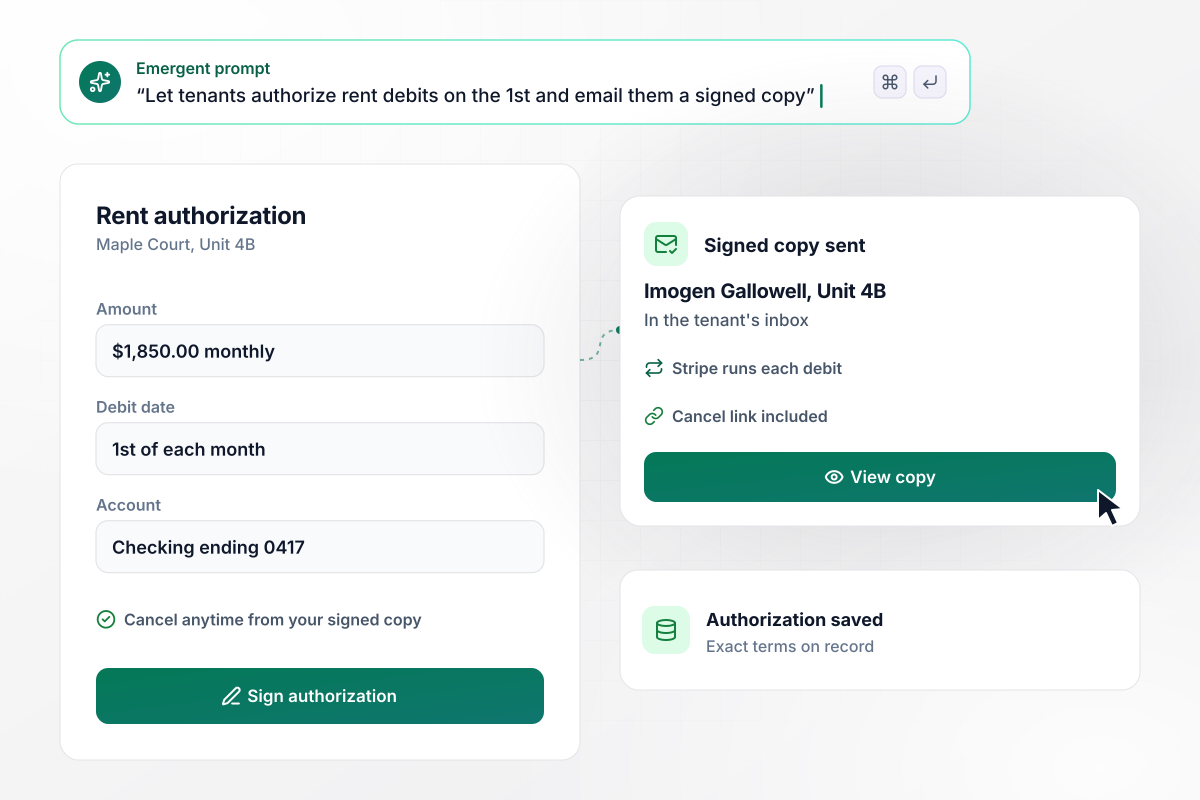
Rent debited on the 1st, signed once
Tenants at Maple Court sign once for rent of $1,850, debited on the 1st of each month. The amount and the date appear above the signature, with the cancellation route beside them. A signed copy reaches the tenant's inbox as soon as they submit, and Stripe runs each debit against that authorization.
window.awbMockup = { rentCollection: "I manage Maple Court, a 40-unit building, and want tenants to pay rent by ACH. Build an authorization form for rent of $1,850 debited from checking on the 1st of each month. Show the amount, the date and how to cancel above the signature. Email each tenant a copy of the signed terms when they submit, and send the authorization to Stripe to run the debits.", vendorPayments: "My accounts payable team at Kettle Ridge Foods needs suppliers to enroll for ACH payments. Collect the company name, taxpayer ID, bank details, and a remittance email. When we pay approved bills, put them in one bank file and email each supplier a remittance listing every invoice in that deposit, for example three invoices totaling $4,210.", tuitionPlans: "Our school, Ivyford Academy, lets families pay $9,600 of tuition in eight monthly debits of $1,200. Build a form parents can sign on a phone that shows the full debit schedule before they sign. Give the bursar a dashboard with each family's next debit and how many debits are left.", cancellations: "My gym, Inglewood Fitness, collects $59 monthly dues by ACH. Put a cancel link in the signed copy each member receives. When a member uses it, take the next debit off the schedule before Stripe runs it, save the cancellation next to the original terms, and send our billing lead Hugh Ladd a Slack direct message with the member's name." };
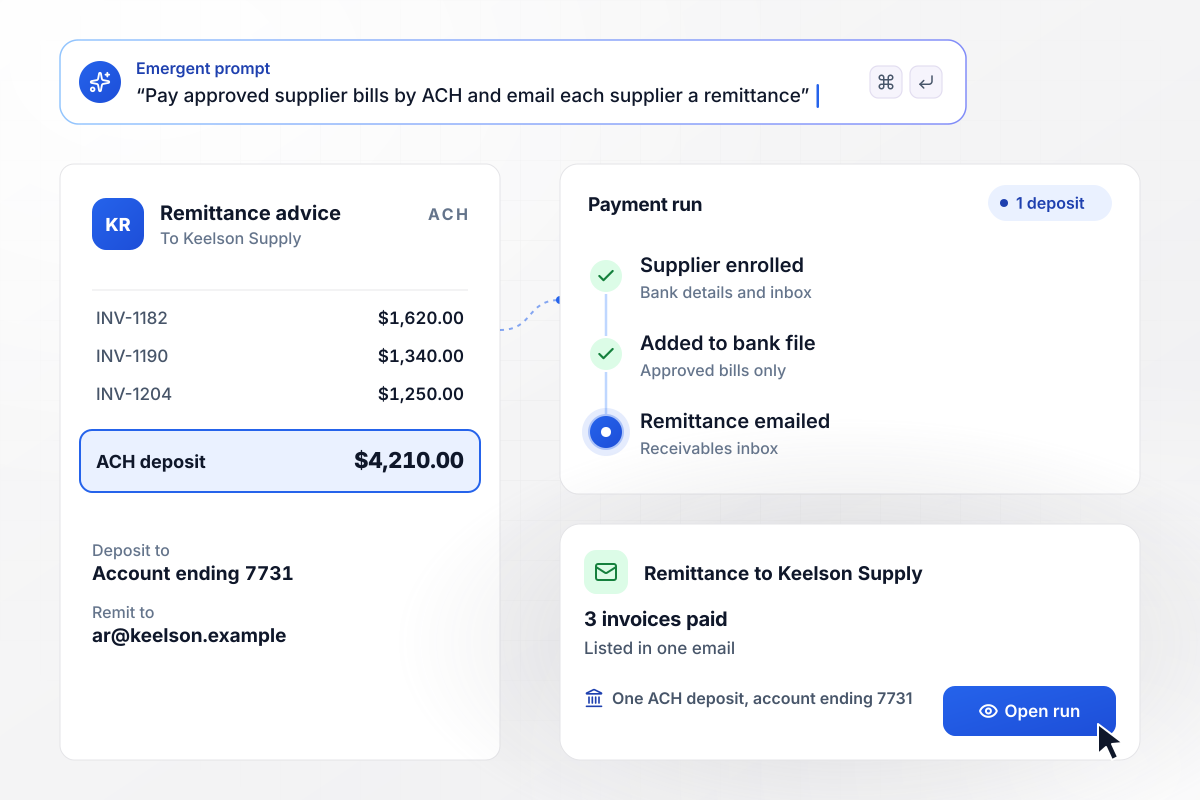
Three invoices paid, one remittance email
Accounts payable at Kettle Ridge Foods sends suppliers one enrollment link. Each supplier adds bank details and a remittance inbox. On payment day, approved bills go into one bank file. Keelson Supply gets a single deposit of $4,210 for three invoices, with an email listing each one.
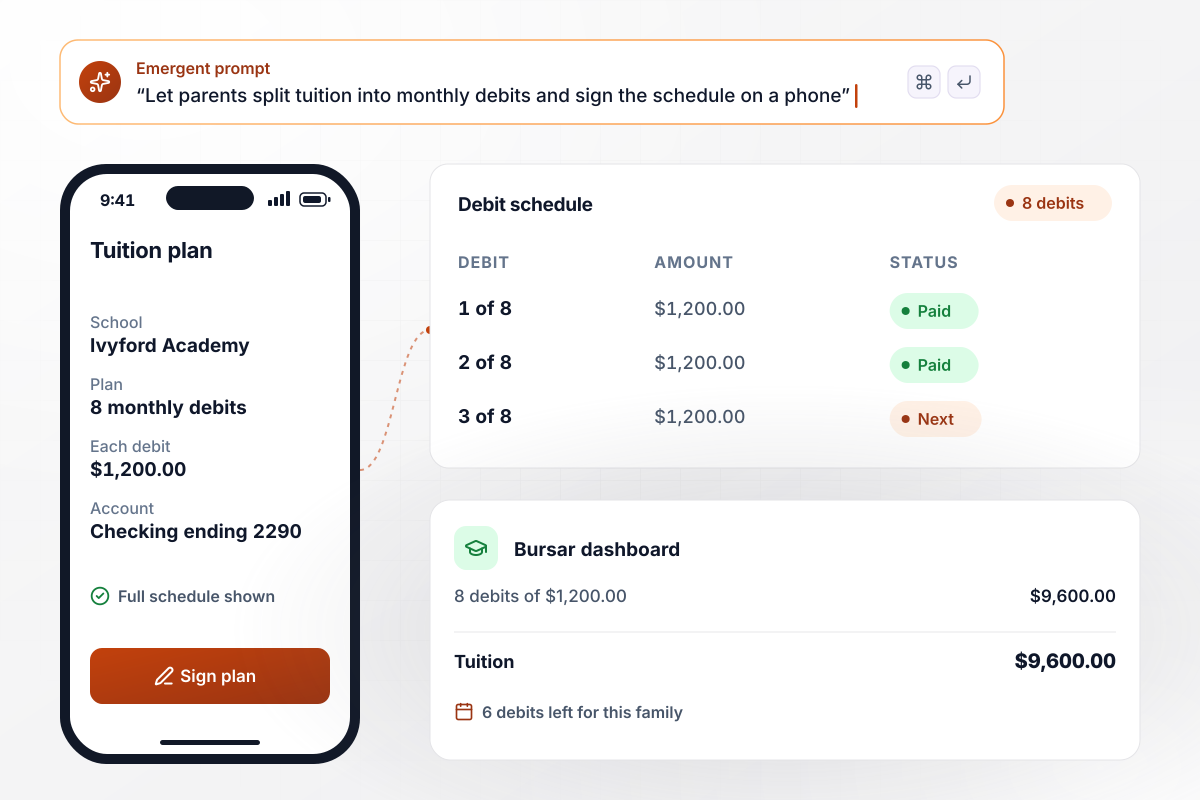
Tuition of $9,600 in eight equal debits
Families at Ivyford Academy can pay tuition in eight monthly debits of $1,200 instead of one large check. Parents choose the plan on a phone and see the full schedule before they sign. The bursar's dashboard tracks each family's next debit and shows six left once two have run.
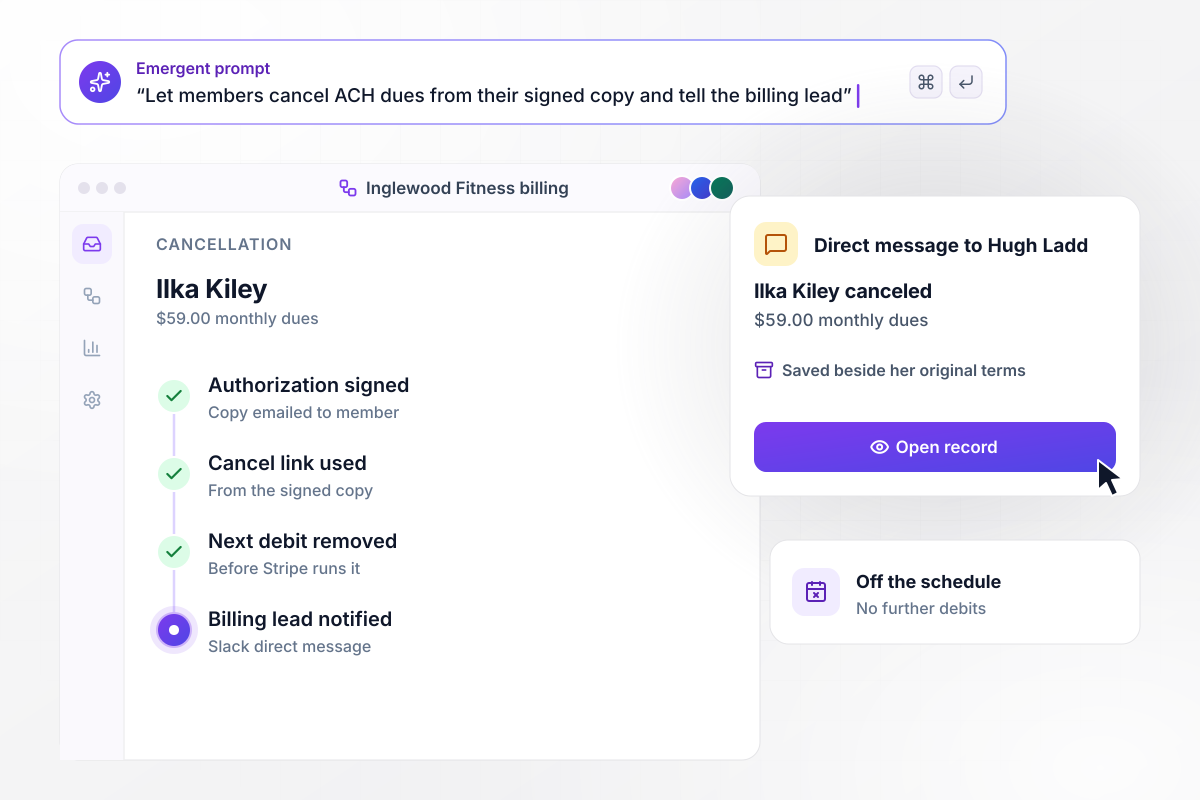
One click to cancel, and the next debit is gone
Members of Inglewood Fitness cancel from the same link that delivered their signed copy. When Ilka Kiley cancels her $59 monthly dues, the next debit comes off the schedule before Stripe can run it. Hugh Ladd, the billing lead, gets a Slack direct message, and the cancellation is saved beside her original terms.






How to Make an ACH Form
Seven steps to build an ACH form that states its terms plainly, explains how to cancel, and keeps every accepted version on record.
Debit or credit decides the wording. A debit form lets you pull money from the payer's account for rent or dues. A credit form, such as a vendor enrollment, lets you send money in. Most businesses keep the two as separate forms.
Collect the account holder's name, the bank, the routing number, the account number and whether the account is checking or savings. On vendor forms, add the company name and taxpayer ID, because accounts payable matches each payment against both.
State the amount or how it is calculated, the first debit date and how often it repeats. Title the page plainly as an authorization, because Nacha wants it readily identifiable as one.
Spell out how the payer revokes the authorization and how much notice you need before the next debit. Nacha requires consumer debit authorizations to explain revocation. A cancel link inside the signed copy is the route payers find first.
Tell Emergent who pays on what schedule. Name the processor that runs the debits too. From that description, Emergent builds the form with a signature step and stores each authorization in a database you own.
Nacha requires originators to give consumers a copy of their debit authorization. Send it the moment they sign. Put the amount and the cancel link at the top of the email, where a payer checking a debit looks first.
Save each payer's wording with the date they signed it. Terms change over time, and a disputed debit has to match the version in force on the day it ran. Edit the terms for new payers only, and leave existing records untouched.
Why Build ACH Forms With Emergent?
Bank PDFs stop at the signature. Emergent's version emails the payer a copy and ties each debit to the authorization that allowed it.

|
Jotform | Google Forms | Typeform | |
|---|---|---|---|---|
| How you build | Describe it in plain English | Templates, editor, AI generator | Editor, with Gemini drafting on some Workspace plans | Templates, editor, AI assist |
| Payments in the form | Through your own Stripe account | Included, metered per plan | No | Paid plans |
| Where responses live | A database table you own, plus any integration | Jotform account | Google Sheets | Typeform account |
| Response limits | No response caps | Monthly submission caps by plan; the form stops at the cap | No limit | Monthly response caps by plan; the form closes at the cap |
| Code ownership | Full code export to GitHub on paid plans | None | None | None |




Pick the Pricing Plan That Works for You
Choose the plan that fits your building ambitions. From weekend projects to enterprise applications, we've got you covered.




Find the right form
for whatever you're collecting
Frequently Asked Questions
Your Questions, Answered
Don't change this element unless you know what you are doing
More things you can build
with Emergent









on Emergent today


