

Build an Order Form That Turns Your Product List Into Orders
Build an order form that totals each order, charges the card at checkout, and keeps every order in a database you own.
Build an order form for my products that takes card payment.
Trusted by Builders Worldwide
Active Builders Worldwide
Apps Successfully Created
Countries Globally Reached



What a Working Order Form Does
Six pieces turn a product list into orders you can pack and reconcile.
Totals that add up as buyers type
Emergent lists each product with its price and a quantity box. The total updates with every change, and a delivery fee or minimum order applies before the buyer submits.
Stock caps that hide sold-out items
Set a weekly limit for each item. Every order counts against that number, and the item leaves the form when it reaches zero. Nobody pays for a jar of jam you cannot ship.
Card payment on the same page
Connect Stripe and buyers pay by card as they submit. Each order row shows the amount charged and whether it cleared. Reconciling the week takes one filter, not a stack of receipts.
An orders table you own
Every order becomes a row with the buyer, the items, the total, and the delivery date. Filter by date for tomorrow's packing list, or send the week to your bookkeeper as a CSV.
Receipts for buyers, alerts for packers
Send each buyer an email receipt listing what they ordered and when it arrives. New orders post to a Slack channel or go to whoever packs them, with a link to the full order.
Your domain and every line of code
Publish the order form on a custom domain, included and paid in credits, or embed it on your site. On paid plans, export the full source to GitHub to add customer accounts.
Order Forms for Four Kinds of Sellers
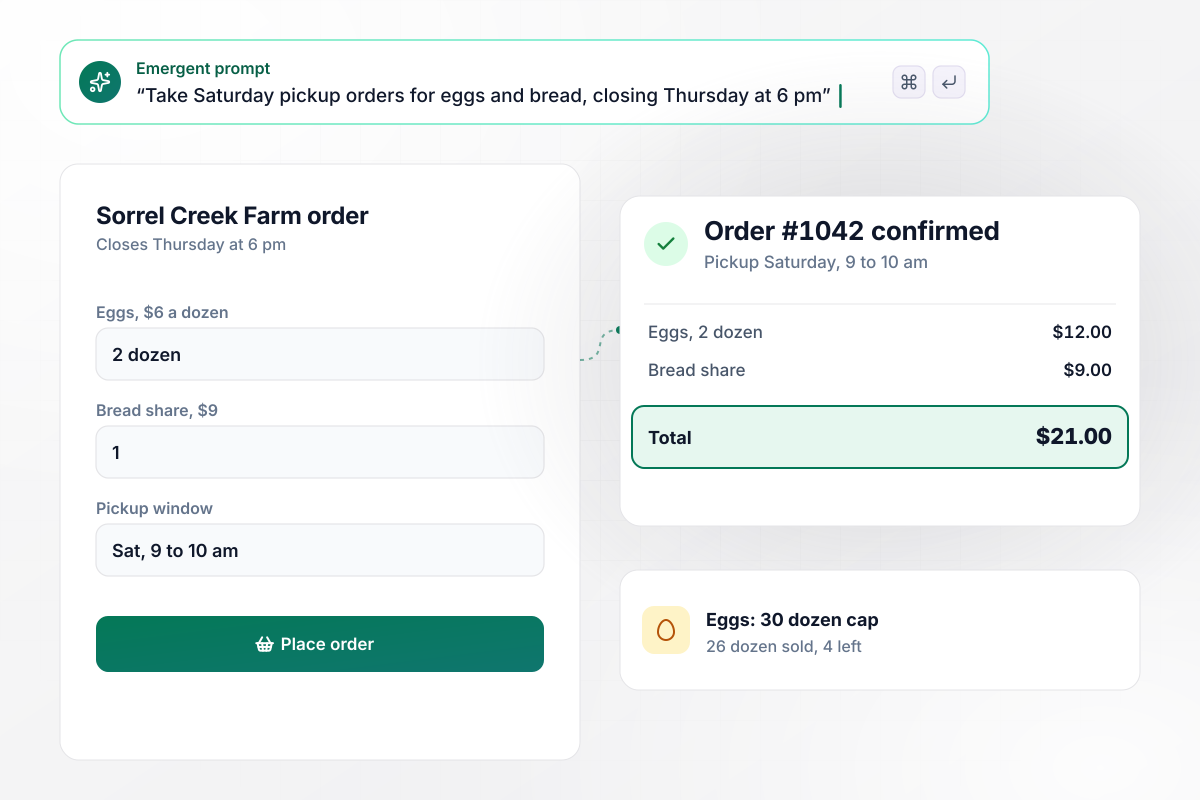
Orders close Thursday at 6 pm for Saturday pickup
Sorrel Creek Farm posts one link each Monday. Customers order eggs at $6 a dozen and a bread share at $9, then choose a pickup window at the Saturday market. Eggs are capped at 30 dozen and drop off the form once sold out. The packing list groups orders by pickup window.
window.awbMockup = { farmPickupOrders: "My farm sells eggs at $6 a dozen and a bread share at $9 for pickup at the Saturday market. Build an order form with a quantity for each and a pickup window. Cap eggs at 30 dozen and hide them when they sell out. Close the form Thursday at 6 pm and give me a packing list grouped by pickup window.", schoolFundraisers: "Our PTA at Hazelmere Elementary is selling wreaths for $28 and candles for $14. Give every student a personal link to share with family. Parents pay by card, and each order is credited to the student and their class. Show class totals in a table and make a delivery list sorted by classroom.", softwareSales: "I sell analytics software at Birchfield Analytics. Build an order form my reps fill with the plan, seat count, price per seat and term, for example 40 seats at $45 a month for 12 months. The buyer reviews the annual total and signs on screen. Save the signed form to a contracts table and email finance to start invoicing.", photoPrintOrders: "I'm a family photographer. Add an order form under each client gallery where clients type image numbers and pick a print size: 8x10 for $25 or 11x14 for $40. Take payment through Stripe, then send the paid order to my lab queue with the file names attached." };
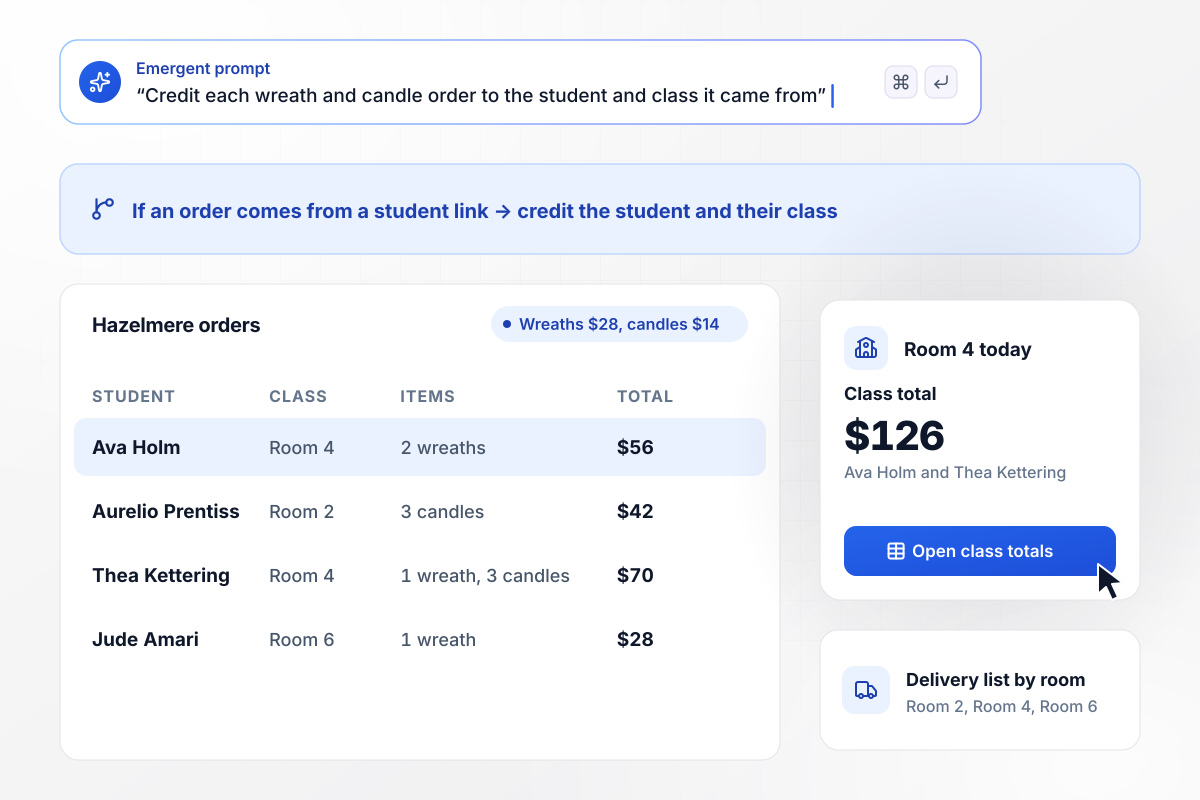
Every wreath counts toward a class total
Each student at Hazelmere Elementary gets a personal link to share with family. Parents order wreaths at $28 and candles at $14 and pay by card. The order is credited to the student and their class. The PTA watches class totals in one table, and delivery day starts from a list sorted by classroom.
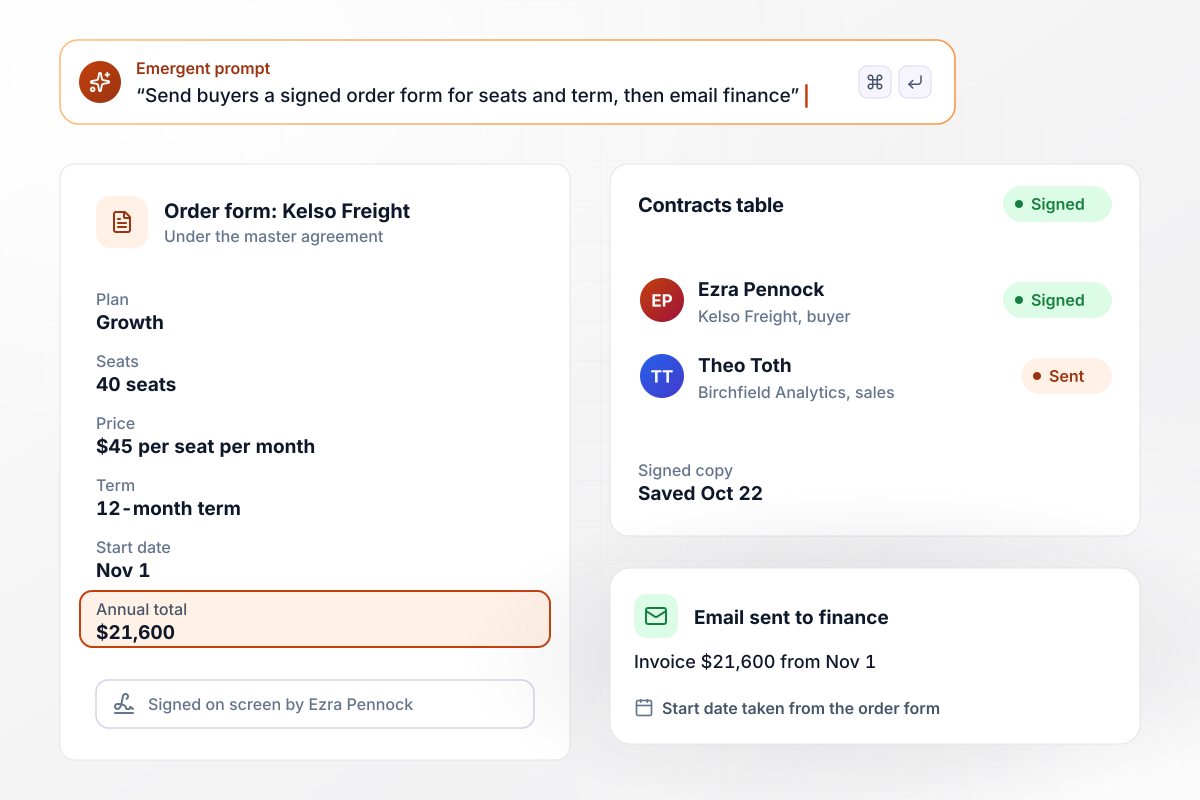
Once the buyer signs, finance starts the invoice
A sales rep at Birchfield Analytics sets 40 seats at $45 per seat per month on a 12-month term. The buyer gets an order form tied to the master agreement, checks the $21,600 annual total, and signs on screen. The signed copy goes to the contracts table, and finance gets an email to invoice from the start date.
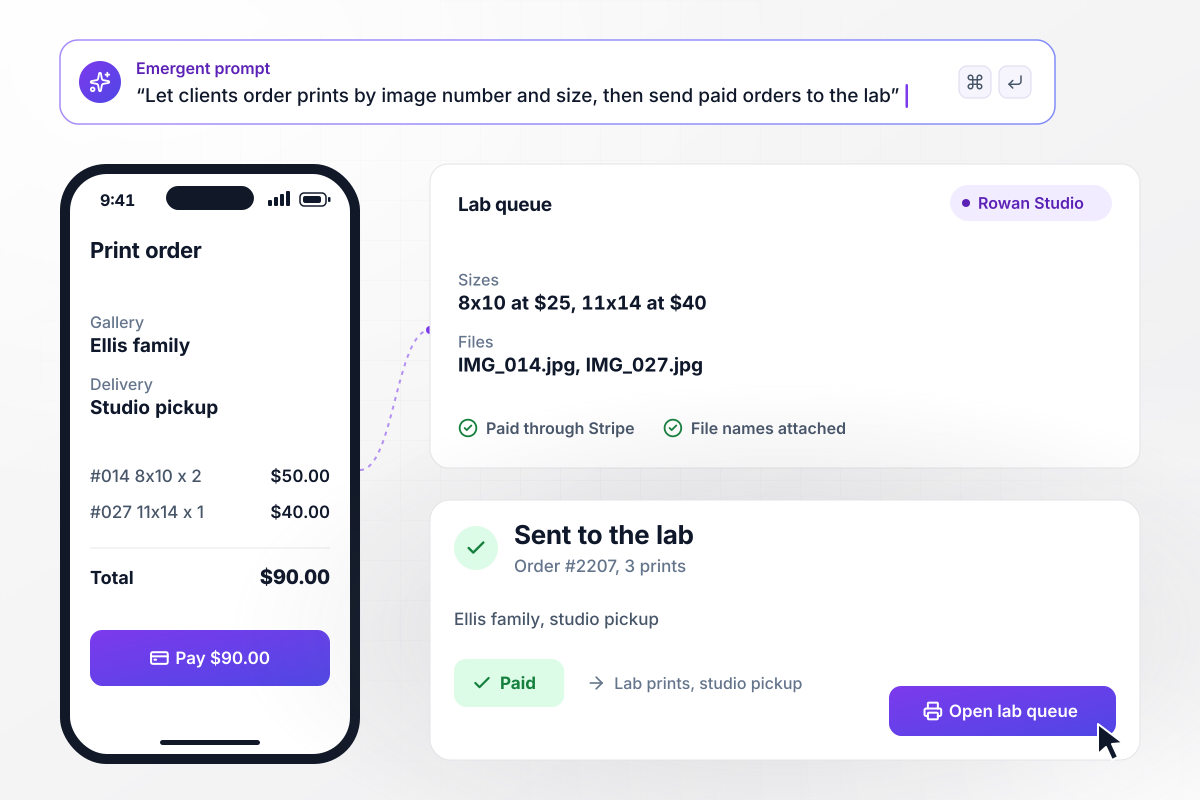
Prints picked by image number and size
After a family session, Rowan Studio sends the client a gallery with an order form under the last photo. The client types image numbers and picks a size for each: 8x10 at $25 or 11x14 at $40. Payment goes through Stripe. The paid order lands in the lab queue with each file name attached.






How to Create an Order Form
Seven steps to create an order form that closes on time and charges at submit, then build it with Emergent.
Start with a list of what you sell: the name buyers know, the unit it comes in and the price. Note any size or flavor options next to each item. Every line on that list becomes a product with its own quantity box.
Picture the order from the packer's side. They need a name, a phone number, and either a delivery address or a pickup time. Questions beyond that, like a birthday for marketing, belong on a later form or nowhere.
Decide when orders close for each delivery or pickup day, and cap anything you make in small batches. A cutoff two days before pickup leaves time to buy supplies and pull stock without guessing at demand.
Take card payment at submit through Stripe, or mark orders as pay on pickup for regulars you trust. Business buyers often expect an invoice instead. Give them that option along with a field for their billing contact.
Paste the product list and your rules into the prompt in plain English. Emergent builds the form with a running total and an orders table behind it. Ask for changes the same way, such as a new item or a later cutoff.
Pick where new orders go: a Slack channel for the kitchen, or an email to the person who ships. Each message links to the order row, and the packer works from that row instead of a retyped copy.
Order two items as a customer, pay with a test card and read the receipt email. Then open the orders table and confirm the row matches what you bought. Refund the test charge before you share the link.
Why Build Order Forms With Emergent?
Template sites hand you a layout. Each order still arrives as a PDF or an email that someone types into a spreadsheet.

|
Jotform | SurveyMonkey | AidaForm | |
|---|---|---|---|---|
| How you build | Describe it in plain English | Templates, editor, AI generator | Survey builder with templates | Templates and a drag-and-drop builder |
| Response limits | No response caps | Monthly submission caps by plan; the form stops at the cap | Response allowance per plan, overage billed on paid plans | Monthly response cap, paused until reset |
| Payments in the form | Through your own Stripe account | Included, metered per plan | Stripe or PayPal on higher paid plans | Stripe and PayPal on higher paid plans |
| Where responses live | A database table you own, plus any integration | Jotform account | SurveyMonkey account, plus export | AidaForm account, plus Google Sheets and export |
| Code ownership | Full code export to GitHub on paid plans | None | None | None |




Pick the Pricing Plan That Works for You
Choose the plan that fits your building ambitions. From weekend projects to enterprise applications, we've got you covered.




Find the right form
for whatever you're collecting














Frequently Asked Questions
Your Questions, Answered
Don't change this element unless you know what you are doing
More things you can build
with Emergent









on Emergent today


