

Build a Custom Order Form That Prices Every Choice
Build a custom order form that prices each option, collects reference files, and saves every job to a database you own.
Build a custom order form that saves every response to a database I own.
Trusted by Builders Worldwide
Active Builders Worldwide
Apps Successfully Created
Countries Globally Reached



What Each Order Carries Before Work Starts
A custom order form prices a one-off job, gathers what it takes to make it, and checks there is room to take it on.
Prices that follow each option
Set a base price and what each choice adds, such as a wood species, an extra foot of length, or a rush date. The buyer watches the total change and submits an order already priced.
Reference files on the order
Ask for room photos or a hand sketch on the same screen as the options. Each file is saved with its order, and the brief opens beside the pictures on the day work begins.
A proof step before work begins
Send a proof or a mockup back to the buyer and hold the order until they approve it or ask for a change. Every revision request and the final yes are logged on the order.
Capacity that closes a full month
Cap how many jobs a month or a week can take. Once a month is full, the form stops offering it and shows the next open one, and buyers only pick dates the maker can keep.
One record per order, start to finish
Each order is a row in a database you own, with its options, files, proof, and status together. Filter by due date to plan the week, or by status to see what waits on a buyer.
Your code, your repository
Export the full code to your GitHub repository on paid plans and keep building it with your own developers. The free tier covers building and publishing the form itself.
Custom Orders Across Four Trades
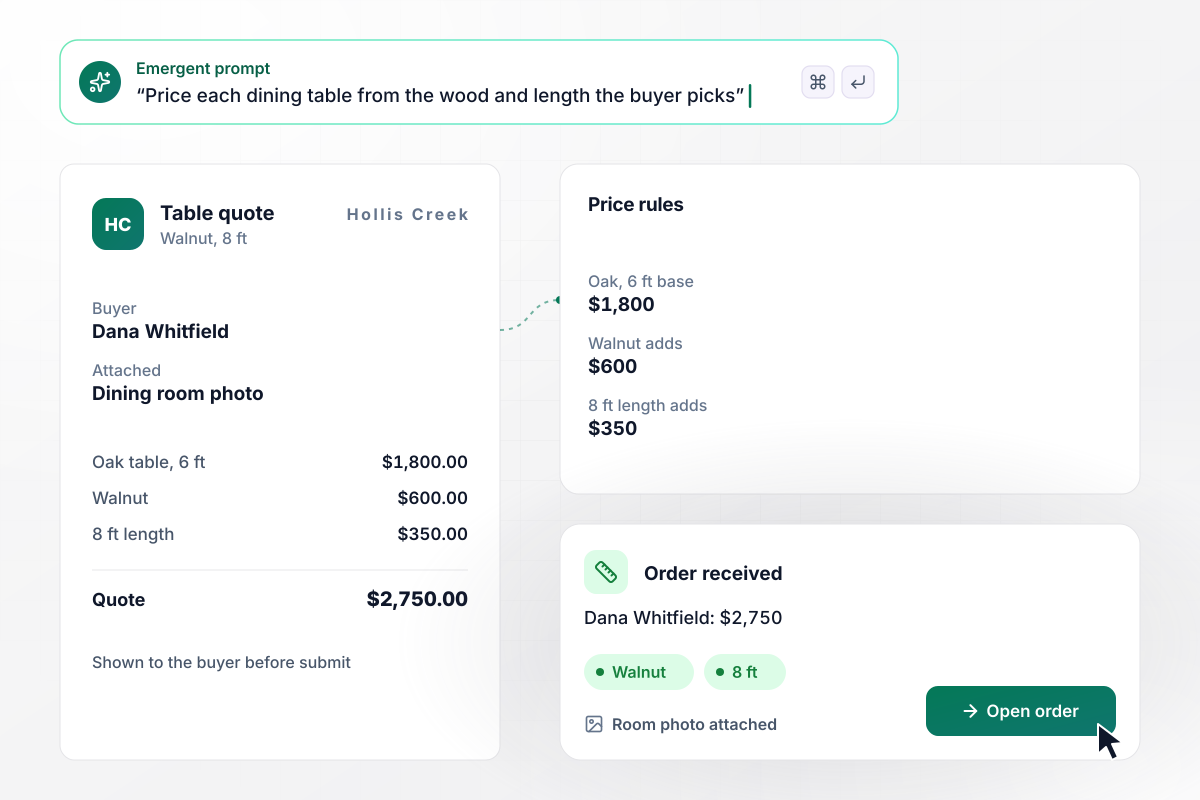
The quote changes with every wood and length choice
Hollis Creek Woodworks builds dining tables to order. A 6-foot oak table starts at $1,800, walnut adds $600, and the 8-foot length adds $350. Dana Whitfield picks walnut at 8 feet and sees a quote of $2,750 before she submits. Her order arrives with that quote and a photo of her dining room attached.
window.awbMockup = { furnitureMakers: "I build dining tables to order and need a custom order form that prices each table. A 6-foot oak table starts at $1,800, walnut adds $600, and an 8-foot length adds $350. Show the buyer the total as they pick, ask for a photo of their dining room, and save every order with its quote.", jewelryStudios: "My jewelry studio needs a custom order form for rings. Ask for ring size, metal, and a sketch or reference photos of the design. After I upload a rendered proof, send it to the buyer to approve or request a change on their phone, and keep the order out of casting until they approve.", petPortraitArtists: "I paint pet portraits and can take six commissions a month. Build an order form that asks for the pet's name, the canvas size, and photos of the pet. Once a month has six orders, close it and offer the next month with open spots, then send the buyer a confirmation naming their month.", signShops: "My sign shop needs an order form for banners, yard signs, and storefront lettering. Ask for sizes, quantities, artwork files, and the date the job is needed. If the job is due within 5 business days, email our production manager Marcus Lindqvist to accept or decline it. Put every other job in the standard queue." };
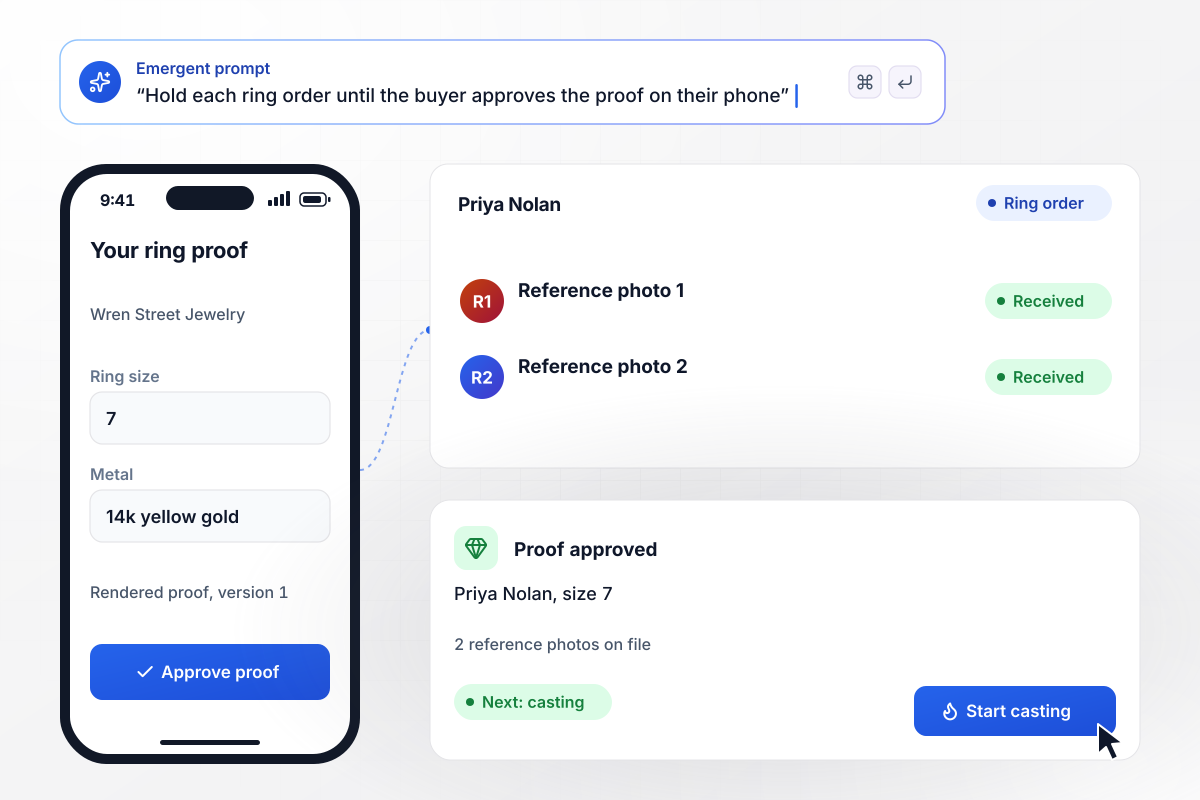
Each ring waits for a yes on its proof
Wren Street Jewelry asks for ring size, metal, and a sketch or photo of the design. Priya Nolan orders a size 7 ring in 14k yellow gold and uploads 2 reference photos. The studio sends back a rendered proof, she approves it on her phone, and only then does the order move to casting.
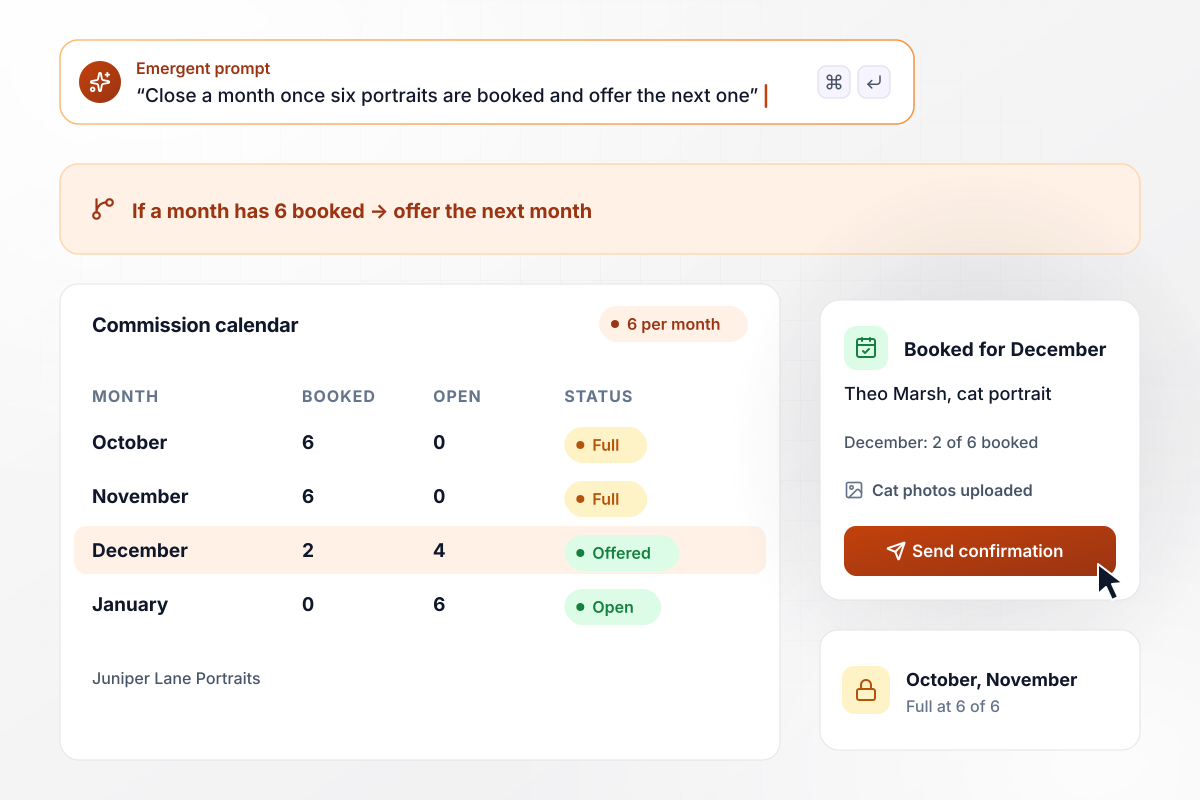
Six commissions fill a month, then it closes
Juniper Lane Portraits paints six pet portraits a month. October and November each have six booked, and the form marks both months full. It offers December, where two of six are booked. Theo Marsh picks December, uploads photos of his cat, and gets a confirmation naming the month his portrait starts.
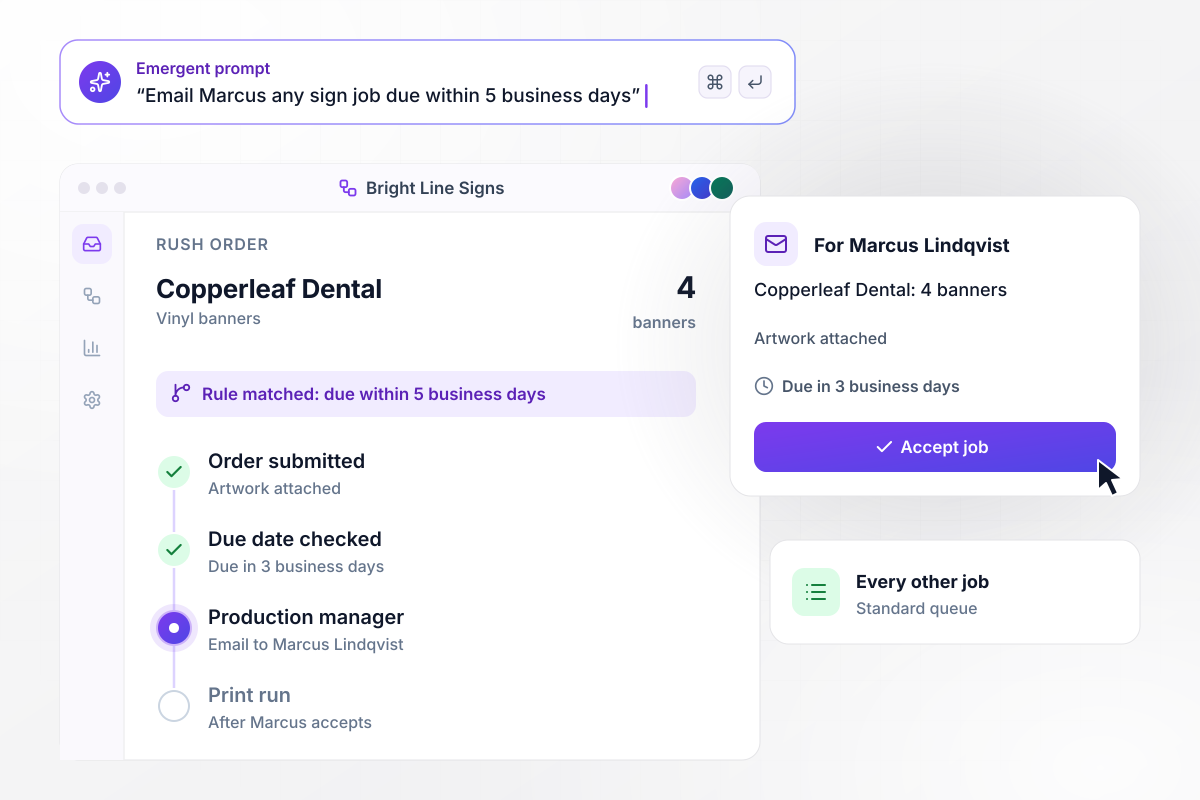
Rush jobs land with Marcus, not the queue
Bright Line Signs prints banners and storefront lettering. Any order needed within 5 business days goes to Marcus Lindqvist, the production manager, as an email he can accept or decline. Copperleaf Dental orders 4 vinyl banners due in 3 business days. Every other job joins the standard queue.






How to Create a Custom Order Form
Seven steps turn your options, prices, and capacity into a custom order form that quotes each buyer, built with Emergent.
Write down each choice a buyer makes and what it does to the price: the base item, each material or size upgrade, and any rush fee. Note which options rule out others, such as a finish that only comes in oak.
Pick the files you need before work can start, such as a room photo or a hand sketch. Mark which ones are required and which are optional, and say what a good photo shows, such as the full wall or the pet in daylight.
Count how many pieces you can finish in a month at your normal pace, with time left for revisions. Set that number as the cap, and decide whether a full month offers the next one or opens a waitlist.
Put your notes from the first three steps into one prompt. Emergent builds the form with its price rules and the database that holds each order. Change any part later by prompting again, such as a new wood or a higher rush fee.
Say how a proof reaches the buyer and what counts as approval. Keep each order out of production until the buyer approves, and let them ask for a change with a note that stays on the order.
Pick the jobs that need a person right away, such as anything due within a week or over a set total. Name the person in the rule, and the app sends each match to them by email or Slack with a link to the order.
Place three test orders yourself: a plain one, one with every upgrade, and a rush job. Check each quote by hand against your price list, then publish the form on its own link or on your custom domain (included in Emergent, uses credits).
Why Use Emergent for Custom Orders?
A template lists fixed products beside a quantity box. Emergent builds the form from your prompt, and it prices each choice a buyer makes.

|
Jotform | SurveyMonkey | AidaForm | |
|---|---|---|---|---|
| How you build | Describe it in plain English | Templates, editor, AI generator | Survey builder with templates | Templates and a drag-and-drop builder |
| Where responses live | A database table you own, plus any integration | Jotform account | SurveyMonkey account, plus export | AidaForm account, plus Google Sheets and export |
| Response limits | No response caps | Monthly submission caps by plan; the form stops at the cap | Response allowance per plan, overage billed on paid plans | Monthly response cap, paused until reset |
| Code ownership | Full code export to GitHub on paid plans | None | None | None |



Pick the Pricing Plan That Works for You
Choose the plan that fits your building ambitions. From weekend projects to enterprise applications, we've got you covered.




Find the right form
for whatever you're collecting















Frequently Asked Questions
Your Questions, Answered
Don't change this element unless you know what you are doing
More things you can build
with Emergent









on Emergent today


