

Build a Work Order Form That Carries Each Job to Sign-Off
Get a work order form that sends each repair to the right technician and closes it on site with the parts used and a signature.
Build a work order form for my business.
Trusted by Builders Worldwide
Active Builders Worldwide
Apps Successfully Created
Countries Globally Reached



What the Form Handles After Submit
A paper form records the request. These six pieces keep the job moving until someone signs it off.
Priority set by the type of problem
Tag categories like water leak or no heat as urgent. Those requests skip the queue and reach whoever is on call, while a sticky closet door waits for the next scheduled visit.
Photos and access notes up front
Ask for a close-up photo of the problem and whether a technician may enter when nobody is home. The tech arrives knowing which part to bring and which door to knock on first.
Routing to the shop that does the work
Send each request to a trade queue based on its category, such as electrical or plumbing. Each supervisor sees one queue of their own, with the most urgent jobs at the top.
Close-out fields filled at the job
Log labor hours and parts from a phone on site, with a note on what was fixed. The requester signs on the screen, and the order stays open until every required field has a value.
Status emails for the person who asked
Email the requester whenever the status changes, with the assigned shop and the scheduled date. The front desk stops fielding calls about whether anyone saw the request at all.
Source code you can extend
Export the full codebase to your GitHub on paid plans when you want to link the form to an asset register or host the app on your own infrastructure. The code is yours to modify.
Work Orders for Four Kinds of Crews
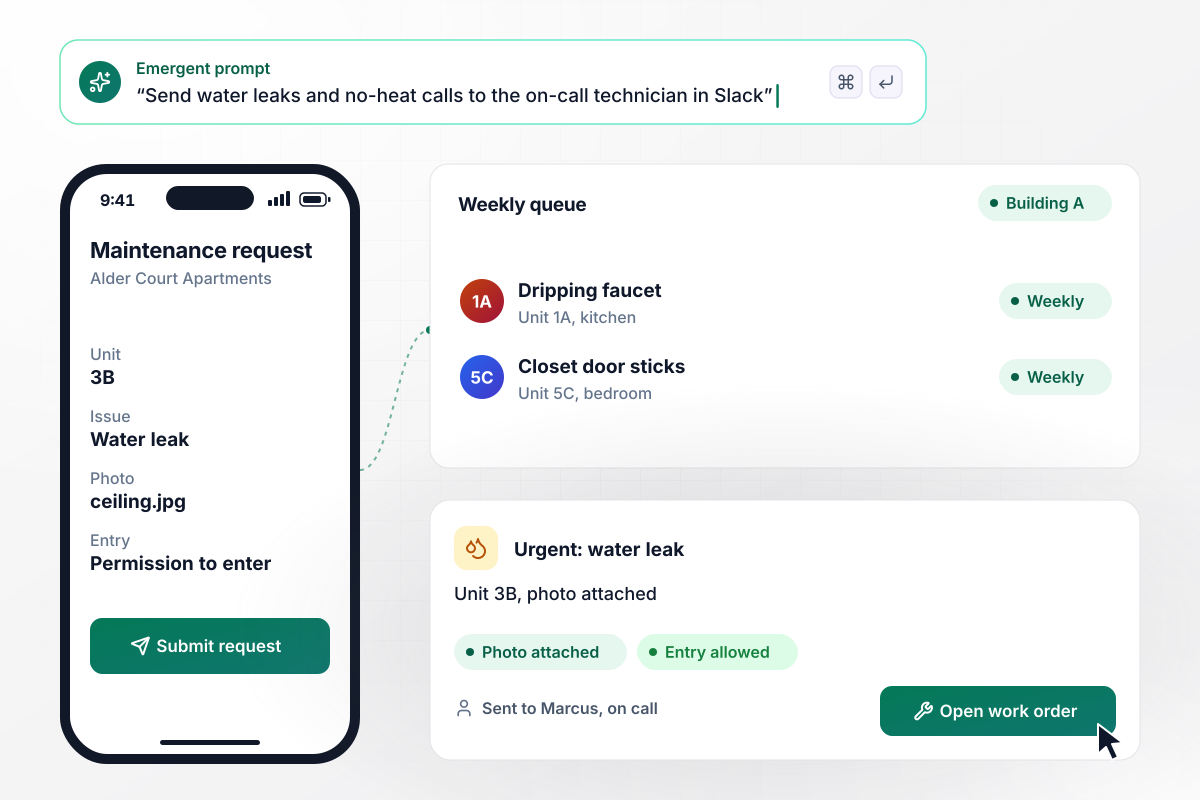
Water leaks reach the on-call tech in one step
A tenant in Unit 3B at Alder Court Apartments reports a water leak from a phone, with a photo of the ceiling and permission to enter. Leaks and no-heat calls go to Marcus, the on-call technician, as a Slack message with the photo. Everything else joins the weekly queue for that building.
window.awbMockup = { apartmentRepairs: "I manage Alder Court Apartments. Build a maintenance request form tenants open on a phone: unit number, issue type, a photo, and permission to enter. If the issue is Water leak or No heat, send a Slack message with the photo to Marcus, our on-call technician. Put everything else in a weekly queue grouped by building.", campusFacilities: "I run facilities at Ridgeview College. Build one request link for every campus building where staff pick a building, a room, and a category. Send each request to the electrical, plumbing or carpentry shop by category, and give each supervisor a queue of their own. Email the requester when the job is assigned and again when it is marked done.", hvacServiceCalls: "My HVAC company needs a close-out form technicians fill on their phones: labor hours at $110 an hour, each part with its price, completion notes, and the homeowner's signature on screen. Closing the work order should create an invoice in QuickBooks with every line copied over.", constructionSubs: "I'm a general contractor. Build a form to issue work orders to subcontractors with a scope, a floor, and a not-to-exceed amount. Track each trade against its budget, for example drywall at $42,000 on the Elm Street job. Hold any order that would push a trade over budget until the project manager approves it." };
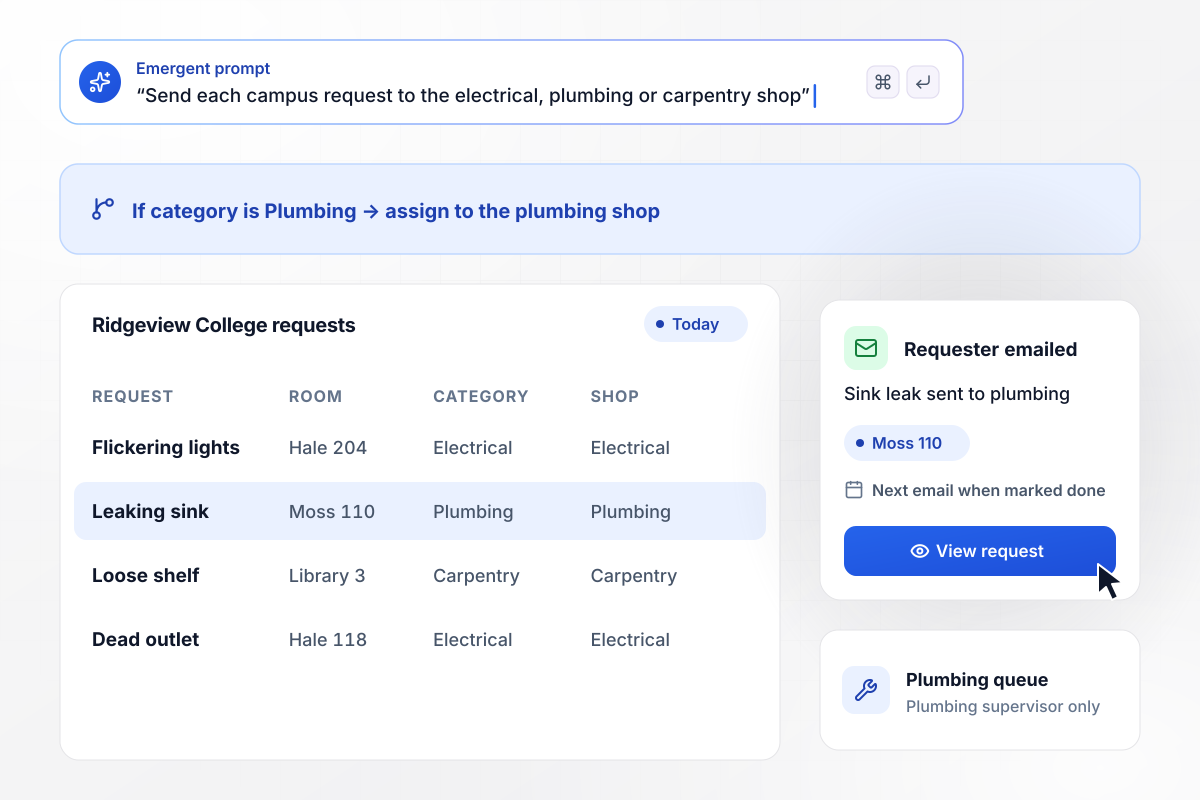
Every request lands in its trade shop queue
Ridgeview College runs one link for every building on campus. Staff choose a room and a category, and the request goes to the matching trade shop. The requester gets an email when the shop assigns it and again when the job is marked done. Supervisors work only their own queue.
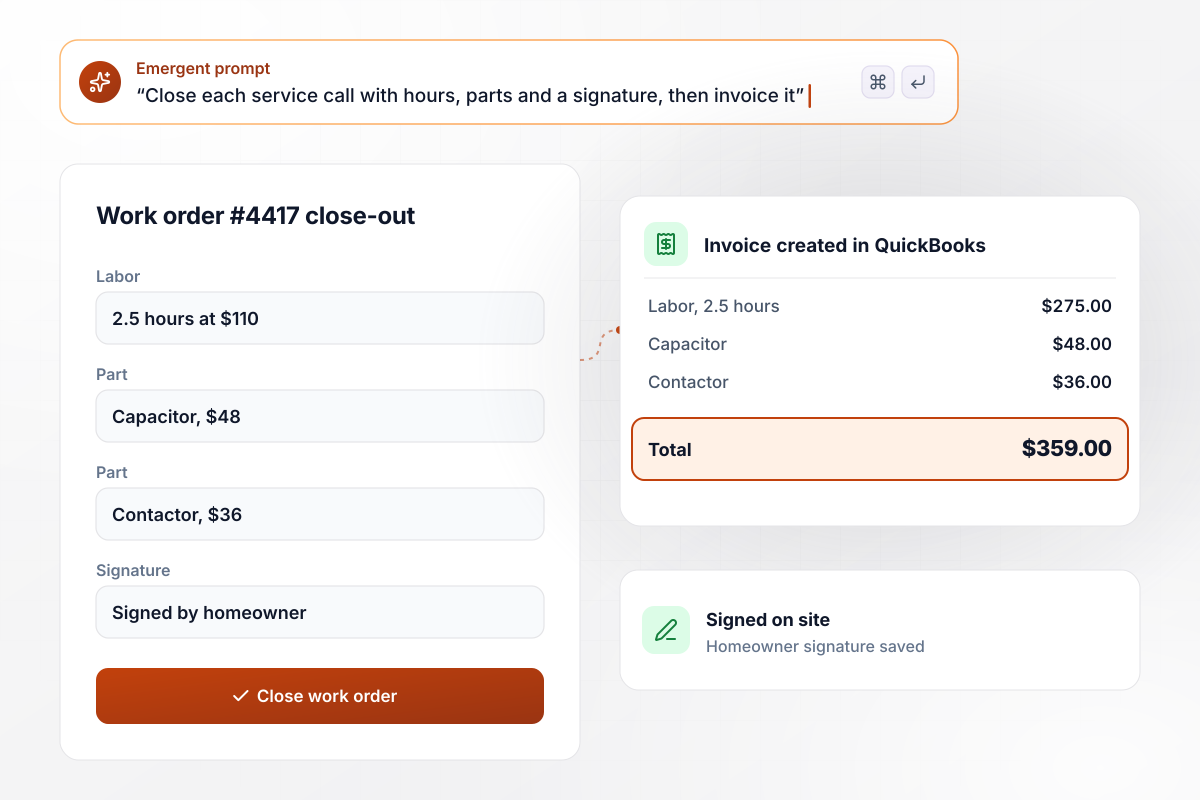
Closed on site with a signature and an invoice
On the last job of the day, a Lumen Heating technician logs 2.5 hours of labor at $110 an hour, plus a capacitor at $48 and a contactor at $36. The homeowner signs on the phone screen. Closing the work order creates a $359 invoice in QuickBooks with every line copied over.
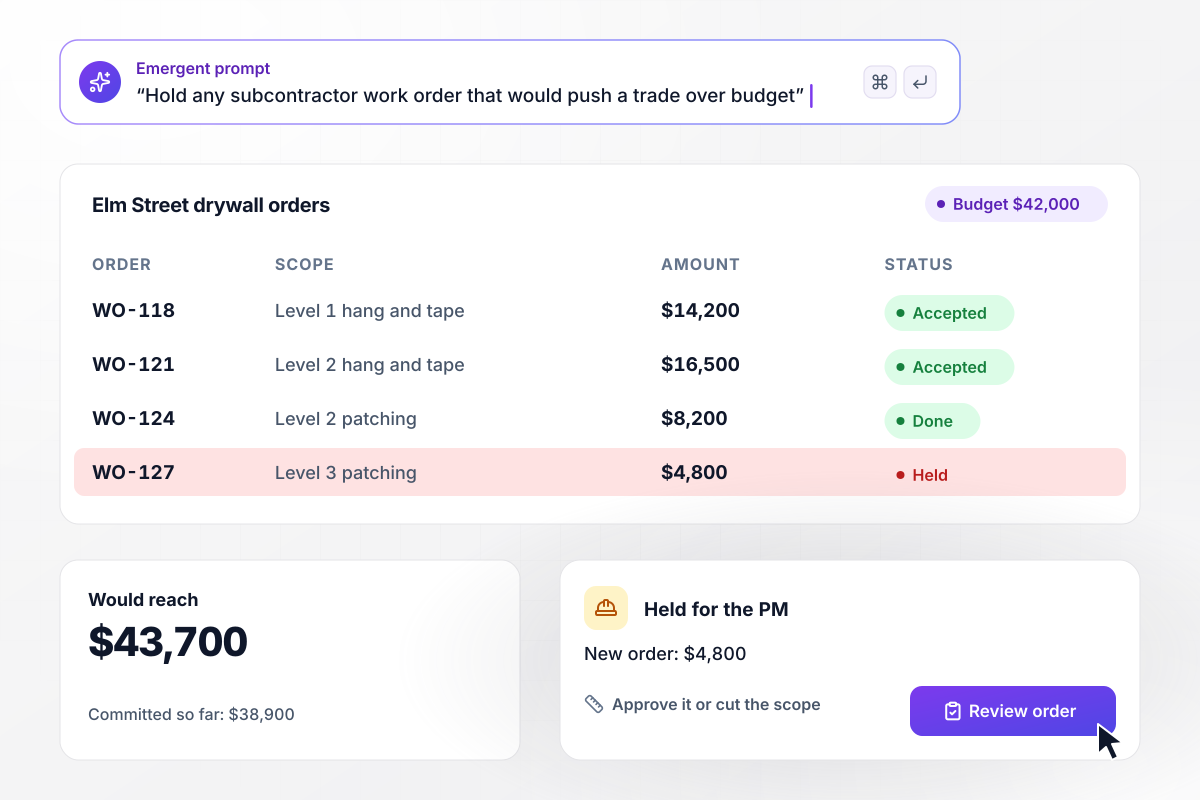
A drywall order over budget waits for the PM
Harbor Line Construction issues work orders to subcontractors with a not-to-exceed amount. The Elm Street drywall budget is $42,000, and $38,900 is already committed. A new $4,800 order for Level 3 would reach $43,700, and it waits for the project manager.






How to Create a Work Order Form
Seven steps to plan the routing and close-out rules for a work order form before Emergent builds it.
Note what a technician asks before leaving the shop: where the job is and what is wrong. A photo answers the second question better than any description. Every field on the form should save the tech a phone call.
Pick the three or four categories the work splits into, such as electrical and plumbing. Each category maps to one shop or one person. No request sits in a shared inbox waiting for someone to claim it.
Write one line on which problems count as urgent and who hears about them after hours. Water leaks and failed heating in winter are common choices. Name a person for each night of the week, weekends included.
Decide which jobs need a sign-off before work starts. A dollar threshold is the simplest rule: anything estimated above it goes to a manager, and smaller jobs are assigned straight away. Write down who approves when that manager is out.
Paste your fields and rules into one prompt in plain English. Emergent builds the request form and a work orders table behind it, with a queue for each shop. Change a rule later the same way, by asking for it.
List what a technician records to finish a job, such as labor hours and parts with their prices. Add a signature field and mark which fields must be filled before the order closes. Connect QuickBooks or Xero if closed jobs become invoices.
Open the form on a phone and file a fake urgent request from a hallway. Confirm the alert arrives, then close the order as the technician would. Check that the row in the table matches what you entered.
Why Build Work Order Forms With Emergent?
A fillable PDF captures the request and stops. Someone still retypes it and chases the technician for hours and parts.

|
Jotform | Google Forms | Typeform | |
|---|---|---|---|---|
| How you build | Describe it in plain English | Templates, editor, AI generator | Editor, with Gemini drafting on some Workspace plans | Templates, editor, AI assist |
| Where responses live | A database table you own, plus any integration | Jotform account | Google Sheets | Typeform account |
| Response limits | No response caps | Monthly submission caps by plan; the form stops at the cap | No limit | Monthly response caps by plan; the form closes at the cap |
| Code ownership | Full code export to GitHub on paid plans | None | None | None |




Pick the Pricing Plan That Works for You
Choose the plan that fits your building ambitions. From weekend projects to enterprise applications, we've got you covered.




Find the right form
for whatever you're collecting















Frequently Asked Questions
Your Questions, Answered
Don't change this element unless you know what you are doing
More things you can build
with Emergent









on Emergent today


