

Build a Daily Report Form That Flags Problems
Build a daily report form that saves every report to a database you own and alerts the right person when one needs attention.
Build a daily report form that saves every response to a database I own.
Trusted by Builders Worldwide
Active Builders Worldwide
Apps Successfully Created
Countries Globally Reached



What Each Report Holds and Who Acts on It
A daily report form records one shift in the same fields every time. These six parts decide what happens after someone files.
Fields that match the work you report on
Emergent builds the form from a plain-English description of the day, such as crew count and weather for a building site. Ask for a new field later and Emergent adds it.
Filed from a phone before the shift ends
Shows one question per screen, which suits a report filed from a truck cab. Put the numbers first and the notes last, so a rushed report still carries all the figures.
Every report kept in a database you own
Saves each report as a row with the date, the person who filed it, and the site. A manager can pull last Tuesday's report, or every delay this month, with one search.
Alerts that escalate when nobody answers
Sends a Slack, email, or in-app alert when an answer breaks a rule you set. If nobody marks it handled within the hour, the alert escalates to a second name you choose.
A live view of who has filed today
Shows a dashboard that updates as reports arrive, listing who has filed and who has not beside the day's totals. A supervisor checks one screen instead of every report.
Report numbers sent to the tools you use
Connects to any tool with an API, such as QuickBooks, so the day's cash totals reach the books without retyping. Each report stays in your database as the full record.
What Happens After a Report Is Filed
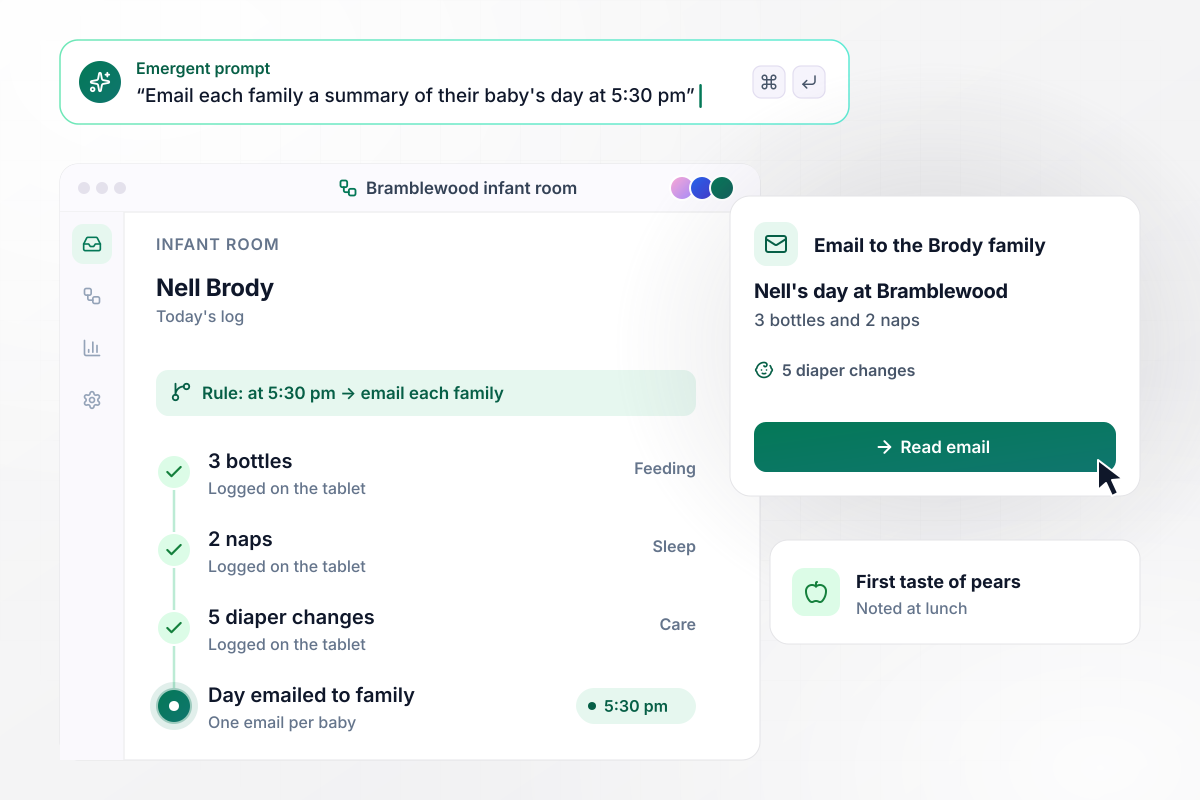
Families get one email with the whole day at 5:30 pm
Bramblewood Early Learning's infant room teacher logs each bottle, nap, and diaper change on a tablet as it happens. At 5:30 pm, every family gets one email with their baby's day. Nell Brody's parents read that she took 3 bottles and had 2 naps. The same email noted 5 diaper changes and her first taste of pears.
window.awbMockup = { infantRooms: "Build a daily report form for my daycare's infant room. Teachers log each bottle, nap, and diaper change on a tablet as it happens, with a notes field for new foods. At 5:30 pm, email each family one summary of their baby's day.", buildingSites: "Build a daily site report form for my construction company. The superintendent files it on a phone with crew count, weather, work done, and any delay. When a delay is logged, send our project manager, Desmond Ellery, the report as a Slack direct message.", retailCash: "Build a daily cash report form for my hardware store. The closing cashier enters the counted total for each register drawer, and the form compares it with the register's expected cash. If a drawer is more than $20 off, email the store manager, Inez Palacio.", fieldCrews: "Build a daily work report form for my pest control technicians. Each tech files from a phone with jobs done and any follow-up visits booked. Show a dashboard of who has filed, and send a Slack reminder to anyone with no report by 6 pm." };
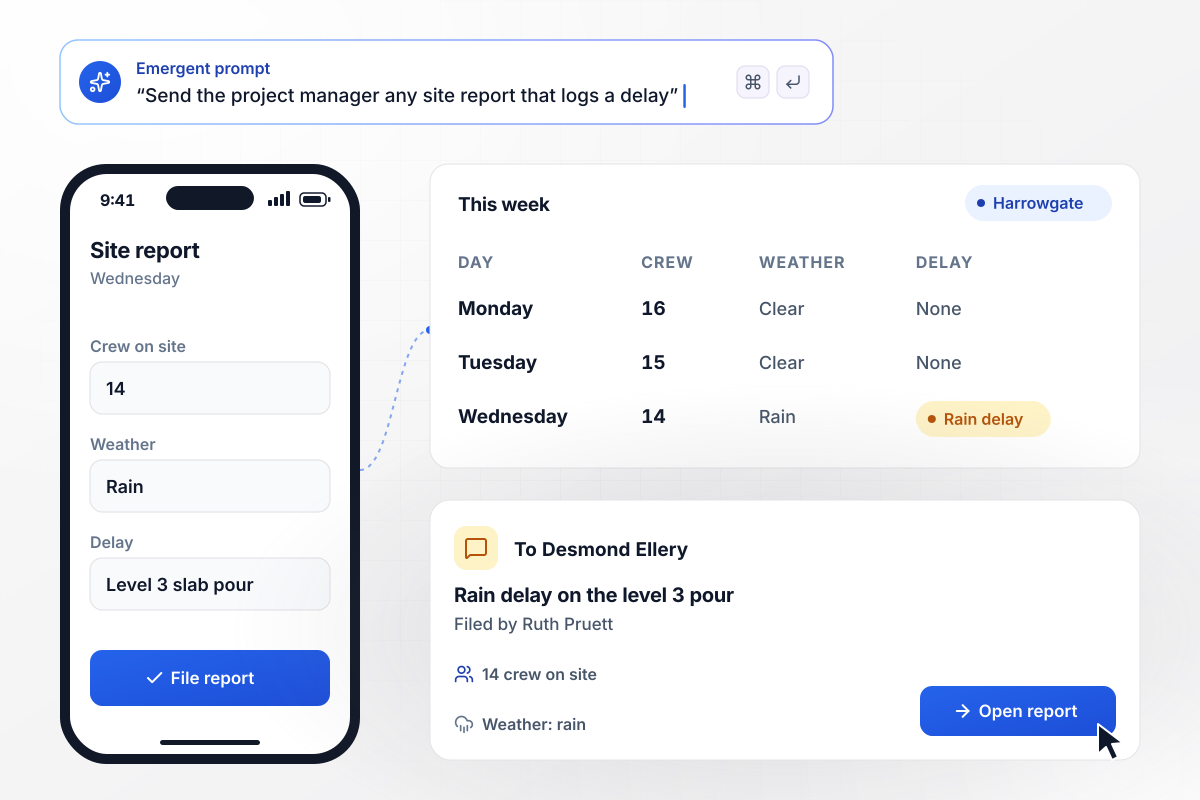
Delays logged on site go straight to the project manager
Ruth Pruett, superintendent at Harrowgate Builders, files a site report each day on her phone. On Wednesday she logged a rain delay on the level 3 slab pour with 14 crew on site. Project manager Desmond Ellery got it as a Slack direct message. Monday and Tuesday had no delay and sent no alert.
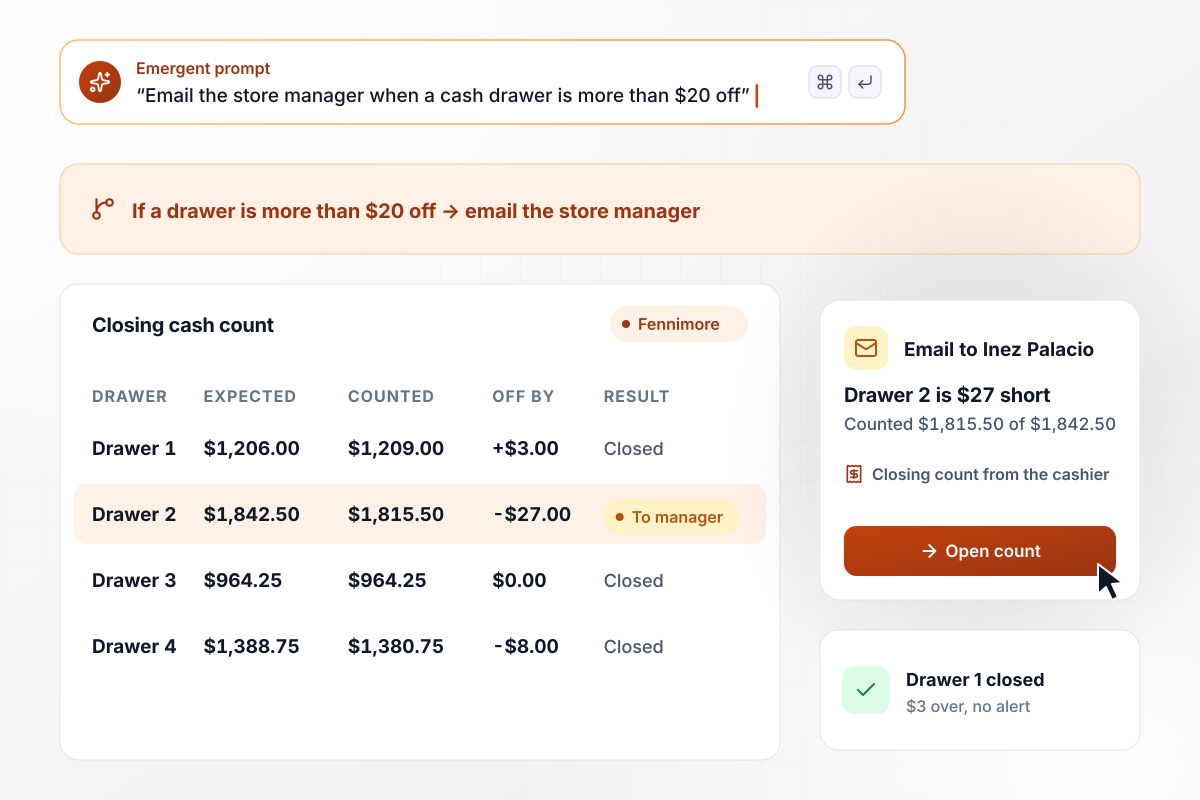
The store manager gets any drawer more than $20 off
Fennimore Hardware's closing cashier counts each register drawer and types in the total. The form compares that count with the cash the register says it took in. Drawer 2 is $27 short: it held $1,815.50 against $1,842.50 expected. Store manager Inez Palacio got an email. Drawer 1 was $3 over and closed with no alert.
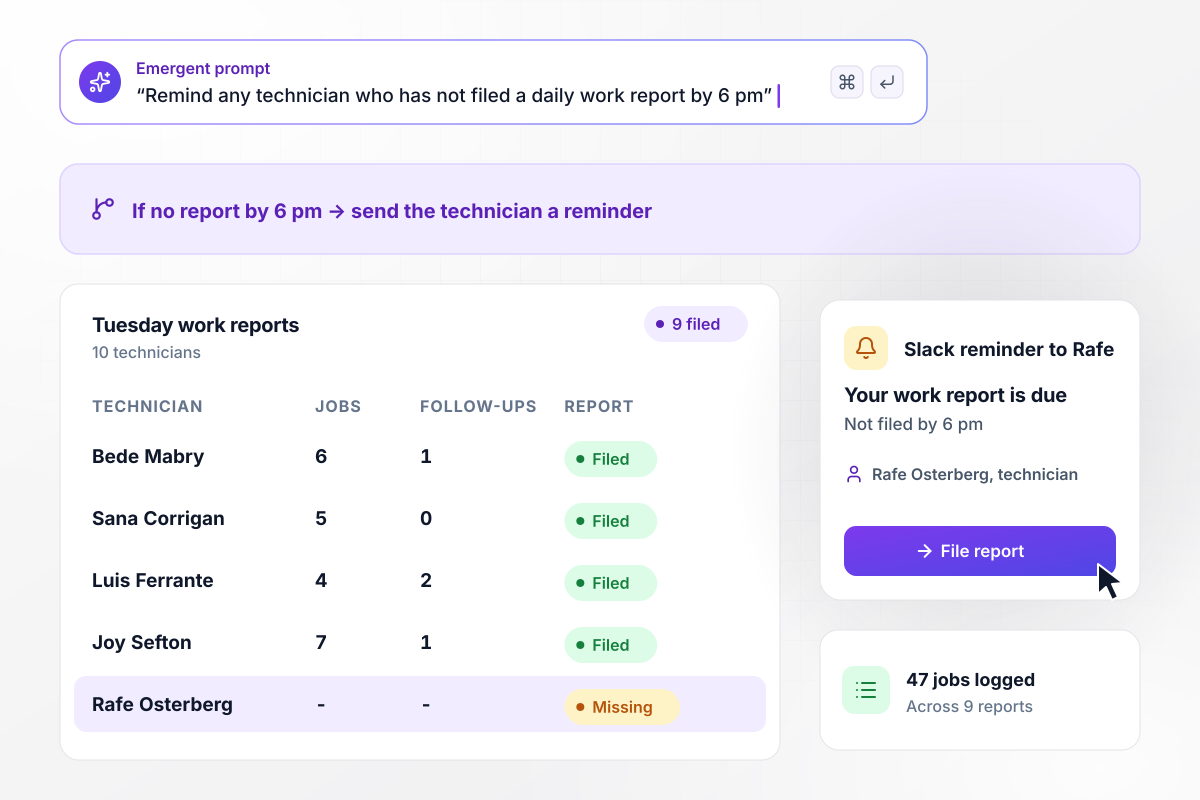
No report by 6 pm means a reminder
Thornbury Pest Control sends 10 technicians out each morning, and each one files a daily work report from a phone with the jobs done and any follow-up visits booked. At 6 pm on Tuesday, the dashboard showed 9 reports covering 47 jobs. Rafe Osterberg had not filed and got a Slack reminder.






How to Create a Daily Report Form
Seven steps to create a daily report form that gets filed on time and alerts someone when a report shows a problem.
Name the person who files each report and the time it is due, such as the superintendent by 4 pm or the closing cashier at lock-up. One filer per site or room gives you exactly one report for each day.
Write down the figures a manager reads first, such as crew count, jobs done, or the cash total. Ask for each one as a number field, not free text. The dashboard can then add them up across days and sites.
Put a single open notes field last for anything the numbers miss: a visitor on site, a broken register, a new food a baby tried. Tell people to fill it when something happened and to skip it on a quiet day.
Say what should wake someone up the way you would brief a new manager: if the crew count drops below 10, message the operations lead. Name who gets the alert and a backup for the days that person is off.
Paste the fields and the alert rule into one prompt, along with the due time. Emergent builds the form with its report database and alerts. Change any piece later by asking, such as adding a weather field or moving the due time.
Pick a reminder time a little after the due time, which spares people who file late on a busy day. The reminder goes only to the people with no report yet, and the dashboard shows who is still missing.
Submit one ordinary report, one that should trigger the alert, and leave one person unfiled past the reminder time. Check that each report lands in the database and the right people hear about it. Delete the test rows afterward.
Why Build Daily Report Forms With Emergent?
Emergent builds the report form with its alerts and filing dashboard, and keeps every report in a database you own with no response cap.

|
Typeform | Jotform | Google Forms | |
|---|---|---|---|---|
| How you build | Describe it in plain English | Templates, editor, AI assist | Templates, editor, AI generator | Editor, with Gemini drafting on some Workspace plans |
| Where responses live | A database table you own, plus any integration | Typeform account | Jotform account | Google Sheets |
| Response limits | No response caps | Monthly response caps by plan; the form closes at the cap | Monthly submission caps by plan; the form stops at the cap | No limit |
| Code ownership | Full code export to GitHub on paid plans | None | None | None |




Pick the Pricing Plan That Works for You
Choose the plan that fits your building ambitions. From weekend projects to enterprise applications, we've got you covered.




Find the right form
for whatever you're collecting














Frequently Asked Questions
Your Questions, Answered
Don't change this element unless you know what you are doing
More things you can build
with Emergent









on Emergent today


