

Build an Incident Report Form That Reaches the Right Manager
Create an incident report form that sends each report to the right person by severity and tracks every fix to done.
Build an incident report form my team can fill out on a phone as soon as something goes wrong at work.
Trusted by Builders Worldwide
Active Builders Worldwide
Apps Successfully Created
Countries Globally Reached



What Happens After Someone Hits Submit
A paper report sits in a tray until a manager reads it. These six pieces put it in front of the right person during the same shift.
Questions that change with the event type
Pick injury, near miss or theft, and the form asks what that event needs. An injury asks for the body part and the first aid given, while a theft asks for the estimated loss.
Photos and a timestamp on every report
Attach photos from the scene before the report goes in, and the form records the time and place with it. Reviewers see the spilled pallet instead of a description of it.
Severity decides who hears first
Set the rules that route each report. A serious injury alerts the safety lead in the app at once, a broken shelf goes to facilities, and a minor scrape waits for the weekly review.
Each fix gets an owner and a due date
Assign each fix to a person with a due date on the same record as the report. Overdue actions show up on the safety dashboard, and closing one asks for a note on what changed.
Signatures from the people involved
Collect a signature from the reporter or a witness on a phone. The signed copy stays attached to the report, and anyone who has not signed yet gets a reminder the next morning.
Your full codebase, exported to GitHub
Export the code to your GitHub repository on paid plans when IT wants incident reports inside an HR system or a safety platform. Host it on your own servers and extend it.
Four Places Incidents Get Reported
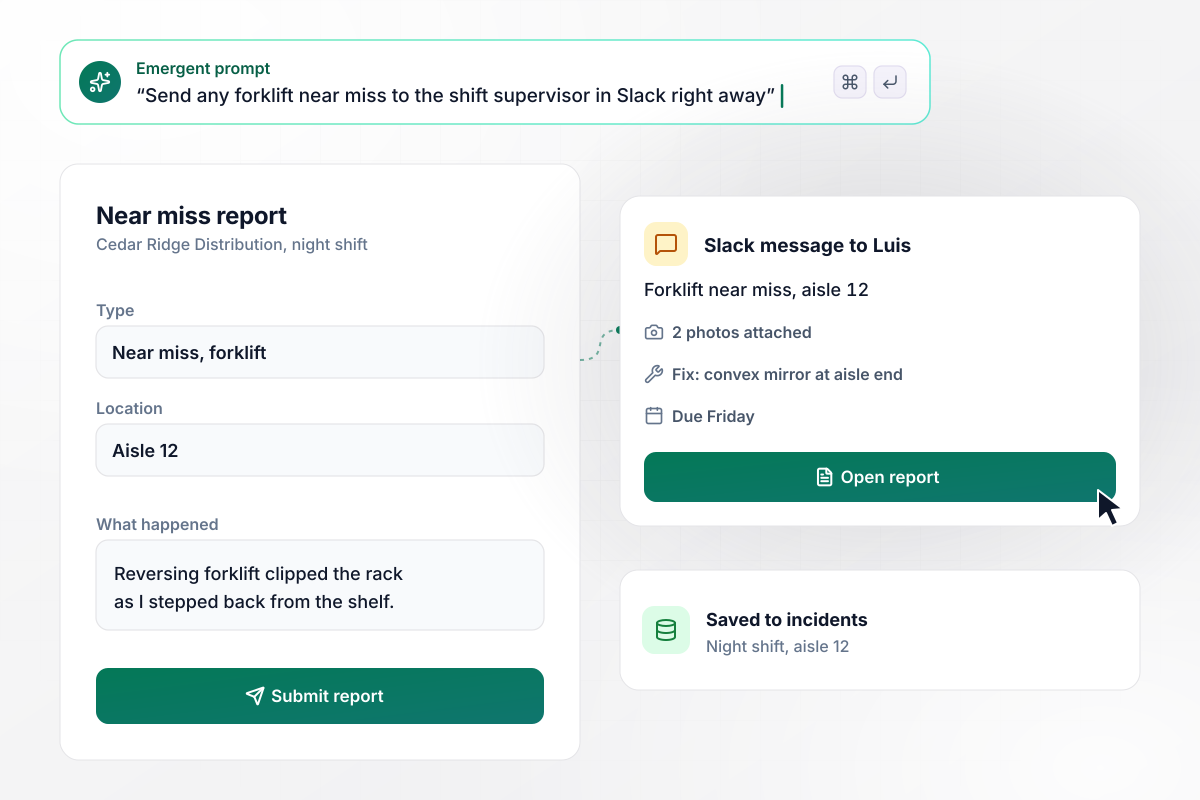
Near misses in aisle 12 reach a supervisor in minutes
Halfway through the night shift at Cedar Ridge Distribution, a reversing forklift clips the rack in aisle 12. A picker files the near miss from her phone with two photos. Any near miss involving a forklift goes to Luis, the shift supervisor, in Slack. He adds a fix, a convex mirror at the aisle end, due Friday.
window.awbMockup = { warehouseFloors: "I run a distribution warehouse with forklifts on every shift. Build a near miss report my pickers file from a phone: location, what happened, and photos. If the near miss involves a forklift, send a Slack message to the shift supervisor right away. Let the supervisor add a corrective action with an owner and a due date on the same report.", childcareCenters: "I direct a childcare center. Build an incident report teachers fill in after a bite, fall or injury: the time, the room, what happened, the first aid given, and children's initials only. Tell the parent a report is ready to sign, with no details in the message, so they can read and sign it in the app before pickup, and show me which reports are still unsigned.", retailStoreTheft: "We run a chain of grocery stores. Build a theft report shift leads fill in with the store, the items taken, the estimated loss, and the camera timestamp. If the estimated loss is over $200, send the report to our regional loss prevention lead. Add smaller losses to a monthly count for each store.", restaurantGroups: "I run operations for a restaurant group with four kitchens. Build one incident report for every location, with the type of incident such as a burn, a cut or a slip. Give me a dashboard of reports by location and type for the quarter, and flag any kitchen with far more incidents of one type than the others." };
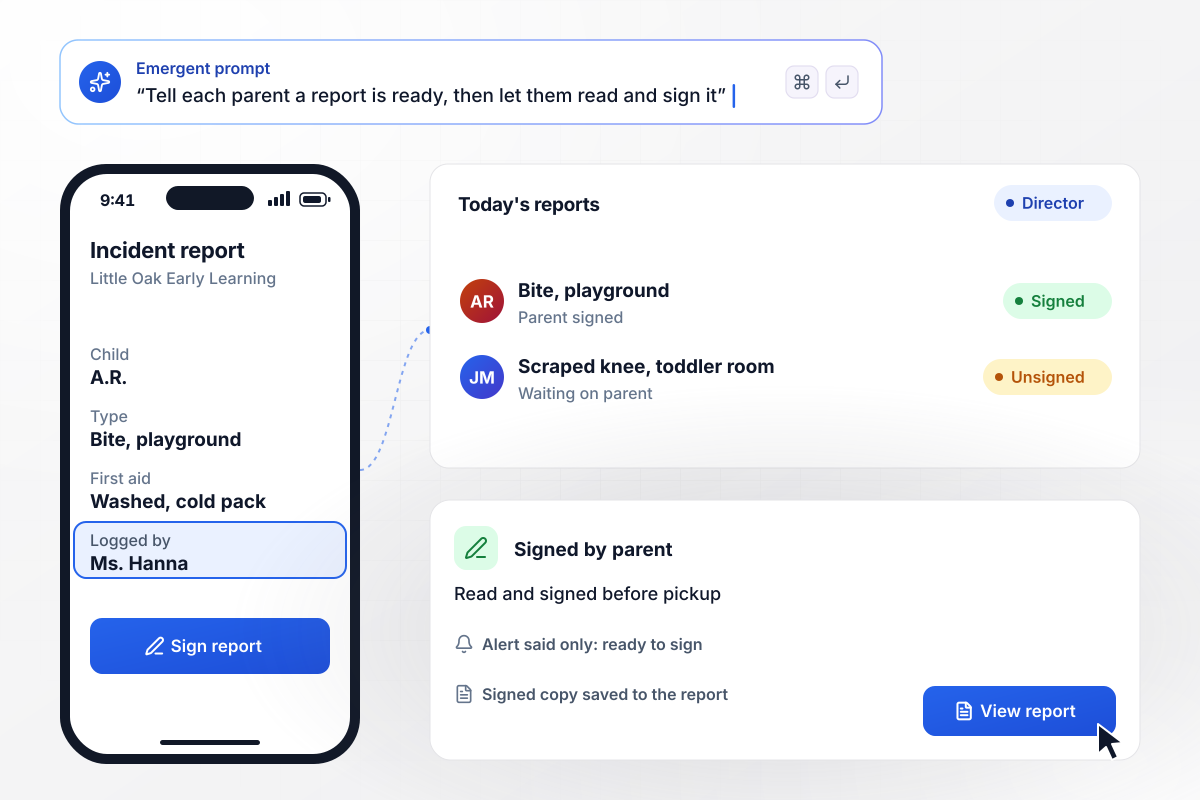
A parent signs for every bite before pickup
Bites happen in toddler rooms, and parents expect to hear the same day. At Little Oak Early Learning, a teacher logs a bite on the playground with the first aid given, using initials only. The parent gets word that a report is ready, then reads and signs it in the app before pickup. The director sees any report still unsigned.
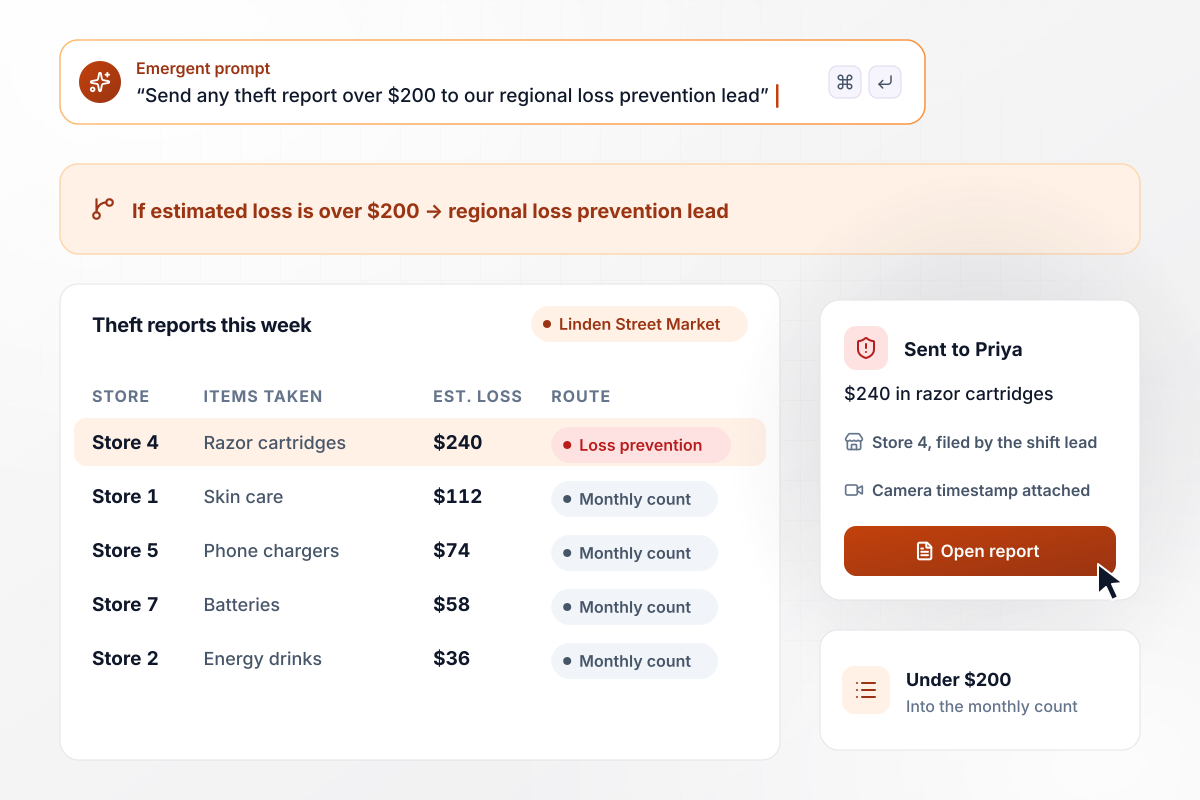
Losses over $200 go to loss prevention
Linden Street Market loses small amounts of stock to theft every week. A shift lead files each report with the items taken and the estimated loss. A report for $240 in razor cartridges goes to Priya, the regional loss prevention lead, with the camera timestamp attached. Anything under $200 rolls into the monthly count.
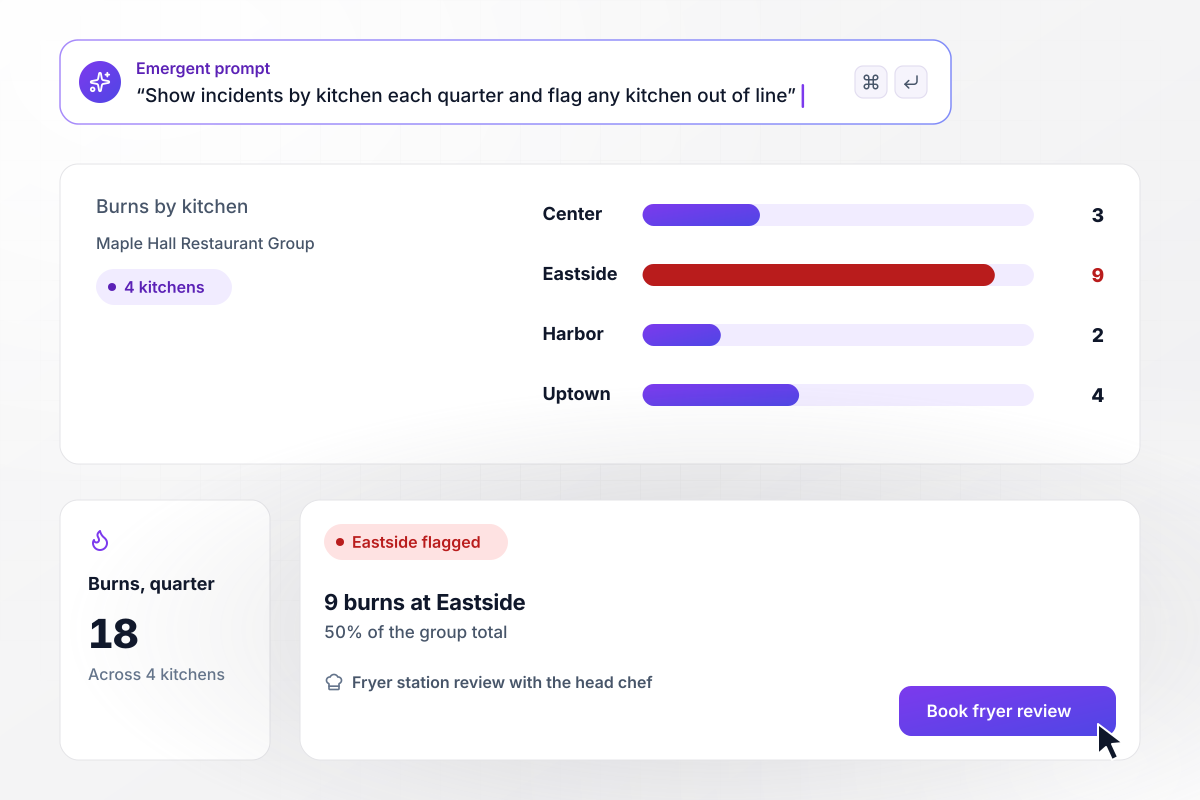
Eastside logs half of all burns this quarter
Four kitchens file reports into one app at Maple Hall Restaurant Group. The operations director sees every report by location and type. This quarter the group logged 18 burns, and 9 came from the Eastside kitchen. The dashboard flags Eastside, and the director books a fryer station review with its head chef.






How to Create an Incident Report Form
Seven steps to plan an incident report form that reaches the right person during the shift, then build and test it.
Write down every kind of event your team should report, such as injuries and near misses. Each type gets its own follow-up questions. This list shapes the whole form and decides which details a reporter is asked for on the day itself.
Ask for facts the reporter saw: the time, the place, who was there, what happened in order, and what first aid or cleanup followed. Leave out fields that invite guesses about fault. Those questions belong in the investigation that comes after the report.
Choose who gets each report and how fast. A forklift near miss might page the shift supervisor at once, while a cracked floor tile can wait for the weekly safety review. Name a backup person for nights and weekends too.
Paste your incident types and routing rules into one prompt. Emergent builds the form and an incidents table, plus a dashboard by location and type. Change a question or a routing rule later by asking for it in plain English.
Make a photo required for property damage and add a witness section with contact details. Add signature fields where someone has to confirm the record. Keep details about an injured person to what the follow-up needs and nothing more.
Attach a corrective action to every report, with one person responsible and a deadline. The safety lead sees open actions on the dashboard, and an owner with an overdue action gets an email reminder each morning until it is marked done.
Report a fake near miss from a phone in the place it would happen, such as the loading dock. Confirm that the alert reaches the right supervisor, that the photo comes through, and that the corrective action appears on the dashboard.
Why Build Incident Report Forms With Emergent?
A report filed in a binder explains last month. A report that reaches a supervisor during the shift changes what happens on the next one.

|
Jotform | Google Forms | Typeform | |
|---|---|---|---|---|
| How you build | Describe it in plain English | Templates, editor, AI generator | Editor, with Gemini drafting on some Workspace plans | Templates, editor, AI assist |
| Where responses live | A database table you own, plus any integration | Jotform account | Google Sheets | Typeform account |
| Response limits | No response caps | Monthly submission caps by plan; the form stops at the cap | No limit | Monthly response caps by plan; the form closes at the cap |
| Code ownership | Full code export to GitHub on paid plans | None | None | None |




Pick the Pricing Plan That Works for You
Choose the plan that fits your building ambitions. From weekend projects to enterprise applications, we've got you covered.




Find the right form
for whatever you're collecting















Frequently Asked Questions
Your Questions, Answered
Don't change this element unless you know what you are doing
More things you can build
with Emergent









on Emergent today


