

Build a Dental Intake Form the Dentist Reads Before the Visit
Build a dental intake form that sends each new patient's history and visit reason to a database you own before the appointment.
Build a dental intake form that saves every response to a database I own.
Trusted by Builders Worldwide
Active Builders Worldwide
Apps Successfully Created
Countries Globally Reached



What the Form Asks Before the Patient Sits Down
A dental intake form built here asks for the dates and signatures the front desk and the dentist use before the first exam.
A reason for the visit, picked then described
Open the form with one question: what brings the patient in. A pick list covers routine reasons like a cleaning or a toothache, and a text box below it takes the details in full.
Dental history with dates, not guesses
Ask when the patient last had a cleaning and last had x-rays, each as a month and a year. The previous office's name and phone number sit next to those dates on the record.
A medical history list your dentist approves
Show the conditions and allergies your dentist wants to know about as checkboxes. Medications go in as rows, one per medicine with its dose, which puts each one on its own line.
A signature under the office policies
Place the financial policy and the cancellation policy on the last screen, each with a checkbox. The patient signs once with an e-signature, and the app saves it on the record.
Reminder emails for unfinished intakes
Pick how many days before the visit a reminder goes out. A patient who has not finished the form gets an email with the link, and the front desk sees who is still missing.
Code your practice can take anywhere
On paid plans, export the full code of the intake app to your GitHub repository. A developer can then place the form on the practice website or change where the records are stored.
Where Four Dental Offices Use the Answers
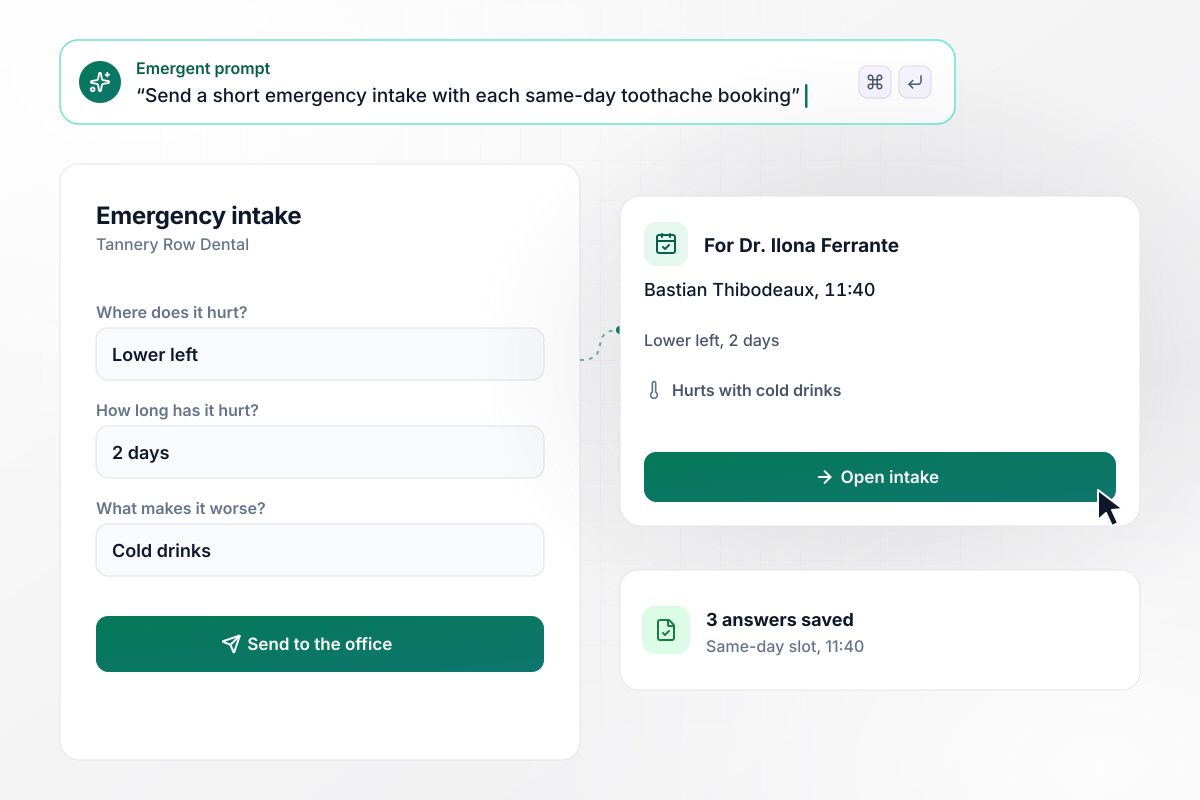
Before the 11:40 toothache visit, three answers wait
Bastian Thibodeaux called Tannery Row Dental about a toothache and took the 11:40 same-day slot. His confirmation email links to a short emergency intake. He marks the lower left side, pain for 2 days, and pain with cold drinks. Dr. Ilona Ferrante reads those three answers on a card before he sits down.
window.awbMockup = { emergencyVisits: "My dental office keeps same-day slots for toothaches. Build a short emergency intake that the confirmation email links to. Ask which side of the mouth hurts, how long it has hurt, and what makes it worse, like cold drinks or chewing. Put those answers on a card for the dentist before the patient sits down.", switchingDentists: "New patients at my practice often come from another dental office. Build an intake that asks for the previous office's name and phone number and the month and year of the last x-rays. Give my office manager a list of this week's new patients sorted by that date, oldest first, so he knows whose records to request.", nervousPatients: "Some of my patients get nervous at the dentist. Add a question to my intake form where they rate their nerves from 1 to 5, then ask what helps, like a raised hand to pause, headphones, or more breaks. Show those answers on the hygienist's card for each appointment.", spanishSpeakers: "Half the families near my dental office speak Spanish at home. Build an intake form with a Spanish option on the first screen. Answers should land in the same fields as the English form, the record should show which language the patient picked, and the front desk should see it when booking the visit." };
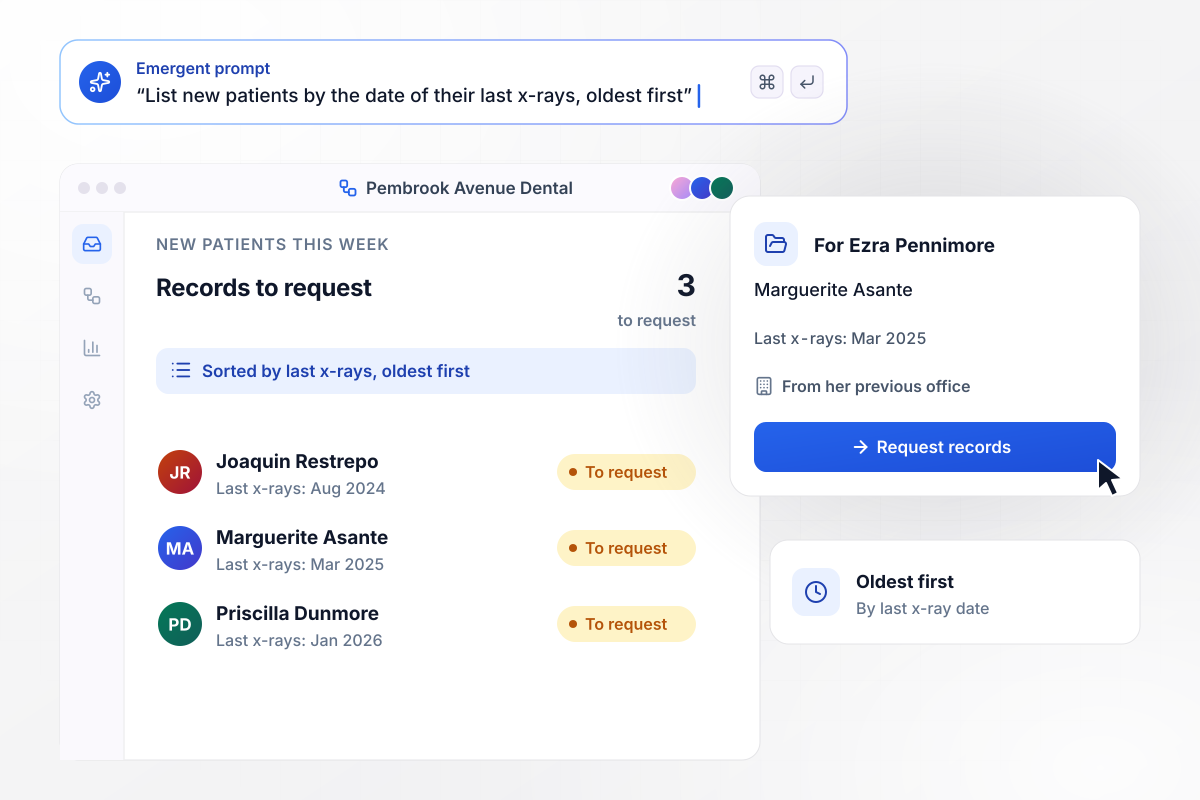
Records to request, sorted by last x-ray date
Marguerite Asante switched to Pembrook Avenue Dental from an office across town. On the intake, she gives March 2025 as the date of her last x-rays. Office manager Ezra Pennimore sees this week's new patients sorted by that date, oldest first. Her name is on his list of 3 records to request.
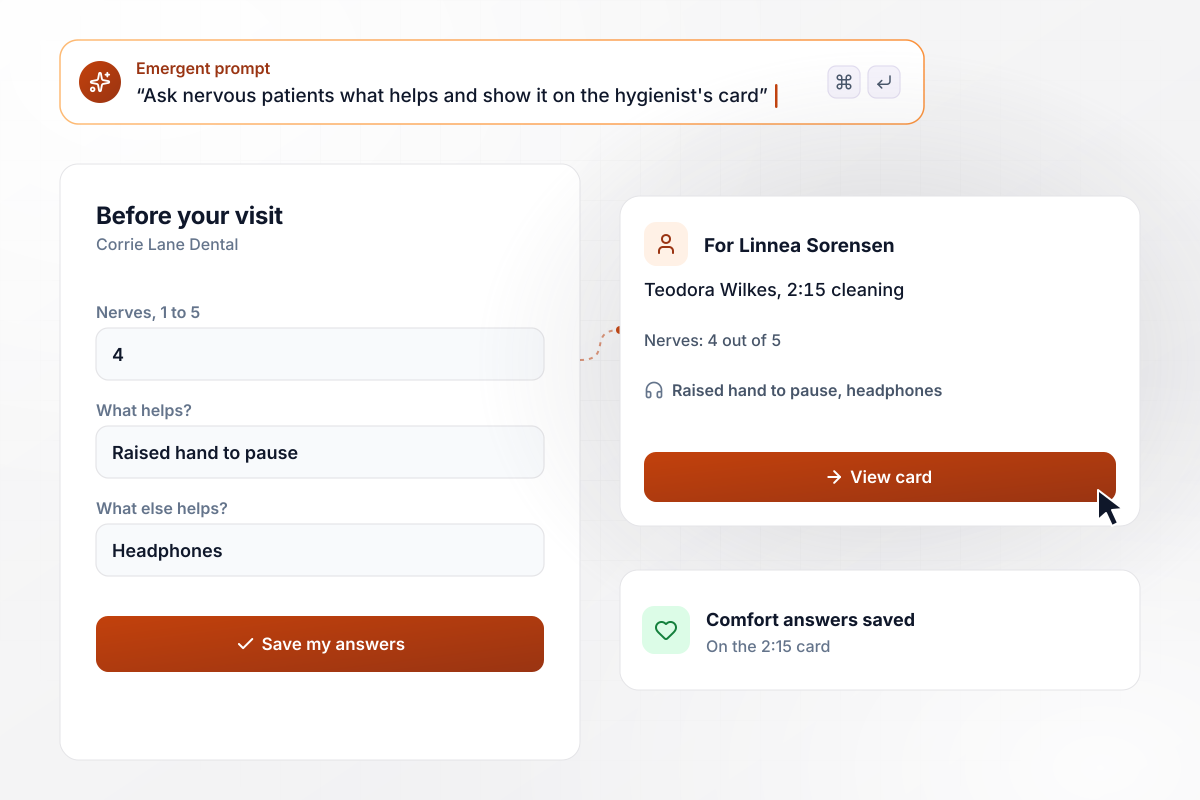
For the 2:15 cleaning, a pause signal and headphones
Teodora Wilkes put her nerves at 4 out of 5 on Corrie Lane Dental's intake. The next question asks what helps, and she picks a raised hand to pause and headphones during the cleaning. Hygienist Linnea Sorensen sees both on the card for the 2:15 appointment, before Teodora reaches the chair.
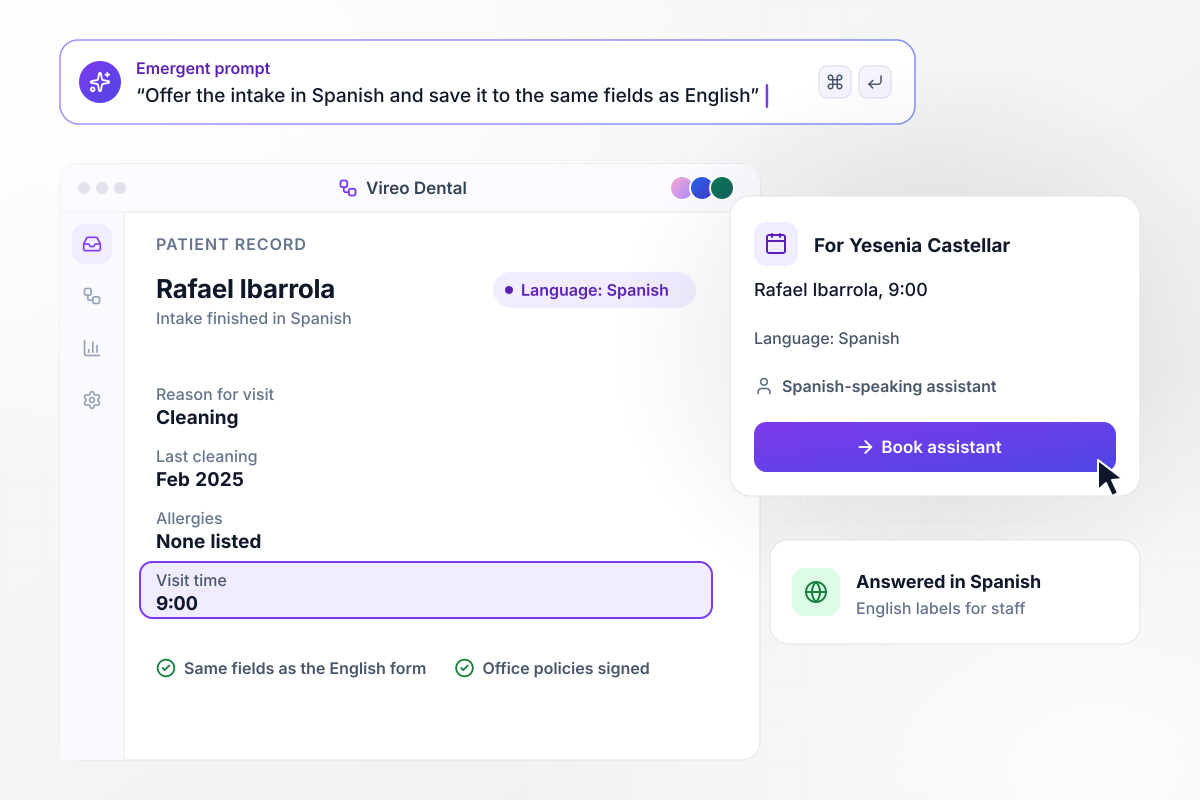
Spanish on screen, English labels for staff
Rafael Ibarrola tapped Spanish on the first screen of Vireo Dental's intake. His choices fill the same fields as the English form, so the record shows English labels. Front desk lead Yesenia Castellar sees Language: Spanish at the top and books the Spanish-speaking assistant for his 9:00 visit.






How to Create a Dental Intake Form
Seven steps take a dental intake form from your current paper packet to a link new patients finish before the exam.
Start with the reason for the visit, then go through your current new patient packet page by page. Write down every question on it, and mark the ones nobody at the front desk or the chair reads before an exam.
Replace yes or no history questions with dates. A patient whose last x-rays were in March 2025 should enter that month, not tick a box for the last two years. Keep the section short: two dates and where the patient went before.
Turn the conditions the dentist wants flagged into checkboxes, then have the dentist read the full list before it goes live. The dentist decides what the form asks, and Emergent builds the form from the questions you give it.
Give each medication its own row with the name, the dose, and how often the patient takes it. Ask about allergies to medicines and to materials such as latex as a separate question. Neither answer then gets lost in a long text box.
Copy the exact wording of each office policy from the documents your practice uses today, and have the office manager confirm it is the current version. Each policy then gets its own checkbox above the e-signature on the last screen.
Put the sections in order in one prompt, with the reminder timing and who sees which answers. Emergent then builds the patient records behind the form, plus a card for each person who reads the answers. Change any part later by prompting again.
Book a fake patient and fill out the intake on a phone, the way a patient would from the confirmation email. Check that each answer reaches the right card and the reminder email arrives, then send the link with real bookings.
Why Build Your Dental Intake Form With Emergent?
Emergent builds the intake form and the patient database from one prompt. Responses have no cap and stay in a database you own.

|
Jotform | Google Forms | Typeform | |
|---|---|---|---|---|
| How you build | Describe it in plain English | Templates, editor, AI generator | Editor, with Gemini drafting on some Workspace plans | Templates, editor, AI assist |
| Where responses live | A database table you own, plus any integration | Jotform account | Google Sheets | Typeform account |
| Response limits | No response caps | Monthly submission caps by plan; the form stops at the cap | No limit | Monthly response caps by plan; the form closes at the cap |
| Code ownership | Full code export to GitHub on paid plans | None | None | None |




Pick the Pricing Plan That Works for You
Choose the plan that fits your building ambitions. From weekend projects to enterprise applications, we've got you covered.




Find the right form
for whatever you're collecting















Frequently Asked Questions
Your Questions, Answered
Don't change this element unless you know what you are doing
More things you can build
with Emergent









on Emergent today


